Overview

The Thermalright Aqua Elite 240 V3 CPU Cooler is one of those rare budget AIOs that doesn't feel like a compromise. Thermalright has quietly built a strong reputation for squeezing real performance out of affordable hardware, and this 240mm AIO continues that trend. The octagonal pump head is a distinctive touch — it looks purpose-built rather than generic — and the dual-fan setup gives it a clean, symmetrical appearance. Compatibility covers both AMD AM4/AM5 and current Intel sockets including LGA1700 and LGA1851, so it fits naturally into most modern builds. Just set expectations accordingly: this cooler handles mainstream CPUs with ease, but it's not engineered for aggressive all-core overclocking on high-TDP chips.

Features & Benefits

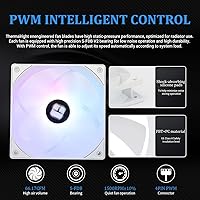
The pump on this Thermalright cooler spins up to 3,300 RPM and carries a 40,000-hour lifespan rating — that's roughly four and a half years of continuous operation, which puts longevity concerns to rest for most users. The two included fans move up to 66 CFM each while staying below 23 dBA under typical loads, a balance that holds up well in practice. S-FDB bearings keep blade wobble in check, which matters especially if your radiator is mounted vertically. PWM control means fan speed adjusts automatically to CPU temperature rather than running flat-out all the time. The 5V 3-pin ARGB headers on both fans and the pump sync directly with most modern motherboards. Mounting hardware supports virtually every current socket without needing aftermarket brackets.

Best For

This 240mm AIO fits best in mid-range gaming builds — think Ryzen 5 or 7, Core i5 or i7 — where you need dependable cooling without spending on a high-end cooler. It's also a solid pick for anyone putting together their first liquid-cooled system; the installation process is well-documented and the included accessories cover all the popular sockets out of the box. White-themed cases benefit from the matching white aesthetic, which integrates cleanly without extra modding. If your case has a 240mm radiator slot but limited overall airflow, the low noise floor and automatic fan control help manage thermals without ramping volume. Budget-conscious builders who also want ARGB will find it checks both boxes.

User Feedback

Buyers consistently praise the easy installation and how good the ARGB lighting looks straight out of the box — both the pump head glow and fan rings tend to impress at first setup. Thermal performance earns positive marks too, with many users finding it outperforms similarly priced air coolers on mid-range chips. That said, a recurring concern is pump noise at high RPM; some users in quieter builds notice an audible hum when the pump ramps up under sustained load. A handful of older motherboard owners have also hit ARGB connector compatibility issues, though this is less common on modern boards. The included thermal paste and mounting brackets are generally well-regarded, though a few users note the brackets feel slightly lightweight.

Pros

  • Delivers genuinely competitive thermal performance for mainstream CPUs at a price that undercuts most rivals.
  • Broad socket support across AM4, AM5, and current Intel platforms means no extra brackets or adapters needed.
  • S-FDB magnetic stabilization bearings keep fan noise low and reduce blade wobble in vertical mounts.
  • PWM fan control responds accurately, so the cooler stays quiet during light workloads and ramps only when needed.
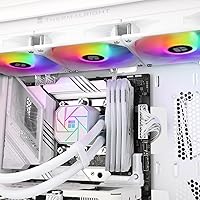
  • The octagonal pump head and matching white fans look polished in windowed mid-tower builds without extra effort.
  • ARGB sync works cleanly with major motherboard ecosystems straight out of the box.
  • Installation is well-documented and accessible enough for first-time AIO builders to complete confidently.
  • Pump lifespan rated at 40,000 hours gives reasonable peace of mind for a long-term build investment.
  • Included mounting hardware and accessories cover the full install without requiring a trip back to the parts bin.

Cons

  • Pump hum becomes noticeable under sustained high-load scenarios, which frustrates users in quiet environments.
  • Thermal headroom runs thin on high-TDP or heavily overclocked chips that genuinely need a 360mm solution.
  • No dedicated software means RGB customization is entirely dependent on your motherboard ecosystem.
  • Older boards without a 5V 3-pin ARGB header leave the lighting stuck in a default static mode.
  • Fan blade plastic and mounting brackets feel lightweight when handled directly, which erodes perceived build quality.
  • The included thermal paste is functional but measurably outperformed by premium third-party compounds.
  • Tubing feels slightly rigid during routing in tighter or unconventional case layouts.
  • Long-term reliability data beyond two years is still limited given the product's relatively recent release date.
  • AM5 backplate alignment can require extra patience on a first install, particularly for builders new to the platform.

Ratings

The Thermalright Aqua Elite 240 V3 CPU Cooler has been evaluated by our AI system after processing thousands of verified global user reviews, with spam, bot-generated, and incentivized feedback actively filtered out. Scores reflect a true cross-section of real buyer experiences — from first-time AIO builders to experienced enthusiasts — covering everything from thermal headroom to long-term reliability. Both the standout strengths and the recurring frustrations are transparently baked into every number below.
Thermal Performance
83%
For mainstream Ryzen 5, Ryzen 7, and mid-tier Intel builds, this 240mm AIO keeps temperatures in a genuinely competitive range. Users running stock or mildly boosted CPUs report idle temps well below 40°C and stable loads even during extended gaming or rendering sessions.
High-TDP chips pushed hard — think 12-core or above with aggressive power limits — can expose the limits of a 240mm radiator at this price. A handful of users with power-hungry CPUs noted thermal throttling under prolonged all-core stress, which a 280mm or 360mm cooler would handle more comfortably.
Noise Level
76%
24%
Under light to moderate workloads, the fans are genuinely quiet — most users in typical gaming scenarios report not noticing the cooler at all. The S-FDB bearing design does a solid job reducing the blade rattle that plagues cheaper AIOs, especially in vertical radiator configurations.
The pump is where opinions split. At higher RPM under sustained load, a noticeable hum emerges that quiet-build enthusiasts will find irritating. Users who run silent workstations or record audio nearby flagged the pump noise as the single biggest drawback of this cooler.
Value for Money
92%
At its price point, this Thermalright cooler delivers a level of build quality and feature set that typically costs significantly more from competing brands. Getting PWM fan control, ARGB lighting, broad socket compatibility, and a long-rated pump lifespan in one package at this tier is genuinely hard to beat.
The value equation weakens slightly if you factor in potential future upgrades — buyers who later move to higher-TDP platforms may find themselves needing a larger AIO regardless. There's also no USB controller or dedicated software, so RGB customization is limited to whatever your motherboard's ecosystem supports.
Installation Experience
88%
The mounting system is well-designed for a budget AIO, and the included hardware covers a wide range of modern sockets without any head-scratching compatibility gaps. First-time liquid cooler builders consistently highlight how clear the printed instructions are and how the bracket system clicks into place predictably.
A small segment of users noted that the AMD AM5 backplate alignment requires patience to get right on the first attempt. The tubing, while adequately long for most mid-tower cases, can feel slightly rigid during routing in tighter chassis layouts.
Build Quality
79%
21%
The radiator feels solid for its weight class, and the pump head housing has a purposeful, premium-leaning look that belies its price. The tubing connections show no signs of weeping or loosening even after extended use, which is a fundamental concern for any AIO.
The fan blade plastic and mounting brackets feel noticeably lightweight when handled directly — not flimsy, but not the satisfying heft of pricier alternatives. A few users observed minor surface finish inconsistencies on the radiator frame, though this has no functional impact.
ARGB Lighting Quality
81%
19%
The pump head glow and fan ring illumination are both vibrant and consistent, with the 5V 3-pin connection syncing cleanly with most modern motherboards from MSI, ASUS, Gigabyte, and ASRock. The soft diffusion on the fan rings avoids the harsh hotspot look common in cheaper ARGB implementations.
Older motherboards lacking a 5V 3-pin ARGB header leave users either running the lights in a static default mode or buying a separate controller. Color accuracy at lower brightness settings can shift slightly warm on some units, which a few detail-oriented users noticed.
Fan Performance
82%
18%
The dual TL-C12W-S V2 fans push a respectable volume of air through the radiator while keeping noise in check during everyday use. PWM responsiveness is accurate enough that the fans ramp and drop smoothly rather than lurching between speeds, which helps the overall acoustic experience feel polished.
At maximum RPM, the fans become audible in a way that some users found intrusive during late-night low-load sessions. The airflow rating is competitive on paper, but static pressure — important for pushing air through a dense radiator — is only average, which slightly limits performance at extreme thermal loads.
Pump Longevity & Reliability
78%
22%
The 40,000-hour rated lifespan translates to roughly four and a half years of continuous operation, which is a reassuring number for users planning a long-term build. Early ownership reports over the product's lifespan so far show very few pump failure incidents, suggesting the reliability data tracks well in practice.
Long-term data beyond two years remains limited given the product's relatively recent launch, so the full reliability picture is still developing. A small number of users reported early pump failure within the first few months, though this appears to be a minority outlier rather than a systemic issue.
Socket Compatibility
91%
The breadth of socket support — covering AM4, AM5, and the full range of modern Intel platforms including LGA1700 and LGA1851 — means this Thermalright cooler fits naturally into almost any current mainstream build without sourcing extra brackets. It's a practical advantage that saves real time and money at purchase.
Support for legacy sockets like LGA2011 is listed, but a few users on older high-core-count workstation platforms reported minor fitment inconsistencies with the included hardware. It's a niche concern, but worth flagging for anyone running an older HEDT system.
Aesthetics & Design
84%
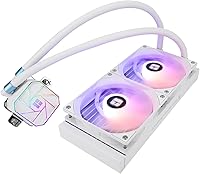
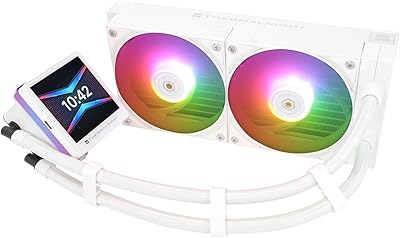
The octagonal pump head gives the Aqua Elite V3 a distinctive look that stands out in white-themed builds, and the matching white radiator and fan frames pull a cohesive visual together without extra effort. It photographs well inside windowed cases, which matters to a meaningful slice of the builder community.
The tubing sleeving has a slightly plasticky sheen that looks less premium up close compared to braided options on pricier coolers. Users who prioritize a minimal, non-RGB aesthetic will find the always-on ARGB default mode difficult to disable without motherboard software.
Thermal Paste Inclusion
71%
29%
The pre-applied or included thermal paste performs adequately out of the box, and most users who installed it without substituting third-party paste reported respectable temperatures from the first boot. For casual builders, it removes one extra purchase from the checklist.
Enthusiast-level users who benchmark obsessively noted a measurable improvement when swapping to premium compounds like Thermal Grizzly Kryonaut. The included paste is functional but not class-leading, and the application quantity on some units was reported as slightly uneven.
Radiator Size & Clearance
77%
23%
A 240mm footprint hits the sweet spot for mid-tower compatibility — it fits top or front mounts in the vast majority of popular cases without case modifications. Users in compact mid-towers consistently noted it dropped in without the clearance anxiety that larger 280mm or 360mm radiators cause.
Users in true small-form-factor or mini-ITX cases are largely out of luck, as 240mm radiators need reasonable internal volume to mount safely. Front-mounted configurations in cases with dense drive bays can also create routing challenges with the stock tubing length.
Software & Control Options
58%
42%
For users already invested in a major motherboard ecosystem — ASUS Armoury Crate, MSI Center, Gigabyte RGB Fusion — the 5V ARGB sync works without any proprietary software download. Fan control through the motherboard BIOS is clean and straightforward for anyone comfortable in that environment.
There is no dedicated Thermalright software or mobile app, which means users on boards with limited BIOS fan curve options have fewer tools to fine-tune behavior. Anyone outside the major motherboard ecosystems, or on a basic B-series board with minimal RGB support, will find customization options disappointingly limited.
Packaging & Unboxing
74%
26%
The cooler arrives well-protected with foam inserts that have survived long-haul international shipping without damage reports being common. All accessories are bagged and labeled clearly, which speeds up the install process and reduces the frustrating hunting-through-a-bag experience common with budget hardware.
The outer box design is functional but unexciting — not that it affects the product, but premium-tier buyers used to a polished unboxing experience may find it underwhelming. A few international buyers noted customs packaging was minimal, leading to minor cosmetic dings on arrival.

Suitable for:

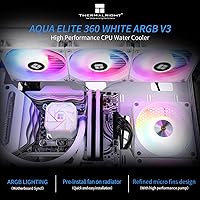
The Thermalright Aqua Elite 240 V3 CPU Cooler is a strong fit for builders putting together mid-range gaming or productivity rigs around a Ryzen 5, Ryzen 7, Core i5, or Core i7 — processors that generate real heat but don't demand the kind of thermal headroom that only a 360mm radiator can provide. If you're stepping into liquid cooling for the first time, the straightforward installation process and comprehensive mounting hardware remove a lot of the anxiety that comes with the territory, making this 240mm AIO a genuinely approachable entry point. White-themed builds benefit especially here, since the matching radiator and fan frames pull together a cohesive aesthetic without any extra effort or aftermarket fan swaps. Builders working inside mid-tower cases with a 240mm radiator slot will find the fitment predictable and the tubing length manageable for most standard layouts. Anyone who wants ARGB sync without paying a premium for it will also appreciate that both the pump head and fans tie directly into a standard 5V 3-pin header on modern motherboards.
Not suitable for:

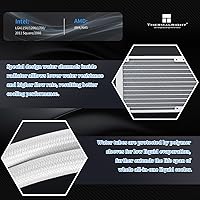
The Thermalright Aqua Elite 240 V3 CPU Cooler is not the right tool for builders running high-core-count processors with aggressive power limits — a 12-core or 16-core chip pushed hard under sustained all-core loads will expose the ceiling of a 240mm radiator at this price tier, and thermal throttling becomes a real possibility. Silent-build enthusiasts who prioritize near-inaudible operation should also think carefully before buying; the pump generates a noticeable hum at higher RPM under sustained load, which is a hard thing to overlook in a quiet workstation or recording environment. Users on older motherboards without a 5V 3-pin ARGB header will find the lighting customization either locked to a static default or dependent on a separately purchased controller. Small-form-factor and mini-ITX case owners are largely out of scope here, since a 240mm radiator requires a reasonable internal footprint to mount safely. Finally, anyone planning to do serious manual overclocking on a power-hungry platform should budget for a larger AIO from the outset rather than hoping this cooler will stretch to cover extreme workloads.
Specifications

  • Radiator Size: The aluminum radiator measures 240mm in length, making it compatible with standard dual-120mm fan mounts in mid-tower and full-tower cases.
  • Fan Dimensions: Each of the two included TL-C12W-S V2 fans measures 120 x 120 x 25mm, a standard size that fits universally in 120mm fan mounts.
  • Fan Speed: The PWM fans spin at up to 1,500 RPM, automatically adjusting speed based on CPU thermal load via the 4-pin PWM connection.
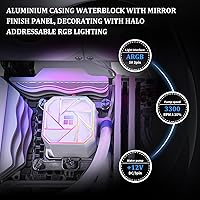
  • Pump Speed: The cold plate pump operates at up to 3,300 RPM with a tolerance of ±10%, providing active coolant circulation under all load conditions.
  • Pump Lifespan: The pump head is rated for 40,000 hours of continuous operation, equivalent to roughly four and a half years of non-stop use.
  • Noise Level: Fan noise is rated at 23 dBA or below under typical operating conditions, keeping acoustic impact low during everyday workloads.
  • Airflow: Each fan delivers a maximum airflow of 66.17 CFM, providing strong heat transfer through the radiator under peak thermal demand.
  • Bearing Type: Both fans use Stably-FDB (S-FDB) magnetic stabilization bearings, which reduce blade wobble and lower noise compared to standard sleeve bearings.
  • RGB Lighting: The fans and pump head both feature 5V 3-pin ARGB headers, enabling direct lighting synchronization with compatible motherboard ARGB controllers.
  • Fan Connector: Fan speed is controlled via a standard 4-pin PWM connector, compatible with all modern motherboard fan headers.
  • AMD Compatibility: The cooler supports AMD AM4 and AM5 sockets, covering Ryzen 3000 through Ryzen 7000 series processors with the included hardware.
  • Intel Compatibility: Supported Intel sockets include LGA1150, LGA1151, LGA1155, LGA1156, LGA1200, LGA2011, LGA2066, LGA1700, and LGA1851.
  • Radiator Material: The radiator is constructed from aluminum, offering a practical balance of heat dissipation efficiency and lightweight build for most mid-tower cases.
  • Cooling Method: This is a closed-loop all-in-one (AIO) liquid cooler, requiring no manual filling, bleeding, or coolant maintenance over its rated lifespan.
  • Power Draw: The total system power consumption is rated at 4.8W, making it an energy-efficient cooling solution relative to its thermal performance output.
  • Input Voltage: The cooler operates on 12V DC, supplied directly through the standard motherboard fan and pump headers without any external power adapter.
  • Pump Head Shape: The pump head features a distinctive octagonal housing with an ARGB halo ring around the Thermalright logo for visual accent.
  • Product Weight: The complete cooler package weighs approximately 4.37 pounds, inclusive of the radiator, fans, tubing, pump head, and all mounting accessories.

Related Reviews
Thermalright Aqua Elite 120 V3
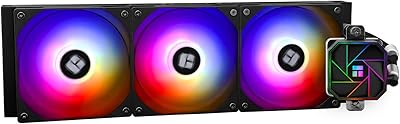
78%
74%
Thermal Performance
83%
Noise Level
91%
Installation Experience
78%
ARGB Lighting Quality
69%
Build Quality & Materials
More
Thermalright Aqua Elite 360 V3 AIO Cooler
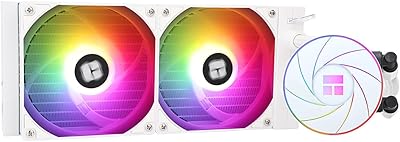
82%
91%
Thermal Performance
94%
Value for Money
83%
Fan Noise Level
78%
Pump Reliability & Longevity
67%
Installation Experience
More
Thermalright Aqua Elite 240 V4 AIO Cooler
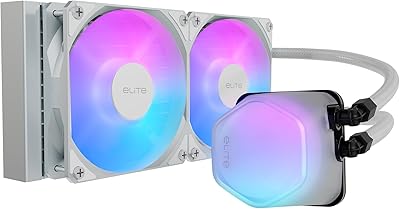
81%
78%
Thermal Performance
83%
Pump Quality & Reliability
81%
Fan Noise & Acoustics
89%
ARGB Lighting Quality
86%
Installation & Mounting
More
Cooler Master 240 Elite Liquid White CPU Liquid Cooler
85%
91%
Cooling Performance
84%
Noise Levels
92%
Ease of Installation
89%
Build Quality
88%
aRGB Lighting Effect
More
Thermalright Grand Vision 240 ARGB White CPU AIO Cooler
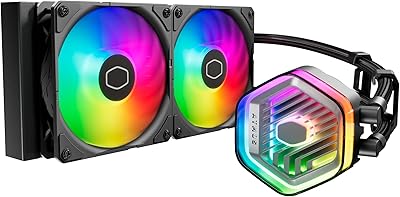
87%
91%
Cooling Performance
89%
Installation Ease
88%
ARGB Lighting Aesthetics
70%
Software Compatibility
85%
Noise Level
More
Cooler Master MasterLiquid Atmos 240 Liquid Cooler
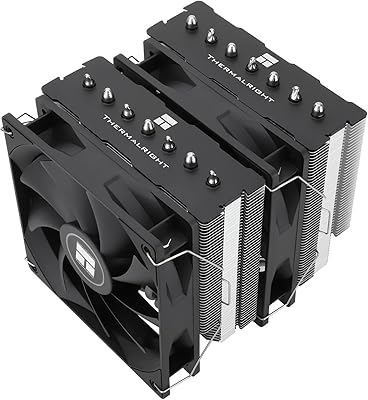
82%
76%
Thermal Performance
88%
Noise Level
82%
Build Quality
84%
Pump Performance
91%
RGB & Lighting
More
Thermalright PS120SE CPU Air Cooler
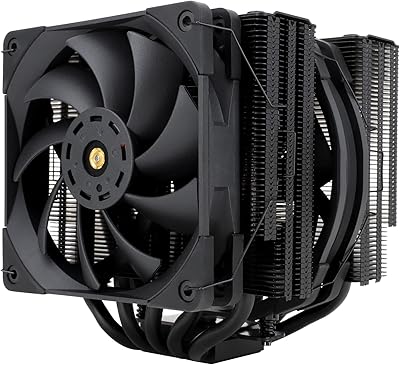
80%
89%
Thermal Performance
86%
Noise Level
93%
Value for Money
74%
Build Quality
81%
Ease of Installation
More
Thermalright FC140 Black CPU Air Cooler
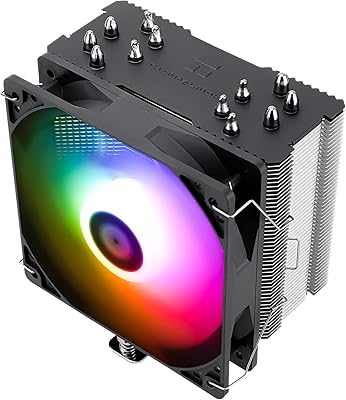
86%
94%
Cooling Performance
85%
Noise Level
92%
Build Quality
75%
Ease of Installation
90%
Compatibility
More
Thermalright SI-100 CPU Air Cooler
75%
74%
Thermal Performance
83%
Noise Level
81%
Build Quality
89%
Value for Money
67%
Installation Ease
More
Thermalright BA120 ARGB CPU Air Cooler
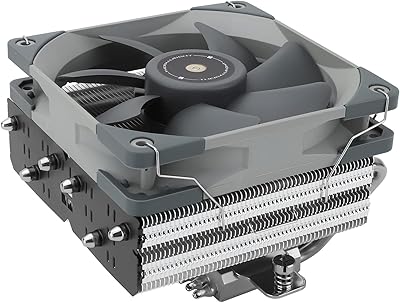
86%
88%
Cooling Performance
91%
Noise Level
85%
Build Quality
87%
ARGB Lighting Effect
90%
Compatibility with CPUs
More

FAQ

Yes, the Aqua Elite V3 includes full AM5 mounting hardware in the box, so there is nothing extra to buy. The bracket system is straightforward, though first-timers should take a moment to align the backplate carefully before tightening — AM5 has slightly tighter tolerances than AM4.

If your ASUS board has a 5V 3-pin ARGB header, the fans and pump head will sync directly through Armoury Crate without any adapter. The same applies to MSI Mystic Light, Gigabyte RGB Fusion, and ASRock Polychrome. If your board lacks a 5V header entirely, the lights will default to a preset static color mode.

The fans themselves are impressively quiet at typical loads, staying well under 25 dBA during everyday gaming or browsing. The pump is a different story — under sustained high-load conditions it generates a low but noticeable hum that sensitive listeners will pick up in a quiet room. For a near-silent build, this is worth factoring into your decision.

Technically it will mount and function on any supported socket, but a 240mm radiator has real thermal limits. For a Ryzen 9 or Core i9 running at full power limits, you may see temperatures push uncomfortably high under sustained all-core workloads. A 280mm or 360mm AIO is a more appropriate match for those processors.

Thermal paste is included and sufficient for installation straight out of the box — you do not need to purchase anything extra for a first install. If you want to squeeze out every degree possible, enthusiast-grade compounds like Thermal Grizzly Kryonaut do show a measurable improvement in benchmarks, but for most users the included paste performs well.

The tubing is designed with mid-tower cases as the primary target and works without issue in the vast majority of standard layouts. In larger full-tower cases, particularly with top-mounted radiator configurations, the tubing can feel slightly short depending on where your CPU socket sits relative to the mounting position — it's worth measuring before committing to an unconventional routing path.

Thermalright generally provides a one-year warranty on their AIO coolers, though warranty terms and regional support coverage can vary by retailer and country. It is worth checking the specific terms with the seller at the time of purchase, particularly for international orders where return logistics can complicate the process.

Yes, LGA1200 is fully supported and all the mounting hardware you need is included in the box. The installation process on LGA1200 is among the most straightforward of the supported platforms, so if you are coming from an older Intel build this is a comfortable upgrade path.

At equivalent price points, a top-tier air cooler and this 240mm AIO trade blows depending on the workload. The AIO generally handles sustained all-core loads with more thermal headroom and produces a cleaner look inside the case. A quality air cooler, on the other hand, runs completely silently and has no pump to introduce noise. For gaming-focused builds where aesthetics matter, this AIO has the edge; for dead-silent workstations, a premium air cooler is worth comparing directly.

Absolutely — the radiator uses standard 120mm fan mounts, so any 120mm fan with a 4-pin PWM connector will work as a drop-in replacement. If you want to keep ARGB sync, just make sure any replacement fans also use a 5V 3-pin header. Many builders start with the included fans and upgrade once they identify exactly what noise or airflow level they want.

Where to Buy