Overview

The NZXT Kraken 240 AIO CPU Liquid Cooler lands in an interesting spot — priced firmly in the mid-to-premium range, it competes with serious thermal hardware while making a case for itself largely on personality. The 1.54″ LCD on the pump head is the obvious talking point, and NZXT leans into that hard with full CAM software integration. Cooling performance is solid for what it is — a 240mm AIO — but anyone expecting 360mm-class thermals will need to recalibrate. What this liquid cooler does well is combine clean cable management (thanks to a single breakout cable) with a genuinely eye-catching display. It is a builder's cooler as much as a performance one.
Features & Benefits

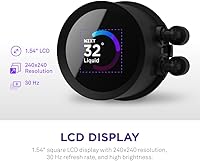
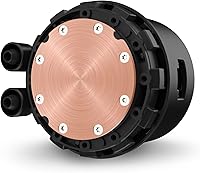
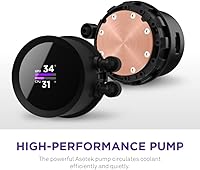
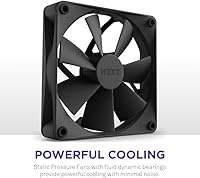
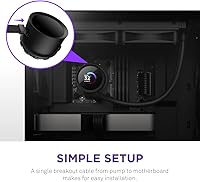
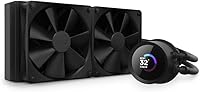
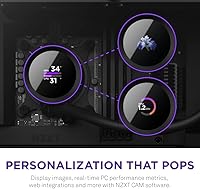
The 1.54″ square LCD is genuinely the star here — running at 240×240 resolution with a 300 cd/m² backlight, it is bright enough to read at a glance inside a windowed case. Through CAM software, you can push animated GIFs, live CPU and GPU metrics, currently playing music, or custom web content to that little screen. The pump, built on an Asetek platform, spins up to 2,800 RPM and keeps coolant moving efficiently without much noise under typical loads. Two F120P fans with fluid dynamic bearings handle airflow at up to 1,800 RPM, topping out around 30.6 dB. A single breakout cable from the pump to the motherboard keeps your build tidy without a rats nest of connectors.

Best For

This Kraken cooler clicks best for builders who care about how their rig looks just as much as how it runs. If you are pairing it with an Intel Core i5 or i7, or an AMD Ryzen 5 or 7 — basically any mainstream desktop CPU — it handles the thermal load without issue. It is also a natural fit for anyone already running NZXT cases or other CAM-managed hardware, since the software ecosystem ties everything together. Content creators and streamers who want to show real-time stats or a custom animation on the pump head will find that feature surprisingly satisfying. If your case cannot fit a 360mm radiator, this is a compelling 240mm alternative.

User Feedback

Owner impressions on the 240mm NZXT AIO are largely positive, with installation consistently called out as one of the easiest in its class — the single-cable setup earns specific praise. The LCD novelty holds up well; people genuinely enjoy customizing it over time. Where things get pricklier is with NZXT CAM: the software has a documented history of instability and bloat complaints, and display customization depends entirely on it behaving. On thermals, real-world owners confirm it performs confidently with mid-range CPUs but shows strain under heavy workloads on higher-TDP processors. A handful of users report coil whine at peak pump RPM. Long-term reliability appears solid for most, though data on LCD longevity beyond two years remains limited.

Pros

  • The 1.54″ LCD display is bright, readable, and genuinely customizable — well beyond a simple logo light.
  • Installation is consistently rated as one of the easiest in its class, thanks to the single breakout cable design.
  • The Asetek-based pump is quiet under typical loads and has a strong reputation for long-term reliability.
  • F120P fans strike a good balance between airflow and noise, staying unobtrusive during everyday use.
  • Thermal performance is solid and dependable for mid-range CPU builds without requiring constant tuning.
  • The 240mm radiator fits comfortably in most mid-tower and larger cases without compatibility headaches.
  • CAM software offers real-time system monitoring and fan curve control all in one dashboard.
  • The overall aesthetic is clean and purposeful — this Kraken cooler looks at home in both minimalist and showcase builds.
  • Displaying live CPU temperature or custom GIFs on the pump head is a genuinely satisfying touch for enthusiast builders.
  • Single-cable routing from pump to motherboard keeps builds tidy and reduces clutter noticeably.

Cons

  • CAM software has a documented history of instability, bugs, and performance complaints from a meaningful portion of users.
  • The LCD display adds cost but zero thermal benefit — buyers who skip that feature are overpaying for cooling alone.
  • A 30 Hz display refresh rate makes the LCD feel sluggish compared to what modern screens have accustomed us to.
  • Some owners report intermittent coil whine from the pump at higher RPM settings, which can be irritating in quiet environments.
  • High-TDP processors under sustained loads will push this liquid cooler closer to its limits than most marketing suggests.
  • Complete display customization is locked behind CAM, meaning the cooler is less useful without that software running.
  • Long-term data on LCD screen degradation is still thin, leaving durability over multi-year use an open question.
  • At its price tier, several competing 240mm AIOs offer better raw thermal performance for builders who do not need the screen.

Ratings

The scores below reflect an AI-driven analysis of verified global user reviews for the NZXT Kraken 240 AIO CPU Liquid Cooler, with spam, bot-submitted, and incentivized feedback actively filtered out before scoring. Each category was weighted against real ownership experiences — from first-time builders to seasoned enthusiasts — to ensure both the standout strengths and the genuine frustrations are represented honestly. Nothing here is rounded up to look good; the numbers reflect what buyers actually reported.

Thermal Performance
78%
22%
For mainstream CPU builds running Intel Core i5 or i7 and AMD Ryzen 5 or 7, owners consistently report stable, reliable temperatures even during extended gaming or multitasking sessions. The Asetek pump keeps coolant moving efficiently, and most users find it holds its own confidently in typical mid-range build scenarios.
Push this liquid cooler with a high-TDP flagship processor under sustained all-core workloads and the 240mm radiator starts showing its ceiling. Users with Core i9 or Ryzen 9 chips running heavy renders or compilations for hours report temperatures creeping higher than they would like.
Noise Level
81%
19%
Day-to-day noise levels are genuinely unobtrusive for most owners — web browsing, light gaming, and office work keep the fans well below their rated 30.6 dB ceiling, and the pump hum is nearly imperceptible in a closed case. Builders transitioning from air coolers often comment on how much quieter their system feels.
A recurring minority complaint involves coil whine from the pump at higher RPM settings, which can cut through an otherwise quiet room at night. A handful of users also note that fan noise under sustained load is more present than pre-purchase comparisons suggested.
LCD Display
83%
The 1.54″ square screen with 300 cd/m² brightness is clearly visible through a windowed side panel, and the range of customization — GIFs, live temperature readouts, album art — gives it a genuinely functional edge over static RGB lighting. Streamers and content creators in particular find it a satisfying, conversation-starting detail.
The 30 Hz refresh rate makes fast animations feel choppy compared to what modern displays have trained people to expect, and the square format limits certain image compositions. A few buyers also note that the novelty factor fades faster than expected once the initial setup excitement wears off.
Software Experience
52%
48%
For users who have a smooth CAM installation, the software genuinely delivers — fan curves, system monitoring, and display customization are all accessible in one dashboard without needing third-party tools. Those already in the NZXT ecosystem tend to have more stable experiences than newcomers.
CAM has a well-documented reputation problem. Crash reports, startup slowdowns, failed updates, and general instability surface frequently enough in real user feedback to be impossible to dismiss. For a cooler whose display functionality is entirely dependent on this software, that is a significant and recurring pain point that affects a meaningful slice of owners.
Installation Ease
91%
The single breakout cable design is genuinely appreciated across skill levels — builders new to AIOs find it far less intimidating than multi-cable alternatives, and veterans appreciate the cleaner result inside the case. Mounting hardware is well-labeled, and most mid-tower builds come together without needing to consult a forum.
A small number of users report that the AMD mounting bracket requires a bit more patience to align correctly, and the tubing length can feel slightly restrictive in larger full-tower cases if the radiator and pump head are far apart. These are minor friction points rather than dealbreakers.
Build Quality
84%
The pump head has a solid, premium feel in hand, and the overall construction does not betray the price paid. Rubber tubing is flexible enough for most routing scenarios, and the radiator finish looks clean and purposeful next to higher-end case hardware.
Some owners feel the fan plastic looks and feels a grade below the pump head quality, creating a slight mismatch in perceived premium-ness. Long-term reports on LCD screen durability beyond two years are still thin, leaving a question mark over whether the display ages as well as the rest of the unit.
Value for Money
69%
31%
For buyers who actively want the LCD display and are already invested in the NZXT CAM ecosystem, the price premium makes reasonable sense as a package deal. The cooling performance, pump reliability, and aesthetic finish do deliver a coherent, polished experience for that audience.
Strip away the LCD and the value proposition becomes shakier — competing 240mm AIOs at a lower price point offer comparable or better thermal performance without the software dependency. Buyers who are indifferent to the display feature are essentially subsidizing a novelty they will never use.
Compatibility
87%
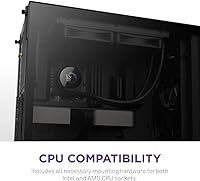
Support for Intel LGA1700, LGA1200, LGA115x and AMD AM5 and AM4 covers the vast majority of current desktop builds, and the standard 240mm form factor fits comfortably in most mid-tower and full-tower cases. Most builders report no compatibility surprises during installation.
Compact and small form factor case users may find the 10.83-inch radiator length pushes clearance limits, and ITX builders are largely excluded from consideration. The cooler also has no relevance outside desktop environments.
Aesthetics
88%
The pump head design is clean and modern without leaning on aggressive gamer styling, which gives it broad appeal across minimalist and showcase builds alike. The LCD adds a functional visual layer that RGB lighting alone cannot replicate, and the overall look holds up well next to premium case hardware.
The square LCD format divides opinion — some find it elegant, while others feel a round display would better suit the circular pump head geometry seen on competitors. Color customization beyond the screen is relatively limited compared to RGB-heavy alternatives from other brands.
Fan Performance
79%
21%
The F120P fans with fluid dynamic bearings are well-regarded for their longevity and consistent static pressure delivery, making them a solid match for pushing air through a dense radiator fin stack. Real-world users report they track fan curve adjustments in CAM responsively and without audible stepping.
Raw airflow figures are not class-leading compared to some third-party 120mm alternatives, and users who swap in aftermarket fans often report marginally better thermal results. The fan aesthetics are also more understated than what some RGB-focused builders expect at this price.
Pump Reliability
82%
18%
Asetek-manufactured pumps carry a strong multi-year track record in the AIO space, and the Kraken line has historically benefited from that OEM reputation. The vast majority of long-term owners report trouble-free pump operation well into the second year of use.
As with any sealed AIO, the pump is non-serviceable — if it eventually fails, the whole unit needs replacing. A small but notable number of users report early pump noise developing within the first year, though outright failures remain uncommon in available feedback.
Cable Management
89%
The single breakout cable is one of the most frequently praised practical details from real owners — it genuinely simplifies routing compared to AIOs that require separate pump, USB, and fan header connections. The result is a noticeably cleaner build interior without extra effort.
The breakout cable length may feel slightly short for some full-tower layouts where the motherboard headers sit far from the radiator mount point. A small number of users also note that the cable sleeve finish feels less premium than the rest of the hardware.
Setup & Documentation
85%
Packaging is well-organized and the included documentation covers the major socket types clearly enough that most builders complete the install without needing a YouTube walkthrough. NZXT also provides digital resources that are generally kept up to date for newer platform support.
The CAM setup process can trip up less experienced users, particularly around driver installation order and display initialization on first boot. Some users report the display not activating correctly on first launch without an extra troubleshooting step not covered in the printed guide.

Suitable for:

The NZXT Kraken 240 AIO CPU Liquid Cooler is a strong pick for PC builders who want their cooling setup to do double duty — keeping temperatures in check while adding a genuinely interesting visual element to their build. It is particularly well-matched to systems running mainstream Intel Core i5 or i7 processors, or AMD Ryzen 5 and 7 chips, where the 240mm radiator handles thermal loads confidently without breaking a sweat. Builders already invested in the NZXT ecosystem will feel right at home, since CAM ties everything together for fan control, monitoring, and display customization in one place. Content creators and streamers who want a live stats readout or a custom animation visible through a windowed side panel will get real mileage out of the LCD feature. It also suits anyone working with a mid-tower case where a 360mm radiator simply will not fit, but who still wants a cooler that feels and looks premium.
Not suitable for:

Buyers chasing pure thermal performance at this price point should think carefully before committing to this liquid cooler. If you are running a high-TDP processor — think Intel Core i9 or AMD Ryzen 9 in sustained all-core workloads — a 240mm radiator, regardless of brand, is going to work harder than ideal, and a 360mm AIO or a high-end air cooler may serve you better for less money. The NZXT CAM software is also a real consideration: if you prefer a cooler you can set up once and forget, or if you run a lean system without background software, the dependency on CAM for display functionality and fan tuning will likely frustrate you. Users who have no interest in the LCD display are essentially paying a premium for a feature they will never use, and competing 240mm AIOs offer comparable or better thermal performance without that added cost. Finally, small form factor builds that require tight radiator clearances may find the 10.83-inch radiator length a limiting factor.

Specifications

  • Radiator Size: The radiator measures 240mm, making it compatible with most mid-tower and full-tower PC cases that support dual 120mm fan mounts.
  • Radiator Dimensions: Physical radiator dimensions are 10.83″ in length, 4.84″ in height, and 1.18″ in thickness.
  • Total Weight: The complete cooler assembly weighs 2.87 pounds, which is typical for a 240mm AIO unit.
  • Pump Speed: The Asetek-based pump operates at up to 2,800 RPM, enabling efficient coolant circulation with low audible output under normal loads.
  • Fan Model: Two NZXT F120P 120mm static-pressure fans are included, each featuring fluid dynamic bearings for longevity and smooth operation.
  • Fan Speed: The F120P fans spin at a maximum of 1,800 RPM, balancing airflow performance with noise output across varying thermal loads.
  • Noise Level: At full fan speed, the cooler is rated at 30.6 dB, which is relatively quiet for a high-static-pressure 240mm AIO configuration.
  • LCD Display: The pump head features a 1.54″ square LCD screen with a 240×240 pixel resolution and a 300 cd/m² backlight for clear visibility inside a windowed case.
  • Refresh Rate: The LCD display operates at a 30 Hz refresh rate, which is adequate for static images and slow-changing metrics but not smooth for fast animations.
  • Power Connector: The cooler uses a standard 4-pin connector and operates at 12V with a rated power draw of 12 watts.
  • Cooling Method: Cooling is achieved through closed-loop liquid circulation, with rubber tubing connecting the pump head to the aluminum radiator.
  • Cable Design: A single breakout cable runs from the pump head to the motherboard, consolidating connections and reducing cable clutter inside the chassis.
  • Pump OEM: The pump mechanism is manufactured by Asetek, a well-established OEM known for reliable and quiet AIO pump assemblies.
  • Software: NZXT CAM software is required for full display customization, fan curve control, and real-time system monitoring on Windows.
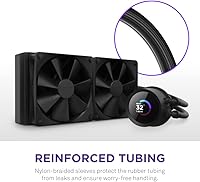
  • Tubing Material: The coolant tubes are constructed from rubber, providing flexibility during installation and adequate durability for long-term sealed-loop use.
  • Compatible Devices: This cooler is designed exclusively for desktop PCs and is not compatible with laptops or small form factor systems lacking radiator mounting points.
  • Voltage: The unit operates at a standard 12V DC input, consistent with typical desktop PC power supply outputs via motherboard headers.
  • Display Content: Via NZXT CAM, the LCD can display animated GIFs, static images, CPU and GPU metrics, currently playing music, and supported web content.

Related Reviews
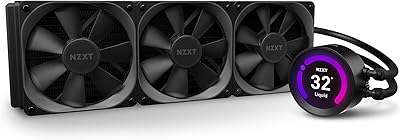
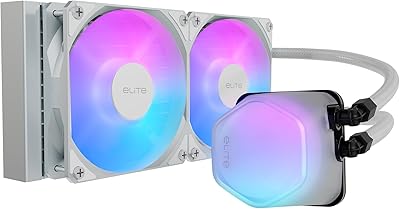
NZXT Kraken Z73 360mm AIO RGB CPU Liquid Cooler
84%
92%
Cooling Performance
87%
Noise Level
72%
Installation Ease
80%
Software Control (CAM V4)
90%
Aesthetic Customization (LCD Display)
More
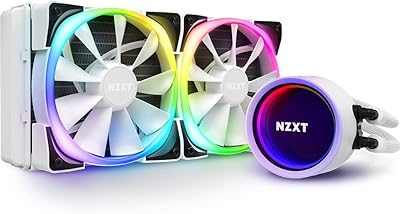
Cooler Master 240 Elite Liquid CPU Cooler
81%
78%
Thermal Performance
82%
Noise Level
91%
Ease of Installation
76%
Build Quality
88%
RGB & Aesthetics
More
NZXT Kraken M22 120mm Liquid CPU Cooler
72%
67%
Thermal Performance
79%
Noise Level
91%
RGB & Aesthetics
52%
Software (CAM)
83%
Build Quality
More
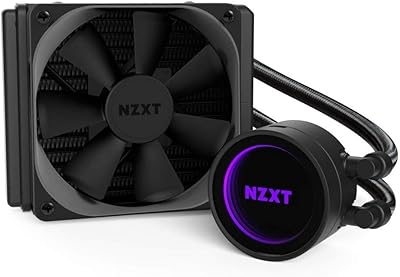
NZXT Kraken X53 RGB 240mm AIO Liquid Cooler
85%
88%
Performance Under Load
92%
Cooling Efficiency
85%
RGB Aesthetic & Design
87%
Noise Level
80%
Installation Process
More
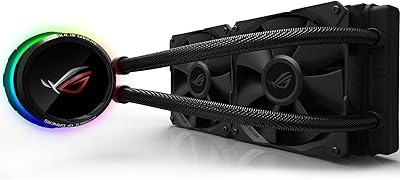
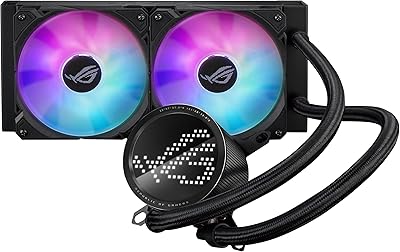
Asus ROG RYUO 240 RGB AIO Liquid CPU Cooler
84%
94%
Cooling Performance
88%
Noise Levels
73%
Ease of Installation
90%
RGB Lighting and Visual Appeal
85%
Build Quality and Durability
More
ASUS ROG RYUO III 240 ARGB AIO Liquid CPU Cooler
88%
94%
Cooling Performance
88%
Noise Level
91%
Aesthetic Appeal
75%
Ease of Installation
92%
RGB Customization
More
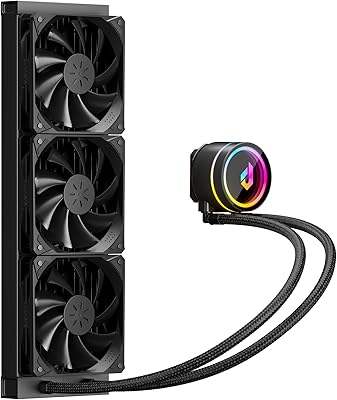
Cooler Master MasterLiquid Atmos 240 Liquid Cooler
82%
76%
Thermal Performance
88%
Noise Level
82%
Build Quality
84%
Pump Performance
91%
RGB & Lighting
More
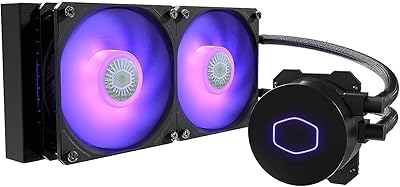
Cooler Master MasterLiquid ML240L V2 AIO Cooler
77%
78%
Thermal Performance
91%
Installation Experience
63%
Pump Noise & Vibration
82%
Fan Performance
88%
ARGB Lighting
More
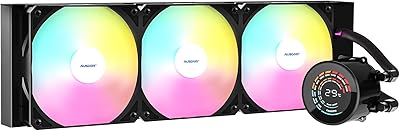
AUSDOM S360 360mm AIO Liquid CPU Cooler
78%
83%
Thermal Performance
81%
Noise Level
76%
Build Quality
88%
Installation Experience
79%
RGB & Lighting Quality
More
upHere P360K 360mm AIO Liquid CPU Cooler
77%
78%
Thermal Performance
67%
Noise Level
71%
Build Quality
88%
Installation Experience
86%
Compatibility
More

FAQ

Not really. Out of the box, the screen will show a default NZXT logo or basic output, but any real customization — GIFs, system metrics, music info — requires CAM to be installed and running. If you are opposed to background software, the display will essentially be static and limited.

Yes, the 240mm NZXT AIO supports a wide range of modern sockets. It is compatible with Intel LGA1700, LGA1200, and LGA115x, as well as AMD AM5 and AM4 platforms. Always double-check the current NZXT compatibility page before purchasing if you have an older or newer socket.

Most owners find it genuinely quiet during typical desktop workloads. The 30.6 dB rating applies at maximum fan speed, and in practice the fans rarely hit that ceiling unless you are running a sustained heavy workload. The pump itself is nearly inaudible for most users, though a small number report occasional coil whine at peak RPM.

Absolutely. The LCD and lighting look great through a glass panel, but the cooling performance is completely independent of visibility. If you have a solid side panel, this liquid cooler works exactly the same — you just will not see the display.

It can handle those chips at moderate settings, but you should go in with realistic expectations. Under sustained all-core loads — long rendering sessions, heavy compilation tasks — a 240mm radiator will work harder than it ideally should. For high-TDP flagship processors used regularly under full load, a 360mm AIO or a top-tier air cooler would be a safer long-term choice.

It is one of the easier AIOs to install in its class. The single breakout cable design cuts down on the usual connector confusion, and the mounting hardware is well-documented. Most builders with prior AIO experience report completing the install in under 30 minutes.

This is a legitimate concern worth taking seriously. CAM has a mixed reputation — some users run it without issues, while others report it causing startup slowdowns, crashes, or general instability, particularly on certain Windows configurations. If your PC is highly tuned for performance or stability, it is worth researching current CAM reviews before committing to this cooler.

Asetek pumps have a solid track record in the AIO market, and most units in this class are rated for several years of continuous use. Anecdotally, many owners report multi-year trouble-free operation. That said, like all sealed liquid coolers, it is not user-serviceable, so if the pump eventually fails the entire unit would need replacing.

Yes, either orientation works fine with a standard 240mm mount. Top mounting tends to be preferred for slightly better thermal performance since heat rises naturally, but front mounting also works well. Just make sure your case supports 240mm radiator placement in your preferred location before buying.

Right out of the box, the display defaults to a basic NZXT logo animation before CAM is configured. Once CAM is set up, you can swap that out for custom images, GIFs, live temperature readouts, or whatever you prefer. The setup process for the display is fairly straightforward through the CAM interface.

Where to Buy