Overview

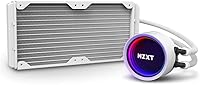
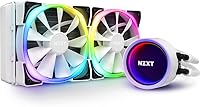
The NZXT Kraken X53 RGB 240mm AIO Liquid Cooler sits firmly in the premium tier of 240mm all-in-ones, aimed at builders who refuse to choose between solid thermals and a clean, eye-catching build. The defining feature from the moment you unbox it is the rotating infinity mirror pump head — a design touch that lets you reposition the logo regardless of how the radiator is mounted. Launched in mid-2021 in a crisp white finish, it targets themed builds particularly well. It competes with heavyweights like the Corsair H100i and Arctic Liquid Freezer II, and while it holds its own thermally, this is not a budget purchase — the price bracket signals that clearly.
Features & Benefits

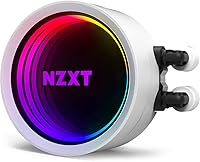
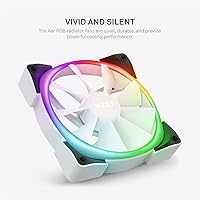
The Kraken X53 RGB brings a few genuinely practical engineering decisions to the table. That rotating pump head cap is not just cosmetic — being able to dial in the logo orientation after mounting is a real convenience, especially inside tighter cases. The infinity mirror ring has been expanded by 10% over the previous generation, making the RGB output noticeably richer. The two included Aer RGB V2 fans run on fluid dynamic bearings, keeping noise around a reasonable 33 dB during typical loads. CAM V4 software ties everything together, letting you tune fan curves and lighting from one interface. The nylon-sleeved tubing adds a reassuring layer of durability to the whole assembly.

Best For

This 240mm liquid cooler hits its stride with mid-to-high-end processors — Ryzen 7 and Ryzen 9 chips, or Intel Core i7 and i9 builds running sustained workloads like video encoding or extended gaming sessions. If you are putting together a white-themed PC build, the clean aesthetic is genuinely hard to match at this radiator size. It also suits builders already invested in the NZXT ecosystem, since CAM integrates the whole system into a single monitoring dashboard. Installation is approachable for intermediate builders, though you will want to confirm your case has a 240mm mount with adequate clearance. Threadripper users should know upfront that the required bracket is a separate purchase.

User Feedback

Across more than 200 verified ratings, the Kraken X53 RGB holds a 4.6-star average, and the review patterns are fairly consistent. Buyers regularly highlight meaningful drops in CPU temps compared to their previous air coolers, and the installation process earns consistent praise for being straightforward. That said, the feedback is not universally positive. A notable portion of reviewers describe CAM software as bloated and occasionally unreliable, with crashes and erratic behavior mentioned often enough to warrant a flag. Some users also report audible pump noise at higher RPM ranges under full load. On the upside, the tubing construction and the premium pump head feel are points of genuine appreciation across the board.

Pros

  • Rotating pump head lets you orient the logo cleanly regardless of radiator placement.
  • Aer RGB V2 fans run quietly at typical loads, hovering around a reasonable 33 dB.
  • Solid thermal performance for Ryzen 7, Ryzen 9, and Intel Core i7/i9 under sustained use.
  • Nylon-sleeved tubing feels durable and holds its shape well during cable management.
  • The enlarged infinity mirror cap produces noticeably richer RGB than the previous generation.
  • Broad socket compatibility covers most mainstream Intel and AMD platforms out of the box.
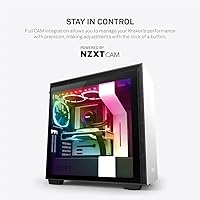
  • CAM V4 allows fan curve customization and real-time temperature monitoring in one place.
  • White colorway is genuinely premium-looking and pairs well with themed builds.
  • Installation is beginner-friendly enough that most intermediate builders report no major issues.
  • 4.6-star average across a substantial number of verified ratings reflects consistent buyer satisfaction.

Cons

  • CAM software is widely reported as bloated and occasionally crashes or behaves erratically.
  • Threadripper bracket is sold separately, which catches a meaningful number of first-time buyers off guard.
  • Pump noise becomes noticeable for some users at higher RPM ranges during peak load.
  • Thermal performance does not lead the 240mm category — purpose-built performance coolers edge it out.
  • Dependency on CAM means losing key features if you prefer a software-free or minimal-install setup.
  • The premium price is hard to justify if RGB aesthetics are not a factor in your build.
  • Limited to 240mm radiator configurations, leaving users with larger cases underserved.
  • CAM has a history of requiring updates that occasionally reset custom fan profiles without warning.
  • No Threadripper bracket included despite advertising AMD TR4 and sTRX4 compatibility on the box.

Ratings

Our AI scoring system analyzed verified global buyer reviews for the NZXT Kraken X53 RGB 240mm AIO Liquid Cooler, actively filtering out incentivized, bot-generated, and low-signal feedback to surface what real builders actually experience. The scores below reflect a balanced picture — where this cooler genuinely excels and where it falls short — so you can make a confident, informed decision before spending at the premium tier.

Thermal Performance
78%
22%
For mainstream workloads — sustained gaming sessions, video encoding runs, or multi-threaded productivity tasks on Ryzen 7 and Core i7 chips — the Kraken X53 RGB keeps temperatures firmly in check without breaking a sweat. Users switching from high-end air coolers consistently reported meaningful idle and load temp reductions.
At the 240mm radiator size, it does not lead the competitive field — purpose-built thermal performers like the Arctic Liquid Freezer II edge it out under extended stress testing on power-hungry CPUs. Buyers pushing a Ryzen 9 or Core i9 at sustained high loads may find themselves wanting more thermal headroom.
Noise Level
74%
26%
During everyday desktop use and moderate gaming, the Aer RGB V2 fans are quiet enough to fade into the background, which matters a lot for open-desk setups or living room builds where noise bleeds into the room. The fluid dynamic bearings do a solid job keeping fan whine subdued at mid-range RPMs.
A recurring complaint involves pump hum becoming audible at higher RPM ranges during sustained CPU stress, which some users found distracting during late-night work sessions. The noise profile is not bad by AIO standards, but it is noticeable enough that sensitive users flag it — especially in quieter environments.
Build Quality
88%
The nylon-sleeved tubing has a premium feel that holds up well during cable routing and does not develop the soft kinks that plague cheaper rubber-only tubes over time. The pump head itself draws repeated praise for feeling solid and well-engineered rather than plasticky, which matters when you are paying at this tier.
A small number of users have reported minor cosmetic inconsistencies in the white finish on the pump cap after extended use, particularly around the edges where the rotating mechanism meets the housing. Nothing structural, but worth noting for builds where the pump head is prominently visible through a glass side panel.
Aesthetics & RGB
91%
The enlarged infinity mirror ring is genuinely striking in person — the depth effect and color vibrancy are noticeably richer than earlier generations, and it pairs beautifully with white-themed builds that have a glass side panel. Builders putting serious effort into a cohesive aesthetic consistently single this out as the cooler's strongest selling point.
The RGB connector uses NZXT's proprietary standard, so integrating the lighting into a non-NZXT ecosystem requires CAM rather than syncing natively with motherboard RGB headers. Users wanting a fully unified addressable RGB setup through Asus Aura or MSI Mystic Light will find the lighting feels isolated from the rest of their system.
Installation Experience
83%
The mounting kit is well-organized and the included instructions are clear enough that most intermediate builders finish the installation without needing to consult a YouTube tutorial. The flexible tubing and rotating pump head reduce the usual frustration of fighting the cooler into position inside a mid-tower.
Threadripper users are caught off guard by the missing TR4 and sTRX4 bracket, which is a genuine inconvenience when you have already committed to a build timeline. RAM clearance can also be tighter than expected on certain motherboard and case combinations, requiring some trial-and-error with the pump head positioning.
Software (CAM V4)
53%
47%
When CAM works correctly, the unified dashboard is genuinely useful — you can fine-tune fan curves, monitor CPU temperatures in real time, and sync RGB lighting from a single interface without juggling multiple applications. For builders already in the NZXT ecosystem with an NZXT case and hub, the integration feels cohesive.
CAM is the single most criticized aspect of this cooler across all reviewed feedback — users consistently describe it as bloated, resource-hungry, and prone to crashes, with custom fan profiles occasionally resetting after updates without warning. The dependency on a mandatory software layer to unlock basic features is a significant friction point, particularly for minimalist or software-free setups.
Fan Performance
77%
23%
The Aer RGB V2 fans move a respectable 52.44 CFM and spin smoothly thanks to fluid dynamic bearings, which contributes to both quiet operation during lighter loads and reliable longevity over time. Builders who have used previous NZXT fan generations note a clear improvement in both noise and airflow consistency.
At maximum 1800 RPM, the fans are not the most powerful in the 120mm AIO category, and users with particularly hot-running CPUs may wish for more airflow headroom at peak load. The proprietary fan connector also limits easy replacement with aftermarket fans if one fails outside warranty.
CPU Compatibility
72%
28%
Coverage across Intel LGA 1200 through 2066 and AMD AM4 handles the vast majority of current mainstream and enthusiast desktop platforms, and the included hardware kit covers all supported sockets without needing to order additional parts for those configurations.
The lack of LGA 1700 support out of the box is a meaningful gap given that this socket covers Intel 12th and 13th generation CPUs — a large share of the current builder market. The missing Threadripper bracket also means TR4 and sTRX4 users face an additional purchase and shipping delay before they can complete their build.
Value for Money
67%
33%
For builders who genuinely prioritize aesthetics alongside competent cooling, the Kraken X53 RGB offers a premium, cohesive package that is difficult to replicate by mixing components from different brands. The build quality and visual design do justify a meaningful portion of the price premium for the right buyer.
Purely on thermal performance per dollar, competing 240mm AIOs deliver equal or better cooling at a noticeably lower cost, making the price hard to justify if RGB lighting is not a factor in your build decision. The persistent CAM software frustrations add further weight to the value concern at this price point.
Pump Head Design
89%
The rotating cap that lets you reorient the logo after mounting is a small but genuinely appreciated engineering decision — it eliminates one of the most common annoyances in AIO installation where the logo ends up sideways or upside down due to radiator orientation. Users across a range of case types called this out as unexpectedly convenient.
The rotating mechanism adds a small amount of mechanical complexity to the pump head, and a handful of users have noted that the cap can feel slightly loose after extended operation. It is a minor complaint, but worth knowing for builders who like everything in their system to feel perfectly tight and immovable.
Tubing Durability
86%
The nylon mesh sleeve over the rubber tubing does genuine protective work — it resists kinking during routing and holds its shape even when the tubing runs at tighter angles inside compact mid-tower cases. Long-term users report no softening or degradation of the tubing after extended use.
The tubing length is fixed, which creates occasional routing challenges in larger full-tower cases where the distance between the CPU socket and the radiator mount is greater than average. There is no extended tubing option available from NZXT, so builders in XL cases should measure their specific layout before purchasing.
Ease of Maintenance
81%
19%
As a sealed, pre-filled closed-loop system, this 240mm liquid cooler requires essentially no user maintenance — there is no coolant to top off, no reservoir to inspect, and no pump to service over the course of normal use. That zero-maintenance profile is a genuine quality-of-life benefit compared to custom loop setups.
If the pump fails outside the warranty window, the entire unit needs to be replaced rather than repaired, which means the long-term ownership cost can be higher than it appears upfront. Cleaning the radiator fins requires case disassembly for most builds, which some users find inconvenient during routine PC cleaning.
Packaging & Unboxing
84%
NZXT's packaging is well-structured, with the cooler, fans, and hardware kit organized clearly so that nothing gets buried or tangled before installation even begins. Several reviewers noted that the premium unboxing experience matched the product's price positioning and set a positive tone for the build.
The mounting hardware bag contains multiple sets of brackets for different CPU sockets, and the labeling, while present, can be confusing for first-time AIO installers who are not sure which bracket corresponds to their socket. A clearer color-coded or numbered system would reduce the chance of grabbing the wrong hardware during installation.

Suitable for:

The NZXT Kraken X53 RGB 240mm AIO Liquid Cooler is a strong match for enthusiast builders who want reliable liquid cooling without sacrificing visual polish. If you are running a Ryzen 7, Ryzen 9, Core i7, or Core i9 under sustained workloads — think long rendering sessions, heavy multitasking, or extended gaming — this cooler handles the thermal load comfortably while keeping noise at a reasonable level. It is particularly well-suited to anyone building a white or light-themed system, since matching components at this quality level can be genuinely hard to source. Builders already using NZXT cases or other CAM-managed hardware will find the software integration genuinely convenient rather than an added hassle. If your case has a standard 240mm radiator mount with decent clearance, installation is approachable even for those who have never fitted an AIO before.
Not suitable for:

Buyers on a tight budget should look elsewhere — the Kraken X53 RGB carries a premium price that only makes sense if aesthetics and software integration are genuine priorities, not just nice-to-haves. If raw thermal performance per dollar is the primary goal, alternatives like the Arctic Liquid Freezer II consistently outperform this 240mm liquid cooler at a lower cost. Anyone who dislikes third-party monitoring software should also think twice, since CAM is effectively required to unlock the full feature set, and its track record for stability is mixed enough that it regularly surfaces in negative reviews. AMD Threadripper users are in for an unpleasant surprise if they do not research ahead of time — the bracket needed for TR4 and sTRX4 sockets is a separate purchase that NZXT does not include in the box. Finally, if your case only accommodates a 240mm radiator with very tight clearance around RAM slots or VRM heatsinks, the pump head dimensions are worth measuring against your specific layout before committing.

Specifications

  • Radiator Size: The unit uses a 240mm radiator, suitable for cases with standard dual-120mm fan mounts on the top or front panel.
  • Fan Configuration: Two 120mm Aer RGB V2 fans are included, each running on fluid dynamic bearings for quieter and more durable operation.
  • Max Fan Speed: The included fans spin up to a maximum of 1800 RPM under full load conditions.
  • Noise Level: Rated at 33 dB during typical operation, keeping ambient noise at a manageable level for most desk setups.
  • Airflow: Each Aer RGB V2 fan moves up to 52.44 cubic feet per minute, providing sufficient airflow through the 240mm radiator.
  • Power Connector: The fans and pump use standard 4-pin connectors, compatible with most modern motherboard headers.
  • Voltage & Wattage: The system operates at 12V and draws 3.6W total, making it a low-overhead addition to any build's power budget.
  • Tubing Material: Rubber tubing is reinforced with fine nylon mesh sleeves to resist kinking and add durability during handling and routing.
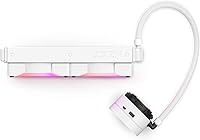
  • Pump Head: The pump head features a rotating infinity mirror RGB cap that can be repositioned without disassembling the cooler from the radiator.
  • Dimensions: The assembled unit measures 5.35″ x 12.2″ x 8.27″, including the radiator and attached tubing.
  • Weight: The complete cooler weighs 4.07 lbs, which is typical for a 240mm AIO in this class.
  • Intel Compatibility: Supported Intel sockets include LGA 1200, 1151, 1150, 1155, 1156, 1366, 2011, 2011-3, and 2066.
  • AMD Compatibility: Supported AMD sockets include AM4, TR4, and sTRX4, though the Threadripper-specific mounting bracket is not included in the box.
  • Software: Full integration with NZXT CAM V4 enables fan curve tuning, RGB lighting customization, and real-time CPU temperature monitoring.
  • Cooling Method: Uses closed-loop liquid cooling with a pre-filled, sealed loop — no user maintenance or refilling is required.
  • Color: Available in White, designed to complement light-themed or monochrome PC builds.
  • RGB Connector: The pump head connects via a dedicated RGB connector, enabling addressable lighting control through CAM or compatible motherboard software.
  • User Rating: Holds a 4.6 out of 5 star average based on over 215 verified ratings on Amazon at the time of this review.

Related Reviews
NZXT Kraken Z73 360mm AIO RGB CPU Liquid Cooler
84%
92%
Cooling Performance
87%
Noise Level
72%
Installation Ease
80%
Software Control (CAM V4)
90%
Aesthetic Customization (LCD Display)
More
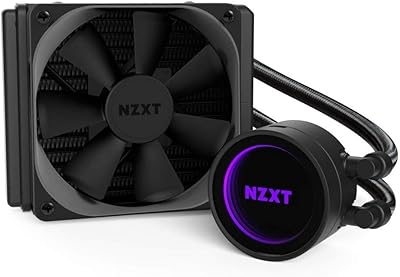
NZXT Kraken 240 AIO CPU Liquid Cooler
81%
78%
Thermal Performance
81%
Noise Level
83%
LCD Display
52%
Software Experience
91%
Installation Ease
More
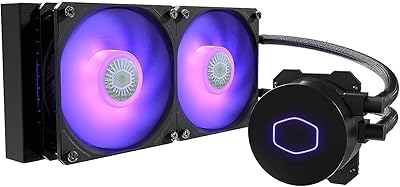
NZXT Kraken M22 120mm Liquid CPU Cooler
72%
67%
Thermal Performance
79%
Noise Level
91%
RGB & Aesthetics
52%
Software (CAM)
83%
Build Quality
More
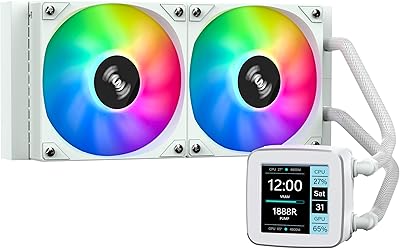
Cooler Master MasterLiquid ML240L V2 AIO Cooler
77%
78%
Thermal Performance
91%
Installation Experience
63%
Pump Noise & Vibration
82%
Fan Performance
88%
ARGB Lighting
More
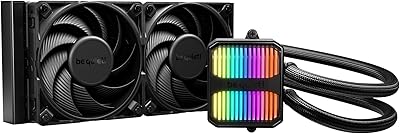
SAMA LD 240 AIO Liquid CPU Cooler
77%
88%
Value for Money
74%
Thermal Performance
83%
LCD Display Quality
71%
Noise Level
76%
Build Quality
More
be quiet! Silent Loop 3 240mm Cooler
83%
93%
Acoustic Performance
81%
Thermal Performance
78%
Pump Quality
91%
Fan Quality
88%
Refillability & Longevity
More
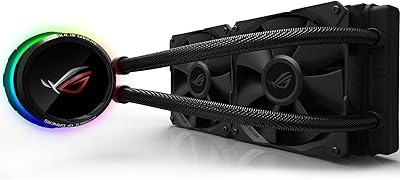
Asus ROG RYUO 240 RGB AIO Liquid CPU Cooler
84%
94%
Cooling Performance
88%
Noise Levels
73%
Ease of Installation
90%
RGB Lighting and Visual Appeal
85%
Build Quality and Durability
More
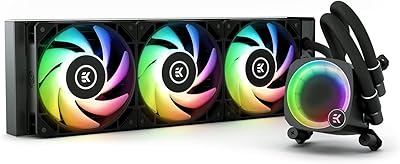
EKWB EK-Nucleus CR360 Lux D-RGB AIO CPU Liquid Cooler
86%
91%
Thermal Performance
88%
Noise Level
84%
Ease of Installation
85%
RGB Lighting Flexibility
90%
Build Quality
More
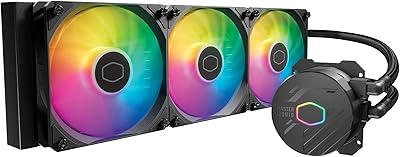
Cooler Master MasterLiquid 360L Core 360mm
82%
88%
Thermal Performance
74%
Pump Quality & Reliability
91%
Installation Experience
83%
Noise Level
86%
Value for Money
More
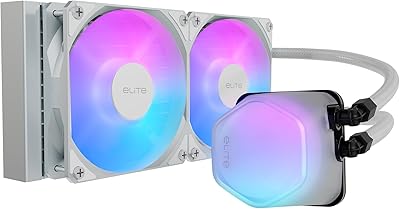
Cooler Master 240 Elite Liquid CPU Cooler
81%
78%
Thermal Performance
82%
Noise Level
91%
Ease of Installation
76%
Build Quality
88%
RGB & Aesthetics
More

FAQ

Yes, the Kraken X53 RGB fully supports the AM4 socket, which covers all Ryzen 9 desktop CPUs including the 5900X and 5950X. The mounting hardware for AM4 is included in the box, so no additional purchases are needed for that platform.

The cooler will function and provide cooling without CAM installed, but you will lose the ability to customize fan curves and control the RGB lighting beyond a default mode. If you are sensitive to background software, it is worth knowing that CAM runs as a system service and some users find it heavy on resources. For basic plug-and-play cooling it works fine, but full functionality does require the software.

No, it is not. This is one of the more commonly reported surprises for first-time buyers — the TR4 and sTRX4 bracket is a separate accessory that needs to be purchased from NZXT directly. If you are building on a Threadripper platform, make sure to factor that into your total cost before ordering.

During typical desktop tasks and light gaming, the fans stay well below their rated 33 dB ceiling and are barely noticeable. Under sustained heavy loads like CPU rendering or stress testing, the fans spin up and become more audible, though still within a reasonable range. Some users also mention a faint pump hum at peak RPMs, which is not unusual for AIO coolers in this class.

Yes, and that is actually one of the more practical design decisions on this unit. The pump cap rotates independently, so you can adjust the logo orientation after installation without removing the entire cooler from the radiator. It saves a lot of frustration when you realize the logo ended up sideways after routing everything.

LGA 1700 is not listed in the official compatibility documentation for this cooler, which launched before that socket generation. NZXT did release an LGA 1700 bracket as a separate accessory for some Kraken models, so it is worth checking NZXT's support page directly before assuming it will fit your board out of the box.

It is manageable for most intermediate builders. The hardware kit is organized clearly, the tubing is flexible enough to route without fighting it, and NZXT provides a printed installation guide. The main thing to watch is RAM clearance — depending on your case and motherboard layout, the pump head can sit close to tall memory heatspreaders. Taking your time with the backplate and standoffs makes the whole process smoother.

The pump head connects via a proprietary NZXT RGB connector, which means it is not natively compatible with standard ARGB headers on motherboards. The Aer RGB V2 fans also use NZXT's own connector standard. In practice, this means CAM is the primary control method for lighting. There are third-party tools like liquidctl that some users have had success with, but those are unsupported workarounds rather than official solutions.

Both are solid 240mm AIOs and trade blows in most benchmark scenarios, with the H100i often edging ahead by a small margin under extreme loads thanks to its denser radiator fin stack. The Kraken X53 RGB closes that gap in everyday workloads and generally wins on aesthetics and pump head design. If raw thermal headroom is your top priority, the H100i or Arctic Liquid Freezer II are worth considering, but for most users the performance difference is not significant in real-world use.

It comes fully pre-filled and sealed — there is nothing to mix, add, or maintain. Like all closed-loop AIOs, you simply mount it, connect the cables, and it is ready to run. The sealed loop is designed to last the life of the cooler without requiring any user intervention.