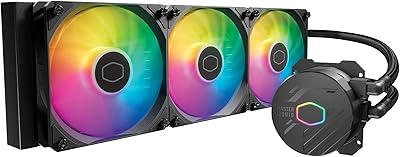
Cooler Master MasterLiquid Atmos 240 Liquid Cooler
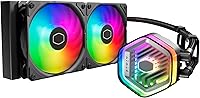
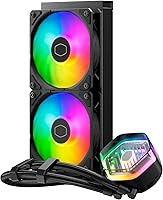
Cooler Master MasterLiquid Atmos 240 Liquid Cooler — image 1
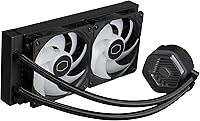
Cooler Master MasterLiquid Atmos 240 Liquid Cooler — image 2
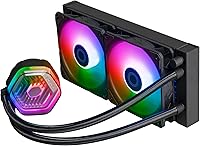
Cooler Master MasterLiquid Atmos 240 Liquid Cooler — image 3
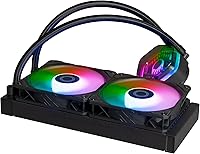
Cooler Master MasterLiquid Atmos 240 Liquid Cooler — image 4
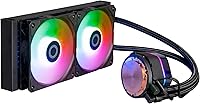
Cooler Master MasterLiquid Atmos 240 Liquid Cooler — image 5
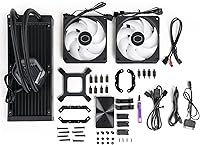
Cooler Master MasterLiquid Atmos 240 Liquid Cooler — image 6
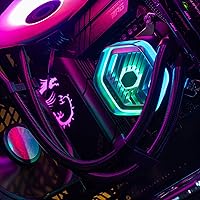
Cooler Master MasterLiquid Atmos 240 Liquid Cooler — image 7
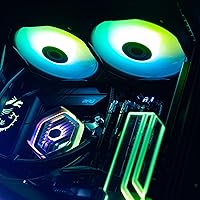
Cooler Master MasterLiquid Atmos 240 Liquid Cooler — image 8
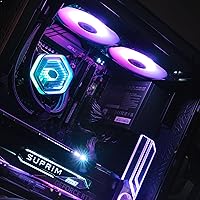
Cooler Master MasterLiquid Atmos 240 Liquid Cooler — image 9
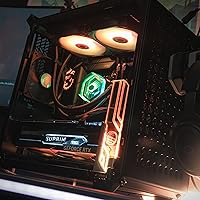
Cooler Master MasterLiquid Atmos 240 Liquid Cooler — image 10

Cooler Master MasterLiquid Atmos 240 Liquid Cooler — image 11
Cooler Master MasterLiquid Atmos 240 Liquid Cooler — image 12
82%
18%

Overview

The Cooler Master MasterLiquid Atmos 240 Liquid Cooler sits comfortably in the mid-range AIO space, built for enthusiasts who want genuine liquid cooling performance without chasing the thermal headroom of a 360mm unit. What separates it from comparable 240mm options is its dual chamber pump — an in-house design that most competitors at this size simply don't offer. The radiator's 27.2mm slim profile is a real practical consideration for tighter mid-tower cases where clearance around fan mounts matters. It also covers modern Intel and AMD sockets natively, with no aftermarket brackets needed. Treat this as a capable, well-engineered cooler for its class rather than a halo product.

Features & Benefits

By keeping coolant intake and output physically separated, the dual chamber pump maintains better flow consistency and helps prevent localised heat buildup at the CPU contact plate — a meaningful design choice, not just marketing. The SickleFlow 120 Edge fans use a Loop Dynamic Bearing that keeps noise impressively low during everyday loads, and their rated lifespan suggests they won't need replacing anytime soon. The aluminium radiator stays light enough that most cases handle it without bracket strain. Both the pump head and fans carry ARGB Gen 2 lighting, syncable to major motherboard ecosystems or controlled via the included standalone controller. For modders, the pump cover accepts 3D-printed customisations through Cooler Master's Printables page.

Best For

This 240mm AIO makes most sense for builders pairing a mid-range CPU — think Ryzen 7 or a Core i5 or i7 — with a system where quiet operation matters as much as cooling headroom. Its slim radiator profile is a practical advantage for compact mid-tower cases where a 280mm or 360mm unit won't clear fan mounts without modification. Builders with RGB-coordinated rigs will appreciate that the lighting covers both the pump head and fans straight out of the box. If you enjoy personalising your build beyond cables and paint, the 3D-printed pump cover compatibility gives the MasterLiquid Atmos 240 a creative angle that most AIOs at this size simply don't offer.

User Feedback

Buyers consistently highlight quiet day-to-day operation as a standout quality — at moderate loads, most report barely noticing the cooler is running. The ARGB lighting also lands well out of the box, with few gripes about the implementation. On the less positive side, a handful of users have noted brief pump gurgling immediately after installation; that is normal for AIOs as trapped air clears, but it can catch first-time liquid cooling users off guard. The MasterCTRL software draws mixed reactions — it works reliably for most, but compatibility hiccups on certain AMD-chipset boards have surfaced in reviews. Installation feedback is broadly positive, though buyers should note that brackets ship in separate packaging, so don't mistake that for missing hardware.

Pros

  • The dual chamber pump design provides more consistent coolant flow than standard single-chamber AIO pumps.
  • SickleFlow 120 Edge fans keep noise impressively low during everyday loads — most users barely notice them.
  • The slim 27.2mm radiator fits cases where thicker units simply will not clear the shroud or fan mounts.
  • ARGB Gen 2 lighting covers both the pump head and fans, syncing cleanly with major motherboard RGB systems.
  • Comes ready for AM5 and LGA1700 without hunting down separate brackets — a genuine time-saver at build day.
  • Low-profile fan screws are a thoughtful inclusion that improves small-case fitment out of the box.
  • The pump top cover is compatible with 3D-printed modifications, supported by Cooler Master's own Printables page.
  • At 2.49 lbs, the radiator is light enough that most cases handle it without stressing the mounting points.
  • Installation is straightforward enough for first-time AIO builders, with a bracket design that avoids the fiddly steps of older systems.

Cons

  • Not suitable for high-TDP processors under sustained load — thermal limits show up quickly against a 360mm alternative.
  • MasterCTRL software has reported compatibility issues on some AMD-chipset boards, which can frustrate software-control users.
  • Initial pump gurgling after installation is common and can alarm first-time liquid cooling users unfamiliar with AIO air bleeding.
  • Brackets ship in separate packaging, which can cause unnecessary panic during unboxing if buyers assume parts are missing.
  • The aluminium radiator limits material options — copper-core alternatives may offer better long-term corrosion resistance in some setups.
  • The standalone RGB controller adds a USB header requirement, which can be a constraint in builds already tight on internal connections.
  • Long-term reliability data is still limited given the product only reached market in late 2023.
  • At its price point, competition from similarly specced 240mm AIOs is stiff, so value depends heavily on finding it at the right price.

Ratings

The scores below reflect our AI-driven analysis of verified global buyer reviews for the Cooler Master MasterLiquid Atmos 240 Liquid Cooler, with spam, bot activity, and incentivized feedback actively filtered out before scoring. Each category is weighted against real-world usage patterns reported by actual builders across Intel and AMD platforms. Both the strengths that keep buyers happy and the friction points that generated complaints are transparently reflected in every score.

Thermal Performance
76%
24%
For mid-range CPUs like a Ryzen 7 7700X or Core i7-13700, the dual chamber pump noticeably improves coolant delivery compared to standard single-chamber AIOs at this radiator size, with many users reporting stable temps during gaming sessions and light creative workloads.
Builders running high-TDP processors under sustained loads — rendering jobs, overclocked cores — consistently report the 240mm slim radiator hitting its ceiling faster than expected, with thermal headroom noticeably tighter than 280mm or 360mm alternatives in the same price bracket.
Noise Level
88%
The SickleFlow 120 Edge fans are genuinely quiet during everyday use — watching videos, light gaming, or browsing — with most users reporting they cannot distinguish the cooler from ambient room noise at moderate CPU loads. The Loop Dynamic Bearing contributes meaningfully to this.
At full 2500 RPM under heavy load, the fans become audible in quieter rooms, which some users found more intrusive than expected given the low idle noise. A small number of users also reported intermittent pump hum that persisted beyond the initial air-bleeding period.
Build Quality
82%
18%
The pump head feels solid and well-finished, and the radiator's aluminium construction keeps the unit light without feeling flimsy during installation. Low-profile fan screws are a thoughtful detail that signals Cooler Master paid attention to real-world build scenarios.
Some buyers noted that the tubing, while functional, feels less premium than what competitors offer at a similar price, and the plastic components on the pump housing attracted minor criticism for not matching the quality feel of the metal radiator and fittings.
Pump Performance
84%
The dual chamber design earns consistent praise from users who have previously owned single-chamber AIOs — they report more even coolant distribution and fewer temperature spikes during workload transitions, which translates to more predictable thermal behaviour across a gaming session.
Post-installation gurgling is the most frequently cited complaint tied directly to the pump, and while it is a known AIO characteristic, the frequency of user reports suggests the bleeding period for this unit runs longer than average, occasionally lasting several hours.
RGB & Lighting
91%
The ARGB Gen 2 implementation covers both the pump head and fans, producing a cohesive look that buyers in RGB-themed builds consistently highlight as one of the standout visual features. Colours are vibrant and consistent across both lighting zones without noticeable mismatch.
A handful of users reported minor colour banding or brightness inconsistencies between the pump head and fan rings when viewed at certain angles, and the standalone controller — while handy — lacks the granular control that motherboard software sync provides.
Software Experience
63%
37%
On Intel-chipset platforms, MasterCTRL works reliably for the majority of users, providing accessible fan curve editing and RGB profile management without requiring deep technical knowledge. The interface is cleaner than older Cooler Master software generations.
AMD-chipset users reported a noticeably higher rate of compatibility issues, including RGB sync failures and fan detection errors that required workarounds or driver rollbacks. The inconsistency across platforms is the primary reason this score sits well below the hardware categories.
Installation Ease
85%
Buyers — including first-time AIO installers — consistently describe the bracket system as more intuitive than older designs, with clear socket-specific hardware reducing the guesswork. Coverage across AM5, AM4, and multiple Intel LGA sockets without extra purchases is a genuine convenience.
The separate bracket packaging caused real confusion for a notable share of buyers who initially assumed components were missing, and the instruction manual lacks visual clarity for the pump head orientation step, which led to reinstallation attempts among less experienced builders.
Case Compatibility
87%
The 27.2mm radiator thickness is a genuine differentiator for builders working with cases that have strict radiator clearance limits — several users specifically noted it fit where a thicker AIO would not, particularly in compact mid-towers with front-mount radiator restrictions.
The slim profile is only an advantage if your case supports exactly 240mm mounts — builders with cases sized for 280mm or 360mm only will find no benefit, and the cooler offers no flexibility for non-standard radiator mounting positions.
Value for Money
74%
26%
The dual chamber pump, ARGB Gen 2 on both zones, and the 3D-printable pump cover provide genuine feature differentiation that justifies a slight premium over bare-bones 240mm AIOs — buyers who care about those specific attributes typically feel the price is fair.
At its retail price, competition from well-established 240mm AIOs with stronger software ecosystems and comparable or better thermal performance makes the value case harder to defend, particularly for buyers who do not use RGB lighting or have no interest in modding.
Fan Longevity
79%
21%
The Loop Dynamic Bearing design has a strong theoretical lifespan rating, and early buyers — now roughly 18 months into ownership — have reported no bearing degradation or increased noise over time, which is an encouraging early signal for long-term reliability.
The product only reached market in late 2023, so multi-year durability data is still limited. Buyers looking for long-term ownership reassurance should note that the real-world lifespan picture will not be meaningfully clear for another year or two.
Customisation Options
83%
The officially supported 3D-printed pump cover replacements via Printables.com give this cooler genuine mod appeal that most AIOs in its class simply do not offer — a detail that resonates strongly with the case-modding and maker community.
Customisation is limited to the pump top cover; the radiator and fans offer no official modding pathways, and users without access to a 3D printer get no practical benefit from this feature at all.
Socket Coverage
89%
Support for both AM5 and LGA1700 out of the box — alongside legacy Intel sockets going back to LGA1150 — means most mainstream desktop platform users are covered without a secondary purchase, which is a practical advantage during a build.
HEDT and server socket users are excluded entirely, and the bracket hardware for each platform ships in separate packaging within the box, which creates an avoidable unboxing confusion that Cooler Master has not yet addressed in its packaging design.
Aesthetics
86%
The pump head design is clean and modern without being overdone — buyers with windowed cases consistently note it contributes positively to the overall build look, especially when the ARGB lighting is synced to match the rest of the system.
The radiator itself is visually plain, with a standard aluminium finish that offers nothing distinctive when visible through a case window. Buyers specifically building for aesthetics may find the radiator presentation underwhelming compared to coolers with branded radiator grilles.

Suitable for:

The Cooler Master MasterLiquid Atmos 240 Liquid Cooler is a strong pick for builders who want genuine liquid cooling on a mid-range budget without sacrificing case compatibility or noise levels. It works particularly well paired with mainstream workhorses like a Ryzen 7 or Core i7, where the thermal demands are real but don't require the brute-force surface area of a 280mm or 360mm radiator. The slim radiator profile is a genuine advantage for mid-tower and smaller cases where clearance around the top or front fan mounts is tight — something builders often overlook until the hardware arrives. If your build has an RGB theme, the ARGB Gen 2 lighting on both the pump head and fans integrates cleanly with most modern motherboard ecosystems without extra adapters or splitters. Users upgrading from a beefy air cooler on AM5 or LGA1700 will also find the installation process less intimidating than older AIO designs, thanks to the simplified bracket system. And for the tinkering crowd, the 3D-printable pump cover adds a personalisation option that genuinely sets this cooler apart from similarly priced alternatives.

Not suitable for:

The Cooler Master MasterLiquid Atmos 240 Liquid Cooler is not the right tool if you are pushing a high-TDP processor — think a Core i9 or Ryzen 9 — under sustained heavy workloads like extended rendering, simulation, or overclocking sessions. A 240mm slim radiator simply cannot shed heat fast enough in those scenarios to keep thermals comfortable, and a 280mm or 360mm AIO, or even a high-end tower air cooler, will serve those users better. Builders who rely heavily on software-side fan control through tools like MasterCTRL may also run into frustration, particularly on certain AMD-chipset motherboards where compatibility has proven inconsistent for some users. If your case has a fixed 280mm or 360mm radiator mount and no 240mm option, this cooler is not a fit regardless of other merits. Finally, those chasing the absolute best thermal performance per dollar at the 240mm size class should compare benchmarks carefully — the dual chamber pump is a differentiator, but it does not automatically place this cooler at the top of every thermal chart in its category.

Specifications

  • Radiator Size: The aluminium radiator measures 277 x 119.6 x 27.2mm, placing it in the standard 240mm class with a slim profile suited to tighter cases.
  • Radiator Material: The radiator is constructed from aluminium, keeping total unit weight at 2.49 lbs while providing adequate thermal surface area for mid-range CPUs.
  • Pump Design: The pump uses a dual chamber configuration that physically separates coolant intake and output to improve flow pressure and reduce CPU hot-spot buildup.
  • Fan Model: Two SickleFlow 120 Edge fans come pre-installed, each using a Loop Dynamic Bearing for quieter operation and a rated lifespan exceeding 160,000 hours.
  • Fan Speed: The fans are PWM-controlled and spin at up to 2500 RPM, allowing the system to ramp airflow under load while staying quiet during light use.
  • Airflow: Each fan delivers up to 70.7 CFM of airflow, providing adequate heat transfer through the radiator fins under typical mid-range CPU workloads.
  • Static Pressure: The fans produce up to 3.61 mmH2O of static pressure, which helps push air efficiently through the dense fin stack of the radiator.
  • Noise Level: The cooler is rated at 27.2 dBA, making it among the quieter options in the 240mm AIO category during everyday operation.
  • Lighting: Both the pump head and fans feature ARGB Gen 2 LEDs, compatible with major motherboard RGB sync ecosystems or controllable via the included standalone controller.
  • Intel Sockets: The included brackets support Intel LGA 1700, 1200, 1151, 1150, 1155, and 1156 sockets without requiring any additional hardware purchases.
  • AMD Sockets: AMD AM5 and AM4 socket compatibility is included out of the box, with brackets shipped separately within the same package.
  • Power Draw: The unit runs at 12V and draws 24W at peak, connecting via a 3-pin power connector for straightforward motherboard header integration.
  • Pump Cover: The pump top cover is designed to accept 3D-printed custom parts, with community-created designs available through Cooler Master's official Printables.com page.
  • Fan Screws: Low-profile screws are pre-included for fan installation, improving compatibility with smaller cases where standard-height screw heads can create clearance issues.
  • Software: The cooler is compatible with Cooler Master's MasterCTRL and MasterPlus software platforms for fan curve control, RGB customisation, and device management on supported systems.

Related Reviews
Cooler Master MasterLiquid Atmos 360 AIO Cooler
83%
88%
Thermal Performance
91%
Noise Level
83%
Build Quality
87%
Installation Experience
84%
RGB & Lighting Quality
More
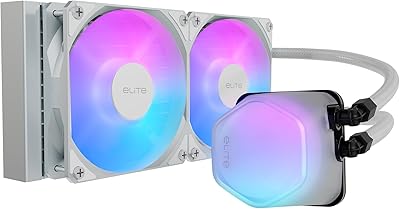
Cooler Master 240 Elite Liquid White CPU Liquid Cooler
85%
91%
Cooling Performance
84%
Noise Levels
92%
Ease of Installation
89%
Build Quality
88%
aRGB Lighting Effect
More
Cooler Master MasterLiquid 360L Core 360mm
82%
88%
Thermal Performance
74%
Pump Quality & Reliability
91%
Installation Experience
83%
Noise Level
86%
Value for Money
More
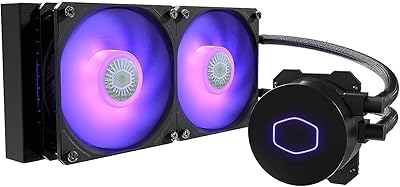
Cooler Master MasterLiquid ML240L V2 AIO Cooler
77%
78%
Thermal Performance
91%
Installation Experience
63%
Pump Noise & Vibration
82%
Fan Performance
88%
ARGB Lighting
More
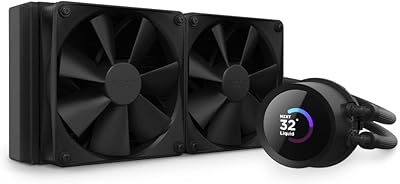
NZXT Kraken 240 AIO CPU Liquid Cooler
86%
92%
Cooling Performance
88%
Noise Level
90%
Ease of Installation
86%
Aesthetic Customization
80%
Radiator Size Compatibility
More
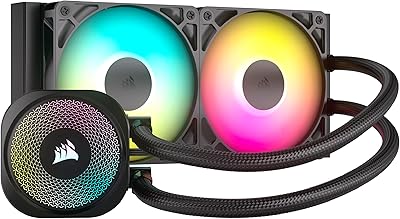
CORSAIR Nautilus 240 RS ARGB Liquid CPU Cooler
85%
89%
Cooling Performance
92%
Noise Level
85%
RGB Lighting
83%
Ease of Installation
90%
Build Quality
More
Thermalright Aqua Elite 240 V3 CPU Cooler
80%
83%
Thermal Performance
76%
Noise Level
92%
Value for Money
88%
Installation Experience
79%
Build Quality
More
Asus ROG RYUO 240 RGB AIO Liquid CPU Cooler
84%
94%
Cooling Performance
88%
Noise Levels
73%
Ease of Installation
90%
RGB Lighting and Visual Appeal
85%
Build Quality and Durability
More
ASUS ROG RYUO III 240 ARGB AIO Liquid CPU Cooler
88%
94%
Cooling Performance
88%
Noise Level
91%
Aesthetic Appeal
75%
Ease of Installation
92%
RGB Customization
More
ASUS TUF Gaming LC II 240 ARGB AIO Cooler
80%
76%
Thermal Performance
81%
Noise Levels
74%
Build Quality
88%
Installation Experience
69%
Pump Reliability
More

FAQ

Most standard mid-tower cases that support a 240mm radiator will accommodate it without issue. The key measurement to check is radiator thickness — at 27.2mm, this AIO is slim enough to fit cases where thicker 30mm-plus radiators would conflict with fan shrouds or RAM clearance. Always cross-reference your case's supported radiator thickness in its spec sheet.

No, both the AM5 and LGA1700 brackets are included in the box. One thing to be aware of: the brackets are packaged separately within the box, so if you open it and don't see them immediately, check underneath the main tray before assuming anything is missing.

For the vast majority of users, the pump is essentially inaudible at typical desktop workloads. Some users do report a brief gurgling or bubbling sound right after installation — that is completely normal for AIOs as trapped air works its way out of the loop, and it usually clears within the first few hours of operation.

Yes, the Cooler Master MasterLiquid Atmos 240 Liquid Cooler ships with a standalone RGB controller that lets you cycle through lighting modes and colours without needing to install MasterCTRL or any other software. If you want deeper customisation or motherboard sync, you'll need the software, but basic lighting control works right out of the box.

It works well for most users, particularly on Intel-chipset platforms. That said, there have been reported compatibility hiccups on some AMD-chipset motherboards, with a minority of users experiencing issues with RGB sync or fan curve detection. If software control is critical to your build, it is worth checking Cooler Master's support forums for your specific motherboard model before purchasing.

Technically it will work, but a 240mm slim radiator is not the ideal match for high-TDP processors under sustained load. You may see thermal throttling during extended workloads like rendering or overclocking sessions. For those processors, a 280mm or 360mm AIO — or a premium tower air cooler — will give you more comfortable thermal headroom.

Yes, the ARGB Gen 2 header is compatible with the major motherboard RGB ecosystems including Asus Aura Sync, MSI Mystic Light, and Gigabyte RGB Fusion. You will need to connect the ARGB cable to a 3-pin 5V ARGB header on your motherboard to enable sync — the pin layout is standardised, so compatibility is broad.

It is a genuinely nice option for builders who enjoy personalising their rigs. Cooler Master has published community-created designs on Printables.com, so if you have access to a 3D printer, you can swap the pump top for something custom — a logo, a geometric pattern, or even a themed design. It is entirely optional and does not affect cooling performance, but it is a differentiator you do not see on most AIOs in this price range.

It is one of the more approachable AIOs at this size. The bracket system is simplified compared to older Cooler Master designs, and the instructions are clear enough that most first-timers get through it without issues. The main tripping point is remembering that the CPU-specific brackets are packed separately — once you locate those, the process is quite logical.

Yes, the fans are standard 120mm units and can be swapped out for any 120mm fans of your choice using the existing fan mounts. If you replace them, you will lose the integrated ARGB wiring that runs through the SickleFlow Edge fans specifically, so factor that in if RGB consistency matters to your build.