


Overview

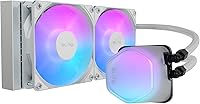
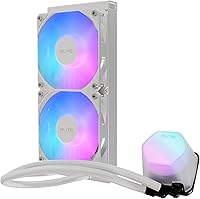
The Cooler Master 240 Elite Liquid CPU Cooler sits in a sweet spot — a mid-range 240mm AIO that punches above its price class on aesthetics without pretending to be something it is not. The standout engineering choice is the dual-chamber ceramic pump, which sets it apart from most coolers at this tier that rely on simpler, noisier single-chamber designs. It supports both AMD AM5 and Intel LGA 1851 out of the box, so it won't feel obsolete after your next platform upgrade. The white colorway suits themed builds nicely, but the honest pitch is straightforward: reliable everyday cooling for mainstream CPUs, not a tool for pushing 250W flagships to their limits.

Features & Benefits

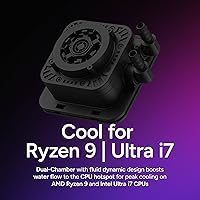
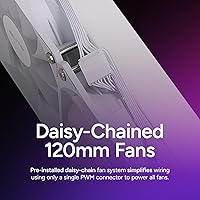
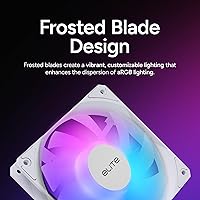
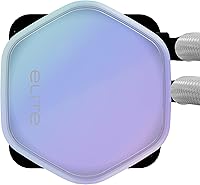
The dual-chamber pump design is worth understanding: by splitting fluid flow across two chambers with a fluid dynamic bearing, it reduces the turbulence and vibration that make cheaper pumps audible at idle. The translucent hexagon pump head connects directly to your motherboard's aRGB header — ASUS Aura, MSI Mystic Light, and Gigabyte RGB Fusion all work without a separate controller. Frosted fan blades scatter that light evenly rather than creating harsh bright spots. Cable management benefits from the daisy-chain fan system, where both fans run off a single PWM connector. Add 400mm of flexible tubing and pre-applied CryoFuze paste, and installation rarely requires much fuss even for first-timers.

Best For

This 240mm AIO is a natural fit for builders assembling a white-themed gaming PC who don't want to trade cooling performance for aesthetics. It handles Ryzen 7 and Intel Core Ultra 7 chips confidently at stock speeds or light overclocks, staying quiet through typical daily workloads. First-time AIO installers will appreciate pre-mounted brackets, paste already on the cold plate, and wiring simplified to a single header. Where it starts to show its limits is with high-TDP flagship CPUs — anything sustaining well over 150W will likely push past what a 240mm radiator manages comfortably, and a 360mm cooler would serve those builds better.

User Feedback

Owners of the Elite Liquid cooler frequently praise easy installation and the frosted-blade RGB effect — the diffused glow looks noticeably more refined than what standard clear-bladed fans produce, and idle noise is lower than many buyers anticipated. On the other side, a portion of users report an audible gurgling or faint hum from the pump during the first few hours of use; for most, it settles quickly, but it is worth knowing going in. RGB software detection is reliable on ASUS and MSI boards but inconsistent on others. Encouragingly, long-term leakage complaints are rare, which suggests the pump construction holds up well over time.

Pros

  • Dual-chamber ceramic pump runs noticeably quieter at idle than standard single-chamber designs.
  • Supports AMD AM5 and Intel LGA 1851 out of the box, covering the latest platforms without adapter kits.
  • aRGB pump head connects directly to motherboard headers — no proprietary dongle or extra software needed.
  • Frosted fan blades produce a softer, more diffused glow that looks more refined than standard clear-bladed fans.
  • Single daisy-chain PWM connector for both fans keeps cable routing clean and simple.
  • 400mm tubing gives genuine routing flexibility in most mid-tower and even some full-tower cases.
  • Pre-applied CryoFuze thermal paste removes one installation step and performs reliably out of the box.
  • Long-term leakage reports are rare, suggesting solid pump and tubing construction for the price tier.
  • Competitive value for builders who want AIO aesthetics without paying flagship cooler prices.

Cons

  • Some units produce a faint pump gurgle or hum during the first few hours of operation.
  • RGB software detection can be unreliable on boards outside ASUS, MSI, and Gigabyte ecosystems.
  • Thermal performance starts to plateau under CPUs sustaining loads above roughly 150W to 180W.
  • Not a suitable choice for serious overclocking or extreme stress workloads on high-end processors.
  • White colorway limits visual compatibility — it can look out of place in dark or RGB-heavy builds.
  • Fan noise at maximum 2100 RPM is audible under sustained load, which may bother users in quiet rooms.
  • No proprietary monitoring software means users reliant on a standalone cooling app are out of luck.
  • Radiator and fans add up to 3.4 pounds, which may stress weaker case mounting points in cheaper chassis.

Ratings

The scores below reflect an AI-driven analysis of verified global user reviews for the Cooler Master 240 Elite Liquid CPU Cooler, with spam, bot-submitted, and incentivized feedback actively filtered out before scoring. Each category is weighted against real-world usage patterns reported by builders, gamers, and everyday PC users across multiple regions. Both the standout strengths and the recurring frustrations are represented transparently so you can make a genuinely informed decision.

Thermal Performance
78%
22%
For mainstream CPUs like Ryzen 7 and Core Ultra 7, this 240mm AIO keeps temperatures comfortably in check during gaming sessions and light productivity workloads. Builders who switched from stock air coolers consistently report noticeably lower peak temps under sustained load.
Users running higher-TDP chips — particularly those exceeding 150W to 180W under extended workloads — report that the cooler struggles to maintain stable temperatures at acceptable fan speeds. It is not the right tool for flagship-class processors pushed hard.
Noise Level
82%
18%
At idle and during light use, the fan curve drops the blades to a near-silent 650 RPM, which most users describe as inaudible from a normal sitting distance. The dual-chamber pump design is genuinely quieter than older single-chamber units that many reviewers had previously used.
At maximum 2100 RPM, the fans produce an audible whir that is noticeable in a quiet room, and some units exhibit a faint pump gurgle during the first few hours of operation. While it typically settles, noise-sensitive users in library-quiet environments may find the break-in period mildly frustrating.
Ease of Installation
91%
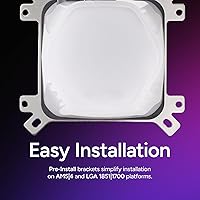
Pre-mounted brackets for all four supported sockets, pre-applied CryoFuze thermal paste, and a single daisy-chain PWM connector make this one of the more beginner-friendly AIOs available at this price point. First-time builders frequently highlight how much the simplified wiring reduced their installation anxiety.
A small number of users report that the mounting hardware for Intel LGA 1851 requires careful alignment and that the included instructions could be clearer for that specific bracket configuration. The pump head orientation is also fixed, which occasionally creates minor tubing routing challenges in compact cases.
Build Quality
76%
24%
The copper cold plate and aluminum radiator feel solid and well-finished for the price tier, and the tubing is thick enough to resist kinking during installation. Long-term leakage reports are rare, which speaks well to the pump and seal construction holding up over months of daily use.
The plastic pump housing and fan frames feel noticeably lighter and less premium than competing units from higher price brackets, and a few users have noted minor flex in the fan frame corners. It does not feel cheap, but it does not feel robust in the same way a flagship AIO does either.
RGB & Aesthetics
88%
The frosted fan blades are a genuine visual upgrade over clear-bladed fans — they diffuse the aRGB light evenly across the blade surface rather than concentrating it near the LED source, resulting in a softer, more cohesive glow. The translucent hexagon pump head looks distinctive under a windowed side panel and complements white builds exceptionally well.
The aesthetic is heavily oriented toward white and neutral-toned builds, and the cooler can look mismatched in all-black or dark-themed cases regardless of RGB color settings. A few users also note that the pump head aRGB element is slightly dimmer than the fans, creating a subtle inconsistency in lighting intensity.
RGB Software Compatibility
67%
33%
On ASUS, MSI, and Gigabyte boards, the aRGB integration is plug-and-play — the pump head and fans are detected automatically and sync with the system lighting profile without any additional setup or software installation beyond what the motherboard already uses.
Users on less common motherboard brands report inconsistent detection and limited control, with some describing the lighting getting stuck on a default color cycle with no way to adjust it through software. There is no standalone Cooler Master RGB app to fall back on, which leaves those users with fewer options than they likely expected.
Value for Money
84%
At its price point, the Elite Liquid cooler delivers aRGB aesthetics, dual-fan cooling, and current-gen socket support in a single package that would cost meaningfully more with a premium brand. Buyers upgrading from stock or budget air cooling consistently describe it as a worthwhile investment for the thermal and visual improvement it delivers.
Buyers who compare it directly against same-price competitors with higher-rated fans or stronger thermal performance at max TDP sometimes feel the premium placed on aesthetics comes at a slight cost to raw cooling value. For purely thermal-focused buyers, a plainer 240mm AIO at the same price may offer slightly better bang for the dollar.
Tubing & Routing Flexibility
83%
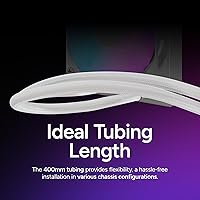
The 400mm tubing length is genuinely practical — most mid-tower builders find they have enough slack to route the radiator to the top or front of the case without the tubes pulling taut or creating tension on the pump fitting. The tubing itself is flexible enough to handle moderate bends without kinking.
In larger full-tower cases with longer CPU-to-top-radiator distances, the tubing can feel stretched, and a handful of users in extended chassis configurations wished it were 450mm or longer. The tubing is not user-replaceable, so an unusually tight fit is something to measure before purchasing.
Fan Performance
77%
23%
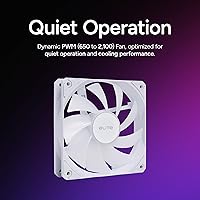
The PWM control range from 650 to 2100 RPM gives the system enough granularity to stay quiet under light loads while ramping up effectively when the CPU needs it. The frosted blades also contribute to a smoother airflow sound compared to standard sharp-edged transparent blades.
At full speed, the acoustic profile is on the louder end relative to some competing 240mm fans in the same class, and a few users note that the static pressure performance is adequate but not exceptional for dense radiator fins. Buyers who frequently push sustained heavy workloads may want to evaluate whether quieter high-performance fans could be swapped in.
Platform Compatibility
89%
Coverage of both AMD AM5 and Intel LGA 1851 means this cooler is ready for current-generation builds without requiring aftermarket bracket purchases, which is a meaningful practical advantage over older AIO models. The pre-installed bracket system means there is no picking through a bag of identical-looking screws to figure out which kit applies to your socket.
Legacy socket support is limited — builders on older AMD AM3 or Intel LGA 1200 platforms will find this cooler is not compatible without modifications. While that is a narrow audience, it does mean the cooler cannot follow a CPU upgrade across older-generation platforms the way some universal-mount designs can.
Pump Reliability
79%
21%
The dual-chamber fluid dynamic bearing pump has a strong long-term track record based on user reports, with leakage incidents being notably uncommon across a broad sample of buyer feedback. Most owners running the cooler for a year or more report no degradation in pump noise or cooling performance over time.
Early pump noise — a gurgling or faint vibration hum — is reported by a consistent minority of buyers during the first few hours of operation, which creates uncertainty about unit health even when the issue resolves on its own. A clearer statement from the manufacturer about this break-in behavior would reduce unnecessary concern for new buyers.
Cable Management
86%
Routing only a single 4-pin PWM connector for both fans is a practical quality-of-life feature that keeps the area around the CPU socket noticeably cleaner, especially in windowed builds where cable clutter is visible. Builders who have struggled with multi-fan header juggling on previous builds consistently call this out as a welcome improvement.
The aRGB cables from the pump head and fans still require individual routing to the motherboard header, and the cable lengths on some units are described as slightly shorter than ideal for clean rear-panel routing in mid-towers with deeper cable management channels. It is a manageable issue, but not entirely effortless.
Packaging & Unboxing
74%
26%
The cooler arrives well-protected with the radiator, pump head, and accessories organized in clearly separated compartments, and the mounting hardware is labeled well enough that most users can identify the right pieces quickly. The pre-applied paste and pre-attached fan headers mean the out-of-box experience requires less assembly than some competing kits.
The instruction manual is described by several users as vague, particularly for LGA 1851 mounting, and a few buyers report minor cosmetic scuffs on the pump head housing upon arrival, suggesting the internal padding could be more robust for long-distance shipping. Nothing that affects function, but it does dull the unboxing experience slightly.

Suitable for:

The Cooler Master 240 Elite Liquid CPU Cooler is a strong pick for PC builders who want a clean, visually polished build without overspending on cooling hardware. It fits naturally into white or neutral-themed mid-tower builds, and the aRGB pump head plus frosted fan blades deliver genuinely attractive lighting that integrates with most major motherboard software without needing a separate controller. Ryzen 7 and Intel Core Ultra 7 owners running stock settings or modest overclocks will find it keeps temperatures well in check during everyday tasks and gaming sessions. First-time AIO installers also benefit here — pre-mounted brackets for AM4, AM5, LGA 1700, and LGA 1851, along with pre-applied thermal paste and a single-connector fan setup, make the process straightforward enough that most builders won't need to consult a tutorial. If you are upgrading from a stock air cooler and want noticeably better thermal headroom alongside better aesthetics, this 240mm AIO delivers a meaningful step up at a price that does not require much justification.

Not suitable for:

The Cooler Master 240 Elite Liquid CPU Cooler has a clear thermal ceiling, and buyers pushing high-TDP flagship processors — think chips sustained above 150W to 180W — should look toward a 360mm AIO or a premium dual-fan 240mm unit designed specifically for that headroom. Hardcore overclockers chasing maximum CPU frequency headroom will similarly find this cooler limiting before their CPU does. The aRGB lighting integration, while broadly compatible, can be inconsistent on less common motherboard brands outside the major four, so builders running budget or niche boards may not get full software control. There have also been scattered reports of audible pump noise during early operation on some units — most settle within hours, but buyers who are particularly noise-sensitive in a quiet room should factor that in. Finally, the white colorway, while an asset for themed builds, is a mismatch if your chassis or components lean dark or have a specific aesthetic that the frosted white fans would visually clash with.

Specifications

  • Radiator Size: The unit uses a 240mm dual-fan radiator, measuring 10.9″ in length and 4.71″ in width with a 1.1″ thickness.
  • Pump Type: A dual-chamber ceramic pump with a fluid dynamic bearing manages coolant flow, reducing operational noise and extending pump lifespan compared to single-chamber alternatives.
  • Fan Speed: Both PWM fans spin between 650 and 2100 RPM, allowing the system to balance near-silent idle behavior against full cooling capacity under load.
  • Noise Level: Rated noise output reaches up to 39.5 dB at maximum fan speed, which is audible but within a typical range for 240mm AIO coolers under sustained load.
  • Tubing Length: The coolant tubing measures 400mm, providing enough slack for comfortable radiator placement in most mid-tower and select full-tower chassis without strain.
  • Socket Support: Compatible sockets include AMD AM4 and AM5, as well as Intel LGA 1700 and LGA 1851, with pre-installed mounting brackets included for all four platforms.
  • Lighting: The pump head and fan blades feature addressable RGB (aRGB) lighting controlled via a standard motherboard aRGB header, compatible with ASUS Aura Sync, MSI Mystic Light, and Gigabyte RGB Fusion.
  • Fan Connector: Both fans use a daisy-chain configuration powered by a single 4-pin PWM connector, reducing the number of headers required on the motherboard.
  • Thermal Paste: CryoFuze thermal compound comes pre-applied to the copper cold plate, rated for stable conductivity across a temperature range of -50°C to 250°C.
  • Cold Plate Material: The cold plate is constructed from copper for efficient heat transfer, while the radiator body uses aluminum, and structural components are reinforced plastic.
  • Voltage: The pump and fans operate at 12V, consistent with standard desktop PC power delivery through a motherboard header.
  • Power Draw: Total system wattage is rated at 2.36W, making it one of the more energy-efficient options in its radiator size category.
  • Weight: The complete unit weighs 3.4 pounds, which is within a typical range for 240mm AIO coolers and compatible with standard ATX case radiator mounts.
  • Colorway: The cooler ships in a white finish with frosted fan blades that diffuse aRGB light evenly, designed to complement white or light-themed PC builds.
  • Pump Head Design: The translucent hexagon-shaped pump cap houses the aRGB lighting element and is designed to be visible through standard case windows.

Related Reviews
Cooler Master MasterLiquid Atmos 240 Liquid Cooler
82%
76%
Thermal Performance
88%
Noise Level
82%
Build Quality
84%
Pump Performance
91%
RGB & Lighting
More
Thermalright Aqua Elite 240 V3 CPU Cooler
80%
83%
Thermal Performance
76%
Noise Level
92%
Value for Money
88%
Installation Experience
79%
Build Quality
More
Cooler Master MasterLiquid Atmos 360 AIO Cooler
83%
88%
Thermal Performance
91%
Noise Level
83%
Build Quality
87%
Installation Experience
84%
RGB & Lighting Quality
More
Cooler Master MasterLiquid ML240L V2 AIO Cooler
77%
78%
Thermal Performance
91%
Installation Experience
63%
Pump Noise & Vibration
82%
Fan Performance
88%
ARGB Lighting
More
NZXT Kraken 240 AIO CPU Liquid Cooler
81%
78%
Thermal Performance
81%
Noise Level
83%
LCD Display
52%
Software Experience
91%
Installation Ease
More
Corsair iCUE H100i Elite Capellix Liquid CPU Cooler
87%
94%
Cooling Performance
88%
Noise Level
90%
RGB Customization
82%
Ease of Installation
87%
Software Integration (iCUE)
More
Corsair Nautilus 240 AIO Liquid CPU Cooler
85%
83%
Thermal Performance
91%
Noise Level
93%
Installation Ease
78%
Build Quality
88%
Value for Money
More
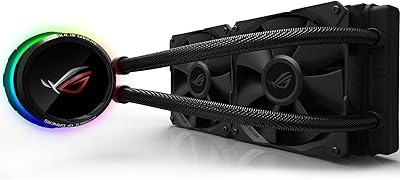
Asus ROG RYUO 240 RGB AIO Liquid CPU Cooler
84%
94%
Cooling Performance
88%
Noise Levels
73%
Ease of Installation
90%
RGB Lighting and Visual Appeal
85%
Build Quality and Durability
More
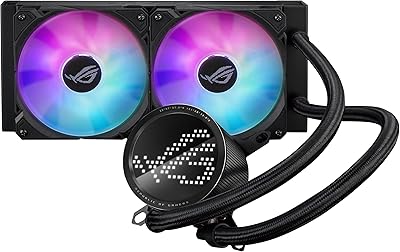
ASUS ROG RYUO III 240 ARGB AIO Liquid CPU Cooler
88%
94%
Cooling Performance
88%
Noise Level
91%
Aesthetic Appeal
75%
Ease of Installation
92%
RGB Customization
More
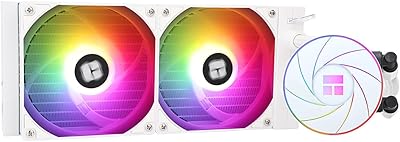
Thermalright Aqua Elite 240 V4 AIO Cooler
81%
78%
Thermal Performance
83%
Pump Quality & Reliability
81%
Fan Noise & Acoustics
89%
ARGB Lighting Quality
86%
Installation & Mounting
More

FAQ

Yes, the Cooler Master 240 Elite Liquid CPU Cooler ships with pre-installed brackets for AMD AM4, AM5, Intel LGA 1700, and LGA 1851, so you won't need to hunt down adapter kits. Just confirm your socket before purchasing and you should be ready to mount without any extra parts.

It connects directly to your motherboard's aRGB header and is recognized by ASUS Aura Sync, MSI Mystic Light, and Gigabyte RGB Fusion without needing a separate controller. That said, compatibility on less common or budget motherboard brands can be hit or miss, so if you're not running one of the major four brands, it's worth checking your motherboard's aRGB header spec before assuming full control.

Some users do report a faint gurgling or humming from the pump during the first few hours of use, which is fairly common with new AIO coolers as air works its way out of the loop. For most people it settles down and disappears within a day or two. If persistent noise continues beyond that, it would be worth contacting Cooler Master support to rule out a defective unit.

You can mount it on those sockets, but thermal performance under sustained heavy loads on high-TDP flagship chips may leave you wanting more headroom. This 240mm AIO is genuinely well-suited to Ryzen 7 and Core Ultra 7 class CPUs at stock or mild overclock settings. If you're running a chip that regularly sustains over 150W to 180W, a 360mm cooler would be a safer long-term choice.

No, CryoFuze thermal paste comes pre-applied to the copper cold plate, so you can mount it directly without any extra prep. Just make sure not to accidentally wipe the cold plate surface before installation — if you do, you'll want to clean it and apply a small amount of quality third-party paste before proceeding.

Only one. Both fans are connected in a daisy-chain configuration through a single 4-pin PWM header, which is a genuine convenience if your board has limited headers or if you just want a tidier build.

For most mid-tower cases, 400mm is comfortable with some slack to spare. Full-tower builds with more distance between the CPU socket and the top radiator mount may be tighter depending on case dimensions, so it's worth measuring that run before purchasing if you're working with a large chassis.

For mainstream CPUs, yes — the thermal improvement is meaningful, especially under sustained gaming or productivity loads where a stock cooler tends to throttle or ramp up noise significantly. You'll also gain much better control over noise levels since the PWM fans can drop as low as 650 RPM when the system is idle.

Fan speed is managed through your motherboard's BIOS or any compatible fan control software like Fan Expert or SpeedFan. No proprietary Cooler Master software is needed for temperature-based speed control. The aRGB lighting is the only element that benefits from motherboard RGB software if you want to customize colors or effects beyond a default mode.

Based on user feedback, leakage reports are uncommon, which is a good sign for pump and tubing durability. The dual-chamber fluid dynamic bearing pump is designed to last longer than standard sleeve-bearing designs used in cheaper coolers. As with any AIO, it's good practice to periodically check tubing condition and ensure the radiator mount hasn't loosened over time, but there are no widespread durability red flags with this unit.