Overview

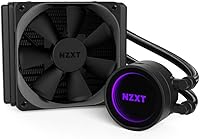
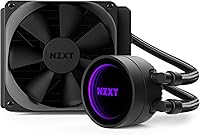
The NZXT Kraken M22 120mm Liquid CPU Cooler is a compact all-in-one built for enthusiasts who want liquid cooling without the footprint of a 240mm or 280mm radiator. It sits at the entry point of NZXT's Kraken family, trading raw thermal headroom for a smaller form factor. What separates it visually is the infinity mirror pump head, which creates a layered lighting effect that genuinely stands out inside a windowed case. NZXT's CAM software ties the experience together — useful for monitoring and RGB control, though it comes with caveats worth knowing. One critical note upfront: this 120mm AIO supports Intel sockets only, so AMD builders should stop here before getting attached.
Features & Benefits

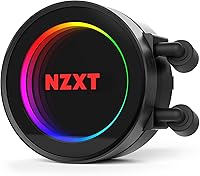
The infinity mirror effect on the pump head is the real conversation starter — in person it looks notably better than a flat RGB ring, with a convincing sense of depth. The included Aer P120 PWM fan handles radiator duty well, spinning between 500 and 2,000 RPM with noise ranging from 21 to 36 dBA, staying quiet at moderate loads. The pump runs at a fixed 3,000 RPM with no user adjustment, so thermal management leans on fan curves instead. Nylon-sleeved tubing feels solid and routes cleanly. CAM lets you track liquid temperature and pump speed in real time, plus manage lighting from your phone — genuinely useful when it cooperates. The three-year warranty is a meaningful assurance on a sealed unit.

Best For

This compact liquid cooler suits a specific builder profile well. If you are putting together a Mini-ITX or Micro-ATX system with a single 120mm mounting point, it makes real practical sense where larger AIOs simply will not fit. Intel users on LGA 1151, 1155, or 2011 sockets looking to step past high-end air cooling without committing to a full-size radiator will find it a comfortable middle ground. It is also a natural pick for anyone already running NZXT's CAM ecosystem, since unified lighting control is genuinely convenient. For gaming, everyday computing, or light content creation, the radiator handles mid-range CPUs without strain. Chasing heavy overclocks or running a high-TDP chip? A bigger radiator belongs on your list instead.

User Feedback

Across nearly 1,840 ratings, the Kraken M22 holds a 4.0-star average — respectable, though not without real friction underneath. Buyers consistently highlight easy installation and the visual impact of the mirror head, and most report quiet day-to-day operation. Complaints cluster around a few familiar themes: CAM software draws the most heat, with reports of crashes, background resource usage, and sluggish updates frustrating a meaningful share of users — realistic expectations matter here. Occasional pump noise and questions about long-term durability past the two-year mark surface with enough regularity to note. The Intel-only limitation also catches some buyers off guard despite being clearly documented. Overall sentiment leans positive for the right use case, but experienced builders tend to factor in the CAM dependency before committing.

Pros

  • The infinity mirror pump head creates a visually striking layered RGB effect that holds up well inside a windowed build.
  • Installation is straightforward, making it a confident first AIO for builders newer to liquid cooling.
  • The Aer P120 fan runs quietly at low to moderate loads, staying comfortably below 30 dBA during everyday use.
  • Nylon-sleeved tubing feels premium and routes cleanly without the stiffness of bare rubber alternatives.
  • CAM software lets you monitor liquid temperature and pump speed in real time from desktop or mobile.
  • A three-year warranty on a sealed liquid cooling unit is reassuring and above average for the category.
  • This compact liquid cooler fits chassis that physically cannot accommodate a 240mm or larger radiator.
  • Performs reliably with mid-range Intel CPUs at stock settings or light overclocks without thermal throttling.
  • At its price point, it offers a noticeable aesthetic and marginal thermal upgrade over high-end air cooling.

Cons

  • CAM software has a documented history of crashes, slow updates, and higher-than-expected background CPU usage.
  • The pump runs at a fixed 3,000 RPM with no user adjustment, which can be audible in otherwise silent builds.
  • Intel-only socket support excludes the entire AMD platform with no exception or adapter option available.
  • A single 120mm radiator has a hard thermal ceiling that high-TDP or heavily overclocked CPUs will expose quickly.
  • Long-term pump reliability past the two-year mark is a recurring concern raised by experienced builders in user reviews.
  • RGB customization is fully locked behind CAM, so users who prefer software-free control have no fallback option.
  • The Kraken M22 offers no AMD AM4 or AM5 compatibility, making it obsolete for a significant share of the current market.
  • Compared to larger siblings in the Kraken lineup, thermal headroom for demanding workloads is noticeably limited.

Ratings

The NZXT Kraken M22 120mm Liquid CPU Cooler earns a nuanced scorecard built from AI analysis of verified global user reviews, with spam, bot-generated, and incentivized feedback actively filtered out before scoring. Across nearly 1,840 real-world ratings, this compact liquid cooler draws consistent praise for its aesthetics and ease of use, while a handful of recurring friction points — particularly around software reliability and thermal ceiling — keep it from sweeping every category. Both strengths and honest trade-offs are reflected transparently below.
Thermal Performance
67%
33%
For mid-range Intel CPUs running at stock settings — a Core i5 or modest Core i7 — users consistently report stable temperatures during gaming sessions and everyday workloads, with the cooler handling heat quietly and without drama. It outperforms high-end air coolers in sustained load scenarios within a compact chassis.
The 120mm radiator surface area has a hard physical ceiling, and users running power-hungry processors under sustained load report temperatures creeping higher than they would like. Compared to 240mm or 280mm AIOs, the thermal headroom gap is noticeable and frustrating for performance-oriented builders.
Noise Level
79%
21%
At low to moderate loads, the Aer P120 fan is genuinely quiet — most users working at a desk or gaming casually describe it as nearly inaudible against ambient room noise. The fan curve scales sensibly, keeping noise minimal during the hours most people actually spend at their PC.
Under sustained heavy load the fan audibly ramps up into the upper end of its 21–36 dBA range, which some users find jarring in an otherwise silent build. A subset of owners also reports a faint but persistent hum from the fixed-speed pump that becomes noticeable in quiet environments at night.
RGB & Aesthetics
91%
The infinity mirror pump head is the single most praised visual element in user feedback — in person, the layered reflections create genuine depth that standard RGB rings cannot replicate. Inside a windowed panel case with good lighting, it consistently draws attention and holds up well against marketing imagery rather than disappointing like some RGB features do.
The lighting is entirely controlled through CAM software, so users who experience software issues lose the ability to change or save RGB profiles easily. A few users also note the mirror effect is less impactful in brightly lit rooms, where the depth illusion is partially washed out.
Software (CAM)
52%
48%
CAM does deliver on its core promise when it works well — real-time liquid temperature and pump speed monitoring is genuinely useful data, and the mobile app adds convenience for checking system status without sitting at the desk. The initial setup wizard is clear and accessible for first-time AIO users.
CAM's reliability record is the most polarizing aspect of this cooler across all user feedback. Crashes, elevated background CPU usage, slow application load times, and update-related bugs appear with enough frequency to represent a real pattern rather than isolated incidents. Users who are sensitive to software overhead or prefer clean, minimal background processes will find CAM a persistent source of frustration.
Build Quality
83%
The nylon-sleeved tubing feels noticeably more premium than bare rubber alternatives, and users report it routes cleanly without kinking during installation. The pump head housing feels solid and the overall assembly inspires confidence during handling and mounting.
Some long-term owners raise questions about pump longevity past the two-year mark, with a small but recurring pattern of pump degradation or failure appearing in reviews from builders who have run the unit continuously. The sealed design means there is no user-serviceable recourse if something goes wrong outside the warranty window.
Ease of Installation
86%
First-time AIO builders frequently single out the installation process as one of the smoothest they have experienced, with clear instructions and hardware that covers all supported Intel sockets without requiring improvisation. The mounting bracket system is intuitive and the included hardware quality is consistent.
The tubing length, while adequate for most standard builds, can feel slightly restrictive in larger mid-tower cases where the radiator and CPU socket are farther apart. A handful of users also note that the pump head orientation is somewhat fixed, which can complicate tube routing in non-standard or inverted motherboard tray layouts.
Compatibility
44%
56%
Within its supported Intel socket range — LGA 1151, 1150, 1155, 1366, 2011, 2011-3, and 2066 — this compact liquid cooler fits and functions without compatibility surprises. Builders on those older and current Intel platforms will find a clean, uncomplicated fit.
The total absence of AMD support is the single largest compatibility complaint across user reviews, and it materially limits the addressable market. Buyers who discover the Intel-only limitation after purchasing express genuine frustration, and the issue surfaces repeatedly in negative reviews as a dealbreaker that was not prominently surfaced during the buying process.
Value for Money
71%
29%
For builders locked into a 120mm mounting point with an Intel CPU and a desire for premium aesthetics, the price delivers a unique visual feature — the infinity mirror — that competitors at the same size do not credibly offer. The three-year warranty adds tangible long-term value to the equation.
Buyers who compare it against 240mm AIOs at a similar or modestly higher price point often conclude that spending slightly more for significantly more radiator surface makes better financial sense for anything but the most space-constrained builds. The CAM software dependency also adds an invisible ongoing cost in system overhead.
Pump Reliability
61%
39%
The majority of users who have owned the Kraken M22 for one to two years report no pump issues, and NZXT's three-year warranty provides meaningful coverage during the period when problems are most likely to surface if they are going to appear at all.
A recurring pattern in longer-term reviews points to pump degradation or failure beginning around the two-year mark for a subset of units, which is earlier than some competing AIOs in the same class. The fixed 3,000 RPM pump speed also means there is no way to reduce wear through lower-speed operation.
Fan Performance
77%
23%
The Aer P120 is purpose-built for radiator static pressure duty rather than repurposed from a generic case fan, and users who understand that distinction tend to rate it positively. It moves meaningful air through the radiator fins without the coil whine or bearing noise that lower-quality bundled fans often exhibit.
The single fan configuration is inherently limiting compared to dual-fan 240mm setups, particularly when the CPU is generating sustained heat. Some experienced builders replace it with aftermarket 120mm fans for marginal gains, though the difference is modest given the radiator's own size constraints.
Monitoring & Control
66%
34%
Having real-time liquid temperature data available through CAM — rather than inferring coolant health from CPU temps alone — is a genuinely useful feature that budget air coolers cannot offer. The mobile app integration works well when the software is stable, adding a layer of convenience during system monitoring.
All monitoring and control is funneled exclusively through CAM, creating a single point of failure. When the software misbehaves, users lose access to meaningful system data entirely, and there is no hardware-level fallback or third-party software alternative that surfaces the same pump and liquid temperature metrics.
Warranty & Support
78%
22%
A three-year warranty on a sealed AIO is above the category average, and NZXT's support team earns generally positive marks in user feedback for responsiveness and willingness to process replacement claims without excessive friction. Registering through CAM or the NZXT website streamlines any future claim.
A portion of users report that warranty claims require persistence, particularly for units that fail just outside common one-year retailer return windows. NZXT's support quality also appears to vary by region, with some international buyers describing slower resolution times than North American counterparts.
Tubing Quality
82%
18%
The nylon braid reinforcement over the rubber tubing is one of the small details that experienced builders notice and appreciate — it resists surface abrasion during installation, holds its shape under mild bending, and looks cleaner inside a windowed case than unsleeved alternatives.
The tubing length is fixed and on the shorter end for larger cases, which can force awkward routing decisions in some mid-tower or full-tower builds. Unlike modular systems, there is no option to extend or swap the tubing if your layout demands more reach.

Suitable for:

The NZXT Kraken M22 120mm Liquid CPU Cooler is a well-targeted pick for Intel platform builders working within the tight confines of a Mini-ITX or Micro-ATX chassis where a 240mm radiator simply will not fit. If you are running a mid-range Intel processor — a Core i5 or i7 at stock or light overclock — this compact liquid cooler provides a meaningful thermal step up over even the best air coolers at similar price points, without consuming the case space that larger AIOs demand. It also lands particularly well for builders who are already invested in the NZXT ecosystem, since the CAM software integrates across compatible cases and peripherals to give a unified lighting and monitoring experience. First-time AIO buyers will appreciate the guided installation process and the relatively clean cable management compared to beefy tower coolers. And if visible aesthetics matter to your build — specifically a windowed panel showcasing the interior — the infinity mirror pump head genuinely earns its place as a visual centerpiece in a way that standard RGB rings do not.
Not suitable for:

If you are building on an AMD platform, the NZXT Kraken M22 120mm Liquid CPU Cooler is simply not compatible — Intel socket support only, and there is no workaround. Builders planning to push a high-TDP processor hard, whether through aggressive overclocking or sustained heavy workloads like 3D rendering or video encoding, will run into the natural ceiling of a single 120mm radiator faster than they might expect; in those scenarios, a 240mm or 280mm AIO is the more honest recommendation. The Kraken M22 also asks you to live inside the NZXT CAM software ecosystem for monitoring and RGB control, and if you have read enough forums to know that CAM has had a historically rocky reputation for stability and background resource usage, that dependency alone may be a dealbreaker. Users who prefer hardware-level fan control without relying on third-party software will find the fixed 3,000 RPM pump and CAM-dependent tuning limiting. Finally, seasoned builders who already own a 240mm-class cooler have little reason to step down in radiator surface for the sake of aesthetics alone.
Specifications

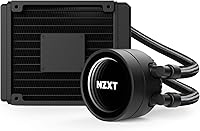
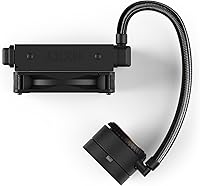
  • Radiator Size: The radiator measures 152 x 120 x 32mm, fitting standard 120mm mounting points found in most Micro-ATX and Mini-ITX cases.
  • CPU Block: The pump head measures 65 x 65 x 48mm and features the infinity mirror RGB design that sits flush against the CPU IHS.
  • Total Weight: The complete cooler assembly weighs 0.88kg, which is light enough to avoid motherboard flex concerns common with heavier tower air coolers.
  • Pump Speed: The pump operates at a fixed 3,000 RPM with a tolerance of plus or minus 300 RPM and cannot be adjusted through software or hardware.
  • Fan Model: One Aer P120 PWM fan is included, purpose-built for radiator static pressure duty rather than general case airflow.
  • Fan Speed: The Aer P120 spins between 500 and 2,000 RPM plus or minus 300 RPM, scaling with thermal demand via 4-pin PWM signal.
  • Noise Level: Fan noise ranges from 21 dBA at low speeds to 36 dBA at full load, remaining quiet during typical desktop workloads.
  • Power Connector: The fan uses a standard 4-pin PWM connector, compatible with any modern motherboard fan header without adapters.
  • Wattage: Total system power draw is rated at 3.84W, making it negligible in the context of overall system power consumption.
  • Tubing Material: Rubber tubing is reinforced with a fine nylon braid sleeve that resists kinking, abrasion, and accidental damage during installation or handling.
  • RGB Style: The pump head uses an infinity mirror design — a series of inward-facing LEDs reflected between two mirrored surfaces to create a sense of visual depth.
  • Software Control: NZXT CAM software, available for Windows desktop and iOS and Android mobile, handles RGB profiles, fan curves, and liquid temperature monitoring.
  • Socket Support: Compatible Intel sockets include LGA 1151, 1150, 1155, 1366, 2011, 2011-3, and 2066; no AMD socket support is provided.
  • Warranty: NZXT covers this cooler with a three-year limited warranty, which applies to the sealed pump, radiator, and included fan.
  • Color: The unit is available in black, with the RGB lighting providing the only visible color variation during operation.
  • Series: This cooler is part of the RL-KRM22-01 series, which is the model identifier used for warranty registration and support requests.
  • Cooling Method: Cooling is achieved through a closed-loop liquid system where the pump circulates coolant between the CPU block and the radiator continuously.
  • Dimensions (Full): Radiator: 152 x 120 x 32mm; CPU water block: 65 x 65 x 48mm; these figures are essential for case fitment planning before purchase.

Related Reviews

NZXT Kraken 240 AIO CPU Liquid Cooler
86%
92%
Cooling Performance
88%
Noise Level
90%
Ease of Installation
86%
Aesthetic Customization
80%
Radiator Size Compatibility
More
NZXT Kraken Z73 360mm AIO RGB CPU Liquid Cooler
84%
92%
Cooling Performance
87%
Noise Level
72%
Installation Ease
80%
Software Control (CAM V4)
90%
Aesthetic Customization (LCD Display)
More
Cooler Master 240 Elite Liquid White CPU Liquid Cooler
85%
91%
Cooling Performance
84%
Noise Levels
92%
Ease of Installation
89%
Build Quality
88%
aRGB Lighting Effect
More
NZXT Kraken X53 RGB 240mm AIO Liquid Cooler
85%
88%
Performance Under Load
92%
Cooling Efficiency
85%
RGB Aesthetic & Design
87%
Noise Level
80%
Installation Process
More
Cooler Master MasterLiquid Atmos 240 Liquid Cooler
82%
76%
Thermal Performance
88%
Noise Level
82%
Build Quality
84%
Pump Performance
91%
RGB & Lighting
More
Cooler Master MasterLiquid Atmos 360 AIO Cooler
83%
88%
Thermal Performance
91%
Noise Level
83%
Build Quality
87%
Installation Experience
84%
RGB & Lighting Quality
More
Cooler Master MasterLiquid ML240L V2 AIO Cooler
77%
78%
Thermal Performance
91%
Installation Experience
63%
Pump Noise & Vibration
82%
Fan Performance
88%
ARGB Lighting
More
DARKROCK D360 CPU Liquid Cooler
87%
94%
Cooling Performance
88%
Noise Level
91%
RGB Lighting Customization
70%
Installation Difficulty
92%
Build Quality
More
DARKROCK D240 240mm AIO Liquid Cooler
75%
71%
Thermal Performance
58%
Pump Noise
84%
Installation Experience
88%
ARGB Lighting
67%
Build Quality
More
NZXT T120 CPU Air Cooler
82%
74%
Thermal Performance
88%
Noise Level
93%
Ease of Installation
91%
Aesthetics & Design
86%
Value for Money
More

FAQ

No, it does not. This compact liquid cooler supports Intel sockets only — LGA 1151, 1150, 1155, 1366, 2011, 2011-3, and 2066. There is no mounting hardware included for any AMD socket, and NZXT does not offer an aftermarket AMD bracket for this model. AMD builders should look elsewhere.

Technically the cooler will function without CAM — the pump runs and the fan spins on its own. But without CAM installed, the RGB lighting defaults to a preset mode you cannot change, and you lose access to liquid temperature monitoring and pump speed data. If software-free operation matters to you, keep that trade-off in mind.

Honestly, CAM has had a bumpy history. Some users run it without issues for years; others report crashes, slow load times, or higher-than-expected CPU usage in the background. NZXT has pushed updates over time that improved stability, but it still comes up as a complaint regularly. Going in with realistic expectations is the right approach rather than assuming it will work perfectly out of the box.

It can keep a Core i9 at stock settings from thermal throttling under light to moderate loads, but sustained heavy workloads or aggressive overclocks will push a single 120mm radiator to its limit. If you are running a high-TDP processor and plan to stress it regularly, a 240mm or 280mm AIO will give you noticeably more thermal headroom and fewer uncomfortable temperature spikes.

During everyday use and moderate gaming, most people find it pleasantly quiet — the fan sits at the lower end of its 21–36 dBA range when thermals are manageable. Under a sustained full-load scenario the fan ramps up and becomes more audible, though it is not unusually loud for the category. The pump itself runs continuously at 3,000 RPM, and a small number of users report a faint hum from it, though most describe it as inaudible in a typical build.

Any case with a 120mm radiator mounting point will accommodate it — this includes most Mini-ITX cases, Micro-ATX cases, and many mid-towers. The radiator is 152 x 120 x 32mm, so check your case specifications for radiator thickness clearance as well, since some compact cases have tight tolerances near fan mounts or cable routing areas.

Yes, relative to other AIOs it is fairly approachable. The mounting hardware covers the supported Intel sockets, and NZXT provides clear instructions. CAM also walks you through initial setup on first launch. The main thing to plan ahead for is radiator orientation and tube routing, which varies by case — a quick search for your specific case and this cooler combo usually surfaces helpful build photos from other users.

Better than a standard flat RGB ring, genuinely. The layered reflection creates a sense of depth that catches the eye inside a windowed case, especially in a darker room. It is not holographic or dramatically different from marketing photos, but it holds up well in person and is one of the more distinctive pump head designs at this price point.

NZXT covers the NZXT Kraken M22 120mm Liquid CPU Cooler with a three-year limited warranty, which is solid for a sealed AIO unit. If the pump fails within that window, NZXT's support process involves contacting them directly with proof of purchase. Keep your receipt and register the product through CAM or NZXT's website to make any potential claim smoother.
For most users at stock CPU speeds, the Aer P120 performs well enough that replacement is unnecessary. If you are chasing maximum airflow for an overclocked system or simply want a specific fan profile, the 120mm form factor gives you plenty of aftermarket options. That said, swapping the fan voids a degree of the out-of-box warranty coverage, so weigh that before making changes.

Where to Buy