Overview

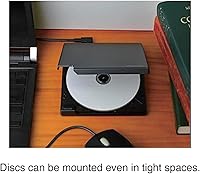
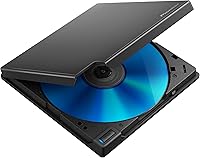
The Pioneer BDR-XD08B Portable External Blu-ray Drive comes from a brand that has spent decades building optical drives for real-world use, not just spec sheets. Aimed squarely at laptop and MacBook users who no longer have a built-in disc slot, it packs full Blu-ray capability into a body roughly the size of a CD case. The clamshell lid design makes loading discs straightforward, even on a cramped desk. For anyone who rips CDs regularly, PureRead 3+ is a meaningful feature — it actively addresses read errors on worn or scratched discs rather than silently guessing. Sitting at a premium price point, it goes head-to-head with LG and ASUS portables and largely earns its place there.
Features & Benefits

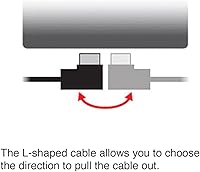
Connectivity is well covered: USB 3.2 Gen1 handles data transfer, and a Type-C conversion cable comes in the box, so no adapter hunting required. The reversible L-shaped cable lets you orient the drive to the left or right of your laptop — but note that one direction can block the AC adapter port, so pay attention if you plan to use optional power. At just 230g, the BDR-XD08B slips into any bag without a second thought. Disc compatibility spans BD, DVD, and CD for both reading and writing, with 6X Blu-ray speeds that are dependable rather than fast. Updated 2023 firmware ships pre-installed, which helps with out-of-box compatibility across current operating systems.

Best For

This portable disc writer makes most sense for people with a genuine, recurring reason to handle physical media. Audiophiles ripping CDs will get the most from PureRead — if your collection includes worn titles, that feature pays off quickly. MacBook users needing occasional Blu-ray access are a natural fit, but Mac buyers should know upfront that Blu-ray video playback requires a separate paid app not included with the drive. Photographers or video editors who still receive client deliverables on disc will appreciate how easily this fits in a gear bag. Travelers who hit disc-based tasks occasionally — software installs, data archiving — will find it covers all the bases without the bulk.

User Feedback

Owners consistently point to build quality and quiet operation as highlights — the drive feels more considered than budget alternatives, and most report smooth disc recognition straight out of the box. Audiophiles particularly single out PureRead performance, noting it handles worn CDs more reliably than other compact drives they have used. The complaints that surface most often involve software: the bundled tools skew heavily toward Windows, and Mac users sometimes report difficulty activating or finding usable alternatives for Blu-ray video playback. A smaller but consistent group has mentioned needing a powered USB hub on certain older machines where bus power delivery is not stable enough. On balance, ratings sit solidly in four-star territory — well-regarded, with some real-world caveats worth knowing.

Pros

  • PureRead 3+ catches and corrects read errors on worn CDs that cheaper drives simply skip over.
  • The clamshell body is genuinely pocket-sized at 230g — easy to carry without reorganizing a bag.
  • Both Type-A and Type-C ports are covered, with a conversion cable included in the box.
  • Updated 2023 firmware ships pre-installed, so out-of-box compatibility with current operating systems is solid.
  • Quiet operation makes the BDR-XD08B comfortable to use in shared or silent workspaces.
  • No power adapter required — a single USB cable handles both data and power on modern laptops.
  • The reversible L-shaped cable lets you position the drive on either side of your laptop cleanly.
  • Build quality feels noticeably more substantial than similarly priced competitors from LG or ASUS.
  • Handles BD, DVD, and CD formats for both reading and writing without any format switching or configuration.
  • Long-term firmware support from Pioneer gives this portable disc writer a realistic multi-year useful life.

Cons

  • Blu-ray video playback on Mac requires a separate paid app that Pioneer does not include or clearly disclose.
  • Bundled Windows software has a finicky activation process that trips up a meaningful share of buyers.
  • Plugging the L-shaped cable with the cord running right blocks the AC adapter port on the drive.
  • On older machines or underpowered USB hubs, bus power can be insufficient, causing mid-session disconnects.
  • The matte black surface shows fine scratches relatively quickly for a drive in this price bracket.
  • 6X Blu-ray write speed is standard, not fast — bulk disc burning sessions will require patience.
  • No locking latch on the clamshell lid means it can crack open inside a bag during transport.
  • Pioneer's online support documentation is thin for a premium product, making firmware updates harder to find.
  • The included USB cable has no storage wrap or tie, so it tangles freely at the bottom of a bag.

Ratings

The Pioneer BDR-XD08B Portable External Blu-ray Drive earns its reputation as one of the more capable portable optical drives on the market, and the scores below reflect that — though not without nuance. Our AI model analyzed verified buyer reviews from multiple global markets, actively filtering out incentivized, duplicate, and bot-generated feedback, so what you see here represents genuine owner experiences. Strengths and real frustrations are weighted equally, giving you an honest picture before you buy.
Build Quality
88%
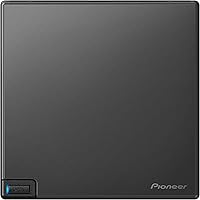
Owners repeatedly describe the chassis as feeling noticeably more solid than competing budget portables. The clamshell lid opens and closes with a reassuring firmness, and after months of bag-tossing use, most report no flex, rattle, or hinge looseness. It projects a quiet confidence that matches its price tier.
A few long-term users note that the matte black surface picks up fine scratches over time, especially when slipped in and out of laptop sleeves repeatedly. Nothing structural fails, but the cosmetic wear can become visible faster than expected on a drive in this price range.
Portability & Size
91%
At 230g and roughly the footprint of a CD jewel case, this is genuinely easy to carry daily. Travelers and remote workers who tested it tucked it into a jacket pocket or a small tech pouch without reorganizing their bag. For a drive that handles full-size Blu-ray discs, the compact form factor is a real achievement.
The included L-shaped USB cable, while clever in concept, adds a bit of bulk to the carry setup. A small number of users also found that the clamshell lid can pop slightly open inside a bag if not oriented carefully, which is a minor but recurring annoyance.
Disc Read Accuracy
86%
PureRead 3+ is the star feature here, and it earns its praise honestly. Audiophiles ripping large CD libraries report significantly fewer interpolated or corrected errors compared to generic drives, particularly on older or lightly scuffed discs. For anyone who treats accurate ripping as non-negotiable, this drives performs with real consistency.
PureRead is not magic — discs with deep scratches or significant physical damage still fail, and the drive does not always signal clearly when it has given up on a troubled section. A handful of users expected it to rescue truly wrecked media and were disappointed when it could not.
Software & Compatibility (Windows)
72%
28%
On Windows 10 and 11, the drive is largely plug-and-play for basic tasks. The included software bundle covers standard DVD and data disc operations without much fuss, and the updated 2023 firmware helps with recognition across a wider range of disc types right out of the box.
The activation process for bundled software trips up a notable share of Windows users, with product keys occasionally causing errors or requiring manual support contact. The software itself also feels dated in its interface and feature set, especially given the price of the hardware it ships with.
Mac Compatibility
61%
39%
The drive physically works on macOS without drivers — it mounts data discs and handles CD ripping through third-party apps without issue. Mac users running anything from El Capitan through Ventura report stable recognition and smooth data transfers for archiving and disc-to-file workflows.
Blu-ray video playback on Mac requires a separate paid application not included in the box, which catches a surprising number of Mac buyers off guard. Pioneer does not prominently flag this gap, and the frustration it causes is one of the most consistent pain points in Mac-user reviews.
USB Power Reliability
69%
31%
On modern laptops with full-spec USB-C or USB 3.0 ports, the bus-powered operation works reliably and eliminates the need to carry a separate power adapter. Most users with recent MacBooks or current-generation Windows laptops report no power-related issues during normal use.
On older machines or USB hubs without dedicated power delivery, intermittent disc recognition failures and mid-rip disconnections are a recurring complaint. Several users resolved this only by switching to a powered hub, which adds cost and negates some of the portability appeal.
Write Speed
74%
26%
6X Blu-ray write speed is standard for this class of portable drive, and in practice it handles BD-R disc burns at a pace most users find acceptable for occasional archiving tasks. DVD writes complete quickly, and the drive handles the process without excessive heat or noise.
If you regularly burn large Blu-ray disc batches, 6X will test your patience — this is not a drive optimized for speed. Users hoping for faster throughput comparable to desktop writers will be underwhelmed, though that is a trade-off inherent to the portable form factor, not a flaw specific to this model.
Cable Design
66%
34%
The reversible L-shaped cable concept is genuinely useful for desk setups where cable direction matters. Being able to flip the connector so the cable runs away from your trackpad or toward a specific port reduces desk clutter in a small but practical way that regular users come to appreciate.
The key quirk — routing the cord to the right blocks the drive's AC adapter port — is not obviously communicated, and some users discovered it only after a frustrated troubleshooting session. The cable also lacks any storage solution, so it tends to coil loosely at the bottom of bags between uses.
Noise & Vibration
83%
Disc spin noise is low enough that most users working in quiet environments — home offices, libraries, late-night sessions — barely register it. Vibration transfer to the desk is minimal, and the drive does not walk or shift position during operation the way some lighter portables do.
At the start of a read or write cycle, there is a brief spin-up sound that is more noticeable than expected for such a small device. It does not persist through the operation, but in a very quiet room it can be briefly distracting, and a handful of reviewers flagged it as louder than anticipated.
Value for Money
71%
29%
For users who need PureRead accuracy, reliable Mac recognition, and a well-built body they will carry for years, the price premium over budget alternatives is justifiable. Pioneer's optical drive heritage and the updated firmware support give it a longer useful life than generic white-label portables in the same category.
Buyers who just need basic DVD playback or occasional data disc access will find the pricing harder to rationalize. At this price, the software bundle should be stronger, the Mac Blu-ray situation should be better disclosed, and the power limitations on older hardware are a genuine drawback at a premium cost.
Setup & Ease of Use
81%
19%
Physically connecting the drive takes under a minute regardless of whether you use the Type-A cable or the included Type-C adapter. No driver installation is needed for basic disc access on either Windows or macOS, and disc loading via the clamshell mechanism is intuitive even for first-time users.
Beyond the physical connection, the software side of setup introduces friction — particularly for users who want to rip Blu-ray content or activate the bundled media applications. The process is not difficult for tech-savvy buyers, but it is not as polished as the hardware itself suggests it should be.
Disc Loading Mechanism
84%
The clamshell lid is a practical choice for a portable drive. It opens flat, lets you place a disc without alignment fuss, and closes cleanly. Users who have dealt with slot-loading portables jamming in dusty environments appreciate the straightforward access and the ability to visually confirm disc placement.
The lid hinge, while sturdy initially, has drawn some concern from users who open and close it frequently throughout a workday. There is no locking latch, so the lid relies entirely on the hinge tension to stay shut — fine for occasional use, less reassuring for someone loading and unloading discs constantly.
Firmware & Long-term Support
77%
23%
Shipping with updated 2023 firmware out of the box is a meaningful detail. It signals that Pioneer is actively maintaining this product line, and users who bought earlier models and manually updated firmware report improved compatibility with newer disc formats and operating system versions.
The firmware update process itself is not well documented for non-technical users, and Pioneer's support resources online are sparse compared to what a premium-priced product warrants. A few users on newer macOS versions have hit compatibility quirks that a firmware update fixed — but only after they thought to look for one.

Suitable for:

The Pioneer BDR-XD08B Portable External Blu-ray Drive is a strong match for anyone who works from a laptop or MacBook and regularly encounters physical media as part of their workflow. Audiophiles digitizing a CD collection will get the most tangible benefit from PureRead 3+, which actively re-reads problem areas on worn or lightly scratched discs rather than silently filling gaps with guessed data — a real difference for anyone who cares about archive quality. Travelers and remote workers who only need occasional disc access will appreciate that the whole thing weighs less than a smartphone and fits in a jacket pocket without drama. Mac users on modern MacBooks — which have had no optical drive for years — will find this one of the cleaner solutions available, provided they understand upfront that Blu-ray video playback requires a separate paid application. Video editors and photographers who still receive client deliverables on disc, or anyone backing up important data to Blu-ray for long-term archiving, will find it handles those tasks reliably without needing a desktop drive or a power outlet nearby.
Not suitable for:

Buyers who simply want the cheapest way to play a DVD occasionally should look elsewhere — the Pioneer BDR-XD08B Portable External Blu-ray Drive carries a premium price that only makes sense if you are genuinely using the features that justify it. Mac users who assume Blu-ray movie playback is included out of the box will be frustrated: no bundled software covers that use case on macOS, and the cost of a third-party solution adds to an already high entry price. Anyone planning to burn large volumes of Blu-ray discs regularly will find 6X write speeds more tedious than practical — this is a drive built for portability and accuracy, not throughput. Users relying on older laptops or USB hubs without solid power delivery may hit intermittent recognition issues that require a powered hub to resolve, which undercuts the cable-only convenience. If your primary use case is straightforward Windows DVD playback or basic data disc work, there are lighter and cheaper options that will cover the job without the added cost.
Specifications

  • Brand & Model: Manufactured by Pioneer Corporation under the model designation BDR-XD08B.
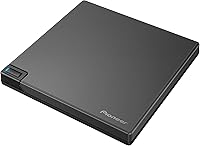
  • Dimensions: The drive measures 5.24 x 5.24 x 0.58 inches, roughly the footprint of a standard CD jewel case.
  • Weight: The unit weighs 230g (8.1 oz), making it one of the lighter full-featured portable Blu-ray drives available.
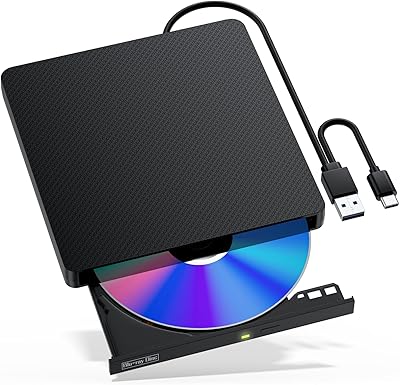
  • Body Style: Features a clamshell-lid design that opens flat for straightforward disc loading and removal without slot-alignment guesswork.
  • Color: Available in Black with a matte finish; the BDR-XD08B variant ships exclusively in this colorway.
  • Connection Standard: Uses USB 3.2 Gen1 (backward compatible with USB 3.0 and USB 2.0) for data transfer and bus power.
  • Port Types: Connects via Type-A by default; a Type-A to Type-C conversion cable is included in the box for modern laptops.
  • Cable Type: Ships with a reversible L-shaped USB cable that can be oriented left or right depending on laptop placement.
  • Power Source: Fully bus-powered over USB — no external AC adapter or separate power cable is required under normal operating conditions.
  • Disc Compatibility: Reads and writes Blu-ray (BD), DVD, and CD formats across a broad range of disc types including BD-R, BD-RE, DVD-R, DVD+RW, and CD-RW.
  • BD Write Speed: Maximum Blu-ray disc write speed is 6X, which is standard for portable drives in this category.
  • BD Read Speed: Maximum Blu-ray disc read speed is 6X, consistent with write performance and adequate for data transfer and ripping tasks.
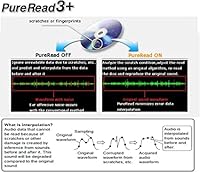
  • Audio Ripping: Equipped with PureRead 3+, a proprietary error-correction algorithm that re-reads problem areas on damaged or dirty CDs to reduce interpolated audio data.
  • Firmware: Ships with updated 2023 firmware pre-installed, improving out-of-box compatibility with current disc formats and operating systems.
  • Supported OS: Compatible with Windows 11, Windows 10, Windows 8.1, and macOS versions from OS X 10.11 El Capitan through macOS 14 Sonoma.
  • Included Accessories: Box includes the L-shaped Type-A USB cable, a Type-A to Type-C conversion cable, and a user manual containing the software product key and warranty details.
  • Software (Windows): Windows users receive access to downloadable bundled software for disc playback and data writing; activation requires the product key found in the user manual.
  • Software (Mac): No Blu-ray video playback software is provided for macOS; third-party paid applications are required to play Blu-ray movies on a Mac.
  • Warranty: Limited warranty period runs from the date of first retail delivery, applicable to products sold at retail on or after July 1, 2023; refer to the PDF user manual for current terms.
  • Best Sellers Rank: Ranked number 7 in External Blu-ray Drives and number 30 in External CD and DVD Drives on Amazon at time of publication.

Related Reviews
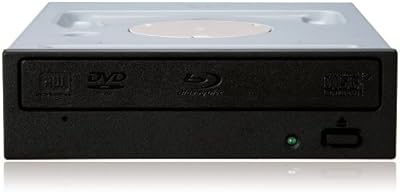
Pioneer BDR-207DBK Blu-ray Combo Drive
85%
88%
Performance & Speed
81%
Build Quality
90%
Setup & Installation
85%
Compatibility
89%
Portability & Size
More
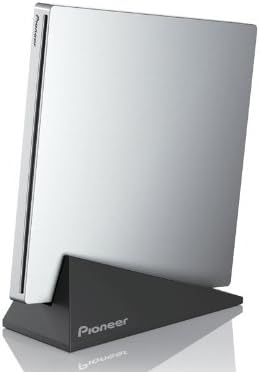
Pioneer BDR-XU03 Slim External Blu-ray Writer

76%
92%
Build Quality
91%
Portability & Form Factor
83%
Read Performance
71%
Write Speed
89%
USB Connectivity & Bus Power
More
Wintale Portable External Blu-ray Drive

72%
91%
Ease of Setup
72%
Read Performance
69%
Write & Burn Reliability
44%
Software & Out-of-Box Readiness
61%
Build Quality
More
Yaeonku 50GB External Blu-ray Drive

70%
86%
Plug-and-Play Setup
78%
Blu-ray Read & Burn Performance
89%
Dual-Interface Connectivity
41%
Software & Playback Experience
83%
Compatibility Across Operating Systems
More
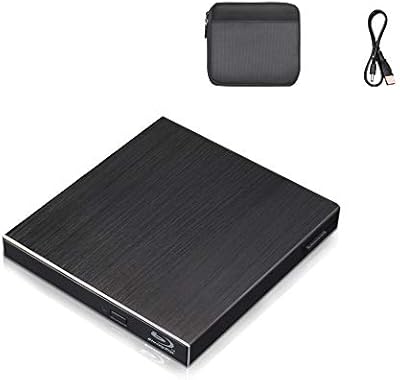
NOLYTH Portable External Blu-ray Drive
71%
91%
Portability & Form Factor
88%
Plug-and-Play Setup
44%
Blu-ray Playback Software Experience
71%
Disc Read & Write Performance
67%
Build Quality & Materials
More
Alphami USB-C External Blu-ray Drive
65%
78%
Ease of Setup
67%
Blu-ray Playback Quality
59%
Compatibility
54%
Portability
56%
Build Quality
More
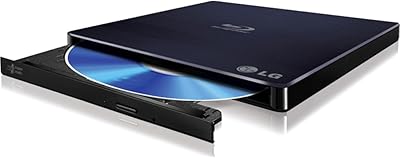
Cloudtale Portable Slim External Blu-ray Drive
71%
91%
Ease of Setup
61%
Mac Compatibility
78%
Build Quality
74%
Read Performance
88%
Portability
More
LG WP50NB40 External Blu-ray Writer
78%
93%
Portability & Form Factor
91%
Bus-Powered Convenience
89%
Plug-and-Play Setup
86%
Burn Quality & Reliability
78%
Blu-ray Playback Performance
More
VSVABEFV External USB Blu-Ray Drive
82%
93%
Ease of Use
90%
Portability
65%
Write Speed
78%
Software Compatibility
88%
Compatibility with Operating Systems
More
NVOPERANG BD015 External Blu-ray Drive

72%
78%
Plug-and-Play Ease
61%
Blu-ray Playback Experience
84%
CD & DVD Performance
67%
Build Quality & Durability
81%
Connectivity & Compatibility
More

FAQ

No drivers are needed for basic disc access on either platform — just plug it in and it shows up. On Windows, if you want to use the bundled media software, you will need to download and activate it using the product key in the manual, but the drive itself works without any installation steps.

The drive will read Blu-ray discs on a Mac without issue, but you cannot watch Blu-ray movies without a separate paid application — nothing in the box covers that for macOS. Apps like Macgo Blu-ray Player or Aurora Blu-ray Player are popular third-party options, but they cost extra and are not from Pioneer. If Blu-ray movie playback on a Mac is your main reason for buying, factor that additional cost into your decision.

Yes, it is backward compatible with USB 2.0 and USB 3.0 ports. You will get full speed on USB 3.0 and 3.2 Gen1 ports, and it will work at reduced speeds on older USB 2.0 connections — though for most disc tasks the difference is not dramatic.

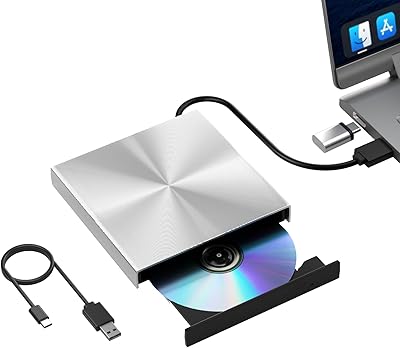
Yes, Pioneer includes a Type-A to Type-C conversion cable in the box specifically for this situation. You connect the L-shaped cable to the drive and then use the adapter to plug into a USB-C port on your laptop.

When your CD ripper encounters a scratched or dirty section of a disc, most drives will either skip it or fill the gap with estimated audio data, which can introduce subtle errors into the rip. PureRead 3+ detects those problem areas and re-reads them using a different approach before resorting to estimation, which results in fewer audible artifacts in the final file. For everyday CDs in good condition you probably will not notice a difference, but for older or worn discs in a larger collection it meaningfully improves accuracy.

The L-shaped connector on the drive can be plugged in facing either direction, which lets you route the cable left or right depending on where your laptop sits. The catch is that when the cable is oriented so the cord exits to the right, it physically blocks the small AC adapter port on the drive. This only matters if you plan to use an optional external power adapter — if you are running purely on USB bus power, the direction is just a cable management preference.

No, it runs entirely off USB bus power under normal conditions, which is one of its practical strengths for travel and desk-free use. That said, a small number of users with older laptops or underpowered USB hubs have reported intermittent power issues. If your machine has older or lower-spec USB ports, keeping a powered hub handy as a backup is worth considering.

The BDR-XD08B sits at a higher price point than most LG and ASUS portable Blu-ray drives, and the main justifications are PureRead 3+ for CD accuracy, Pioneer's optical hardware reputation, and better build quality in day-to-day handling. If you are primarily ripping CDs or need a drive that holds up well over years of use, the premium makes sense. If you just need occasional DVD or data disc access, the LG alternatives offer solid performance at a lower cost.

Yes, the drive supports writing to BD-R DL (dual-layer) discs in addition to standard single-layer BD-R and rewritable BD-RE formats. Just make sure whatever burning software you are using on your platform supports the disc type you want to write to.

The lid feels solid and opens with consistent resistance rather than flopping around, which is reassuring. Most users who handle it daily report no issues over extended periods. The one thing to be aware of is that there is no locking latch, so if you drop the drive into a bag without a dedicated sleeve, the lid can occasionally pop open slightly in transit — not a structural concern, but worth noting if you carry it loose.