Xglysmyc USB 2.0 External Blu-ray Drive

Overview
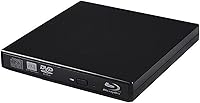
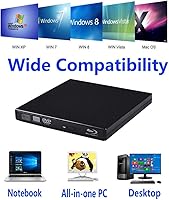
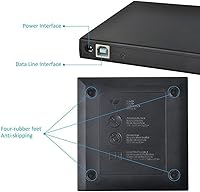
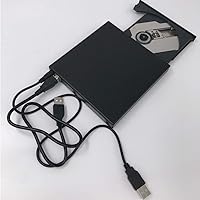
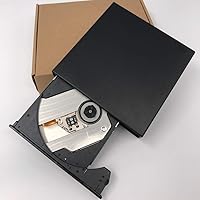
The Xglysmyc USB 2.0 External Blu-ray Drive is a slim, no-frills optical drive built for laptops and desktops that never came with one built in. It connects over USB 2.0 and works right away — no driver hunting, no setup headaches. One practical touch is the inclusion of two cables: a standard data cable and an auxiliary power cable for machines that struggle to deliver enough voltage through a single port. Compatibility covers Windows XP through 10 and older versions of macOS, though anyone running macOS Big Sur or later will need to look elsewhere. At its price point, this is squarely entry-level territory, and it wears that honestly.
Features & Benefits
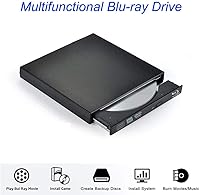
The most important thing to understand about this USB optical drive before buying: it reads Blu-ray discs but cannot burn them. That distinction gets buried in marketing language and trips up a lot of buyers. For standard discs, DVD burning tops out at 8X and CD writing hits 24X — adequate for typical archiving or backup tasks. The dual-cable setup is a genuine practical benefit, since desktop USB ports sometimes can't deliver enough power on their own. The drive is also said to run quietly and handle minor bumps without issue. One catch worth knowing: no playback software is included, so watching Blu-ray movies means downloading something like PowerDVD separately.
Best For
This external Blu-ray combo drive makes the most sense for Windows users on older machines — someone with a Windows 7 or 10 laptop who occasionally wants to watch a Blu-ray film or burn a data DVD. It also works well for home archivists who are still working with physical media. What it isn't: a fit for Mac users on anything newer than macOS Catalina, or for anyone who needs to actually burn Blu-ray discs. Those use cases simply aren't supported. If your needs are modest — play a disc here, burn a backup there — and you're on a compatible Windows machine, this USB optical drive covers the basics without overcomplicating things.
User Feedback
With a 3.8 out of 5 rating across nearly 150 reviews, the Xglysmyc drive lands in that familiar middle ground where the experience depends heavily on what you expected going in. Satisfied buyers tend to appreciate easy plug-and-play setup and the dual-cable convenience for desktops. The frustrations are more predictable: users who didn't realize Blu-ray playback requires separate software often feel misled, and a handful of Mac owners discovered the hard way that newer macOS versions simply won't play along. There are also occasional mentions of disc recognition issues at this budget tier, which isn't surprising. Overall, buyers who research the limitations first tend to walk away reasonably happy.
Pros
- Plug-and-play setup works on Windows without hunting for drivers or configuring anything.
- Comes with both a data cable and a power cable, solving the common voltage problem on desktop USB ports.
- Reads Blu-ray discs including BD25, a capability most drives at this price do not offer.
- DVD burning at 8X and CD burning at 24X is fast enough for routine backup and archiving tasks.
- Slim and lightweight enough to tuck into a laptop bag without adding noticeable bulk.
- The 180-day warranty provides a reasonable window of protection for a budget-tier peripheral.
- Works with a wide range of older Windows versions from XP all the way through Windows 10.
- A 30-day replacement or refund policy reduces the financial risk of trying it out.
Cons
- No Blu-ray burning capability despite the drive being marketed as a Blu-ray combo unit — a meaningful omission.
- Blu-ray movie playback requires purchasing and installing third-party software separately, which is not mentioned prominently enough at the point of sale.
- Incompatible with macOS Big Sur and any newer macOS version, limiting its usefulness in Apple households.
- USB 2.0 interface feels dated and may cause slower transfer speeds compared to USB 3.0 drives available at similar prices.
- Build quality is typical of budget-tier optical drives and may not hold up well under regular daily use.
- Disc recognition can be inconsistent, particularly with older or lower-quality media.
- The brand has limited recognition and a smaller support community, making troubleshooting harder if issues arise.
- At roughly 12 ounces, the Xglysmyc drive is not especially light for a portable peripheral, which may matter for frequent travelers.
Ratings
The Xglysmyc USB 2.0 External Blu-ray Drive has been scored across key performance and usability categories by our AI rating system, which analyzed verified buyer reviews from global sources while actively filtering out incentivized, spam, and bot-generated feedback. The scores below reflect an honest cross-section of real-world experiences — where this USB optical drive genuinely delivers and where it falls short. Both the wins and the frustrations are represented without bias.
Ease of Setup
Blu-ray Playback
CD and DVD Burning
Blu-ray Burning
Build Quality
Compatibility
Value for Money
Noise Level
Dual-Cable Design
Disc Recognition
Portability
Warranty and Support
Software Inclusion
Suitable for:
The Xglysmyc USB 2.0 External Blu-ray Drive is a solid pick for Windows users who want a simple, affordable way to bring optical disc support back to a machine that never had it. It fits especially well with someone who owns an older slim laptop — think a Windows 7 or Windows 10 machine from a few years back — and occasionally wants to watch a Blu-ray film or rip a disc without investing heavily in hardware. Home archivists who still work with physical media will also find it practical for burning data backups to DVD. The plug-and-play setup means less technical users can get going quickly, and the inclusion of a power cable alongside the data cable shows thoughtful design for desktop users dealing with low-output USB ports. If your optical disc needs are occasional rather than constant, this USB optical drive covers that ground without asking much in return.
Not suitable for:
There are some clear dealbreakers worth knowing before you buy. Anyone running macOS Big Sur, Monterey, or newer should stop here — this external Blu-ray combo drive simply does not support those systems, and no workaround will change that. If you were hoping to burn your own Blu-ray discs, that is also off the table; the drive reads Blu-ray but cannot write to it. Non-technical users should be warned that watching Blu-ray movies is not as simple as plugging the drive in — you will need to separately download and likely pay for compatible playback software such as PowerDVD for Windows or Macgo for older Macs. Users who need a primary, heavily used optical drive for professional or frequent workflows will likely find the build quality and USB 2.0 speeds underwhelming compared to more robust options at a higher price. This is a light-duty, occasional-use peripheral, and buyers expecting more than that will be disappointed.
Specifications
- Brand: This drive is manufactured and sold under the Xglysmyc brand.
- Interface: Connects via USB 2.0 and is backward compatible with USB 1.0 ports.
- Drive Type: BD-RE combo drive capable of reading Blu-ray discs and reading or writing CDs and DVDs.
- Blu-ray Read Speed: Reads Blu-ray discs at up to 6X speed, supporting BD25 single-layer Blu-ray media.
- DVD Read Speed: Reads DVD discs at up to 8X speed across standard DVD formats.
- CD Read Speed: Reads CD media at up to 24X speed.
- DVD Write Speed: Writes to DVD-R and DVD+RW at up to 8X, and DVD-R DL and DVD+R9 at up to 6X.
- CD Write Speed: Writes to CD-R media at up to 24X and CD-RW at up to 16X.
- Blu-ray Burning: This drive cannot burn or write Blu-ray discs; Blu-ray functionality is read-only.
- Dimensions: The unit measures 5.39 x 5.31 x 0.71 inches, making it slim enough to fit in most laptop bags.
- Weight: The drive weighs 12.3 ounces, which is typical for an external optical drive of this type.
- Color: Available in black with a matte plastic finish.
- Cables Included: Ships with two cables: a standard USB data cable and an auxiliary power cable for low-voltage USB ports.
- Plug and Play: No additional drivers or software need to be installed for basic disc reading and burning functions on supported systems.
- OS Compatibility: Supports Windows XP, Vista, 7, 8, and 10, as well as older versions of macOS up to macOS Catalina; not compatible with macOS Big Sur or later.
- Playback Software: No Blu-ray playback software is included; users must separately install compatible software such as PowerDVD for Windows or Macgo Blu-ray Player for older Mac systems.
- Warranty: Covered by a 180-day product warranty with a 30-day replacement or full refund option for unsatisfied buyers.
- Customer Support: The manufacturer offers email-based customer support available around the clock according to the product listing.
Related Reviews
Tengertang gasrqy-832 External Blu-ray Drive
Archgon UHD 4K External Blu-Ray Writer

VSVABEFV External USB Blu-Ray Drive
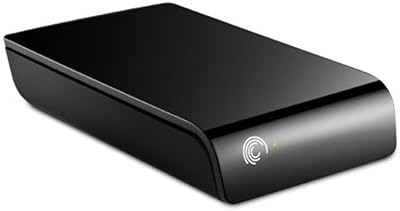
Seagate ST310005EXA101-RK 1TB External Hard Drive
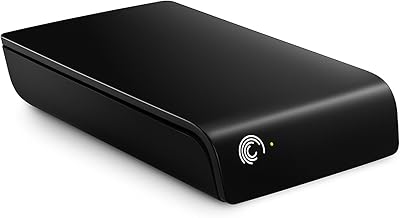
Seagate Expansion 2TB External Hard Drive
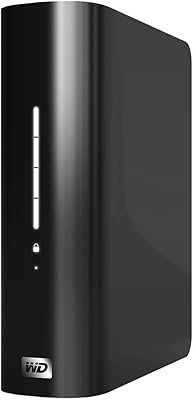
WD My Book Essential 1TB USB 2.0 Desktop External Hard Drive
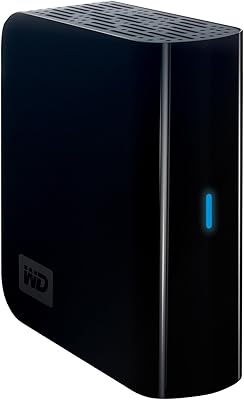
WD My Book Essential 1TB Hard Drive
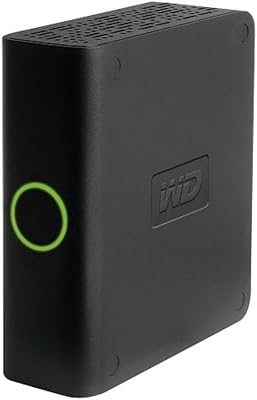
Western Digital My Book Essential 500GB USB 2.0 Desktop External Hard Drive
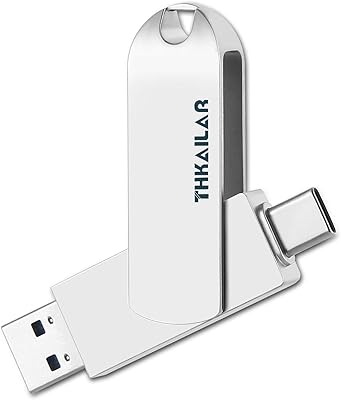
THKAILAR T8 1TB Dual-Port Portable SSD
