
Overview
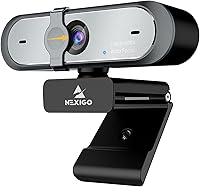
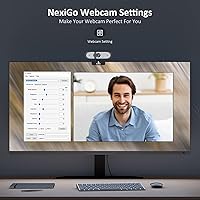
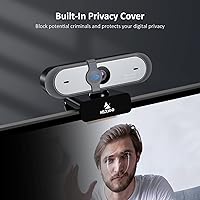
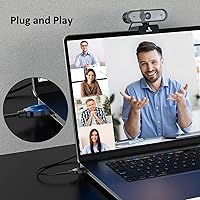
The NexiGo N660P arrived in late 2020 and has held its ground surprisingly well in a crowded mid-range webcam market. For remote workers, online educators, and streamers who want genuinely smooth 1080p video without paying premium-brand prices, it checks most of the important boxes. Setup is completely plug-and-play — no drivers, no configuration headaches. Just plug it in and it works, which matters more than people often admit. What gives this webcam a slight edge over similarly priced competitors is the companion software, which lets you manually adjust image settings rather than accepting whatever the auto mode delivers. The attached privacy cover is another practical touch — it slides open and closed without fuss, and it never gets misplaced.
Features & Benefits
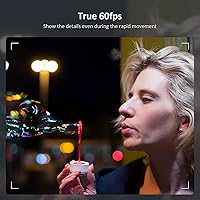
At 60 frames per second, the difference compared to a standard 30fps camera is immediately obvious — motion stays crisp during fast head movements or active streaming sessions. The autofocus is reliable in normal lighting, tracking small shifts without constant hunting. A 78-degree field of view covers a solo speaker comfortably without making the background look warped. The built-in dual microphones handle everyday audio well enough for calls and casual streams, though heavy typists may notice some keyboard bleed-through in quiet recordings. The manual software controls — brightness, contrast, white balance — are genuinely useful when auto-exposure misreads your lighting. The 6.5ft cable is long enough that cable management rarely becomes a frustration.
Best For
This streaming camera punches well above its weight for anyone broadcasting casually on Twitch or running a webcam feed through OBS — the 60fps output makes a visible difference in how polished the result looks. Remote workers who spend long hours on Zoom or Teams calls will appreciate the clear, stable image without investing in lighting rigs or external microphones. Online tutors benefit from solid combined audio-video quality in one compact device. It is also a smart pick for anyone working in a shared or open space, since sliding the privacy cover shut takes one second and immediately removes any concern about an accidental live feed.
User Feedback
Across more than 7,000 ratings, this webcam holds a 4.4-star average — a score that reflects broad satisfaction rather than a thin pool of early enthusiasts. The most consistent praise focuses on how dramatically it outperforms built-in laptop cameras, and streamers repeatedly highlight the smooth 60fps output. On the critical side, some buyers flag that the companion app can be buggy, with occasional crashes or settings that fail to save properly between sessions. The microphone is functional but not exceptional — mechanical keyboard users should expect noticeable noise pickup. Autofocus can briefly hunt in dim light. These are real trade-offs, but for the price tier, most buyers consider them acceptable.
Pros
- 60fps output delivers visibly smoother motion compared to standard 30fps webcams at a similar price.
- Plug-and-play setup works immediately across Windows, macOS, Linux, and Chrome OS with no driver installation.
- The attached privacy cover is always within reach — slide it shut in one second after any call.
- Manual software controls let you tune brightness, contrast, and white balance beyond what auto mode manages alone.
- The 6.5ft USB cable reaches comfortably across most desk configurations without needing an extension.
- Autofocus tracks movement reliably in normal indoor lighting, keeping the image sharp during active sessions.
- A 78-degree field of view covers solo users cleanly without the distortion common in ultra-wide budget cameras.
- Over 7,000 verified buyer ratings back up the consistent real-world performance claims — this is not a thin review base.
- Built-in noise-cancelling microphones handle everyday call audio without requiring a separate mic purchase.
- Broad OS compatibility makes it a low-risk choice for mixed-platform households or non-standard setups.
Cons
- Low-light image quality degrades noticeably without supplemental lighting — a basic ring light becomes almost essential.
- The companion app is prone to occasional crashes and settings that fail to persist between sessions.
- Microphone picks up mechanical keyboard clicks clearly in quiet recording environments.
- Autofocus briefly hunts before locking in dim rooms, producing a distracting blur during the adjustment.
- The cable is not braided or reinforced, and long-term daily use can lead to fraying near the connector.
- No horizontal swivel on the mount limits repositioning options for non-standard desk or monitor setups.
- The plastic chassis feels lightweight in a way that registers as budget rather than durable during handling.
- There is no tripod thread, so users who want flexible or off-monitor positioning have no easy mounting path.
- Software must be downloaded separately — packaging instructions for locating it are reportedly unclear.
- Audio quality thins out at higher gain settings, making it a poor fit for any serious voice recording work.
Ratings
The NexiGo N660P has accumulated a substantial body of verified buyer feedback, and our AI rating system has processed thousands of those real-world reviews — actively filtering out incentivized, bot-generated, and outlier submissions — to produce the scores below. Strengths and frustrations are weighted equally, so what you see reflects the honest experience of everyday users across streaming, remote work, and video calling scenarios.
Video Quality
Frame Rate Performance
Autofocus Reliability
Built-in Microphone Quality
Software & Manual Controls
Privacy Cover Design
Setup & Ease of Use
Cable Length & Build
Low-Light Performance
Field of View
Compatibility
Value for Money
Mounting & Positioning
Suitable for:
The NexiGo N660P is a strong fit for anyone who needs a meaningful upgrade from a built-in laptop camera without committing to a premium-brand price tag. Casual streamers pushing content to Twitch or running face-cam feeds through OBS will immediately notice the difference that 60fps makes — motion stays sharp and the output looks far more intentional. Remote workers who spend several hours a day on Zoom, Teams, or Google Meet calls will appreciate the stable autofocus and clear image, especially when working from home offices where lighting is inconsistent. Online educators and tutors benefit from the combined audio-video package in a single device, removing the need to source and configure separate microphones for straightforward classroom-style recordings. It is also a practical choice for privacy-conscious users in shared apartments or open coworking spaces, since the attached sliding cover takes one second to close and genuinely removes any concern about accidental exposure.
Not suitable for:
Buyers expecting professional broadcast quality or a complete audio solution should look elsewhere before committing to the NexiGo N660P. The built-in microphones handle everyday calls acceptably, but they are not a serious recording tool — mechanical keyboard users and anyone producing polished podcast-style content will find the audio noticeably thin and prone to capturing background noise. Low-light performance is another real limitation: without supplemental lighting, late-evening recordings produce visible grain and flat colors that no amount of software adjustment fully corrects. Users who need to frame multiple people at a desk simultaneously may find the 78-degree field of view too narrow for comfortable framing. The companion software, while useful in theory, has a track record of occasional bugs and settings that do not always save reliably, which can frustrate users who want a set-and-forget configuration. Anyone building a high-end streaming or content production setup will likely outgrow this webcam quickly.
Specifications
- Resolution: Captures video at 1920x1080 (Full HD), delivering a 2-megapixel image suitable for streaming, video calls, and content recording.
- Frame Rate: Records and streams at up to 60 frames per second, producing noticeably smoother motion than standard 30fps webcams.
- Sensor: Uses a CMOS image sensor with automatic white balance and exposure control to adapt to varying lighting conditions.
- Focus System: Continuous autofocus adjusts in real time during sessions, minimizing blur when the user shifts position or moves closer to the lens.
- Field of View: 78-degree wide-angle field of view frames a single user comfortably without introducing significant edge distortion.
- Microphone: Dual omnidirectional stereo microphones with built-in noise-cancellation technology capture voice audio for calls and casual recordings.
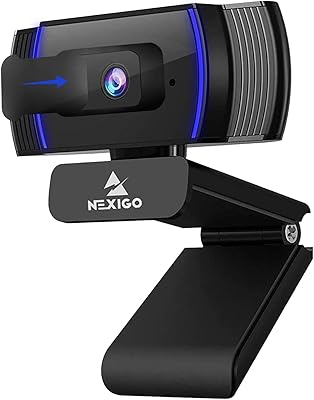
- Privacy Cover: An integrated sliding privacy cover is permanently attached to the lens housing and can be opened or closed manually in one motion.
- Cable: Includes a 6.5ft (approximately 2m) non-braided USB-A cable, providing generous reach for most standard desk configurations.
- Connection: Connects via USB-A and operates as a plug-and-play device requiring no driver installation on supported operating systems.
- Compatibility: Officially supported on Windows 7, 8, 10, and 11; macOS 10.6 and above; Linux 2.6.24+; Chrome OS 29.0.1547+; Ubuntu 10.04+; and Android 5.0+ with compatible video-calling clients.
- Software: An optional companion application is available for download, allowing manual adjustment of brightness, contrast, saturation, and white balance settings.
- Dimensions: The camera body measures 3.62 x 4.86 x 2.36 inches, making it compact enough to sit unobtrusively on top of most monitors.
- Weight: Weighs 7.1 ounces including the clip mount, which is light enough to avoid putting stress on thin monitor bezels.
- Mounting: Ships with an integrated clip mount designed to attach to standard monitor bezels and laptop screens, with vertical tilt adjustment.
- Color: Available in black as the standard colorway, with a matte finish on the main housing that resists minor fingerprint smudging.
- Audio Formats: Supports AAC and MP3 audio output formats for compatibility with mainstream recording and streaming software environments.
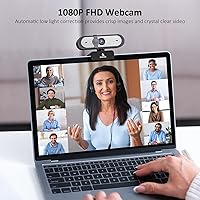
- Video Format: Outputs 1080p video format compatible with major streaming platforms, conferencing tools, and recording software including OBS.
- Platform Rating: Holds a 4.4-out-of-5-star average rating drawn from more than 7,000 verified buyer reviews, and ranks among the top 40 webcams on Amazon.
Related Reviews
NexiGo N930AF Webcam
NexiGo N930E
NexiGo N60 1080P Webcam
NexiGo N680 1080P Webcam
NexiGo N980P
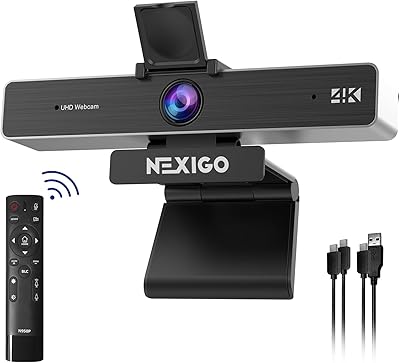
NexiGo N950P Gen 2 4K Webcam
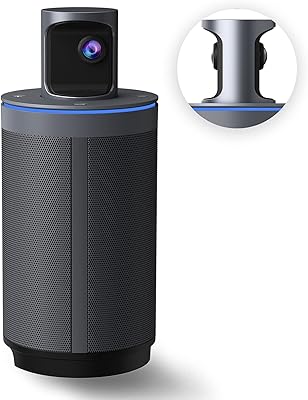
NexiGo Meeting 360 Gen 2 Conference Camera
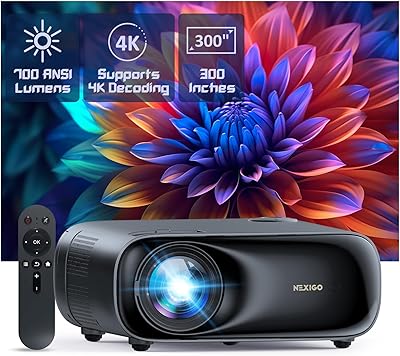
NexiGo PJ40 Gen 3 1080P Projector
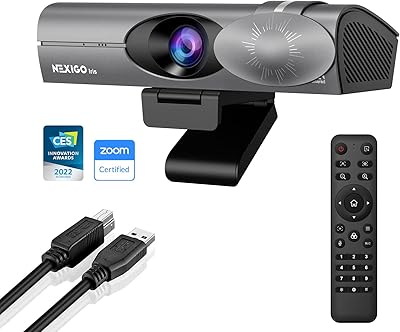
NexiGo Iris 4K AI Webcam