Overview

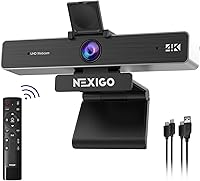
The NexiGo N950P Gen 2 4K Webcam sits in a genuinely interesting spot in the webcam market — mid-range in price, but with a feature set that punches closer to professional territory. The standout is the RF wireless remote, something you simply don't find bundled with most webcams at this price point. It's also Zoom-certified, which matters to anyone running client calls who can't afford compatibility headaches. Underneath, the Sony Starvis sensor is a real hardware distinction — it handles low light noticeably better than the generic CMOS chips packed into budget competitors. One thing to set straight early: the zoom here is digital, not optical, so there are real limits to how far you can push it.
Features & Benefits

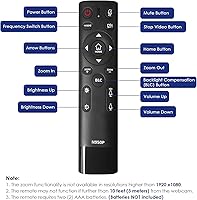
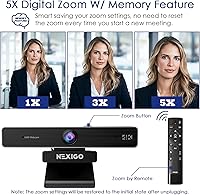
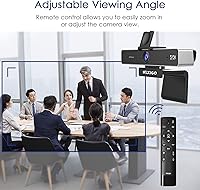
The RF remote control is where this zoomable webcam earns its keep in daily use. Teachers presenting on a whiteboard, or anyone who steps back from their desk during a call, can adjust zoom, toggle the mic, or flip the image without touching their computer. The field of view stretches from 35 to 90 degrees, so switching between a tight talking-head frame and a wider room view takes seconds. At 1080p, the 5X digital zoom stays reasonably sharp — just don't push it to maximum and expect miracles. Dual USB support means no dongles for USB-C laptops, and the included privacy cover is a small but genuinely appreciated convenience.

Best For

This 4K webcam hits a practical sweet spot for a few specific types of users. Online educators who pace or move while teaching get real value from the remote — refocusing the shot without interrupting a lesson is something a standard webcam simply can't do. Streamers and creators who want sharper-than-1080p footage without investing in a mirrorless camera setup will find it capable. It also works well in small conference rooms or home offices where a basic 1080p camera starts to feel limiting. Anyone upgrading from an older 1080p webcam will notice an immediate clarity improvement, particularly in well-lit environments where the Sony sensor really pulls its weight.

User Feedback

Buyers who have spent time with the N950P Gen 2 largely appreciate the remote's practical usefulness and how sharp the image looks in decent lighting — two things that come up repeatedly in positive reviews. The low-light performance also draws consistent praise from users working in dimmer home setups. Where things get mixed is at maximum zoom: several buyers note that pushing 5X drops visible detail, which is expected from digital zoom but still worth knowing upfront. The built-in microphones are considered functional but not a replacement for a dedicated mic, especially in echo-prone rooms. Mac users occasionally report minor setup friction. The 4.4-star average reflects a camera that largely delivers on its core promises.

Pros

  • The RF remote is a rare and practical inclusion that lets you control zoom and muting from across the room.
  • Sony Starvis sensor delivers noticeably better low-light image quality than generic CMOS chips at this price.
  • Adjustable field of view from 35 to 90 degrees makes it versatile for solo calls and wider room shots.
  • Zoom certification removes compatibility guesswork for professional video call users.
  • Both USB-A and USB-C connections are supported, so no adapter is needed for modern laptops.
  • The included privacy cover is a small but genuinely useful physical security feature.
  • 4K resolution at 30fps produces a sharper, cleaner image than 1080p webcams during video calls.
  • Lightweight and compact build makes it easy to reposition or travel with.
  • Dual omnidirectional mics handle casual calls without requiring a separate audio setup.
  • Compatible with a wide range of operating systems including Windows, macOS, and Android.

Cons

  • Digital zoom degrades image quality noticeably at maximum 5X magnification — it is not comparable to optical zoom.
  • Built-in microphones are adequate for calls but fall short for recording, streaming audio, or echo-prone rooms.
  • Fixed focus means you cannot manually adjust sharpness for close-up or non-standard shooting distances.
  • Some Mac and Chrome OS users have reported minor driver setup friction out of the box.
  • 4K output is capped at 30fps, which may disappoint users who need smoother motion for gaming or fast-paced content.
  • The RF remote, while useful, adds a small accessory to keep track of and relies on batteries.
  • Image quality in low light, while above average for the category, still softens compared to dedicated mirrorless cameras.
  • No autofocus system means it will not adjust if your distance from the camera changes during a session.

Ratings

The NexiGo N950P Gen 2 4K Webcam has been scored below by our AI system after analyzing thousands of verified global buyer reviews, with spam, bot-generated, and incentivized submissions actively filtered out. The scores reflect the full picture — where this camera genuinely earns its place in a home office or classroom, and where real users have run into friction. Nothing has been smoothed over.
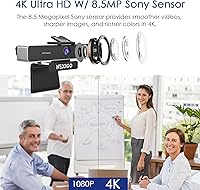
Image Quality
83%
In a well-lit room, the Sony Starvis sensor produces noticeably sharper, more color-accurate footage than most webcams competing at this price point. Remote workers and streamers consistently praised how clean their video looked on Zoom calls compared to their previous 1080p cameras.
Image quality drops meaningfully in mixed or dim lighting — fine detail softens and noise creeps in. Users in home offices with overhead-only lighting or evening streamers found the footage less impressive than the spec sheet suggested.
RF Remote Control
91%
Buyers overwhelmingly cited the RF remote as the single most useful feature in day-to-day use. Teachers especially loved being able to adjust zoom or mute the mic mid-lesson without breaking stride, and the response was consistently reliable across a full classroom distance.
A handful of users noted that the remote requires batteries that are not included, which caused minor frustration on day one. A small number also reported occasional signal dropouts, typically when other RF devices were operating nearby.
Low-Light Performance
74%
26%
Compared to budget webcams using generic CMOS chips, the Starvis sensor holds up better when the lights dim — faces stay recognizable and the automatic exposure adjustment kicks in without creating harsh overexposure on bright backgrounds.
It is not a low-light performer in any serious sense; users working in poorly lit rooms without a ring light or window still got grainy, washed-out video. The automatic correction helps, but it cannot compensate for fundamentally inadequate lighting.
Digital Zoom Quality
58%
42%
At 2X to 3X magnification, the digital zoom is genuinely usable — presenters and educators found it practical for framing whiteboard content or tightening a shot without repositioning the camera. The remote-operated zoom in that range works smoothly.
Pushing to the full 5X reveals the hard ceiling of digital zoom: images become visibly soft and pixelated. Several buyers felt misled by the marketing emphasis on zoom, not realizing it was digital rather than optical until the footage disappointed them.
Microphone Quality
63%
37%
For standard video calls in quiet environments, the dual omnidirectional mics are adequate — voices come through clearly enough that call participants rarely complained. The noise cancellation does a reasonable job filtering out consistent background hum like HVAC systems.
In echo-prone rooms or spaces with irregular ambient noise, the mics struggle noticeably. Streamers and anyone recording spoken content for playback found them too limited, and several buyers ended up purchasing a separate USB microphone within weeks.
Build Quality
77%
23%
The camera feels solid and purposeful in hand — not a flimsy plastic shell. The monitor clip holds its position reliably, and the privacy cover slides smoothly without feeling like it will snap off after a few weeks of daily use.
At this weight and price, some buyers expected a more premium material finish. A few users mentioned that the clip's grip loosened slightly over time on thinner laptop lids, requiring occasional readjustment.
Setup & Plug-and-Play
86%
On Windows, setup is almost universally described as effortless — plug in, open your video app, and it just works. The dual USB cable inclusion means most users, including those on modern USB-C-only laptops, were up and running in under two minutes.
Mac users occasionally ran into recognition delays or needed to adjust privacy permissions before the camera showed up in video apps. Chrome OS compatibility is functional but the remote control features may not fully map without additional configuration.
Field of View Versatility
81%
19%
The 35 to 90 degree range gives this webcam genuine flexibility that a fixed-FOV camera simply cannot match. Buyers using it in small conference rooms appreciated being able to widen the frame to include a second person without moving the camera.
Changing the field of view requires using the RF remote, so without it the camera defaults to a fixed framing. Users who misplaced or lost the remote found themselves stuck at whatever setting they had last used.
Software Compatibility
88%
The Zoom certification is not just a sticker — users reported smooth, stable performance across Zoom, Microsoft Teams, Google Meet, and Skype without needing to adjust any camera settings manually. It behaves as a trusted device across all major conferencing platforms.
A small group of users noted inconsistent behavior when switching between platforms mid-session, requiring a camera reconnect. OBS and some streaming tools occasionally needed manual selection of the camera source before recognizing it reliably.
Value for Money
79%
21%
The combination of 4K resolution, a Sony sensor, and a functional RF remote at this price bracket is difficult to replicate with competing products. Buyers upgrading from basic 1080p webcams consistently felt the jump in image sharpness justified the cost.
Users who primarily needed a straightforward desk webcam without zoom or remote features found themselves paying for hardware they never used. At this price, the digital-only zoom also stings slightly when optical alternatives exist in adjacent categories.
Privacy Cover
89%
The physical lens cover was consistently praised by privacy-conscious buyers who appreciated having a hardware-level solution rather than relying on software settings. It attaches cleanly and does not interfere with the camera's mounting or cable management.
It is a simple sliding cover with no click-lock mechanism, so it can shift unintentionally if the camera is bumped or repositioned. A few users noted it fell off entirely after extended use, requiring reattachment.
Mounting & Stability
76%
24%
The adjustable clip works reliably on most standard monitors, and the tripod thread adds real versatility for educators or presenters who need a freestanding camera position. The 1.06-pound weight keeps it stable without pulling on lighter monitor stands.
The clip does not accommodate very thin or very thick monitor bezels well — users with ultrawide monitors or unconventional screen profiles reported a less secure fit. The clip's hinge stiffness varies slightly between units.
Frame Rate Performance
71%
29%
At 30fps in 4K or 1080p, the camera produces smooth, natural motion for typical video calls and classroom presentations where subjects are not moving rapidly. For the core use cases it targets, 30fps is entirely sufficient.
Streamers covering gaming or fast-moving content hit the 30fps ceiling immediately and found it inadequate compared to 60fps webcam alternatives. The frame rate is not a limitation for its intended audience, but it is a firm one for anyone outside that group.
Zoom Certification & Pro Features
84%
Zoom-certified status gave enterprise and professional buyers confidence when deploying the camera across a team or in a managed IT environment. The certification also ensures firmware compatibility with Zoom's platform-specific optimizations and video enhancements.
Teams and Meet users noted that the certification advantage is largely invisible to them — the camera performs well on those platforms but offers no platform-specific extras. The certification value is most tangible for organizations standardized on Zoom.
Cable & Connectivity
87%
Including both USB-A and USB-C cables in the box is a practical decision that removes a common day-one frustration. Users on MacBooks, modern Windows ultrabooks, and older desktop towers all confirmed they could connect immediately without hunting for an adapter.
The cable length may feel restrictive for users who need to position the camera further from their computer than a typical desk depth allows. An extension cable or a longer included option would have addressed this for a small but vocal group of buyers.

Suitable for:

The NexiGo N950P Gen 2 4K Webcam is a strong fit for anyone whose video setup demands more control than a standard plug-and-play camera can offer. Online teachers and tutors get the most obvious benefit — the RF remote lets you zoom in on a whiteboard or reframe your shot without breaking the flow of a lesson. Remote professionals who present frequently on Zoom or Microsoft Teams will appreciate both the Zoom certification and the noticeably sharper 4K image compared to a typical 1080p office webcam. Home streamers who want cleaner footage without spending on a mirrorless camera body will find the Sony Starvis sensor genuinely capable in well-lit rooms. It also works well in small conference rooms or dedicated home offices where a budget webcam simply starts to look underpowered.
Not suitable for:

Buyers expecting optical zoom performance should look elsewhere — this zoomable webcam uses digital zoom, which means pushing past a moderate level will soften the image in ways that are clearly visible on screen. Professional video producers or podcasters who need broadcast-quality audio will find the built-in microphones functional but not good enough to replace a dedicated USB or XLR mic. The fixed-focus design, while fine for seated desk use, limits flexibility for creative shooting angles or close-up product demos. Mac and Chrome OS users have occasionally reported minor compatibility friction, so if you work exclusively outside Windows, it is worth verifying driver support before committing. Anyone who needs true 60fps for fast-motion content will also hit a ceiling here, since 4K tops out at 30fps.

Specifications

  • Resolution: Captures video at up to 4K UHD (3840x2160) at 30 frames per second, or 1080p at 30fps when using digital zoom features.
  • Image Sensor: Uses an 8.5-megapixel Sony Starvis CMOS sensor, which is engineered for improved sensitivity in low-light shooting conditions.
  • Field of View: Offers an adjustable field of view ranging from 35 degrees (narrow, zoomed-in) to 90 degrees (wide-angle), controllable via the RF remote.
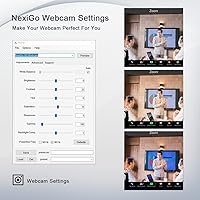
  • Digital Zoom: Supports up to 5X digital magnification at 1080p resolution, operated remotely without touching the camera or computer.
  • Focus System: Fixed-focus lens with no autofocus mechanism; optimized for standard desk-to-monitor distances of roughly 1 to 3 meters.
  • Microphones: Dual omnidirectional microphones with built-in noise cancellation capture audio from multiple directions during calls and recordings.
  • Connectivity: Connects via USB-A (standard cable included) or USB-C to USB-C (separate cable included), with no driver installation required on most systems.
  • Remote Control: Includes an RF wireless remote that controls zoom level, field of view, mic mute, image mirror/flip, and camera power.
  • Video Format: Outputs video in YUY2 and MJPG formats, ensuring broad compatibility with video conferencing and streaming software.
  • Dimensions: The camera body measures 5.98 x 2.12 x 1.78 inches, making it compact enough for monitor-top or laptop placement.
  • Weight: Weighs 1.06 pounds including the mounting clip, which keeps it stable on monitors without adding meaningful desk clutter.
  • Mounting Options: Ships with an adjustable clip for monitors and laptops, plus a standard tripod thread on the base for use with any compatible tripod.
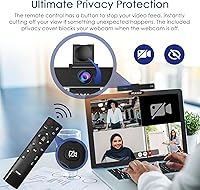
  • Privacy Cover: A physical slide-over privacy cover is included in the box and attaches directly to the camera lens housing.
  • Low-Light Correction: Automatic low-light compensation adjusts exposure and brightness in real time when ambient lighting drops below optimal levels.
  • OS Compatibility: Officially compatible with Windows XP through Windows 11, macOS, Android 5.0 and above, and select Smart TV platforms.
  • Certification: Holds official Zoom certification, confirming tested compatibility and optimized performance within the Zoom video conferencing platform.
  • Color: Available in matte black finish, designed to blend unobtrusively with standard monitor bezels and home office setups.
  • Software Required: Functions as a plug-and-play USB device on supported operating systems; no proprietary software installation is necessary for basic operation.

Related Reviews
OBSBOT Meet 2 4K Webcam
78%
88%
Image Sharpness & Clarity
82%
Low-Light Performance
84%
AI Framing Accuracy
63%
Gesture Control Reliability
86%
Build Quality & Form Factor
More
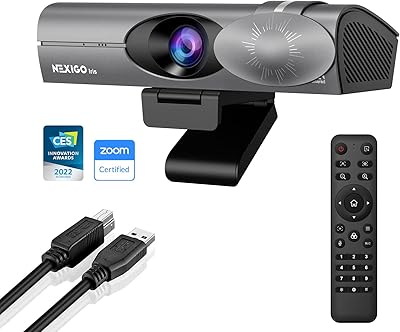
NexiGo Iris 4K AI Webcam
78%
88%
Image Quality
91%
Low-Light Performance
74%
AI Auto-Framing
63%
Setup & Ease of Use
79%
Build Quality
More
NexiGo Meeting 360 Gen 2 Conference Camera
80%
94%
Ease of Setup
88%
Audio Quality
79%
AI Speaker Tracking
71%
Video Output Quality
86%
Microphone Range
More
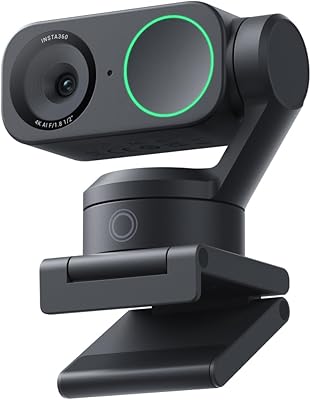
Insta360 Link 2
Insta360 Link 2
80%
93%
Image Quality
88%
AI Subject Tracking
89%
Low-Light Performance
86%
Autofocus
81%
Microphone Quality
More
dockteck DH0002 M.2 NVMe/SATA SSD Enclosure
84%
88%
Transfer Speed (NVMe)
76%
SATA Drive Performance
83%
Build Quality
93%
Ease of Setup
79%
Thermal Management
More
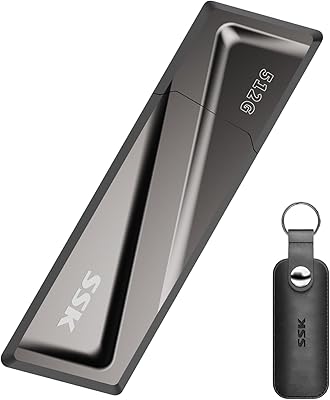
SSK SD300 512GB USB Flash Drive
75%
83%
Transfer Speed
61%
USB-C Adapter Performance
88%
Build Quality
72%
Flip Cap Durability
86%
Compatibility
More
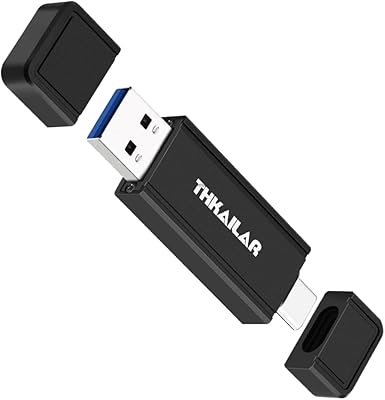
THKAILAR T7 256GB Dual-Port USB Flash Drive
78%
91%
Dual-Port Design
72%
Transfer Speed
88%
Build Quality
83%
iPhone Compatibility
67%
Android OTG Performance
More
ANGEET HDMI KVM Switch 2 Monitors 2 Computers 4K@60Hz
85%
91%
Display Quality
88%
Ease of Setup
85%
USB Performance
93%
Compatibility with Systems
87%
Build Quality
More
UGREEN AK500 Dual Monitor KVM Switch
77%
91%
Ease of Setup
88%
Switching Reliability
86%
Video & Display Quality
78%
USB Peripheral Sharing
83%
Build Quality & Materials
More
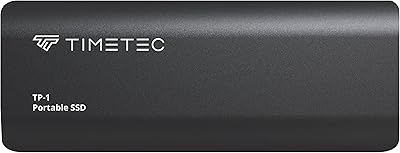
Timetec TP01 1TB Portable External SSD
83%
88%
Value for Money
71%
Real-World Transfer Speed
84%
Build Quality
91%
Portability
86%
Compatibility
More

FAQ

It depends on how far you push it. At 2X or 3X, the image stays fairly clean and usable. At the full 5X, you will notice softening — that is simply the nature of digital zoom, which crops and enlarges the sensor data rather than using optical glass to bring the subject closer. If crisp detail at maximum zoom is critical for your use case, that expectation needs to be set before you buy.

The RF remote works at a reasonable distance — most users report reliable response from across a typical classroom or living room, generally up to about 10 meters. Unlike infrared remotes, it does not require line-of-sight with the camera, so pointing it from an angle or from slightly off to the side still works.

For the most part, yes — the N950P Gen 2 is a USB UVC device, which macOS recognizes natively without additional driver installation. A small number of Mac users have noted minor setup friction on certain macOS versions, particularly when using the full remote control feature set. Checking NexiGo's support page for the latest firmware is a good precaution if you run into any issues.

It is a solid entry-level streaming webcam. The 4K sensor gives you more pixel data to work with, which helps if your streaming software downscales the output. The fixed-focus design works fine for standard desk setups, and the adjustable field of view is handy for framing yourself differently without repositioning the camera physically.

They are functional but not exceptional. For standard video calls in a quiet room, most listeners will not complain. In echo-prone spaces or noisy environments, the noise cancellation helps but does not fully compensate. If audio quality is a priority — for podcasting, recording lectures, or professional client calls — pairing this camera with a separate USB microphone is worth the extra investment.

Yes, the base has a standard tripod thread, so any compatible tripod will work. This is actually a useful option for educators or presenters who want to position the camera at a specific angle or height that a monitor clip cannot provide.

The Zoom certification is the official badge, but this 4K webcam works with any video platform that accepts a standard USB camera input — Microsoft Teams, Google Meet, Skype, Webex, and others all work without any special configuration.

A PTZ (pan-tilt-zoom) camera physically moves its lens using motors, giving you true optical zoom and the ability to pan across a wide space. This zoomable webcam uses digital zoom only and has no physical pan or tilt mechanism — it stays fixed in the direction you point it. For a single-person desk setup or small home office, the distinction rarely matters. For a large conference room where you need to track multiple people, a dedicated PTZ camera is the better tool.

Yes, the physical slide cover attaches to the front of the camera housing and fully blocks the lens when closed. It is a mechanical cover, not software-based, so it works regardless of whether the camera is powered on or off — which is what you actually want from a privacy cover.

It does — a USB-C to USB-C cable is included in the box alongside the standard USB-A cable, so you can plug directly into a USB-C port without needing a separate adapter or hub. Just make sure the port you are using supports USB data transfer, as some USB-C ports on laptops are power-only.