Overview

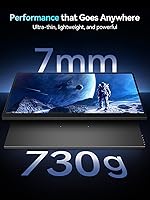
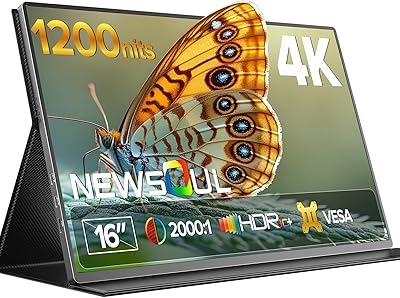
The Newsoul M160B04 16″ OLED Portable Monitor enters a crowded mid-range market with a genuinely compelling headline: an OLED panel in a portable form factor that most competitors at this price still can't match. Newsoul isn't a household name, and buyers should factor that into their expectations around after-sales support and warranty reliability. That said, the hardware makes a strong first impression — 0.27 inches thin and just 1.6 pounds, it sits comfortably alongside a laptop in any bag. The 16:10 aspect ratio is a quiet but practical choice, giving noticeably more vertical space for documents, code, and spreadsheets compared to standard widescreen panels.
Features & Benefits

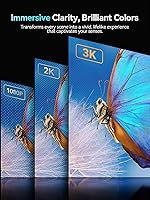
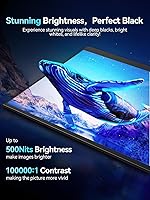
What makes this portable OLED display technically interesting is the pairing of a 100,000:1 contrast ratio with full DCI-P3 color coverage — on a portable screen, that combination is rare and genuinely visible when watching HDR content or reviewing photos. The 3K resolution across 16 inches delivers solid pixel density that keeps text sharp without forcing heavy GPU scaling. Refresh rate reaches 120Hz, but only over USB-C — connect via Mini HDMI and you'll cap at 100Hz at full resolution, which is worth knowing before you buy. The 8-bit plus FRC panel does a credible job approximating 10-bit output for casual color work, though dedicated colorists will still want a calibrated studio display.

Best For

The Newsoul 16-inch monitor is a strong fit for remote workers and frequent travelers who want a sharp secondary display without adding much weight to their setup. Steam Deck and Nintendo Switch users will notice an immediate visual upgrade over most IPS portables in this range, thanks to OLED's natural depth. Photo editors and designers who need accurate wide-gamut color on the road will find the DCI-P3 coverage genuinely useful rather than just a spec sheet claim. That said, this isn't the right pick for everyone — the glossy panel makes outdoor use genuinely frustrating, and anyone who regularly works near bright windows should seriously consider a matte-panel alternative instead.

User Feedback

Buyers who have picked up this travel monitor most consistently praise the image quality — specifically how OLED's natural contrast makes it look noticeably better than comparably priced IPS portables straight out of the box. The slim, lightweight build also earns steady compliments. On the downside, glossy screen reflections come up repeatedly as a real-world frustration, particularly for users near windows or under overhead lighting. A handful of reviewers have reported screen flickering when running the display from lower-wattage chargers, which aligns with the stated 30W minimum power requirement. Feedback on long-term durability remains limited given how recently this monitor launched, so early impressions should be weighed accordingly.

Pros

  • OLED contrast and color depth put this portable display visually ahead of most IPS competitors in its price range.
  • The 16:10 aspect ratio gives noticeably more vertical screen real estate, which makes a real difference for productivity tasks.
  • At 1.6 pounds and 0.27 inches thick, this travel monitor is genuinely easy to carry without rethinking your bag setup.
  • Full DCI-P3 color gamut coverage makes it a credible option for on-the-go photo editing and color-sensitive creative work.
  • 120Hz refresh rate over USB-C keeps motion smooth for gaming without needing a separate power brick.
  • The 3K resolution on a 16-inch screen delivers sharp, comfortable pixel density for both text and detailed visual content.
  • Dual USB-C ports add connection flexibility, covering both data and power delivery in a compact port selection.
  • The 8-bit plus FRC panel approximates 10-bit color output, which is a meaningful step up for casual colorists and video reviewers.

Cons

  • The glossy screen surface picks up reflections easily, making it a poor choice for brightly lit or window-adjacent workspaces.
  • HDMI users lose the full 120Hz experience at native resolution, dropping to 100Hz — an important caveat for console gamers.
  • A 30W minimum power delivery requirement means older or budget chargers may cause flickering or unexpected shutdowns.
  • Newsoul is a newer, lesser-known brand, and long-term reliability data and customer support responsiveness remain largely unproven.
  • No matte screen option is available, which is a firm dealbreaker for users sensitive to glare during extended daily use.
  • The slim chassis, while impressive in isolation, raises reasonable questions about durability over months of regular travel.
  • Early-adopter review volume is limited, making it harder to gauge how the display holds up beyond the initial months of ownership.
  • Buyers who need a fully standalone setup may find the 30W PD dependency inconvenient when appropriate chargers are unavailable.

Ratings

The scores below reflect an AI-driven analysis of verified global buyer reviews for the Newsoul M160B04 16″ OLED Portable Monitor, with spam, bot-submitted, and incentivized feedback actively filtered out before scoring. Each category captures what real users experienced across a range of use cases — from daily commuting setups to portable gaming rigs — with both genuine strengths and recurring frustrations weighted transparently. No score here has been inflated to flatter the product, and no pain point has been softened to protect the brand.

Image Quality
93%
This is where this portable OLED display earns its most consistent praise. Buyers switching from IPS portables describe an immediate, visible difference — blacks that are actually black, colors that pop without oversaturation, and a contrast depth that makes HDR content and dark-scene gaming look genuinely cinematic. The DCI-P3 coverage holds up under scrutiny from photographers and video editors who test it against calibrated reference displays.
A small but vocal group of reviewers note that out-of-box color calibration can skew slightly warm, requiring manual white point adjustment. The glossy surface also alters perceived color accuracy in reflective environments, which is frustrating when the underlying panel is this capable.
Portability
89%
At 1.6 pounds and barely over a quarter-inch thick, the Newsoul 16-inch monitor genuinely disappears inside a laptop sleeve. Frequent travelers and remote workers consistently highlight that it adds almost no meaningful weight to a daily bag, which is the core promise of this product category done right.
The 16-inch footprint, while slim in depth, is still a fairly large panel to carry around — smaller bag users occasionally find it awkward to fit alongside a 15-inch laptop. A purpose-built carry case is not always included, which surprises buyers expecting one at this tier.
Color Accuracy
86%
The 100% DCI-P3 gamut and 8-bit plus FRC output make this travel monitor a credible companion for on-the-go creative work. Photo editors working in Lightroom or Capture One report that color rendering is consistent enough for culling and basic adjustments without needing a separate colorimeter check.
Factory calibration varies between units, and buyers doing serious color-critical work will likely want to run their own calibration profile rather than trust the default settings. It is not a substitute for a properly profiled studio display, and a few reviewers with high accuracy demands note visible hue shifts at wider viewing angles.
Gaming Performance
84%
The 120Hz refresh rate and 0.1ms response time over USB-C make this one of the sharper-performing portable options for gaming at this price point. Steam Deck users in particular praise how much the OLED panel improves their experience compared to the Deck's own screen, especially in darker game environments where contrast matters most.
The HDMI refresh rate cap at 100Hz for full native resolution catches some console gamers off guard, especially those expecting parity with the USB-C connection. Competitive gamers used to 144Hz or higher on desktop panels will also feel the ceiling, even if casual players will not notice it in practice.
Brightness & Glare
58%
42%
In dim-to-moderate indoor environments — a home office, a hotel room, a cafe with indirect lighting — 500 nits on an OLED panel looks vibrant and more than comfortable for extended use. The self-emissive nature of OLED means perceived brightness feels punchy even at lower nit levels compared to backlit panels.
This is the most consistently flagged weakness across buyer reviews. The glossy surface turns the display into a near-mirror in sunlit rooms or near windows, and 500 nits is not enough headroom to compete with ambient glare. Users who rely on natural light during the workday report real frustration that is not fixable through settings adjustments.
Build Quality
74%
26%
The chassis impresses on first handling — the slim profile feels deliberately engineered rather than simply thin, and the overall finish reads as premium relative to what you might expect from a newer brand. Most buyers report that the build holds up fine through normal daily commuting use over the first several months.
The slim construction does generate some concern around long-term durability, particularly at the port edges and screen corners. A handful of reviewers describe minor flex in the panel when applying slight pressure, which is not a defect but raises reasonable questions about resilience under sustained travel conditions.
Connectivity
77%
23%
Dual USB-C ports alongside Mini HDMI gives users real flexibility — you can power the display from one USB-C port while using the other for data passthrough, which is practical in tight setups. The USB-C video input works reliably across tested laptops, phones with DisplayPort Alt Mode, and handheld consoles.
Mini HDMI rather than full-size HDMI means most users need a dedicated cable or adapter they may not already own, which is a minor but recurring annoyance mentioned in early reviews. Two USB-C ports and one Mini HDMI is a functional setup, but adding a third USB-C or a full-size HDMI would have made the connection story much cleaner.
Power Stability
63%
37%
When paired with a compliant 30W or higher Power Delivery charger, the display runs stably without perceptible flicker or shutdown events. Users who invested in a quality GaN charger or use their laptop's 65W USB-C adapter report zero issues over extended sessions.
The 30W minimum threshold is stricter than many comparable portables, and buyers who try to run it from a phone charger or a basic 18W adapter encounter flickering or abrupt shutdowns. The requirement itself is not unreasonable for an OLED panel, but the consequences of under-powering it feel abrupt and can feel alarming the first time it happens.
Setup & Compatibility
81%
19%
Most buyers report a plug-and-play experience with modern laptops, requiring no driver installation or manual configuration. macOS, Windows, and Linux systems recognize the display without issue in the large majority of tested configurations, which keeps the out-of-box friction low.
Older laptops without USB-C DisplayPort Alt Mode support require an HDMI workaround, which limits refresh rate options as noted. A small number of users also report that certain USB-C hubs introduce signal instability, suggesting direct connections to the host device produce the most consistent results.
Value for Money
79%
21%
Buyers who prioritize display technology get a genuinely compelling deal here — OLED at 3K resolution with wide color gamut coverage in a portable form factor is still relatively uncommon at this price tier, and the panel quality reflects that positioning. For image-focused users, the cost-to-quality ratio holds up well against established brand alternatives.
Buyers who factor in brand longevity, warranty confidence, and after-sales support feel less certain about the value equation. Paying a comparable amount for a monitor from an established name buys a level of reliability assurance that Newsoul cannot yet match based on track record alone.
Viewing Angles
76%
24%
OLED technology inherently handles off-axis viewing better than most IPS panels at this price, maintaining color and contrast over a wider horizontal range. In shared viewing scenarios — watching a film with a travel companion or demonstrating work to a client — the image holds up without the strong color shift typical of cheaper portable displays.
Vertical viewing angles show more noticeable degradation than horizontal ones, and users who prop the monitor at aggressive angles for ergonomic comfort may see some color temperature shift toward cooler tones. This is a characteristic of the panel technology rather than a manufacturing defect, but it is worth knowing.
Text Clarity
88%
The 3K resolution across a 16:10 panel delivers a pixel density that makes long-form reading, coding, and spreadsheet work noticeably more comfortable than lower-resolution portables. Buyers who use it primarily for productivity tasks consistently highlight how easy text is to read without scaling artifacts.
Some Windows users running 100% display scaling find the high pixel density makes UI elements slightly small by default and need to experiment with scaling settings before landing on a comfortable configuration. macOS users tend to handle high-DPI scaling more gracefully out of the box.
Brand & Support Confidence
47%
53%
Early buyers report that Newsoul has been responsive to warranty and support queries submitted through their sales channels, suggesting the team is at least present and engaged. For buyers purchasing through Amazon, the standard marketplace return window provides a reasonable safety net for defective units.
Newsoul simply does not have the support infrastructure, documented service history, or established repair network that buyers expect from display brands with a decade of market presence. There is limited data on how the company handles out-of-warranty issues or long-term firmware support, which is a legitimate concern for a display you might use for three or more years.

Suitable for:

The Newsoul M160B04 16″ OLED Portable Monitor makes the most sense for people who spend a lot of time working or creating away from a fixed desk and genuinely care about display quality. Remote workers who bounce between cafes, co-working spaces, and hotels will appreciate having a sharp, lightweight secondary screen that fits alongside a laptop without adding meaningful bulk to a bag. Content creators and photo editors who need reliable wide-gamut color accuracy on the road will find the DCI-P3 coverage practically useful — not just a number on a spec sheet. Handheld console gamers, particularly Steam Deck or Switch users, get a meaningful visual upgrade over the IPS portables that dominate this market segment. The 16:10 aspect ratio is also a genuine productivity bonus that is easy to overlook until you actually use it daily for documents and code.
Not suitable for:

Buyers who regularly work outdoors or near bright windows should think carefully before committing to the Newsoul M160B04 16″ OLED Portable Monitor. The glossy panel, while visually rich in controlled lighting, picks up reflections aggressively in sunnier environments — 500 nits simply isn't enough to overpower direct glare on a reflective surface. Users who depend on a matte, anti-glare finish for long daily sessions will likely find this frustrating within the first week. Anyone who relies exclusively on HDMI connectivity should also know that the display drops to 100Hz at full 3K resolution over that connection, which may matter to competitive gamers expecting the full 120Hz experience. Finally, buyers who prioritize brand stability, established warranty programs, and proven long-term support should be aware that Newsoul is a relatively new name in the market, and that uncertainty is a legitimate factor worth weighing.

Specifications

  • Panel Type: Uses an OLED display panel, delivering true blacks and a 100,000:1 native contrast ratio without the backlight bleed common in LCD-based portables.
  • Screen Size: The active display area measures 16 inches diagonally, offering a practical balance between screen real estate and portability.
  • Resolution: Native resolution is 2880x1800 pixels (3K), spread across a 16:10 aspect ratio for noticeably more vertical space than standard 16:9 panels.
  • Refresh Rate: Supports 120Hz over USB-C and drops to 100Hz at full 3K resolution over Mini HDMI; lower resolutions over HDMI may allow higher rates.
  • Response Time: Rated at 0.1ms grey-to-grey, which is well within the threshold for smooth motion in both gaming and fast video content.
  • Brightness: Peak brightness is rated at 500 nits, suitable for indoor and moderately lit environments but insufficient to overcome direct sunlight on the glossy surface.
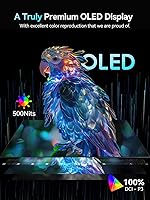
  • Color Gamut: Covers 100% of the DCI-P3 color space, making it a reliable option for wide-gamut creative work and vibrant HDR media playback.
  • Color Depth: Outputs 8-bit color with FRC (Frame Rate Control) dithering, approximating a near-10-bit visual result for smoother gradients and color transitions.
  • Aspect Ratio: Ships with a 16:10 aspect ratio, which provides additional vertical screen space compared to the 16:9 standard found on most portable monitors.
  • Dimensions: Physical dimensions measure approximately 13 x 9 x 0.27 inches, making it thin enough to slip into most laptop sleeves without added bulk.
  • Weight: The display weighs 1.6 pounds, light enough for daily carry in a backpack or laptop bag without meaningful impact on load.
  • Screen Surface: Features a glossy screen surface that enhances color saturation and contrast perception but reflects ambient light noticeably in bright environments.
  • Connectivity: Equipped with one Mini HDMI port and two USB-C ports, supporting both video input and power delivery through the same connection.
  • Power Requirement: Requires a minimum 30W USB Power Delivery (PD) source for stable operation; lower-wattage adapters may cause screen flickering or unexpected shutdowns.
  • Model Number: The official model identifier is M160B04, which can be used when searching for compatible accessories, firmware updates, or warranty documentation.
  • Manufacturer: Made by Newsoul, a relatively new entrant in the portable display market with limited long-term track record compared to established monitor brands.

Related Reviews

Newsoul M1620 16″ 4K Portable Monitor
81%
91%
Display Clarity
74%
Real-World Brightness
83%
Color Accuracy
88%
Build Quality
67%
Stand and Portability
More
Magedok 16-inch 4K OLED Touchscreen Portable Monitor
85%
91%
Display Quality
89%
Portability
75%
Touchscreen Performance
65%
Brightness in Bright Environments
88%
Gaming Performance
More
ASUS ZenScreen MQ16AHE 16-inch OLED Portable Monitor
86%
94%
Display Quality
91%
Portability
86%
Build Quality
88%
Connectivity
93%
Color Accuracy
More
ViewSonic VP16-OLED 15.6-inch Portable OLED Monitor
80%
93%
Display Quality
91%
Color Accuracy
88%
Portability
74%
USB-C Connectivity
81%
Build Quality
More
ViewSonic VX1655-4K-OLED 15.6-inch Portable OLED Monitor
77%
93%
Display Quality
91%
Portability
84%
USB-C Connectivity
88%
Build Quality
67%
Stand Stability
More
MAGICRAVEN M1603 16″ 4K Portable Monitor
75%
91%
Image Sharpness
88%
Portability
86%
Connectivity
89%
Setup Experience
63%
Brightness
More
Veout V1 16″ Portable Monitor
76%
84%
Display Quality
91%
Portability & Form Factor
82%
Color Accuracy
88%
Setup & Compatibility
67%
Kickstand Stability
More
CAPERAVE BQ16H_1 16″ Portable Monitor
86%
94%
Display Quality
91%
Color Accuracy
89%
Refresh Rate & Gaming Performance
92%
Portability & Build
87%
Connectivity Options
More
Upperizon 16″ 2K Portable Monitor
85%
92%
Display Quality
90%
Portability & Size
87%
Ease of Setup
89%
Gaming Performance
94%
Color Accuracy
More
UPERFECT 16006DD 16″ 4K Portable Monitor
77%
83%
Brightness Performance
91%
Display Sharpness
74%
Color Accuracy
88%
Build Quality
76%
Portability
More

FAQ

Yes, both devices can connect via USB-C and output video to the Newsoul M160B04 16″ OLED Portable Monitor without additional adapters in most cases. For the Switch, you will need it docked since handheld mode does not output video. Steam Deck connects directly over USB-C and works well. Just make sure your power source meets the 30W PD requirement to avoid stability issues during longer sessions.
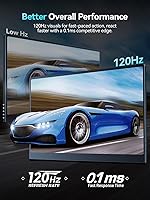
Not at full 3K resolution — over Mini HDMI, the display caps at 100Hz when running at native 2880x1800. If you want the full 120Hz, you need to connect via USB-C. It is a real-world limitation worth knowing before assuming you can max out refresh rate over HDMI.

A 65W charger comfortably exceeds the 30W minimum threshold, so yes, that should work fine. The issue tends to arise with older 18W or 20W adapters, which can cause flickering or the screen to shut off under load. When in doubt, check that your charger explicitly supports USB Power Delivery at 30W or above.

It depends heavily on where you use it. In a dim room or a controlled indoor space, the glossy finish actually makes the OLED colors look richer and more vivid. In a cafe with large windows or under harsh overhead lighting, the reflections can get genuinely distracting. If you regularly work in variable lighting, a matte portable monitor would be a more practical choice for daily use.

OLED wins on contrast and color depth — blacks are actually black, not the dark grey you get from IPS backlighting, and the DCI-P3 coverage is wider. IPS portables in this price range tend to be brighter in raw nits and are often available with matte coatings. For media consumption and creative work in indoor settings, OLED is the stronger experience; for outdoor or high-ambient-light use, a bright matte IPS panel may be more practical.

The product listing does not confirm a built-in adjustable stand as a standard accessory. Many portable monitors in this category include a slim cover that doubles as a kickstand, but buyers should verify what is included in the box before assuming a stand is provided. A separate portable monitor stand is worth budgeting for if yours does not include one.

It depends on your phone's USB-C capabilities. Phones that support DisplayPort Alt Mode over USB-C — such as certain Samsung Galaxy and Google Pixel models — can output video directly to this travel monitor. iPhones with USB-C (iPhone 15 and later) can also work for screen mirroring. Phones without video-out capability over USB-C will not work without an adapter or dock.

For most typical use cases like browsing, documents, and video, burn-in risk is low with normal varied usage patterns. Where it becomes a consideration is if you display static elements — a fixed taskbar, a persistent HUD in games, or a static spreadsheet column — for many hours daily over a long period. Using screensavers, auto-brightness, and pixel-shift features if available will significantly reduce any risk.

Newsoul is a newer brand without the established support infrastructure of companies like ASUS or LG, which is a fair concern. Coverage terms should be confirmed directly with the seller at purchase since they can vary by retailer. Amazon purchases typically offer an additional layer of return protection within the standard return window, which provides some short-term peace of mind while the brand builds its support reputation.

In typical indoor environments — offices, home setups, cafes with moderate lighting — 500 nits on an OLED panel looks vibrant rather than dim, partly because OLED does not need to fight its own backlight. The limitation shows up outdoors or in very bright spaces where ambient light directly hits the glossy surface. For controlled indoor use, most buyers find the brightness more than adequate.