MAGICRAVEN M1603 16″ 4K Portable Monitor
MAGICRAVEN M1603 16″ 4K Portable Monitor — image 1
MAGICRAVEN M1603 16″ 4K Portable Monitor — image 2
MAGICRAVEN M1603 16″ 4K Portable Monitor — image 3
MAGICRAVEN M1603 16″ 4K Portable Monitor — image 4
MAGICRAVEN M1603 16″ 4K Portable Monitor — image 5
MAGICRAVEN M1603 16″ 4K Portable Monitor — image 6
MAGICRAVEN M1603 16″ 4K Portable Monitor — image 7
MAGICRAVEN M1603 16″ 4K Portable Monitor — image 8
75%
25%

Overview

The MAGICRAVEN M1603 16″ 4K Portable Monitor enters a crowded field of travel displays with one clear advantage: a genuinely sharp 3840x2400 IPS panel packed into a 16-inch form factor that most competitors don't offer at this price tier. MAGICRAVEN isn't a household name — the brand is relatively new to most buyers — but this 16-inch 4K screen has been turning heads among remote workers, students, and mobile gamers who want serious resolution without lugging extra weight. At just 0.39 inches thick and under 1.6 pounds, the portability credentials are real. Expect strong image quality for the money, though real-world brightness and color accuracy deserve a closer look before assuming it matches premium-tier displays.

Features & Benefits

The pixel density on this portable display is genuinely impressive — at 3840x2400 across 16 inches, text is razor-sharp and images carry detail you'll immediately notice coming from a 1080p screen. Windows users should know that scaling settings matter here; at 100% everything becomes tiny, but at 150–175% it hits a comfortable sweet spot. The dual USB-C 3.2 ports and HDMI 2.0 input cover most connection scenarios without extra adapters. Setup is genuinely plug-and-play — no software to install, no drivers to hunt down. The included smart cover props the screen up adequately for desk use. Built-in speakers work fine for a video call or background audio, but don't expect much more than that. The VESA 75x75mm compatibility is a quiet but useful bonus for desk or wall mounting.

Best For

This 16-inch 4K screen makes the most sense for people who actually move around. Remote professionals who bounce between home, office, and coffee shops will appreciate the thin profile and no-fuss setup — it slides into a laptop bag without dominating the space. The 16:10 aspect ratio gives developers and designers a bit more vertical screen room, which genuinely matters when scrolling through code or design files all day. Console gamers traveling with a Switch, PS4, or PS5 will find the HDMI connection convenient and the picture quality a step above most travel monitors. Students and freelancers get a sharp secondary display for very little hassle. If you regularly juggle between a laptop and a gaming console, the multi-port layout saves you from carrying extra adapters.

User Feedback

Buyers who've picked up the MagicRaven travel monitor tend to highlight two things right away: the image sharpness surprises them, and setup takes under a minute. Those are genuinely common responses, not marketing copy. That said, brightness complaints show up with some consistency — the 400-nit rating sounds solid on paper, but in a brightly lit room or near a window, some users find it falls short. The smart cover works, though a few buyers report it feels unstable on uneven surfaces. Cable confusion trips up a small number of buyers — the monitor draws power only through its USB-C ports, not the micro-USB port, so double-check which cable you're using. Overall, the general consensus leans positive for the price tier, with power users and color-critical professionals being the main exception.

Pros

  • Pixel density at 3840x2400 across 16 inches makes text and images noticeably sharper than most travel monitors in this price range.
  • Dual USB-C 3.2 ports plus HDMI 2.0 cover nearly every device connection without needing extra adapters.
  • Plug-and-play setup works immediately — no drivers, no software, no frustration.
  • The 16:10 aspect ratio gives developers and designers meaningfully more vertical screen space for daily work.
  • At under 0.4 inches thick and roughly 1.5 pounds, it genuinely disappears into a laptop bag.
  • The included smart cover eliminates the need to buy a separate stand accessory.
  • VESA 75x75mm compatibility lets you mount it on a desk arm or wall bracket for a more permanent setup.
  • FreeSync support helps reduce screen tearing during casual gaming sessions.
  • The matte screen surface handles reflections well enough for indoor use in mixed lighting.
  • Built-in speakers mean one fewer cable or accessory to pack for video calls on the road.

Cons

  • The 60Hz refresh rate is a hard ceiling — fast-motion gaming or high-refresh workflows are simply off the table.
  • Real-world brightness can feel insufficient near windows or in well-lit rooms, despite the 400-nit rating.
  • The smart cover stand wobbles on uneven surfaces, which is a common complaint in cafes or outdoor settings.
  • Built-in speakers are thin and low-volume — barely adequate for calls and not suitable for media consumption.
  • Powering the monitor through the micro-USB port does not work; only the USB-C ports supply power, which catches some buyers off guard.
  • No factory calibration report or verified color accuracy data is available, making it a risky pick for color-sensitive work.
  • MAGICRAVEN's brand support and warranty track record are still largely unproven compared to established monitor makers.
  • OS-level display scaling needs manual adjustment to get a comfortable text size, which can confuse less technical users.
  • The stand provides limited angle adjustment options, making ergonomic positioning more of a compromise than a choice.

Ratings

The scores below reflect our AI-driven analysis of verified global user reviews for the MAGICRAVEN M1603 16″ 4K Portable Monitor, with spam, incentivized, and bot-flagged submissions actively filtered out before scoring. Each category captures both what buyers genuinely praised and where real frustrations emerged — nothing has been softened or skewed. The result is a transparent, ground-level picture of how this portable display actually performs across a wide range of real-world scenarios.

Image Sharpness
91%
The 3840x2400 resolution across a 16-inch IPS panel is where this monitor earns its strongest praise — buyers consistently describe text as razor-crisp and photos as noticeably more detailed than anything they had used in a portable form factor before. Developers scrolling through code and designers reviewing mockups both report that the pixel density genuinely changes how comfortable extended screen time feels.
A small but consistent group of users noted that without proper OS-level scaling configured, the extreme resolution makes everything uncomfortably small out of the box. Windows users in particular have reported a short adjustment period before finding the right scaling percentage that balances sharpness with readability.
Portability
88%
At under 1.6 pounds and just 0.39 inches thick, this 16-inch 4K screen slips into a laptop sleeve without adding meaningful bulk — a recurring point of genuine surprise among buyers who expected something heavier at this screen size. Remote workers and students consistently mention that it stops feeling like an extra item to carry within the first week.
A few buyers noted that while the monitor itself is impressively light, the cables and smart cover add some volume to a pack, and the overall footprint at 16 inches is not as compact as smaller 13- or 14-inch portable options for truly minimal carry setups.
Connectivity
86%
Having two USB-C 3.2 ports alongside HDMI 2.0 gives this portable display a flexibility advantage over single-port competitors — users switching between a MacBook, a gaming console, and an Android phone during the same trip appreciate not needing a separate hub. The included cables cover most setups right out of the box.
The power delivery restriction is a genuine source of confusion: the micro-USB port does not supply power, and buyers who plug into it expecting the monitor to wake up are left troubleshooting until they realize only the USB-C ports work for power. The labeling on the unit could be significantly clearer about this.
Setup Experience
89%
Plug-and-play operation is one of the most consistently praised aspects across user feedback — connect a cable and the screen activates within seconds, with no drivers or software required on Windows, macOS, or most modern Android devices. First-time portable monitor buyers especially highlight how reassuring it is to have everything work without any configuration.
A handful of users with older laptops or non-standard USB-C implementations reported that the plug-and-play experience was less reliable, occasionally requiring a cable swap or port change before the signal was recognized. The manual offers limited troubleshooting guidance for these edge cases.
Brightness
63%
37%
For low-light environments like hotel rooms, dimmed offices, and evening study sessions, the 400-nit output holds up well enough that most users do not actively miss higher brightness. The matte surface also reduces glare meaningfully, which partially compensates for the brightness ceiling in moderate indoor lighting.
In brighter conditions — near a window, in a sun-facing cafe, or under strong overhead office lighting — multiple users describe the image as washed out and harder to read comfortably. This is one of the most repeated criticisms in user feedback and represents a real limitation for anyone whose work environment is not consistently dim or controlled.
Color Accuracy
74%
26%
For general productivity tasks, media consumption, and casual creative work, the 100% sRGB coverage produces colors that look vibrant and well-balanced without obvious shifts across the wide 178-degree viewing angle. Most everyday users report the colors feel natural and consistent whether viewing straight-on or at an angle.
Users with color-critical workflows — photo editing, print design, or video grading — have flagged that the panel's stated coverage does not come with any factory calibration report, and real-world accuracy can vary. Without independent measurement tools, it is difficult to trust the color output for professional deliverables.
Build Quality
71%
29%
The monitor body itself feels solid and well-constructed for the price tier — the chassis does not flex noticeably when handled, and the matte finish resists fingerprints reasonably well during daily use. Most buyers report no physical defects or structural concerns with the panel itself after extended use.
The smart cover stand is the weak link in the build: on uneven surfaces it feels unstable, and several users describe it as functional but not confidence-inspiring. The hinge mechanism also shows some play over time, which affects how securely the screen holds its angle during use.
Smart Cover & Stand
58%
42%
Including the smart cover as a stand in the box is a thoughtful decision that saves buyers from sourcing a separate accessory — for flat desk surfaces and stable tables, it does its job and positions the screen at a workable viewing angle without much fuss.
On anything other than a perfectly flat surface, the cover's stability becomes noticeably unreliable, and several users have reported it collapsing during light desk vibrations or accidental nudges. Buyers who plan to use this monitor in varied environments — cafes, trains, shared desks — will likely want to invest in a small third-party stand.
Gaming Performance
67%
33%
For casual and story-driven gaming on a PS5, Xbox, or Nintendo Switch, the picture quality is genuinely above average for a portable display — the image is sharp, FreeSync helps smooth out minor tearing, and console users in hotel rooms consistently rate the experience as a meaningful upgrade over a small TV screen.
The 60Hz refresh rate cap is a hard stop for competitive gaming, and buyers who regularly play fast-paced titles have noted that motion clarity simply cannot match what higher-refresh portable monitors offer. There is no workaround — the panel hardware does not support higher frame rates regardless of the connected device.
Built-in Speakers
49%
51%
Having any built-in audio output at all on a monitor this thin is genuinely useful for video calls, quick YouTube clips, and quiet background listening — buyers who travel without headphones appreciate that the speakers exist and function reliably without any additional setup.
Volume and audio quality are both limited enough that multiple users describe the speakers as a last resort rather than a feature they actively use. Bass is nearly absent, and at higher volumes the sound becomes thin and slightly distorted — for anything beyond bare-minimum audio needs, external speakers or headphones are strongly recommended.
Value for Money
82%
18%
Across user feedback, the general consensus is that getting a 4K IPS display in a portable 16-inch format at this price tier represents a legitimately strong deal — buyers who compared it against similarly priced alternatives consistently found this portable display offered more resolution for the money. For productivity-first users, the value equation holds up clearly.
Power users and professionals who need brightness above 400 nits, verified color accuracy, or a refresh rate beyond 60Hz will find that the value proposition weakens for their specific needs, since addressing those gaps requires stepping up to monitors that cost meaningfully more.
Display Uniformity
72%
28%
For typical use — documents, browser tabs, video streaming — most buyers report no noticeable backlight bleeding or brightness hotspots across the panel, which is a reasonable result for an IPS display at this price point. Center-screen and near-edge content both look consistent under normal viewing conditions.
A minority of buyers received units with mild backlight bleed visible at the corners in dark scenes or when the screen displays a solid black background. This is not universal, but it does appear with enough frequency in user feedback to suggest some panel-to-panel variation in quality control.
VESA Compatibility
83%
The 75x75mm VESA mount pattern on the back transforms this travel monitor into a surprisingly capable desk option — users who pair it with an inexpensive monitor arm report that it holds firm and can be positioned in both landscape and portrait orientations, making it a genuinely versatile dual-purpose display.
The VESA mount is a secondary feature and the required arm or bracket is sold separately, so buyers expecting a complete desk solution out of the box will need to budget for an additional accessory. The hole placement is also close to the back edge, limiting compatibility with certain arm designs.

Suitable for:

The MAGICRAVEN M1603 16″ 4K Portable Monitor is a strong match for anyone who needs a genuinely sharp second screen on the move without committing to a bulky or expensive setup. Remote workers and hybrid professionals will get the most mileage out of it — the resolution makes spreadsheets, documents, and video calls look noticeably cleaner than on a typical 1080p travel display. Developers and designers who work in split-screen layouts will appreciate the 16:10 aspect ratio, which adds just enough vertical space to make a real difference in daily workflow. Mobile gamers traveling with a Switch, PS5, or Xbox will find the HDMI connection convenient and the picture quality well above average for the category. Students and freelancers who frequently work from cafes, libraries, or co-working spaces will value how easily this portable display slips into a bag and powers up without any software configuration.

Not suitable for:

Buyers with more demanding visual or performance requirements should think carefully before committing to the MAGICRAVEN M1603 16″ 4K Portable Monitor. At 60Hz, the refresh rate is adequate for productivity and casual gaming but will frustrate anyone used to 120Hz or 144Hz panels — fast-paced competitive gaming will feel noticeably less responsive. Color professionals, photographers, or video editors who need factory-calibrated accuracy should approach the color claims with caution, since independent verification of sRGB coverage on monitors at this price tier can vary from stated specs. The real-world brightness, while rated at 400 nits, has drawn mixed feedback in brightly lit environments, making it a questionable choice for outdoor or window-side use. Anyone expecting premium build quality, a rock-solid stand mechanism, or robust brand support should also temper expectations, as MAGICRAVEN is still building its reputation and long-term reliability data is limited.

Specifications

  • Screen Size: The display measures 16 inches diagonally with a 16:10 aspect ratio, providing more vertical screen space than the more common 16:9 format.
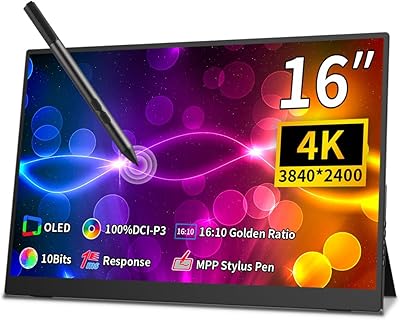
  • Resolution: Native resolution is 3840x2400 pixels (4K QUXGA Wide), delivering a pixel density that makes text and fine detail noticeably sharper than 1080p or 1440p portable displays.
  • Panel Type: Uses an A-grade IPS panel, which provides consistent color reproduction and a wide 178-degree viewing angle both horizontally and vertically.
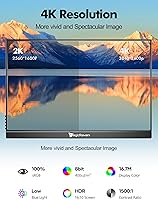
  • Brightness: Rated at 400 nits maximum brightness, which is adequate for most indoor environments but may feel limited in very bright or naturally lit spaces.
  • Contrast Ratio: Specified contrast ratio is 1500:1, offering a reasonable difference between dark and bright areas for an IPS-type panel in this category.
  • Color Gamut: Covers 100% of the sRGB color space, making it suitable for general content consumption, web design, and everyday productivity tasks.
  • Refresh Rate: Runs at a fixed 60Hz refresh rate, which is standard for productivity and casual use but not suited for high-frame-rate gaming.
  • HDR Support: HDR mode is supported, though performance will depend on the connected device and content source; results at this brightness level will be modest compared to dedicated HDR displays.
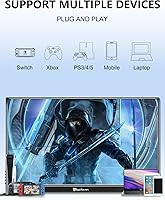
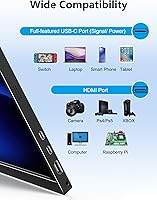
  • Connectivity: Equipped with two USB-C 3.2 ports and one HDMI 2.0 port, allowing connection to a wide range of laptops, smartphones, and gaming consoles without additional adapters.
  • Power Input: The monitor is powered exclusively through its USB-C ports; the micro-USB port on the unit is not a power input and should not be used for charging or power delivery.
  • Dimensions: The monitor body measures approximately 13.74 x 9.72 x 0.39 inches, making it thin enough to slide alongside a laptop in most standard bags.
  • Weight: The monitor alone weighs approximately 1.54 lb (0.7 kg), which is competitive among 16-inch portable displays and manageable for daily carry.
  • VESA Mount: Features a standard 75x75mm VESA mounting pattern on the rear, compatible with most monitor arms, desk clamps, and wall brackets sold separately.
  • FreeSync: AMD FreeSync is supported over compatible connections, which helps reduce screen tearing during gaming when the connected device supports variable refresh rate output.
  • Low Blue Light: A Low Blue Light mode is built into the display settings, useful for reducing eye strain during extended work or study sessions.
  • Screen Surface: The display uses a matte anti-glare surface finish, which reduces reflections from overhead lighting and windows compared to glossy alternatives.
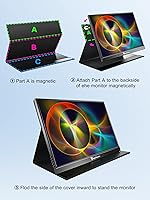
  • Included Accessories: The package includes a smart cover that doubles as a folding stand, along with USB-C and HDMI cables for immediate out-of-box connectivity.
  • Model Number: The official model identifier is M1603, manufactured by MAGICRAVEN; the Amazon ASIN for this specific unit is B0BZ4FPN3K.

Related Reviews
Newsoul M1620 16″ 4K Portable Monitor
81%
91%
Display Clarity
74%
Real-World Brightness
83%
Color Accuracy
88%
Build Quality
67%
Stand and Portability
More
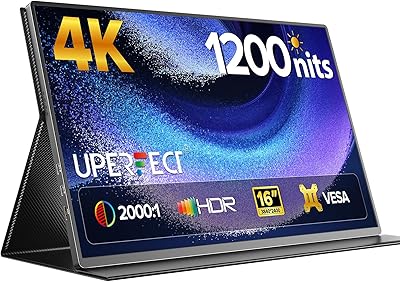
UPERFECT 16006DD 16″ 4K Portable Monitor
77%
83%
Brightness Performance
91%
Display Sharpness
74%
Color Accuracy
88%
Build Quality
76%
Portability
More
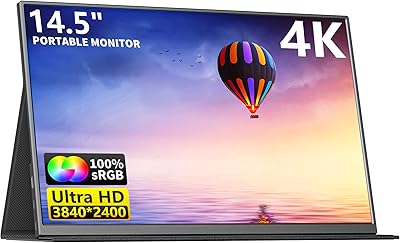
MAGICRAVEN 14.5″ 4K Portable Monitor
84%
91%
Display Quality
88%
Portability
90%
Ease of Setup
85%
Build Quality
87%
Connectivity
More
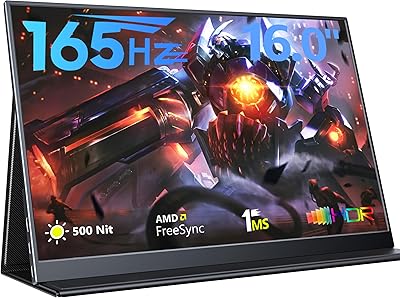
MAGICRAVEN 165Hz Portable Gaming Monitor 16″ 1920x1200
85%
91%
Display Quality
93%
Portability & Weight
89%
Gaming Performance
87%
Ease of Setup
85%
Eye Comfort Features
More
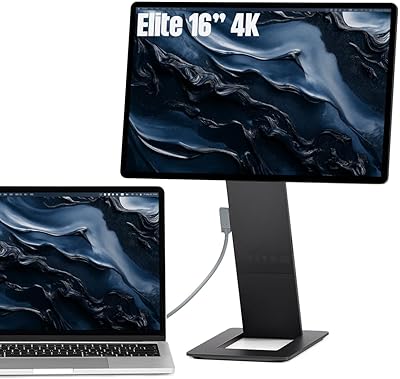
SOTSU FlipAction Elite 16″ Portable Monitor
78%
93%
Build Quality
91%
Portability & Pack Design
89%
Display Sharpness
84%
Color Accuracy
72%
Brightness & Glare Handling
More
Magedok 16-inch 4K OLED Touchscreen Portable Monitor
85%
91%
Display Quality
89%
Portability
75%
Touchscreen Performance
65%
Brightness in Bright Environments
88%
Gaming Performance
More
ViewSonic VX1655-4K-OLED 15.6-inch Portable OLED Monitor
77%
93%
Display Quality
91%
Portability
84%
USB-C Connectivity
88%
Build Quality
67%
Stand Stability
More
CAPERAVE BQ16H_1 16″ Portable Monitor
86%
94%
Display Quality
91%
Color Accuracy
89%
Refresh Rate & Gaming Performance
92%
Portability & Build
87%
Connectivity Options
More
Upperizon 16″ 2K Portable Monitor
85%
92%
Display Quality
90%
Portability & Size
87%
Ease of Setup
89%
Gaming Performance
94%
Color Accuracy
More
Veout V1 16″ Portable Monitor
76%
84%
Display Quality
91%
Portability & Form Factor
82%
Color Accuracy
88%
Setup & Compatibility
67%
Kickstand Stability
More

FAQ

It depends on your MacBook model. If your MacBook supports video output over USB-C (which most modern ones do), a single USB-C 3.1 Gen 2 cable can carry both video signal and power to the monitor simultaneously. Just make sure you are using a cable that supports data and video, not just charging — the included cable should work fine for this.

Yes, you can connect a Nintendo Switch in docked mode using the HDMI 2.0 port. You will need a separate power source for the monitor via USB-C, since the Switch dock does not provide power to the display. It is a clean setup for hotel gaming and the picture quality holds up well at this screen size.

No, none at all. The MAGICRAVEN M1603 16″ 4K Portable Monitor is fully plug-and-play on Windows, macOS, and most Android devices that support display output. Your operating system detects it automatically, though you may want to adjust the display scaling settings in Windows to make text a comfortable size at 4K resolution.

Most users find 150% to 175% scaling works best on Windows at 3840x2400 on a 16-inch screen. At 100% scaling everything becomes very small, but at 150% the sharpness of the 4K panel still shows through clearly. macOS handles HiDPI scaling automatically and tends to look great right away.

The included smart cover works well on flat, stable surfaces — it holds the display at a usable angle without much trouble. That said, on uneven surfaces like some cafe tables or textured desks, it can feel a bit wobbly. If you plan to use this primarily at a fixed desk, a VESA monitor arm is a more reliable long-term solution.

They are functional but modest. You will get enough volume for a quiet room video call or some background audio while working, but they are not going to replace even a basic Bluetooth speaker for music or movie watching. Think of them as a convenience for travel, not a feature you should buy this monitor specifically for.

Possibly, but with limitations. Some Android phones and tablets that support DisplayPort Alt Mode over USB-C can drive this display, but the phone also needs to supply enough power to run the monitor. In practice, many phones will struggle to do both simultaneously. A USB-C hub or a separate power bank connected to the second USB-C port is a more reliable approach.

Yes, via the HDMI 2.0 port. Keep in mind the monitor tops out at 60Hz, so you will not get 120fps output even if your console supports it — the display will cap gameplay at 60fps. For travel gaming or a secondary setup, the picture quality is genuinely solid for the format.

IPS panels like the one in this portable display are not prone to burn-in the way OLED screens are. Some IPS monitors can show temporary image retention if a static image is left on screen for many hours, but this typically clears up on its own within minutes. For normal use, this is not a concern worth worrying about.

This is one area where some users report disappointment. The 400-nit rating sounds solid, but in a bright office or sitting near a sunny window, the image can look washed out compared to higher-nit displays. The matte surface helps with reflections, but if you regularly work in very bright environments, you may want to consider a display with 500 nits or more.