Overview

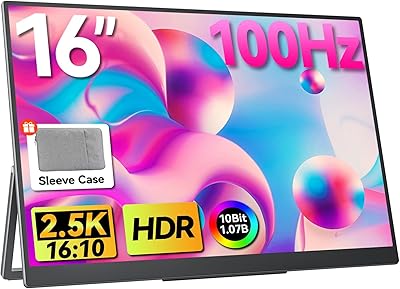
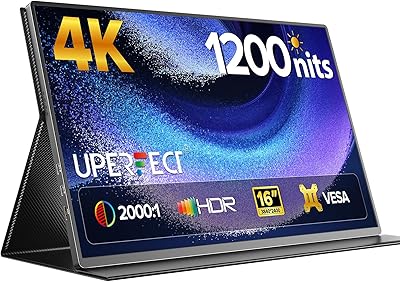
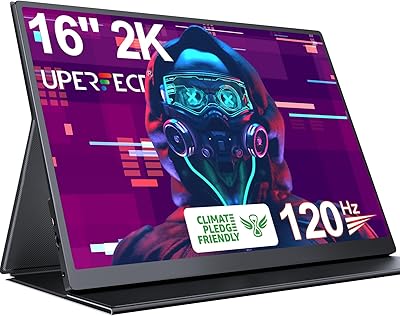
The CAPERAVE BQ16H 16″ Portable Monitor enters a crowded market with a spec sheet that genuinely stands out — a 2560x1600 QHD panel in a 16:10 aspect ratio puts it a notch above the flood of 1080p 16:9 options that dominate this price range. The extra vertical real estate is something you actually notice while working, not just a number on a box. An aluminum alloy back keeps it feeling solid without adding bulk, and CAPERAVE throws in a kickstand and a sleeve case from day one. The specs are compelling; whether the real-world experience holds up is what the rest of this review addresses.
Features & Benefits

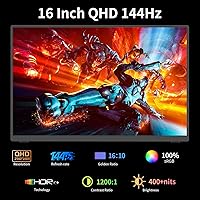
That 2560x1600 resolution on a 16-inch matte panel makes a real difference if you spend your day juggling browser tabs, code editors, or spreadsheets — you simply get more content on screen without shrinking everything to squinting size. For gaming, the refresh rate story is solid: 120Hz over HDMI and up to 144Hz via USB-C, backed by AMD FreeSync, keeps fast-paced action sharp and tear-free. One USB-C cable handles both power and video, cutting cable clutter considerably — though your device must support Thunderbolt 3 or USB 3.1 DP Alt Mode for that to work. At 400 nits with a 100% sRGB panel, it handles photo editing in a reasonably lit room. The built-in speakers are modest but spare you from hunting for headphones during a casual YouTube break.

Best For

This travel-friendly screen hits a sweet spot for several types of users. Laptop workers who bounce between home, coffee shops, and co-working spaces will appreciate the QHD sharpness and the added vertical height a 16:10 panel brings to their daily workflow. Console gamers traveling with a PS5 or Switch get a compact, high-refresh display that sets up quickly in a hotel room or a friend's place. Students moving between dorms, libraries, and home get a proper dual-screen setup without the weight penalty of a traditional monitor. Content creators needing a color-consistent reference screen on location will find the 100% sRGB panel credible — just keep it out of direct sunlight given the brightness ceiling.

User Feedback

Buyers consistently point to the panel clarity as a standout — moving from a 1080p portable to this QHD display is a noticeable jump that most people seem genuinely pleased by. The included sleeve case also gets mentioned frequently as a thoughtful addition rather than an afterthought. On the flip side, some users hit a frustrating wall with USB-C compatibility: if your laptop does not support DP Alt Mode, the single-cable setup simply will not work, and this catches buyers off guard more often than it should. The built-in kickstand draws mixed reactions — reliable on a flat desk, less stable on soft or uneven surfaces. Speakers land in checkbox territory; no one raves. Most buyers consider the CAPERAVE display a strong value for its tier, though a few note that better-known brands offer tighter out-of-box calibration.

Pros

  • The QHD 2560x1600 panel at 16:10 delivers noticeably sharper and taller images than the typical 1080p portable monitor.
  • AMD FreeSync and 120Hz refresh rate make fast-paced gaming genuinely smooth without requiring an expensive display.
  • A single USB-C cable handles both power and video — a real convenience when your laptop supports DP Alt Mode.
  • The aluminum alloy back gives this portable monitor a premium, durable feel that holds up well against daily travel wear.
  • A protective sleeve case is included in the box, saving buyers the extra cost and hassle of sourcing one separately.
  • The matte panel surface cuts reflections effectively, making it comfortable to use in mixed indoor lighting conditions.
  • Built-in speakers mean you can get audio without hunting for headphones during casual streaming or video calls.
  • Low blue light mode is a practical addition for long work sessions or evening gaming without dedicated eye-strain software.
  • HDR support and a 1200:1 contrast ratio add visible depth to compatible content, especially in darker scenes.
  • Broad device compatibility — PC, MacBook, PS5, PS4, Xbox, Nintendo Switch — makes this a versatile second screen across setups.

Cons

  • USB-C single-cable use only works if your laptop supports Thunderbolt 3 or USB 3.1 DP Alt Mode — many mid-range laptops do not.
  • At 400 nits, brightness is adequate indoors but falls short in bright rooms or near windows with direct sunlight.
  • Out-of-box color calibration may need manual tweaking for anyone doing even semi-professional photo or video work.
  • The built-in kickstand can wobble or slip on uneven or soft surfaces, limiting where you can comfortably set it up.
  • At 3.83 pounds, it is lighter than a desktop monitor but heavier than the slimmest rivals in this category.
  • Built-in speakers are thin and low-volume — they handle a YouTube video in a quiet room, but not much more.
  • The 144Hz maximum refresh rate is only achievable via USB-C; HDMI users are capped at 120Hz, which some gamers will notice.
  • CAPERAVE is a relatively new brand with a shorter track record than established names, which may concern buyers prioritizing long-term support.
  • No built-in battery means you always need a power source — either from the host device or a powered USB-C hub.
  • Color accuracy claims are hardware-level; real-world performance varies and some users report needing calibration software for consistent results.

Ratings

Our AI rating system analyzed verified global user reviews for the CAPERAVE BQ16H 16″ Portable Monitor, actively filtering out incentivized, bot-generated, and duplicate submissions to surface what real buyers actually experience. The scores below reflect both the genuine strengths that keep repeat customers happy and the friction points that have frustrated enough users to be statistically significant. Nothing has been smoothed over — the highs and the lows are both represented.

Display Clarity
91%
Users consistently describe the 2560x1600 QHD panel as a standout upgrade compared to the 1080p portable monitors they replaced. The extra vertical height from the 16:10 ratio gets specific praise from coders and writers who can see more content on screen without constant scrolling.
A small portion of buyers note that the panel can show minor uniformity issues in very dark scenes, particularly noticeable when watching dark cinematic content in a fully dimmed room. This is not universal, but it surfaces often enough to mention.
Refresh Rate & Gaming
86%
Console gamers traveling with a PS5 or Xbox frequently highlight how smooth 120Hz gameplay feels compared to their previous 60Hz portable setup. AMD FreeSync adds genuine tear-reduction that competitive players notice during fast-paced titles.
Reaching 144Hz requires USB-C with DP Alt Mode support — a limitation that disappoints users who assumed HDMI would deliver the same top speed. Some buyers also report that the difference between 120Hz and 144Hz is subtle enough that the connectivity constraint feels unnecessarily complicated.
Connectivity & Setup
78%
22%
When the single USB-C cable setup works, buyers love how clean and simple it makes their desk or travel configuration — one cable in and everything runs. The dual USB-C plus HDMI port combination also gives enough flexibility for different devices.
The USB-C compatibility requirement — Thunderbolt 3 or USB 3.1 DP Alt Mode — catches a significant number of buyers off guard, and it is the most frequently cited reason for returns. Users with mid-range Windows laptops or older MacBooks often discover the limitation only after unboxing.
Build Quality
83%
The aluminum alloy back cover earns consistent compliments from buyers who have owned cheaper all-plastic portable monitors. Most users describe it as feeling noticeably more solid in hand and more resistant to flex when moving between locations.
The front bezel is still plastic, and a few users note that the screen frame picks up fine scratches over time without the included sleeve case. The overall assembly feels good but not quite flagship — corners and edges occasionally feel slightly misaligned on some units.
Color Accuracy
74%
26%
For casual photo reviewing, light retouching, and on-location color reference work, most users find the 100% sRGB panel performs reliably in controlled indoor lighting. Colors appear vivid and consistent enough for everyday creative tasks without professional calibration.
Buyers who tried using this travel-friendly screen for paid color-critical work — video grading, print-ready photo editing — note that the out-of-box calibration drifts from accurate neutral tones, particularly in warm mid-tones. A hardware calibration tool is needed to bring it up to professional standards.
Brightness & Visibility
67%
33%
Indoors and in typical office or café environments, 400 nits is comfortable and bright enough for long work sessions. The matte coating does a solid job of reducing lamp reflections, which partly compensates for the moderate brightness ceiling.
Outdoor or window-adjacent use is where buyers consistently hit a wall — the screen washes out noticeably in strong natural light, making it nearly unusable outside. For a travel monitor, this is a meaningful limitation that users mention more than any other environmental frustration.
Portability & Weight
72%
28%
At under an inch thick, the CAPERAVE display slides easily into a laptop sleeve or backpack side pocket alongside a 16-inch laptop. The slim aluminum profile gives it a carry-friendly footprint that most buyers appreciate during commutes and trips.
At 3.83 pounds, it sits at the heavier end for this screen size category — noticeably heavier than competing monitors that come in under three pounds. Buyers who carry it daily in a shoulder bag mention that the weight adds up over long commutes.
Included Accessories
88%
The protective sleeve case is frequently called out as a genuine value-add rather than a throwaway extra — it provides real padding and keeps the screen scratch-free in a crowded bag. The built-in kickstand also removes the need to pack a separate stand, which simplifies travel setups considerably.
The sleeve case fits snugly but offers no room for cables or accessories alongside the monitor, so users still need a separate pouch for their USB-C and HDMI cables. The kickstand angle range is fixed and limited, which frustrates buyers who prefer a more reclined or upright viewing position.
Kickstand Stability
63%
37%
On a hard, flat desk surface the kickstand holds its position reliably throughout a full workday without slipping or shifting. Most home-office users who keep the monitor on the same desk report no issues with stability under normal conditions.
On any surface with texture, softness, or slight incline — couch armrests, fabric tablecloths, airport lounge tables — the kickstand feet slip and the monitor tilts unexpectedly. This is a recurring complaint from travel-heavy users who expected the design to handle varied real-world surfaces better.
Built-in Speakers
51%
49%
Having any audio output built into a portable monitor is genuinely useful when you forget headphones or need quick sound during a video call in a quiet environment. The speakers function reliably and add no noticeable latency relative to the video signal.
Volume headroom is limited and the audio quality is thin — bass is essentially absent and audio sounds hollow at higher volumes. Most buyers treat the built-in speakers as a last resort rather than a feature they actively use, and several specifically mention wishing the space had gone toward other improvements.
Eye Comfort
81%
19%
The low blue light mode draws frequent positive feedback from users who do multi-hour evening work sessions or late-night gaming. Combined with the matte coating that reduces flicker from overhead lighting, most buyers find the display noticeably gentler on their eyes than their laptop screen during extended use.
The low blue light mode introduces a visible warm color shift that some users find disruptive during color-sensitive tasks. There is no granular control over the intensity — it is essentially on or off — which limits how useful it is for users who want a subtle adjustment rather than a strong filter.
Gaming Compatibility
82%
18%
Compatibility with PS5, Xbox Series X, and Nintendo Switch makes this one of the more versatile portable gaming displays in its size range. Console gamers specifically appreciate the plug-and-play experience over HDMI, which requires no driver installation or settings adjustment.
Switch users connecting via USB-C may run into power delivery limitations and need an additional power source to keep the monitor running stably during longer sessions. A small number of Xbox users also report occasional handshake delays when waking the console from standby.
Value for Money
79%
21%
Buyers who researched the portable monitor market before purchasing consistently describe this as one of the better-specced options at its price point — QHD resolution, 120Hz, FreeSync, and a case included is a strong combination that competing products often spread across higher price tiers.
Users who discover the USB-C compatibility limitation post-purchase tend to rate the value much lower, since the premium one-cable experience is a core part of the pitch. A handful of buyers also feel that better-known brands offer tighter factory calibration and more reliable long-term support for a modest price premium.
Setup Experience
76%
24%
For users with compatible devices, initial setup is genuinely quick — the on-screen display menu is straightforward, the monitor auto-detects the input source, and no driver installation is required on any major operating system.
Users who need to troubleshoot the USB-C connection — checking DP Alt Mode support, testing different cables, adjusting power settings — describe the process as frustrating and time-consuming. The product packaging and documentation do not clearly warn buyers about the compatibility requirements upfront.
Durability Over Time
69%
31%
The aluminum back cover holds up well to daily bag-in, bag-out use without accumulating the scratches and flexing that all-plastic monitors show after a few months. Most medium-term owners report no structural issues after several months of regular travel use.
Long-term feedback is limited given the product's relatively recent market entry, and some buyers express uncertainty about CAPERAVE's warranty support and parts availability compared to established monitor brands. A few users also note that the screen coating shows micro-abrasions around the edges after extended sleeve-case storage.

Suitable for:

The CAPERAVE BQ16H 16″ Portable Monitor is a genuinely strong fit for anyone whose work or play regularly moves between locations. Remote workers and freelancers who want a real productivity upgrade on the road will appreciate the 2560x1600 QHD panel at 16:10 — that extra vertical screen height is noticeably useful when you are reading documents, writing code, or managing spreadsheets side by side. Console gamers who travel with a PS5, Xbox, or Switch will find the 120Hz refresh rate and AMD FreeSync a meaningful step up from the budget portable monitors typically aimed at that crowd. Students rotating between a dorm, a library, and home get a well-built, packable second screen that does not feel flimsy after a few weeks in a backpack. Content creators doing on-location shoots or client reviews will find the 100% sRGB coverage honest enough for color-checking work, as long as they are not in direct sunlight.
Not suitable for:

Buyers expecting plug-and-play USB-C convenience should do their homework before purchasing, because this travel-friendly screen requires Thunderbolt 3 or USB 3.1 DP Alt Mode support on the host device — a caveat that trips up a surprising number of people and is the most common reason for returns. Anyone working primarily outdoors or in bright ambient light will find 400 nits limiting; it is adequate indoors but struggles against glare in sunlit environments. Professional photographers or video editors who need tight, verified color accuracy should be cautious — the 100% sRGB claim is solid for casual creative use, but out-of-box calibration may not meet the standards of paid color-critical work without manual adjustment. Users who move the monitor frequently between surfaces — desks, laps, couch armrests — may find the built-in kickstand less reliable than a dedicated stand or folio-style case. Finally, anyone who primarily needs a large-screen experience will find that the CAPERAVE display, at 16 inches and under four pounds, prioritizes portability over screen size.

Specifications

  • Screen Size: The panel measures 16 inches diagonally, offering a larger viewing area than the 15.6-inch portable monitors that dominate this category.
  • Resolution: Native resolution is 2560x1600 pixels, delivering sharp, detailed images well above standard 1080p portable displays.
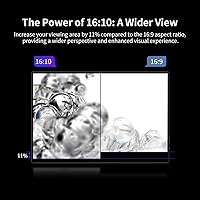
  • Aspect Ratio: The 16:10 aspect ratio provides more vertical screen space than conventional 16:9 monitors, which is noticeably beneficial for productivity tasks and document reading.
  • Refresh Rate: The display runs at up to 144Hz via USB-C and 120Hz via HDMI, supporting smooth motion in gaming and fast-scrolling workflows.
  • Brightness: Peak brightness is rated at 400 nits, suitable for use in indoor and moderately lit environments but not designed for direct sunlight.
  • Color Gamut: The panel covers 100% of the sRGB color space, making it a credible option for color-sensitive work in controlled lighting conditions.
  • Color Depth: 10-bit color depth allows the display to render over one billion colors, reducing visible banding in gradients and rich visual content.
  • Contrast Ratio: A 1200:1 static contrast ratio delivers meaningful separation between dark and light areas, adding depth to on-screen content.
  • Panel Surface: The matte screen coating reduces glare and reflections from ambient light sources, improving comfort during extended viewing sessions.
  • HDR Support: The monitor supports HDR content playback, enhancing highlight and shadow detail when connected to a compatible source device.
  • Sync Technology: AMD FreeSync is supported, synchronizing the display refresh rate with the GPU output to reduce screen tearing during gaming.
  • Connectivity: The monitor includes two USB-C ports and one full-size HDMI port, providing flexible connection options for different devices and setups.
  • USB-C Function: A single USB-C cable can carry both the display signal and power simultaneously, provided the host device supports Thunderbolt 3 or USB 3.1 DP Alt Mode.
  • Dimensions: The monitor measures 13.6 x 8.52 x 0.7 inches, keeping it slim enough to slide into most laptop bags alongside other gear.
  • Weight: At 3.83 pounds, the display is portable for travel use, though it sits at the heavier end of the thin portable monitor segment.
  • Build Material: The rear housing uses an aluminum alloy construction, which contributes to both structural rigidity and a more premium feel compared to all-plastic alternatives.
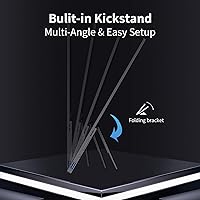
  • Kickstand: A built-in adjustable kickstand is integrated into the back of the monitor, allowing for hands-free positioning without requiring an external stand.
  • Included Accessories: A protective sleeve case is included in the package, providing basic padding and scratch protection during transport.
  • Audio: Dual built-in speakers are incorporated into the chassis, offering basic audio output for casual media consumption without requiring external speakers.
  • Eye Care: A low blue light mode is available through the monitor's on-screen display menu, reducing high-frequency blue light emission during extended use sessions.

Related Reviews

Veout V1 16″ Portable Monitor
76%
84%
Display Quality
91%
Portability & Form Factor
82%
Color Accuracy
88%
Setup & Compatibility
67%
Kickstand Stability
More
Upperizon U16LS 16″ 2K Portable Monitor
74%
91%
Display Sharpness
83%
Color Accuracy
89%
Portability
78%
Refresh Rate Performance
86%
Setup & Ease of Use
More
MAGICRAVEN M1603 16″ 4K Portable Monitor
75%
91%
Image Sharpness
88%
Portability
86%
Connectivity
89%
Setup Experience
63%
Brightness
More
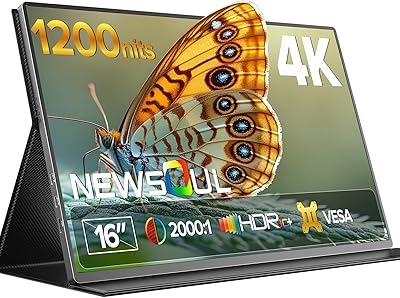
Newsoul M1620 16″ 4K Portable Monitor
81%
91%
Display Clarity
74%
Real-World Brightness
83%
Color Accuracy
88%
Build Quality
67%
Stand and Portability
More
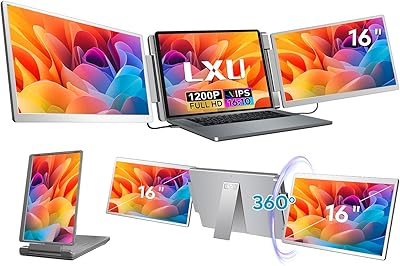
LXU S11 16-inch Portable Screen Extender
71%
83%
Display Quality
88%
Aspect Ratio Utility
91%
Setup & Ease of Use
41%
Mac Compatibility
62%
Portability
More
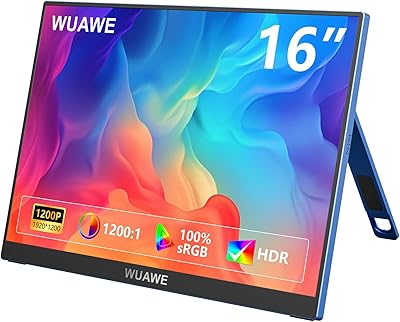
WUAWE WAB160 16-inch Portable Monitor
76%
91%
Portability
83%
Build Quality
78%
Display Clarity
61%
Brightness
86%
Connectivity
More
UPERFECT 16006DD 16″ 4K Portable Monitor
77%
83%
Brightness Performance
91%
Display Sharpness
74%
Color Accuracy
88%
Build Quality
76%
Portability
More
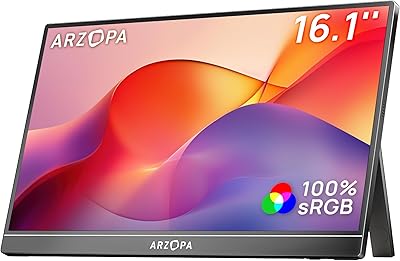
ARZOPA Z1C 16.1″ Portable Monitor
76%
91%
Value for Money
83%
Display Quality
89%
Portability
81%
Build Quality
79%
Connectivity
More
CAPERAVE CF15 15.6-inch Portable Monitor
70%
83%
Portability & Build
76%
Display Quality
51%
Brightness
91%
Setup & Ease of Use
82%
Value for Money
More
UPERFECT 1602K 16″ 2K Portable Gaming Monitor
79%
91%
Display Clarity
88%
Gaming Performance
93%
Portability & Form Factor
84%
Connectivity
67%
Stand & Cover
More

FAQ

Yes, the Switch supports USB-C video output in docked mode, so you can connect it directly to this portable monitor using a compatible USB-C cable. Keep in mind you will likely need a separate power source for the monitor in this setup since the Switch may not supply enough power through the same cable. A small USB-C power adapter or a powered hub solves that easily.

Your laptop needs to support either Thunderbolt 3 or USB 3.1 with DisplayPort Alt Mode for the one-cable setup to work. The quickest way to check is to look up your laptop model's USB-C spec on the manufacturer's website — if it mentions DP Alt Mode or Thunderbolt, you are good. If your laptop only has a basic USB-C charging port, you will need to use HDMI for video and a separate cable for power.

Yes, the PS5 connects via HDMI and the CAPERAVE BQ16H 16″ Portable Monitor supports up to 120Hz over that connection, which lines up well with the PS5 output. You will need to make sure your HDMI cable supports the bandwidth for 120Hz at this resolution — a standard HDMI 2.0 cable handles it fine.
On a flat, hard surface like a desk, the kickstand holds the monitor steadily without much issue. On softer or uneven surfaces — think a couch cushion or a textured tablecloth — it can shift or tilt unexpectedly. If you move the monitor between a lot of different surfaces, it is worth being mindful of where you set it up.

Decent is a generous word for them. They work fine for background audio during a video call or a YouTube video in a quiet room, but they are thin and lack bass. If audio quality matters to you even a little, plug in headphones or a small Bluetooth speaker — the built-in option is really just a fallback.

For casual photo editing and color review work, the 100% sRGB panel does a reasonable job, especially in a controlled indoor environment. If you are doing professional-grade color grading or need verified calibration, the out-of-box accuracy may need adjustment with a hardware calibrator. For hobbyist use or on-location reference work, it is a solid performer at this size and price range.

That depends on how much power your laptop can push through its USB-C port. Many laptops supply enough to run this travel-friendly screen without a separate charger, but some lower-powered ultrabooks may struggle under heavy load. If you notice performance issues or the monitor drawing down your battery quickly, adding a small USB-C power adapter directly to the monitor resolves it.

Over HDMI, the monitor tops out at 120Hz, which is still very smooth for gaming or general use. The 144Hz maximum is only available through USB-C with a compatible device. For most users, the difference between 120Hz and 144Hz is subtle — you would really need to be a competitive gamer to notice it in practice.

The 16-inch screen is comfortable for one person to use as a second monitor, but side-by-side viewing for two people gets tight. The matte panel does reduce glare, which helps when you are both looking from slightly different angles, but it is fundamentally designed as a personal display rather than a shared workspace screen.

The low blue light mode does make a noticeable difference in reducing that harsh, eye-straining quality you get from bright displays at night. It shifts the color temperature slightly warm, similar to Night Shift on a Mac or Night Mode on Windows. It is not a substitute for taking regular screen breaks, but it is a legitimate comfort feature for evening work or gaming sessions.