Overview

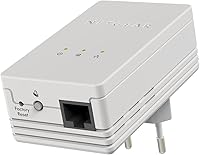
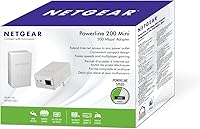
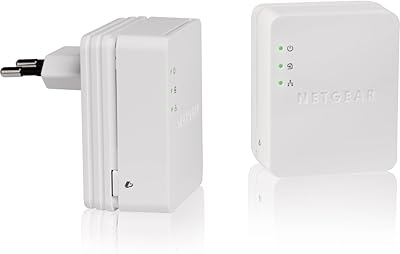
The Netgear XAVB1301 Powerline 200Mbps Mini Adapter Kit takes a refreshingly practical approach to a common home networking headache: getting a stable wired connection to a room that's nowhere near your router. The kit ships with two adapters, so you're ready to go straight out of the box — no hunting for a second unit. The headline speed figure is theoretical and, like most powerline products, real-world throughput will land noticeably lower depending on your home's wiring. Still, for everyday streaming and online gaming, actual performance is typically more than adequate. It sits comfortably in the mid-range powerline category.
Features & Benefits

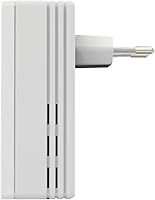
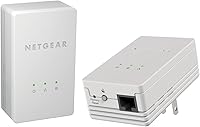
One of the more underappreciated aspects of this wired home networking kit is how little space it takes up on a wall outlet — the compact body is far less intrusive than older, bulkier powerline designs. Setup is genuinely straightforward: plug both adapters in, connect your Ethernet cables, and you're done. No software, no drivers, no configuration screens. The push-button encryption feature is a nice touch — one press locks down the network without making you memorize a passphrase. It works with desktops, gaming consoles, smart TVs, and most streaming boxes, making it a versatile fit for multiple device types across the house.

Best For

This powerline adapter kit makes the most sense for people who need a reliable wired connection in a specific room but can't — or don't want to — run cables through walls. Renters especially benefit here, since no drilling or permanent changes are required. Gamers chasing lower ping without the hassle of long Ethernet runs will find it a practical fix. It's also a strong pick for households where Wi-Fi dead zones are a recurring frustration. Non-technical users will appreciate the near-zero setup curve. That said, anyone in an older home should be aware that aging electrical wiring can meaningfully cap performance.

User Feedback

Owners of the Netgear mini powerline starter kit are largely positive about how quickly it gets up and running, with many noting they had a working connection within minutes of unboxing. The compact design earns consistent praise for not hogging outlet space. Where the reviews get more mixed is around real-world speeds — buyers in older homes or on circuits shared with appliances often report throughput well below the theoretical ceiling. A smaller number of users mention occasional pairing issues between units, requiring an adapter reset to resolve. Overall, reliability and simplicity are the recurring themes on the positive side, while performance variability is the main caveat worth keeping in mind.

Pros

  • Two adapters included in the box — no separate purchases needed to get started right away.
  • Setup takes under five minutes with no software, drivers, or configuration screens required.
  • The compact body leaves the adjacent wall outlet free in most standard socket layouts.
  • Ethernet delivery means noticeably lower and more consistent latency compared to Wi-Fi for gaming and video calls.
  • Push-button encryption secures the network instantly without passwords or admin logins.
  • Works with a wide range of devices including smart TVs, game consoles, and desktop PCs.
  • Runs quietly and stays at a comfortable temperature during typical everyday use.
  • A reliable option for renters who cannot make permanent changes to their living space.
  • Real-world performance in newer homes with clean wiring is solid for HD streaming and casual gaming.

Cons

  • Actual throughput in most homes lands well below the headline speed figure — sometimes significantly so.
  • Performance is heavily dependent on home wiring age and electrical circuit layout, which the packaging does not adequately disclose.
  • Adapters placed on different electrical circuits — common in multi-story homes — can deliver very weak or unstable connections.
  • Occasional pairing failures require unplugging and resetting one or both units, which is frustrating for non-technical users.
  • No speed-tier indicator light means you have no way to judge connection quality without running a separate speed test.
  • The listed OS compatibility covers only legacy Windows versions, suggesting the product has not been actively maintained for years.
  • The plastic casing shows yellowing and scuff marks over time, especially in warmer environments.
  • No companion app or admin interface means zero visibility into network status or connected devices.

Ratings

The Netgear XAVB1301 Powerline 200Mbps Mini Adapter Kit has been scored by our AI system after processing verified buyer reviews from global markets, with spam, bot-submitted, and incentivized feedback actively filtered out. Scores reflect the full spectrum of real ownership experiences — from first-time setup to long-term daily use — and do not shy away from the trade-offs that matter most to buyers. Both the genuine strengths and the recurring frustrations are weighted transparently in every category below.
Ease of Setup
91%
Buyers consistently describe the setup process as one of the fastest they have experienced with any networking device. Most report having a working connection within five minutes of unboxing — plug both adapters in, connect Ethernet cables, and the units find each other automatically without any app or configuration screen.
A small but notable group of users ran into pairing failures on first attempt, requiring a manual reset of one or both units before the connection established. This is rare but can be disorienting for non-technical users who expect zero friction.
Real-World Speed Performance
62%
38%
For typical households with reasonably modern wiring, the throughput is more than sufficient for HD streaming, video calls, and low-latency gaming — the activities most buyers actually purchase this kit for. Users in newer homes or apartments frequently report solid, consistent speeds that hold up well under everyday load.
The gap between the theoretical speed ceiling and actual delivered throughput is a recurring complaint. Buyers in older homes, or those whose adapters end up on different electrical circuits, often see speeds that fall well short of expectations — sometimes dramatically so. This is an inherent limitation of powerline technology, not a defect, but the product framing does little to set realistic expectations.
Connection Stability
78%
22%
The Ethernet-based delivery gives this wired home networking kit a meaningful latency advantage over Wi-Fi for time-sensitive tasks. Gamers and users of video conferencing tools repeatedly highlight that dropouts and packet spikes are far less common compared to their previous wireless setup in the same room.
Some users report that the connection occasionally drops after extended use, particularly when other high-draw appliances share the same circuit. A small number describe needing to unplug and replug one adapter periodically to restore connectivity, which undermines confidence in long-term reliability.
Physical Design & Footprint
86%
The compact form factor is one of the most praised aspects of this kit. Unlike older, heavier powerline adapters that can block an adjacent outlet entirely, this unit sits close to the wall and leaves the second socket accessible in most standard outlet configurations. It is a genuinely practical improvement over earlier designs.
The adapter is still large enough to cause clearance issues in tight spots — behind furniture, in multi-plug power strips, or in recessed wall outlets. A few buyers note that the white casing shows scuff marks and discoloration over time, which is a minor but consistent cosmetic gripe.
Security Features
77%
23%
The push-button encryption is a thoughtful inclusion that removes the password-management burden entirely. For home users who simply want a secure private network segment without logging into any admin interface, one press is genuinely all it takes — a level of convenience that non-technical users specifically appreciate.
Security-conscious buyers note that the push-button approach, while convenient, offers no visibility into the encryption status or the ability to audit connected devices. There is no companion app or indicator light that clearly confirms the network is secured, which leaves some users uncertain.
Compatibility
71%
29%
Works reliably with the full range of common home devices — smart TVs, game consoles, desktop computers, and streaming boxes all connect without issues via the Ethernet port. Buyers switching from a different powerline brand generally find it integrates without friction into existing home network setups.
The officially listed operating system support covers only Windows XP, Vista, and 7, which raises legitimate questions about how actively this product has been maintained. While the hardware itself functions regardless of OS in most cases, the dated compatibility list signals this kit has not seen meaningful updates in years.
Value for Money
68%
32%
As a starter kit with two adapters included at a mid-range price, buyers who get strong throughput from their home wiring generally feel the value proposition holds up well. Not having to purchase adapters separately is a practical convenience that adds to the perceived value on day one.
For buyers in homes with older or mixed-circuit wiring, the real-world performance gap can make the price feel hard to justify compared to a basic Wi-Fi extender. Those who experience inconsistent pairing or speed drop-offs tend to feel the cost-to-benefit ratio tips unfavorably, especially given competing powerline options now available at similar price points.
Build Quality & Durability
73%
27%
The housing feels solid and well-constructed for the price tier. Users running this kit continuously over several months report that the unit itself holds up without any hardware failures, and the Ethernet port remains snug and reliable with repeated cable connections.
The plastic casing is on the lighter side and does not convey premium durability. A few long-term owners note that the prongs can feel slightly loose in older wall outlets, and the finish is prone to yellowing in warm environments near windows or heating vents.
Indicator Lights & Feedback
64%
36%
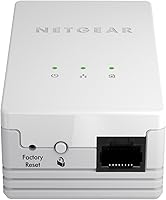
The LED indicator lights give a quick visual confirmation that the adapters have paired and that an Ethernet device is connected. For most users, this is enough to diagnose obvious problems — a missing light means something is disconnected or unpaired.
The light system is too simplistic to indicate signal strength or throughput quality, which buyers in larger or older homes specifically wish they had. Without any speed-tier indicator, there is no easy way to know whether you are getting strong powerline performance or a weak connection without running a speed test.
Noise & Heat Output
82%
18%
The unit runs quietly and stays at a comfortable temperature during normal operation. Buyers who place the adapter in bedrooms or home offices report no audible fan noise or buzzing, which makes it far less intrusive than some networking hardware.
Under sustained heavy-load transfers — large file downloads or continuous 4K streaming — a small number of users note the adapter becomes noticeably warm to the touch. This is not reported as a safety concern, but it is something to keep in mind if the unit is plugged into a confined or poorly ventilated space.
Range Across Home Wiring
59%
41%
In smaller homes or apartments where both adapters share the same electrical circuit, the effective range is perfectly adequate for most buyers. Users in single-floor residences frequently report that the connection holds reliably at distances that would challenge a typical Wi-Fi setup.
Multi-story homes and larger properties expose the core limitation of this technology: performance degrades significantly when adapters are on separate circuits or when the electrical panel is old. Buyers hoping to bridge distant corners of a large house should approach with measured expectations.
Package Contents & Documentation
74%
26%
The kit includes everything needed to get started immediately — both adapters plus Ethernet cables, so no additional purchases are required on day one. The quick-start guide is clear and visual enough that most users can complete setup without reading a single line of text.
The documentation does not adequately warn buyers about the circuit-dependency issue, which is arguably the single biggest factor in whether this kit will perform well in their home. A short compatibility checklist or wiring guide would prevent a significant portion of the disappointed returns.
Firmware & Long-Term Support
41%
59%
The hardware itself continues to function reliably years after purchase for buyers who have kept it in consistent use. As a plug-and-forget device, the lack of firmware interaction is not a problem for users who simply want it to work without ongoing maintenance.
There is no evidence of active firmware development or security patching for this model, and the product has not been meaningfully updated since its original launch. For buyers with any concern about long-term support or network security hygiene, this is a real drawback that newer models from the same brand address more credibly.

Suitable for:

The Netgear XAVB1301 Powerline 200Mbps Mini Adapter Kit is a practical fit for anyone who needs a stable, wired internet connection in a room that's simply too far from the router to run a cable conveniently. Renters and apartment dwellers will find it especially appealing since the whole setup requires nothing more than two wall outlets and a pair of Ethernet cables — no drilling, no landlord conversations, no permanent changes. Casual gamers dealing with lag and stuttering on a wireless connection will notice a real difference once their console or PC is getting a direct wired signal rather than fighting for Wi-Fi bandwidth. It's equally well-suited for households where one room just never gets a reliable wireless signal, whether that's a home office at the back of the house or a living room TV setup one floor below the router. Non-technical users will appreciate that there's no router login, no app to install, and no password to configure — if you can plug something into a wall, you can set this up.
Not suitable for:

The Netgear XAVB1301 Powerline 200Mbps Mini Adapter Kit is a harder sell for buyers living in older homes with aging or mixed electrical wiring, where the performance gap between the advertised speed and real-world throughput can be substantial enough to make the purchase feel like a waste of money. Anyone hoping to bridge two very distant points in a large property — particularly across separate electrical circuits or through a sub-panel — should know that powerline technology is fundamentally constrained by the quality of the wiring it travels through, and this kit is no exception. Power users who need consistently high throughput for things like large NAS transfers, 4K content serving, or competitive online gaming at low latency may find the real-world speeds too unpredictable to rely on. The product's support documentation lists only legacy Windows versions, which is a quiet but telling sign that this model has not received meaningful updates in years — buyers with any concern about long-term firmware support or network security should weigh that carefully. If your home already has decent Wi-Fi coverage throughout, this wired home networking kit offers little advantage worth its price.
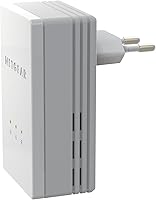
Specifications

  • Brand: Manufactured by NETGEAR, a well-established networking hardware company.
  • Model Number: The exact model identifier for this kit is XAVB1301-100PAS.
  • Kit Contents: Each package includes two mini powerline adapters, allowing full point-to-point setup straight out of the box.
  • Theoretical Speed: The adapters are rated at up to 200Mbps under ideal conditions, though real-world throughput will typically be lower depending on home wiring quality.
  • Connection Type: Both adapters use a standard Ethernet port to connect to devices and the router.
  • Data Protocol: Communication follows the IEEE 802.3 Ethernet standard, ensuring broad device compatibility.
  • Form Factor: The compact mini plug-in design is notably smaller than traditional powerline adapters, reducing wall outlet obstruction.
  • Security: Network encryption is activated via a single push-button on the adapter body, requiring no password or software configuration.
  • Setup Method: The kit uses true plug-and-play installation with no drivers, software, or router login required.
  • OS Compatibility: Officially documented compatibility covers Windows XP, Windows Vista, and Windows 7, reflecting the product's original release era.
  • Supported Devices: Compatible with desktop PCs, gaming consoles, smart TVs, set-top boxes, and any device accepting a standard Ethernet connection.
  • Color: Both adapters are finished in white.
  • Kit Weight: The combined kit weighs approximately 13.8 oz, making it lightweight and easy to ship or transport.
  • Dimensions: The overall package measures 7.28″ x 5.12″ x 3.15″, reflecting the compact footprint of the included adapters.
  • Wiring Requirement: No new electrical wiring is needed — the adapters operate over the home's existing power lines.
  • First Available: This product was first listed for sale in October 2012, indicating it is a mature product line without recent hardware revisions.
  • UPC: The product's Universal Product Code is 606449090055.
  • Manufacturer: Produced by Netgear Inc, headquartered in the United States.

Related Reviews
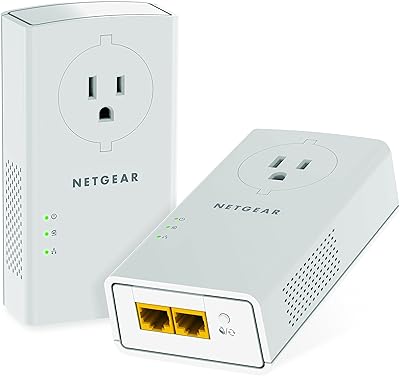
NETGEAR Powerline Adapter Kit PLP2000-100PAS
74%
91%
Ease of Setup
67%
Real-World Speed Performance
78%
Network Reliability & Stability
74%
Build Quality & Durability
88%
Pass-Through Outlet Design
More
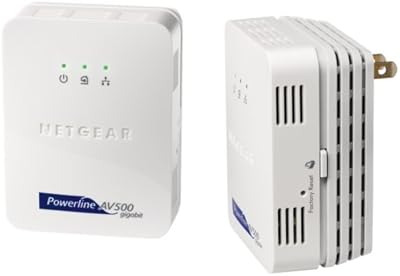
Netgear XAVB5001 Powerline Network Adapter Kit
70%
88%
Ease of Setup
51%
Real-World Speed Performance
73%
Connection Stability
58%
Electrical Outlet Compatibility
67%
Value for Money
More
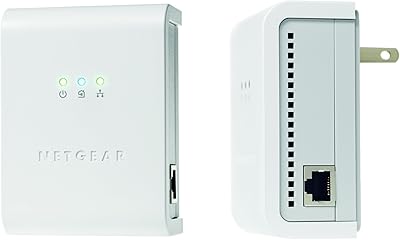
Netgear XETB1001 Powerline Network Adapter Kit
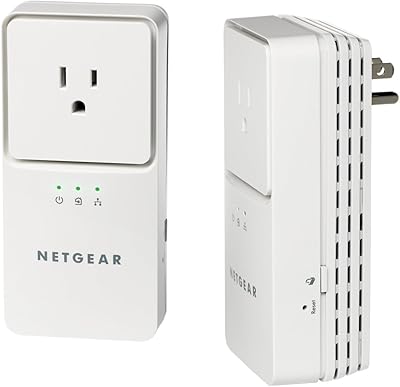
68%
88%
Ease of Setup
51%
Real-World Speed
67%
Connection Stability
58%
Value for Money
74%
Compatibility
More
NETGEAR Powerline AV+ 200 Adapter Kit XAVB2501
82%
86%
Performance
92%
Ease of Setup
82%
Connectivity Reliability
78%
Speed Stability
88%
Value for Money
More
NETGEAR XAVB2101 Powerline Network Adapter Kit
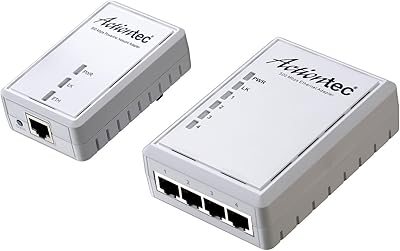
71%
91%
Ease of Setup
61%
Real-World Speed Performance
88%
Physical Design & Form Factor
72%
Network Stability
67%
Value for Money
More
Actiontec PWR514K01 Powerline Network Adapter Kit
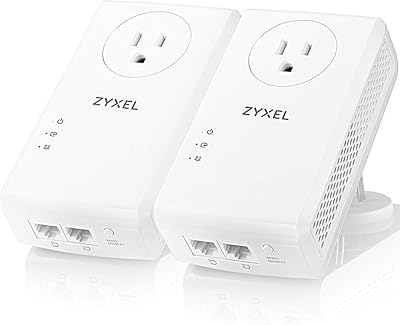
73%
91%
Ease of Setup
88%
Multi-Device Connectivity
57%
Real-World Throughput
74%
Connection Stability
69%
Value for Money
More
Zyxel PLA5456 AV2000 Powerline Adapter Kit
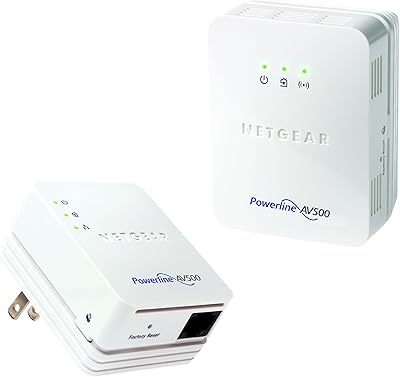
74%
91%
Ease of Setup
67%
Real-World Throughput
74%
Network Stability
61%
Hardware Reliability
88%
Port Configuration
More
NETGEAR Powerline 500 N300 WiFi Adapter Kit
66%
88%
Ease of Setup
54%
Real-World Throughput
61%
WiFi Coverage Extension
49%
Electrical Circuit Compatibility
73%
Build Quality & Design
More
ZyXEL PLA5206 Powerline Adapter Kit
64%
84%
Ease of Setup
58%
Real-World Network Speed
63%
Reliability & Connection Stability
51%
Compatibility with Home Wiring
61%
Value for Money
More
Actiontec PWR511K01 500Mbps Powerline Network Adapter Kit
67%
88%
Ease of Setup
61%
Real-World Speed Performance
74%
Connection Stability
53%
Build Quality & Durability
67%
Value for Money
More

FAQ

No, and that is honestly one of the best things about this kit. You plug one adapter into a wall outlet near your router and connect it via Ethernet, then plug the second adapter into any outlet in the room you want to cover and connect it to your device. The two units find each other automatically — no app, no driver, no login required.

It may work, but you should go in with realistic expectations. Powerline adapters use your home's electrical wiring to carry the network signal, so the age and condition of that wiring directly affects performance. Older homes — particularly those with wiring from the mid-20th century or properties that have had multiple electrical renovations — often see noticeably lower speeds and less stable connections than newer builds.

That is the single biggest performance killer for any powerline kit. If the two adapters are on separate circuits — which can happen in multi-story homes or properties with a sub-panel — signal quality drops significantly and you may get very slow speeds or no connection at all. Ideally, both adapters should be on the same circuit, which is something to check before purchasing.

Yes, absolutely. The adapter has a standard Ethernet port, so anything that accepts a wired connection — PlayStation, Xbox, Nintendo Switch dock, smart TV, streaming box — will work. Many gamers buy this specific type of kit to avoid the lag spikes that come with Wi-Fi.

Press the encryption button on one adapter, then press the same button on the second adapter within two minutes. That links the two units with encrypted communication that is specific to your pair of adapters. No password to remember and no app needed — it is as close to one-touch security as you can get.

The officially supported operating systems listed by NETGEAR only include legacy Windows versions, which reflects how old this product is. In practice, since the adapter just creates a standard wired Ethernet connection, it will work with any device that has an Ethernet port regardless of operating system — your computer does not interact with the adapter directly at a software level.

Yes, most NETGEAR powerline adapters from the same technology generation can be paired together on the same network. You would typically need to use the push-button pairing process to add a new unit. That said, mixing models with different speed ratings can result in the faster adapter being limited to the speed of the slower one.

Honest answer: considerably less than the 200Mbps headline figure. For most homes with decent modern wiring, you might see anywhere from 40Mbps to 80Mbps in practice — which is still plenty for HD streaming, video calls, and casual online gaming. Homes with older or noisier wiring will land toward the lower end or below it. Running a speed test after setup is the quickest way to know what your specific wiring delivers.

Yes, and fairly significantly. Powerline adapters are designed to plug directly into a wall outlet. Surge protectors and power strips contain filtering components that can block or weaken the powerline signal, resulting in slower speeds or a failure to connect altogether. Always use a direct wall socket for best results.

Start by making sure both are plugged directly into wall outlets on the same electrical circuit. If they still do not connect, do a factory reset on both units — usually done by holding the reset button for a few seconds — and then try the pairing process again from scratch. Most pairing failures are resolved this way, though a small number of buyers do report persistent issues that require contacting NETGEAR support.

Where to Buy