Overview

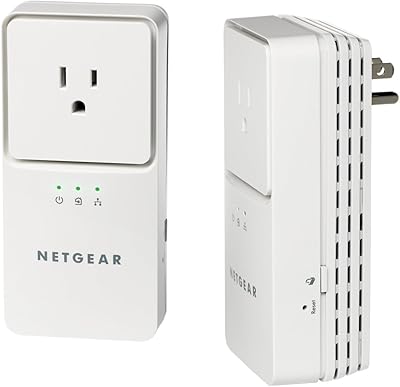
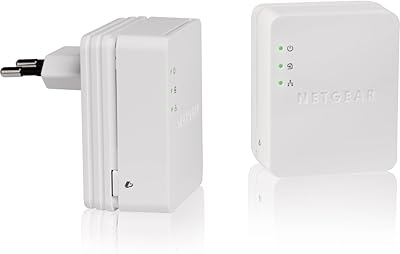
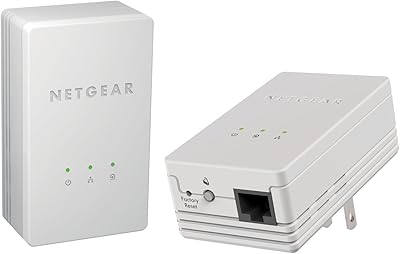
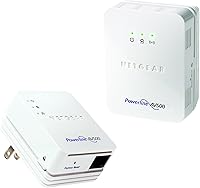
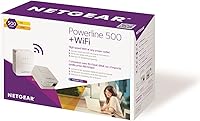
The NETGEAR Powerline 500 N300 WiFi Adapter Kit is a two-piece solution for anyone tired of dead zones but unwilling — or unable — to run new Ethernet cable through walls. One adapter connects to your router; the other plugs into any outlet in the room that needs coverage, delivering both a wired port and a local WiFi signal. The appeal is straightforward: no software, no configuration, just two plugs and you are done. It sits at a mid-range price point, which buys you that built-in wireless access point that cheaper kits skip entirely. Expect real-world speeds noticeably below the theoretical 500Mbps ceiling — that number assumes ideal electrical conditions most homes do not have.
Features & Benefits

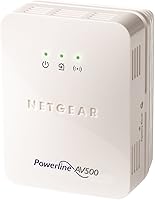
The Pick-A-Plug LED indicator is one of the more practical touches on this adapter kit — it color-codes outlet quality so you are not guessing which wall socket gives the best connection. Security is handled with a single button press that applies 128-bit AES encryption to the powerline link, no app or password required. The remote unit also broadcasts an N300 wireless signal, which works well as a local coverage extender for a back bedroom or garage — just do not expect it to replace a full router. One Ethernet port keeps things simple, and the compact body rarely blocks the neighboring outlet, which is a small but welcome design detail. An auto standby mode cuts power when nothing is connected.

Best For

This powerline WiFi kit makes the most sense for people who have exhausted the usual fixes — a WiFi extender that barely helps, a router that cannot punch through concrete floors — and need something more reliable without hiring an electrician. It is a strong fit for renters and homeowners who want a stable connection for a smart TV, game console, or home office setup in a room that WiFi simply does not reach well. Users in older homes with thick plaster walls will likely see the biggest improvement. That said, if your home has a split electrical panel or older wiring, performance can be unpredictable, so it is worth checking your setup before committing.

User Feedback

Across 362 ratings, the NETGEAR XWNB5201 sits at 3.7 out of 5 — a middling score that reflects genuinely divided opinions. Buyers who got solid results praise the dramatically improved streaming stability, and many highlight setup taking minutes as a genuine relief after years of WiFi frustration. The complaints, though, are consistent: actual throughput in many homes lands far below the 500Mbps headline, and users on older or mixed circuits sometimes see little improvement at all. Plugging either adapter into a power strip rather than directly into a wall outlet is a common mistake that tanks performance. The N300 wireless range also draws some criticism for being modest — helpful as a local extender but not built for large, open spaces.

Pros

  • Zero configuration required — plug both adapters in and the connection establishes itself within seconds.
  • The Pick-A-Plug LED takes the guesswork out of finding the best outlet for a strong signal.
  • Includes a built-in WiFi access point, something most competing kits at this price level skip entirely.
  • One-button AES encryption secures the powerline link without passwords or apps.
  • Compact body rarely blocks the neighboring socket on a standard wall outlet.
  • Auto standby mode cuts idle power draw without any manual input.
  • Works with other HomePlug AV adapters, so expanding the network later is possible.
  • Noticeably improves streaming stability in rooms where WiFi signal is weak or inconsistent.
  • Universal voltage input means it can be used in different countries without an adapter.

Cons

  • Real-world speeds fall well short of the 500Mbps headline — many users see a fraction of that figure.
  • Performance is highly dependent on home wiring quality; older or split-panel circuits often deliver poor results.
  • Plugging either adapter into a power strip instead of a wall outlet significantly degrades the connection.
  • Only one Ethernet port on the remote unit limits wired connections to a single device.
  • The N300 wireless range is modest and unsuitable for covering large or open-plan spaces.
  • Power outages and circuit breaker trips can break the pairing, requiring a manual re-sync.
  • Some units show inconsistent long-term reliability, with gradual speed drops reported after extended use.
  • The LEDs can be distractingly bright in dark rooms with no option to dim them.
  • Troubleshooting documentation is thin, leaving users with compatibility issues largely on their own.

Ratings

The NETGEAR Powerline 500 N300 WiFi Adapter Kit has been evaluated by our AI system after analyzing hundreds of verified buyer reviews from global markets, with spam, incentivized, and bot-generated feedback actively filtered out. The scores below reflect what real users experience day-to-day — not the best-case scenario the spec sheet suggests. Strengths and frustrations are weighted equally, so you get an honest picture before you buy.
Ease of Setup
88%
Most buyers are up and running within five minutes — plug one adapter into a router port and wall outlet, plug the second into the destination room, and the connection establishes automatically. No software disc, no app, no account creation. For non-technical users, this is a genuine relief.
A small number of users had to unplug and re-pair the adapters using the sync button before the connection stabilized, which was confusing without clear troubleshooting guidance in the included documentation.
Real-World Throughput
54%
46%
In homes with modern, single-circuit wiring, this adapter kit delivers a noticeable upgrade over weak WiFi — enough for stable HD streaming and video calls in rooms where the router signal barely reaches. Users running smart TVs and streaming sticks report the biggest day-to-day improvement.
The 500Mbps figure is theoretical and rarely approached in practice. Many buyers report actual speeds in the 50–150Mbps range, and in homes with older wiring or mixed electrical circuits, throughput can drop further still, making it unsuitable for demanding use cases like 4K streaming or large file transfers.
WiFi Coverage Extension
61%
39%
The built-in N300 access point is a meaningful bonus over wired-only kits — it creates a usable secondary wireless zone in a garage, basement, or far bedroom without requiring a separate extender or access point purchase. For light browsing and streaming, it does the job.
N300 is a modest standard, and the wireless range from the remote adapter is limited. Users expecting it to blanket a large open-plan floor or replace a router in any capacity will be disappointed. It works best when devices are within the same room or immediately adjacent to the adapter.
Electrical Circuit Compatibility
49%
51%
In homes built after the 1990s with a single unified electrical circuit, the adapters generally communicate reliably and maintain a stable link between floors or across wings of a house. Buyers in newer apartments and townhomes tend to report the most consistent results.
This is the kit's most significant real-world limitation. Homes with split electrical panels, older knob-and-tube wiring, or circuits that cross phase boundaries often see poor or no communication between adapters. This issue affects a meaningful share of buyers and is worth investigating before purchasing.
Build Quality & Design
73%
27%
The compact plug-in body feels solid and does not wobble in the outlet. Its footprint is small enough that it rarely blocks the second socket on a standard duplex outlet, which is a practical detail that larger adapters often get wrong.
The plastic housing feels utilitarian rather than premium, and the LED indicators — while useful — can be distractingly bright in a dark bedroom. A few users noted the adapter runs noticeably warm during extended use, though no failures were attributed to heat in the reviewed feedback.
Pick-A-Plug Signal LED
81%
19%
The color-coded outlet indicator is genuinely useful, especially for first-time powerline users who would otherwise have no idea which outlet in a room gives the cleanest signal. Green, amber, and red make it intuitive without needing any app or meter.
The LED only tells you relative signal quality at a given outlet — it does not give speed estimates or diagnose why a connection is weak. More technically inclined users may find it a rough guide rather than a precision tool.
Security & Encryption
78%
22%
One-button AES-128 encryption means the powerline network is secured without remembering a passphrase or opening a browser interface. For households sharing walls with neighbors — apartments, semi-detached homes — this is a worthwhile layer of protection that takes seconds to enable.
The encryption is only active if the user manually presses the sync button with security intent, which is not clearly explained in setup instructions. Some buyers may run the network unencrypted without realizing it is an option they need to activate.
Value for Money
62%
38%
For buyers whose homes are electrically compatible, the kit delivers a functional wired-plus-wireless extension at a fair mid-range price. The inclusion of a WiFi access point differentiates it from cheaper wired-only alternatives, adding tangible utility for households with multiple devices.
Given the inconsistency of real-world performance, a meaningful portion of buyers feel the price is hard to justify when speeds disappoint. If your home turns out to be poorly suited to powerline networking, there is little recourse — and the product ends up being an expensive experiment.
Energy Efficiency
76%
24%
The auto standby feature powers down the adapter when no device is actively connected, which is a thoughtful inclusion for users who leave the kit plugged in around the clock. It reduces idle power draw without requiring any manual intervention.
The power-saving mode occasionally causes a brief reconnection delay when a device wakes from sleep, which a handful of users found mildly frustrating in practice — particularly with smart TVs that expect an instant network handshake on startup.
Port Availability
55%
45%
The single Ethernet port is perfectly adequate for connecting one primary device — a smart TV, a desktop PC, or a game console — and covering that use case well. For households with one device per room, it is enough.
Buyers hoping to connect multiple wired devices at the destination end will need a separate switch, adding cost and complexity. Only one Ethernet port on the remote adapter is a real constraint compared to competing kits that offer two or three ports at a similar price.
Reliability Over Time
59%
41%
A solid portion of long-term users report the kit running without issue for a year or more once a compatible outlet is found and the adapters are left in place. Stability tends to improve when nothing else on the circuit is creating electrical noise.
Some users report gradual performance degradation or intermittent dropouts after several months of use, particularly in homes with appliances that generate electrical interference. A few reported needing to re-pair the adapters after power outages or circuit breaker trips.
Compatibility with Other Devices
71%
29%
The HomePlug AV standard means this kit can theoretically work alongside other HomePlug AV adapters from different brands, giving users flexibility if they want to expand their powerline network later with additional nodes from other manufacturers.
Mixing brands in a powerline network does not always work cleanly in practice, and NETGEAR does not formally support cross-brand configurations. Users who want to expand the network reliably are generally better off staying within the same product family.
Documentation & Support
52%
48%
Initial setup is simple enough that most users never need the manual at all. The Pick-A-Plug LED and plug-and-play design mean the product largely explains itself for basic installations.
When things go wrong — poor signal, failed pairing, unexpected dropouts — the included documentation offers limited troubleshooting depth. Online support resources exist but are dated, and buyers troubleshooting circuit compatibility issues are largely left to figure it out themselves.

Suitable for:

The NETGEAR Powerline 500 N300 WiFi Adapter Kit is a practical solution for anyone who has given up on WiFi extenders and is not in a position to run Ethernet cable through walls. It works particularly well for renters, apartment dwellers, and homeowners in newer builds where the electrical wiring runs on a single unified circuit — these are the conditions where powerline adapters perform most reliably. If you have a smart TV, game console, or desktop sitting in a back bedroom, basement, or detached garage that your router signal barely touches, this adapter kit can deliver a meaningfully more stable connection than WiFi alone. It also suits households that want a completely hands-off setup — there is no app to manage, no firmware interface to navigate, and no ongoing maintenance once the adapters are paired. The added N300 wireless access point makes it especially useful for spaces where you need both a wired connection for one primary device and light wireless coverage for phones or tablets in the same area.
Not suitable for:

The NETGEAR Powerline 500 N300 WiFi Adapter Kit is a poor fit for anyone expecting speeds anywhere near its 500Mbps specification — in most real-world homes, actual throughput lands considerably lower, and in homes with older, split-panel, or mixed electrical wiring, performance can be erratic or negligible. If your home was built before the 1980s or has undergone partial rewiring, there is a real chance the two adapters will struggle to communicate reliably across different circuit phases, making the purchase a frustrating gamble. Users who need multiple wired devices at the destination end will also find the single Ethernet port limiting without adding a separate switch. Anyone hoping this will function as a whole-home WiFi solution or replace their router entirely will be disappointed — the N300 wireless output is a local convenience, not a coverage powerhouse. Heavy users with demanding bandwidth needs — 4K streaming, large cloud backups, competitive online gaming — should look at a wired Ethernet run or a more capable mesh networking system instead.

Specifications

  • Powerline Speed: The powerline connection supports a theoretical maximum of 500 Mbps, though real-world throughput will vary significantly based on home wiring quality and electrical circuit layout.
  • WiFi Standard: The remote adapter broadcasts a 2.4 GHz wireless signal using the 802.11b/g/n (N300) standard, providing up to 300 Mbps of theoretical wireless bandwidth.
  • Ethernet Ports: The remote adapter includes one Fast Ethernet port, supporting wired connections to a single device such as a smart TV, game console, or desktop computer.
  • Dimensions: Each adapter unit measures 7.29 x 5.12 x 3.15 inches, with a compact plug-in form factor designed to minimize outlet obstruction on standard wall plates.
  • Item Weight: The full kit weighs approximately 6 ounces, making it easy to transport or reposition if needed.
  • Input Voltage: Both adapters support universal input voltage ranging from 100 to 240 Volts, making them compatible with electrical systems in multiple countries.
  • Encryption: The powerline network connection can be secured with 128-bit AES encryption by pressing the sync button on both adapters, requiring no software, app, or password configuration.
  • Signal Indicator: The Pick-A-Plug LED system uses a three-color indicator (green, amber, red) to show relative outlet signal quality at a glance, helping users identify the strongest available connection point.
  • Power Saving: An automatic standby mode reduces power consumption when no device is actively connected to the adapter, with the unit resuming normal operation when a connection is detected.
  • Network Standard: Both adapters comply with the HomePlug AV standard, allowing interoperability with other HomePlug AV-compatible powerline devices from third-party manufacturers.
  • Wireless Type: The integrated wireless access point on the remote unit operates on the 802.11n protocol across the 2.4 GHz band only, with no 5 GHz band support.
  • OS Compatibility: The kit is compatible with Microsoft Windows XP, Vista, and 7, as well as Mac OS X, though no software installation is required for basic plug-and-play operation.
  • Model Number: The official NETGEAR model number for this starter kit is XWNB5201-100PAS, which identifies the two-adapter configuration with the integrated WiFi access point.
  • ASIN: The Amazon Standard Identification Number for this product is B009WG6K66, useful for verifying you are purchasing the correct configuration.
  • First Available: This product was first listed for sale on October 26, 2012, and has accumulated over 360 verified ratings since its initial release.
  • Manufacturer: This adapter kit is designed and manufactured by Netgear Inc, a US-based networking hardware company headquartered in San Jose, California.
  • Compatible Devices: The kit is designed to work with desktops, laptops, printers, smart TVs, smartphones, and tablets that connect via Ethernet or 802.11b/g/n WiFi.
  • Data Protocol: The wired connection uses standard Ethernet and Fast Ethernet protocols compliant with IEEE 802.3, supporting data transfer up to 100 Mbps on the physical port.

Related Reviews
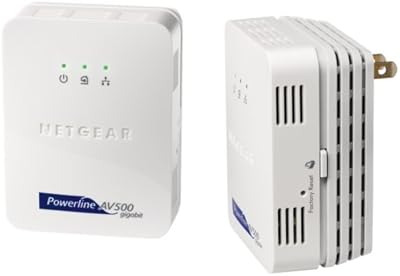
NETGEAR Powerline Adapter Kit PLP2000-100PAS
74%
91%
Ease of Setup
67%
Real-World Speed Performance
78%
Network Reliability & Stability
74%
Build Quality & Durability
88%
Pass-Through Outlet Design
More
Netgear XETB1001 Powerline Network Adapter Kit
68%
88%
Ease of Setup
51%
Real-World Speed
67%
Connection Stability
58%
Value for Money
74%
Compatibility
More
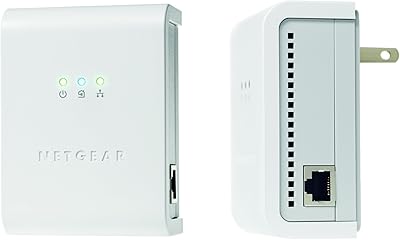
Netgear XAVB5001 Powerline Network Adapter Kit
70%
88%
Ease of Setup
51%
Real-World Speed Performance
73%
Connection Stability
58%
Electrical Outlet Compatibility
67%
Value for Money
More
NETGEAR Powerline AV+ 200 Adapter Kit XAVB2501
82%
86%
Performance
92%
Ease of Setup
82%
Connectivity Reliability
78%
Speed Stability
88%
Value for Money
More
Actiontec PWR511K01 500Mbps Powerline Network Adapter Kit
67%
88%
Ease of Setup
61%
Real-World Speed Performance
74%
Connection Stability
53%
Build Quality & Durability
67%
Value for Money
More
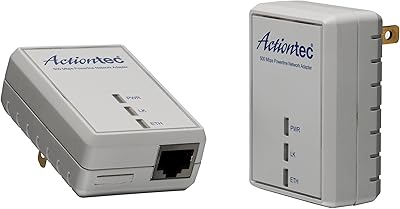
NETGEAR XAVB2101 Powerline Network Adapter Kit
71%
91%
Ease of Setup
61%
Real-World Speed Performance
88%
Physical Design & Form Factor
72%
Network Stability
67%
Value for Money
More
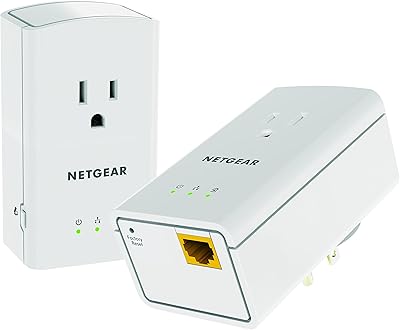
TRENDnet TPL-406E2K Powerline 500 Adapter Kit
78%
91%
Ease of Setup
67%
Real-World Speed
83%
Connection Stability
78%
Build Quality & Form Factor
74%
Value for Money
More
NETGEAR Powerline 500 XAVB5421
82%
88%
Performance for Streaming and Gaming
91%
Ease of Setup
62%
Connection Stability in Larger Homes
86%
Value for Money
89%
Extra Power Outlet Functionality
More
Actiontec PWR514K01 Powerline Network Adapter Kit
73%
91%
Ease of Setup
88%
Multi-Device Connectivity
57%
Real-World Throughput
74%
Connection Stability
69%
Value for Money
More
Netgear XAVB1301 Powerline 200Mbps Mini Adapter Kit
71%
91%
Ease of Setup
62%
Real-World Speed Performance
78%
Connection Stability
86%
Physical Design & Footprint
77%
Security Features
More

FAQ

The 500Mbps figure is a theoretical maximum that assumes ideal electrical conditions — in practice, most users see speeds somewhere between 50 and 150Mbps depending on their home wiring. That said, even at real-world speeds, the connection is typically far more stable than a weak WiFi signal, which makes a noticeable difference for streaming and video calls.

Older homes are the trickiest environment for powerline networking. If your home has a split electrical panel, knob-and-tube wiring, or circuits that cross phase boundaries, the two adapters may struggle to communicate reliably. A good rule of thumb: if your home was built before the 1980s or has had partial rewiring, there is a meaningful risk of poor performance, and you should factor that in before buying.

It is entirely separate — think of the wireless signal from the remote adapter as a small local hotspot for one room, not a whole-home network. It is useful for phones or tablets in the same space as the adapter, but it is not powerful enough to cover multiple rooms or replace your main router in any meaningful way.

You should avoid this. Powerline adapters need to communicate through your home's electrical wiring, and power strips — especially those with surge protection — can filter out or block the signal the adapters use. Always plug them directly into a wall outlet for the best chance of a reliable connection.

No software required at all. You plug one adapter into a wall outlet near your router and connect it with an Ethernet cable, then plug the second adapter in wherever you need coverage. The two units find each other automatically within a minute or two. The only time you need to press any buttons is if you want to enable the optional encryption feature.

The LED on each adapter indicates how strong the powerline signal is at that particular outlet. Green means you have a good connection, amber means the signal is acceptable but not ideal, and red means the outlet is poorly suited and you should try a different socket. It is a quick and practical way to compare a few outlets before committing to a spot.

In theory, yes — the HomePlug AV standard is designed for cross-brand compatibility. In practice, mixing brands does not always work cleanly, and NETGEAR does not officially support mixed configurations. If you want to expand your network later, staying within the same product family is the safer path.

You get one Ethernet port on the remote adapter, so only one device can be wired in. The N300 WiFi access point can handle several wireless devices simultaneously, though keep in mind the total bandwidth is shared across all of them. For households with just one primary device per room, this is rarely an issue.

The NETGEAR Powerline 500 N300 WiFi Adapter Kit should reconnect automatically once power is restored in most cases, but some users report needing to manually re-sync the adapters after a power cut or circuit breaker trip. Keeping the pairing process in mind — holding the sync button on both units for a few seconds — means you can recover quickly if it does happen.

Yes, it creates its own separate wireless network with its own network name (SSID), which you set up independently from your main router's WiFi. This means devices in that room will connect to a different network name than the rest of your home, which can occasionally cause confusion if you have smart home devices that expect a single unified network.