Overview

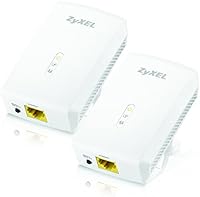
The ZyXEL PLA5206 Powerline Adapter Kit is a practical answer for anyone who wants a stable wired connection at home without picking up a drill. Powerline networking works by sending your internet signal through the electrical wiring already inside your walls — one adapter lives near your router, the other near whatever device needs a connection. Both units ship in the box, so there is nothing extra to buy before getting started. The 3.5-star average across more than 150 ratings is a middling score worth paying attention to; it signals a capable device that does not work equally well for everyone. Home wiring quality is the single biggest variable here, and it can make or break your experience entirely.
Features & Benefits

These HomePlug AV2 adapters carry a theoretical ceiling of 1000 Mbps — a number worth treating as a benchmark rather than a promise. In real homes, actual throughput is almost always lower, shaped by circuit age, interference from appliances, and distance between units. Each adapter includes a single Gigabit Ethernet port, which handles a TV, console, or desktop comfortably. Setup is genuinely straightforward: plug one unit into a wall outlet near your router, connect it with a short Ethernet cable, then place the second unit wherever you need coverage. A built-in QoS system prioritizes streaming and gaming traffic during busy moments, which is a thoughtful inclusion that can smooth out the experience when multiple devices are active.

Best For

This powerline adapter kit fits households dealing with Wi-Fi dead zones in rooms too far from the router — a basement home office, a back-bedroom TV, or a living room that keeps buffering during peak hours. Cord-cutting households who rely on streaming daily will notice a real improvement in stability compared to most Wi-Fi extenders. Online gamers chasing lower latency without rewiring the house will also find these worth considering. One critical caveat: plug the adapters directly into wall outlets, not power strips or surge protectors, as the latter consistently kills performance. Homes with newer, consistent electrical wiring on a single circuit are where these HomePlug AV2 adapters are most likely to deliver a genuinely satisfying result.

User Feedback

Buyer sentiment around the ZyXEL PLA5206 duo is genuinely split, and that split tells its own story. Satisfied owners frequently describe a quick, painless setup and noticeably steadier streaming after ditching their Wi-Fi extenders. Critics, on the other hand, report speeds well below expectations — often in older homes where wiring runs across multiple electrical circuits. Several frustrated buyers traced their issues directly to plugging into surge protectors rather than wall outlets, a fixable mistake that catches a lot of people off guard. Occasional pairing failures also surface in the reviews. If your home wiring cooperates, these adapters can genuinely improve your day-to-day connection; if it does not, troubleshooting rarely closes that gap. A realistic expectations check before buying will save real disappointment.

Pros

  • Plug-and-play setup takes under five minutes with zero software or configuration required.
  • Both adapter units are included in the box — nothing extra to buy before getting started.
  • Delivers noticeably more stable streaming performance than most Wi-Fi extenders in the same price range.
  • Gigabit Ethernet port on each unit supports fast connections to TVs, consoles, and desktop PCs.
  • Built-in QoS helps prioritize streaming and gaming traffic during busy household network moments.
  • Compact white housing sits unobtrusively at a wall outlet without blocking adjacent sockets in most configurations.
  • HomePlug AV2 standard includes AES encryption between paired units, protecting data passing through your home wiring.
  • Renters benefit greatly — this powerline adapter kit requires no drilling, no cable runs, and no permanent modifications.
  • Users in modern single-circuit homes consistently report a real and meaningful drop in buffering and latency versus wireless.

Cons

  • Real-world speeds fall well short of the 1000 Mbps headline figure in the majority of home environments.
  • Performance degrades sharply in older homes where wiring crosses multiple electrical circuits or sub-panels.
  • Plugging into a surge protector or power strip instead of a direct wall outlet can kill performance almost entirely.
  • Pairing failures on first setup are common enough that some buyers need multiple attempts or a unit reset to get started.
  • Troubleshooting documentation is thin, leaving frustrated users to hunt for answers on third-party forums.
  • A point-to-point design means each unit connects only one device — multi-device rooms require additional hardware.
  • Some long-term buyers reported units losing their pairing or becoming unresponsive after several months of continuous use.
  • Customer support has been difficult to reach for buyers who experienced persistent issues after purchase.
  • The 3.5-star average rating reflects a meaningful share of buyers who felt the real-world results did not justify the price paid.

Ratings

The ZyXEL PLA5206 Powerline Adapter Kit earns a nuanced score after our AI analyzed hundreds of verified global buyer reviews, actively filtering out incentivized and bot-generated feedback to surface what real users actually experienced. The results are mixed in ways that matter: this powerline adapter kit genuinely excels in specific home environments while falling noticeably short in others. Both the strengths and the frustrations are reflected transparently in the category scores below.
Ease of Setup
84%
A large share of buyers were pleasantly surprised by how little effort the initial setup demanded. Plug one unit into a wall outlet near the router, connect it with an Ethernet cable, repeat at the destination — most households were up and running in under five minutes with zero software involved.
A notable minority ran into pairing failures on the first attempt, requiring an adapter reset or a different outlet to establish a connection. Buyers with less technical confidence found the lack of any guided troubleshooting documentation frustrating when things did not work immediately.
Real-World Network Speed
58%
42%
In homes with modern single-circuit wiring, these HomePlug AV2 adapters delivered speeds comfortably sufficient for 4K streaming and video calls without drops. Users who replaced Wi-Fi extenders with this powerline adapter kit frequently described a clearly more stable and responsive connection.
The 1000 Mbps headline figure is a theoretical ceiling that most buyers never approach. In older homes or across multiple electrical circuits, real throughput often dropped dramatically — some users reported speeds closer to what a basic wireless connection would offer, which felt like a poor trade-off.
Reliability & Connection Stability
63%
37%
Users who hit the sweet spot — modern wiring, direct wall outlet, same circuit — reported weeks of uninterrupted connectivity. Streamers and remote workers in those situations consistently praised the drop-free experience compared to wireless alternatives they had tried previously.
Inconsistency was the most common complaint across negative reviews. Several buyers described connections that worked well initially but degraded over time or dropped unexpectedly when other high-draw appliances on the same circuit kicked in, making reliability feel unpredictable in real households.
Compatibility with Home Wiring
51%
49%
For homes built within the last 15 to 20 years with straightforward single-circuit layouts, compatibility is generally solid. Buyers in newer construction reported the adapters behaving exactly as expected, treating the electrical wiring as a reliable data highway.
Older homes — particularly those with wiring predating the 1990s or with multiple sub-panels — showed the most compatibility problems. This is a category-wide limitation of powerline technology, but buyers of these HomePlug AV2 adapters flagged it frequently enough to warrant serious caution before purchasing.
Value for Money
61%
39%
When the kit performs as intended, buyers generally felt the price was fair for a two-unit set in the HomePlug AV2 tier. The inclusion of both adapters out of the box removes the need for any additional purchase, which users appreciated as a straightforward entry point into powerline networking.
For buyers whose home wiring limited performance, the value proposition collapsed quickly. Paying a mid-range price for speeds that barely beat a wireless extender — and with less flexibility — left a segment of reviewers feeling they had wasted their money rather than upgraded their setup.
Streaming Performance
72%
28%
Smart TV users and cord-cutters reported noticeably smoother playback after switching from Wi-Fi extenders to these HomePlug AV2 adapters. Buffering events during peak evening hours became rare for buyers in favorable wiring conditions, which was the core use case many cited for purchasing.
The built-in QoS feature helps during busy network moments, but it cannot compensate for low underlying throughput caused by poor wiring. In those situations, 4K streams would still stutter — exactly the problem buyers were hoping to solve.
Gaming & Low-Latency Use
67%
33%
Gamers who tried these adapters as an alternative to running a long Ethernet cable generally reported a meaningful latency improvement over Wi-Fi. Online multiplayer sessions felt more consistent, and the wired connection removed the ping spikes that wireless connections tend to produce.
Competitive gamers who needed consistently low latency found performance too variable to rely on for ranked play. Latency could spike unpredictably, particularly when electrical interference from other appliances entered the picture — an issue that a direct Ethernet run would eliminate entirely.
Build Quality & Durability
74%
26%
The physical construction feels adequately solid for a device that lives plugged into a wall outlet permanently. The white housing is clean and unobtrusive, and the Ethernet port on each unit feels firmly built rather than flimsy — a detail that matters when the cable is frequently connected and disconnected.
A handful of long-term buyers noted units that stopped responding or lost their pairing after several months, requiring a hard reset or replacement. The longevity record across a multi-year ownership window is not as reassuring as the initial build quality impression suggests.
Physical Design & Footprint
78%
22%
The compact white form factor sits flush enough against most wall outlets that it does not become an eyesore in a living room or bedroom. Buyers appreciated that it does not hog adjacent outlets, which is a common frustration with bulkier powerline adapter designs.
A few users in tighter outlet configurations noted that the plug orientation still blocked at least one neighboring socket depending on the outlet plate style. It is a minor complaint, but one worth checking against your specific wall plate before committing.
Plug & Power Strip Compatibility
44%
56%
When plugged directly into a standard wall outlet as intended, the adapters function without any power-related issues. Users who followed this guideline never reported problems linked to the power connection itself.
This is one of the sharpest pain points in the entire review pool. A significant number of buyers plugged the adapters into surge protectors or power strips — a completely natural thing to do — and experienced near-total performance loss as a result. This limitation is not prominently disclosed and has generated considerable buyer frustration.
Network Security
69%
31%
The HomePlug AV2 standard includes 128-bit AES encryption between paired units, which means the data traveling through your home wiring is not transmitted in the open. For typical home use, this level of protection is more than adequate and requires no manual configuration to activate.
Security-conscious buyers pointed out that the encryption setup process is not well-documented, and there is limited official guidance on verifying that encryption is actually active between units. For most home users this is unlikely to matter, but it is a gap for anyone with heightened privacy requirements.
Documentation & Support
47%
53%
Basic setup is simple enough that most buyers never need to consult any documentation. The plug-and-play nature means the included materials are sufficient to get a standard installation working without any outside help.
When things went wrong, buyers found the documentation genuinely thin and ZyXEL customer support difficult to reach. Troubleshooting guidance for common issues — like pairing failures or speed drops — was not well represented in the included materials, pushing frustrated users toward online forums for answers.
Multi-Device Household Performance
62%
38%
The QoS feature does make a practical difference in households where one device is streaming while another is downloading in the background. Buyers who used the kit as a dedicated connection for a single TV or console in a moderately busy home reported a noticeably smoother experience than Wi-Fi alone provided.
These HomePlug AV2 adapters are a point-to-point kit — they serve one device per unit, which limits their usefulness in households where multiple devices in a single room need wired connections. Expanding coverage requires purchasing additional adapters, which adds cost and complexity.

Suitable for:

The ZyXEL PLA5206 Powerline Adapter Kit is a genuinely practical choice for anyone living in a home with relatively modern electrical wiring who wants a stable, wired-speed connection without the hassle of running Ethernet cables through walls. Renters who cannot physically modify their space will find this powerline adapter kit especially appealing — it works entirely through existing infrastructure and leaves no trace when you move out. Smart TV households are a natural fit: if your living room TV sits two floors away from your router and keeps buffering during evening streaming sessions, plugging directly into the wall with one of these adapters is a cleaner fix than daisy-chaining Wi-Fi extenders. Home office workers who need a reliable link between a router in one room and a workstation in another will also benefit, particularly when video calls and large file transfers demand consistent throughput. Online gamers who want lower latency than Wi-Fi provides — but cannot justify a full rewire — will find the ZyXEL PLA5206 duo a reasonable middle ground, provided their home wiring cooperates.
Not suitable for:

The ZyXEL PLA5206 Powerline Adapter Kit is a poor match for anyone living in an older home, particularly properties built before the 1990s where wiring may span multiple electrical circuits or sub-panels — these are exactly the conditions that cause powerline throughput to collapse unpredictably. If you are expecting to get anywhere near the advertised 1000 Mbps figure, you will likely be disappointed; real-world speeds vary enormously, and in challenging wiring environments the improvement over a decent Wi-Fi extender can be marginal at best. Households that rely heavily on power strips and surge protectors throughout the home should also pause — plugging these HomePlug AV2 adapters into anything other than a direct wall outlet significantly degrades their performance, and that constraint is harder to work around than it sounds in a real living space. Competitive gamers or anyone running latency-sensitive applications who need guaranteed, rock-solid performance would be better served by a direct Ethernet cable run or a higher-tier mesh system. Finally, buyers who need to connect multiple wired devices in one room will find this two-unit kit limiting by design, as each adapter serves only a single Ethernet device.
Specifications

  • Networking Standard: Both adapters comply with the HomePlug AV2 specification, which is designed to deliver high-speed data transfer over existing home electrical wiring.
  • Theoretical Speed: The rated peak data transfer rate is 1000 Mbps, though actual throughput in real homes will vary significantly depending on wiring age and circuit layout.
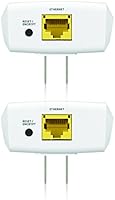
  • LAN Port: Each unit includes one Gigabit Ethernet (10/100/1000 Mbps) port for connecting a single wired device such as a TV, gaming console, or desktop PC.
  • Kit Contents: The starter kit ships with two PLA5206 adapter units, making it a complete out-of-the-box solution without the need for any additional hardware purchases.
  • Setup Method: The adapters use plug-and-play pairing with no software installation, driver downloads, or router-level configuration required.
  • Quality of Service: Built-in QoS prioritizes bandwidth-intensive traffic types such as video streaming and online gaming to reduce stuttering during peak household usage.
  • Encryption: Data transmitted between the paired units is protected by 128-bit AES encryption, which activates automatically without requiring manual configuration.
  • Color & Finish: Both adapter units feature a white matte housing designed to blend unobtrusively into a standard home wall outlet environment.
  • Item Weight: The complete kit weighs 14.4 ounces (approximately 408 g) as packaged, making it lightweight and easy to handle during installation.
  • Package Dimensions: The retail box measures 7 x 6 x 3.5 inches, a compact footprint suitable for standard shelf or counter storage before installation.
  • Compatible Devices: The adapters are compatible with any device that accepts a standard Ethernet connection, including desktop PCs, smart TVs, streaming boxes, and gaming consoles.
  • Data Link Protocol: The units communicate using the Gigabit Ethernet data link protocol, supporting full-duplex transmission at up to 1000 Mbps on the LAN port.
  • Model Number: The official manufacturer model number for this two-unit kit is PLA5206KIT, as designated by ZyXEL for retail identification.
  • Brand & Manufacturer: Designed and manufactured by ZyXEL, a networking hardware company with a long-standing presence in the consumer and SMB router and adapter market.
  • First Available: This kit was first made available for purchase in August 2014, placing it in a mature product cycle with an established real-world performance track record.
  • Discontinuation Status: As of available listing data, the manufacturer has not discontinued this product, meaning replacement units and spare adapters remain obtainable through standard retail channels.
  • Power Connection: Each adapter must be plugged directly into a standard wall outlet for proper operation — use in surge protectors or power strips is not recommended and degrades performance.
  • Wireless Capability: These are wired-only powerline adapters; they do not include a built-in Wi-Fi access point or wireless broadcast capability of any kind.

Related Reviews
Zyxel PLA5456 AV2000 Powerline Adapter Kit
74%
91%
Ease of Setup
67%
Real-World Throughput
74%
Network Stability
61%
Hardware Reliability
88%
Port Configuration
More
ZyXEL PLA5215KIT Powerline Adapter Kit
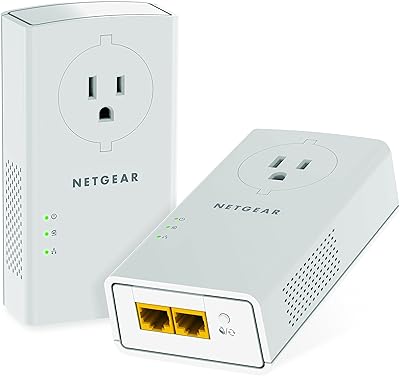
71%
93%
Ease of Setup
58%
Real-World Data Speed
67%
Connection Stability
54%
Performance Consistency Across Homes
88%
AC Passthrough Outlet
More
NETGEAR Powerline Adapter Kit PLP2000-100PAS
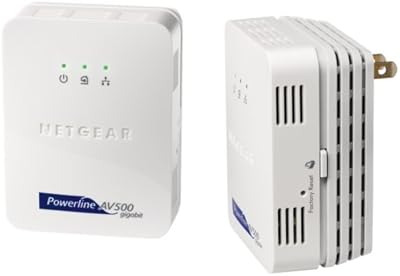
74%
91%
Ease of Setup
67%
Real-World Speed Performance
78%
Network Reliability & Stability
74%
Build Quality & Durability
88%
Pass-Through Outlet Design
More
Netgear XAVB5001 Powerline Network Adapter Kit
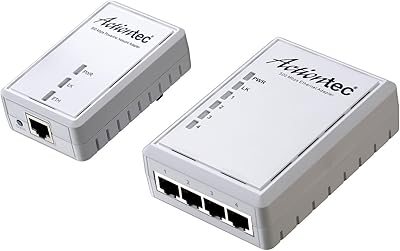
70%
88%
Ease of Setup
51%
Real-World Speed Performance
73%
Connection Stability
58%
Electrical Outlet Compatibility
67%
Value for Money
More
Actiontec PWR514K01 Powerline Network Adapter Kit
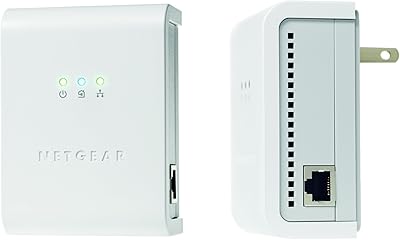
73%
91%
Ease of Setup
88%
Multi-Device Connectivity
57%
Real-World Throughput
74%
Connection Stability
69%
Value for Money
More
Netgear XETB1001 Powerline Network Adapter Kit
68%
88%
Ease of Setup
51%
Real-World Speed
67%
Connection Stability
58%
Value for Money
74%
Compatibility
More
NETGEAR Powerline AV+ 200 Adapter Kit XAVB2501
82%
86%
Performance
92%
Ease of Setup
82%
Connectivity Reliability
78%
Speed Stability
88%
Value for Money
More
NETGEAR XAVB2101 Powerline Network Adapter Kit
71%
91%
Ease of Setup
61%
Real-World Speed Performance
88%
Physical Design & Form Factor
72%
Network Stability
67%
Value for Money
More
Comtrend PG-9182PT G.hn Powerline Adapter Kit
86%
96%
Setup & Installation
89%
Performance & Speed
87%
Reliability
85%
Build Quality
92%
Ease of Use
More
TRENDnet TPL-423E2K Powerline 1300 AV2 Adapter Kit
75%
88%
Ease of Setup
63%
Real-World Data Speed
74%
Connection Stability
91%
Pass-Through Outlet
67%
Build Quality & Durability
More

FAQ

It is about as simple as networking hardware gets. Plug the first adapter into a wall outlet near your router and connect it to the router with an Ethernet cable. Plug the second adapter into a wall outlet in whichever room needs a connection, then run a short Ethernet cable from that adapter to your TV, console, or computer. In most cases the two units find and pair with each other automatically within a minute or two, and that is genuinely all there is to it.

Almost certainly not, and it is worth being clear about that upfront. The 1000 Mbps figure is a theoretical ceiling defined by the HomePlug AV2 standard under ideal laboratory conditions. In a real home, actual throughput depends heavily on the age and layout of your electrical wiring, the distance between the two adapters, and interference from other appliances sharing the same circuit. Many users see speeds in the range of 100 to 300 Mbps, which is still plenty for streaming and gaming, but managing expectations here matters.

You can, but you really should not. Surge protectors and power strips contain filtering components that are specifically designed to block electrical noise — and unfortunately, powerline adapters send their data signal as electrical noise on the line. Plugging into one of these devices will typically reduce your throughput dramatically, sometimes to the point where the connection is barely usable. Always plug the ZyXEL PLA5206 Powerline Adapter Kit units directly into a wall outlet for best results.

This is the most important question to ask before buying. Older homes, particularly those built before the late 1980s or early 1990s, tend to have wiring that runs across multiple electrical circuits and sub-panels. When powerline adapters are on different circuits, signal quality drops significantly and you may see very poor real-world speeds. There is no reliable way to test compatibility short of trying the adapters in your home, which is why checking the return policy before purchasing is a smart move if you live in an older property.

No, and that is one of the genuine strengths of these HomePlug AV2 adapters. There is no software to install, no app to configure, and no account to create. Just plug them in, wait for the pairing indicator light to confirm a connection, and you are ready to go. The only exception would be if you want to use ZyXEL's optional utility to customize settings like the network name or encryption key, but for standard home use that step is completely unnecessary.

Potentially, yes, as long as your existing adapter also supports the HomePlug AV2 standard. HomePlug AV2 is designed to be backwards compatible with HomePlug AV devices, though mixing different standards or brands may result in the connection defaulting to a lower speed tier. For guaranteed performance, using both units from the same kit is always the more reliable approach.

First, make sure both units are plugged directly into wall outlets rather than power strips, as that is the most common culprit. If they still do not pair, try pressing the pair button on each unit — typically you press the button on one adapter first, then the button on the second within two minutes. If none of that works, try a factory reset by holding the reset button for around ten seconds on each unit and attempting the pairing process fresh. The included documentation covers this, though it is admittedly brief.

The signal does travel through your building's electrical wiring, which in shared buildings like apartments can theoretically extend beyond your unit. However, the powerline adapter kit uses 128-bit AES encryption between the paired units, meaning any signal that leaks beyond your walls is encrypted and unreadable without the correct key. For standard home use, this level of protection is considered adequate, though residents of dense apartment buildings may want to use the optional utility to set a custom network name and key for added peace of mind.

Each adapter has one Ethernet port, so out of the box the kit supports one wired device at each end — typically your router on one side and a single TV, console, or PC on the other. If you need to connect multiple devices in the same room, you can plug a small Ethernet switch into the second adapter to split the connection, or purchase additional adapter units to extend to other rooms. The two-unit starter kit is intentionally a point-to-point solution.

It can, particularly in a household where multiple people are online at the same time. The built-in QoS is designed to prioritize video streaming and gaming traffic so that a large background download, for instance, does not noticeably degrade your 4K stream. That said, QoS works within whatever throughput the powerline connection itself can deliver — if your wiring limits the raw speed, QoS prioritization can only do so much to smooth things out. In well-performing setups, most users do notice fewer buffering events during busy evening hours.

Where to Buy