Overview

The NETGEAR XAVB2101 Powerline Network Adapter Kit offers a practical middle ground for anyone tired of Wi-Fi dead zones but unwilling to run ethernet cables through walls. Powerline networking works by sending data signals through your home's existing electrical wiring — no drilling, no cable management headaches. This powerline adapter kit sits in the entry-to-mid-range tier, which means it won't compete with high-end gigabit solutions, but it covers the basics reliably for most households. The nano-sized housing is genuinely unobtrusive at the outlet, and the plug-and-play approach makes it accessible to users who have never touched a network setting in their lives.
Features & Benefits

On paper, this wired network extender promises speeds up to 200 Mbps — enough for 4K streaming or online gaming without breaking a sweat. In practice, real-world throughput is often lower, especially if your home runs on older electrical wiring or if the adapters end up on different circuits. That said, setup genuinely takes minutes: plug one adapter near your router, connect it with an ethernet cable, plug the second wherever you need coverage, and you're done. There's no software to install, no configuration screens to navigate. The HomePlug AV standard also means you can mix in compatible adapters from other brands if you decide to expand your setup later.

Best For

This powerline adapter kit makes the most sense for people who can't or don't want to run ethernet through their walls — renters, apartment dwellers, and homeowners in older houses with thick plaster or concrete. It's a solid pick for anyone connecting a smart TV or streaming device in a room where Wi-Fi signal is inconsistent. Home office users with a router locked away in a distant room will also appreciate a stable, wired connection without hiring an electrician. It's not the right tool for high-bandwidth power users who need gigabit speeds; for everyday streaming and browsing, though, it covers the job cleanly.

User Feedback

Across nearly 600 ratings and a 3.9-star average, the picture that emerges is mixed but telling. Easy setup and the compact form factor earn consistent praise — most buyers have it running within five minutes. The friction shows up in performance: users in homes with newer wiring often report stable, satisfying speeds, while those in older houses frequently get half or less of the advertised ceiling. Long-term reliability is similarly uneven; some units run without issue for years, while others fail within months. Customer support experiences vary widely too, which is worth factoring in if something goes wrong down the road.

Pros

  • Plug-and-play setup is genuinely effortless — most users are online within five minutes, no configuration needed.
  • The nano-sized housing leaves the adjacent wall outlet completely free, unlike bulkier older adapters.
  • Delivers a noticeably more stable connection than a weak Wi-Fi signal for streaming and casual browsing.
  • Universal voltage (100–240V) means this powerline adapter kit works in different countries without an adapter.
  • HomePlug AV certification allows mixing with compatible adapters from other brands for easy network expansion.
  • Ideal for renters who need a portable, damage-free networking solution they can take when they move.
  • No software installation required — there is nothing to update, configure, or troubleshoot on the software side.
  • The NETGEAR nano powerline set is compact and light enough to pack in a laptop bag for travel use.

Cons

  • Real-world speeds often land well below the 200 Mbps spec, especially in homes with older electrical wiring.
  • Performance varies unpredictably based on circuit layout — there is no way to test compatibility before buying.
  • Each adapter has only one ethernet port, so connecting two devices in the same room requires an additional switch.
  • A notable share of users report unit failures within the first year or two of regular use.
  • Adapters cannot be used with surge protectors or power strips, limiting placement options in some rooms.
  • Customer support responses are inconsistent, with multiple buyers reporting unhelpful or slow resolution experiences.
  • The HomePlug AV standard is outdated compared to faster AV2 and G.hn alternatives now available at similar prices.
  • Sustained heavy use causes noticeable heat buildup, which may contribute to premature failure in enclosed spaces.

Ratings

The NETGEAR XAVB2101 Powerline Network Adapter Kit has been scored by our AI system after processing verified buyer reviews from multiple global markets, with spam, bot-generated, and incentivized feedback actively filtered out. What you see below reflects the honest consensus of real users — the wins and the frustrations alike. This powerline adapter kit earns genuine praise in some areas while showing clear limitations in others, and the scores reflect exactly that balance.

Ease of Setup
91%
Users across all technical skill levels consistently report having this wired network extender running within five minutes. There is no software to install, no login portal to navigate, and no configuration steps — you plug both adapters in, connect the ethernet cables, and the network just works. Beginners especially appreciate this.
A small number of users report that the adapters occasionally fail to pair automatically on the first attempt, requiring an unplug-and-replug cycle. This is rare, but it does undercut the otherwise spotless plug-and-play reputation for a handful of buyers.
Real-World Speed Performance
61%
39%
In homes with modern electrical wiring where both adapters share the same circuit, many users report solid, stable throughput that handles HD streaming and video calls without buffering. For casual browsing and standard-definition content, the connection feels reliably fast compared to a struggling Wi-Fi signal.
The 200 Mbps ceiling is theoretical, and real-world speeds frequently land far lower — sometimes in the 40–80 Mbps range in older homes or across different electrical circuits. Users who expected near-gigabit performance were often disappointed, and the variability from home to home makes this hard to predict before purchase.
Physical Design & Form Factor
88%
The nano housing is one of the most consistently praised aspects of this kit. Unlike older, bulkier powerline adapters that block the second outlet entirely, this unit sits flush against the wall and leaves the adjacent socket free. For tight utility areas or entertainment center setups, that matters a lot.
The all-white finish can look dated in modern interiors, and the plastic casing feels lightweight in a way that reads as budget-tier to some users. A few buyers also note that the adapter runs noticeably warm during extended use, which raised minor concern about long-term wear.
Network Stability
72%
28%
For users whose primary goal is replacing an unreliable Wi-Fi connection to a TV or game console, this powerline adapter kit typically delivers a steadier, more consistent link. Dropped connections mid-stream or mid-match are much less frequent than on a weak wireless signal, which is exactly what these buyers needed.
Stability is heavily dependent on the home's wiring layout. Users whose adapters end up on separate electrical circuits — which is common in larger homes — frequently report intermittent drops and inconsistent speeds. Electrical noise from appliances like refrigerators or washing machines can also degrade the connection unpredictably.
Value for Money
67%
33%
For renters or users who simply cannot string ethernet cable through their home, this kit offers a functional, low-effort solution at a reasonable price point. When it performs well, the cost-per-use is easy to justify compared to hiring an electrician or buying a more expensive mesh Wi-Fi system.
Given the real-world speed limitations and the durability questions that surface in longer-term reviews, some buyers feel the pricing is a stretch for what is ultimately a 200 Mbps HomePlug AV device in a market that has since moved to faster standards. Alternatives offering AV2 or 1000 Mbps speeds exist at comparable prices now.
Compatibility & Interoperability
83%
HomePlug AV certification means this kit plays nicely with other compliant adapters from different brands, which is a genuine advantage for users who want to add a third node later without buying a matching NETGEAR unit. The universal voltage range also makes it a practical travel companion for international use.
The adapter is listed as compatible with older operating systems like Windows XP and Vista, which signals its age. Users on modern platforms report no issues, but the product has not been updated to reflect contemporary network standards, which limits its ceiling in higher-demand environments.
Durability & Longevity
58%
42%
A meaningful portion of long-term owners report years of trouble-free operation, particularly when the adapters are used in climate-controlled rooms without large appliances nearby. For those users, the kit has quietly done its job without a single hiccup, which speaks to the baseline build reliability.
Unit failures within the first one to two years appear frequently enough in the reviews to be a real concern. Some buyers report one adapter dying while the other continues working fine, leaving them with a non-functional kit and a frustrating replacement process. The thermal behavior during extended use adds to this uncertainty.
Customer Support Experience
52%
48%
Some users who contacted NETGEAR support report satisfactory resolution, particularly for straightforward warranty replacement requests. The brand's size and global presence at least means there is an established support infrastructure to reach out to.
The support experience is inconsistent enough that it surfaces as a recurring complaint. Users report long wait times, unhelpful scripted responses, and difficulty getting clear answers about compatibility or replacement eligibility. For a networking product that can behave unpredictably based on home wiring, better support would meaningfully improve the ownership experience.
Installation Flexibility
76%
24%
The compact plug-in design means this wired network extender can be repositioned anywhere in the home without tools or technical knowledge. For renters who move frequently, being able to unplug, pack, and redeploy in a new apartment in minutes is a practical advantage that a wired ethernet installation simply cannot match.
Each adapter provides only one ethernet port, so users who want to connect multiple devices in a single room — say, a TV and a game console — need an additional switch or a second kit. This single-port limitation is a real constraint that buyers should account for before purchasing.
Signal Consistency Across Circuits
47%
53%
When both adapters share the same electrical circuit, performance can be surprisingly consistent. Users in smaller apartments or homes with straightforward wiring layouts tend to report the most positive experiences, with speeds that hold steady even during peak usage hours.
Cross-circuit performance is where this kit most visibly struggles. Homes built before the 1980s especially can have wiring that introduces significant signal degradation, and there is no reliable way to test this before committing to the purchase. Several frustrated buyers only discovered the issue after setting up and running speed tests.
Package Contents & Out-of-Box Experience
84%
The kit includes everything needed to get started immediately — two adapters and two ethernet cables. There is no hunting for additional parts, and the included cables are long enough for most standard setups. Unboxing is straightforward, and the minimal packaging feels appropriate for the product tier.
The included ethernet cables are functional but basic, and users who need longer runs will need to source their own. There is also no printed quick-start guide beyond basic diagrams, which is fine for tech-savvy users but can leave less experienced buyers without a clear first step if auto-pairing does not work immediately.
Power Outlet Impact
86%
The nano form factor is a genuine differentiator here. In a home theater setup or a cramped power strip situation, keeping both outlets free is not a small thing. Users specifically call this out when comparing to older powerline adapters they previously owned, noting the difference as a meaningful quality-of-life improvement.
Because the adapter plugs directly into the wall, it cannot be used with surge protectors or power strips — a known limitation of powerline technology in general. Users who only have strip-based outlets in their target room may find placement options more restricted than expected.
Thermal Management
63%
37%
Under light to moderate load — streaming a single device, occasional browsing — the adapters stay warm but not hot. For users who run them intermittently rather than continuously, heat has not been a reported problem, and the units function normally throughout typical daily usage patterns.
Under sustained heavy use, the adapters can run noticeably warm, and a subset of users correlate this heat buildup with eventual unit failure. The housing has no venting, which limits passive cooling. In enclosed spaces like media cabinets or behind furniture, this becomes a more pressing concern over time.

Suitable for:

The NETGEAR XAVB2101 Powerline Network Adapter Kit is genuinely well-suited for renters and homeowners who have no realistic way to run ethernet cable through their walls — whether due to lease restrictions, thick plaster, or simply not wanting the hassle. If your router lives in one corner of the home and your smart TV, streaming box, or game console sits in another room with a weak Wi-Fi signal, this wired network extender offers a practical, no-drilling fix. Home office workers who need a more stable connection than wireless can provide — but don't want to involve an electrician — will find this kit a reasonable stopgap. It's also a solid option for users in smaller apartments or newer builds where both adapters are likely to share the same electrical circuit, since that's where performance tends to be most consistent. Anyone who values simplicity above raw throughput will appreciate that the whole setup takes about five minutes and requires zero technical knowledge.

Not suitable for:

The NETGEAR XAVB2101 Powerline Network Adapter Kit is a poor match for power users who need reliable high-bandwidth connections for large file transfers, 4K multi-stream households, or competitive online gaming where every millisecond counts. Buyers in older homes — particularly those built before the 1980s — face a real risk of significantly degraded speeds due to aging electrical wiring, and there is no way to know how your specific home will perform until you've already plugged the adapters in. Anyone hoping to connect more than one device per room will also run into an immediate wall, since each adapter provides just a single ethernet port with no built-in expansion. If you're in a large house where your router and destination room are likely on different electrical circuits, the performance drop can be severe enough to make the kit feel barely worth using. Finally, buyers who prioritize strong after-sales support should approach with caution — the mixed customer service track record means you may be largely on your own if something goes wrong.

Specifications

  • Brand: Manufactured by NETGEAR Inc., a well-established networking hardware brand.
  • Model Number: The exact model identifier is XAVB2101-100PAS.
  • Networking Standard: Operates on the HomePlug AV standard, ensuring baseline compatibility with other HomePlug AV-certified devices.
  • Max Data Rate: Advertised maximum data transfer rate is 200 Mbps over existing home electrical wiring.
  • Data Protocol: Uses Ethernet and IEEE 802.3 as its data link protocols for wired communication.
  • Hardware Interface: Each adapter features a single RJ-45 Ethernet port for connecting one wired device at a time.
  • Voltage Range: Supports universal input voltage of 100–240V, making it compatible with electrical systems worldwide.
  • Dimensions: Each adapter measures 2.17″ x 1.34″ x 2.64″ in a compact nano wall-plug form factor.
  • Weight: Each adapter weighs approximately 3.52 oz (roughly 0.22 lbs), making the kit very lightweight overall.
  • Color & Finish: Available in white with a smooth plastic finish designed to blend into typical home wall outlet surroundings.
  • Compatible Devices: Officially compatible with desktop computers and smart TVs; works with any device featuring an Ethernet input.
  • OS Compatibility: Listed as compatible with Microsoft Windows XP, Vista, and 7, as well as Mac OS X.
  • Kit Contents: The kit includes two powerline nano adapters and two Ethernet cables, with no additional accessories bundled.
  • Setup Requirements: No software installation or manual network configuration is required; the adapters pair automatically out of the box.
  • Outlet Compatibility: Must be plugged directly into a wall outlet; use with surge protectors or power strips is not supported.
  • First Available: This product was first listed for sale in December 2011, making it a mature, long-standing SKU in NETGEAR's lineup.
  • ASIN: The Amazon Standard Identification Number for this product is B006OOKT3Y.
  • UPC: The Universal Product Code for this kit is 606449079401.

Related Reviews
Netgear XAVB5001 Powerline Network Adapter Kit
70%
88%
Ease of Setup
51%
Real-World Speed Performance
73%
Connection Stability
58%
Electrical Outlet Compatibility
67%
Value for Money
More
Netgear XETB1001 Powerline Network Adapter Kit
68%
88%
Ease of Setup
51%
Real-World Speed
67%
Connection Stability
58%
Value for Money
74%
Compatibility
More
NETGEAR Powerline Adapter Kit PLP2000-100PAS
74%
91%
Ease of Setup
67%
Real-World Speed Performance
78%
Network Reliability & Stability
74%
Build Quality & Durability
88%
Pass-Through Outlet Design
More
NETGEAR Powerline AV+ 200 Adapter Kit XAVB2501
82%
86%
Performance
92%
Ease of Setup
82%
Connectivity Reliability
78%
Speed Stability
88%
Value for Money
More
Actiontec PWR511K01 500Mbps Powerline Network Adapter Kit
67%
88%
Ease of Setup
61%
Real-World Speed Performance
74%
Connection Stability
53%
Build Quality & Durability
67%
Value for Money
More
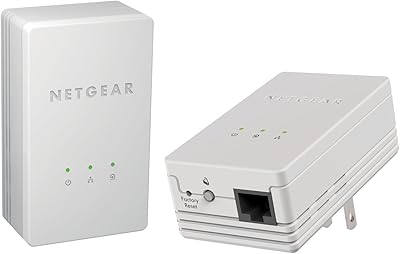
D-Link Powerline AV Network Adapter Kit DHP-307AV
81%
83%
Performance
90%
Ease of Setup
78%
Reliability
70%
Speed Consistency
88%
Security (Encryption)
More
Linksys Powerline AV 1-Port Network Adapter Kit (PLEK400)
84%
93%
Setup & Installation
85%
Performance (Speed/Connectivity)
88%
Build Quality & Design
81%
Reliability & Stability
90%
Compatibility with Devices
More
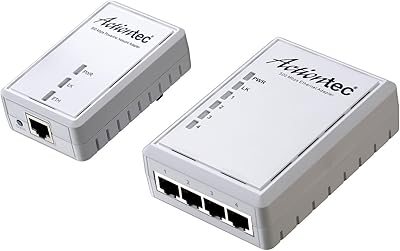
Actiontec PWR514K01 Powerline Network Adapter Kit
73%
91%
Ease of Setup
88%
Multi-Device Connectivity
57%
Real-World Throughput
74%
Connection Stability
69%
Value for Money
More
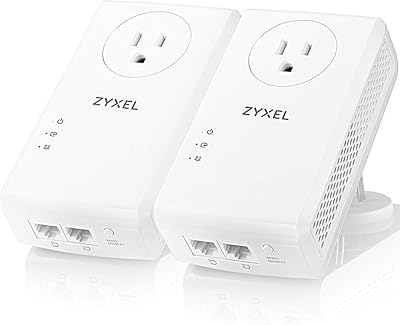
Zyxel PLA5456 AV2000 Powerline Adapter Kit
74%
91%
Ease of Setup
67%
Real-World Throughput
74%
Network Stability
61%
Hardware Reliability
88%
Port Configuration
More
Netgear XAVB1301 Powerline 200Mbps Mini Adapter Kit
71%
91%
Ease of Setup
62%
Real-World Speed Performance
78%
Connection Stability
86%
Physical Design & Footprint
77%
Security Features
More

FAQ

That is honestly the most important question to ask before buying. In older homes — particularly those built before the 1980s — electrical wiring can introduce significant signal degradation, and real-world speeds may land far below the 200 Mbps advertised ceiling. If your home has been rewired more recently, or if the two rooms you are connecting share the same electrical circuit, performance is usually much better. Unfortunately, there is no reliable way to predict exactly how your specific wiring will behave without just trying it.

No, and that is one of its genuine strengths. You plug one adapter into a wall outlet near your router, connect it to the router with the included Ethernet cable, then plug the second adapter wherever you need coverage and connect your device to it. The two units find each other automatically. You do not touch your router settings at all.

Unfortunately, no. Powerline adapters need to connect directly to a wall outlet to function properly. Surge protectors and power strips filter the electrical signal in a way that blocks or severely weakens the powerline data signal. This is a limitation of powerline technology in general, not just this kit, so make sure you have a free wall outlet available in both locations before buying.

Each adapter has a single Ethernet port, so you can connect one wired device per unit. If you need to hook up a TV and a game console in the same room, you would need to add a small Ethernet switch to the second adapter, or purchase a second kit to get an additional adapter for that room.

Yes, as long as the other adapters also support the HomePlug AV standard. That certification is designed to ensure interoperability across brands, so you can generally mix this kit with other HomePlug AV-certified units. That said, mixing brands sometimes results in speeds capped at the lower of the two devices' rated throughput, so it is worth keeping that in mind.

Expect something meaningfully lower than 200 Mbps in most real home environments. In ideal conditions — newer wiring, both adapters on the same circuit — users often see speeds in the 80–130 Mbps range. In less favorable conditions, particularly older homes or cross-circuit setups, speeds can drop to 30–60 Mbps or even lower. For streaming HD video or casual browsing, that is usually still sufficient. For heavy file transfers or 4K multi-room streaming, it may feel limiting.

Yes. The adapters support a universal voltage range of 100–240V, which covers the electrical standards used in most countries around the world. You would just need a physical plug adapter for the outlet shape used in your destination country, since the adapters themselves use a standard two-prong US plug.

The adapters have indicator LEDs that signal connection status. A solid green light typically means the pair has connected successfully and is communicating at a good signal level. Amber or red usually indicates a weaker connection, often due to circuit or wiring issues. If neither adapter shows a connection light, try unplugging both, waiting ten seconds, and plugging them back in — they will attempt to re-pair automatically.

Some users do report that this wired network extender gets noticeably warm during extended, continuous use. Under light or intermittent use, heat is generally not an issue. If you plan to run the adapters continuously in an enclosed space — such as inside a media cabinet or behind furniture — it is worth ensuring there is some airflow around them, as sustained heat buildup has been linked to premature unit failure in a subset of user reports.

Start by trying a full reset: most powerline adapters have a small reset button you can hold for several seconds to restore factory defaults, after which they will re-pair when plugged back in together. If that does not help, try swapping the adapter to a different outlet to rule out a circuit issue. If the unit appears to have genuinely failed and is still within the warranty period, contact NETGEAR support — though be aware that customer service experiences with this product have been mixed, so persistence may be required.