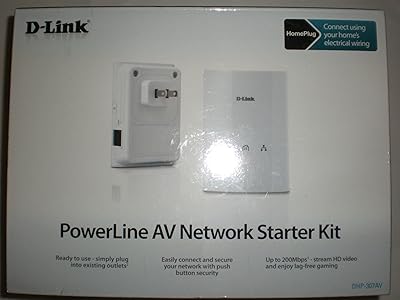
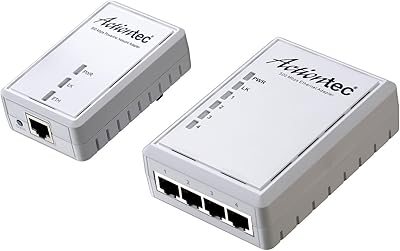
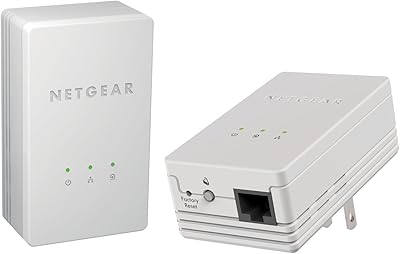
Overview

The NETGEAR XAVB2501 Powerline AV+ 200 Adapter Kit takes a straightforward approach to a frustratingly common problem: dead zones where Wi-Fi simply won't reach. Instead of wrestling with range extenders or drilling holes for cables, this home networking kit uses your existing electrical wiring to carry a network signal from room to room. The kit ships with two adapters, so you can get up and running without hunting for additional hardware. It has been around since 2010, which says something — simple, reliable networking solutions don't go out of style. Whether your router is across the house or two floors away, powerline technology offers a practical middle ground between a full Wi-Fi overhaul and running physical Ethernet cable.
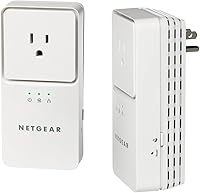
Features & Benefits

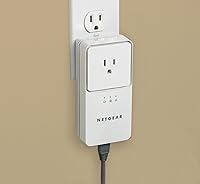
The headline spec is 200 Mbps throughput — but that number deserves some honesty. In ideal conditions it's achievable, yet real-world speeds in most homes land closer to 40–80 Mbps depending on the age and layout of your electrical wiring. That's still plenty for HD streaming or keeping a gaming console reliably online. Setup involves no software whatsoever: plug both adapters in, press the security button on each within two minutes, and they pair with 128-bit AES encryption automatically. Each unit has a single Ethernet port for direct connection to your device, and the compact form factor avoids blocking the neighboring outlet — a small but genuinely appreciated design choice.

Best For

This powerline adapter kit shines in specific situations. If you need a stable connection for a smart TV in a back bedroom, a game console in the basement, or a Blu-ray player in a room where the router's signal barely registers, this is genuinely useful hardware. It's particularly well-suited to older homes with thick walls — the kind where wireless signals seem to dissolve between rooms. Non-technical users will appreciate that there's no router login, no app, and no network configuration involved. One important caveat, though: performance depends heavily on whether both adapters share the same electrical circuit. Outlets on separate circuit breakers can noticeably degrade speeds or drop the connection entirely.

User Feedback

Across roughly 105 reviews, this home networking kit holds a 3.9 out of 5 — solid, not spectacular. Buyers who praise it consistently highlight the easy plug-and-play setup and the relief of finally getting a stable connection where Wi-Fi had failed them. The friction tends to come later. A recurring complaint is that real-world speeds disappoint users expecting close to the advertised maximum, particularly in homes with aging wiring. Long-term reliability is another honest concern — a portion of buyers report adapters failing after a year or two of regular use. That's worth factoring into your decision. Overall, it works well for its intended purpose, but going in with calibrated expectations makes the experience far more satisfying.

Pros

  • Plug-and-play setup takes minutes with no software, apps, or router access required.
  • Ships as a complete two-adapter kit — no additional purchases needed to get started.
  • Compact form factor avoids blocking the adjacent outlet on a standard wall plate.
  • Push-button pairing with 128-bit AES encryption keeps the network secure without any manual configuration.
  • Delivers a reliably stable connection for HD streaming and online gaming in rooms where Wi-Fi fails.
  • Compatible with other HomePlug AV devices, so the network can be expanded with additional adapters later.
  • Works through existing electrical wiring — no drilling, no cable management, no wall damage.
  • A practical solution for thick-walled older homes where wireless signals struggle to penetrate between rooms.

Cons

  • Real-world speeds typically fall well short of the advertised 200 Mbps maximum in most home environments.
  • Performance is highly dependent on home wiring age and quality — results vary significantly between households.
  • Adapters placed on separate electrical circuit breakers can produce noticeably slower or unstable connections.
  • Not well-suited for bandwidth-heavy households streaming 4K content to multiple devices simultaneously.
  • A portion of long-term users report adapter failures after one to two years of continuous use.
  • Only one Ethernet port per adapter limits direct connections to a single device per unit.
  • The 200 Mbps standard is dated by today's networking benchmarks, and newer powerline kits offer significantly higher throughput.
  • No indication of whether wiring compatibility issues exist in your home until after purchase and testing.

Ratings

The scores below reflect our AI-powered analysis of verified global buyer reviews for the NETGEAR XAVB2501 Powerline AV+ 200 Adapter Kit, with spam, incentivized, and bot-flagged submissions actively filtered out before scoring. Each category is rated independently to give you an honest picture of where this home networking kit genuinely delivers and where it falls short. Both the strengths that keep buyers satisfied and the frustrations that drive negative feedback are transparently reflected in every score.

Ease of Setup
91%
This is the category where buyers are most consistently satisfied. The push-button pairing process takes under two minutes, and users frequently note that they had a working connection before they even found the instruction booklet. No router login, no app download, no technical knowledge required.
A small number of users found that the buttons needed to be pressed in a specific order and within a tight time window, which caused confusion on first attempt. The instruction sheet could be clearer about this timing requirement.
Real-World Speed
58%
42%
For the specific use cases this kit targets — HD video streaming and casual online gaming — the actual throughput of 40 to 80 Mbps is sufficient. Buyers who switched from a weak Wi-Fi signal consistently reported a noticeable reduction in buffering and lag, which is the practical benchmark that matters most here.
The 200 Mbps advertised figure sets unrealistic expectations, and a significant portion of reviews express disappointment when measured speeds land at a fraction of that. Users in homes with older wiring sometimes report speeds below 30 Mbps, which limits usefulness for anything beyond basic streaming.
Connection Stability
72%
28%
Buyers who used this kit to replace a flaky Wi-Fi connection in a basement or back bedroom generally found the connection much more consistent day to day. For streaming a TV show or keeping a gaming session alive without interruption, the stability is a meaningful upgrade over a weak wireless signal.
Stability is heavily tied to the electrical circuit layout of your home, and buyers who happened to plug the two adapters into outlets on separate circuit breakers often experienced intermittent drops. This variability means the experience is predictable for some and frustrating for others.
Long-Term Reliability
54%
46%
Many buyers report using the kit without issue for a year or more, particularly in homes with newer wiring and stable electrical environments. When it works consistently, it tends to be a set-and-forget solution that requires no ongoing maintenance.
A notable share of reviewers report one or both adapters failing after 12 to 24 months of continuous use, which is a meaningful concern given the price. The failure pattern appears random rather than tied to usage intensity, making it difficult to predict or prevent.
Compatibility
83%
Operating on the widely adopted HomePlug AV standard means this home networking kit works alongside adapters from other brands, giving buyers flexibility to expand coverage without being locked into a single product line. Smart TVs, game consoles, Blu-ray players, and desktop PCs all connect without any special configuration.
Compatibility with surge protectors and power strips is a common stumbling block — the adapters must be plugged directly into a wall outlet to function, and this catches some buyers off guard after purchase. Homes with certain older outlet configurations may also see inconsistent pairing behavior.
Physical Design
77%
23%
The compact body avoids occupying the neighboring socket on a standard dual-outlet wall plate, which buyers appreciate in rooms where every outlet counts. The black and silver finish is understated enough to blend into most home environments without drawing attention.
The adapter body has no pass-through outlet, so you lose the wall socket it occupies entirely. In rooms with limited outlets — which is often exactly the kind of room you need a powerline adapter in — this is a genuine inconvenience.
Network Security
84%
The 128-bit AES encryption is an industry-standard level of protection, and the push-button activation makes securing the network as simple as the rest of the setup process. Buyers generally feel confident that their traffic is not accessible to neighbors or other household circuits.
There is no way to verify the encryption status from a device or indicator light once the adapters are paired, which leaves some technically minded buyers uncertain about whether the security is active. A status confirmation feature would add reassurance.
Value for Money
63%
37%
For buyers in the specific scenario this kit was built for — a dead Wi-Fi zone that needs a quick, cable-free fix — the value proposition is reasonable. Getting a stable HD-streaming connection in a far room without any professional installation cost is a legitimate benefit.
Given that the underlying technology dates to 2010 and newer powerline standards offer significantly higher throughput at comparable prices, the value calculus is harder to justify today. Buyers who later discover that their home wiring limits speeds feel the price tag is difficult to defend.
Performance in Older Homes
61%
39%
The appeal of using existing electrical wiring is strongest in older homes where thick plaster or brick walls make Wi-Fi coverage unreliable. Several buyers in pre-1980s homes report that powerline networking was the only practical solution they found for reaching distant rooms.
Older wiring introduces more signal degradation, and the performance gap between older and newer homes is substantial. Buyers in homes with 1960s or 1970s wiring frequently report inconsistent results, and some see speeds low enough to limit even standard-definition video streaming.
Setup Documentation
68%
32%
The physical setup is intuitive enough that most buyers get the kit working without consulting the documentation at all, which speaks to how approachable the pairing process is. For non-technical users, the absence of complex steps is itself a form of good documentation design.
When buyers do encounter issues — particularly around circuit compatibility or pairing button timing — the included documentation provides little troubleshooting guidance. Several reviewers had to search online forums to resolve problems that a more detailed quick-start guide could have addressed.
Gaming Performance
71%
29%
For casual to moderate online gaming, this powerline adapter kit delivers a noticeably lower-latency connection than a weak Wi-Fi signal, and buyers who moved their console from wireless to powerline generally report fewer dropped sessions and more consistent ping times.
Competitive gamers who require consistently low latency under 20ms may find powerline performance less predictable than a direct Ethernet run, particularly during periods of high household electrical activity. The NETGEAR XAVB2501 is not optimized for competitive play at the highest level.
Streaming Performance
76%
24%
HD streaming to a smart TV or Blu-ray player is where this home networking kit earns the most genuine praise. Buyers who struggled with buffering on Netflix or YouTube while relying on distant Wi-Fi found that switching to this kit largely solved the problem.
4K streaming at higher bitrates pushes the limits of what real-world throughput can support, especially in homes where wiring conditions reduce speeds below 50 Mbps. Households with multiple simultaneous 4K streams will likely find the available bandwidth insufficient.
Plug-and-Play Experience
88%
The complete absence of software installation or account creation is something buyers consistently highlight as a genuine relief. The entire process from opening the box to having a working network connection takes under five minutes for the vast majority of users.
The plug-and-play experience breaks down when the adapters fail to pair on the first attempt, which happens often enough to appear repeatedly in reviews. Without an app or status interface, diagnosing a failed pairing involves trial and error rather than guided troubleshooting.

Suitable for:

The NETGEAR XAVB2501 Powerline AV+ 200 Adapter Kit is a strong fit for homeowners who have already wrestled with Wi-Fi dead zones and lost. If your smart TV, game console, or Blu-ray player sits in a room where the wireless signal is unreliable — a basement, a far bedroom, or a garage conversion — this kit offers a practical wired-quality connection without touching a single cable run. It is particularly well-matched to older homes with thick plaster or brick walls that eat Wi-Fi signals before they reach the second room. Non-technical buyers will appreciate that setup requires no app, no router login, and no network knowledge — just two outlets and two minutes. Anyone who streams HD video or plays online games and needs a stable, consistent connection rather than a fast one will find real value here.
Not suitable for:

The NETGEAR XAVB2501 Powerline AV+ 200 Adapter Kit is not the right call for buyers expecting speeds close to its 200 Mbps theoretical ceiling — real-world throughput in most homes lands between 40 and 80 Mbps, which is enough for HD streaming but inadequate for heavy 4K multi-device households or large file transfers. Homes with complex or aging electrical wiring, or where the two adapters end up on separate circuit breakers, may see degraded performance or an unreliable connection. Power-users running home offices with multiple bandwidth-intensive workloads should look at a newer, higher-rated powerline standard or consider a proper Ethernet installation instead. This kit is also a questionable investment for renters in modern apartments where a good mesh Wi-Fi system would likely outperform it at a similar cost. Those who prioritize long-term reliability above all else should note that a subset of buyers have reported hardware failures after extended use.

Specifications

  • Model Number: The adapter kit carries the model designation XAVB2501-100NAS as issued by NETGEAR.
  • Data Transfer Rate: Theoretical maximum throughput is 200 Mbps under the HomePlug AV+ standard, though real-world speeds typically range from 40 to 80 Mbps depending on home wiring conditions.
  • Network Standard: This kit operates on the HomePlug AV+ standard, which is interoperable with other certified HomePlug AV devices from various manufacturers.
  • Security: Network traffic is encrypted using 128-bit AES encryption, activated through a push-button pairing process on each adapter.
  • Interface: Each adapter includes one 10/100 Mbps Ethernet port for direct wired connection to a single device such as a TV, console, or PC.
  • Kit Contents: The package includes two powerline adapters and the necessary Ethernet cables to connect each adapter to a device.
  • Plug Type: Each adapter plugs directly into a standard AC wall outlet and does not require an external power supply or mounting hardware.
  • Package Dimensions: The retail box measures 6.9 x 9.4 x 12.91 inches, accommodating both adapters and accessories.
  • Kit Weight: The complete kit, including both adapters and packaging, weighs approximately 2.05 pounds.
  • Color: The adapters are finished in a two-tone black and silver color scheme.
  • Compatible Devices: The kit is designed to connect desktop PCs, smart TVs, game consoles, Blu-ray players, and DVRs to a home network via Ethernet.
  • Manufacturer: This product is designed and sold by NETGEAR, a networking hardware company headquartered in San Jose, California.
  • First Available: This kit was first made available for purchase in February 2010 and remains in production as of the time of this review.
  • Outlet Compatibility: The adapters are designed for standard North American AC wall outlets and should be plugged directly into the wall rather than into a power strip or surge protector.
  • Circuit Requirement: Optimal performance requires that both adapters be connected to outlets sharing the same electrical circuit breaker panel in the home.
  • Configuration Method: No software installation or router login is required; the adapters are configured entirely through a physical push-button pairing process.
  • Encryption Activation: Security pairing is completed by pressing the button on each adapter within two minutes of each other, after which the encrypted link is established automatically.

Related Reviews
NETGEAR XAVB2101 Powerline Network Adapter Kit
71%
91%
Ease of Setup
61%
Real-World Speed Performance
88%
Physical Design & Form Factor
72%
Network Stability
67%
Value for Money
More
NETGEAR Powerline Adapter Kit PLP2000-100PAS
74%
91%
Ease of Setup
67%
Real-World Speed Performance
78%
Network Reliability & Stability
74%
Build Quality & Durability
88%
Pass-Through Outlet Design
More
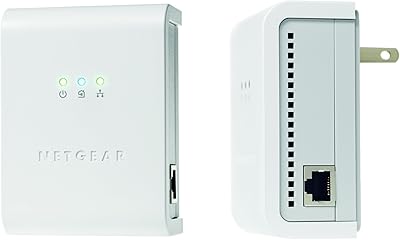
Netgear XAVB5001 Powerline Network Adapter Kit
70%
88%
Ease of Setup
51%
Real-World Speed Performance
73%
Connection Stability
58%
Electrical Outlet Compatibility
67%
Value for Money
More
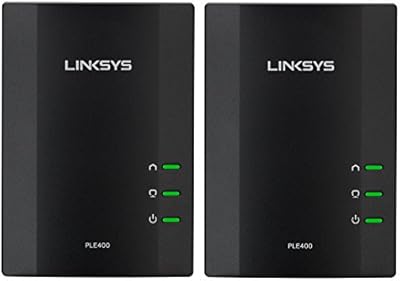
Netgear XETB1001 Powerline Network Adapter Kit
68%
88%
Ease of Setup
51%
Real-World Speed
67%
Connection Stability
58%
Value for Money
74%
Compatibility
More
TRENDnet TPL-406E2K Powerline 500 Adapter Kit
78%
91%
Ease of Setup
67%
Real-World Speed
83%
Connection Stability
78%
Build Quality & Form Factor
74%
Value for Money
More
D-Link Powerline AV Network Adapter Kit DHP-307AV
81%
83%
Performance
90%
Ease of Setup
78%
Reliability
70%
Speed Consistency
88%
Security (Encryption)
More
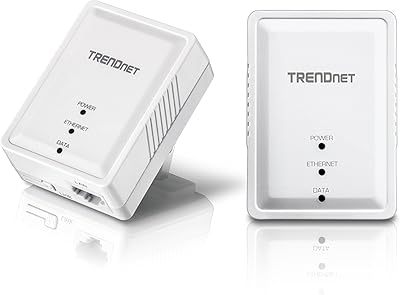
Linksys PLEK400 Powerline Network Adapter Kit
70%
89%
Ease of Setup
58%
Speed Performance
76%
Connection Stability
67%
Value for Money
54%
Interference Resistance
More
Netgear XAVB1301 Powerline 200Mbps Mini Adapter Kit
71%
91%
Ease of Setup
62%
Real-World Speed Performance
78%
Connection Stability
86%
Physical Design & Footprint
77%
Security Features
More
Zyxel PLA5456 AV2000 Powerline Adapter Kit
74%
91%
Ease of Setup
67%
Real-World Throughput
74%
Network Stability
61%
Hardware Reliability
88%
Port Configuration
More
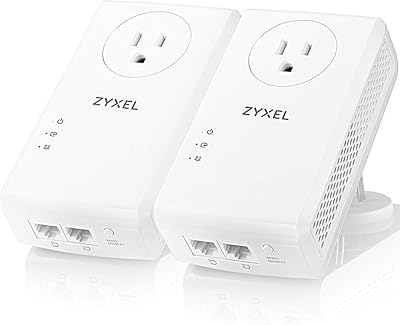
Actiontec PWR514K01 Powerline Network Adapter Kit
73%
91%
Ease of Setup
88%
Multi-Device Connectivity
57%
Real-World Throughput
74%
Connection Stability
69%
Value for Money
More

FAQ

The kit includes everything you need to get started — two powerline adapters and Ethernet cables. One adapter connects to your router, and the other goes in the room where you need internet access. No additional hardware is required.

Honestly, most people won't see anything close to 200 Mbps in everyday use. Real-world throughput in a typical home tends to fall between 40 and 80 Mbps, sometimes lower in older homes with aging wiring. The 200 Mbps figure is a theoretical maximum measured under ideal lab conditions. That said, 40 to 80 Mbps is still enough for HD streaming and most online gaming without issue.

They can work, but older wiring introduces more variability. The signal degrades more in homes with aging or lower-quality electrical infrastructure, which means you might land on the lower end of the performance range. The best advice is to make sure both adapters are on the same circuit breaker — that single factor has the biggest impact on whether you get a solid connection or a frustrating one.

No — this is important. Powerline adapters must be plugged directly into a wall outlet to work properly. Power strips and surge protectors filter out the electrical signal the adapters use to communicate, which will either degrade performance severely or prevent them from connecting at all.

The NETGEAR XAVB2501 Powerline AV+ 200 Adapter Kit uses 128-bit AES encryption, and the two adapters pair exclusively with each other during setup. In practice, powerline signals rarely travel beyond a home's electrical meter, so the risk of a neighbor intercepting traffic is very low — and the encryption adds another layer of protection on top of that.

Yes. This kit uses the HomePlug AV standard, which is an industry-wide specification. You can add compatible HomePlug AV adapters from NETGEAR or other brands to extend coverage to additional rooms. Just keep in mind that adding more adapters sharing the same connection can reduce the available bandwidth for each one.

For most online gaming, this home networking kit performs well enough. Latency is generally low — significantly better than Wi-Fi — though it won't be identical to a direct Ethernet cable run. For casual to moderate online gaming, the difference is not noticeable in practice.

They can be in completely different parts of the house — upstairs, downstairs, in the basement. The key is not physical distance but rather electrical circuit alignment. As long as both adapters are on outlets connected to the same main electrical panel, distance between floors is generally not a problem.

Many users report years of reliable use, but there is a notable subset of buyers who have experienced hardware failures after one to two years of continuous operation. This is worth keeping in mind if long-term reliability is a priority for you. Keeping the adapters in a well-ventilated area and not covering them can help with heat dissipation and longevity.

It should, provided the outlets you use share the same electrical circuit panel — which is the case in most single-family homes. Multi-floor setups are actually one of the scenarios this type of kit handles well, since running a physical cable between floors is impractical for most people and Wi-Fi signals often weaken significantly across multiple floors.