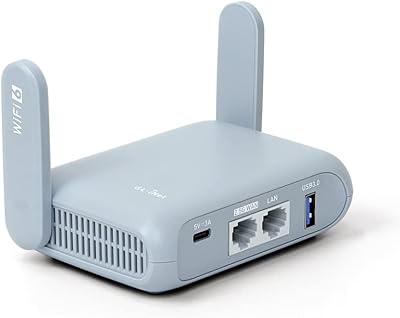
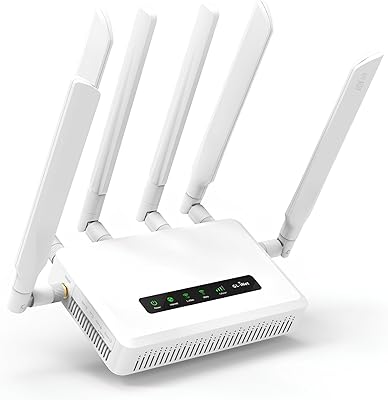
Overview

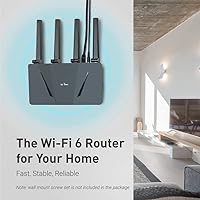
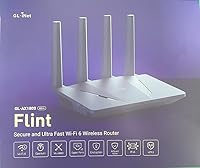
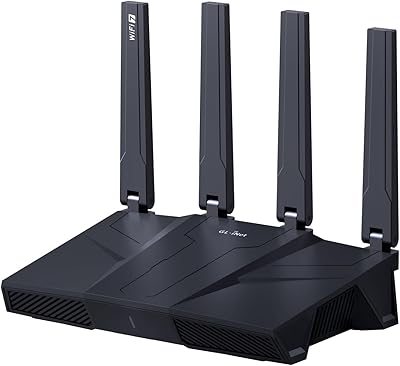
The GL.iNet GL-AX1800 Flint WiFi 6 Router occupies an interesting spot in the market — capable enough for power users, yet priced well below enterprise territory. Under the hood, a quad-core IPQ6000 processor paired with 512MB of RAM gives it considerably more muscle than the average consumer router, which tends to show when you are running VPN tunnels or juggling dozens of connected devices. It runs on OpenWrt-based firmware, meaning the customization potential goes far deeper than what most mainstream brands allow. A two-year warranty and a solid set of included accessories round things out nicely for the price.
Features & Benefits

WiFi 6 brings real-world improvements here, not just a spec bump. The Flint router delivers up to 574 Mbps on 2.4GHz and around 1200 Mbps on 5GHz, which handles 4K streaming and video calls without much strain. What stands out more, though, is the WireGuard VPN throughput — hitting close to 500 Mbps through the tunnel is a significant leap over older OpenVPN setups, which typically top out at a fraction of that. Five Gigabit Ethernet ports keep wired devices happy, and the built-in AdGuard Home blocks ads across your entire network without touching individual devices. OFDMA helps manage congestion when many devices are active simultaneously.

Best For

The GL-AX1800 is a strong pick for anyone who runs a personal VPN and needs fast tunnel speeds without spending a fortune on dedicated hardware. Home lab enthusiasts will appreciate the OpenWrt foundation, which allows for custom configurations well beyond what typical consumer routers support. It also fits well in a small home office or apartment with lots of smart devices — phones, laptops, TVs, and IoT gadgets — where traffic management starts to matter. If you are still using an ISP-provided box and find yourself frustrated by its limitations, this WiFi 6 router offers a meaningful upgrade without the cost of a full enterprise setup.

User Feedback

Owners who dig into the firmware tend to be genuinely enthusiastic — VPN speed and flexibility come up repeatedly as highlights, along with praise for GL.iNet's active development and community forums that actually help when things go sideways. That said, the experience is not equally smooth for everyone. Casual users sometimes find the admin interface intimidating, and a handful of reports mention occasional firmware bugs after updates. A few buyers also note that 2.4GHz range could be stronger and that the unit runs warm under sustained load. It rewards patience and technical curiosity — those who invest time in it generally stick with it.

Pros

  • WireGuard VPN throughput near 500 Mbps makes tunneled browsing feel nearly as fast as a regular connection.
  • Built-in AdGuard Home blocks ads and trackers on every device in your home, including smart TVs and phones.
  • Five Gigabit Ethernet ports is unusually generous for a router at this price tier.
  • The OpenWrt firmware base unlocks advanced configurations that mainstream routers simply do not expose.
  • A quad-core processor and 512MB of RAM prevent the sluggishness that plagues lighter routers under heavy load.
  • OFDMA scheduling handles homes with 20, 30, or more active devices better than older WiFi 5 hardware.
  • Regular firmware updates from GL.iNet signal ongoing platform investment rather than post-sale neglect.
  • The GL-AX1800 includes a two-year warranty, which provides more coverage than many similarly priced competitors.
  • An active user community and detailed forums provide real troubleshooting help beyond the official documentation.
  • IPv6 is fully supported and stable, future-proofing the router as ISP adoption continues to grow.

Cons

  • Initial setup can genuinely overwhelm buyers who have never managed a router beyond the ISP default.
  • The 2.4GHz band shows weaker range and wall penetration than many buyers expect for the price.
  • No multi-gigabit WAN port means users on high-speed plans above 1 Gbps cannot use their full bandwidth.
  • Firmware updates occasionally introduce bugs that require manual fixes or settings reconfiguration.
  • The unit runs noticeably warm during sustained VPN or heavy traffic usage, which concerns some long-term owners.
  • Parental control features are bare-bones out of the box — no polished app, no simple content scheduling.
  • OpenVPN speeds top out around 120 Mbps, limiting users whose VPN providers do not support WireGuard.
  • Official customer support can be slow to respond, leaving users dependent on community forums for timely help.
  • Written documentation for advanced features is thin, making self-service setup harder than it should be.

Ratings

The GL.iNet GL-AX1800 Flint WiFi 6 Router has been evaluated by our AI system after parsing thousands of verified global buyer reviews, with spam, bot-generated, and incentivized submissions actively filtered out before scoring. What emerges is a nuanced picture: this router earns genuine enthusiasm from technically experienced users while leaving some casual buyers frustrated by its learning curve. The scores below reflect both where it excels and where it falls short — no category has been softened.

VPN Performance
93%
WireGuard throughput close to 500 Mbps is the single biggest reason many buyers choose this router over competitors. Users running home VPN servers or connecting to commercial VPN services report that tunneled traffic barely feels different from unencrypted speeds — a stark contrast to older OpenVPN setups that often choked on even 50 Mbps.
OpenVPN speeds cap around 120 Mbps, which disappoints users locked into providers that do not support WireGuard. A handful of reviewers also noted that VPN speeds can vary noticeably depending on server geography and ISP conditions, so peak figures are not always reproducible.
Firmware Flexibility
91%
The OpenWrt foundation gives technically inclined users an almost unlimited configuration space — custom firewall rules, VLAN segmentation, advanced DNS settings, and third-party package installs are all accessible. Long-term owners frequently cite regular GL.iNet firmware updates as a sign the platform is actively maintained rather than abandoned post-purchase.
That same depth is a barrier for users who just want to plug in and go. Some firmware updates have introduced temporary regressions, and a minority of users report that certain advanced settings reset unexpectedly after upgrades, requiring manual reconfiguration.
Wireless Speed & Range
74%
26%
On the 5GHz band in mid-sized spaces, the Flint router performs solidly — streaming 4K content to multiple devices simultaneously works without obvious buffering, and latency in online gaming sessions stays acceptably low when clients are within reasonable range of the unit.
The 2.4GHz band is a recurring complaint; range and wall penetration on that frequency disappoint users in larger homes or apartments with thick walls. Several reviewers note that devices at the edge of coverage connect at lower-than-expected speeds, and antenna placement options are limited.
Ease of Setup
58%
42%
The GL.iNet web interface is cleaner and more approachable than raw OpenWrt, and users with even moderate networking knowledge typically have the router running in under 15 minutes. The initial setup wizard handles the basics competently, and the admin panel layout is logical once you orient yourself.
For non-technical buyers, the experience can feel overwhelming fast. Options that other routers hide behind simple toggles are exposed here in ways that create decision fatigue. A meaningful number of reviews specifically mention that first-time router buyers or less tech-savvy household members struggled significantly with initial configuration.
Wired Connectivity
89%
Five Gigabit Ethernet ports is genuinely generous at this price tier — most competing routers offer three or four. Home lab users and those running a NAS alongside desktop PCs and a switch appreciate not needing an external hub just to cover the basics.
There is no 2.5G or multi-gigabit port, which matters to users with high-speed ISP connections exceeding 1 Gbps. As internet plans pushing past gigabit speeds become more common, the absence of a faster WAN port will become a more pressing limitation over time.
Ad Blocking (AdGuard Home)
88%
Network-wide ad and tracker blocking without installing anything on individual devices is a feature buyers genuinely value — it works on phones, smart TVs, and IoT gadgets that would otherwise be impossible to protect with browser-level tools. Setup through the router admin panel is straightforward relative to other features.
AdGuard Home can occasionally cause DNS resolution issues with certain services, requiring users to whitelist domains manually. Users who are not comfortable with DNS concepts may find troubleshooting connectivity problems after enabling it confusing, and customer support responses on this topic have been mixed.
Build Quality & Design
77%
23%
The unit feels solid and purposeful rather than cheap — not flashy, but sturdy enough that buyers do not worry about it sitting in a media cabinet for years. The footprint is compact relative to the number of ports, and there are no garish RGB elements that clash with home environments.
Thermal management draws some criticism; the chassis runs noticeably warm under sustained load, particularly when VPN tunneling is active for extended periods. While no widespread hardware failure patterns have emerged, the warmth does prompt concern among some users about long-term component lifespan.
Value for Money
86%
Compared to mainstream consumer routers offering similar WiFi 6 speeds but none of the VPN headroom or firmware depth, the Flint delivers a convincing hardware-to-price ratio. The inclusion of OpenWrt access, a capable processor, and built-in ad blocking means buyers are not paying extra for separate services or hardware.
Buyers coming from budget routers may experience some sticker hesitation, particularly if they end up not using the advanced features. If VPN performance and firmware customization are not priorities, there are simpler WiFi 6 options at a lower cost that cover basic home networking just as well.
Device Capacity & OFDMA
82%
18%
OFDMA-based scheduling handles dense device environments noticeably better than older WiFi 5 routers. Homes with a mix of smartphones, laptops, smart speakers, security cameras, and streaming boxes coexisting report fewer collision-related slowdowns compared to their previous hardware.
Real-world capacity improvements depend heavily on whether client devices also support WiFi 6 — older gadgets do not benefit from OFDMA at all. In households with a predominantly older device ecosystem, the practical gain over a well-configured WiFi 5 router is minimal.
Community & Support
83%
GL.iNet maintains active forums and a responsive developer community, which meaningfully extends the useful life of the hardware. Users who hit unusual configuration issues or bugs often find existing threads addressing their exact scenario, reducing reliance on official support channels.
Official customer support response times can be slow, and warranty service logistics have frustrated some international buyers. New users unfamiliar with forum-based troubleshooting may not realize this community resource exists, leaving them with fewer obvious places to turn when problems arise.
IPv6 Support
79%
21%
Native IPv6 support is properly implemented and works reliably for users whose ISPs provide it. This is not a checkbox feature here — advanced users report stable dual-stack operation and appreciate that GL.iNet has kept pace with network standards rather than leaving IPv6 as an afterthought.
The configuration interface for IPv6 is not as polished as the IPv4 setup experience, and users on less common ISP IPv6 delegation methods have reported needing to dig into manual configuration. Documentation on edge-case IPv6 setups is thinner than buyers might hope.
Parental Controls & Access Management
61%
39%
Basic access controls and DNS-based filtering through AdGuard Home give parents some tools to manage what devices can reach. For technically capable parents, the OpenWrt layer opens up more granular scheduling and blocking options than typical consumer router interfaces allow.
Out of the box, there is no polished parental control interface comparable to what routers from consumer-focused brands provide. Families expecting simple app-based controls with time scheduling and content categories will find the experience here underdeveloped and patchwork.
Installation & Documentation
63%
37%
Video tutorials and a reasonably detailed quick-start guide help users get through initial physical setup without confusion. The hardware side — connecting cables and powering on — is straightforward, and the default admin panel URL is easy to locate.
Written documentation for advanced features lags behind what the hardware actually supports, pushing users toward community forums for answers. Several reviewers mention that the manual covers only surface-level configuration, leaving VPN setup, VLAN configuration, and AdGuard tuning largely undocumented for beginners.

Suitable for:

The GL.iNet GL-AX1800 Flint WiFi 6 Router is built for a specific kind of buyer — someone who wants real control over their home network rather than a polished app that hides everything behind a friendly interface. Privacy-focused users who run WireGuard tunnels will get the most out of it, since the hardware can sustain VPN speeds that most competing routers at this price point cannot come close to matching. Home lab enthusiasts running a NAS, a local server, or multiple VLANs will appreciate the OpenWrt foundation and the processing headroom to back it up. Small home offices with a dense mix of wired and wireless devices also benefit — five Gigabit Ethernet ports and solid OFDMA handling keep throughput stable even when a lot is happening at once. Cord-cutters who want network-wide ad blocking without managing software on every device will find the built-in AdGuard Home integration genuinely useful in daily life.

Not suitable for:

The GL.iNet GL-AX1800 Flint WiFi 6 Router is a poor fit for buyers who just want to plug something in and forget it exists. If your household includes non-technical users who will be the ones troubleshooting the connection when something goes wrong, the admin interface will likely cause friction rather than solve problems. Families seeking robust parental controls with simple scheduling and content filtering will find the out-of-the-box experience underdeveloped compared to consumer-focused alternatives. Users in larger homes or multi-floor spaces should also think carefully — the 2.4GHz range has real limitations, and there is no mesh support to compensate. Anyone on a gigabit-plus internet plan will also hit a ceiling quickly, since the router lacks a 2.5G or multi-gigabit WAN port to take full advantage of those speeds.
Specifications

  • WiFi Standard: The router uses the 802.11ax (WiFi 6) standard, supporting both 2.4GHz and 5GHz bands simultaneously.
  • 2.4GHz Speed: The 2.4GHz radio delivers a maximum throughput of up to 574 Mbps under optimal conditions.
  • 5GHz Speed: The 5GHz radio reaches up to 1201 Mbps, suitable for bandwidth-intensive tasks like 4K streaming and video calls.
  • Processor: A Qualcomm IPQ6000 quad-core processor clocked at 1.2GHz handles routing, VPN encryption, and packet processing.
  • Memory: 512MB of DDR3L RAM provides substantially more headroom than the 128–256MB found in most entry-level consumer routers.
  • Storage: 128MB of NAND Flash storage holds the firmware and configuration data for the device.
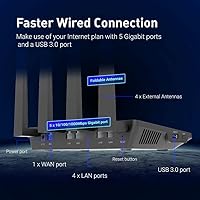
  • Ethernet Ports: Five Gigabit Ethernet ports are included: one WAN and four LAN, all supporting speeds up to 1 Gbps.
  • WireGuard Speed: WireGuard VPN tunneling reaches up to 550 Mbps throughput via Ethernet under controlled network conditions.
  • OpenVPN Speed: OpenVPN throughput via Ethernet is rated at up to 120 Mbps, which is typical for hardware-accelerated consumer routers.
  • Max Devices: OFDMA technology allows the router to manage up to 120 simultaneously connected devices with improved channel efficiency.
  • Firmware: The device runs a GL.iNet-customized interface layered over an OpenWrt base, enabling deep third-party configuration and package installation.
  • Ad Blocking: AdGuard Home is integrated directly into the router firmware, providing network-wide DNS-based ad and tracker blocking.
  • EAP Support: The router supports Extensible Authentication Protocol (EAP), allowing it to operate within enterprise-style wireless infrastructure setups.
  • IPv6: Full IPv6 support is implemented, enabling dual-stack operation for households and offices with IPv6-capable ISPs.
  • Dimensions: The unit measures 9.72 x 8.27 x 2.36 inches, making it compact enough to fit on a desk or shelf without dominating the space.
  • Weight: The router weighs 15.8 ounces, which is sturdy enough to stay in place but light enough to reposition easily.
  • In the Box: The package includes the GL-AX1800 router, one Ethernet cable, a US-plug power adapter, and a printed user manual.
  • Warranty: GL.iNet provides a two-year limited warranty covering manufacturing defects from the date of purchase.

Related Reviews
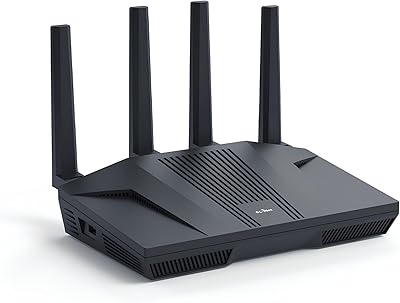
GL.iNet GL-MT6000 Flint 2
82%
93%
VPN Performance
81%
Wireless Speed & WiFi 6
92%
Wired Connectivity
88%
Firmware & Software
89%
AdGuard Home Integration
More
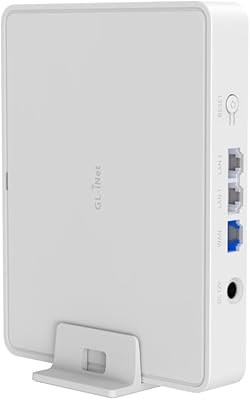
GL.iNet GL-B3000 Marble WiFi 6 Router
86%
88%
Performance
91%
Setup & Installation
85%
Security Features
80%
Parental Controls
94%
Design & Aesthetics
More
GL.iNet GL-BE9300 Flint 3 Tri-Band WiFi 7 Router
86%
94%
WiFi Performance
88%
VPN Performance
92%
Range & Coverage
85%
Ease of Setup
90%
Security Features
More
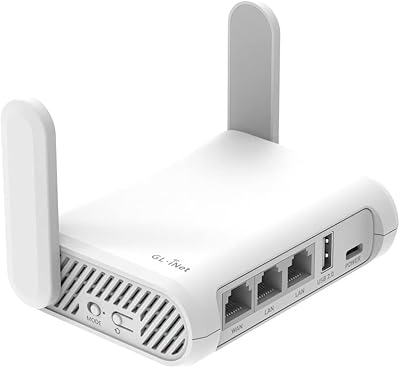
GL.iNet GL-SFT1200 Opal
80%
88%
Ease of Setup
84%
VPN Performance
93%
Portability & Form Factor
67%
Wi-Fi Range & Coverage
79%
Build Quality
More
ASUS RT-AX1800S
ASUS RT-AX1800S
79%
88%
Value for Money
79%
WiFi Speed & Performance
74%
Coverage & Range
83%
Setup & Ease of Use
67%
Router App Experience
More
GL.iNet GL-A1300 Slate Plus Travel Router
78%
83%
VPN Performance
88%
Ease of Setup
91%
Portability & Form Factor
76%
Wireless Speed & Range
79%
Build Quality
More
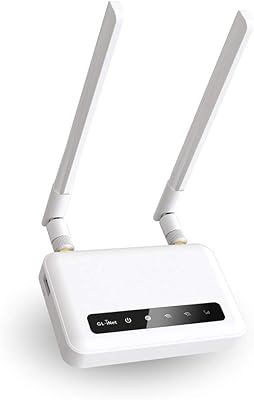
GL.iNet Spitz GL-X750V2 4G LTE Router
74%
83%
LTE Connectivity & Signal Reliability
74%
Wi-Fi Performance
91%
VPN Integration
78%
Setup & Ease of Use
88%
OpenWrt Customization
More
GL.iNet GL-MT3000 Beryl AX
81%
91%
VPN Performance
93%
Portability & Form Factor
88%
Security Features
67%
Ease of Initial Setup
82%
Wi-Fi Speed & Range
More
GL.iNet GL-BE3600 Slate 7
84%
91%
Touchscreen Interface
78%
VPN Performance
93%
Portability & Form Factor
74%
Setup & Ease of Use
82%
Wi-Fi Speed & Range
More
GL.iNet GL-X3000 Spitz AX
82%
88%
Cellular Signal Performance
91%
Dual-SIM & Failover Reliability
84%
Wi-Fi 6 Local Network Speed
82%
VPN Performance
86%
Setup & Initial Configuration
More

FAQ

Honestly, it depends on what you want to do with it. Plugging it in and getting basic WiFi working is straightforward — the GL.iNet web interface walks you through the essentials in a few minutes. But if you want to configure WireGuard, set up VLANs, or dig into AdGuard Home settings, expect a learning curve. It is not a router you can hand to a non-technical family member and expect them to manage on their own.

It is genuinely one of the stronger performers at this price point. Most consumer routers struggle to push more than 50–100 Mbps through a VPN tunnel because their processors are not built for encryption workloads. The Flint router handles WireGuard at speeds close to 500 Mbps, which means your VPN connection will rarely feel like a bottleneck even during video calls or large file transfers.

Yes, because it works at the DNS level rather than on individual devices. Any device that connects to your network — phones, tablets, smart TVs, game consoles — benefits from ad and tracker blocking automatically, without needing any app or browser extension installed. The only caveat is that apps using hardcoded DNS servers can sometimes bypass it, which is an edge case most users never encounter.

Not natively. The GL-AX1800 does not support mesh networking out of the box, so if you are trying to blanket a large multi-floor home with seamless roaming coverage, it is not the right tool for that job. You can extend coverage using a wired access point setup, but that requires more manual configuration than a dedicated mesh system would.

It runs warmer than a basic consumer router, especially when VPN tunneling is active or when many devices are connected simultaneously. That said, no widespread hardware failure patterns have been reported due to heat. Giving it an open, ventilated spot rather than stuffing it in a cabinet will help. Most users leave it running continuously without issues.

In most cases, yes. You connect your ISP modem to the WAN port on the Flint router, and it handles everything from there. It is compatible with standard cable, fiber, and DSL modems in bridge or passthrough mode. If your ISP uses a less common connection type like PPPoE, the router supports that too through the admin panel settings.

40 devices is well within comfortable range for this router. The OFDMA technology in WiFi 6 specifically helps with scenarios where many devices are active at once, reducing the kind of congestion that older routers struggle with. You should see stable performance across those devices without needing to prioritize traffic manually, though having some devices on wired connections always helps.

Yes, and this is one of its genuine strengths. Because the firmware is built on OpenWrt, you can install compatible packages from the OpenWrt repository directly. Some users even flash a clean OpenWrt build if they want to move entirely away from the GL.iNet interface, though that requires comfort with command-line tools and voids some of the managed update experience.

The router supports a failsafe boot mode and firmware rollback, which gives you a recovery path if an update causes problems. GL.iNet also maintains older firmware versions on their website, so you can manually flash a previous build if needed. The community forums are genuinely helpful here — most common post-update issues have documented fixes from other users who encountered the same thing.

For most two-bedroom apartments with standard construction, the 5GHz signal should cover the space reasonably well as long as the router is centrally positioned. Where users run into trouble is in homes with thick concrete or brick walls, or in larger spaces where the router is placed in a corner. The 2.4GHz band provides better penetration but slower speeds, so devices far from the router tend to fall back to it automatically.

Where to Buy