Overview

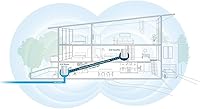
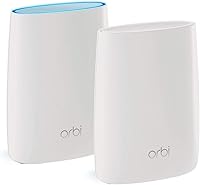
The Netgear Orbi RBK50 2-Pack Mesh WiFi System launched in 2016 and quickly became a benchmark for what whole-home Wi-Fi coverage could look like without running Ethernet cable to every corner of a house. The two-unit kit is built around a clear promise: up to 5,000 square feet of coverage from a router and one satellite working together as a single network. That was genuinely impressive at launch, and the hardware still holds up well for most homes today. That said, Wi-Fi 6 alternatives now compete at similar price points, so buyers should go in with honest expectations — capable, mature technology rather than cutting-edge specs.
Features & Benefits

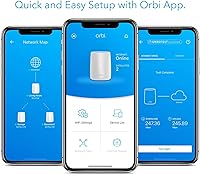
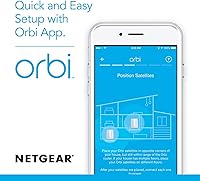
The standout engineering choice in the Orbi RBK50 kit is its dedicated backhaul band. Many mesh systems share one radio for both client devices and the router-to-satellite link, which creates a bottleneck you feel during video calls or streaming from the far end of the house. Here, a separate 5 GHz band handles only that internal traffic, leaving the other two bands free for phones, laptops, and smart home devices. Setup runs through the Orbi app and takes under 20 minutes for most users. Both units include four Gigabit Ethernet ports, so hardwiring a TV or gaming console wherever the satellite lands remains a practical option.

Best For

The Orbi two-pack is a natural fit for anyone upgrading from a single router to mesh for the first time, particularly in homes between 2,000 and 5,000 square feet where dead zones accumulate in back bedrooms, garages, or home offices. It genuinely suits non-technical households — the app-guided setup is approachable, and daily management stays uncomplicated. Moderate users streaming HD content across several rooms will find it more than adequate. It is less compelling for renters in smaller spaces who could manage with a cheaper single-unit system, or for enthusiasts who want granular QoS and VPN controls that this system simply does not offer.

User Feedback

Across 312 ratings, this mesh system lands at 3.9 stars — a spread that tells a nuanced story. Satisfied buyers consistently credit it with dramatically improved coverage and an installation process that went smoothly even for people who have never configured a router before. Critics raise a few legitimate concerns: Netgear has moved certain advanced features behind a paid subscription, which irritates buyers who expected complete functionality without ongoing fees. Occasional firmware update problems also appear in negative reviews. Power users specifically flag the limited QoS and VPN customization as real drawbacks. Long-term firmware support is another reasonable worry given how long this hardware generation has been on the market.

Pros

  • Covers up to 5,000 sq ft with two units, making dead zones in large homes a solvable problem.
  • The dedicated backhaul band keeps the router-to-satellite link fast without competing with your devices for bandwidth.
  • App-guided setup is genuinely beginner-friendly and typically takes under 20 minutes.
  • A single network name means your phone or laptop switches between units without you doing anything.
  • Four Gigabit Ethernet ports on each unit let you hardwire TVs, consoles, or desktops wherever the satellite is placed.
  • Tri-band design handles moderate multi-device households without noticeable slowdown.
  • Works reliably as a wireless backhaul system for homes where running cable through walls is not practical.
  • The Orbi app covers basic parental controls and device management without requiring a web interface.

Cons

  • Built on Wi-Fi 5 (802.11ac), which puts it behind newer Wi-Fi 6 competitors now available at similar price points.
  • Certain advanced features have been moved behind a paid Netgear subscription, which frustrates buyers expecting a complete out-of-the-box experience.
  • Firmware update frequency has slowed noticeably given the product’s age, raising reasonable questions about long-term support.
  • QoS and VPN customization options are thin, making this mesh system a poor fit for power users or home lab setups.
  • The price feels harder to justify against newer hardware that offers better specs for comparable money.
  • Occasional firmware update issues have caused connectivity disruptions for a meaningful subset of users.
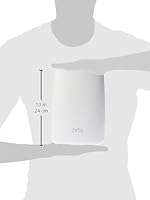
  • The physical footprint of each unit is substantial — not ideal for tight shelves or discreet placement.
  • No Wi-Fi 6 upgrade path within the same Orbi RBK50 ecosystem; moving to newer standards means replacing everything.

Ratings

The scores below were generated by our AI after analyzing verified buyer reviews for the Netgear Orbi RBK50 2-Pack Mesh WiFi System from multiple global platforms, with spam, bot-submitted, and incentivized feedback actively filtered out before any scoring was applied. The result is a transparent picture of where this mesh system genuinely excels and where real owners have run into friction — no cherry-picking, no glossing over the rough edges.
Coverage & Range
88%
For most houses in the 2,000 to 4,500 square foot range, the Orbi two-pack reliably pushes a usable signal into rooms that were previously dead zones — garages, back bedrooms, and basement offices included. Buyers who switched from a single ISP-provided router consistently describe coverage as night-and-day different.
In homes with unusually thick concrete walls or complex multi-story layouts, the satellite placement becomes critical and some users still report weak spots that a third unit would need to address. The advertised 5,000 square foot ceiling is achievable but requires near-ideal satellite positioning.
Signal Consistency
83%
The dedicated backhaul band is the real workhorse here — because the router and satellite talk to each other on a separate radio channel, streaming HD video in a far bedroom while someone else runs a video call in the kitchen stays stable in a way that single-band mesh systems struggle to match. Most users report noticeably fewer mid-stream drops compared to their old setups.
A subset of users report that signal consistency degrades after certain firmware updates, requiring a reboot to restore normal performance. While not a daily occurrence, it is common enough across reviews to be considered a genuine pattern rather than isolated bad luck.
Setup & Installation
91%
The Orbi app walks you through the entire process with clear visual prompts, and the majority of buyers — including self-described non-technical users — report being fully up and running in under 20 minutes. The automatic satellite detection during setup removes most of the guesswork.
A small number of users encountered hiccups when placing the satellite too far from the router during initial setup, which caused pairing failures that required starting the process over. ISP gateways in non-bridge mode can also cause a double-NAT issue that trips up first-timers.
Ease of Daily Use
84%
Once configured, this mesh system essentially disappears into the background — devices roam between the router and satellite automatically using a single network name, so there is no manual switching when you walk from one end of the house to the other. The app handles firmware updates quietly in the background for most users.
The Orbi app has received mixed reviews for reliability over time, with some users noting that it occasionally fails to load network information or shows inaccurate device lists. The web browser interface is more dependable but less intuitive for non-technical users.
Value for Money
62%
38%
When this kit launched, it represented a compelling premium option with few competitors offering a comparable dedicated-backhaul design at any price. For buyers who find it discounted, the hardware still delivers real, tangible improvement for large homes.
At full retail, the value case has weakened considerably — Wi-Fi 6 mesh systems from Eero, TP-Link, and even newer Netgear lines now compete at similar or lower prices with meaningfully better specs and longer software support horizons. Paying a premium for an 802.11ac system in today's market is a difficult recommendation to make with a straight face.
Wi-Fi Speed Performance
74%
26%
Real-world throughput at the satellite unit holds up well for everyday household use — streaming 4K content, video conferencing, and casual gaming all run without noticeable lag in typical home environments. The dedicated backhaul band is a genuine advantage over cheaper tri-band competitors.
The 802.11ac ceiling shows its age in device-dense households. When a dozen or more active devices compete simultaneously, throughput per device drops more sharply than it would on a Wi-Fi 6 system with OFDMA support. Speed test numbers at the satellite also typically land well below the router's own figures.
Hardware Build Quality
78%
22%
The units feel solid and well-constructed — there is nothing flimsy about the casing, and both the router and satellite have remained physically reliable for long-term owners who have been running them for several years. The internal antenna design keeps the exterior clean without sacrificing noticeable signal quality.
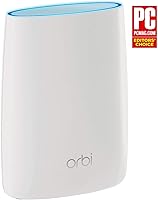
The tower form factor is larger than many competing mesh units, which makes placement on smaller shelves or inside entertainment cabinets awkward. A few long-term owners have reported LED indicator issues and one unit occasionally dropping offline after extended uptime, though hardware failure rates do not appear unusually high.
App & Software Experience
67%
33%
For first-time mesh users, the Orbi app covers the essentials competently — basic parental controls, device visibility, speed testing, and guest network management are all accessible without digging through complicated menus. Most users find it sufficient for day-to-day oversight.
Longer-term owners have watched useful features get paywalled through Netgear subscriptions, which is a genuine frustration for people who bought the hardware outright expecting full functionality. The app itself also has stability issues on certain Android versions and does not always reflect real-time network status accurately.
Firmware & Long-Term Support
53%
47%
The RBK50 has received firmware updates for several years post-launch, which speaks to some commitment to the platform. Early updates genuinely improved performance and added features that were not present at release.
Update frequency has slowed significantly as the hardware ages, and buyers who keep networking equipment for five or more years should take that trajectory seriously. Some firmware releases have introduced new bugs rather than resolving existing ones, and there is no clear roadmap indicating how much longer active development will continue.
Parental Controls
61%
39%
The built-in controls allow parents to pause internet access per device on a schedule, which covers the most common household need — limiting screen time at bedtime or during homework hours without a lot of setup complexity.
Deeper content filtering and activity reporting now sit behind the paid Netgear Smart Parental Controls subscription, which feels like a bait-and-switch to buyers who expected robust controls without recurring fees. Competing systems at similar prices include comparable features at no additional cost.
Advanced Network Customization
41%
59%
The web interface does offer basic VLAN support for guest networks and a handful of port forwarding and DMZ options that cover the needs of casual home server users or gamers who need specific ports opened.
Anyone expecting granular QoS rules, built-in VPN server support, or meaningful traffic prioritization will find the options frustratingly thin. Power users and home lab enthusiasts consistently flag this as a dealbreaker, and the lack of OpenWRT or similar alternative firmware support closes off the usual workaround.
Compatibility & Interoperability
79%
21%
The Orbi RBK50 kit works reliably with virtually any modem or ISP gateway on the market, and its broad 802.11ac compatibility means older devices, smart home gadgets, and budget phones all connect without issues. The 2.4 GHz band in particular ensures wide legacy device support.
Expanding the network requires staying within the Orbi RBS50 ecosystem for compatible satellites, which limits flexibility if prices rise or units become harder to source. The system is also not compatible with the newer Orbi Wi-Fi 6 satellites, so there is no mixed upgrade path.
Physical Placement Flexibility
69%
31%
Each unit only needs a power outlet and nothing else for the satellite, which makes placement genuinely flexible in homes where running Ethernet is not practical. The white finish is neutral enough to blend into most room aesthetics without standing out awkwardly.
The bulkier tower footprint limits placement options compared to flatter, more compact competitors. The units cannot be wall-mounted, and their height makes them conspicuous on low furniture or in tighter spaces where a smaller unit would tuck away more discreetly.

Suitable for:

The Netgear Orbi RBK50 2-Pack Mesh WiFi System is a strong match for homeowners who have been battling patchy coverage in larger houses — think two-story colonials, sprawling ranch layouts, or older homes with thick walls that eat Wi-Fi signals for breakfast. If your current setup involves a single router tucked in one corner and a graveyard of dead zones everywhere else, this kit was designed specifically to fix that problem across floor plans up to 5,000 square feet. It particularly suits households where the adults are not networking enthusiasts — the app-guided installation is genuinely approachable, and you do not need to understand anything about radio frequencies to get it working well. Families streaming HD video in multiple rooms simultaneously, or anyone juggling a mix of phones, smart TVs, and smart home gadgets, will find the dedicated backhaul band keeps things stable in a way a cheaper single-router setup simply cannot match. It is also a practical choice for anyone who cannot or does not want to run Ethernet cable through walls, since the wireless connection between the router and satellite is robust enough for everyday use.
Not suitable for:

Buyers who prioritize future-proofing should think carefully before committing to the Netgear Orbi RBK50 2-Pack Mesh WiFi System, because it runs on Wi-Fi 5 (802.11ac) at a time when Wi-Fi 6 systems are available at comparable prices and offer meaningfully better performance in device-dense environments. If you have a smaller apartment or a home under 1,500 square feet, this two-pack is more hardware than you actually need, and a single capable router would serve you just as well for less money. Network enthusiasts and home lab users will run into a wall quickly — the system offers limited options for custom QoS rules, VPN configuration, or advanced traffic management, which more prosumer-oriented hardware handles far better. The subscription model Netgear has nudged users toward for certain premium features is also a legitimate irritant if you expect full functionality out of the box without recurring fees. Finally, anyone concerned about long-term software support should note that this hardware is several years old, and firmware update cadence has understandably slowed.

Specifications

  • Model Number: The kit ships under model number RBK50, comprising one Orbi router (RBR50) and one Orbi satellite (RBS50).
  • Wi-Fi Standard: Both units operate on 802.11ac (Wi-Fi 5), supporting the 2.4 GHz and 5 GHz frequency bands.
  • Frequency Bands: The system is tri-band, using one 2.4 GHz band and two separate 5 GHz bands across the router and satellite.
  • Backhaul Band: A dedicated 5 GHz band handles only the router-to-satellite link, leaving the remaining bands free for connected client devices.
  • Combined Speed: Rated aggregate wireless speed across all three bands reaches up to 3Gbps under ideal laboratory conditions.
  • Coverage Area: The two-unit kit is rated to cover up to 5,000 square feet of indoor space under typical residential conditions.
  • Ethernet Ports: Each unit includes four Gigabit Ethernet (GbE) ports, providing wired connectivity options at both the router and satellite locations.
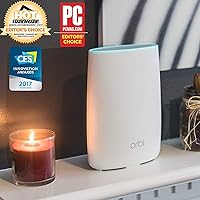
  • Dimensions: Each unit measures 10.64 x 10.01 x 7.45 inches, giving it a tower-style form factor designed to sit on a shelf or desk.
  • Weight: Each unit weighs 2.4 pounds, making repositioning straightforward if you need to optimize satellite placement after initial setup.
  • Antenna Type: All antennas are internal, keeping the exterior clean and uncluttered without external rods that can snag or break.
  • Setup Method: Initial configuration is handled through the Orbi mobile app (iOS and Android) or via a standard web browser interface.
  • Special Features: The kit supports WPS for quick device pairing, operates as a single SSID network, and includes basic parental controls through the Orbi app.
  • Color: Both the router and satellite units are finished in white, designed to blend with typical home decor rather than draw attention.
  • Compatible Devices: The system works with any Wi-Fi enabled device including PCs, smartphones, tablets, smart TVs, and smart home accessories.
  • Intended Use: This kit is designed specifically for residential whole-home coverage and is not rated or configured for commercial or enterprise deployments.
  • Roaming: The single shared SSID enables automatic device handoff between the router and satellite without requiring manual network switching.
  • Power Supply: Each unit requires a dedicated AC power outlet, so both the router and the satellite need to be placed near a power source.
  • Launch Date: The RBK50 was first made available in October 2016, making it a mature product with a well-documented user track record.

Related Reviews
NETGEAR Orbi RBK853 WiFi 6 Mesh System
77%
83%
Signal Coverage
86%
Network Speed
88%
Device Handling
81%
Setup Experience
74%
App & Management
More
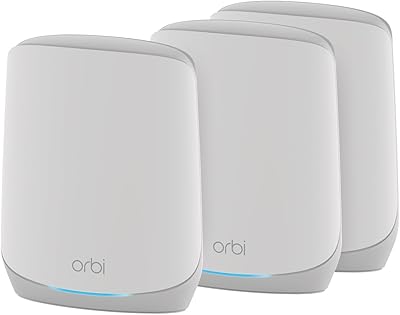
NETGEAR Orbi RBK663 WiFi 6 Mesh System
87%
93%
WiFi Performance
90%
Coverage Area
85%
Ease of Setup
88%
Security Features
82%
App Experience
More
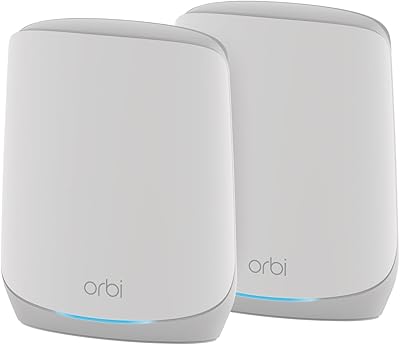
NETGEAR Orbi RBK752P WiFi 6 Mesh System
80%
88%
Coverage & Range
79%
WiFi Speed & Throughput
91%
Ease of Setup
83%
Device Handling
85%
Wired Connectivity
More
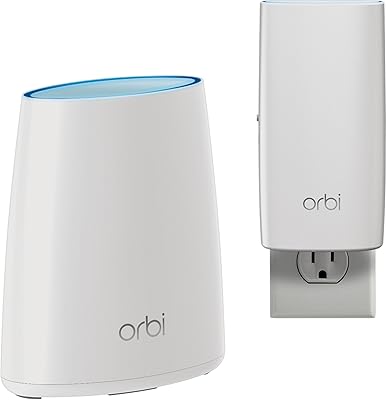
NETGEAR Orbi RBK13 Mesh WiFi System
77%
88%
Coverage & Dead Zone Elimination
91%
Ease of Setup
67%
WiFi Speed & Throughput
83%
Roaming & Band Switching
74%
Multi-Device Performance
More
NETGEAR Orbi RBK753P WiFi 6 Mesh Network System
85%
89%
Performance
92%
Coverage Area
88%
Ease of Setup
85%
Security Features
80%
Device Support
More
NETGEAR Orbi RBK30 Whole Home Mesh WiFi System
82%
88%
WiFi Coverage
91%
Ease of Setup
85%
Performance Stability
89%
App Functionality
87%
Alexa Compatibility
More
Tenda Nova MW6 2-Pack Mesh WiFi System
76%
93%
Ease of Setup
78%
Coverage & Dead Zone Elimination
72%
Network Stability
69%
Wi-Fi Speed Performance
88%
Value for Money
More
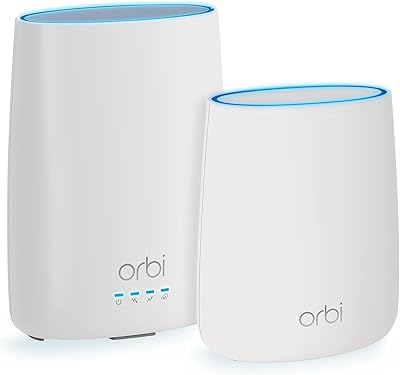
NETGEAR Orbi CBK40 Modem Mesh WiFi System
74%
82%
Coverage & Range
74%
WiFi Speed Performance
88%
Modem Integration
83%
Setup & Onboarding
77%
App Experience
More
NETGEAR Orbi 370 RBE373 WiFi 7 Mesh System (3-Pack)
84%
88%
Wireless Performance
91%
Coverage & Range
93%
Setup & Installation
79%
App Experience
87%
Multi-Device Handling
More
NETGEAR Orbi 370 Series WiFi 7 Mesh System RBE374
88%
92%
Performance
89%
Ease of Setup
93%
Coverage Area
88%
Speed/Throughput
87%
Security Features
More

FAQ

Only the router unit connects to your modem or ISP gateway via Ethernet. The satellite communicates wirelessly with the router using its dedicated backhaul band, so you just need a power outlet wherever you place it — no cable run required.

Honestly, it is one of the easier setups in this category. You download the Orbi app, plug in the router, follow the on-screen steps, and then power up the satellite. Most people are up and running in well under half an hour, and the app walks you through every stage without assuming any technical background.

Yes, the Orbi ecosystem supports adding compatible RBS50 satellites to expand coverage further. That said, keep in mind this is a Wi-Fi 5 system, and any expansion units you buy will also need to be from the compatible Orbi RBS50 family to work properly with the Netgear Orbi RBK50 2-Pack Mesh WiFi System.

In almost all cases, yes. The router unit connects to your modem via a standard Ethernet cable and works with the vast majority of cable, DSL, and fiber setups. If your ISP provides a combined modem-router unit (a gateway), you may need to put it in bridge mode first, which is a simple setting change your ISP can walk you through.

Basic functionality — coverage, app management, parental controls, and firmware updates — does not require a subscription. However, Netgear has gated some advanced features, like more detailed parental controls and network insights, behind their Armor and Smart Parental Controls subscription services. This has been a genuine frustration for some buyers who expected everything included at purchase.

It manages a moderate device load well for a Wi-Fi 5 system. The dedicated backhaul band helps because it keeps the router-satellite link clear while your devices use the other two bands. That said, if you have 30 or more simultaneously active devices or a heavy mix of high-bandwidth streams, a Wi-Fi 6 system would handle congestion more efficiently.

Yes, and this is one of the more practical features of the Orbi two-pack. The satellite has four Gigabit Ethernet ports, so you can hardwire a smart TV, gaming console, or desktop computer wherever the satellite lives — without needing to run a cable all the way back to the router.

It is a fair concern worth thinking through. The Orbi RBK50 kit still covers most households’ real-world needs reliably, and Wi-Fi 5 is not suddenly broken. But Wi-Fi 6 alternatives now compete at similar price points and offer better performance in dense, device-heavy environments. If you plan to keep your network hardware for the next five or more years, leaning toward Wi-Fi 6 is probably the smarter long-term call.

Not in any meaningful way for power users. The Orbi app and web interface cover the basics — network name, password, device pausing, and simple parental controls — but granular QoS rules, built-in VPN server functionality, and deep traffic management are not part of what this mesh system offers. If those features matter to you, a more prosumer-oriented router would be a better fit.

Your internet connection will still work through the router unit alone, but devices that were relying on the satellite for a strong signal will either drop to a weaker connection from the router or lose connectivity if they are too far away. The system recovers automatically once the satellite comes back online, without any manual reconfiguration needed.

Where to Buy