Overview

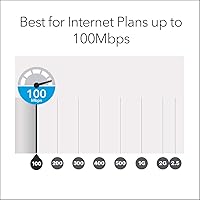
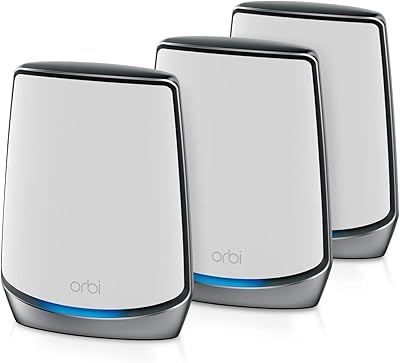
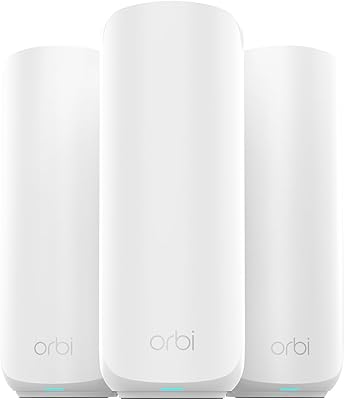
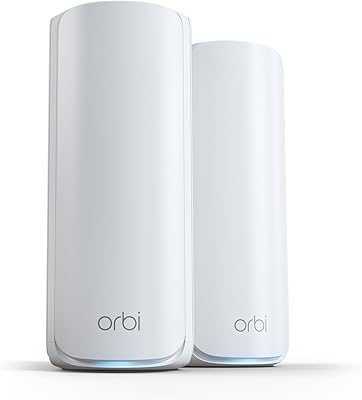
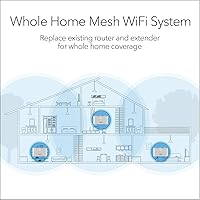
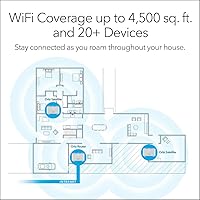
The NETGEAR Orbi RBK13 Mesh WiFi System is built for one specific type of buyer: the homeowner who has lived with dead zones long enough. The kit ships with one router and two satellites, covering up to 4,500 square feet — think a large two-story house or a sprawling single-floor layout. It slots in where your old router used to sit, though you'll still need a separate modem or gateway from your ISP. The dual-band AC1200 setup suits plans running up to about 100 Mbps well. If you're on gigabit fiber, this Orbi mesh kit will cap your real-world speeds noticeably. Strong value for the right household. Not a tri-band powerhouse.
Features & Benefits

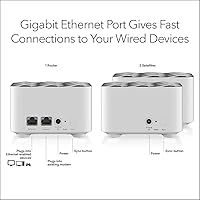
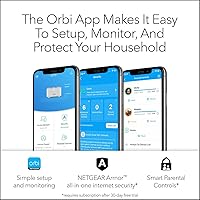
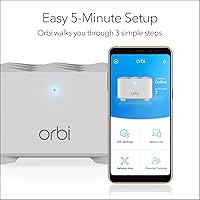
Smart Connect is one of those features that sounds minor until you've lived without it. The RBK13 system maintains a single network name and quietly shifts your devices to whichever satellite offers the strongest signal as you move around the house — no reconnecting, no manual band switching. Beamforming and MU-MIMO mean the router actively focuses signal toward connected devices rather than broadcasting blindly in all directions. Each unit also has a Gigabit Ethernet port, handy for plugging in a smart TV or desktop. The Orbi app handles setup in minutes and lets you run speed tests or see which devices are online. NETGEAR Armor and Smart Parental Controls come bundled as 30-day trials — useful, though their ongoing subscription cost is worth knowing upfront.

Best For

This three-piece mesh setup is well suited to homes in the 2,000 to 4,500 square foot range where a single router just can't reach every corner — multi-floor layouts and homes with thick concrete or brick walls especially. If you've been living with the router your ISP dropped off years ago, the upgrade is genuinely noticeable. Families running 10 to 15 devices at once — streaming sticks, phones, smart speakers, tablets — will find the load manageable. One firm caveat: if your internet plan tops 100 Mbps, this kit isn't the right match and you'll leave real speed on the table. First-time mesh buyers and non-technical users will especially appreciate how rarely setup calls for a help line.

User Feedback

Across more than 3,300 ratings, the RBK13 system holds a 4.3 out of 5 average — a solid score that reflects genuine satisfaction from the majority, with some consistent gripes worth flagging. The most common praise centers on dead-zone elimination and how smoothly the app-guided setup goes, often taking under 10 minutes. On the other side, buyers frequently note that the satellite units carry no extra Ethernet ports, which limits wired flexibility in bedrooms or secondary floors. A recurring sore point is NETGEAR Armor: some users feel blindsided when the trial expires and the renewal cost appears. Occasional satellite disconnects requiring a manual reboot also show up — not a dealbreaker for most, but worth knowing upfront.

Pros

  • Three-unit coverage reaches up to 4,500 sq. ft., tackling dead zones in large or multi-floor homes.
  • App-guided setup takes most users under 10 minutes with no networking knowledge needed.
  • Smart Connect automatically moves devices to the strongest signal without any manual intervention.
  • Each unit includes a Gigabit Ethernet port for wiring in a TV, console, or desktop PC.
  • Beamforming and MU-MIMO actively focus signal toward connected devices rather than scattering it.
  • Compatible with virtually every ISP type — cable, DSL, fiber, and satellite modems all work.
  • The Orbi app provides ongoing visibility into connected devices and lets you run speed tests anytime.
  • Handles up to 15 simultaneous devices comfortably under typical household usage patterns.
  • A 30-day trial of network security and parental controls gives families a useful grace period to evaluate both features.
  • Aggregate user rating of 4.3 out of 5 across more than 3,300 reviews reflects reliable real-world satisfaction.

Cons

  • Satellite units carry only one Ethernet port each, leaving no wired options for secondary-room setups with multiple devices.
  • Real-world throughput is capped around 100 Mbps, making this Orbi mesh kit a poor match for gigabit internet plans.
  • No dedicated backhaul band means router-to-satellite traffic competes with client devices for bandwidth.
  • NETGEAR Armor and Smart Parental Controls revert to paid subscriptions after the 30-day trial — costs that catch some buyers off guard.
  • Some users report occasional satellite disconnects that require a manual reboot to resolve.
  • Coverage may fall short in homes larger than 4,500 sq. ft. or those with particularly dense wall construction.
  • The RBK13 system has no Amazon Alexa integration built in, unlike some competing mesh options.
  • Only two frequency bands available, so heavy network loads can cause congestion more quickly than on tri-band systems.
  • No option to add a third satellite for expanded coverage without replacing the whole kit.
  • Parental control features are fairly basic during the trial and may not satisfy parents looking for granular content filtering.

Ratings

The scores below reflect an AI-driven analysis of thousands of verified global user reviews for the NETGEAR Orbi RBK13 Mesh WiFi System, with spam, bot activity, and incentivized feedback actively filtered out to ensure the ratings reflect genuine buyer experiences. Each category is scored independently to surface where this three-piece mesh setup genuinely delivers and where real buyers have run into friction. Both the highlights and the honest frustrations are represented without softening.

Coverage & Dead Zone Elimination
88%
For most medium-sized homes, the coverage transformation is immediate and dramatic. Users upgrading from a single ISP-provided router consistently report that previously unreachable corners — back bedrooms, basements, detached garages — suddenly hold a solid connection. Two-story homes in the 2,500 to 4,000 sq. ft. range see the biggest benefit.
Homes at or above the 4,500 sq. ft. ceiling frequently hit soft spots, especially in layouts with thick concrete walls or long narrow floor plans. In these edge cases, the two included satellites simply do not have enough reach, and there is no easy path to add a third unit within this product line.
Ease of Setup
91%
The Orbi app consistently earns praise as one of the more painless router setups available at this price point. Most users report completing the full installation — router, both satellites, and network naming — in under 15 minutes without reading a manual. Non-technical buyers in particular find the guided process genuinely reassuring.
A small subset of users encounters hiccups when their ISP gateway requires manual bridge mode configuration, which the app does not walk you through. In those cases, the experience shifts from simple to frustrating quickly, particularly for first-time mesh buyers who assumed the process would be fully automatic.
WiFi Speed & Throughput
67%
33%
For households on internet plans up to 100 Mbps, this Orbi mesh kit delivers consistent, usable speeds throughout the home with minimal drop-off between rooms. Everyday tasks — HD streaming, video calls, casual gaming — run without complaint on plans in that tier, which covers a significant portion of cable and DSL subscribers.
Anyone on a 200 Mbps or faster plan will notice the gap between what their ISP provides and what this system actually delivers over WiFi. The dual-band AC1200 architecture shares bandwidth between the backhaul and client devices simultaneously, which creates a measurable ceiling that faster internet plans quickly expose.
Roaming & Band Switching
83%
Smart Connect handles band selection quietly in the background, and for most users it works as advertised — walking from one end of the house to the other while on a video call rarely causes the kind of stuttering or drop that plagues single-router homes. The single network name approach removes the need to manually manage 2.4GHz and 5GHz networks separately.
Occasionally, devices — particularly older smartphones and laptops — can be stubborn about releasing a weaker satellite signal and handing off to a stronger one nearby. This sticky client behavior is a known limitation of dual-band Smart Connect systems and tends to surface in larger homes where the satellites are farther apart.
Multi-Device Performance
74%
26%
Households running 10 to 12 devices simultaneously — a typical mix of phones, smart TVs, tablets, and smart speakers — find the RBK13 system handles the load without obvious slowdowns. MU-MIMO support means the router is not strictly taking turns with each device, which keeps everyday usage feel responsive.
Push the device count toward 15 while mixing bandwidth-heavy tasks like 4K streaming and large file downloads, and the dual-band ceiling starts to show. Without a dedicated backhaul band, heavy simultaneous use causes more noticeable congestion than you would see on a tri-band system in the same scenario.
Wired Connectivity
58%
42%
Having a Gigabit Ethernet port on each unit is genuinely useful — plugging a smart TV or game console directly into the nearest satellite provides a stable, low-latency wired connection without running cables back to the main router. For single-device wired needs in secondary rooms, it works cleanly.
The limitation becomes apparent the moment you need more than one wired connection in a room that is not near the router. With only one port per satellite and no additional ports available, users who want to wire in a desktop PC and a game console at the same location are forced to buy a separate network switch — an added cost and complication that feels avoidable at this price.
Network Security
72%
28%
WPA2 encryption and a dedicated Guest WiFi network are standard and always-on regardless of subscriptions. The 30-day NETGEAR Armor trial gives families a meaningful window to test device-level threat protection, and users with young children especially appreciate having an active security layer during setup and early use.
The Armor subscription cost after the trial catches a notable number of buyers off guard, and several reviewers feel the feature should have been disclosed more prominently at purchase. Without the subscription, the system reverts to basic WPA2 protection, which is functional but lacks the automatic threat detection that made Armor attractive in the first place.
Parental Controls
63%
37%
During the trial period, Smart Parental Controls gives parents the ability to set screen time schedules and apply basic content filters across specific devices — useful enough for families with younger children who want a first layer of oversight without installing third-party software or configuring DNS filtering manually.
The controls are fairly surface-level compared to dedicated parental control platforms, and they disappear behind a paywall after 30 days. Parents expecting robust, granular content filtering or detailed usage reporting may find the feature underwhelming even during the trial, and the subscription cost is hard to justify given the limited depth.
Connection Stability
76%
24%
The large majority of users report a stable, consistent connection that runs for weeks without requiring any manual intervention. The Quad-Core processor keeps the system from bogging down under typical household loads, and most buyers describe the overall reliability as a clear upgrade over their previous single-router setup.
A recurring minority complaint involves individual satellites occasionally dropping off and needing a manual reboot to reconnect. It does not appear to be universal, but it surfaces often enough across reviews to be a real concern rather than an isolated incident, and NETGEAR has not fully resolved it through firmware updates.
App & Management Experience
81%
19%
The Orbi app earns consistent praise for its clean layout and practical tools — running a speed test, seeing which devices are connected, and adjusting guest network settings all take seconds rather than requiring a browser login to a router admin page. Regular firmware updates are also pushed through the app without any manual effort.
Some users find that the app occasionally loses communication with the router after firmware updates, requiring a full app reinstall or router reboot to reconnect. The feature set, while polished, also stops short of advanced controls that experienced network users might expect, such as VLAN configuration or detailed per-device bandwidth throttling.
Value for Money
79%
21%
For buyers whose home and internet plan fit squarely within what this Orbi mesh kit is designed for, the per-square-foot cost of reliable whole-home coverage represents a fair deal. The inclusion of Ethernet ports on every unit, the app-managed setup, and the trial features add tangible value without inflating the price beyond reach.
The closer you look at the spec sheet relative to what competitors offer at a similar price point — particularly kits with tri-band backhaul or WiFi 6 support — the harder it is to call this a standout value. Buyers who push slightly further in budget can access meaningfully better hardware, which makes this kit feel best justified as an entry-level mesh option rather than a long-term investment.
Design & Placement Flexibility
84%
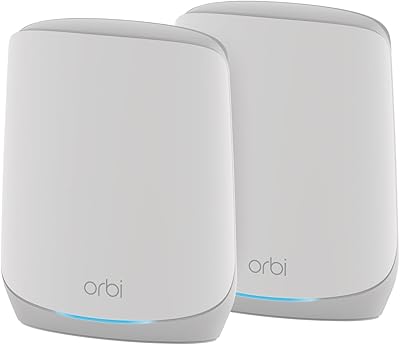
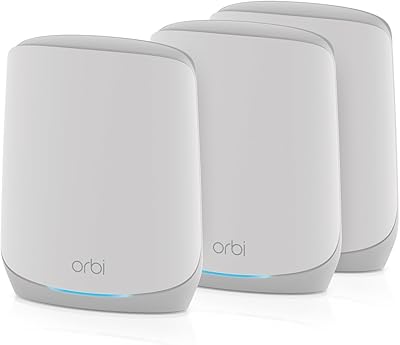
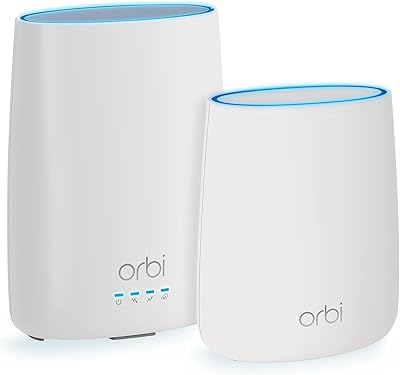
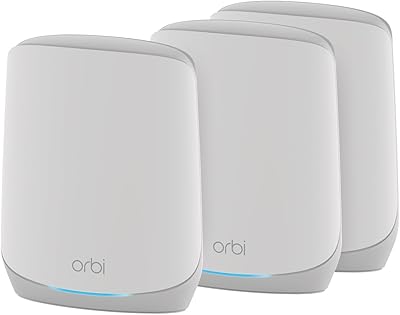
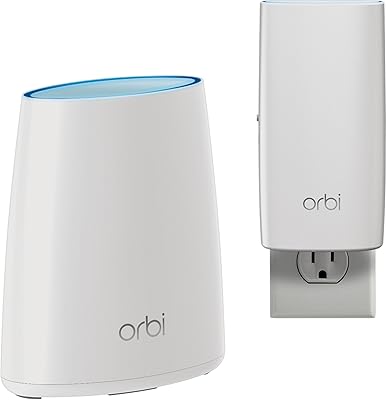
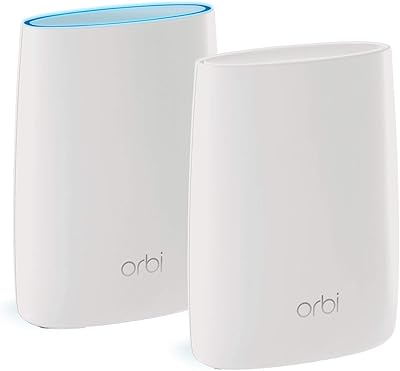
The upright cylindrical form factor and neutral white finish help the units blend into living spaces, bookshelves, or hallway surfaces without drawing attention. The compact footprint means placement options are broader than with older router designs, and none of the three units require a large dedicated surface area.
There is no wall-mount option included or officially supported, which limits placement to flat surfaces only. In homes where the ideal signal position would be a wall or a high corner mount, buyers are forced to compromise on satellite placement — which can measurably affect coverage reach and signal quality.
ISP & Modem Compatibility
87%
Broad compatibility with cable, fiber, DSL, and satellite providers means that for the overwhelming majority of buyers, plugging this three-piece mesh setup into their existing modem or gateway simply works. Users across Xfinity, Spectrum, AT&T, Cox, and smaller regional ISPs report no compatibility issues out of the box.
The occasional exception involves ISP gateways that default to router mode rather than bridge mode, which can cause double-NAT conflicts that slow the network or block certain features. This is solvable, but the Orbi app does not guide users through that specific fix, leaving them to troubleshoot independently.

Suitable for:

The NETGEAR Orbi RBK13 Mesh WiFi System is a strong fit for families and households living in homes between roughly 2,000 and 4,500 square feet where a single router has never quite reached the back bedroom, the basement, or the far end of the second floor. If your internet plan runs at 100 Mbps or below — which covers a large portion of cable and DSL subscribers — this three-unit kit will comfortably serve that connection without wasting money on overkill hardware. It is particularly well-suited to buyers making their first jump into mesh networking, since the Orbi app walks you through placement and setup in a matter of minutes with no technical background required. Families with 10 to 15 devices running at once — a mix of phones, tablets, streaming sticks, and smart home gadgets — will find the load handled without much fuss. Parents who want a basic layer of parental controls and network-level security can also try those features during the included 30-day trial period before deciding whether the ongoing subscription is worth it.
Not suitable for:

If you are on a gigabit fiber plan and expect to pull anywhere close to those speeds over WiFi, the NETGEAR Orbi RBK13 Mesh WiFi System will disappoint — its dual-band AC1200 architecture tops out around 100 Mbps in real-world conditions, leaving a significant portion of a fast connection unused. Power users who need wired Ethernet in multiple rooms across the home will also run into a hard constraint: only the main router and each satellite carry a single Gigabit port each, with no extra ports on the satellites for secondary-room devices. Anyone who needs a dedicated wireless backhaul — the separate band that tri-band systems reserve for router-to-satellite communication — should look at higher-tier mesh kits, since this system shares its two bands between backhaul traffic and client devices simultaneously. Large homes exceeding 4,500 square feet, or properties with unusually dense construction like concrete walls throughout, may find that two satellites are not enough to fill coverage reliably. Finally, buyers who are uncomfortable with the idea of subscription-based security and parental control features expiring after the trial should factor that ongoing cost into their decision before purchasing.
Specifications

  • WiFi Standard: This system uses 802.11ac (WiFi 5), a widely supported standard that balances speed and compatibility across most modern devices.
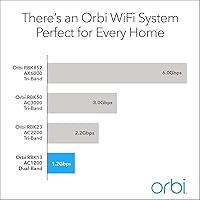
  • Speed Class: Rated AC1200, delivering a combined theoretical maximum of up to 1.2 Gbps split across both frequency bands.
  • Frequency Bands: Dual-band operation covers both 2.4GHz (for range and older devices) and 5GHz (for faster nearby connections).
  • Coverage Area: The three-unit system is rated to cover up to 4,500 sq. ft. under typical open-layout home conditions.
  • Units Included: The kit includes one Orbi router (RBR10) and two Orbi satellites (RBS10), plus one 2m Ethernet cable and three power adapters.
  • Device Capacity: NETGEAR rates this system for up to 15 simultaneously connected devices under normal household usage.
  • Ethernet Ports: Each unit carries one Gigabit Ethernet port, providing a total of three wired connection points across the router and two satellites.
  • Processor: A Quad-Core 710MHz processor handles network management and routing tasks to keep performance stable across multiple devices.
  • Security: The system supports WPA2 encryption, Guest WiFi network isolation, and includes a 30-day trial of NETGEAR Armor for device-level threat protection.
  • Parental Controls: NETGEAR Smart Parental Controls are included as a 30-day trial, offering content filtering and screen time scheduling via the Orbi app.
  • Setup Method: Initial setup and ongoing network management are handled through the Orbi mobile app, available for both iOS and Android.
  • ISP Compatibility: The RBK13 system works with cable, fiber, DSL, and satellite internet providers, requiring only a separate modem or gateway.
  • Dimensions: Each unit measures 8.02 x 5.5 x 5.15 inches, sized to sit on a shelf or surface without dominating the room.
  • Total Weight: The combined weight of all three units is approximately 2.85 pounds, making placement and repositioning easy.
  • Color: All three units ship in a neutral white finish designed to blend into typical home or office interiors.
  • Best Speed Tier: This system is best matched to internet plans running at up to 100 Mbps; plans above that threshold may not see full throughput over WiFi.
  • Beamforming: Both implicit and explicit beamforming are supported on 2.4GHz and 5GHz bands, helping focus signal toward individual connected devices.
  • MU-MIMO: Multi-User MIMO support allows the router to communicate with multiple devices at the same time rather than cycling through them sequentially.
  • Power Input: Each unit operates on a 12V/1A power adapter, and the system supports a wide voltage range of 100–240V for international compatibility.
  • Smart Connect: Smart Connect technology maintains a single WiFi network name and automatically assigns devices to the optimal band without user intervention.

Related Reviews

NETGEAR Orbi RBK853 WiFi 6 Mesh System
77%
83%
Signal Coverage
86%
Network Speed
88%
Device Handling
81%
Setup Experience
74%
App & Management
More
NETGEAR Orbi RBK752P WiFi 6 Mesh System
80%
88%
Coverage & Range
79%
WiFi Speed & Throughput
91%
Ease of Setup
83%
Device Handling
85%
Wired Connectivity
More
NETGEAR Orbi RBK663 WiFi 6 Mesh System
87%
93%
WiFi Performance
90%
Coverage Area
85%
Ease of Setup
88%
Security Features
82%
App Experience
More
NETGEAR Orbi RBK753P WiFi 6 Mesh Network System
85%
89%
Performance
92%
Coverage Area
88%
Ease of Setup
85%
Security Features
80%
Device Support
More
Netgear Orbi RBK50 2-Pack Mesh WiFi System
72%
88%
Coverage & Range
83%
Signal Consistency
91%
Setup & Installation
84%
Ease of Daily Use
62%
Value for Money
More
NETGEAR Orbi CBK40 Modem Mesh WiFi System
74%
82%
Coverage & Range
74%
WiFi Speed Performance
88%
Modem Integration
83%
Setup & Onboarding
77%
App Experience
More
NETGEAR Orbi RBK30 Whole Home Mesh WiFi System
82%
88%
WiFi Coverage
91%
Ease of Setup
85%
Performance Stability
89%
App Functionality
87%
Alexa Compatibility
More
NETGEAR Orbi 370 RBE373 WiFi 7 Mesh System (3-Pack)
84%
88%
Wireless Performance
91%
Coverage & Range
93%
Setup & Installation
79%
App Experience
87%
Multi-Device Handling
More
NETGEAR Orbi 370 Series WiFi 7 Mesh System RBE374
88%
92%
Performance
89%
Ease of Setup
93%
Coverage Area
88%
Speed/Throughput
87%
Security Features
More
NETGEAR Orbi 770 Series Tri-Band WiFi 7 Mesh System RBE772
86%
91%
Overall Performance
94%
WiFi Speed & Reliability
89%
Coverage Area
85%
Ease of Setup
88%
Security Features
More

FAQ

Yes, you do. This Orbi mesh kit replaces your existing router but not your modem or gateway. You will still need the device your ISP provided to connect to the internet — the RBK13 system plugs into that via Ethernet and takes it from there.

Honestly, setup is one of the things this system does well. You download the Orbi app, plug in the router, follow the on-screen steps, and then place the satellites where coverage is thin. Most people finish in under 15 minutes without needing to call anyone.

In almost all cases, yes. The three-piece mesh setup is compatible with modems and gateways from cable, DSL, fiber, and satellite providers, including major ISPs like Xfinity, AT&T, Spectrum, and Cox. Just make sure your gateway or modem is set to pass through the connection properly.

A two-story home at that size is right in the sweet spot for this kit. Placing one satellite on each floor, roughly between the router and the farthest rooms, typically gives solid coverage throughout. Homes with unusually thick walls or complex layouts may need some experimentation with satellite placement.

Not fully. The NETGEAR Orbi RBK13 Mesh WiFi System is built around a dual-band AC1200 architecture, which realistically caps out around 100 Mbps in practical use. If you are paying for a gigabit plan, this kit will underutilize your connection significantly — you would be better served by a tri-band or WiFi 6 mesh system.
After the 30-day trial, Armor switches to a paid annual subscription to remain active. If you choose not to subscribe, the feature simply turns off — your regular WPA2 network security and Guest WiFi remain in place regardless. Just be aware of this before assuming security features are permanently included.

You can, but only one device per satellite. Each satellite unit has a single Gigabit Ethernet port, which works fine for a smart TV or a streaming player in a secondary room. If you need multiple wired connections at the same location, you would need a small network switch connected to that port.

One network name for everything. Smart Connect handles band selection automatically, so your phone or laptop connects to whichever band and satellite offers the best signal as you move around the house. You never have to manually switch between networks.

It does show up in a minority of user reports — typically resolved by a quick power cycle of the affected satellite. It is not something the majority of users experience regularly, but it is worth knowing. Keeping the firmware updated through the Orbi app tends to reduce the likelihood of those hiccups.

Unfortunately, no, not in the traditional sense — the RBK13 satellites (RBS10) are a lower-tier model and the expansion path with this kit is limited. If your coverage needs grow significantly, the more practical move would be to upgrade to a higher-tier Orbi system that natively supports satellite expansion rather than trying to patch this one.

Where to Buy