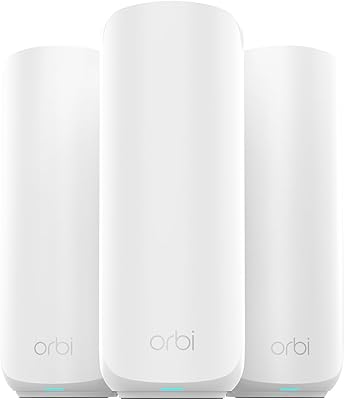
Overview

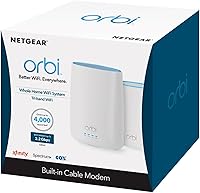
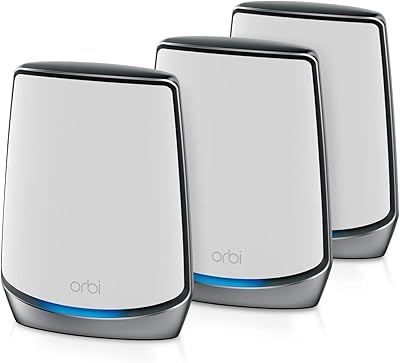
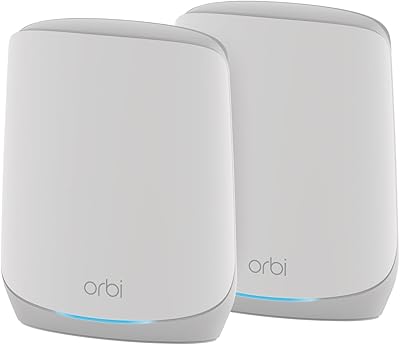
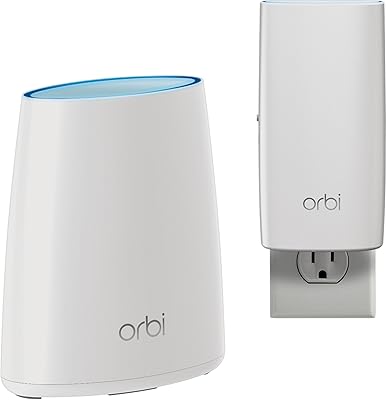
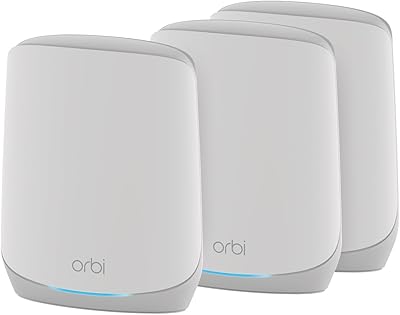
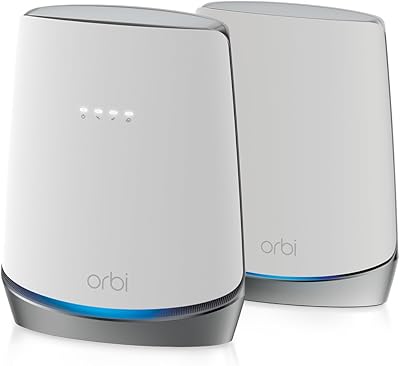
The NETGEAR Orbi CBK40 Modem Mesh WiFi System tackles a frustration most cable internet subscribers know well: paying monthly rental fees for equipment you never actually own. This Orbi modem-mesh combo rolls a DOCSIS 3.0 cable modem and a mesh router into one unit, paired with a satellite extender, so you are replacing two boxes with a coordinated system. In the box you get the CBR40 modem-router and the RBS20 satellite. The advertised 4,000 sq. ft. coverage is realistic for open floor plans, but homes with thick walls or multiple floors may see that number drop. Sitting in the mid-to-premium tier, it earns its price through consolidation and convenience rather than raw specs alone.
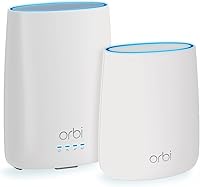
Features & Benefits

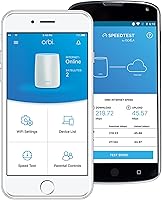
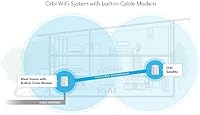
The CBK40 system runs on a DOCSIS 3.0 modem with heavy channel bonding, meaning it can keep pace with the faster speed tiers most ISPs offer today — though real-world performance will always fall short of any theoretical ceiling on the spec sheet. The real advantage is the tri-band backhaul: one full 5 GHz band is reserved strictly for traffic between the modem-router and the satellite, so piling on more connected devices does not strangle the bandwidth reaching your phones and laptops. Six Gigabit Ethernet ports cover wired needs across both units, and the Orbi app handles guest networks, parental controls, and speed tests without ever opening a browser.

Best For

This all-in-one mesh kit makes the most sense for cable internet subscribers who are actively renting a modem from their ISP and want to stop. The savings over a couple of years can genuinely offset the upfront cost. It is also a solid fit for medium-to-large homes — think ranch-style layouts or two-story houses in the 2,000 to 4,000 sq. ft. range — where a single router leaves certain corners with poor signal. Households juggling 4K streaming, gaming consoles, and a growing roster of smart devices will benefit from the dedicated wireless backhaul. Those who dread browser-based admin panels will appreciate the app-only management approach. Apartment dwellers or anyone on fiber or DSL should look elsewhere.

User Feedback

With over 1,000 ratings sitting at 4.3 stars, the CBK40 system has built a solid reputation — most owners highlight how straightforward the initial activation was and how much their coverage improved compared to a single-router setup. The biggest recurring sticking point is ISP compatibility: DOCSIS 3.0 works with providers like Xfinity and Spectrum, but a noticeable share of users ran into activation hiccups that required a call to their provider. On long-term reliability, occasional reboots seem common enough to mention, though reports of hardware failures are rare. Buyers who later upgraded to the faster RBK50 did so primarily for raw speed, not because this kit let them down — which reflects well on its everyday dependability.

Pros

  • Eliminates monthly ISP modem rental fees, which adds up to meaningful savings over two or three years.
  • Tri-band design keeps a full 5 GHz channel reserved for unit-to-unit traffic, protecting client speeds under load.
  • Setup is genuinely straightforward — the Orbi app walks you through activation without requiring technical knowledge.
  • Six Gigabit Ethernet ports across both units give wired devices plenty of connection options throughout the home.
  • Coverage across medium to large homes is consistent, with far fewer dead zones than a single-router setup.
  • Guest network and parental control management from the app is clean and accessible for non-technical households.
  • The system is expandable — additional Orbi satellites can be added later if coverage needs grow.
  • Build quality is solid and the white design blends into most home interiors without drawing attention.

Cons

  • ISP activation can require a call to your provider — online self-activation does not always go smoothly.
  • Real-world speeds fall noticeably short of the advertised aggregate ceiling, as is typical with any mesh system.
  • Coverage claims assume open floor plans; thick walls, concrete, or multi-story layouts will reduce effective range.
  • Some owners report the system needs an occasional reboot to maintain stable performance over weeks of use.
  • Firmware updates have caused temporary connectivity drops for a portion of users, which can be disruptive.
  • The CBK40 system runs on Wi-Fi 5, so it lacks the efficiency and top-end throughput of newer Wi-Fi 6 hardware.
  • Satellite placement is more sensitive than expected — positioning it poorly can create a noticeable weak link.
  • Only compatible with DOCSIS 3.0 cable internet; fiber and DSL customers cannot use the built-in modem at all.
  • The included satellite (RBS20) operates at a lower speed tier than the modem-router, which can create a throughput imbalance.

Ratings

The scores below were generated by our AI engine after analyzing thousands of verified global user reviews for the NETGEAR Orbi CBK40 Modem Mesh WiFi System, with spam, incentivized submissions, and bot activity actively filtered out to ensure accuracy. Each category reflects the honest distribution of buyer sentiment — not just the highlights — so both the genuine strengths and the recurring frustrations are represented transparently. If a score looks lower than you expected, that is intentional: it means real users ran into real issues worth knowing about before you buy.

Coverage & Range
82%
18%
Most owners in 2,000 to 3,500 sq. ft. homes report a dramatic reduction in dead zones compared to their previous single-router setup. The satellite unit reliably pushes signal into back bedrooms, garages, and basements that were previously unreachable, which users with larger ranch-style homes found particularly valuable.
Buyers in multi-story homes or properties with concrete or brick walls consistently report that the advertised 4,000 sq. ft. ceiling is optimistic for their layouts. Satellite placement sensitivity is real — positioning it even slightly too far from the modem-router can create a noticeable weak link that undermines the whole system.
WiFi Speed Performance
74%
26%
For everyday household tasks — video calls, 4K streaming on multiple TVs, and casual gaming — the CBK40 system delivers solid, consistent throughput that satisfies most families. Users who previously dealt with buffering during peak evening hours noticed a meaningful improvement after switching to this all-in-one mesh kit.
The aggregate speed ceiling looks impressive on paper, but real-world single-device speeds are considerably more modest, especially on devices connected through the satellite rather than the modem-router directly. Users who upgraded from older Wi-Fi 5 routers noticed less dramatic speed gains than those coming from basic ISP-supplied equipment.
Modem Integration
88%
The built-in DOCSIS 3.0 modem is the central selling point for most buyers, and it delivers — handling high-speed cable tiers without becoming a bottleneck and eliminating the need for a separate modem box entirely. Users on Xfinity and Spectrum in particular found the hardware performed reliably once provisioned.
The modem is strictly cable-only, which caught some buyers off guard after purchase. Additionally, a notable share of users needed multiple ISP calls to get the modem fully provisioned, with the process taking longer than expected depending on the provider and time of day.
Setup & Onboarding
83%
The Orbi app-guided setup is genuinely accessible for non-technical users — most report having the network up and running within 20 to 30 minutes of unboxing. The step-by-step instructions in the app are clear enough that many households set it up without consulting any external documentation.
The hardware setup itself is straightforward, but the mandatory ISP activation call is a sticking point that the packaging does not prepare buyers for adequately. Users who set up the system on weekends or evenings sometimes faced long hold times with their providers, delaying the full experience.
App Experience
77%
23%
The Orbi app covers the essentials well — creating a guest network, running a speed test, and setting up parental controls are all doable in a few taps without any technical knowledge. Parents especially appreciate having device-level controls available from their phone rather than buried in a browser admin panel.
The app occasionally loses connection to the router, requiring a force-close and relaunch to sync properly. Advanced users who want deeper control over network settings — like QoS prioritization or detailed traffic logs — find the app frustratingly limited compared to what a browser-based admin panel could offer.
Long-Term Reliability
68%
32%
A solid majority of owners run this Orbi modem-mesh combo for a year or more without experiencing hardware failures, and NETGEAR's build quality holds up under continuous 24/7 operation. Many buyers report still using the system years after purchase with no physical defects.
Periodic reboots are a recurring theme in long-term owner feedback — not catastrophic failures, but enough to be disruptive for households with smart home devices or remote workers who need uninterrupted connectivity. Some units also developed intermittent drop issues after firmware updates that took several weeks or support interactions to resolve.
Firmware & Updates
61%
39%
Automatic firmware updates mean the system generally stays current without the owner having to think about it, which is reassuring from a security standpoint. When updates apply cleanly, users notice no disruption and occasionally report small improvements in stability.
Firmware updates are the single most common source of complaints in long-term owner reviews — a meaningful number of users experienced connectivity drops, incorrect speed readings in the app, or full reboots triggered mid-day by an update. There is no built-in scheduling tool to push updates to off-peak hours, which is a noticeable oversight.
ISP Compatibility
72%
28%
The system works well with the two largest cable providers in the US, and most users on supported plans complete provisioning without significant problems. Buyers who researched compatibility before purchasing generally had smooth experiences.
Users on smaller regional cable providers occasionally discover their ISP does not support this modem model, which is not clearly communicated at the point of sale. Even among supported ISPs, the activation process varies enough from provider to provider that the experience feels inconsistent rather than reliably plug-and-play.
Satellite Placement Flexibility
66%
34%
The wireless backhaul design means the satellite can go anywhere with a power outlet, giving homeowners real flexibility in where they position it without running Ethernet through walls. Users in open-plan homes found this particularly freeing compared to access-point setups that require wired connections.
The acceptable placement window between too close and too far from the modem-router is narrower than most buyers expect. Users who placed the satellite at the edge of their desired coverage area — logically trying to maximize reach — often got worse results than those who positioned it more conservatively, and troubleshooting this trial-and-error process frustrated many owners.
Device Handling Under Load
79%
21%
The dedicated backhaul band does its job — households running 20 or more simultaneous devices, including smart home sensors, streaming sticks, gaming consoles, and laptops, report that speeds remain usable across the board without obvious prioritization fights between devices.
Under very heavy concurrent load — think a household with simultaneous 4K streams, active video calls, and online gaming all at once — users notice the satellite-connected devices are noticeably slower than those on the main unit. This is partly a Wi-Fi 5 limitation and partly a consequence of the single satellite architecture.
Value for Money
76%
24%
For cable internet subscribers currently renting a modem from their ISP, the math works out favorably over 18 to 24 months of ownership — the rental savings alone offset a meaningful portion of the purchase price. Getting a complete mesh system and a modem in one purchase is genuinely convenient.
For buyers who already own a compatible standalone modem, the value case weakens considerably since they are paying a premium primarily for the mesh architecture. Compared to newer Wi-Fi 6 mesh systems now available at similar price points, the CBK40 system feels less future-proof than it did at launch.
Hardware Build Quality
81%
19%
Both units feel solid and premium without being unnecessarily heavy or bulky, and the clean white aesthetic means most households can place them in visible spots without them looking out of place. Long-term owners consistently report no cracking, port failures, or aesthetic degradation.
The modem-router unit runs noticeably warm during extended operation, and while this has not translated into widespread reports of thermal failures, users in poorly ventilated spaces or warm climates mention it as a concern. The satellite is physically smaller but still requires a dedicated outlet rather than a discreet plug-in footprint.
Parental Controls
71%
29%
Parents appreciate that device-level management is accessible from the Orbi app without any technical configuration — pausing internet access for a specific device or setting a schedule takes a few taps and works as expected for households with children.
The parental control feature set is basic compared to dedicated security suites or routers with Circle integration. There is no content filtering or category-based blocking built in, which means parents looking for granular control over what their children can access online will find this system lacking without a third-party subscription.
Customer Support
59%
41%
NETGEAR has an established support infrastructure with phone, chat, and community forum options, and some users report resolving firmware and connectivity issues through the official community threads without needing to contact support directly.
Wait times for NETGEAR phone support receive consistent criticism, and users dealing with firmware-related issues or ISP provisioning edge cases often describe going through multiple support agents before reaching a resolution. The one-year warranty window also feels short relative to the product's price tier and expected usage lifespan.

Suitable for:

The NETGEAR Orbi CBK40 Modem Mesh WiFi System is purpose-built for cable internet subscribers who are currently renting a modem from their ISP and want to reclaim that monthly fee without sacrificing network quality. It hits a practical sweet spot for households in the 2,000 to 4,000 sq. ft. range — think split-level homes, older ranch layouts, or two-story houses where a single router reliably leaves one corner or floor underserved. Families with a heavy mix of devices will appreciate how the dedicated backhaul band keeps shared speeds from degrading as more phones, tablets, streaming sticks, and consoles join the network simultaneously. The app-driven setup and management also make this a strong fit for anyone who wants control over parental controls and guest networks without ever touching a browser-based admin panel. If you are on Xfinity, Spectrum, or another major cable provider and your current setup involves separate rented equipment, this all-in-one mesh kit is worth a serious look.
Not suitable for:

The NETGEAR Orbi CBK40 Modem Mesh WiFi System is not the right call for anyone on a fiber, DSL, or satellite internet connection — the built-in modem is cable-only, so those subscribers would be paying for hardware they cannot fully use. Buyers in smaller homes or apartments under 1,500 sq. ft. are also overspending here; a single capable router would cover that space without the added complexity of a satellite node. Power users chasing the fastest available Wi-Fi speeds may find this kit underwhelming compared to newer Wi-Fi 6 systems, since it runs on the older 802.11ac standard with an aggregate ceiling that looks modest against current-generation hardware. Anyone expecting plug-and-play activation without any ISP coordination may also run into friction, as getting the modem provisioned sometimes requires a support call. And if you already own a compatible standalone modem, the value case for this system weakens considerably.
Specifications

  • WiFi Standard: The system uses 802.11ac (Wi-Fi 5), supporting the previous generation of wireless technology across all three bands.
  • Band Config: Tri-band operation includes one 2.4 GHz network and two separate 5 GHz networks, one of which is dedicated to backhaul communication between units.
  • Max WiFi Speed: Aggregate wireless throughput reaches up to 2.2 Gbps across all bands combined, though real-world single-device speeds will be considerably lower.
  • Coverage Area: The modem-router and satellite together are rated to cover up to 4,000 sq. ft., with actual range varying based on home construction and layout.
  • Modem Standard: The built-in modem uses DOCSIS 3.0, which is compatible with most major cable internet providers in the United States.
  • Channel Bonding: The modem supports 32x8 channel bonding, allowing it to handle high-speed cable tiers without becoming a bottleneck for downstream traffic.
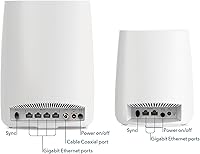
  • Ethernet Ports: Six Gigabit Ethernet ports are included in total: four on the CBR40 modem-router and two on the RBS20 satellite extender.
  • Included Units: The package contains one CBR40 modem-router, one RBS20 satellite extender, two power adapters, one 2-meter Ethernet cable, and a quick-start guide.
  • App Management: The Orbi mobile app for iOS and Android handles network setup, guest access, parental controls, and speed testing without requiring a browser-based admin panel.
  • Special Features: Built-in features include WPS for quick device pairing, a dedicated guest network option, and parental controls manageable directly from the app.
  • Operating System: The firmware runs on ZyNOS, NETGEAR's proprietary network operating system used across its Orbi product line.
  • Dimensions: The CBR40 modem-router measures 9.92 x 9.55 x 7.51 inches, with the RBS20 satellite being a smaller standalone unit.
  • Weight: The combined weight of both units is approximately 2.79 pounds, making placement and repositioning straightforward.
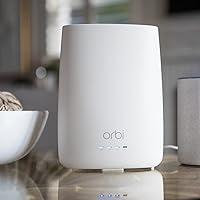
  • Color: Both the modem-router and satellite ship in white, designed to blend unobtrusively into typical home interiors.
  • Expandability: The system supports additional compatible Orbi satellite units if more coverage is needed beyond the included two-unit configuration.
  • ISP Compatibility: Works with cable internet providers that support DOCSIS 3.0, including major carriers like Xfinity and Spectrum; not compatible with fiber or DSL connections.
  • Warranty: NETGEAR provides a standard one-year limited hardware warranty with the CBK40 system, with extended coverage available through NETGEAR support plans.

Related Reviews

NETGEAR Orbi RBK853 WiFi 6 Mesh System
77%
83%
Signal Coverage
86%
Network Speed
88%
Device Handling
81%
Setup Experience
74%
App & Management
More
NETGEAR Orbi RBK752P WiFi 6 Mesh System
80%
88%
Coverage & Range
79%
WiFi Speed & Throughput
91%
Ease of Setup
83%
Device Handling
85%
Wired Connectivity
More
NETGEAR Orbi RBK663 WiFi 6 Mesh System
87%
93%
WiFi Performance
90%
Coverage Area
85%
Ease of Setup
88%
Security Features
82%
App Experience
More
NETGEAR Orbi RBK753P WiFi 6 Mesh Network System
85%
89%
Performance
92%
Coverage Area
88%
Ease of Setup
85%
Security Features
80%
Device Support
More
NETGEAR Orbi RBK13 Mesh WiFi System
77%
88%
Coverage & Dead Zone Elimination
91%
Ease of Setup
67%
WiFi Speed & Throughput
83%
Roaming & Band Switching
74%
Multi-Device Performance
More
Netgear Orbi RBK50 2-Pack Mesh WiFi System
72%
88%
Coverage & Range
83%
Signal Consistency
91%
Setup & Installation
84%
Ease of Daily Use
62%
Value for Money
More
NETGEAR Orbi RBK30 Whole Home Mesh WiFi System
82%
88%
WiFi Coverage
91%
Ease of Setup
85%
Performance Stability
89%
App Functionality
87%
Alexa Compatibility
More
NETGEAR Orbi CBK752 Mesh Modem Router Combo
74%
88%
WiFi Speed & Throughput
78%
Whole-Home Coverage
71%
Modem Compatibility & ISP Provisioning
66%
Satellite Connection Stability
82%
Setup & Initial Configuration
More
NETGEAR Orbi 370 RBE373 WiFi 7 Mesh System (3-Pack)
84%
88%
Wireless Performance
91%
Coverage & Range
93%
Setup & Installation
79%
App Experience
87%
Multi-Device Handling
More
NETGEAR Orbi 370 Series WiFi 7 Mesh System RBE374
88%
92%
Performance
89%
Ease of Setup
93%
Coverage Area
88%
Speed/Throughput
87%
Security Features
More

FAQ

Most likely yes, but you need to confirm first. The built-in modem uses DOCSIS 3.0, which both Xfinity and Spectrum support on the majority of their cable plans. The important step is calling your ISP after you set it up to have them provision the modem on your account — this is not something that happens automatically, and skipping it is the most common reason people have activation trouble.

Yes, and this is not optional. Any time you replace a modem — rented or otherwise — your ISP needs to register the new device's MAC address on your account before it will connect to the internet. Have the MAC address from the bottom of the CBR40 unit ready when you call. The process usually takes under 15 minutes.

No. The modem inside the NETGEAR Orbi CBK40 Modem Mesh WiFi System is a cable modem only, which means it physically cannot connect to fiber or DSL lines. If you have fiber, you would still need your ISP-provided gateway, which would make this system redundant and considerably less useful.
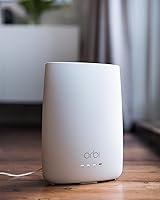
NETGEAR recommends placing the satellite roughly halfway between the modem-router and your worst dead zone — not at the outer edge of your current signal. As a general rule, keeping the two units within 30 to 40 feet of each other through normal interior walls gives the best backhaul connection. The further apart they are, the weaker the link between them, which reduces the speed the satellite can actually deliver to your devices.

For most people, it is genuinely straightforward. The Orbi app walks you through each step, including connecting the hardware and running a setup check. The one wrinkle is the ISP activation call mentioned earlier — but the app itself and the physical setup require no networking background to complete.

The tri-band design handles multiple devices reasonably well because one entire 5 GHz band is reserved just for the two Orbi units to talk to each other. This means your phones and laptops are not competing with that backhaul traffic. In practice, households with 20 to 30 connected devices report stable performance, though very bandwidth-heavy use across many devices simultaneously will always have limits regardless of the hardware.

Yes. The CBK40 system is compatible with additional Orbi satellites, so if the included RBS20 does not fully cover your space, you can add compatible units to extend the mesh further. Just make sure any satellite you add is compatible with the CBR40 router before purchasing.

The RBS20 satellite requires its own power outlet. It communicates with the modem-router wirelessly over the dedicated backhaul band, so you do not need to run an Ethernet cable to it — but it does need to be plugged into a wall wherever you place it.

The main trade-off is flexibility versus convenience. Buying separately lets you upgrade the modem or the router independently down the line, which can matter as Wi-Fi standards improve. Going with this all-in-one mesh kit means fewer devices, fewer cables, and a simpler setup — but when something needs replacing or upgrading, you are likely replacing the whole package rather than just one component.

A meaningful number of users have reported that firmware updates occasionally caused temporary connection drops or required a manual reboot afterward. It is not a universal complaint, but it comes up consistently enough to be worth noting. Enabling automatic updates is convenient, but if you work from home or have devices that need constant uptime, you may want to schedule updates for off-hours or apply them manually.