Overview

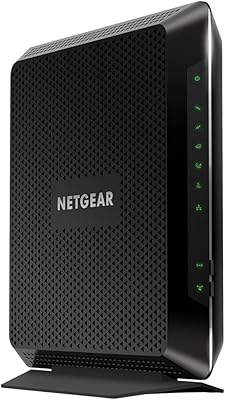
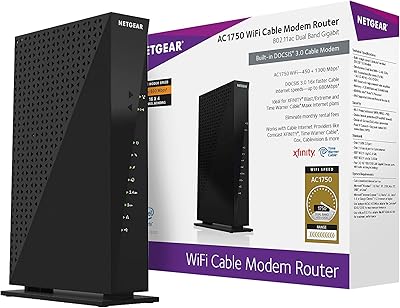
The NETGEAR Nighthawk C6900 Cable Modem Router is the kind of device that makes a lot of sense for anyone who has grown tired of paying a monthly rental fee just to use their ISP's mediocre equipment. This all-in-one gateway combines a DOCSIS 3.0 cable modem and a dual-band AC1900 Wi-Fi router into a single box — meaning one power cord, one device to troubleshoot, and no rental invoice at the end of the month. It works with major U.S. cable providers including Xfinity, Spectrum, Cox, and Cablevision. Think of it as a solid mid-range performer: capable and reliable for most households, though not built to compete with the latest Wi-Fi 6 or DOCSIS 3.1 hardware.
Features & Benefits

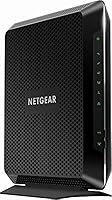
On the wireless side, the Nighthawk C6900 runs on the 802.11ac (Wi-Fi 5) standard across both 2.4 GHz and 5 GHz bands, with a theoretical combined ceiling of 1.9 Gbps. In practice, that translates to smooth 4K streaming and low-latency gaming on multiple devices at once — not because of raw speed alone, but because the 1.6 GHz dual-core processor keeps traffic moving efficiently under load. A set of four Gigabit Ethernet ports handles wired connections for consoles, desktops, or smart TVs. The integrated DOCSIS 3.0 modem uses channel bonding to make better use of your cable plan's available bandwidth. Fixed external antennas do a reasonable job for most home layouts, though they cannot be repositioned the way adjustable designs can.

Best For

This modem-router combo is a natural fit for cable internet subscribers — particularly those on Xfinity, Spectrum, Cox, or Cablevision — who want to eliminate rental fees without juggling two separate devices. Households with moderate to heavy usage across several screens will find it handles everyday demands well, including gaming, video calls, and streaming. It suits plans up to around 1 Gbps, which covers the majority of residential cable tiers. That said, it is not the right choice for fiber or DSL connections, and anyone who needs whole-home mesh coverage or the speed advantages of Wi-Fi 6 should look at newer hardware instead. It is a practical pick, not a future-proof one.

User Feedback

Buyers consistently praise how straightforward the initial setup is — plug in the coax cable, follow a short activation call with your ISP, and you are online. Long-term connection stability gets mentioned often as a genuine strength. The recurring complaint, though, is range: in homes over roughly 2,000 square feet, the signal can thin out in far corners or through multiple walls. Some users note that after a couple of years of heavy use, speeds can become less consistent. A handful report activation hiccups with certain ISP plans, so confirming compatibility before purchasing is wise. NETGEAR's customer support receives mixed marks — adequate for basic issues, but not exceptional.

Pros

  • Eliminates the monthly ISP equipment rental fee, typically paying for itself within a year for most cable subscribers.
  • Straightforward setup process — most users are online within 20 to 30 minutes of unboxing.
  • Dual-band Wi-Fi handles simultaneous streaming and gaming across multiple devices without noticeable slowdowns.
  • Four Gigabit Ethernet ports give wired devices like gaming consoles and desktop PCs a fast, stable connection.
  • The 1.6 GHz dual-core processor keeps performance consistent even when several users are active at once.
  • Compatible with major U.S. cable providers including Xfinity, Spectrum, Cox, and Cablevision.
  • A single device means one power outlet used, one interface to manage, and one less thing to troubleshoot.
  • Long-term connection stability is a frequently cited strength among real-world buyers after months of use.
  • Compact enough to sit on a shelf without dominating the room, unlike some bulkier router-modem pairings.

Cons

  • DOCSIS 3.0 is aging technology — cable plans exceeding 1 Gbps can outpace what this modem supports.
  • No Wi-Fi 6 support means this all-in-one gateway will feel dated sooner than current-generation hardware.
  • Signal range can thin out noticeably in larger homes or layouts with thick walls and multiple floors.
  • Some users report gradual speed inconsistency after extended heavy use over one to two years.
  • ISP activation can occasionally hit snags, particularly when switching from a provider-supplied modem.
  • Fixed external antennas cannot be adjusted, limiting options for fine-tuning signal direction in tricky spaces.
  • NETGEAR customer support receives mixed reviews — responsive on simple issues, but frustrating for complex ones.
  • No built-in parental controls or advanced traffic management features for households that need that level of oversight.

Ratings

The NETGEAR Nighthawk C6900 Cable Modem Router earns a nuanced scorecard built from AI analysis of thousands of verified global user reviews, with spam, bot-submitted, and incentivized feedback actively filtered out before scoring. This all-in-one gateway performs reliably in its intended lane, but the scores below reflect both where it genuinely shines and where real buyers have run into frustration — nothing is glossed over.

Value for Money
88%
For cable subscribers who have been paying a monthly modem rental fee year after year, this modem-router combo typically recovers its purchase cost within roughly twelve to fourteen months — and keeps saving money indefinitely after that. Buyers who do the math quickly recognize it as one of the most financially sensible home networking decisions they can make.
The upfront cost requires a single larger payment, which can feel like a barrier compared to the zero-cost rental model, even if the long-term math favors ownership. Users who switch ISPs shortly after buying may also find the device is not supported on their new provider, effectively negating those savings.
Setup & Installation
91%
The out-of-box experience is one of the most praised aspects of this all-in-one gateway across verified buyer feedback. Most users are fully online within 20 to 30 minutes — connecting the coax cable, powering up, and completing a brief ISP activation call is genuinely straightforward even for non-technical households.
A recurring minority of buyers hit snags specifically during the ISP activation call, particularly when transitioning from a provider-supplied modem. Some Xfinity and Cox customers have reported needing to call back multiple times before the account correctly recognized the new device.
Wi-Fi Speed & Performance
74%
26%
For moderate household demand — a couple of 4K streams running alongside casual gaming and a few background devices — the Nighthawk C6900 handles the load without breaking a sweat. The dual-band setup intelligently distributes traffic, and most users in average-sized homes report speeds that feel consistent throughout the day.
The 1.9 Gbps figure is a theoretical ceiling across both bands combined under ideal lab conditions, not a real-world guarantee — actual throughput is substantially lower. On higher-tier cable plans, the bottleneck often sits inside this device rather than in the internet connection itself, which is a meaningful limitation for power users.
Wi-Fi Range & Coverage
63%
37%
In compact apartments and smaller single-story homes under about 1,500 square feet, coverage is reliably solid and most users report no dead zones. The fixed external antennas perform well when the device is placed centrally and elevated above floor level.
Larger homes, multi-floor layouts, and spaces with thick walls or building materials like brick or concrete expose the range limitations of this all-in-one gateway fairly quickly. Users in homes above 2,000 square feet frequently report weak signal in back bedrooms, garages, or basements — a problem that a mesh system would solve but this device cannot.
Connection Stability
86%
Long-term connection consistency is one of the strongest themes in real buyer feedback — many users specifically call out months of uptime without drops or the need to restart the device. For households where a reliable connection is non-negotiable for remote work or streaming, this is a genuine strength.
A subset of long-term users — typically those who have owned the device for eighteen months or more — report intermittent drops or reduced throughput that was not present in the first year of ownership. Whether this reflects a hardware degradation pattern or configuration drift is unclear, but it appears often enough to note.
Wired Ethernet Performance
89%
The four Gigabit Ethernet ports are a practical bonus that many buyers appreciate immediately — plugging a gaming console or desktop PC directly into the modem-router combo removes Wi-Fi variability entirely and delivers stable, fast wired speeds. Users who game competitively or work from home via wired connections report very consistent results.
Four ports is adequate for most households but can feel limiting in entertainment centers where a TV, console, streaming device, and desktop all need wired connections simultaneously. There is no built-in switch, so adding a fifth wired device requires purchasing a separate network switch.
Modem Technology
67%
33%
DOCSIS 3.0 with channel bonding is more than sufficient for the majority of residential cable plans available today, and most users never outgrow what this technology delivers on plans up to 500 Mbps or so. For the average household, it is practically invisible — it just works.
DOCSIS 3.0 is genuinely aging technology in 2024, and cable providers are increasingly rolling out plans that exceed what this standard can efficiently support. Buyers on or planning to upgrade to plans above 1 Gbps will find the modem itself becomes the ceiling, and DOCSIS 3.1 alternatives are available at competitive price points.
Processor & Multitasking
82%
18%
The 1.6 GHz dual-core processor keeps the device from struggling under the kind of mixed-use load that trips up cheaper single-core modem-routers. Households running simultaneous video calls, streaming, and gaming generally do not notice the processor becoming a problem.
Under very heavy simultaneous demand — multiple 4K streams, active VPN traffic, and heavy file transfers at the same time — some users report brief lag spikes in the router interface and occasional slowdowns. It handles typical household traffic well, but it is not a powerhouse by any stretch.
ISP Compatibility
78%
22%
Broad compatibility with the four largest U.S. cable providers covers the vast majority of American cable internet customers, and the approval status across Xfinity, Spectrum, Cox, and Cablevision has been stable for most standard residential plans. For most buyers, this simply works on day one.
ISP approved-device lists are living documents, and a handful of users have discovered the hard way that their specific plan tier or regional market was not fully supported. Buyers on newer gigabit or business-class cable plans should verify current approval status directly with their provider before purchasing.
Build Quality & Design
76%
24%
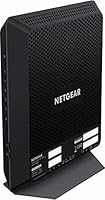
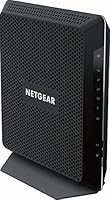
The matte black chassis feels reasonably solid and does not come across as cheap or flimsy — it is the kind of device that sits on a shelf and is largely forgotten, which is arguably exactly what you want from networking hardware. The footprint is manageable for most entertainment centers or home office setups.
The fixed external antennas are a minor frustration for buyers who want to fine-tune signal direction, and the overall industrial design has not been refreshed in several years. Ventilation slots are adequate but the unit can run noticeably warm during sustained heavy use, which some buyers find concerning.
Router Software & Interface
71%
29%
The NETGEAR Genie interface is familiar and functional for basic tasks like changing the Wi-Fi name and password, setting up a guest network, or checking connected devices. Non-technical users find it accessible without needing to understand networking concepts deeply.
Advanced users who want granular QoS controls, robust parental filtering, or detailed traffic analytics will find the software underwhelming compared to third-party firmware options or premium routers in this price range. The interface also has not received a meaningful visual or functional update in some time.
Long-Term Reliability
73%
27%
The majority of buyers who have owned this all-in-one gateway for one to two years report no significant hardware failures, and many use it as a set-and-forget device with minimal maintenance. For its intended market, that kind of quiet reliability is exactly what earns repeat brand loyalty.
A noticeable pattern in longer-term reviews points to performance inconsistency emerging after roughly eighteen to twenty-four months of continuous use — not total failure, but enough variability to prompt restarts or firmware resets. Whether this is a firmware issue or gradual hardware wear is an open question among the user community.
Customer Support
58%
42%
NETGEAR does offer phone and chat support, and for straightforward issues like password resets or basic setup questions, many users report getting helpful answers without excessive wait times. The online knowledge base covers the most common setup scenarios fairly well.
For more complex problems — ISP activation failures, firmware bugs, or performance degradation over time — buyer feedback on NETGEAR support is notably mixed, with multiple users reporting being bounced between the ISP and NETGEAR without a clear resolution. The support experience feels inconsistent rather than reliably good.
Wi-Fi Standard Currency
54%
46%
For buyers who are currently running older devices — anything pre-Wi-Fi 5 — upgrading to this all-in-one gateway will feel like a meaningful improvement in both speed and range. In the context of replacing a five-year-old router, the AC1900 standard still delivers a noticeably better experience.
Wi-Fi 6 (802.11ax) is now widely available at comparable price points and offers meaningfully better performance in dense device environments, lower latency for gaming, and better long-term compatibility with newer phones, laptops, and smart home devices. Buying an AC1900 device in 2024 means accepting a technology gap that will only grow wider over the device's lifespan.

Suitable for:

The NETGEAR Nighthawk C6900 Cable Modem Router is a strong match for cable internet subscribers who are done handing money to their ISP every month for equipment they do not own. It works particularly well for households with three to six connected devices running a mix of 4K streaming, casual online gaming, and everyday browsing — the kind of moderate-to-heavy usage that is common in most American homes. Renters and homeowners alike who are on Xfinity, Spectrum, Cox, or Cablevision plans up to around 1 Gbps will find this all-in-one gateway handles their needs without overcomplicating things. It is also a smart pick for anyone who prefers managing a single device rather than maintaining a separate modem and router. If simplicity and long-term savings matter more to you than cutting-edge specs, this modem-router combo delivers real value.
Not suitable for:

The NETGEAR Nighthawk C6900 Cable Modem Router is simply not the right tool for every situation, and it is worth being clear about that before you buy. Fiber internet subscribers — whether on Google Fiber, AT&T Fiber, or similar services — cannot use this device at all, since it relies on a coax cable connection and the DOCSIS standard. DSL customers are in the same boat. Anyone on a cable plan pushing past 1 Gbps, or planning to upgrade to one soon, may find that the DOCSIS 3.0 modem becomes a bottleneck before the Wi-Fi does. Power users who want Wi-Fi 6 speeds, a more sophisticated QoS system, or whole-home mesh coverage will need to look at newer, more capable hardware. And if you live in a sprawling home — think over 2,500 square feet across multiple floors — the fixed antennas on this all-in-one gateway may leave dead zones that a dedicated mesh system would solve.
Specifications

  • Device Type: This unit functions as a 2-in-1 device, combining a DOCSIS 3.0 cable modem and a dual-band AC1900 Wi-Fi router in a single chassis.
  • Wireless Standard: It uses the 802.11ac (Wi-Fi 5) standard, operating simultaneously on both the 2.4 GHz and 5 GHz frequency bands.
  • Combined Wi-Fi Speed: The theoretical combined wireless throughput ceiling is 1.9 Gbps, split across both bands under ideal conditions.
  • Processor: A 1.6 GHz dual-core processor manages traffic routing and wireless operations to maintain consistent performance under simultaneous household use.
  • Modem Standard: The integrated cable modem conforms to the DOCSIS 3.0 specification, supporting channel bonding for more efficient use of available cable bandwidth.
  • LAN Ports: Four Gigabit Ethernet (10/100/1000 Mbps) ports are available on the rear panel for wired device connections.
  • WAN Connection: Internet input is via a coaxial (F-type) connector that plugs directly into your cable wall outlet — no separate modem required.
  • Antenna Design: The unit features fixed external antennas that are permanently positioned and cannot be manually adjusted or detached.
  • Compatible ISPs: The device is approved for use on major U.S. cable providers including Xfinity (Comcast), Spectrum, Cox, and Cablevision; always verify current approval status with your ISP before purchasing.
  • Dimensions: The package measures 15.94″ x 12.6″ x 4.69″, making it a moderately sized unit suited for a shelf or open surface with adequate ventilation.
  • Weight: The unit weighs 2.5 pounds, which is typical for a combined modem-router of this class.
  • Input Voltage: The power supply accepts a wide input range of 100–240V, making it compatible with standard North American household outlets.
  • Color: The exterior finish is matte black, consistent with NETGEAR's Nighthawk product line aesthetic.
  • Wi-Fi Security: Supports WPA2 wireless security protocol to help protect the home network from unauthorized access.
  • ASIN: The Amazon Standard Identification Number for this product is B07GZ1XBHZ, which can be used to verify the exact listing.

Related Reviews
NETGEAR Nighthawk C7800 Cable Modem Router Combo
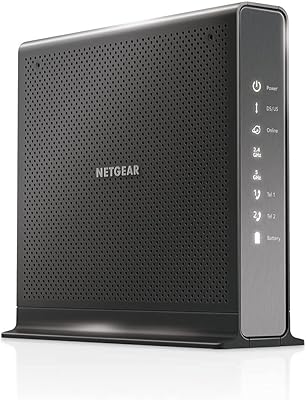
77%
88%
Internet Performance
82%
Wi-Fi Coverage
71%
Value for Money
84%
Setup Experience
86%
Device Capacity
More
NETGEAR Nighthawk C7100V Cable Modem WiFi Router Combo with Voice
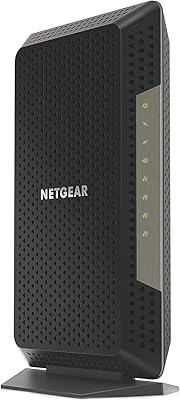
86%
92%
Ease of Setup
85%
WiFi Performance
91%
Value for Money
89%
Stability for Gaming & Streaming
88%
VoIP Feature
More
NETGEAR Nighthawk CM1200
75%
88%
Internet Speed Performance
83%
Setup & Installation
63%
Long-Term Reliability
79%
Value for Money
71%
Compatibility & ISP Support
More
NETGEAR Nighthawk C7000 AC1900 Modem Router Combo
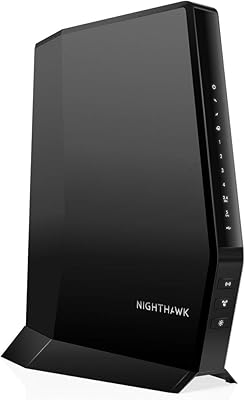
75%
91%
Ease of Setup
78%
Wi-Fi Speed & Performance
71%
Modem Speed & DOCSIS Performance
74%
Wi-Fi Coverage & Range
76%
Build Quality & Design
More
NETGEAR C6230 AC1200 Cable Modem Router
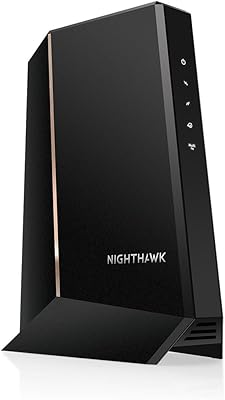
73%
83%
Connection Stability
61%
WiFi Range & Coverage
78%
Setup & Activation
86%
Value for Money
69%
WiFi Speed Performance
More
NETGEAR Nighthawk CAX30
79%
88%
Setup & Installation
83%
WiFi Speed & Performance
71%
WiFi Coverage & Range
91%
Modem Reliability & Uptime
78%
Value for Money
More
NETGEAR C6300 Cable Modem Router Combo
69%
83%
Value for Money
88%
Setup & Installation
71%
WiFi Performance
91%
Wired Connectivity
62%
Long-Term Reliability
More
NETGEAR Nighthawk CM2050V
75%
88%
Internet Performance & Stability
83%
Xfinity Activation & Setup
71%
Voice & Phone Line Quality
86%
Multi-Gig Speed Capability
58%
Heat Management
More
NETGEAR Nighthawk CM1100 Multi-Gig Cable Modem
79%
91%
Value for Money
88%
Connection Stability
86%
Speed Performance
78%
Setup & Activation
83%
Long-Term Reliability
More
NETGEAR CM2000 DOCSIS 3.1 Cable Modem
79%
91%
Performance & Speed
72%
Setup & Activation
84%
Build Quality
78%
ISP Compatibility
69%
Value for Money
More

FAQ

In most cases, yes — the Nighthawk C6900 is on Xfinity's approved modem list for a wide range of plans. That said, Xfinity periodically updates its compatibility roster, so it is worth double-checking on their official approved device page before you buy, especially if you are on a higher-tier gigabit plan.

Most users find it pretty painless. You connect the coax cable, power the unit on, and then call your ISP to activate the new modem on your account — that call usually takes under 15 minutes. After activation, you log into the router interface to set your Wi-Fi name and password, and you are done.

No. This all-in-one gateway is built around the DOCSIS cable modem standard, which only works over coaxial cable infrastructure. Fiber connections use a completely different technology, so this device is not compatible with fiber or DSL services.

Not reliably. The DOCSIS 3.0 modem inside has practical throughput limits that make it a poor match for plans marketed above 1 Gbps. If your ISP offers or you plan to upgrade to a multi-gig tier, you would need a DOCSIS 3.1 device to take full advantage of that speed.

For a typical single-story home or apartment under roughly 1,500 to 2,000 square feet, coverage is generally solid. Larger homes, multi-story layouts, or spaces with thick concrete or brick walls may experience weaker signal in distant rooms. In those cases, adding a Wi-Fi extender or switching to a mesh system would help.

Yes, it is on Spectrum's approved device list for standard cable plans. As with any ISP, it is a good idea to confirm directly with Spectrum that the device is still approved for your specific plan tier before purchasing, since approval lists can change.

Most cable providers charge a monthly equipment rental fee in the range of ten to fifteen dollars. At that rate, a device at this price point typically covers its own cost within about a year to fourteen months, and every month after that is pure savings.

Absolutely — this is one of the more practical features of this all-in-one gateway. There are four Gigabit Ethernet ports on the back, so you can plug in a console, a desktop, a smart TV, or a network switch without needing an additional device.

Some long-term users do note that after a year or two of heavy, continuous use, speeds can become slightly less consistent. This is not universal, but it does come up often enough in user feedback to be worth mentioning. Keeping the firmware updated and ensuring the unit has good ventilation can help extend its useful life.

It supports WPA2 encryption, which is the standard for home networking and is adequate for most households. It does not support the newer WPA3 protocol, which is something to keep in mind if you are particularly security-conscious, though WPA2 remains widely used and generally sufficient for everyday home use.

Where to Buy