Overview

The Aimery WD-R611U WiFi Range Extender enters a crowded budget market with modest but honest ambitions. Aimery isn't a household name in networking, which is worth keeping in mind when it comes to long-term support and firmware updates. This wall-plug repeater operates on a single 2.4GHz band with a 300Mbps ceiling — enough for everyday browsing and HD streaming, but not a fit for bandwidth-heavy households. It targets people dealing with dead zones in larger homes, advertising coverage up to 7,998 square feet. That figure is a marketing ceiling, not a guarantee; real-world results depend heavily on your home's layout, wall materials, and existing router strength.

Features & Benefits

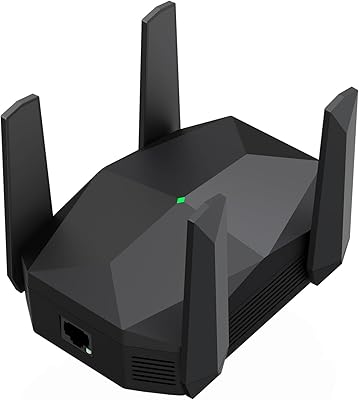
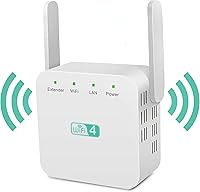
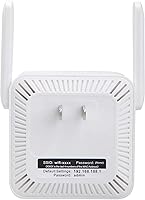
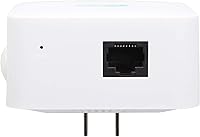
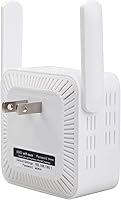
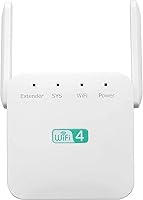
The two external antennas broadcast signal in all directions rather than favoring one wall or corner, which helps in open floor plans. What's practical about this range extender is its dual operating modes: run it as a standard repeater to extend your existing network, or switch to Access Point mode to create a new wireless zone from a wired source. There's also a built-in Ethernet port, handy for plugging in a smart TV or desktop without stringing cable across a room. Setup is straightforward and compatible with virtually any modern router. One caveat worth acting on immediately: the default password is simply admin, so update it right after setup for basic security.

Best For

This WiFi extender makes the most sense for renters or homeowners dealing with weak signal in far corners of the house — a back bedroom, a basement workshop, or a detached garage. It's also a reasonable pick for anyone who needs a wired connection option for a stationary device without the hassle of rewiring. Basic internet tasks are where it earns its keep: video calls, smart home devices, routine browsing, and HD streaming. If you're expecting to run a gaming rig or a home office packed with simultaneous video streams at range, look elsewhere. Think of it as a simple coverage patch, not a full network upgrade.

User Feedback

With a 3.4-star rating across nearly 400 reviews, opinions on this wall-plug repeater are genuinely split. Buyers who praise it tend to highlight how easy it is to get running — no app, no complicated menus, just a web browser and a few minutes. That simplicity earns real goodwill. On the other side, a notable portion of users report inconsistent connectivity, especially in multi-story homes where signal passes through multiple floors. Speed drop-off at distance is a recurring complaint, unsurprising for a 2.4GHz-only device. Some negative reviews likely trace back to router placement or setup errors rather than device failure, but the stability concerns appear often enough to factor into your decision.

Pros

  • No-app setup means most users are connected within minutes using just a web browser.
  • The built-in Ethernet port gives stationary devices a wired connection without extra hardware.
  • Supports both Repeater and Access Point modes, covering a wider range of home network setups.
  • Dual external antennas spread signal in all directions rather than in one preferred path.
  • Compact and light enough to plug in without blocking adjacent outlets.
  • Compatible with virtually any modern router — no brand-specific requirements.
  • Solid entry point for first-time extender buyers who want something simple and low-commitment.
  • Handles everyday tasks like smart home devices and HD video streaming without fuss.

Cons

  • Single-band 2.4GHz only — no 5GHz option means noticeably slower speeds compared to dual-band rivals.
  • Reported signal inconsistency in multi-story homes is a recurring issue among real buyers.
  • The 7,998 sq ft coverage claim is a marketing ceiling most home setups will not come close to reaching.
  • Speed drop-off at longer distances is a common complaint, limiting its usefulness in larger spaces.
  • Aimery is a lesser-known brand with uncertain long-term firmware support or customer service reliability.
  • The default admin password requires an immediate manual change — a basic but easy-to-miss security step.
  • A 3.4-star average across hundreds of reviews signals enough reliability concerns to give pause.
  • No dedicated app means limited visibility into signal strength, connected devices, or network diagnostics.

Ratings

Our AI has analyzed hundreds of verified global reviews for the Aimery WD-R611U WiFi Range Extender, actively filtering out incentivized, duplicate, and bot-generated submissions to surface what real buyers actually experience. The scores below reflect an honest synthesis of both genuine praise and recurring frustrations — nothing is glossed over. Where this range extender earns trust, it is credited; where it falls short in real-world conditions, that is reflected in the numbers.

Ease of Setup
81%
19%
Users consistently highlight how painless the initial configuration is — no app download, no account creation, just plug it in, connect to its default network, and walk through a browser-based wizard. For first-time extender buyers in particular, this kind of friction-free entry point is a genuine relief.
The browser-based interface, while functional, offers limited feedback during setup — there is no signal strength indicator to help you find the ideal placement spot. A handful of users report confusion when the setup page fails to load on certain mobile browsers, requiring a desktop browser to complete configuration.
Signal Coverage
52%
48%
In single-story homes with open floor plans, this wall-plug repeater does push signal noticeably further than the router alone. Users in smaller apartments and ranch-style homes report solid improvement in rooms that previously had weak or no connection.
The marketed 7,998 sq ft ceiling bears little resemblance to what most buyers experience. In homes with multiple walls, floors, or dense construction, signal drops off sharply, and multi-story coverage is a common complaint. The gap between the advertised range and real-world results is the single most divisive issue in user reviews.
Connection Stability
49%
51%
When placed in an optimal location on the same floor as the router, some users report reasonably steady connections for light tasks like browsing and smart home device communication. Short-distance performance in unobstructed environments tends to be more consistent.
Inconsistent connectivity is the most frequently cited frustration across negative reviews. Devices randomly drop from the extended network, speeds fluctuate unpredictably, and some users report needing to reboot the extender every few days to maintain any usable connection — a real problem for always-on devices like security cameras or smart speakers.
Speed Performance
47%
53%
For basic internet tasks at short range — loading web pages, streaming SD or standard HD video, or controlling a handful of smart home gadgets — the 300Mbps ceiling is technically sufficient. Users with modest internet plans and light household usage tend to be the least disappointed.
Operating on 2.4GHz only is a meaningful handicap, and users who upgrade from a dual-band extender notice the difference immediately. Speed drop-off at even moderate distances is significant, and bandwidth-heavy activities like 4K streaming or video calls at the far edge of its range frequently stall or degrade.
Value for Money
68%
32%
At its price point, this range extender delivers a functional feature set that is hard to dismiss outright — dual modes, an Ethernet port, and broad router compatibility are not guaranteed at this tier. Buyers who use it within its actual limitations tend to feel the spend was reasonable.
The value proposition weakens considerably once you factor in the reliability issues. Paying even a modest amount for something that needs frequent reboots or fails to cover the promised area starts to feel like a poor trade-off, especially when slightly pricier dual-band options from more established brands exist.
Build Quality
61%
39%
The compact plastic housing feels solid enough for a wall-plug device and does not wobble noticeably in the outlet. The two external antennas feel reasonably firm and hold their position without drooping over time.
The overall construction reads as budget-grade, which is expected at this price but worth noting. The plastic finish shows fingerprints easily and a few users have noted the plug prongs feel slightly loose in older outlets, raising minor concerns about long-term contact reliability.
Antenna Performance
58%
42%
The dual external antennas do a reasonable job broadcasting in multiple directions rather than concentrating signal along a single axis. In open spaces, the 360-degree spread is noticeable compared to single-antenna devices at a similar price.
High-gain is a relative term here — in practice, wall and floor penetration is mediocre, which limits the antennas from realizing their theoretical coverage potential. Signal degrades quickly once obstacles are introduced, making the antenna performance feel more adequate than impressive.
Router Compatibility
84%
Broad 802.11b/g/n/a/ac compatibility means this range extender pairs without issue across virtually every consumer router on the market — from ISP-supplied gateways to third-party routers from any major brand. Very few users report outright incompatibility.
While hardware compatibility is wide, some users on specific ISP-provided combination modem-routers report difficulty maintaining a stable extended network, particularly those using older DOCSIS equipment. Compatibility in the technical sense does not always translate to a stable long-term connection.
Ethernet Port Utility
77%
23%
The single RJ-45 port is a legitimately useful addition that sets this extender apart from plug-in-only competitors at the same price. Users who use it to give a wired connection to a smart TV or desktop near a dead zone consistently praise this feature.
One port is the limit — you cannot wire multiple devices simultaneously without adding a separate switch. For users hoping to wire a small cluster of stationary devices, that single port becomes a bottleneck fairly quickly.
Security Features
38%
62%
The extender does support basic network password protection and allows you to configure access credentials through the admin panel. Once properly set up with a custom password, the network functions like any standard protected WiFi.
Shipping with admin as the default admin password is a glaring oversight that puts uninformed users at real risk if left unchanged. There is no prompt or warning during setup urging you to change it, and the absence of WPA3 support means security-conscious buyers are working with older encryption standards.
Physical Design
73%
27%
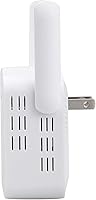
The compact footprint is one of the more universally praised aspects — at 3.2 oz and a few inches across, it disappears into a wall outlet without drawing attention or blocking the adjacent socket. For living spaces where aesthetics matter, that is a small but genuine plus.
The all-white plastic finish, while neutral, is not particularly refined. There is no indicator light configuration to help users understand connection status at a glance without logging into the admin panel, which limits its usability for less tech-comfortable buyers.
Mode Flexibility
71%
29%
Having both Repeater and Access Point modes in a single budget device is a practical advantage. Users with a wired drop in a room far from their router can switch to AP mode and create a fresh wireless zone without buying a separate device.
Switching between modes requires logging into the web interface each time, and the transition is not seamless — devices often need to be reconnected manually after a mode change. There is no auto-detect or simplified toggle for less technical users.
Brand Reliability
41%
59%
The product is available through Amazon with a reasonable number of reviews for a newer listing, and Aimery provides basic product documentation. For buyers who just need short-term coverage and are not concerned with long-term support, the brand is functional enough.
Aimery carries very little brand recognition in the networking space, and there is no clear track record of firmware updates, customer support responsiveness, or long-term product maintenance. Buyers who value ongoing software support or reliable warranty service take on genuine uncertainty with this purchase.
Multi-Device Handling
51%
49%
For households with a small number of connected devices — a phone, a tablet, and a smart speaker or two — this range extender manages the load without obvious performance drops. Light simultaneous use is within its comfort zone.
As the number of connected devices grows, performance degrades noticeably. The single 2.4GHz band cannot efficiently divide bandwidth among many simultaneous connections, making it a poor fit for households with ten or more devices or anyone running a home office alongside family streaming.

Suitable for:

The Aimery WD-R611U WiFi Range Extender is a practical fit for renters and homeowners who just need to push a weak signal a bit further without spending much or reconfiguring their entire network. If your main frustrations are a dead zone in the back bedroom, a garage that gets no signal, or a basement where your smart TV keeps buffering, this range extender addresses exactly that kind of problem. It works well for households where internet use stays on the lighter side — streaming a show, video chatting, keeping smart home devices connected, or general browsing. The built-in Ethernet port is a quiet but real advantage for anyone who wants a stable wired connection for a stationary device like a desktop or streaming box without physically relocating their router. First-time extender buyers will also appreciate the no-app, browser-based setup that gets you running in minutes without reading a manual.

Not suitable for:

The Aimery WD-R611U WiFi Range Extender is not the right tool for power users, and it is worth being direct about where it falls short. Operating exclusively on the 2.4GHz band with a 300Mbps ceiling means it simply cannot keep up with households that have multiple people simultaneously streaming in 4K, gaming online, or working from home on video calls all day. The advertised 7,998 square foot coverage figure should be treated with serious skepticism — in a typical home with multiple walls, floors, and interference from neighboring networks, real-world range will be considerably lower. Anyone living in a multi-story home with dense construction should expect inconsistent performance rather than whole-home coverage. If you need reliable dual-band speeds, strong brand support, or firmware you can trust to be updated over time, a more established networking brand or a budget mesh system would serve you far better.

Specifications

  • Brand: Manufactured and sold under the Aimery brand by Aimery Wireless Communication.
  • Model Number: The unit carries the model designation WD-R611U.
  • Wireless Band: Operates exclusively on the 2.4GHz single band, with no 5GHz support.
  • Max Speed: Delivers a maximum theoretical throughput of 300Mbps under the 802.11n standard.
  • WiFi Standard: Compatible with 802.11b, 802.11g, 802.11n, 802.11a, and 802.11ac wireless protocols.
  • Coverage Area: Advertised to cover up to 7,998 sq ft under ideal, unobstructed conditions.
  • Antennas: Equipped with two external high-gain antennas designed to radiate signal across 360 degrees.
  • Operating Modes: Supports two modes: Repeater mode to extend an existing network, and Access Point (AP) mode for wired-to-wireless conversion.
  • Ethernet Port: Includes one RJ-45 Ethernet port for connecting wired devices directly to the extended network.
  • Default Password: Ships with a default admin password of admin, which should be changed immediately after first login.
  • Dimensions: The unit measures 4.25 x 2.91 x 2.48 inches, compact enough to plug in without blocking adjacent outlets.
  • Weight: Weighs just 3.2 oz, making it one of the lighter options in the wall-plug repeater category.
  • Color: Available in white only.
  • Setup Method: Configured through a standard web browser interface — no dedicated mobile app is required or available.
  • Power Source: Powered directly via a wall outlet plug; no external power adapter or USB cable is needed.
  • ASIN: Listed on Amazon under ASIN B0D91Y3PK6.
  • Release Date: First made available for purchase on July 8, 2024.
  • BSR Ranking: Holds a Best Sellers Rank of number 72 in the Amazon Repeaters category at time of review.

Related Reviews
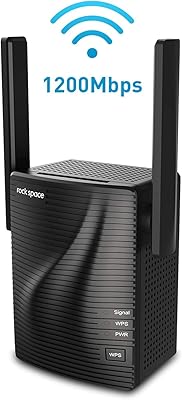
rockspace AC1200 WiFi Range Extender
83%
85%
Performance
92%
Ease of Setup
88%
Range Coverage
75%
Signal Stability
83%
Ethernet Port Functionality
More
NETGEAR EX6120 WiFi Range Extender
74%
83%
Ease of Setup
76%
Signal Coverage
61%
Connection Speed
79%
Value for Money
58%
5GHz Band Performance
More
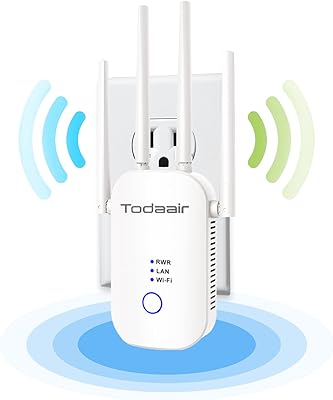
TODAAIR AC1200 WiFi Range Extender
82%
88%
Wireless Coverage
85%
Dual-Band Performance
90%
Setup & Installation
82%
Device Capacity
80%
Speed Consistency
More
NETGEAR EX3700 AC750 WiFi Range Extender
82%
90%
Value for Money
85%
Wi-Fi Performance
88%
Ease of Setup
82%
Range Coverage
87%
Compatibility
More
NETGEAR EAX17 WiFi 6 Range Extender
76%
88%
Ease of Setup
82%
Signal Coverage
71%
Real-World Speed Performance
78%
Device Handling Capacity
63%
Roaming & Handoff
More
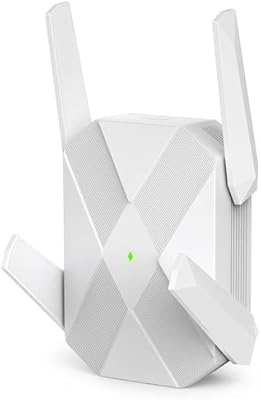
ingabis M-A25 AX3000 WiFi 6 Range Extender
77%
91%
Ease of Setup
78%
Signal Coverage
82%
WiFi Speed Performance
88%
Gigabit Ethernet Port
79%
Multi-Device Handling
More
Netgear EX6400 WiFi Mesh Range Extender
73%
83%
Signal Coverage
61%
Throughput & Speed Performance
88%
Setup & Installation
58%
Smart Roaming Performance
86%
Wired Ethernet Connectivity
More
NETGEAR WiFi AC1200 Range Extender EX6200
85%
88%
WiFi Performance
85%
Setup & Installation
91%
Build Quality
84%
Range & Coverage
90%
Ethernet Connectivity
More
Surncest AX3000 WiFi 6 Range Extender
85%
88%
Value for Money
91%
WiFi Performance
85%
Setup & Installation
89%
Coverage & Range
80%
Build Quality
More
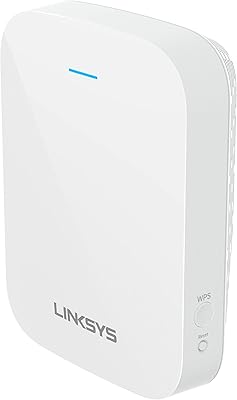
Linksys RE7310 WiFi 6 Range Extender
84%
89%
Performance
91%
Ease of Setup
88%
Coverage Area
84%
Speed Stability
92%
Compatibility
More
NETGEAR EX7000 WiFi Mesh Range Extender
86%
85%
Coverage Performance
90%
Ease of Setup
88%
WiFi Speed
92%
Device Compatibility
87%
Range Extending Efficiency
More

FAQ

It works with any standard router that supports 802.11b/g/n/a/ac, which covers virtually every consumer router sold in the past decade. You do not need to match brands or buy anything extra — just plug it in and connect through a browser to configure it.

No app needed. Once you plug it in, connect your phone or laptop to the extender's default network, then open a web browser and follow the on-screen prompts. Most users report getting it running in under ten minutes.

Almost certainly not in a typical home, and it is worth being realistic about that. That figure represents an ideal, open-space maximum with no interference. In a real home with walls, floors, furniture, and neighboring WiFi networks, expect noticeably lower effective range. Think of it as useful coverage for a few rooms, not an entire large property.

Yes, that is one of the more useful features on this range extender. There is a single Ethernet port on the unit, so you can run a cable directly from it to any wired device — handy for a gaming console, smart TV, or desktop that sits near the extender but far from your main router.

This is where a number of users have run into trouble. Signal passing through floors and ceilings is one of the harder environments for any single-band 2.4GHz extender. It may work adequately on the same floor as the extender, but stable coverage on a separate floor is not guaranteed and is a common complaint in user reviews.

Not really, if you are doing either at range. At 300Mbps on a 2.4GHz band, speeds drop off noticeably the further you are from the extender. Light HD streaming and casual browsing are fine, but competitive online gaming or 4K video at the edge of its range will likely disappoint.

It is a minor but real concern, and you should change it immediately after setup. Leaving the admin password as admin means anyone on your local network could access the extender's settings. It only takes a minute to update through the browser dashboard, so make it the first thing you do.

All WiFi repeaters introduce some speed reduction because they receive and rebroadcast signal on the same channel, which cuts available bandwidth. This extender is no exception. For basic tasks it is unlikely to feel dramatic, but heavy users will notice the difference compared to a direct router connection.

Yes, AP mode is supported. If you have a wired Ethernet connection available — say, from a wall port in a room far from your router — you can plug a cable into this wall-plug repeater and have it broadcast a fresh wireless network from that point. It is a useful option if you are working with a wired infrastructure already in place.

Start by checking placement — the extender should be positioned roughly halfway between your router and the dead zone, not too close to either. Walls, microwaves, and cordless phones can all interfere with 2.4GHz signal. If instability persists after repositioning, try a factory reset and reconfigure from scratch. Some reported issues in reviews do trace back to setup errors rather than hardware failure.