Overview

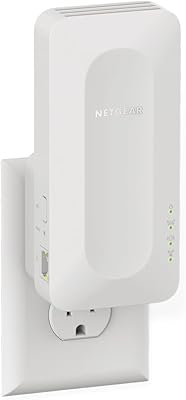
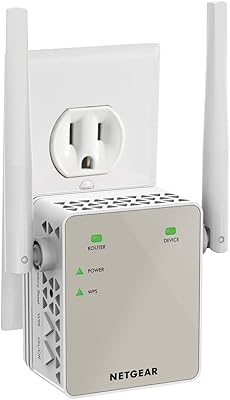
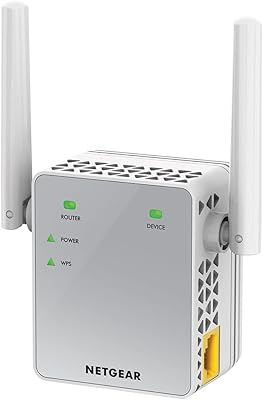
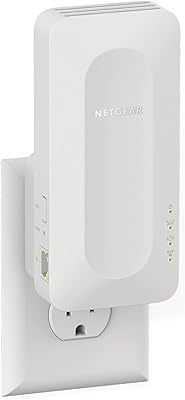
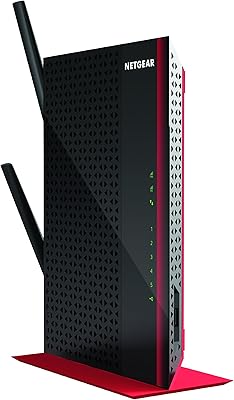
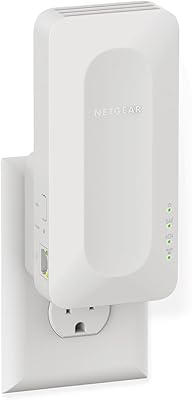
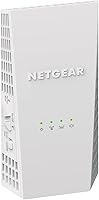
The Netgear EX6400 WiFi Mesh Range Extender is a dual-band AC1900 wall-plug booster that has been quietly holding its own since its 2016 launch. Yes, it's not new — but that's not necessarily a knock. Networking hardware doesn't age the same way smartphones do, and this range extender covers the fundamentals well enough that it still makes sense for many households. It plugs directly into a wall outlet, borrows your existing router's network name, and pushes coverage into corners that your main router simply can't reach. A built-in Gigabit Ethernet port adds practical wired connectivity, which is a genuinely useful touch at this price tier.
Features & Benefits

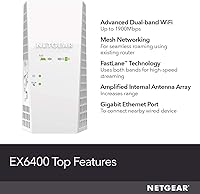
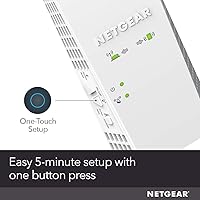
The EX6400's standout trick is FastLane technology, which dedicates one band entirely to the connection back to your router while the other serves your devices — a clever workaround that helps offset the speed penalty most extenders suffer from. Smart Roaming means your phone or laptop will automatically transition to the strongest signal point without you manually switching networks. The unit handles a solid number of connected devices at once, making it practical for living rooms loaded with streaming sticks, smart speakers, and phones. Setup is refreshingly low-friction: a WPS button press or a quick browser-based configuration gets things running in minutes, no networking degree required.

Best For

This Wi-Fi booster makes the most sense for people who want to fix a specific dead zone without tearing apart their entire network setup. Renters stuck with an ISP-provided gateway will appreciate that it works with virtually any router or modem — no proprietary hardware required. It's a strong pick for a bedroom gamer or a home-office worker situated far from the main router, especially given the wired port option. That said, buyers expecting the fluid, whole-home performance of a dedicated mesh system may find this falls short — it handles the basics well, but it's fundamentally a single extender, not a distributed network.

User Feedback

Across a large pool of buyer experiences, the most consistent positive theme is the noticeable signal improvement in rooms that previously had little to no coverage — people are genuinely happy with that core result. Setup also earns consistent praise from less technically inclined users. On the flip side, many reviewers acknowledge a real drop in speeds compared to their main network, which is an inherent limitation of how single-unit extenders work, not a flaw unique to this one. Smart Roaming gets mixed marks, particularly on older devices that don't hand off gracefully. A handful of users found the companion app clunky, and firmware updates have caused intermittent connectivity issues for some.

Pros

  • Covers a large dead-zone area from a single wall outlet with no extra cables required.
  • Works with any router or ISP gateway straight out of the box — no compatibility guesswork.
  • WPS setup takes just minutes, even for users with zero networking experience.
  • The Gigabit Ethernet port lets you wire a console or smart TV in a room your router cannot reach.
  • FastLane technology meaningfully reduces the speed penalty compared to older single-band extenders.
  • Long-term reliability is strong — most users set it up once and forget about it for years.
  • Handles a high count of simultaneously connected devices without obvious degradation on lighter workloads.
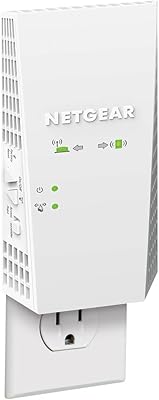
  • The signal strength LED makes finding the optimal placement spot genuinely easy.
  • The EX6400 uses your existing network name, so no need to reconfigure devices after installation.
  • Compact wall-plug form factor keeps things tidy and out of the way.

Cons

  • Speed on the extended network drops noticeably compared to being connected directly to the router.
  • Smart Roaming is unreliable with older smartphones and tablets, requiring manual network switching.
  • The companion mobile app has persistent usability complaints and lags behind the browser interface.
  • Only one Ethernet port limits wired connectivity to a single device without an additional switch.
  • Firmware updates have occasionally caused temporary connectivity issues that require a manual reboot.
  • The unit blocks or awkwardly crowds the adjacent wall outlet depending on socket configuration.
  • No built-in traffic prioritization tools to manage bandwidth between heavy and light-use devices.
  • Runs noticeably warm under sustained high-traffic loads, which concerns some users over the long term.
  • Coverage estimates can be optimistic in homes with dense walls, floors, or irregular layouts.
  • Limited ongoing software development means feature gaps are unlikely to be addressed through future updates.

Ratings

The Netgear EX6400 WiFi Mesh Range Extender has been scored by our AI system after processing thousands of verified global buyer reviews, with spam, bot-generated, and incentivized submissions actively filtered out. The result is a balanced picture that reflects both where this Wi-Fi booster genuinely delivers and where real users have run into friction. Strengths and shortcomings are weighted equally so you can make an informed call before buying.
Signal Coverage
83%
The most consistently praised outcome across buyer feedback is a genuine, noticeable improvement in previously dead rooms — think far bedrooms, basements, or garages that a single router simply could not reach. For homes with thick interior walls or multi-floor layouts, the coverage gains feel meaningful rather than marginal.
Coverage quality drops noticeably when the extender is placed too far from the source router, and a few users in very large or irregularly shaped homes found the advertised range optimistic compared to real-world results.
Throughput & Speed Performance
61%
39%
For casual browsing, video calls, and standard-definition streaming in extended zones, speeds hold up well enough that most users do not notice the degradation day-to-day. The FastLane feature does help reduce the worst of the speed loss compared to older single-band extenders.
Anyone running bandwidth-heavy tasks — 4K streaming, large file transfers, or competitive online gaming — will likely notice a real speed reduction compared to being on the primary network. This is a structural limitation of single-unit extenders, not a defect specific to this model, but it is worth understanding upfront.
Setup & Installation
88%
Most non-technical buyers get this running within a few minutes using the WPS button, and the browser-based fallback is clear enough that even first-time extender users rarely get stuck. Netgear's setup flow has been refined over years and it shows — there is very little hand-holding required.
A small number of users encountered initial pairing failures that required a router restart or a firmware update before the extender would cooperate. The mobile app setup path, in particular, has drawn more criticism than the traditional browser method.
Smart Roaming Performance
58%
42%
When it works as intended — particularly with modern smartphones and laptops — Smart Roaming removes the tedious step of manually toggling between network names as you move around the home. Buyers with newer devices tend to report a much smoother experience overall.
Older client devices, including some tablets and budget Android phones, do not always hand off gracefully and may cling stubbornly to a weaker signal rather than switching. This inconsistency frustrates users who expected truly automatic transitions on all their hardware.
Wired Ethernet Connectivity
86%
Having a Gigabit Ethernet port on a wall-plug extender is genuinely useful — buyers regularly mention plugging in a smart TV, a streaming box, or a gaming console to get the most stable connection possible in a room the router cannot reach wirelessly. It adds real practical value that pure wireless extenders lack.
There is only a single port, so users who want to wire multiple devices simultaneously need an additional switch. Placement is also constrained by outlet positioning, which may not always put the Ethernet port within convenient cable reach of the target device.
Build Quality & Design
74%
26%
The wall-plug form factor keeps the unit out of the way and eliminates cable clutter entirely. The housing feels solid enough for a device that stays plugged in permanently, and the neutral white finish blends into most wall outlets without drawing attention.
Because it plugs directly into the wall, it can block the adjacent outlet depending on the socket configuration, which several buyers flagged as an annoyance. The unit also runs noticeably warm during extended use, which concerned a handful of users even though it appears to be within normal operating range.
App & Software Experience
52%
48%
For users who stick to the browser-based management interface, controlling the EX6400 is fairly intuitive and covers the essentials without unnecessary complexity. Basic tasks like checking connected devices or adjusting settings are accessible to non-technical users.
The Netgear app experience is where frustration clusters most visibly in user feedback. Complaints about buggy connections between the app and the extender, confusing navigation, and limited functionality compared to the web interface are recurring themes across multiple review cohorts.
Firmware & Long-Term Reliability
69%
31%
The majority of long-term owners report that the EX6400 runs stably for extended periods without needing attention, which is exactly what you want from a set-and-forget networking device. Netgear has pushed firmware updates over the years that have addressed several early issues.
A subset of users has experienced connectivity drops or performance regressions following firmware updates, requiring manual reboots or factory resets to resolve. For a device that ideally should require zero maintenance, these sporadic disruptions stand out in the feedback.
Router & Device Compatibility
91%
Universal compatibility is one of this extender's most practical strengths — it works reliably across routers from different manufacturers and with ISP-provided gateways that often have locked-down settings. Renters and users who cannot change their primary hardware appreciate this flexibility enormously.
While broad compatibility is real, a small number of users with older or less common router models reported needing to adjust security or channel settings before the extender would connect cleanly. It is rare, but not unheard of.
Value for Money
77%
23%
At its typical street price, the EX6400 sits in a reasonable spot for buyers who need targeted dead-zone coverage without committing to the higher cost of a full mesh network overhaul. For straightforward single-room or single-floor extension tasks, the price-to-performance ratio holds up.
Buyers who discover after purchase that their use case demands more — whole-home roaming, minimal speed loss, or multi-room consistency — may feel they would have been better served spending more on a true mesh system from the outset. The value equation depends heavily on having realistic expectations.
Range Extension for IoT Devices
79%
21%
Smart home users with clusters of IoT devices — sensors, smart plugs, cameras — scattered across the home report that the EX6400 handles this type of low-bandwidth, high-device-count load quite well. These devices do not stress the extender the way streaming or gaming does.
When IoT devices and streaming devices compete for bandwidth simultaneously, some users noticed responsiveness issues, particularly on the 2.4 GHz band. Prioritization tools are limited, so power users have few options to manage traffic beyond basic network separation.
Indicator Lights & Placement Guidance
71%
29%
The signal strength LED provides a practical visual cue for finding the optimal placement spot — closer to the router means a stronger backhaul, and the light helps users calibrate position without guessing. This is a small but genuinely helpful usability touch.
A few buyers found the indicator lights too bright for bedroom or nightstand-adjacent installations, and there is no option to dim or disable them through the standard interface. It is a minor complaint but it surfaces with enough regularity to mention.
Speed on 5 GHz Band
67%
33%
Devices that connect to the 5 GHz extended network — particularly in rooms that are reasonably close to the extender — tend to experience acceptable speeds for HD streaming and video conferencing. For that use case, in that placement scenario, it performs predictably.
The 5 GHz band's shorter range means its speed advantage shrinks fast as devices move further away or encounter obstacles. Users in larger spaces may find their devices defaulting to the slower 2.4 GHz band more often than they expect.
Heat Management
63%
37%
Under normal household loads the extender handles heat passively without any fan noise, which matters for devices installed in bedrooms or quiet living spaces. Most users never report it as a problem during typical day-to-day use.
During sustained high-traffic periods — extended gaming sessions or continuous streaming to multiple devices — several users noted the unit becomes quite warm to the touch. There are no active cooling mechanisms, and a handful of buyers attributed intermittent dropouts to thermal throttling.

Suitable for:

The Netgear EX6400 WiFi Mesh Range Extender is a practical, no-fuss solution for anyone dealing with a specific dead zone rather than a whole-home coverage problem. Renters are a natural fit here — since it works with virtually any router or ISP-provided gateway, there is no need to swap out hardware or negotiate with a landlord. Homeowners with one problematic floor, a detached garage, or a thick-walled back bedroom will likely find that this extender solves their problem cleanly and without much effort. The built-in Gigabit Ethernet port makes it especially compelling for a gamer or streamer who needs a wired connection in a room that is simply too far from the router to run a cable. Households with a spread of smart home devices — cameras, sensors, smart plugs — also benefit, since those low-demand devices do not stress the extender the way heavy streaming loads do. If your goal is targeted coverage improvement with minimal setup friction, this Wi-Fi booster punches at a reasonable weight for its price tier.

Not suitable for:

Buyers expecting the fluid, whole-home performance of a dedicated mesh system should pump the brakes before purchasing the Netgear EX6400 WiFi Mesh Range Extender, because that is simply not what this device is designed to do. As a single-unit extender, it inherently cuts available bandwidth to extended devices — a trade-off that is tolerable for casual use but genuinely frustrating for anyone who expects near-router speeds throughout the house. Power users running multiple simultaneous 4K streams, large cloud backups, or latency-sensitive competitive gaming will likely hit the ceiling of what this extender can deliver. Households with many newer devices that rely on smooth automatic network transitions may also be disappointed, since Smart Roaming performance is inconsistent across older client hardware. Anyone planning to cover an entire large home or multi-story property from a single extender will find the coverage claims optimistic in practice. And if you are already comfortable managing networking equipment and want granular traffic controls or band steering options, the software tools here will feel limited.

Specifications

  • Brand: Manufactured by Netgear, a well-established networking hardware company with a broad consumer and business product portfolio.
  • Model: EX6400, also sold under the part number EX6400-100NAS, representing Netgear's mid-range AC1900 extender line.
  • Wi-Fi Standard: Operates on 802.11ac (Wi-Fi 5), offering backward compatibility with older 802.11a, b, g, and n devices.
  • Combined Speed: Delivers a combined dual-band throughput of up to 1,900 Mbps under ideal conditions, split across two separate radio bands.
  • 2.4 GHz Band: The 2.4 GHz radio provides up to 600 Mbps, offering broader range at the cost of lower peak speeds.
  • 5 GHz Band: The 5 GHz radio delivers up to 1,300 Mbps, suited for shorter-range, higher-bandwidth tasks such as HD streaming.
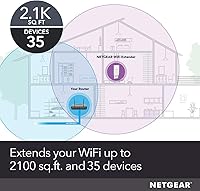
  • Coverage Area: Rated to extend Wi-Fi coverage by up to 2,100 sq. ft. under typical home or office conditions.
  • Max Devices: Supports up to 35 simultaneously connected client devices, spanning smartphones, laptops, smart TVs, and IoT hardware.
  • Ethernet Port: Includes one Gigabit Ethernet (10/100/1000 Mbps) port for wiring a single device such as a console, TV, or desktop.
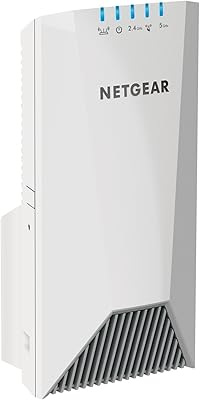
  • Form Factor: Wall-plug design that mounts directly into a standard electrical outlet, requiring no desk space or additional power cable.
  • Dimensions: Physical footprint measures 5.56 x 6.93 x 3.82 inches, which is a compact but outlet-adjacent profile.
  • Weight: Weighs 10.6 oz, keeping the unit light enough that it does not stress standard wall outlets during long-term installation.
  • Color: Available in white, a neutral finish designed to blend into typical home or office wall decor unobtrusively.
  • Setup Method: Supports both WPS one-button pairing and a browser-based setup wizard accessible from any connected device.
  • Smart Roaming: Uses your existing router SSID and password so client devices can transition between the router and extender without manual reconnection.
  • FastLane Tech: Proprietary FastLane technology dedicates one radio band exclusively to the router backhaul, preserving bandwidth on the client-facing band.
  • Compatibility: Works universally with any Wi-Fi router, gateway, or cable modem regardless of manufacturer or ISP, requiring no proprietary hardware.
  • First Available: Originally released in March 2016, making it a mature product with an established firmware history and broad user feedback base.

Related Reviews

NETGEAR EX6250 WiFi Mesh Range Extender
81%
89%
WiFi Coverage
85%
Ease of Setup
84%
Speed and Performance
91%
Device Compatibility
87%
Build Quality
More
NETGEAR WiFi Mesh Range Extender EX7500
84%
88%
Performance
91%
WiFi Range Coverage
84%
Speed/Stability
87%
Device Support/Capacity
93%
Ease of Setup
More
NETGEAR EX7000 WiFi Mesh Range Extender
86%
85%
Coverage Performance
90%
Ease of Setup
88%
WiFi Speed
92%
Device Compatibility
87%
Range Extending Efficiency
More
NETGEAR WiFi Mesh Range Extender EX8000
86%
85%
Wi-Fi Performance
88%
Ease of Setup
90%
Coverage Area
84%
Device Support
87%
Streaming & Gaming Performance
More
NETGEAR WiFi 6 Mesh Range Extender EAX11
85%
94%
Ease of Setup
88%
WiFi Coverage
91%
Speed & Performance
85%
Compatibility with Routers
79%
Roaming & Signal Consistency
More
NETGEAR EX6120 WiFi Range Extender
74%
83%
Ease of Setup
76%
Signal Coverage
61%
Connection Speed
79%
Value for Money
58%
5GHz Band Performance
More
NETGEAR WiFi 6 Range Extender EAX12
83%
88%
Performance in Large Homes
85%
Ease of Setup
90%
WiFi Coverage Range
82%
Device Compatibility
87%
Streaming & Gaming Performance
More
NETGEAR EAX17 WiFi 6 Range Extender
76%
88%
Ease of Setup
82%
Signal Coverage
71%
Real-World Speed Performance
78%
Device Handling Capacity
63%
Roaming & Handoff
More
NETGEAR WiFi AC1200 Range Extender EX6200
85%
88%
WiFi Performance
85%
Setup & Installation
91%
Build Quality
84%
Range & Coverage
90%
Ethernet Connectivity
More
NETGEAR EX3700 AC750 WiFi Range Extender
82%
90%
Value for Money
85%
Wi-Fi Performance
88%
Ease of Setup
82%
Range Coverage
87%
Compatibility
More

FAQ

It works with virtually any router or gateway, including the ones ISPs hand out with broadband subscriptions. There are no brand restrictions — as long as your router broadcasts a standard Wi-Fi signal, the EX6400 can extend it. Renters and users stuck with locked-down ISP hardware find this universal compatibility one of its most useful traits.

Some speed reduction is unavoidable with any single-unit extender, including this one. The FastLane feature helps by dedicating one band entirely to the connection back to your router, which reduces the loss compared to older extenders, but you will likely see a noticeable difference under heavy loads. For browsing, video calls, and standard streaming, most users do not find the drop disruptive — but for 4K streaming or competitive gaming, it can become apparent.

The Netgear EX6400 WiFi Mesh Range Extender is designed to use your existing router's network name and password, which means your devices do not need to be reconfigured after installation. The Smart Roaming feature handles transitions as you move around, though its reliability can vary depending on how your client devices behave.

Yes, and this is actually one of the stronger use cases for this extender. The single Gigabit Ethernet port lets you wire one device directly, which gives you a more stable, lower-latency connection than wireless in extended zones. Just keep in mind it is a single port — if you need to wire multiple devices, you would need a small network switch connected to it.

Genuinely straightforward for most people. The easiest method is the WPS button — you press the button on your router, then on the extender, and they pair automatically within a couple of minutes. If your router does not support WPS, the browser-based setup walks you through it step by step. The mobile app setup has received more mixed feedback, so if you run into trouble, the browser method is generally the more reliable path.

The sweet spot is roughly halfway between your router and the dead zone you are trying to cover — close enough to the router to maintain a strong backhaul signal, but far enough to actually push coverage into the problem area. The signal LED on the unit helps here: a solid light indicates a strong connection to your router. Avoid placing it behind large metal objects, inside cabinets, or near microwaves and cordless phones, which can interfere with the 2.4 GHz band.

It can, depending on your wall plate configuration. Several users have flagged this as a minor frustration — the unit's size means it sometimes covers or awkwardly crowds the adjacent outlet socket. If outlet access in that spot matters to you, it is worth checking your specific wall plate layout before committing to a placement location.

That depends on what you need it to do. Networking hardware does not become obsolete the same way phones or laptops do, and the AC1900 Wi-Fi 5 standard is still widely compatible with the majority of home devices. If your goal is simply to eliminate a dead zone in a specific area, this range extender holds up well for that task. If you are trying to future-proof your home network or need Wi-Fi 6 performance, newer options exist — but they come at a higher cost.

Generally yes, it will reconnect on its own when the router comes back online, such as after a power outage or router reboot. That said, a small number of users have reported occasional situations where a manual reboot of the extender was needed to restore the connection, particularly after firmware updates. It is not a common occurrence, but it is worth keeping in mind.

Basic management — including viewing connected devices and adjusting settings — is available through the browser-based interface when you are on the same network. Remote access outside the home is limited, and the mobile app, while functional, has received criticism for being unreliable compared to the web interface. For most users who set it up once and leave it running, this is rarely a day-to-day concern.