Overview

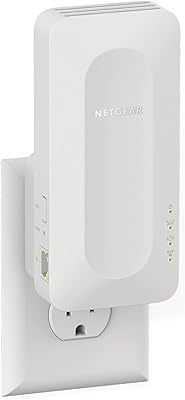
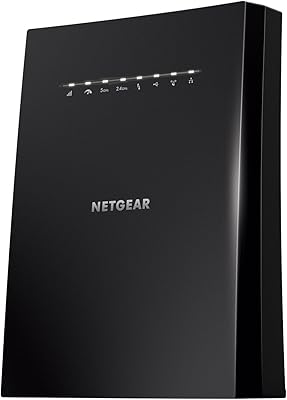
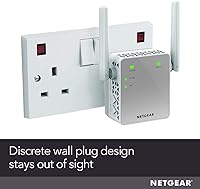
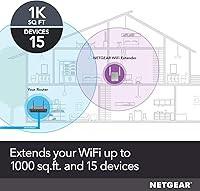
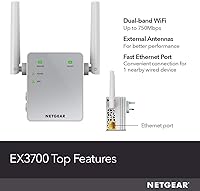
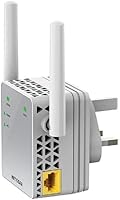
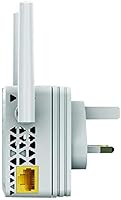
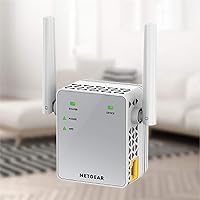
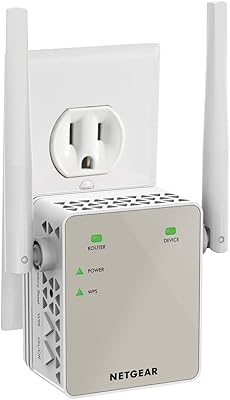
The NETGEAR EX3700 AC750 WiFi Range Extender is one of those no-fuss fixes for the dead spot in your back bedroom or home office — plug it into a spare outlet and you're largely done. It sits in the mid-range of the repeater market, offering dual-band support without the premium price of mesh systems or the hassle of running new cables. The wall-plug form factor keeps things tidy, and the external antennas give it a modest edge in signal directionality over cheaper, antenna-free alternatives. There's also a single Ethernet port tucked in at the bottom, handy if you want to hard-wire a TV or desktop nearby. Just keep expectations grounded — this is a solid single-floor or small-home solution, not a whole-house overhaul.

Features & Benefits

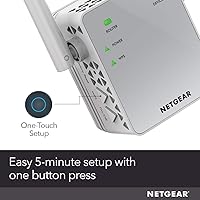
The EX3700 runs on both the 2.4GHz and 5GHz bands, which matters more than it might sound — your phone or laptop can hop onto whichever band is less crowded at any given moment. In practical terms, the throughput is comfortably adequate for HD streaming and everyday browsing on a handful of devices, though it won't satisfy a household running simultaneous 4K streams or heavy online gaming. WPS pairing means setup is genuinely fast; press a button on the extender and one on your router, wait about a minute, and you're connected. The external antennas help focus the signal rather than scattering it in all directions. And because it plugs directly into a wall socket, no trailing cables are involved, which keeps things cleaner than desktop-style extenders.

Best For

This wall-plug booster makes the most sense for renters or small-home owners dealing with one or two stubborn dead zones — think the far bedroom, a garage office, or a basement corner. If your current router is a few years old and you just want to nudge its range a bit further without spending on a full mesh system, the EX3700 fits that bill well. It's equally suited to light everyday use: a couple of people streaming, checking email, or video calling won't tax it. Where it struggles is in larger homes with thick walls, or households with five-plus connected devices all demanding bandwidth at once. If that's your situation, a mesh network upgrade would serve you better in the long run.

User Feedback

Across a large pool of buyer reviews, the picture is generally positive but comes with some clear caveats. Easy setup is the most consistent compliment — people who had never configured a network device before got it working without headaches. The range improvement in previously weak areas also gets repeated mentions. On the flip side, speed reduction is the most common gripe; using any repeater introduces latency and bandwidth loss, and the 2.4GHz band feels it more than the 5GHz side. A handful of users note the unit gets noticeably warm during prolonged use, so avoid tucking it behind furniture or in enclosed spaces. Occasional disconnects and the need for a periodic reboot also appear across reviews, suggesting firmware stability isn't bulletproof. Overall, realistic expectations seem to go hand-in-hand with satisfaction.

Pros

  • WPS setup takes under two minutes — no app, no account, and no networking knowledge required.
  • Dual-band support lets devices connect to whichever frequency band is less congested at a given moment.
  • External antennas improve signal directionality compared to antenna-free extenders at a similar price point.
  • The wall-plug form factor keeps floors clear and leaves adjacent outlets free on most power strips.
  • A built-in Ethernet port lets you hard-wire a nearby TV or desktop without running long cables across the room.
  • Compatible with virtually any router brand, so there's no ecosystem lock-in to worry about.
  • Compact enough to go unnoticed in most rooms once it's plugged in.
  • Reliably improves connectivity in dead zones for light browsing and HD streaming on a small number of devices.

Cons

  • Speed drops noticeably compared to the main router, particularly on the 2.4GHz band under any real load.
  • Real-world range varies significantly with wall material — concrete and brick shrink coverage fast.
  • The unit gets warm during extended use; enclosed or poorly ventilated placement is not advisable.
  • Occasional disconnects requiring a manual reboot have been flagged consistently across a meaningful share of user reviews.
  • Firmware updates have caused connectivity issues for some users, with no guaranteed smooth resolution.
  • Bandwidth gets stretched thin quickly in households with several devices active simultaneously.
  • Placement relative to the router is critical — positioning it too far away degrades performance sharply.
  • The Ethernet port is Fast Ethernet only, which caps wired speeds well below what modern gigabit connections can actually deliver.

Ratings

The scores below were generated by AI after analyzing thousands of verified global buyer reviews for the NETGEAR EX3700 AC750 WiFi Range Extender, with automated filters applied to remove spam, incentivized responses, and bot activity. Every category reflects the honest consensus of real users — both the aspects that consistently impressed and the pain points that surfaced repeatedly across different home environments. The result is a transparent, balanced scorecard designed to help you decide whether this wall-plug booster is the right fit for your specific situation.

Ease of Setup
88%
The one-button WPS pairing is the feature buyers praise most consistently. Even users who described themselves as entirely non-technical reported being up and running within two minutes, without ever needing to open a browser or read an instruction manual. For anyone who finds network configuration intimidating, this range extender is one of the more approachable options available.
The browser-based fallback setup, while functional, is noticeably less intuitive for users whose routers have WPS disabled by default. A recurring group of reviewers also reported needing to repeat the pairing process after firmware updates or unexpected power cuts, which introduces friction for what should be a completely one-time task.
WiFi Performance
72%
28%
In small apartments and single-story homes with standard drywall construction, buyers consistently report a meaningful improvement over having no extender at all. Devices that previously dropped to one bar or lost connection entirely in back bedrooms were able to hold a stable, usable signal for everyday tasks after adding this range extender to the setup.
Performance is heavily dependent on both placement and building materials. In homes with plaster, brick, or concrete walls, the effective coverage area shrinks considerably, and signal quality at the outer edge of the extended range is often too weak for reliable video streaming or consistent video calls.
Speed and Throughput
61%
39%
For the specific use cases this extender is designed around — checking emails, casual web browsing, or watching a standard HD stream in a room that previously had no signal at all — the available throughput is genuinely adequate. Users who went in with calibrated expectations consistently report that it handles one or two light-use devices without complaint.
Speed reduction compared to a direct router connection is the single most cited complaint across the entire review pool. The 2.4GHz band feels the drop most acutely, with some users reporting speeds that fall to a small fraction of their router's capability — a problem that compounds sharply when multiple devices attempt to share the extended connection at the same time.
Range Coverage
67%
33%
In open-plan spaces and homes built with modern lightweight partitions, the EX3700 can reliably push a usable signal into rooms that were previously dead zones. Buyers in studio apartments and compact terraced houses frequently describe it as solving their specific coverage problem without needing anything more elaborate or expensive.
The range claims do not hold up consistently in real-world conditions, and buyer feedback on this point is genuinely split. Thick walls, older building materials, and interference from neighboring networks all compress the effective coverage meaningfully, leaving a notable share of buyers disappointed when the signal failed to reach as far as expected.
Stability and Reliability
63%
37%
The majority of users who positioned the extender correctly — roughly midway between their router and the problem area — reported a reasonably stable connection during normal daily use. For light browsing and casual streaming, the connection held without interruption for most buyers operating in straightforward, single-floor home layouts.
Occasional disconnects and the need for a manual reboot appear across a meaningful share of reviews — not an isolated edge case. A subset of users also reports that stability worsened noticeably after firmware updates, with reconnection problems that required unplugging and fully re-pairing the device just to restore normal operation.
Value for Money
71%
29%
For renters or small-home owners who simply need a dead zone fixed without a significant upfront investment, the EX3700 represents a workable trade-off between price and capability. Buyers who go in knowing its limitations — and match it to a genuinely light-use scenario — tend to feel satisfied that they got what they paid for.
As a product that has been on the market since 2015, the value calculation has become harder to justify as newer options with stronger performance have arrived at comparable price points. Buyers who discover post-purchase that their home environment limits the device's effectiveness frequently feel the money could have been better directed toward a more current solution.
Ease of Daily Use
79%
21%
Once the initial pairing is complete, the day-to-day experience is essentially hands-off — plug it in, connect your devices, and there is nothing else to manage under normal conditions. The wall-plug form factor means no cables to route, no desk space consumed, and no shelf required, all of which buyers in smaller living spaces consistently appreciate.
The separate extended network name — rather than a unified continuation of the home network — means users need to manually switch connections as they move between rooms, which some find a persistent minor irritant. Stability-related reboots also disrupt the set-and-forget experience by requiring manual intervention rather than the device recovering on its own.
Design and Form Factor
83%
The wall-plug design is practically convenient — no desk footprint, no trailing power cable, and in most standard outlet configurations it does not block adjacent sockets. For renters who cannot drill or mount hardware, simply plugging a device into a spare outlet is about as low-commitment a solution as the category offers.
The wall-plug format constrains placement to wherever electrical outlets happen to be, which may not always align with the ideal position for maximum signal coverage. The external antennas, while functionally beneficial, add visual bulk that some buyers find aesthetically out of place in tidier or minimalist home interiors.
Compatibility
91%
Universal router compatibility is one of the clearest strengths of this wall-plug booster — it works with any standard WiFi router regardless of brand or ISP, making it accessible to an extremely wide range of users. Buyers who have swapped routers since purchasing the extender consistently report successful re-pairing without complications.
A small but recurring group of users reports compatibility quirks with certain ISP-supplied modem-router combos, particularly where WPS is disabled or implemented non-standardly out of the box. The browser-based setup path resolves most of these cases, but it adds configuration steps that undercut the plug-and-play simplicity the device is marketed on.
Heat Management
57%
43%
During light-use periods and in well-ventilated outlet positions, the unit runs warm but within a range that most users describe as unremarkable. Under normal open-air conditions with moderate usage, there is no apparent performance throttling attributable to heat, and the majority of buyers do not flag it as an active concern.
Several reviewers describe the unit getting noticeably hot during prolonged or heavy use, particularly in warmer rooms or when plugged into enclosed or obstructed sockets. A smaller cluster of longer-term users associates sustained heat buildup with eventual stability problems, which raises reasonable questions about the device holding up reliably over years of continuous operation.
Firmware and Software
58%
42%
For buyers who set up the device once and never revisit the firmware, the software layer stays entirely out of the way. The browser-based management interface is basic but functional, giving users enough control to rename the extended network or review connection status without requiring any networking knowledge.
Firmware updates have a notably inconsistent track record in the review pool — a recurring subset of users reports that applying an update introduced connectivity problems that did not exist before, with factory resets often the only reliable fix. For a device designed to be set-and-forget, that trade-off between staying current and staying stable is a genuine problem.
Dual-Band Functionality
77%
23%
The availability of both frequency bands is a practical advantage for households running a mix of older and newer devices. Phones and laptops can connect to the less congested 5GHz band while older smart-home gadgets or devices at the edge of range make use of the more wall-penetrating 2.4GHz signal without competing for the same channel.
The device does not intelligently steer clients to the stronger band — users must manually connect to whichever extended network they prefer, which diminishes the practical value for less technically inclined buyers. On the 2.4GHz side specifically, heavy channel congestion from neighboring networks in densely populated areas can significantly degrade real-world performance.
Ethernet Port Utility
76%
24%
The built-in Ethernet port is a quietly appreciated feature among buyers who have a smart TV or desktop sitting in a weak-signal room. Connecting a cable from the extender to the device delivers a noticeably more stable experience than relying on WiFi at distance, and it reliably eliminates buffering on streaming devices that sit just outside solid wireless coverage.
The port tops out at Fast Ethernet speeds, capping wired throughput at a ceiling that modern home broadband connections and gigabit-capable devices have largely outgrown. Users looking to wire a gaming console or a work machine handling large uploads and downloads will find that bottleneck a meaningful limitation rather than a minor footnote.

Suitable for:

The NETGEAR EX3700 AC750 WiFi Range Extender is a practical pick for anyone living in a smaller space — a one-bedroom apartment, a townhouse, or a single-story home — where one or two rooms stubbornly fall outside the main router's reach. Renters who can't run ethernet cables through walls will appreciate a wall-plug design that requires no drilling, no wiring, and no technical know-how to get working. It's equally well-suited to households where the primary use is casual: streaming a show in the bedroom, browsing the web in a home office, or keeping a smart TV connected in a back room. Older homes where the router sits in one corner and the far end of the house barely gets a signal are exactly the scenario where this range extender earns its place. If you just want to plug something in, press a button, and have WiFi where you didn't before, this wall-plug booster delivers that experience reliably and without fuss.

Not suitable for:

Buyers expecting the same speeds at the extender as they get directly from their router will be disappointed — that trade-off is baked into how all repeater technology works, and the NETGEAR EX3700 AC750 WiFi Range Extender is no exception. Households with five or more devices actively competing for bandwidth at the same time will find the available throughput stretches thin quickly, leading to buffering and sluggish connections at peak hours. Serious gamers and remote workers who rely on stable, low-latency connections for video calls or online play should look at a wired solution or a mesh system instead, since the added hop introduces enough latency to be noticeable. Homes built with thick concrete or brick walls will also find that real-world range falls well short of what the packaging suggests, regardless of how carefully the unit is positioned. And if your core problem is an overloaded router rather than a coverage gap, adding this wall-plug booster won't fix the root cause — only upgrading your router or switching to a mesh network will.

Specifications

  • Brand: Manufactured by Netgear, a networking hardware company with an established track record in consumer and small-business WiFi equipment.
  • Model Number: Listed under model EX3700-100UKS, part of Netgear's EX-series range extender lineup.
  • WiFi Standard: Supports 802.11ac (Wi-Fi 5) as well as the older 802.11b, 802.11g, and 802.11n protocols for broad backwards compatibility with existing devices.
  • Frequency Bands: Operates on both the 2.4GHz and 5GHz bands simultaneously, allowing connected devices to use whichever band provides the stronger signal.
  • Throughput: Rated at a combined aggregate of up to 750 Mbps across both bands under ideal, interference-free conditions.
  • Ethernet Port: Includes one Fast Ethernet port (10/100 Mbps) for wiring a single nearby device such as a smart TV, console, or desktop computer.
  • Form Factor: Wall-plug design mounts directly into a standard electrical outlet with no separate power cable or adapter required.
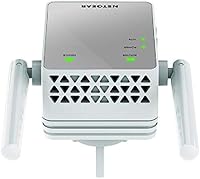
  • Antennas: Equipped with external antennas to improve signal directionality and reception performance compared to sealed, internal-antenna designs at this price tier.
  • Dimensions: Measures 2.17 x 2.64 x 1.54 inches (L x W x H), making it a compact unit that protrudes minimally from the wall.
  • Weight: Weighs approximately 4.6 oz, consistent with other wall-plug extenders in its class.
  • Setup Methods: Supports one-button WPS pairing for quick configuration as well as browser-based setup through Netgear's standard web interface.
  • Compatibility: Works with any standard 802.11 WiFi router regardless of brand or internet service provider, requiring no proprietary ecosystem.
  • Power Supply: Draws power directly from a standard wall outlet with no external adapter, power brick, or cable involved.
  • Release Date: Originally made available in May 2015, giving it a long track record of real-world user feedback across a wide range of home environments.

Related Reviews
NETGEAR EX6120 WiFi Range Extender
74%
83%
Ease of Setup
76%
Signal Coverage
61%
Connection Speed
79%
Value for Money
58%
5GHz Band Performance
More
NETGEAR EX7500 Tri-Band WiFi Range Extender
72%
74%
Signal Coverage
67%
Real-World Speed
83%
Setup Experience
58%
Smart Roaming
62%
Value for Money
More
NETGEAR WiFi Mesh Range Extender EX8000
86%
85%
Wi-Fi Performance
88%
Ease of Setup
90%
Coverage Area
84%
Device Support
87%
Streaming & Gaming Performance
More
NETGEAR EAX12 WiFi 6 Range Extender
76%
91%
Ease of Setup
73%
WiFi Coverage
67%
Real-World Speed
69%
Router Compatibility
74%
Connection Stability
More
NETGEAR EAX17 WiFi 6 Range Extender
76%
88%
Ease of Setup
82%
Signal Coverage
71%
Real-World Speed Performance
78%
Device Handling Capacity
63%
Roaming & Handoff
More
Netgear EX6400 WiFi Mesh Range Extender
73%
83%
Signal Coverage
61%
Throughput & Speed Performance
88%
Setup & Installation
58%
Smart Roaming Performance
86%
Wired Ethernet Connectivity
More
NETGEAR EX6250 WiFi Mesh Range Extender
81%
89%
WiFi Coverage
85%
Ease of Setup
84%
Speed and Performance
91%
Device Compatibility
87%
Build Quality
More
NETGEAR WiFi AC1200 Range Extender EX6200
85%
88%
WiFi Performance
85%
Setup & Installation
91%
Build Quality
84%
Range & Coverage
90%
Ethernet Connectivity
More
NETGEAR EX7000 WiFi Range Extender
73%
74%
Signal Range & Coverage
71%
WiFi Speed Performance
88%
Ease of Setup
91%
Wired Connectivity
61%
Long-term Reliability
More
TP-Link RE200 AC750 Dual-Band WiFi Extender
70%
88%
Setup & Installation
72%
Signal Coverage
61%
Wireless Speed
79%
2.4GHz Performance
58%
5GHz Performance
More

FAQ

It works with any standard WiFi router regardless of brand — Asus, TP-Link, Linksys, BT, your ISP-supplied box, it does not matter. The only requirement is that your router broadcasts a standard 2.4GHz or 5GHz wireless signal, which virtually every modern router does.

Almost certainly yes, and it is worth being upfront about that going in. Every traditional repeater has to receive your router's signal and retransmit it, which introduces overhead and reduces available throughput. The drop tends to be more pronounced on the 2.4GHz band. For casual browsing or standard HD streaming on a device or two, it is manageable. For bandwidth-heavy tasks like 4K streaming or online gaming, the reduction will be more noticeable.

Yes, the WPS method makes it about as simple as it gets: plug the EX3700 in near your router, press the WPS button on the extender, then press the WPS button on your router within two minutes. The LED will confirm the connection when it's done. If your router doesn't support WPS, you can log into the extender's setup page through any web browser — Netgear's interface is clear enough for someone who has never touched a network device before.

A useful rule of thumb is to place it roughly halfway between your router and the dead zone, in a spot where you can still pick up a solid two or three bars of your main WiFi signal. Too close to the router and you're not extending much; too far away and the extender doesn't have enough signal to rebroadcast effectively. A hallway outlet or an intermediate room tends to work well — avoid tucking it into corners or behind large pieces of furniture.

Yes, the Ethernet port works independently of the wireless extension function. You can run a cable from the extender to a nearby smart TV, desktop, or streaming device, which will typically give you a more stable connection than WiFi at that distance from the main router.

By default, this wall-plug booster creates a new network with a slightly different name — usually your existing network name with EXT added to the end. Your devices won't automatically hand off to it; you'll need to manually connect when you're in range of the extender. This is one area where a mesh system has a clear advantage, since mesh handles the device handoff invisibly.

Running warm during extended use is normal behavior for the EX3700. The main thing to avoid is placing it somewhere with restricted airflow — inside a cabinet, behind a thick piece of furniture, or near another heat source. A standard open wall outlet in a reasonably ventilated spot is fine. If it feels genuinely hot rather than just warm, unplug it and make sure nothing is physically blocking the unit.

It depends on the size of the home and the building materials. In a compact two-story property with standard drywall construction, a well-placed extender on the ground floor can sometimes push a usable signal upstairs. In older homes with thick concrete or brick between floors, coverage will be noticeably more limited. For multi-story coverage in larger or older homes, a mesh system with multiple nodes is generally a more reliable solution.

You can unplug it whenever you like — there are no persistent settings that require it to stay powered on. When you plug it back in, it will reconnect to your router automatically provided your network credentials haven't changed. The unit is designed for continuous use, but powering it down occasionally won't cause any issues.

It is an older device, and the market has shifted since it launched — affordable mesh systems now offer a significantly smoother experience for most households, with automatic device handoff and no meaningful speed penalty. That said, for someone in a small apartment or dealing with a single stubborn dead zone who wants the simplest possible fix without spending much, this range extender still does the job. Just go in with clear expectations: it is a reliable basic extender for light use, not a modern whole-home solution.