
Overview

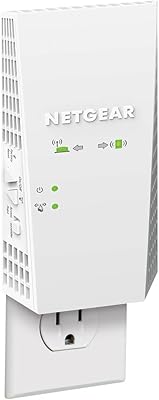
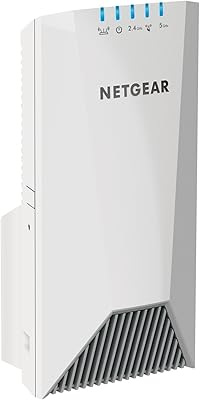
The NETGEAR EX7000 WiFi Range Extender is a mid-to-premium unit built for larger homes where one router simply can't cover every corner. Running on the AC1900 dual-band standard, it splits wireless capacity across two frequencies — meaning in practical terms, you get a dedicated lane for bandwidth-hungry tasks like video calls or 4K streaming, while lighter devices share the other. Worth noting upfront: this range extender has been around since 2015, and while the hardware remains capable, newer mesh systems have raised the bar. This is not a mesh system — it amplifies and rebroadcasts your existing signal, a meaningful distinction if you expect uniform whole-home coverage. Physically, it's larger than most plug-in extenders, so placement requires a wall outlet with enough surrounding clearance.

Features & Benefits

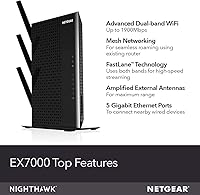
The standout feature for many buyers is FastLane technology, which lets the EX7000 use the 5GHz band exclusively as a dedicated backhaul connection to your router, while the 2.4GHz band handles device connections. In rooms where your router's signal barely reaches, that separation genuinely helps with HD streaming and video calls. The five Ethernet ports are a real highlight — rare on extenders at any price — making it straightforward to wire in a gaming console, smart TV, or desktop without stringing cables back to your main router. The EX7000 also shares your existing network name, so devices reconnect automatically as you move around. Setup via WPS is quick and painless, and compatibility extends to virtually any router or gateway on the market.

Best For

This dual-band booster is most at home in single-floor layouts between roughly 1,500 and 2,500 square feet — think a sprawling ranch house or larger apartment where the back rooms or garage are perpetually out of range. If you have a gaming console, desktop PC, or streaming player stuck in a dead-zone room, the multiple wired ports alone make this range extender worth serious consideration. Households juggling concurrent video calls and streams across many devices will also benefit. That said, if your home spans multiple floors or you need truly consistent roaming coverage, a dedicated mesh system will serve you better. The EX7000 is a capable extender — not a mesh replacement — and performs best when treated accordingly.

User Feedback

Across more than five thousand ratings, the EX7000 holds a solid four-star average — which reflects genuine performance for most buyers, but also masks some consistent frustrations. On the positive side, users regularly praise the strong signal boost, the noticeable improvement in dead zones, and how little effort the initial setup takes. The complaints worth knowing: speed drops off noticeably toward the edge of its range, and some users have encountered firmware stability issues requiring reboots. A few long-term owners note reliability declining after two or three years of continuous use. The larger physical footprint has also drawn comments, as it can block adjacent outlets. Crucially, many one-star reviews trace back to users expecting mesh-level coverage from a standard extender — an important distinction to keep in mind before buying.

Pros

  • Five Gigabit Ethernet ports let you hardwire gaming consoles, smart TVs, or desktops in dead-zone rooms without long cable runs.
  • FastLane technology dedicates one band as a backhaul, meaningfully reducing congestion during HD streaming or online gaming sessions.
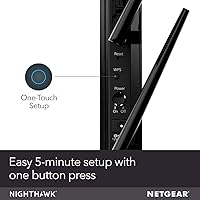
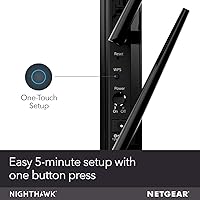
  • WPS setup is fast and straightforward — most users report having it up and running in under ten minutes.
  • Shares your existing network name automatically, so phones and laptops reconnect without any manual switching between networks.
  • Compatible with virtually any router or gateway brand, requiring zero changes to your current network configuration.
  • Covers large single-floor spaces effectively, making it a reliable fix for stubborn dead zones far from your main router.
  • Supports WPA2 security, keeping the extended portion of your network as protected as your primary connection.
  • Internal antennas give the EX7000 a cleaner, lower-profile look compared to extenders with protruding external antennas.

Cons

  • Real-world coverage often falls noticeably short of the advertised figure, especially in homes with thick walls or concrete construction.
  • Speeds drop considerably at the outer edge of range, making it unreliable for demanding tasks in marginal signal areas.
  • Some users report intermittent firmware stability issues that require manual reboots to restore normal operation.
  • The physical unit is significantly larger than most plug-in extenders and can easily block neighboring wall outlets.
  • Long-term reliability is a concern — a number of owners report performance degrading after two to three years of continuous use.
  • The AC1900 wireless standard dates to 2015, leaving this dual-band booster clearly behind modern Wi-Fi 6 hardware in efficiency and throughput.
  • At its current price, newer mesh or dual-band alternatives offer comparable or stronger performance for similar money.
  • No tri-band support means heavily loaded households with many concurrent users may still run into congestion during peak hours.

Ratings

The NETGEAR EX7000 WiFi Range Extender scores below are generated by an AI system that analyzed thousands of verified buyer reviews across global markets, with spam, bot-submitted, and incentivized feedback actively filtered out before any scoring was applied. The ratings are built to capture the full picture — not just the highlights that pad star averages, but the recurring frustrations that tend to surface only after months of real use. Both where this dual-band booster genuinely delivers and where it falls short are transparently reflected in every score.

Signal Range & Coverage
74%
26%
In single-floor homes between 1,500 and 2,000 square feet, the EX7000 consistently fills in dead zones — that back bedroom or garage where your phone previously showed one bar. Users in open layouts report solid, noticeable improvements in signal strength, particularly when the extender is positioned at the midpoint between the router and the problem area.
The advertised coverage figure doesn't hold up in homes with concrete walls, dense insulation, or multiple floors — real-world reach is often 20 to 30 percent shorter. Buyers who place the extender too far from their router, hoping to push it to its limits, tend to end up disappointed with the quality of coverage at that edge.
WiFi Speed Performance
71%
29%
When FastLane mode is enabled, this dual-band booster dedicates the 5GHz band as a backhaul to the router and uses 2.4GHz for device connections, which noticeably reduces congestion during 4K streaming or video calls. Families running three or four simultaneous streams have generally found the throughput adequate for everyday household demands.
Speed drops are noticeable as devices approach the outer boundary of the extender's range, and the AC1900 specification is showing its age against modern Wi-Fi 6 hardware. Users on faster ISP plans — 200Mbps and above — often find the extender becomes a bottleneck before their internet service does.
Ease of Setup
88%
WPS setup is consistently one of the most praised aspects across thousands of reviews — press a button on each device and within two minutes the extender is broadcasting. Even users who describe themselves as non-technical report finishing the process without consulting any documentation, which is genuinely rare for networking hardware.
A small subset of users who don't have a WPS-enabled router found the browser-based alternative setup slightly confusing, particularly around entering credentials manually. Additionally, a handful of buyers report that after firmware updates, the extender occasionally requires a full reconfiguration, which undercuts the initial plug-and-play promise.
Wired Connectivity
91%
Five Gigabit Ethernet ports set this range extender apart from most competing models, and owners make full use of them — hardwiring a gaming console, smart TV, and streaming player in a back room that previously had no usable signal. The wired connection stability draws consistent praise from gamers and heavy streamers alike.
The Ethernet ports are Gigabit-capable, but the wireless backhaul to the router can become a throughput ceiling on wired devices during peak usage. A few users also note that the unit must be placed within a reasonable distance of their router to get meaningful wired speeds, limiting flexibility in very large spaces.
Long-term Reliability
61%
39%
Many buyers use this range extender for one to two years without any significant issues, particularly those who keep the firmware updated and place the unit in a well-ventilated area. For casual households running a modest number of devices, day-to-day operation tends to be stable and largely hands-off.
A consistent thread across long-term reviews is performance degrading after two to three years — random disconnects, reduced range, and slower throughput that doesn't recover with reboots. Given that this hardware launched in 2015, buyers should factor in realistic lifespan expectations and weigh that against the current asking price.
Device Capacity
76%
24%
Supporting up to 35 connected devices comfortably handles the demands of a typical family home with multiple smartphones, laptops, smart speakers, and IoT devices sharing the extended network. Users in medium-density households — three to five people with several devices each — rarely report congestion under normal browsing and streaming conditions.
Households with heavy concurrent usage — multiple 4K streams, active gaming, and large file transfers happening simultaneously — do begin to notice degraded performance as the network fills up. The lack of a tri-band option means all connected wireless devices share the same two frequency pools, which can become a bottleneck during peak hours.
Smart Roaming
67%
33%
The shared network name feature means devices don't need to be manually reconnected or network profiles reconfigured when moving around the home, which is a real quality-of-life improvement over older extenders that required juggling two separate SSIDs. Most users find the transition between router and extender acceptable for non-real-time tasks.
True mesh-style handoff this is not — phones and laptops frequently cling to a weaker signal rather than switching over to the extender proactively, and users on video calls report occasional brief drops during those transitions. The roaming experience is noticeably inferior to a proper mesh system in homes where devices are frequently moved from room to room.
Build Quality & Design
73%
27%
The internal antenna design gives the unit a cleaner, less cluttered appearance than many competing extenders with protruding external arms, and the all-black casing blends into most wall outlets without drawing attention. Construction feels solid, with no reported issues around chassis cracking or ports loosening under normal use.
The unit runs noticeably warm during extended use, and the absence of visible ventilation raises concerns among some buyers about long-term thermal management. The glossy sections of the casing also attract fingerprints and dust, requiring occasional wiping to keep it looking presentable in visible locations.
Value for Money
58%
42%
For buyers who specifically need multiple wired Ethernet connections in a dead-zone room, the five-port configuration offers genuine utility that is hard to replicate at a lower price point. In that specific scenario — a home office or entertainment room with several hardwired devices — the hardware justifies its cost better than it does as a pure wireless extender.
Hardware from 2015 at a mid-to-premium price is a difficult proposition when Wi-Fi 6 extenders with comparable or better wireless coverage are available at similar or lower price points. Many shoppers find that a modern entry-level mesh kit can be purchased for roughly the same outlay with a fundamentally better whole-home coverage architecture.
Router Compatibility
93%
Compatibility is genuinely one of the EX7000's strongest attributes — it works with routers from every major manufacturer including Linksys, ASUS, TP-Link, and ISP-issued gateways without exception. Buyers switching ISPs or replacing their main router don't need to purchase a new extender, which adds meaningful long-term flexibility.
There is a minor caveat with certain newer mesh router systems, where the extender may struggle to integrate cleanly into a managed network environment rather than functioning as a simple extension. Most users won't encounter this, but those running advanced or segmented network configurations should verify compatibility before purchasing.
Firmware & Software
63%
37%
The web-based management interface is clean and accessible, giving moderately technical users the ability to monitor connected devices, adjust band settings, and check signal strength without needing any proprietary app. WPS-only users rarely interact with it at all, keeping the day-to-day experience refreshingly simple.
Firmware update complaints are a recurring thread in user reviews — some updates have caused performance regressions or required a factory reset to recover normal operation. NETGEAR's ongoing software support for a 2015-era device is also diminishing, meaning future security patches and compatibility fixes become less certain with each passing year.
Physical Footprint
54%
46%
The internal antenna design eliminates the awkward protrusions that make some extenders impossible to use in tight spaces, and the unit sits flush against the wall without shifting or wobbling under its own weight. For buyers with a single open wall socket in an accessible location, placement is reasonably straightforward.
At over 12 inches tall and nearly 2.7 pounds, this range extender is substantially larger than most of its plug-in competitors, and it routinely blocks the adjacent outlet in a standard duplex socket. Buyers with limited outlet availability or narrow wall panels may find suitable placement genuinely difficult.
Network Security
79%
21%
WPA2 support means the extended network segment carries the same encryption level as most modern home networks, reassuring for households with banking apps, smart home devices, or work laptops running through the extender. Setup automatically mirrors the security settings of the host router, requiring no additional configuration on the user's part.
The inclusion of legacy WEP as a supported protocol is largely a footnote, and more security-conscious buyers may want granular control that the basic interface does not provide. As firmware updates grow less frequent for this aging hardware, the overall security posture will gradually trail behind current industry standards.

Suitable for:

The NETGEAR EX7000 WiFi Range Extender is a strong fit for homeowners dealing with one or two persistent dead zones in single-floor layouts of roughly 1,500 to 2,500 square feet — the kind of house where the far bedroom, back office, or detached garage simply never gets a usable signal. If you have a gaming console, smart TV, or desktop PC stranded in one of those rooms, the five wired Ethernet ports make this a genuinely practical solution, letting you hardwire devices for stable speeds without running cables all the way back to your main router. It also works well for households juggling multiple simultaneous video calls, streams, or smart home devices, since the dual-band setup helps distribute that load more efficiently. People who want a plug-and-play experience without touching their router settings or changing their network name will appreciate how straightforward the EX7000 is to deploy — WPS setup takes minutes, and existing devices reconnect without any manual reconfiguration.

Not suitable for:

The NETGEAR EX7000 WiFi Range Extender is not the right tool for buyers who need consistent, high-quality coverage across multiple floors or an open-plan layout where devices are constantly on the move. As a traditional range extender, it rebroadcasts your existing signal rather than creating a unified mesh network, which means you may notice speed drops or brief disconnects when devices transition between the extender and your main router. If whole-home roaming without dead spots or handoff issues is your priority, a modern mesh system will serve you significantly better for a comparable investment. The hardware also dates to 2015, so buyers comparing it against current-generation Wi-Fi 6 or Wi-Fi 6E extenders will find the older wireless standard showing its age in both raw throughput and network efficiency. Anyone covering a small apartment or a single-room dead zone is also likely paying for more hardware than their situation actually needs.

Specifications

  • WiFi Standard: Operates on 802.11a/b/g/n/ac (AC1900), supporting both legacy and current-generation wireless devices simultaneously.
  • Frequency Bands: Dual-band design broadcasts concurrently on 2.4GHz and 5GHz frequencies, allowing flexible distribution of devices by bandwidth need.
  • Max Speed: Combined theoretical wireless throughput reaches up to 1900Mbps across both bands under ideal, interference-free conditions.
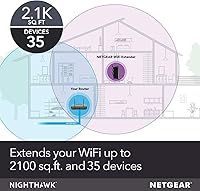
  • Coverage Area: Rated for up to 2100 sq ft of extended coverage, though real-world results vary significantly based on wall materials and home layout.
  • Max Devices: Supports up to 35 simultaneously connected devices, including smartphones, laptops, smart TVs, IP cameras, and IoT gadgets.
  • Ethernet Ports: Equipped with five 10/100/1000Mbps Gigabit Ethernet ports for wired connections to consoles, desktop PCs, or streaming players.
  • USB Port: Includes one USB 3.0 port for attaching a shared storage device or compatible peripheral directly to the extended network.
  • Dimensions: Measures 12.09 x 10.2 x 3.31 inches, making it considerably larger than most compact plug-in range extenders on the market.
  • Weight: Weighs 2.66 pounds, which is typical for a wall-mounted unit of this size and port density.
  • Antenna Type: Uses fully internal antennas for a cleaner profile, with no external antenna arms to position or manually adjust.
  • Security: Supports WEP, WPA, and WPA2 wireless security protocols to protect traffic across both the extended and primary network segments.
  • Setup Method: Can be configured via a single WPS button press or through a standard browser-based setup interface for manual control.
  • Compatibility: Works with any wireless router, gateway, or cable modem that has WiFi built in, regardless of brand or ISP.
  • Power Input: Accepts 100–240V universal voltage input, making it suitable for use with power outlets in different countries and regions.
  • Color: Finished in matte black, which blends discreetly into most home and office wall environments without drawing attention.
  • Launch Year: First released in January 2015, giving it nearly a decade of real-world user feedback and a well-documented performance history.

Related Reviews
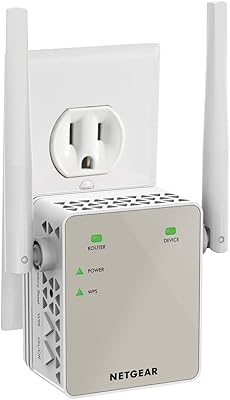
NETGEAR EX6120 WiFi Range Extender
74%
83%
Ease of Setup
76%
Signal Coverage
61%
Connection Speed
79%
Value for Money
58%
5GHz Band Performance
More
NETGEAR EX3700 AC750 WiFi Range Extender
73%
88%
Ease of Setup
72%
WiFi Performance
61%
Speed and Throughput
67%
Range Coverage
63%
Stability and Reliability
More
NETGEAR EX7500 Tri-Band WiFi Range Extender
72%
74%
Signal Coverage
67%
Real-World Speed
83%
Setup Experience
58%
Smart Roaming
62%
Value for Money
More
NETGEAR WiFi AC1200 Range Extender EX6200
85%
88%
WiFi Performance
85%
Setup & Installation
91%
Build Quality
84%
Range & Coverage
90%
Ethernet Connectivity
More
NETGEAR EX6250 WiFi Mesh Range Extender
81%
89%
WiFi Coverage
85%
Ease of Setup
84%
Speed and Performance
91%
Device Compatibility
87%
Build Quality
More
NETGEAR EAX12 WiFi 6 Range Extender
76%
91%
Ease of Setup
73%
WiFi Coverage
67%
Real-World Speed
69%
Router Compatibility
74%
Connection Stability
More
Netgear EX6400 WiFi Mesh Range Extender
73%
83%
Signal Coverage
61%
Throughput & Speed Performance
88%
Setup & Installation
58%
Smart Roaming Performance
86%
Wired Ethernet Connectivity
More
NETGEAR EAX17 WiFi 6 Range Extender
76%
88%
Ease of Setup
82%
Signal Coverage
71%
Real-World Speed Performance
78%
Device Handling Capacity
63%
Roaming & Handoff
More
NETGEAR WiFi Mesh Range Extender EX8000
86%
85%
Wi-Fi Performance
88%
Ease of Setup
90%
Coverage Area
84%
Device Support
87%
Streaming & Gaming Performance
More
NETGEAR EAX11 WiFi 6 Mesh Range Extender
73%
91%
Ease of Setup
73%
Signal Coverage
78%
Wireless Speed Performance
61%
Roaming & Handoff
76%
Device Capacity
More

FAQ

It works with virtually any wireless router, gateway, or cable modem that has WiFi — brand is completely irrelevant. You don't need to touch your router settings or install any software to get it running.

Since the extender broadcasts under the same network name as your router, most devices will connect to whichever signal is stronger. That said, phones and laptops sometimes hold onto a weaker signal longer than they should — that's a device behavior issue, not a flaw specific to this extender, and it affects all range extenders to some degree.

Roughly halfway between your router and the dead zone is the sweet spot. Too close to the router and it doesn't push coverage far enough; too far out and it's amplifying a signal that's already too weak to be useful. A room or two away from your router, ideally with a reasonably clear path, tends to give the best results.

The rated figure is based on open-space lab testing, not a real home with walls, appliances, and interference. In practice, expect meaningfully less coverage — especially if you have concrete, brick, or dense insulation in your walls. Treat the spec as an upper ceiling rather than a promise, and you'll set realistic expectations.

For gaming, the best approach is to use one of the five Ethernet ports to hardwire your console directly — wired connections through the extender are stable and low-latency. If you rely on WiFi to a gaming device, you'll typically see a bit more latency than being directly on your router, which is true of any extender regardless of brand.

Setup is genuinely simple. Plug it in, press the WPS button on both the extender and your router within two minutes of each other, and it configures itself automatically. If your router lacks a WPS button, a short browser-based walkthrough handles it just as easily. Most people are connected in under ten minutes.

A mesh system uses multiple nodes that talk to each other to create one intelligent, unified network with smooth handoffs as you move through your home. This dual-band booster works differently — it picks up your existing router signal and rebroadcasts it, which works well for fixing one or two isolated dead zones. If you need coverage across multiple floors or expect devices to roam constantly without any hiccups, a dedicated mesh setup is the more appropriate solution.

Yes — it has five Gigabit Ethernet ports, so you can simultaneously hardwire a gaming console, a smart TV, a desktop PC, and still have ports left over. This is one of the EX7000's clearest advantages over competing extenders that typically offer only one or two Ethernet connections.

That's a legitimate concern. At over 12 inches tall, this range extender is significantly larger than typical plug-in models and will frequently block the adjacent socket in a side-by-side duplex outlet. It's worth checking your available outlet configuration before purchasing, and ideally choosing a location where you have a standalone socket or don't need the neighboring outlet.

Most users get reliable performance through the first couple of years. After that, a notable portion of long-term owners report occasional disconnects, firmware glitches, or gradual signal degradation — patterns that are common in extenders of this hardware generation. Keeping firmware updated helps extend its useful life, but this is a product that has been around since 2015, and factoring in reasonable longevity expectations before buying is worthwhile.

Where to Buy