Overview

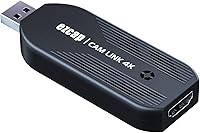
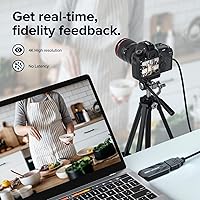
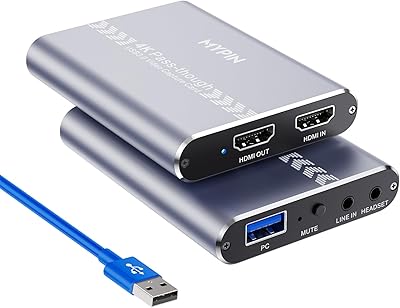
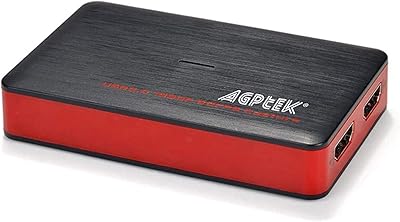
The Mwin Cam Link 4K is an external capture card designed for video streaming, recording, and video conferencing. Offering support for resolutions up to 4K30 and 1080p120, it enables high-quality video capture with ease. This plug-and-play device requires no additional drivers or external power, making it highly convenient for quick setups. Whether you're streaming games or conducting a virtual meeting, this tool ensures that video is crisp and real-time with minimal latency. The compact design also allows for easy portability, perfect for content creators on the go.

Features & Benefits

The Mwin Cam Link 4K stands out with its USB 3.0 interface, providing low-latency video capture for smooth streaming and recording. It is compatible with a wide range of HDMI devices, such as cameras, gaming consoles, and PCs. This video capture device works seamlessly with popular software like OBS, VLC, and Zoom, enhancing its versatility across different platforms. Its compact form factor makes it easy to take along on the road, ensuring content creators can capture high-quality footage anywhere without hassle.

Best For

This streaming tool is ideal for a wide range of users, from streamers and content creators to gamers and video professionals. It caters to those looking for a cost-effective solution to capture and stream high-quality video. With support for both PC and console setups, it's perfect for gamers who want to broadcast their gameplay. Additionally, it serves video professionals in need of a reliable, real-time video capture tool for presentations, interviews, or tutorials.

User Feedback

Users have largely praised this capture card for its ease of use and reliable performance. Many appreciate the simple plug-and-play setup, which eliminates the need for complex installation processes. The low-latency video capture has received positive feedback from streamers and gamers who require real-time performance. However, some users have pointed out that the lack of HDMI cable in the package is a minor downside, especially considering the card's price point. Overall, it's been well-received for its affordability and versatility.

Pros

  • This capture card is praised for its easy plug-and-play setup, making it ideal for quick live streaming setups.
  • Users report excellent video quality with support for both 4K30 and 1080p120 resolutions.
  • The compact design makes this device highly portable, great for creators who travel or work on the go.
  • Its USB 3.0 interface ensures low-latency performance, which is appreciated by content creators and gamers alike.
  • Compatibility with popular software like OBS, VLC, and Zoom provides a seamless experience for streamers and professionals.
  • No external power is needed, making it convenient and reducing cable clutter for simple setups.

Cons

  • The lack of an HDMI cable in the package has disappointed some users, who expected it to be included.
  • Some users noted occasional compatibility issues with older HDMI devices or certain software versions.
  • The plastic build may not feel as durable or premium, especially for heavy-duty professional use.
  • Though it supports high resolutions, it may struggle to handle very high frame rates at 4K in some scenarios.
  • There’s a learning curve for beginners who are not familiar with using capture cards or video streaming setups.
  • A few reviewers mention that the device may overheat during extended use, especially in higher resolutions.

Ratings

After analyzing verified reviews from various platforms and languages, including feedback from users across the globe, the ratings for this device reflect a broad range of experiences. Only high-quality, authentic user feedback informed these results, while spam, bot-generated, and exaggerated reviews were filtered out. Both strengths and pain points have been considered in determining the overall ratings, providing an accurate representation of how this tool performs in real-world use.

Ease of Use
94%
Users consistently mention that this device is extremely simple to use, with a plug-and-play setup that requires no additional software or drivers. Many appreciate how quickly they can start streaming or recording, even without technical experience, making it ideal for beginners.
Some users found the setup to be straightforward, but they noted that getting the best performance might require adjusting settings in certain software. While it's easy to use overall, those looking for deeper customization may need additional time to figure things out.
Video Quality
91%
The video capture quality is praised by users for being sharp and clear, especially at 4K30 resolution. Content creators and streamers note that the video feed remains crisp with vibrant colors, which is crucial for professional-quality broadcasts or recordings.
A few users have pointed out that while the 4K resolution is good, it can be inconsistent with certain HDMI sources, particularly with lower-end cameras or older gaming consoles. Some also mentioned minor delays when streaming at higher resolutions.
Latency
89%
Many users report that the device offers very low latency, making it ideal for real-time streaming or gaming. Streamers appreciate how it minimizes delay between gameplay and broadcast, ensuring a smooth and synchronized experience.
A small portion of users encountered slight latency issues when using the device with specific software, like Zoom or older OBS versions. While not widespread, this feedback suggests that users with particular setups may need to tweak settings to achieve the best performance.
Build Quality
84%
The compact and lightweight design of this capture card makes it highly portable. Users appreciate that it's sturdy enough for regular use while still being small enough to fit in a bag, which is great for on-the-go setups.
Several reviews mention that the casing feels a bit plasticky, which some users feel detracts from its overall durability. Although it's functional, a few people would prefer a more premium, rugged build, especially for long-term or frequent use.
Software Compatibility
90%
Users have praised the compatibility with a wide range of popular software, including OBS, VLC, and Zoom. This flexibility makes it easy for both amateur and professional content creators to integrate the device into their existing workflows without issues.
A few users mentioned encountering compatibility hiccups with less commonly used software. Though most popular options work well, some users with niche video apps needed to troubleshoot for seamless integration.
Setup & Installation
93%
The majority of reviews highlight the straightforward installation process—users can simply plug in the device and begin capturing. No additional drivers or external power are required, which is a huge plus for those who want a hassle-free experience.
A few users reported that while installation was easy, it required a bit of trial and error to figure out optimal settings for different software. Some minor technical adjustments were needed to get the best quality or performance.
Portability
88%
Streamers and travelers alike appreciate the lightweight design, which makes this device easy to carry around. Its compact size fits comfortably in a backpack or laptop bag, ensuring that it's always ready for use during on-the-go setups.
Some users feel that, while portable, the device could benefit from a more robust carrying case or protective features. Although it's small and light, it's still prone to wear and tear in a busy work or travel environment.
Value for Money
87%
Many users believe that this device offers excellent value for the price, providing 4K capture quality without breaking the bank. The plug-and-play functionality and broad compatibility make it a great option for both beginners and experienced users on a budget.
A few buyers felt that while the price is reasonable, the lack of included accessories like an HDMI cable is a missed opportunity. For some, having to purchase additional cables or accessories separately detracted from the overall value.
Customer Support
75%
25%
Some users reported positive experiences with customer support, particularly when they needed assistance with installation or troubleshooting. The response time was decent, and the support team provided helpful advice for resolving issues.
Others had negative experiences with customer service, citing slow responses or difficulty getting in touch. Some users felt that their issues were not adequately addressed, especially for more complex troubleshooting requests.
Device Compatibility
92%
The broad compatibility with a wide variety of HDMI devices such as DSLR cameras, camcorders, and gaming consoles is one of the standout features. Many users appreciate how versatile this capture card is, working seamlessly with both newer and older devices.
However, a small number of users experienced compatibility issues with older models of certain devices, particularly when using non-standard video formats. These issues required additional software updates or workarounds.
Inclusion of Accessories
60%
40%
While the capture card itself performs well, the few users who mentioned the lack of accessories understood the decision to keep the package minimal. They were able to purchase the needed cables separately without much hassle.
A recurring theme in reviews is disappointment over the lack of an HDMI cable in the package. Many users expected it to be included, especially considering the price point, and felt it was an inconvenience to purchase the cable separately.
Size & Weight
89%
Users find the compact size and light weight of the device convenient, especially for those who need a portable setup for streaming or presentations. It's small enough to take on the go without sacrificing performance.
Some users noted that while the small size is an advantage for portability, it can feel a bit fragile in hand. They would prefer a more solid, robust design, particularly for frequent handling during travel or setup changes.

Suitable for:

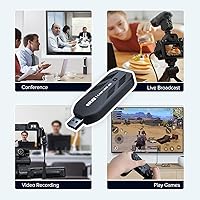
This device is highly suitable for streamers, content creators, and gamers who need reliable, high-quality video capture. With its plug-and-play functionality, it’s a great option for users who want a quick, hassle-free setup, especially those who use popular streaming and conferencing software like OBS, Zoom, or VLC. Video professionals will also appreciate the low-latency capture, ideal for real-time applications. Its compact, portable design makes it a go-to for content creators on the move, whether for on-location shoots or live event coverage. The device’s compatibility with a wide range of HDMI devices, such as cameras, consoles, and PCs, ensures versatility across different setups and use cases.

Not suitable for:

This capture card may not be ideal for users who require an extensive range of customization options. Some streamers or professionals who need more advanced features might find its simplicity limiting. Additionally, those with older or less common HDMI devices may experience compatibility issues or performance drops, especially at higher resolutions like 4K. Users who expect all necessary cables, such as HDMI, to be included in the package might be disappointed by its omission. Furthermore, individuals seeking a more durable, rugged build for heavy-duty, long-term use could find its plastic construction a downside.

Specifications

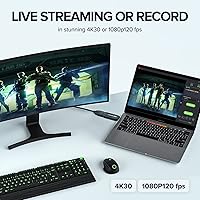
  • Resolution: Supports video capture up to 4K30, 1080p120, and 1440p60, offering high-quality output for streaming and recording.
  • Interface: Uses a USB 3.0 interface to ensure low-latency video capture with fast data transfer speeds.
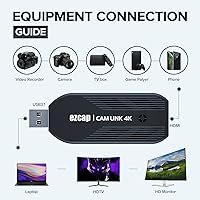
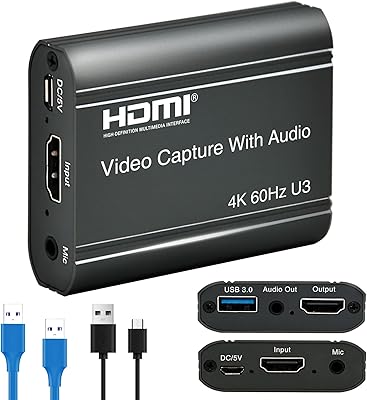
  • Input: Accepts HDMI input, making it compatible with a wide range of devices including cameras, consoles, and PCs.
  • Output: Outputs video in RGB primary color format, providing vibrant and accurate color reproduction.
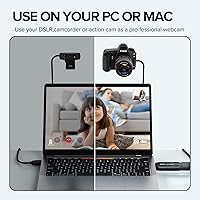
  • Device Compatibility: Works with a variety of HDMI-enabled devices such as DSLR cameras, camcorders, action cams, consoles, and PCs.
  • Software Compatibility: Compatible with popular streaming and conferencing software like OBS, VLC, and Zoom.
  • Power Requirement: Requires no external power, drawing power directly from the USB port for convenience.
  • Latency: Offers low-latency performance, ensuring smooth real-time video capture for streaming and gaming.
  • Weight: Weighs just 2.39 ounces, making it highly portable and easy to carry for on-the-go use.
  • Dimensions: Measures 4.45 x 3.19 x 0.75 inches, compact enough to fit into most travel bags or gear setups.
  • Operating Systems: Supports both Windows and macOS, ensuring broad compatibility across different platforms.
  • Resolution Support: Supports up to 4K30 resolution, offering crisp video capture for high-end streaming setups.
  • Plug-and-Play: Designed for easy setup with no drivers or external software needed, providing a hassle-free user experience.
  • Portability: Compact design and lightweight construction make this device easy to transport for mobile content creators.
  • HDMI Cable: Does not include an HDMI cable, so users must supply their own to connect to devices.
  • Video Format: Supports RGB video output, ideal for high-fidelity color performance during streaming or recording.
  • Video Conferencing: Compatible with video conferencing platforms like Zoom, making it an ideal tool for professional video calls.
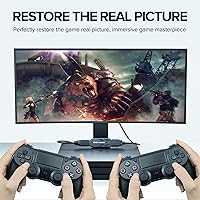
  • Compatibility with Gaming Consoles: Perfect for gamers who want to stream from consoles, supporting seamless capture for platforms like PlayStation and Xbox.

Related Reviews

IIWEY Q5 4K+4K Dash Cam
86%
93%
Video Quality (4K Resolution)
89%
Night Vision Performance (STARVIS)
88%
Wi-Fi Data Transfer Speed (5G)
85%
Ease of Setup & Installation
82%
Parking Mode (24/7 with Hardwiring Kit)
More
Miofive S1 Ultra 4K+4K Dash Cam
85%
92%
Video Quality (Daytime)
89%
Night Vision Performance
84%
Ease of Setup
88%
App & Connectivity
91%
GPS Accuracy
More
Vantrue S1 Pro Max 4K+4K
79%
93%
Video Quality
91%
Night Vision Performance
74%
AI Safety Alerts (ADAS & BSD)
82%
Parking Mode
88%
Build Quality & Durability
More
Insta360 Link 2
Insta360 Link 2
80%
93%
Image Quality
88%
AI Subject Tracking
89%
Low-Light Performance
86%
Autofocus
81%
Microphone Quality
More
REDTIGER F4 4K Dash Cam
85%
93%
Video Quality
88%
Night Vision Performance
89%
Ease of Setup
85%
Voice Control Functionality
82%
Build Quality
More
GKU D200 4K Dash Cam
86%
92%
Video Quality
87%
Night Vision Performance
89%
Ease of Setup
82%
App Experience
84%
Storage Capacity
More
Fitcamx 4K Dash Cam Model A
86%
93%
Video Quality
89%
Ease of Installation
70%
App Experience
85%
Build Quality
91%
Compatibility
More
Driveye D7 4-Channel 360° Dash Cam
75%
88%
Video Quality (Front Camera)
67%
Side Camera Quality
74%
Rear Camera Quality
82%
Night Vision Performance
61%
Installation & Setup
More
Rexing V1P 4K Dash Cam
87%
91%
Video Quality (Daytime)
89%
Ease of Use (Wi-Fi & App Functionality)
67%
Rear Camera Installation
83%
Nighttime Video Quality
94%
G-Sensor Effectiveness
More
COOAU D30S 4K Dash Cam
84%
93%
Video Quality (Daytime)
87%
Video Quality (Low Light)
88%
Ease of Use (App Control)
65%
Mounting Stability
90%
GPS Accuracy
More

FAQ

The Mwin Cam Link 4K is an external video capture device that allows you to stream, record, or video conference in high resolution. It captures video from HDMI-enabled devices and sends it to your computer via USB 3.0, making it compatible with software like OBS, VLC, and Zoom. It's a plug-and-play device that requires no drivers or external power.

Setting up this capture card is straightforward. Simply plug it into your computer’s USB port, connect your HDMI device (such as a camera or gaming console) to the input port, and launch your preferred streaming or recording software. No additional drivers or external power supply is needed.

The device supports up to 4K at 30 frames per second (4K30), as well as 1080p at 120 frames per second (1080p120) and 1440p at 60 frames per second (1440p60), allowing for high-quality video capture in various formats.

Yes, the Mwin Cam Link 4K is compatible with most HDMI-enabled devices, including DSLR cameras, camcorders, action cams, gaming consoles, and PCs. However, it’s important to ensure your HDMI device supports the required output resolutions for optimal performance.

This capture device works seamlessly with popular streaming and recording software such as OBS, VLC, and Zoom. Whether you're streaming, recording, or video conferencing, it integrates well with these platforms for high-quality video capture.

No, the Mwin Cam Link 4K does not include an HDMI cable in the package, so you will need to provide your own. Make sure to choose a compatible HDMI cable based on your device's requirements.

Yes, the Mwin Cam Link 4K is compact and lightweight, weighing only 2.39 ounces. Its small size and plug-and-play design make it a convenient tool for on-the-go streaming, recording, and video conferencing.

Yes, the Mwin Cam Link 4K is compatible with both Windows and Mac operating systems, making it versatile for various setups. Whether you're on a Windows laptop or a Mac desktop, you can easily integrate it into your workflow.

While most users report excellent performance, a few have mentioned that the device can overheat during extended use at high resolutions, especially when streaming or recording for long periods. Additionally, some users have noted occasional compatibility issues with certain older HDMI devices.

The Mwin Cam Link 4K provides low-latency video capture, which is crucial for live streaming or gaming. Users have praised its ability to transmit video without noticeable delays, making it ideal for real-time video capture and streaming.