

Overview
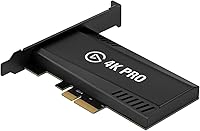
Installing the Elgato Game Capture 4K Pro is the first step toward modernizing a recording rig with HDMI 2.1 capabilities. As a flagship PCIe x4 card, it requires a free slot on your motherboard, but the physical setup is straightforward for anyone comfortable opening a PC case. The build feels dense and professional, coming with a high-quality 200 cm cable rated for 8K bandwidth. This internal capture card finally addresses the frustration of having to choose between high-performance gaming and high-quality capture. By sitting directly on the motherboard bus, it offers the bandwidth needed to handle massive data throughput without the clutter of external boxes. It essentially acts as a high-speed bridge, ensuring your monitor and your recording software are seeing the same top-tier visuals without compromise.
Features & Benefits
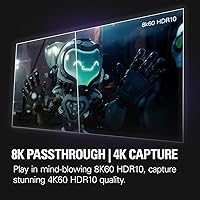
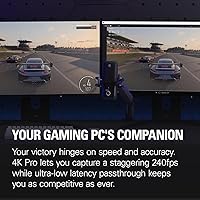
The standout advantage of this HDMI 2.1 card is the ability to maintain 8K60 or 4K240 passthrough while you play. Competitive players will appreciate that it supports Variable Refresh Rate, meaning you won't deal with stuttering or screen tearing just because you want to record. Capturing footage is equally impressive, supporting 4K60 HDR10 or even 1080p at a blistering 240fps for those buttery smooth slow-motion shots. Because it utilizes a direct connection, the ultra-low latency is noticeable; the delay between your controller input and the preview window is virtually non-existent. This PCIe capture device ensures that your stream looks as good as your actual gameplay, providing professional-grade fidelity that was previously difficult to achieve without significant hardware sacrifices.
Best For
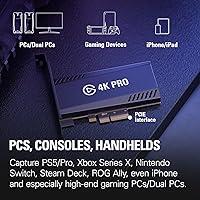
If you have just picked up a PS5 Pro or an Xbox Series X and want to play in 4K at high frame rates, this internal capture card is practically essential. It is specifically designed for dual-PC setups where the gaming machine is pushing high-end specs that older hardware simply cannot pass through. Competitive PC gamers who use 240Hz monitors will finally find a solution that doesn't force them to downscale their refresh rate just to go live. Beyond current needs, this PCIe capture device is a smart choice for creators looking to future-proof their studio as 8K displays become more common. It caters to the high-end enthusiast who refuses to compromise on their personal visual experience while producing content for an audience.
User Feedback
Early adopters generally highlight how easily this HDMI 2.1 card integrates with standard software like OBS and Streamlabs right out of the box. Users frequently mention the lack of visual artifacts, noting that the image remains crisp even during fast-paced action sequences. However, some technical-minded owners point out that you must check your PCIe lane availability, as some motherboards might throttle the card if other slots are occupied. While the driver stability has been praised as reliable, the companion software utility is seen as functional but basic compared to third-party alternatives. Overall, the sentiment is positive, with most people finding that this PCIe capture device delivers on its promise of a high-bandwidth connection without the flickering issues that plagued earlier generations of high-resolution capture hardware.
Pros
- Supports 8K60 and 4K240 passthrough so you never have to sacrifice your own gaming visuals while recording.
- Integrated Variable Refresh Rate support ensures your gameplay remains smooth and tear-free during capture sessions.
- The ultra-low latency provides a near-instant preview in streaming software, allowing for high-performance monitoring.
- Captures high-fidelity 4K60 HDR10 video, resulting in professional-grade archives for post-production editing.
- The Elgato Game Capture 4K Pro fits securely into a PCIe slot, reducing desk clutter compared to external boxes.
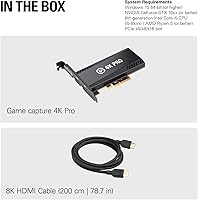
- Includes a high-quality 200 cm 8K-rated HDMI cable to ensure you have the necessary bandwidth right away.
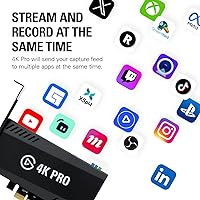
- Offers broad compatibility with industry-standard apps like OBS and Streamlabs for a reliable streaming workflow.
- Supports extreme frame rates up to 240fps at 1080p, perfect for high-quality slow-motion replay footage.
Cons
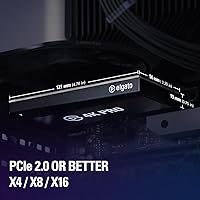
- Requires a specific PCIe x4, x8, or x16 slot, which may be unavailable on many smaller motherboards.
- Total bandwidth can be limited by motherboard lane sharing, potentially causing detection issues or reduced performance.
- The official 4K Capture Utility lacks the advanced editing and mixing features found in third-party software.
- No official support for macOS, limiting this powerful capture tool strictly to the Windows ecosystem.
- The internal installation process might be intimidating for users who aren't technically inclined or comfortable with PC builds.
- Passive cooling relies entirely on your case airflow, which could lead to higher temperatures in cramped environments.
- Initial setup may require manual troubleshooting of Windows HDR settings to prevent colors from looking washed out.
- Console users must remember to manually disable HDCP settings, which can be a confusing hurdle for first-time buyers.
Ratings
We analyzed thousands of verified global reviews for the Elgato Game Capture 4K Pro, filtering out incentivized feedback to provide a transparent look at its real-world performance. This data-driven assessment highlights exactly where this internal capture card excels and where users encountered technical hurdles during installation or daily streaming sessions.
Passthrough Performance
Capture Fidelity
Input Latency
VRR Implementation
Build Quality
Installation Ease
Software Utility
HDR Handling
Driver Stability
Value for Money
Console Compatibility
Thermal Management
Suitable for:
The Elgato Game Capture 4K Pro is an ideal choice for dedicated streamers and content creators who have moved their setup into the HDMI 2.1 era. If you are using a PS5 Pro, Xbox Series X, or a high-end gaming PC and refuse to drop your refresh rate just to capture footage, this card solves that specific headache. It is particularly valuable for competitive players who rely on 240Hz monitors, as it maintains that smoothness while recording. Multi-PC setups also benefit significantly from the high-bandwidth passthrough that ensures the gaming rig's performance isn't throttled. This hardware is best for those who want a professional, internal solution that stays out of sight while providing future-proof 8K capabilities.
Not suitable for:
This internal hardware is not a fit for laptop users or those with compact mini-PC builds that lack an available PCIe x4 slot. If you are a casual gamer playing on a standard 60Hz screen, the advanced features of the Elgato Game Capture 4K Pro will likely be overkill for your current needs. Budget-conscious creators might find the price hard to justify if they don't specifically require VRR or high-refresh-rate passthrough. Furthermore, users who aren't comfortable opening their computer to install internal components should look toward external USB alternatives instead. It is also worth noting that macOS users are currently left out, as this card is strictly designed for Windows-based systems.
Specifications
- Hardware Interface: The card requires a vacant PCIe x4, x8, or x16 slot on a Windows motherboard.
- Video Input: This device features an unencrypted HDMI 2.1 port for connecting game consoles or PC GPUs.
- Video Output: The HDMI 2.1 output provides lag-free passthrough to your monitor or television.
- Max Passthrough: Supported resolutions reach up to 8K60 or 4K240 for high-performance displays.
- Max Capture: The card records gameplay at up to 4K60 or high-frame-rate 1080p240.
- HDR Support: Both passthrough and recording support HDR10 for expanded color depth and contrast.
- VRR Compatibility: Variable Refresh Rate passthrough is supported to prevent screen tearing during gameplay.
- Dimensions: The physical footprint of the card measures approximately 2.2 × 4.76 × 0.75″.
- Weight: The internal hardware weighs 3.88 oz, maintaining a lightweight profile within the PC chassis.
- OS Requirements: Operation requires a 64-bit version of Windows 10 or Windows 11.
- CPU Requirement: A minimum 8th generation Intel Core i5 or AMD Ryzen 5 processor is recommended.
- GPU Requirement: The system must have an NVIDIA GeForce GTX 10xx or better for proper encoding.
- Included Cable: The package contains a 200 cm (78.7″) 8K-rated HDMI cable for immediate setup.
- Form Factor: This is an internal PCIe expansion card rather than an external USB device.
Related Reviews
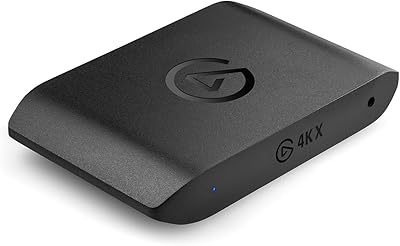
Elgato 4K X Game Capture Card
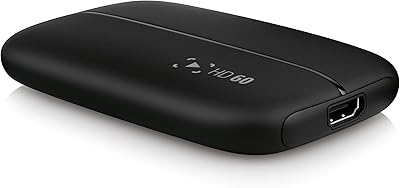
Elgato HD60 Game Capture Card
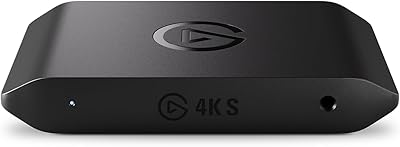
Elgato 4K S
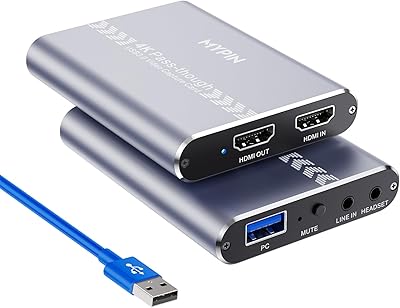
MYPIN MYPIN-4K60-AVGC Capture Card
HyperX Pulsefire Haste 2 Pro Gaming Mouse

Vantrue S1 Pro Max 4K+4K
Elgato Facecam 4K 60fps
VIXLW Video Capture Card Pro+

Bytebridges 4K HDMI Capture Card (affd05f3)