





Overview
For streamers who want a high-performance setup without a bulky internal card, the Elgato 4K S offers a streamlined entry into professional-grade recording. This external capture card sits comfortably in a pocket or on a corner of a crowded desk, making it a win for minimalist workspaces. You won"t need to fiddle with internal motherboard slots since it connects via a straightforward USB-C cable. It works across Windows, Mac, and even iPad, which is a massive plus for mobile creators. The design focuses on letting the player enjoy their game at full quality while the hardware handles the recording in the background. It feels sturdy and well-built, which is expected from this brand, but the plug-and-play simplicity is what really stands out here. It is clearly built to bridge the gap between hobbies and serious production.
Features & Benefits
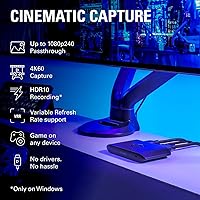
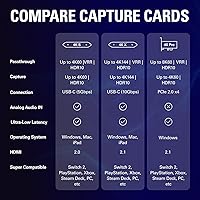
This USB-C recording interface packs a punch by supporting Variable Refresh Rate, a feature that effectively kills annoying screen tearing during intense console gaming. It handles high frame rates too, allowing for 1080p capture at 240Hz, which is perfect for analyzing fast-paced competitive footage. While the HDMI 2.0 limit means you won"t get 4K120 passthrough, the 4K60 quality remains crisp and vibrant. Windows users will appreciate the onboard HDR10 mapping that keeps colors from looking washed out during a broadcast. Another smart addition is the 3.5mm analog input. This allows you to pull in party chat or a headset mic without buying extra adapters or complex splitters. With latency sitting at a negligible 35ms, your software preview stays in sync with your actual gameplay movements.
Best For
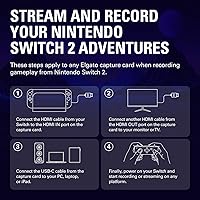
If you are planning to upgrade to the latest hardware, specifically the upcoming Switch 2 or current-gen consoles, this external capture card is a future-proof investment. It is also an excellent choice for iPad power users who want to turn their tablet into a mobile streaming station. Competitive PC players who prefer 1440p120 monitors will find the passthrough capabilities ideal for keeping their high-refresh experience intact while recording. The 4K S device is small enough to toss into a laptop bag, making it the go-to choice for travel-heavy streamers who broadcast from events or hotels. It hits a sweet spot for creators who need professional results but don"t want to be tethered to a massive desktop tower. Whether you are a casual hobbyist or a budding pro, the versatility here covers a lot of ground.
User Feedback
Real-world users often praise how well the 4K S device slides into existing Elgato software, making the initial configuration feel almost automatic. Getting VRR support at this price point is frequently cited as a major win, as it was previously reserved for more expensive internal cards. However, some have noted that you absolutely need a high-quality USB 3.1 port to avoid stuttering or bandwidth bottlenecks, so checking your computer specs is mandatory. The physical construction receives high marks for being rugged yet light, though a few reviewers wished it came with a longer cable out of the box. Despite these minor technical requirements, the general consensus is that this USB-C recording interface provides a reliable experience that justifies its cost. It delivers a stable performance that keeps creators focused on their content.
Pros
- Variable Refresh Rate support ensures your console gaming remains smooth and free of screen tearing while you record.
- The compact, 3.2-ounce build makes it one of the most portable high-performance capture solutions for creators on the move.
- A dedicated 3.5mm analog input simplifies the process of capturing party chat or commentary without extra audio hardware.
- High frame rate passthrough allows competitive gamers to play at 1440p120 or 1080p240 without any visual compromises.
- Onboard HDR10 tone mapping prevents colors from appearing washed out when recording high-dynamic-range content on Windows 11.
- This USB-C recording interface integrates seamlessly with the broader Elgato software ecosystem for easy firmware updates and settings management.
- The plug-and-play design works across multiple platforms, including a native connection for iPad-based production setups.
- Near-zero latency of approximately 35ms allows for a highly responsive software preview that stays in sync with your actions.
Cons
- The HDMI 2.0 specification prevents 4K120 passthrough, forcing a resolution drop for owners of high-end gaming displays.
- Requires a verified USB 3.1 Gen 1 port to function correctly; standard USB 2.0 ports will cause immediate performance failure.
- The included USB-C cable is quite short, which may be inconvenient for users with PC towers positioned on the floor.
- HDR10 capture functionality is heavily dependent on specific hardware and OS support, limiting its effectiveness for some users.
- While the Elgato 4K S is rugged, its plastic housing is a magnet for scuffs and fingerprints over time.
- The device can become quite warm to the touch during extended 4K60 recording sessions, though it generally remains stable.
- Some buyers may find the price point high if they do not specifically need advanced features like VRR or high-refresh passthrough.
Ratings
Our comprehensive evaluation of global verified feedback for the Elgato 4K S provides a clear look at how it performs in actual production environments. These ratings are synthesized by our AI after filtering out thousands of bot-generated or incentivized reviews, ensuring that both the standout features and the technical frustrations of real buyers are fully represented.
4K Capture Quality
VRR Support
Passthrough Performance
Software Integration
Latency & Responsiveness
HDR Tone Mapping
Portability & Size
Audio Input Convenience
Build Quality & Heat
Host Compatibility
Included Cables
Price to Performance
Suitable for:
The Elgato 4K S is a standout choice for console gamers who want to maintain a high-end visual experience while capturing their gameplay. It is particularly valuable for those planning to pick up a Switch 2 or current-gen consoles, as it supports Variable Refresh Rate to keep the image tear-free. Competitive players who use 1440p monitors with 120Hz refresh rates will appreciate that this USB-C recording interface does not force them to sacrifice their high frame rates. Additionally, travel-heavy creators or those using an iPad as their primary production hub will benefit from its extremely portable, lightweight design. It bridges the gap perfectly for mid-tier streamers who need professional features without the complexity of an internal PCIe card.
Not suitable for:
While it is a powerful tool, the Elgato 4K S may not satisfy hardcore enthusiasts who demand 4K resolution at 120Hz, as the HDMI 2.0 ports limit passthrough to 60Hz at that resolution. If you own a top-of-the-line OLED TV and refuse to drop your display settings, this device will feel like a bottleneck for your setup. Furthermore, users with older PCs that lack a high-speed USB 3.1 Gen 1 port will likely encounter significant bandwidth issues and connection drops. Mac or older Windows users might also find the HDR10 tone mapping features limited, as they are optimized heavily for specific Windows 11 hardware. It is also overkill for someone who only needs basic 1080p recording and does not care about advanced features like VRR.
Specifications
- Capture Resolution: Supports up to 4K60 with HDR10 quality for crisp and color-accurate video recording.
- Passthrough Speed: Provides high frame rate support for 1440p120 or 1080p240 on compatible monitors.
- Interface: Connects via a USB 3.1 Gen 1 Type-C port with a 5Gbps data transfer rate.
- Variable Refresh Rate: Includes native VRR support to eliminate screen tearing during high-intensity console gaming sessions.
- Audio Input: Features a dedicated 3.5mm analog jack for capturing party chat or external microphone commentary.
- Video Latency: Offers an ultra-low latency rating of approximately 35ms for responsive software previews.
- HDMI Standards: Utilizes HDMI 2.0 for both input and output connections to modern consoles and displays.
- Weight: The device is extremely portable and lightweight at just 3.2 oz.
- Dimensions: Measuring 0.67 x 4.41 x 2.83 inches, it fits easily into a pocket or laptop bag.
- Compatibility: Works natively with Windows 11, Mac, and iPadOS devices via plug-and-play setup.
- Tone Mapping: Features onboard HDR10 tone mapping to maintain accurate colors during Windows-based capture.
- Console Support: Fully compatible with PS5, Xbox Series X/S, and the upcoming Switch 2 hardware.
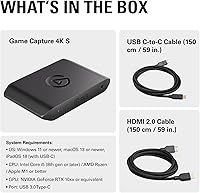
- Box Contents: Includes the capture unit and a high-speed USB-C 3.1 cable for immediate connection.
Related Reviews
Elgato Facecam 4K 60fps
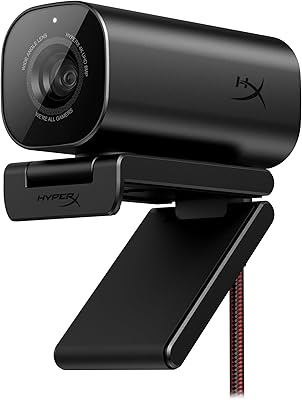
HyperX Vision S Webcam 4K
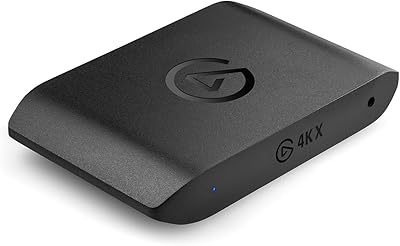
Elgato 4K X Game Capture Card
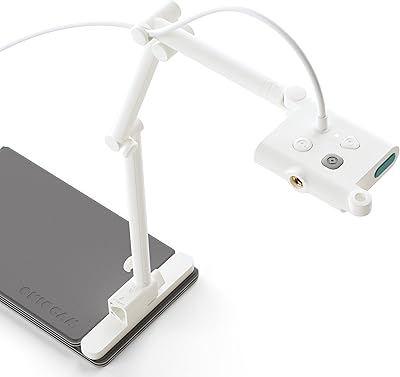
OKIOCAM S-4K
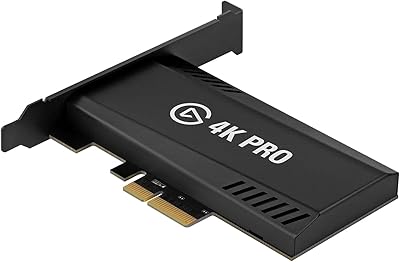
Elgato Game Capture 4K Pro
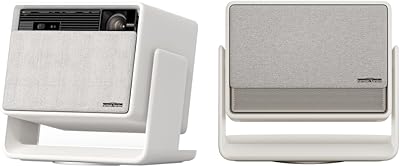
XGIMI Horizon S Max 4K Projector
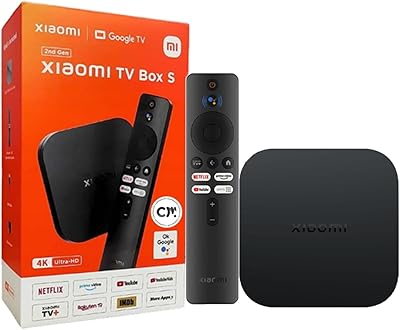
Xiaomi TV Box S 2nd Gen

G-STORY 14" Portable Monitor for Xbox Series S 4K
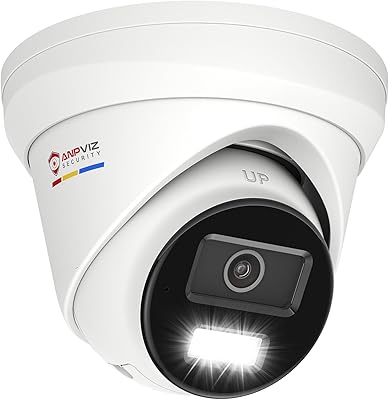
Anpviz IPC-D3083WD-S 8MP 4K PoE IP Camera