Overview

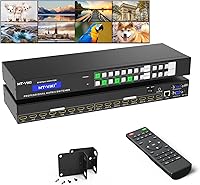
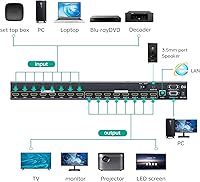
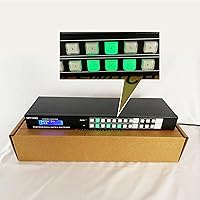
The MT-VIKI 8x8 HDMI Matrix Switch sits comfortably in the mid-range of rack-mountable matrix switchers, aimed at AV integrators and advanced home theater builders who need genuine routing flexibility. At its core, it connects eight HDMI sources and routes each independently to any of eight displays — or mirrors a single source across all outputs at once. One important caveat upfront: this HDMI matrix switcher tops out at 4K at 30Hz, not 60Hz. For presentations and signage, that is rarely an issue. For high-motion 4K content, it may fall short. Also worth knowing early: the 3.5mm audio extraction port only functions on output 8, which catches many buyers off guard.

Features & Benefits

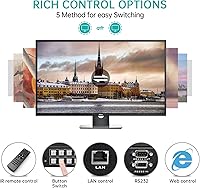
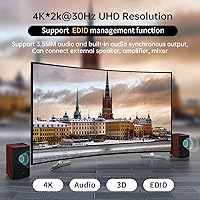
What makes this rack-mount matrix appealing at its price point is how many control methods it actually offers. The web GUI and LAN control via the MatrixController app let an integrator switch inputs from any networked computer — no line-of-sight or physical access required. For facilities already running Crestron or Control4, RS232 serial control integrates without much friction. Simpler setups will rely on the IR remote or front-panel buttons, both responsive. EDID management is quietly one of the more valuable features here, preventing the handshake failures that plague mismatched source-display combinations. Audio format support is broad, covering PCM, Dolby AC3, DTS 5.1, DTS 7.1, and DSD.

Best For

This HDMI matrix switcher is well suited to small commercial installs — conference rooms running multiple presentation sources, hotel lobbies feeding different content to different screens, or retail environments with digital signage networks. Home theater enthusiasts with large source libraries and multiple viewing zones will also find it capable. IT integrators specifically benefit from the LAN control, which removes the need to physically access the unit once it is racked. That said, 4K@60Hz users should look elsewhere — this tops out at 30Hz, ruling it out for modern gaming or any workflow where high-frame-rate 4K matters. HDR pass-through is also absent, worth noting for home cinema purists.

User Feedback

With a 4.3-star average across roughly 90 reviews, the MT-VIKI 8x8 earns its rating without inflating expectations. Buyers consistently praise how straightforward the web GUI is to configure and how reliable the switching proves day-to-day. The IR remote gets positive mentions for responsiveness. On the critical side, the 4K@30Hz ceiling surfaces repeatedly — buyers who assumed 60Hz support are understandably frustrated after the fact. The audio extraction setup trips up users who do not realize it is locked to output 8. A few reviewers also flag the switching delay, which is workable in most AV environments but can feel sluggish in fast-paced presentation scenarios. Build quality feedback is generally positive for this tier.

Pros

  • Routes any of eight HDMI sources to any of eight displays independently, with no signal compromise between outputs.
  • Five control methods — including web GUI, RS232, and LAN — make the MT-VIKI 8x8 unusually versatile for its price range.
  • Web-based MatrixController setup is consistently praised for being quick and approachable, even on first install.
  • EDID management prevents the handshake failures that commonly plague multi-brand display environments.
  • RS232 support integrates cleanly into existing Crestron and Control4 automation systems without custom workarounds.
  • Solid metal chassis and 1U rack-mount form factor feel appropriate for permanent professional deployments.
  • Broad audio format support — including Dolby AC3, DTS 7.1, and DSD — covers most home theater and light broadcast needs.
  • Signal quality at 4K@30Hz is stable and clean across all eight outputs simultaneously in real-world installs.
  • IR remote is responsive and practical for smaller setups where network-based control is unnecessary.

Cons

  • Hard 4K@30Hz ceiling means this rack-mount matrix cannot support high-frame-rate or HDR content pipelines.
  • Audio extraction via the 3.5mm port only works on output 8, a constraint that catches many buyers off guard post-installation.
  • The Android app feels unpolished and lags behind the web GUI in reliability; iOS users have no app option at all.
  • RS232 command documentation is sparse, adding unnecessary setup time for integrators working without prior MT-VIKI experience.
  • Switching delay of 2 to 3 seconds is noticeable in live or fast-paced switching environments.
  • Cable runs are limited to 10 meters — passive extension beyond that introduces instability without active signal boosting.
  • No support for saving and recalling preset routing layouts, which is a real gap for environments with fixed switching patterns.
  • The web GUI works well but looks dated and can behave inconsistently across certain enterprise browser and network configurations.
  • Rear HDMI ports feel less robust than expected for a permanent rack install when heavy or rigid cables are connected.
  • Thermal output during sustained operation is moderate — adequate ventilation in the rack is worth planning for.

Ratings

The MT-VIKI 8x8 HDMI Matrix Switch has been scored across 12 performance categories by our AI review engine, which analyzed verified global buyer feedback while actively filtering out incentivized, bot-generated, and duplicate submissions. The results reflect a product that performs well within its intended scope but carries a few real-world limitations worth understanding before purchasing. Both the standout strengths and the recurring frustrations are captured honestly in the scorecards below.

Routing Flexibility
91%
Users consistently describe the ability to send any source to any display — or mirror one source across all eight outputs — as the core reason they chose this rack-mount matrix. In conference room and digital signage deployments, this flexibility alone justifies the purchase for most buyers.
A small number of integrators noted that preset routing configurations cannot be saved and recalled instantly, which adds friction in environments where switching between defined layouts happens frequently throughout the day.
Control Method Variety
88%
Having five distinct control methods — front-panel buttons, IR remote, RS232, LAN, and an Android app — gives this HDMI matrix switcher unusual versatility for its price tier. IT integrators particularly appreciate the web GUI, which lets them manage routing from any networked machine without touching the rack.
The Android app received mixed feedback, with some users finding it less polished than the web GUI and occasionally slow to reflect switching changes in real time. iOS support is absent, which limits its utility for teams working entirely in Apple ecosystems.
Web GUI Usability
84%
The web interface is one of the more praised aspects of this rack-mount matrix, particularly among buyers setting it up for the first time. Most users report getting the LAN control configured and functional within minutes, which is not always a given at this category price point.
A handful of reviewers mention that the web GUI design feels dated and can be unintuitive when managing output labels or EDID settings. Browser compatibility issues were reported by a few users, particularly on older enterprise network configurations.
4K Signal Quality
72%
28%
For its intended use cases — presentations, static signage, and source-switching in multi-display setups — the 4K output at 30Hz delivers clean, stable image quality. Users deploying this in conference rooms and hospitality environments report no visible degradation across all eight outputs simultaneously.
The 30Hz ceiling is a genuine limitation for anyone expecting modern 4K performance. Buyers who assumed 4K@60Hz support have left frustrated reviews after receiving the unit, and HDR pass-through is entirely absent, making this HDMI matrix switcher unsuitable for high-frame-rate gaming or premium home cinema workflows.
EDID Management
83%
EDID handling is one of those features that goes unnoticed when it works and causes major headaches when it does not. Users integrating this switcher with a mix of older projectors and newer 4K displays credit the EDID management for eliminating the black-screen handshake failures they experienced with cheaper alternatives.
EDID customization options are relatively basic compared to higher-end matrix switchers. Advanced users looking to manually program or clone EDID profiles may find the available options limiting, particularly in broadcast or post-production environments.
Audio Extraction
61%
39%
The 3.5mm stereo audio extraction output is a useful addition for users who need to feed audio to a separate amplifier or speaker system without a dedicated audio matrix. Buyers who specifically need analog audio out from an HDMI source find it functional and reliable once correctly configured.
The single biggest source of buyer confusion in reviews is that audio extraction only works on output 8 — not on any other output port. This constraint is not prominently communicated during purchase, and several users discovered it after installation, requiring a physical rerouting of their setup. It is a meaningful architectural limitation.
Switching Speed
67%
33%
In static or semi-static deployments like digital signage or permanent AV installs, the 2 to 3 second switching time is a non-issue. Most commercial users report that their audiences barely register the transition, and the switching itself is clean with no visual artifacts or signal drops during the changeover.
For dynamic switching environments — live event production, fast-paced presentations, or any setup where rapid source changes are expected — the 2 to 3 second delay feels noticeable and occasionally disruptive. A few broadcast-adjacent users explicitly called this out as a dealbreaker for their workflow.
RS232 Integration
79%
21%
Users with existing Crestron or Control4 automation systems report that RS232 integration is functional and straightforward, following standard serial communication protocols. For AV integrators building this into a larger controlled environment, the RS232 port works as expected without requiring custom firmware or workarounds.
Documentation for RS232 command strings is sparse and not always easy to locate. A few integrators noted spending extra time reverse-engineering commands or contacting MT-VIKI support directly to get full control working, which adds unnecessary setup time to professional installations.
Build Quality & Construction
77%
23%
The all-metal chassis and standard 1U rack-mount form factor give this HDMI matrix switcher a solid, professional feel that buyers in IT and AV roles generally expect at this price range. The unit sits securely in racks, and the front-panel buttons have a tactile quality that feels durable over repeated use.
A few reviewers noted that the rear HDMI ports feel slightly less robust than they would prefer for a permanent rack installation, particularly when heavy or stiff cables are connected. The unit also runs moderately warm during sustained operation, though no thermal failures were reported in the reviewed feedback.
Cable Compatibility
74%
26%
Standard high-speed HDMI 1.4 cables work reliably up to the stated 10-meter limit, and most users find the cable length specification adequate for typical room-scale installations. Signal integrity within that range is generally reported as stable across all eight output channels.
Users attempting to push beyond 10 meters with standard passive cables report signal instability and occasional dropouts. The requirement for HDMI 1.4 rather than 2.0 cables also trips up buyers who assume newer cables automatically perform better — in some cases, newer HDMI 2.0 or 2.1 cables caused compatibility issues.
Setup & Documentation
66%
34%
For buyers with some AV or IT background, initial setup is manageable and the web GUI makes the first-run configuration relatively approachable. The inclusion of multiple control methods also means that if one approach does not work in a given network environment, there are fallback options to get the unit operational.
The included documentation is thin and often described as incomplete by reviewers attempting more advanced configurations. Non-technical buyers or those attempting RS232 and EDID setup without prior experience consistently report a steeper learning curve than expected for a product at this price level.
Value for Money
81%
19%
Compared to enterprise-grade 8x8 matrix switchers that carry significantly higher price tags, this rack-mount matrix offers a compelling feature set — five control methods, EDID management, audio extraction, and solid 4K@30Hz routing — that would cost considerably more from brands targeting the commercial AV market exclusively.
The value proposition weakens for buyers who need 4K@60Hz, HDR support, or faster switching speeds, since those requirements push the category toward products that are priced meaningfully higher. If your use case fits within the 30Hz ceiling and you are not switching rapidly, the pricing holds up well — otherwise, it does not.

Suitable for:

The MT-VIKI 8x8 HDMI Matrix Switch is a strong fit for AV integrators and IT professionals managing multi-display environments where flexibility and remote control matter more than cutting-edge resolution specs. Think conference rooms that pull from multiple laptops, media players, and set-top boxes simultaneously, or hospitality venues running different content on screens throughout a property. Digital signage operators who need reliable, unattended switching will find the LAN-based control and web GUI particularly practical — you can reassign inputs to outputs from any networked machine without ever touching the rack. Home theater enthusiasts with large source libraries and multiple viewing zones also benefit, especially those already invested in an RS232-based automation system like Crestron or Control4, where this rack-mount matrix slots in without major rewiring. If your content is presentations, video feeds, or streaming at 4K@30Hz, this switcher handles the workload confidently.

Not suitable for:

The MT-VIKI 8x8 HDMI Matrix Switch is the wrong tool for anyone whose workflow demands 4K at 60Hz — and that group is larger than it might seem, covering modern console gaming, high-frame-rate broadcast monitoring, and premium home cinema setups where motion clarity matters. HDR pass-through is also absent, which rules it out for Dolby Vision or HDR10 pipelines entirely. If you need rapid source switching — live event production, fast-paced broadcast, or any setup where a 2 to 3 second delay is noticeable to an audience — this HDMI matrix switcher will frustrate you. The audio extraction feature, while useful in principle, is locked to output 8 only, making it impractical for installations where audio needs to be pulled from multiple outputs independently. Buyers expecting enterprise-grade documentation, deep EDID customization, or a polished mobile app experience will also find the support ecosystem thinner than the hardware itself deserves.

Specifications

  • Input/Output: The unit provides 8 HDMI input ports and 8 HDMI output ports, allowing full matrix routing between any source and any display.
  • Max Resolution: Supports video output up to 4K (3840×2160) at 30Hz; it does not support 4K@60Hz or HDR pass-through.
  • Chip Bandwidth: The internal chip operates at 3.4 Gbps, which is sufficient for 4K@30Hz but below the threshold required for 4K@60Hz or HDR workflows.
  • ESD Protection: Built-in 8KV electrostatic discharge protection helps safeguard the unit and connected devices against voltage spikes during installation or operation.
  • Audio Formats: Supports PCM, Dolby AC3, DTS 5.1, DTS 7.1, and DSD digital audio formats passed through HDMI.
  • Audio Extraction: A 3.5mm stereo analog audio output is available exclusively on output port 8; no other output port supports audio extraction.
  • Control Methods: The unit supports five control interfaces: front-panel buttons, IR remote control, RS232 serial, LAN-based web GUI, and an Android mobile app.
  • Switching Time: Input-to-output switching completes in approximately 2 to 3 seconds under normal operating conditions.
  • EDID Management: Onboard EDID management is supported, allowing the unit to resolve handshake compatibility issues between mismatched sources and displays.
  • Max Cable Length: Both input and output HDMI cables are rated for stable transmission up to 10 meters; high-quality HDMI 1.4 cables are recommended.
  • Form Factor: The unit is built for 1U rack-mount installation, compatible with standard 19-inch equipment racks.
  • Dimensions: The unit measures 19.5 × 7.25 × 3.95 inches, fitting within standard 1U rack enclosures with minimal clearance required.
  • Weight: The unit weighs 5.69 pounds, making it manageable for single-person rack installation without additional lifting equipment.
  • Connector Type: All video input and output connections use standard HDMI connectors; no DisplayPort, VGA, or DVI ports are present.
  • LAN Control: Network-based control is enabled via a dedicated LAN port using the MatrixController software installable on any computer in the same local network.
  • RS232 Port: A dedicated RS232 serial port is included for integration with third-party automation systems such as Crestron and Control4.
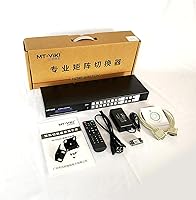
  • Color & Finish: The chassis is finished in matte black and constructed from metal for durability in permanent rack installations.
  • Power Input: The unit operates via an included external power adapter; it does not support Power over HDMI or bus-powered operation.

Related Reviews
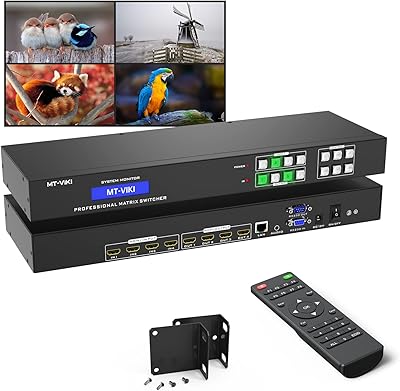
MT-VIKI 4x4 HDMI Matrix Switch
86%
88%
Performance
91%
Build Quality
85%
Ease of Setup
72%
Remote Control Responsiveness
90%
Audio Extraction Quality
More
MT-VIKI 8 Port KVM Switch HDMI
87%
93%
Ease of Installation
88%
Switching Stability
67%
Remote Control Range
89%
Build Quality
91%
Display Quality (4K)
More
MT-VIKI 16-Port 4K HDMI KVM Switch
85%
94%
Ease of Setup
91%
4K Performance
85%
Control Options
60%
Cable Length
88%
Build Quality
More
StarTech VS222HDQ 2x2 HDMI Matrix Switch
74%
88%
Build Quality
91%
Switching Reliability
83%
EDID Emulation
31%
4K and Resolution Support
86%
Ease of Setup
More
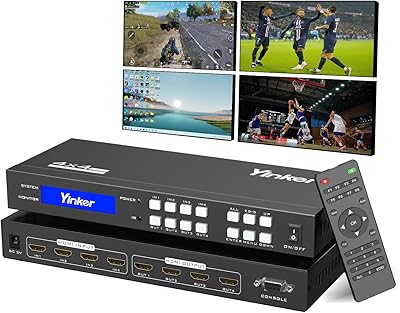
Yinker 4K HDMI Matrix Switch 4x4
83%
82%
Performance and Signal Stability
88%
Ease of Use
85%
Flexibility in Control Options
79%
Build Quality
90%
Setup and Installation
More
MT-VIKI 4-Port VGA KVM Switch
83%
91%
Ease of Installation
88%
Compatibility with Systems
85%
Peripheral Sharing (USB Hubs)
87%
Video & Data Switching Performance
60%
Cable Length
More
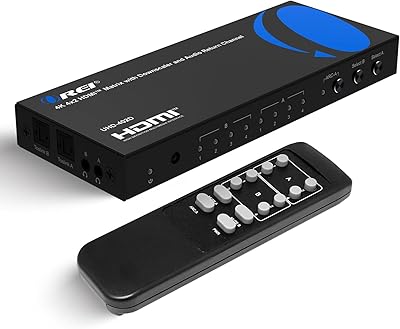
OREI UHD-402D 4x2 HDMI Matrix Switch
78%
88%
Video Signal Quality
84%
Audio Extraction
71%
ARC Implementation
82%
EDID Management & Downscaling
86%
Setup & Ease of Use
More
OREI BK-402A 8K eARC HDMI Matrix Switch 4x2
80%
88%
Signal Reliability & Handshake
84%
Audio Extraction Quality
91%
Routing Flexibility
82%
EDID Management
89%
Value for Money
More
OREI UHDS-401A
OREI UHDS-401A
71%
74%
4K Signal Reliability
83%
Audio Extraction Quality
51%
ARC Functionality
86%
Format Compatibility
62%
Build Quality & Design
More
TCNEWCL 8 Port HDMI KVM Switch
86%
92%
Value for Money
96%
Setup & Installation
90%
Compatibility & OS Support
85%
Performance (Display Quality)
88%
Build Quality & Durability
More

FAQ

Only 4K@30Hz is supported. The MT-VIKI 8x8 HDMI Matrix Switch uses a 3.4 Gbps chip, which falls short of the bandwidth required for 4K@60Hz. For presentations, digital signage, and most video playback, 30Hz is fine. For gaming or high-motion video, you will want to look at a unit with a higher-bandwidth chip.

Yes, absolutely. You can mirror a single input across all eight outputs simultaneously, or you can route each output to a completely different source — or any combination in between. That flexibility is really the whole point of a matrix switcher versus a simple splitter.

You install the MatrixController application on any computer connected to the same local network as the switcher, then access and control routing through a browser-based interface. Once configured, you can switch inputs and outputs remotely without touching the unit. Most users get it running within a few minutes on a standard office or home network.

Not from any output — only from output 8. The 3.5mm stereo audio extraction jack is wired exclusively to that port. If audio extraction is part of your setup, you will need to plan your cabling so that the display or zone needing analog audio is connected to output 8 specifically.

Yes, the RS232 port supports serial integration with automation platforms like Crestron and Control4. You will need the RS232 command strings, which are available from MT-VIKI — though some integrators have noted that the documentation is not always easy to find, so it is worth contacting their support directly during setup if needed.

Currently only an Android app is available. iOS users can still control the unit through the web GUI from any browser on their iPhone or iPad, but there is no dedicated native iOS application. For most professional deployments, the web GUI is the preferred control method anyway.

It depends heavily on the context. In a conference room switching between a laptop and a presentation PC, a 2 to 3 second pause is barely noticed. In a live event or broadcast setting where the audience sees every transition, it can feel slow. If rapid or seamless switching is critical to your use case, this rack-mount matrix may not be the right fit.

Signal integrity tends to degrade beyond 10 meters with standard passive cables, which can result in flickering, loss of picture, or handshake failures. If your run distances exceed that, you will want to use active HDMI cables or HDMI signal extenders. The unit itself does not have built-in signal boosting for long-run scenarios.

No — HDR pass-through is not supported. The signal path will strip HDR metadata, and the output will fall back to standard dynamic range. If HDR is important for your home cinema or professional monitoring setup, this switcher is not the right match.

EDID is the handshake protocol that lets your sources know what resolutions and audio formats your displays can handle. Without proper EDID management, mismatched combinations — like a 4K source connected to an older 1080p projector — can cause black screens or audio dropouts. This HDMI matrix switcher handles EDID automatically in most cases, though you can adjust settings manually if a specific source-display pairing causes issues.