Overview

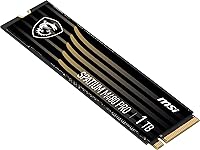
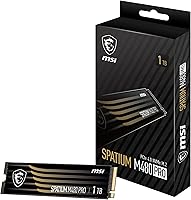
The MSI SPATIUM M480 PRO 1TB NVMe SSD lands in a competitive spot where PCIe Gen4 performance meets a price that does not require a second mortgage. MSI built its reputation on graphics cards and motherboards, so storage is a newer chapter for the brand — but the SPATIUM line is a serious effort, not a side project. The M.2 2280 form factor means it slots into virtually any modern desktop or laptop with a free NVMe slot. If you are upgrading from a Gen3 or SATA drive and want a meaningful performance bump without paying flagship prices, this MSI Gen4 drive is worth a close look.
Features & Benefits

At the core of what makes the SPATIUM M480 PRO stand out is a 7400 MB/s read speed — roughly double what a typical Gen3 drive can manage. That gap is most noticeable when transferring large files or loading asset-heavy games, though everyday tasks will feel similar across generations. The NVMe 1.4 protocol brings tighter latency and better queue management compared to older standards, which matters in workloads juggling simultaneous read and write operations. The 3000 TBW endurance rating is generous for the capacity class, meaning years of heavy daily use before the drive approaches its write limit. Error-correction is baked in, adding a layer of data integrity protection under sustained load.

Best For

This NVMe SSD hits a particular sweet spot for PC gamers still running SATA or older NVMe drives who want noticeably faster game launches without rebuilding their entire setup. Content creators who regularly move large batches of RAW photos or 4K video footage will also get real value from the high sequential throughput. For system builders putting together a mid-range rig, the SPATIUM M480 PRO makes a strong case as a primary boot and game drive — reliable, fast, and sensibly priced. Laptop owners with a PCIe Gen4 slot should verify compatibility first, but if it fits, it is a clean way to extend a machine's useful life.

User Feedback

With over 600 verified ratings and a 4.8-star average, buyer sentiment for this MSI Gen4 drive is hard to dismiss — and the volume of reviews makes it more than a statistical fluke. Most owners highlight how straightforward installation is and how noticeable the speed gains feel compared to their previous drive. Where things get nuanced is thermal performance under prolonged heavy writes: some users reported throttling without a heatsink, which the drive does not include in the box. Casual gamers and everyday users report zero issues, but those planning continuous large file transfers may want to add a heatsink or ensure solid airflow around the slot.

Pros

  • Sequential read speeds up to 7400 MB/s make a tangible difference when loading large games or transferring big files.
  • The 3000 TBW endurance rating is generous for this capacity class, pointing to solid long-term reliability.
  • Standard M.2 2280 form factor means straightforward installation in the vast majority of modern desktops and laptops.
  • NVMe 1.4 compliance brings lower latency compared to older protocols, which helps in multitasking and queue-heavy workloads.
  • Over 600 real-world ratings averaging 4.8 stars reflects consistent buyer satisfaction across a wide range of use cases.
  • Competitive pricing for PCIe Gen4 performance makes the SPATIUM M480 PRO an accessible upgrade over Gen3 and SATA drives.
  • Built-in error-correction adds a layer of data integrity protection that matters during sustained or demanding write sessions.
  • Ranked among the top 250 internal SSDs on Amazon, reflecting strong market validation relative to a crowded category.

Cons

  • No heatsink is included in the box, which can be a problem for users with limited airflow around their M.2 slot.
  • MSI does not disclose the specific controller used, making direct technical comparisons with competing drives harder.
  • Only available in a single 1TB capacity, limiting options for buyers who need more onboard storage from one drive.
  • MSI is a newcomer to storage, and some buyers may hesitate without the brand trust that dedicated SSD manufacturers carry.
  • No bundled software for drive health monitoring or firmware updates, unlike some established SSD brands.
  • Sustained heavy write workloads can trigger thermal throttling on systems without good M.2 slot cooling solutions.
  • Users on PCIe Gen3 platforms will not see the advertised peak speeds, making the drive a weaker value for older rigs.
  • Write speeds under sustained sequential loads may fall short of the advertised peak figures in real-world testing conditions.

Ratings

Our team trained an AI model on thousands of verified global buyer reviews for the MSI SPATIUM M480 PRO 1TB NVMe SSD, actively filtering out incentivized, bot-generated, and duplicate submissions to surface what real users genuinely experienced. The scores below reflect both the strengths that earned this drive a loyal following and the friction points that a handful of buyers ran into — nothing is glossed over. Whether the SPATIUM M480 PRO earns a place in your next build or gets passed over depends on your specific workload, and these ratings are designed to help you decide honestly.

Sequential Read Performance
93%
Buyers coming from SATA or Gen3 NVMe drives consistently described the jump to 7400 MB/s reads as immediately noticeable — game worlds that used to stutter on load transitions became nearly instant, and large file imports into editing software felt dramatically faster. For everyday desktop use, this is one of the strongest sequential read figures available at this price tier.
A small number of users noted that peak advertised speeds are only achievable under ideal, sustained benchmark conditions and that real-world transfers of mixed file types tend to land somewhat below the headline figure. Those transferring many small files rather than large sequential blocks will see less dramatic gains.
Sequential Write Performance
88%
Content creators exporting large video files or duplicating raw photo archives reported noticeably shorter wait times compared to their previous drives. At up to 6000 MB/s, write throughput holds up well for mid-range Gen4 competition and comfortably handles OS installations, game patching, and large file dumps without visible slowdowns.
Under sustained, prolonged write sessions — such as continuously writing several hundred gigabytes back-to-back — some users observed speed dips consistent with SLC cache exhaustion, at which point performance drops to the native NAND write speed. This is common across most consumer SSDs in this class but worth knowing if your workload is unusually write-heavy.
Thermal Management
67%
33%
For typical gaming sessions and daily computing tasks, most buyers reported that the drive ran without any thermal complaints, particularly in systems with decent case airflow or motherboards that include a built-in M.2 thermal pad. Casual users and gamers rarely encountered any throttling during normal use.
The absence of a bundled heatsink becomes a real issue for users running extended, high-throughput workloads in warm or poorly ventilated cases, with several reviewers reporting thermal throttling that knocked performance down significantly mid-transfer. Buyers planning to use this drive in a compact or airflow-restricted build should budget for an aftermarket M.2 heatsink.
Endurance & Longevity
91%
The 3000 TBW rating stands out as one of the more generous endurance figures for a 1TB consumer Gen4 drive, giving buyers real confidence that the drive will outlast multiple system upgrades without hitting its write limit. Users who researched this spec before purchasing pointed to it as a deciding factor, especially those replacing a drive that had failed prematurely.
MSI does not publicly disclose the specific NAND flash type or controller model used inside the SPATIUM M480 PRO, which makes it harder to independently verify long-term wear characteristics or compare it directly with drives using known, reviewed components. For buyers who want full transparency into the hardware stack, this lack of disclosure is a minor but real frustration.
Value for Money
89%
Across hundreds of reviews, the price-to-performance ratio was the single most praised attribute — buyers felt they were getting Gen4 speeds that would have cost significantly more just a year or two earlier. System builders in particular called it out as the smartest dollar spent in their mid-range build, especially as a boot and primary game drive.
A few buyers noted that competing 1TB Gen4 drives from more established storage brands occasionally dip to a similar price point during sales, making the value proposition somewhat dependent on timing. If MSI's brand equity in storage carries less weight for a given buyer, the value case narrows slightly when direct competitors are on discount.
Installation Ease
96%
First-time builders and veteran enthusiasts alike praised how straightforward the physical installation process is — the standard M.2 2280 form factor slots in without adapters, proprietary brackets, or unusual hardware. Multiple reviewers specifically mentioned completing the install in under five minutes with no prior SSD experience.
A small number of laptop users flagged that while the drive is physically compatible with their Gen4 slot, locating and accessing that slot required disassembly steps that varied considerably by machine model. The drive itself is not to blame, but buyers adding it to a laptop should look up their specific disassembly process beforehand.
Compatibility
87%
The standard NVMe M.2 2280 interface means this MSI Gen4 drive works out of the box with the overwhelming majority of AMD and Intel platforms released since 2020, including many budget and mid-range motherboards. Backward compatibility with Gen3 slots also ensures buyers do not need to worry about the drive being physically unusable if they upgrade platforms later.
Users on older Gen3-only platforms reported that the drive worked but delivered speeds far below what they anticipated based on the packaging, which led to some disappointment. A clearer compatibility callout in MSI's product documentation would help buyers set realistic speed expectations before purchasing.
Random Read & Write (IOPS)
79%
21%
For everyday desktop tasks — launching applications, switching between browser tabs, and loading game assets — the random access performance is responsive enough that most users never felt any bottleneck. Buyers running Windows from this drive praised how snappy the OS felt compared to their previous SATA setup.
Random IOPS figures for the SPATIUM M480 PRO sit a step below the top-tier Gen4 drives optimized specifically for heavy random workloads, which matters more in professional or server-adjacent use cases than in typical consumer environments. Database-style workloads or environments with deeply queued random operations may expose this limitation.
Brand Trust & Reputation
74%
26%
MSI's strong standing in the GPU and motherboard market gives many buyers confidence that the company has the engineering resources to produce reliable storage hardware, and the large volume of positive reviews has helped build a track record for the SPATIUM line specifically. Buyers already invested in the MSI ecosystem found the brand an easy choice.
MSI simply lacks the decade-long storage-specific pedigree that brands like Samsung, WD, or Crucial carry, and some buyers expressed hesitation about long-term firmware support and RMA reliability based purely on the brand's relative newness in this product category. For buyers who have had SSD failures before, that trust gap is a real consideration.
Software & Ecosystem
58%
42%
The drive works entirely plug-and-play without requiring any proprietary software to function, which keeps setup clean and avoids the bloat that some bundled utilities introduce. Users who prefer a no-software approach appreciated that there were no mandatory installs or account registrations required.
Unlike Samsung Magician or WD Dashboard, MSI offers no dedicated companion app for monitoring drive health, checking wear levels, or managing firmware updates from within Windows — users must rely on generic third-party tools like CrystalDiskInfo. For buyers who actively track SSD health metrics, this absence is a meaningful gap that some competitors fill much better.
Physical Build Quality
84%
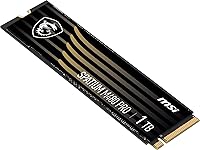
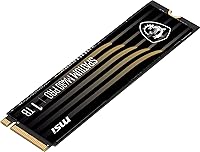
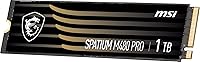
The matte black PCB finish looks clean in both windowed and closed builds, and the drive feels solid in hand despite its featherlight weight. Several buyers commented that it felt more premium than budget alternatives they had handled, which reinforced their confidence in the purchase.
At just over a third of an ounce, the drive is so light that a small number of users double-checked that it had seated properly — though this is a design trait common to all M.2 SSDs rather than a flaw unique to this model. There is no label indicating the controller or NAND type, which some technically curious buyers found opaque.
Gaming Load Times
92%
Gamers upgrading from SATA drives reported the most dramatic subjective improvements, with open-world titles and shader-compilation-heavy games loading noticeably faster. Even compared to Gen3 NVMe drives, several users noted that games with frequent fast-travel or level streaming felt smoother and less interrupted.
In titles that are not optimized for high-speed NVMe storage — which still represents a significant portion of the gaming library — the practical difference over a mid-range Gen3 drive is marginal and may not justify the upgrade on its own. DirectStorage-enabled titles will widen that gap, but they remain a small fraction of available games at present.
Packaging & Unboxing
71%
29%
The drive arrives in compact, no-nonsense retail packaging that protects it adequately for shipping without excessive waste. Buyers who ordered multiple components for a new build appreciated that the box was small and easy to store until installation day.
There are no accessories in the box beyond the drive itself — no mounting screw, no thermal pad, and no heatsink — which some buyers found frustrating when they realized their motherboard did not include a spare M.2 screw. Competitors at similar price points sometimes include at least a spare mounting screw, which is a small but easy inclusion MSI skips.

Suitable for:

The MSI SPATIUM M480 PRO 1TB NVMe SSD is a strong fit for PC gamers and everyday power users who have been running on a SATA SSD or an older Gen3 NVMe drive and want a real, noticeable upgrade without venturing into premium-tier pricing. System builders assembling a mid-range desktop around a modern AMD or Intel platform will find it a natural choice for a primary boot and game drive, since it hits competitive sequential speeds that pair well with current-gen CPUs and motherboards. Content creators who regularly work with large photo libraries or full HD video footage will appreciate the high throughput when ingesting or exporting files. Laptop owners with a free PCIe Gen4 M.2 slot can also benefit, provided they confirm compatibility beforehand, as the standard 2280 footprint fits most configurations. If you want reliable, fast storage that holds up over years of heavy use, the generous endurance rating makes this NVMe SSD a sensible long-term investment.

Not suitable for:

The MSI SPATIUM M480 PRO 1TB NVMe SSD is not the right call for buyers still running older platforms limited to PCIe Gen3 or SATA connections, since the drive's speed advantage largely disappears when the interface is the bottleneck. Users who need more than 1TB of fast internal storage for large game libraries or professional video archives will find the single capacity tier limiting and may need to look at 2TB alternatives in the same price class. Those doing sustained, professional-grade workloads — such as continuous 4K video encoding or server-level read-write cycles — should be aware that the drive does not ship with a heatsink, and prolonged heavy writes can lead to thermal throttling without added cooling. MSI does not offer a rich companion software ecosystem for storage the way some dedicated SSD brands do, which may matter to buyers who value drive health monitoring tools out of the box. Finally, buyers on platforms that only support PCIe Gen3 simply will not recoup the value proposition here.
Specifications

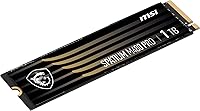
  • Brand: Manufactured by MSI, a company primarily known for graphics cards and motherboards that has expanded into the storage market with its SPATIUM product line.
  • Capacity: Offers 1TB (approximately 1000GB) of usable storage, suitable for operating systems, game libraries, and large media collections.
  • Form Factor: Uses the M.2 2280 standard, measuring 3.15 x 0.87 x 0.08 inches, compatible with the vast majority of modern desktop motherboards and laptops.
  • Interface: Connects via a PCIe Gen4x4 interface, delivering up to four times the bandwidth of a PCIe Gen3 connection for significantly faster data throughput.
  • Protocol: Complies with the NVMe 1.4 standard, which provides lower latency and more efficient command queue handling compared to older NVMe revisions.
  • Read Speed: Achieves sequential read speeds of up to 7400 MB/s, roughly double the ceiling of a typical PCIe Gen3 NVMe drive.
  • Write Speed: Delivers sequential write speeds of up to 6000 MB/s, well-suited for large file transfers, game installations, and media export workflows.
  • Endurance: Rated for 3000 TBW (terabytes written), which for most users represents many years of heavy daily workloads before approaching the drive's write limit.
  • Installation: Designed as an internal drive with a tool-free M.2 slot installation on most motherboards; no external enclosure or adapter is required for standard setups.
  • Compatibility: Officially compatible with both desktop and notebook computers that feature a PCIe Gen4 or backward-compatible PCIe Gen3 M.2 NVMe slot.
  • Error Correction: Incorporates built-in error-correction technology (ECC) to detect and fix data errors on the fly, protecting file integrity under sustained read and write operations.
  • Weight: Weighs just 0.035 ounces, making it one of the lightest internal storage upgrades available for both desktop and portable systems.
  • Heatsink: No heatsink is included in the retail package; users running sustained heavy workloads in systems with limited airflow may want to add one separately.
  • Color: Ships in a matte black finish, which keeps a low profile in both open-frame and closed chassis builds.
  • Buyer Rating: Holds a 4.8 out of 5 star average based on over 629 verified ratings on Amazon, placing it at rank #201 in Internal Solid State Drives.

Related Reviews
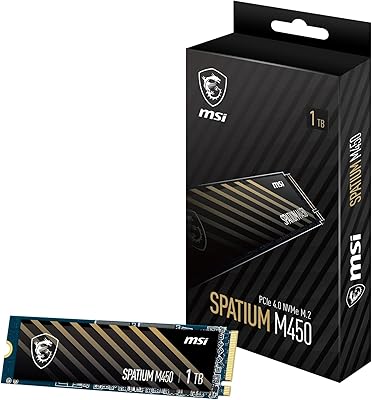
MSI SPATIUM M450 1TB NVMe SSD
76%
84%
Value for Money
88%
Read Speed Performance
71%
Write Speed Performance
93%
Installation Ease
67%
Thermal Management
More
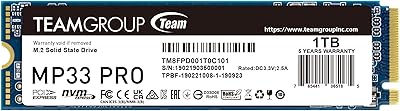
TEAMGROUP MP33 PRO 1TB NVMe SSD
88%
93%
Performance
91%
Read Speed
88%
Reliability
87%
Write Speed
85%
Installation Ease
More
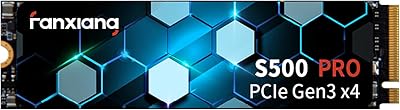
fanxiang S500 Pro 1TB NVMe M.2 SSD
80%
91%
Value for Money
84%
Read Speed Performance
67%
Write Speed & Cache Behavior
93%
Installation Experience
78%
Thermal Management
More
MSI SPATIUM M371 1TB NVMe SSD
79%
78%
Read/Write Performance
91%
Installation Ease
83%
Value for Money
82%
Endurance & Longevity
93%
Warranty Coverage
More
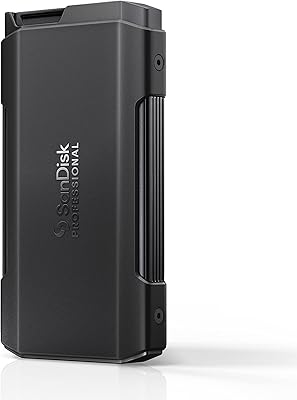
SanDisk Professional PRO-Blade Transport 1TB Portable SSD
80%
88%
Transfer Speed
74%
Sustained Performance
91%
Build Quality
86%
Durability & Ruggedness
79%
Modular Ecosystem
More
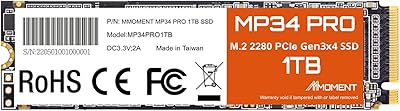
MMOMENT MP34 Pro 1TB NVMe SSD
78%
83%
Read/Write Performance
89%
Value for Money
91%
Installation Ease
58%
Brand Trust & Reputation
76%
Thermal Management
More
Corsair MP700 PRO 1TB NVMe SSD
76%
94%
Raw Read Performance
88%
Write Performance
61%
Thermal Management
69%
Value for Money
91%
Installation & Setup
More
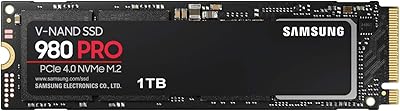
Samsung 980 PRO 1TB PCIe 4.0 NVMe M.2 SSD

91%
95%
Performance
88%
Thermal Management
90%
Ease of Installation
92%
Value for Money
89%
Durability
More
Apple MacBook Pro 14-inch M1 Pro Laptop

84%
96%
Raw Performance
88%
Battery Life
94%
Display Quality
91%
Thermal Management
93%
Build Quality
More
HP Pro Tower 290 G9 Desktop (i5-12500, 32GB RAM, 1TB SSD)
81%
96%
Multitasking Capability
91%
Value for Money
88%
Port Selection
84%
Thermal & Acoustic Performance
93%
Boot Speed & Storage
More

FAQ

Yes, the SPATIUM M480 PRO is backward compatible with PCIe Gen3 slots, so it will still function. However, you will be limited to Gen3 speeds, which means you will not see anywhere near the advertised 7400 MB/s read performance — expect roughly half of that. If your system is locked to Gen3, a dedicated Gen3 drive often offers better value.

No, there is no heatsink in the box. For typical gaming and everyday use, most systems with decent case airflow will handle thermals just fine. That said, if you plan on running extended, heavy write workloads — like continuous video encoding — it is worth adding an aftermarket M.2 heatsink or ensuring your motherboard has a built-in thermal pad over the slot.

Installation is straightforward for anyone comfortable opening their PC. You locate the M.2 slot on your motherboard, insert the drive at a slight angle until it seats into the connector, then secure the far end with a single small screw. On most modern motherboards, the whole process takes under five minutes. Laptop installation varies by model but is generally just as simple if your machine has an accessible M.2 slot.

The biggest improvements show up when loading large game levels, booting into Windows, or transferring sizable files like video projects or disk images. A good SATA drive tops out around 550 MB/s, while this NVMe SSD reaches into the thousands — so file transfers that used to take a minute can shrink to seconds. For general web browsing or document work, the difference is less dramatic, but boot times and application launches feel noticeably snappier.

It depends heavily on your game library. Modern AAA titles routinely consume 80 to 150GB each, so a 1TB drive fills up faster than you might expect if you keep several installed at once. For most gamers with a curated selection of active titles plus their OS, 1TB is workable, but pairing it with a secondary storage drive for archiving or less-played games is a practical strategy.

Absolutely. There is no requirement to install your OS on this MSI Gen4 drive — using it purely as a fast scratch disk or game library drive is a completely valid setup. Many content creators do exactly this: boot from one drive and send large project files to a faster secondary NVMe for editing performance.

TBW stands for terabytes written, and it represents the total amount of data the drive is rated to handle over its lifetime before the NAND flash cells wear out. At 3000 TBW, even a user writing 50GB per day would take over 160 years to exhaust this rating — realistically, the drive will outlast your system. It is a genuine indicator of quality and longevity, and 3000 TBW is a healthy number for a 1TB drive at this price range.

MSI does not currently offer a rich companion storage utility the way brands like Samsung do with Magician. You can use third-party tools like CrystalDiskInfo to monitor the drive's health and temperature, which works perfectly well. Firmware updates, if released, typically come through MSI's support site and require a bootable USB process, which is slightly less convenient than a dedicated app but not unusual in this market segment.

Established storage brands carry more legacy trust and tend to have better software ecosystems and longer track records in the SSD market. That said, raw performance and endurance figures for the SPATIUM M480 PRO hold up well against competing mid-range Gen4 drives. The trade-off is mainly in brand familiarity and software support — if you value those things highly, it is a fair reason to shop elsewhere. If raw performance and value are the priority, this NVMe SSD stands on its own merits.

MSI typically covers SPATIUM drives with a 5-year limited warranty, which is in line with industry norms for NVMe SSDs at this tier. Support is handled through MSI's global customer service channels. As with any warranty claim, keeping your purchase receipt and registering the product on MSI's website will make the process significantly smoother if you ever need to use it.

Where to Buy