Overview

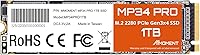
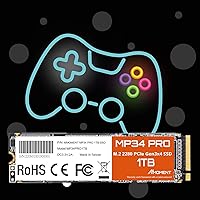
The MMOMENT MP34 Pro 1TB NVMe SSD comes from Moment Semiconductor, a Taiwanese manufacturer that most buyers haven't heard of — and that's both the biggest draw and the biggest question mark here. It slots into a crowded value-tier market where 1TB Gen3 drives compete hard on price, and this one holds its own. Using the standard M.2 2280 form factor, it fits virtually any laptop or desktop with an available NVMe slot, though Mac users are out of luck. Gen3 speeds are no longer the cutting edge — Gen4 drives exist at similar prices — but for most everyday workloads, the real-world difference rarely matters.
Features & Benefits

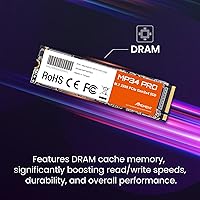
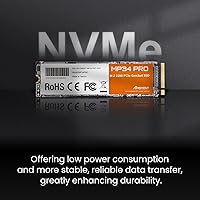
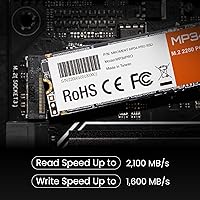
The MP34 Pro posts sequential read speeds of up to 3500MB/s and writes in the 2800–3000MB/s range — numbers that translate to noticeably fast boot times, snappy application launches, and large file transfers that don't make you watch a progress bar crawl. That's a real jump over any SATA drive. The PCIe Gen3x4 NVMe interface keeps latency low in a way mechanical drives simply can't match. Moment Semiconductor also built in automatic thermal monitoring that adjusts performance dynamically to avoid heat-related throttling during sustained reads or writes. The chips are manufactured in Taiwan, which the brand highlights as a quality assurance point — and for buyers wary of no-name storage, it's at least a meaningful signal.

Best For

This Gen3 SSD makes the most sense for anyone stepping up from a SATA drive or HDD and not ready to pay a premium for Gen4. Laptop owners with an open M.2 slot will find the installation straightforward — slot it in, format it, and the speed difference is immediately obvious. Casual and mid-level gamers benefit too; at Gen3 speeds, game load times are genuinely quick, even if top-tier Gen4 drives edge it out on paper. It also works well as a secondary desktop drive for storing a game library, media collection, or working files without any bottleneck concerns. If your priority is storage value over brand recognition, this NVMe drive makes a strong argument for itself.

User Feedback

With a 4.6-star average across more than 500 ratings, the MP34 Pro has earned genuinely positive reception for a lesser-known brand. Buyers consistently mention easy installation and speeds that hold up in real use — not just on synthetic benchmarks. Some reviewers draw favorable comparisons to drives like the WD Blue SN570 or Kingston NV2, citing competitive performance at a lower cost. The honest concerns tend to cluster around one thing: brand familiarity. Buyers accustomed to Samsung or WD naturally hesitate, and a few raise questions about long-term endurance that only time will answer — the MTBF figure is manufacturer-reported, not independently verified. Still, for a relatively new name in storage, the feedback is more reassuring than most would expect.

Pros

  • Sequential read speeds of up to 3500MB/s deliver genuinely fast boot times and snappy app launches in everyday use.
  • At 1TB capacity, the MP34 Pro offers substantial storage headroom for games, media, and working files.
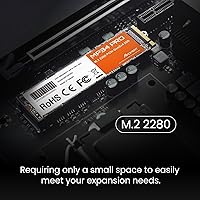
  • The M.2 2280 form factor fits the overwhelming majority of laptops and desktops with no adapters needed.
  • Installation is straightforward — most buyers report a simple slot-and-format process with no technical hurdles.
  • Built-in dynamic thermal management helps maintain consistent performance during longer read and write sessions.
  • Chips sourced from Taiwan add a layer of manufacturing credibility over brands with less transparent supply chains.
  • A 4.6-star average across hundreds of real buyer ratings is a stronger endorsement than most value-tier drives earn.
  • Shock-resistant construction adds a practical layer of protection, especially useful in portable laptop configurations.
  • Available in 512GB for lighter needs, making the product line flexible for different budget and capacity requirements.
  • Buyers frequently note that real-world speeds track closely with advertised figures — a consistency not always guaranteed at this price point.

Cons

  • Moment Semiconductor is a relatively unknown brand, which makes long-term reliability harder to assess with confidence.
  • The MTBF reliability figure is self-reported by the manufacturer and has not been independently verified by third parties.
  • Gen3 speeds, while capable, are increasingly matched or undercut in price by Gen4 drives on competing listings.
  • No Mac compatibility limits its audience and makes it a non-starter for Apple hardware users.
  • Post-purchase customer support infrastructure is less established compared to major brands like Samsung or Western Digital.
  • Long-term endurance data from real-world field use is limited given the brand's relatively short market history.
  • Only two capacity options exist — 512GB and 1TB — leaving buyers who need 2TB or more without an option in this line.
  • The value proposition depends heavily on pricing staying competitive; if prices shift, better-known alternatives close the gap quickly.

Ratings

The MMOMENT MP34 Pro 1TB NVMe SSD scores below are generated by AI after analyzing verified global buyer reviews, with spam, bot activity, and incentivized feedback actively filtered out. The ratings reflect where this Gen3 drive genuinely delivers for everyday users and where it falls short — no sugar-coating, no inflated averages. Both the strengths that keep buyers satisfied and the friction points that generate hesitation are transparently represented.
Read/Write Performance
83%
Buyers consistently report that boot times and application launches feel snappy and responsive after installing this NVMe drive, with real-world speeds tracking closely to advertised figures in typical workloads. For users upgrading from a SATA SSD or spinning hard drive, the difference in daily responsiveness is immediately noticeable.
Sustained write performance can dip under prolonged workloads as thermal limits are approached, and users running Gen4-capable platforms may feel the ceiling. Those transferring very large batches of files regularly will notice the gap compared to higher-tier drives.
Value for Money
89%
At its price point, 1TB of NVMe Gen3 storage is a genuinely competitive offering, and most buyers feel they received more than their money's worth within the first week of use. Reviewers frequently cite the cost-per-gigabyte ratio as a key reason they chose this drive over more established alternatives.
The value equation assumes prices remain stable — if comparable drives from Samsung or Kingston dip to a similar range during a sale, the case for this drive weakens. A few buyers also felt the lack of a clearly stated warranty duration undermines the overall value confidence.
Installation Ease
91%
The standard M.2 2280 form factor means this drive slots directly into the vast majority of modern laptops and desktop motherboards with no adapters or special tools beyond a small screwdriver. Reviewers across all experience levels — including first-time builders — describe the installation process as quick and frustration-free.
A small number of users with older systems encountered BIOS configuration steps that were not immediately obvious, requiring some troubleshooting before the drive was recognized. Documentation included in the box is minimal, which can leave less experienced users searching for guidance online.
Brand Trust & Reputation
58%
42%
Buyers who researched the Taiwan-based Moment Semiconductor found the manufacturing origin reassuring, and the drive's strong Amazon rating across hundreds of reviews provides some independent credibility. A growing number of reviewers mention that they took a chance on the brand and came away satisfied after months of use.
Moment Semiconductor carries none of the recognition that Samsung, Western Digital, or Kingston have built over decades, and that gap in trust is a genuine barrier for cautious buyers. There is limited independent reliability data, third-party reviews, or long-term user reports available beyond the Amazon listing itself.
Thermal Management
76%
24%
The built-in dynamic thermal monitoring does its job under typical everyday workloads — gaming sessions, general desktop use, and moderate file transfers all proceed without noticeable throttling. Users who monitor drive temperatures report that the drive stays within acceptable ranges during normal operation.
Under genuinely heavy sustained workloads, such as large sequential writes over extended periods, some users have observed temperature-related performance dips. Drives installed in compact laptops with poor airflow are more susceptible, and no physical heatspreader is included to assist with heat dissipation in tighter enclosures.
Long-Term Reliability
63%
37%
The manufacturer's MTBF rating of over 1.5 million hours is a confident claim, and among buyers who have used the drive for over a year, most report no issues with data integrity or performance degradation. The shock-resistant construction also adds a layer of reassurance for laptop users who travel regularly.
The MTBF figure is entirely self-reported and has not been verified by any independent testing body, which limits how much weight it can reasonably carry. The brand's short market history means there simply is not yet a meaningful body of multi-year field data to draw on when assessing true endurance.
Compatibility
84%
The M.2 2280 NVMe form factor is about as universal as it gets for PC hardware, and this drive works cleanly across a broad range of Windows-based laptops and desktops without any driver installation or configuration quirks. Most users report it was detected immediately upon first boot.
Mac users are completely excluded, which is a hard stop for a portion of the market. A smaller subset of users with older boards that only support SATA-mode M.2 slots also found the drive incompatible, pointing to a need for buyers to verify their slot type before purchasing.
Real-World Speed Consistency
78%
22%
Multiple reviewers ran benchmark tools like CrystalDiskMark and found results that aligned reasonably well with the advertised 3500MB/s read speeds under fresh-drive conditions. For the typical PC user running everyday tasks, the drive feels consistently fast without erratic slowdowns.
Sequential write speeds under continuous heavy load show more variation than the headline spec suggests, which is common for drives without a large dedicated cache buffer. Users pushing the drive with large video exports or multi-gigabyte data migrations may see throughput settle below peak figures.
Gaming Load Times
81%
19%
Casual and mid-level gamers report a meaningful improvement in game load times when coming from a SATA or mechanical drive, with popular titles launching noticeably faster in practice. The Gen3 bandwidth is more than sufficient to handle modern game asset streaming without perceptible hitching.
Compared to Gen4 NVMe drives, the MP34 Pro does show measurable differences in load times for the most demanding open-world or asset-heavy titles, even if those differences are rarely dramatic in isolation. Competitive gamers chasing every millisecond of load-screen advantage may find the trade-off meaningful.
Drive Capacity Usefulness
86%
One terabyte hits a practical sweet spot for most users — enough to hold an operating system, a solid collection of modern games, and a working library of documents and media without constant management. Reviewers regularly describe the capacity as more than adequate for a primary or secondary drive role.
The product line tops out at 1TB, which may feel limiting for users with large media libraries or those who prefer not to juggle multiple drives. Buyers who eventually need 2TB or more will have to look elsewhere, as the brand does not currently offer a higher-capacity variant in this family.
Packaging & Unboxing
67%
33%
The drive arrives well-protected and in a compact, no-frills package that gets the job done without unnecessary waste. Most buyers had no complaints about the physical condition of the drive upon arrival.
The packaging and included documentation are minimal — there is no mounting screw included in most reports, which can catch first-time builders off guard if their motherboard does not already have one pre-installed. A brief setup guide would meaningfully reduce friction for less experienced users.
Post-Purchase Support
54%
46%
Moment Semiconductor does provide a technical support channel through their website, and a portion of buyers who reached out reported receiving helpful responses. The drive's Amazon listing also benefits from the platform's standard buyer protection policies, which offer a fallback layer.
Support response times and resolution quality are inconsistent based on available buyer reports, and the overall support infrastructure is nowhere near the standard set by brands like Samsung with dedicated warranty portals and local service centers. Buyers who run into issues may find the process slower and less certain than they would like.
Noise & Vibration
94%
As a solid-state drive with no moving parts, the MP34 Pro operates in complete silence — a genuine and appreciated improvement over any mechanical drive it replaces. Users migrating from hard drives specifically call out the silence as one of the most immediately satisfying aspects of the upgrade.
There is essentially no meaningful negative to report in this category for a flash-based drive, though users in very quiet environments should still ensure good case airflow to manage the passive heat generated by the drive during heavier workloads.
Form Factor Versatility
88%
The 2280 standard is the most universally supported M.2 size across PC hardware, and this drive slots in cleanly whether the user is building a compact mini-ITX rig, upgrading an ultrabook, or adding a secondary drive to a full-tower desktop. No adapter brackets or special configuration are needed in most cases.
Buyers with older systems that pre-date M.2 adoption entirely will need a PCIe adapter card to use this drive, adding cost and complexity. The drive is also fixed at the 2280 length and cannot serve niche platforms that require shorter 2242 or longer 22110 sizes.

Suitable for:

The MMOMENT MP34 Pro 1TB NVMe SSD is a practical choice for a fairly wide range of buyers who want a real performance upgrade without paying a premium. It's particularly well-matched for anyone currently running a SATA SSD or a mechanical hard drive who wants noticeably faster boot times and application loads without rebuilding their system around a Gen4 platform. Laptop owners with an available M.2 2280 slot will find this drive a straightforward, cost-effective upgrade — installation takes minutes and the speed difference in daily use is hard to ignore. Casual and mid-range gamers will also find it more than capable; game load times at Gen3 speeds are quick enough that the Gen4 gap is largely theoretical for most titles. It also serves well as a secondary desktop drive for housing a game library, large media collection, or working project files, where sustained throughput matters more than peak benchmark numbers. For budget-focused builders who value storage capacity per dollar over brand recognition, this NVMe drive competes honestly in its tier.
Not suitable for:

The MMOMENT MP34 Pro 1TB NVMe SSD is not the right fit for every buyer, and it's worth being direct about where it falls short. Power users running Gen4-capable platforms — particularly those doing heavy video editing, large database transfers, or content creation workflows that genuinely saturate drive bandwidth — will find more headroom with a Gen4 drive, and the price gap between tiers has narrowed enough to make that worth considering. Mac users should skip it entirely, as it is explicitly incompatible. Buyers who put significant weight on brand-backed warranties, established long-term reliability data, or manufacturer support history may feel more comfortable with a Samsung 980 or WD Blue SN570, both of which carry years of documented field performance. The MTBF rating cited is manufacturer-stated and not independently verified, so anyone storing irreplaceable data as a primary backup should factor that uncertainty in. If brand trust and post-purchase support infrastructure matter as much as price, this drive asks you to take more on faith than some buyers will be comfortable with.
Specifications

  • Capacity: The drive is available in a 1TB configuration, offering ample space for operating systems, applications, game libraries, and media files.
  • Form Factor: It uses the M.2 2280 form factor, meaning the stick measures 22mm wide and 80mm long — the most common size for NVMe slots in modern laptops and desktops.
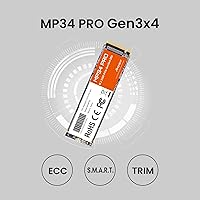
  • Interface: Connectivity runs over PCIe Gen3x4, delivering four lanes of third-generation PCI Express bandwidth for high-throughput data transfer.
  • Protocol: The drive uses the NVMe protocol, which is purpose-built for flash storage and provides significantly lower latency than the older AHCI protocol used by SATA drives.
  • Sequential Read: Maximum sequential read speed is rated at 3500MB/s under optimal conditions.
  • Sequential Write: Maximum sequential write speed is rated between 2800MB/s and 3000MB/s depending on workload and thermal conditions.
  • Reliability Rating: The manufacturer rates the drive at over 1.5 million hours Mean Time Between Failures (MTBF), though this figure is self-reported and not independently certified.
  • Dimensions: The drive measures 3.15 x 0.87 x 0.08 inches (approximately 80 x 22 x 2mm), consistent with the standard M.2 2280 specification.
  • Weight: The drive weighs 0.222 ounces, making it negligible in terms of added load for laptop installations.
  • Thermal Management: An automatic dynamic heat monitoring system adjusts drive behavior in real time to maintain stable operating temperatures and reduce the risk of performance throttling.
  • Shock Resistance: The drive is rated as shock resistant, providing a practical degree of protection against vibration and minor physical impact during transport or handling.
  • Compatibility: Compatible with Windows-based laptops and desktops; explicitly not compatible with Mac systems.
  • Manufacturer: Produced by Moment Semiconductor, Inc., a manufacturer based in Taiwan that selects and sources its NAND chips locally.
  • Available Sizes: The MP34 Pro line is offered in two capacity options: 512GB and 1TB.
  • Market Ranking: At the time of evaluation, this drive held a Best Sellers Rank of #265 in the Internal Solid State Drives category on Amazon.
  • Customer Rating: The drive holds a 4.6-out-of-5-star average rating based on 516 verified buyer reviews on Amazon.
  • Hardware Platform: Designed for PC platforms only; not intended for use in gaming consoles, NAS enclosures, or Apple hardware.
  • Installation Type: This is an internal drive requiring physical installation into an available M.2 slot on a compatible motherboard or laptop.

Related Reviews
TEAMGROUP MP33 PRO 1TB NVMe SSD
88%
93%
Performance
91%
Read Speed
88%
Reliability
87%
Write Speed
85%
Installation Ease
More
fanxiang S500 Pro 1TB NVMe M.2 SSD
80%
91%
Value for Money
84%
Read Speed Performance
67%
Write Speed & Cache Behavior
93%
Installation Experience
78%
Thermal Management
More
MMOMENT MX44 1TB M.2 2230 NVMe SSD
86%
92%
Performance
89%
Value for Money
95%
Ease of Installation
85%
Build Quality
87%
Durability (Dust/Water/Shock Resistance)
More
SanDisk Professional PRO-Blade Transport 1TB Portable SSD
80%
88%
Transfer Speed
74%
Sustained Performance
91%
Build Quality
86%
Durability & Ruggedness
79%
Modular Ecosystem
More
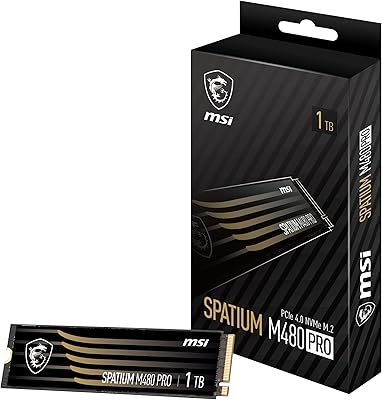
MSI SPATIUM M480 PRO 1TB NVMe SSD
82%
93%
Sequential Read Performance
88%
Sequential Write Performance
67%
Thermal Management
91%
Endurance & Longevity
89%
Value for Money
More
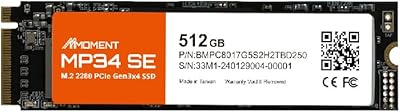
MMOMENT MP34 SE 512GB NVMe SSD
77%
91%
Value for Money
83%
Read Speed Performance
67%
Write Speed Performance
93%
Ease of Installation
54%
Brand Trust & Support
More
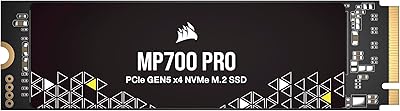
Corsair MP700 PRO 1TB NVMe SSD
76%
94%
Raw Read Performance
88%
Write Performance
61%
Thermal Management
69%
Value for Money
91%
Installation & Setup
More
Samsung 980 PRO 1TB PCIe 4.0 NVMe M.2 SSD

91%
95%
Performance
88%
Thermal Management
90%
Ease of Installation
92%
Value for Money
89%
Durability
More
Apple MacBook Pro 14-inch M1 Pro Laptop

84%
96%
Raw Performance
88%
Battery Life
94%
Display Quality
91%
Thermal Management
93%
Build Quality
More
HP Pro Tower 290 G9 Desktop (i5-12500, 32GB RAM, 1TB SSD)
81%
96%
Multitasking Capability
91%
Value for Money
88%
Port Selection
84%
Thermal & Acoustic Performance
93%
Boot Speed & Storage
More

FAQ

It will fit in any laptop that has an M.2 2280 NVMe slot. That covers the vast majority of laptops made in the last several years. The one exception is Mac laptops — the MP34 Pro is explicitly not compatible with Apple hardware. If you're unsure whether your laptop has an NVMe M.2 slot, check your model's spec sheet or user manual before buying.

Almost certainly yes, if your board has an M.2 slot that supports PCIe Gen3 NVMe drives. Most motherboards released in the last five or six years do. Some older boards only support SATA M.2, which is a different thing entirely, so it's worth double-checking your motherboard's manual or manufacturer page to confirm NVMe support.

For most everyday tasks — booting Windows, launching apps, loading games — you're unlikely to notice a meaningful difference between Gen3 and Gen4 in practice. The theoretical speed gap is real, but it only shows up in sustained large-file transfers or specific professional workloads. If you're not doing heavy video editing or massive data migrations regularly, Gen3 is genuinely sufficient.

That's a fair concern, and it's worth being honest about it. Moment Semiconductor is not a household name, and there isn't the same depth of long-term field data that exists for Samsung or WD. That said, over 500 buyers have rated this drive positively, and the Taiwan-sourced chips are a reasonable quality indicator. The MTBF figure is manufacturer-stated, so treat it as a starting point rather than a guarantee. For a primary OS drive on a personal PC, the risk is reasonable; for mission-critical or irreplaceable data storage, you'd want a more proven brand.

You just need a small Phillips-head screwdriver to secure the drive with the M.2 retention screw on your motherboard or laptop. No special software is required to install it. Once it's seated, your system should detect it — you'll then need to initialize and format it through your operating system's disk management utility before use.

It has a built-in dynamic thermal management system that monitors heat and adjusts performance to prevent dangerous temperatures. Under light to moderate workloads it stays cool without issue. During sustained reads or writes — like copying a large batch of files — it may warm up, but the thermal regulation is designed to handle that without crashing or permanent throttling.

Yes, that's one of the most common use cases for this drive. Installing Windows on an NVMe SSD like this one results in noticeably faster boot times compared to a SATA SSD or mechanical hard drive. Just make sure your system BIOS is set to boot from NVMe drives, which most modern systems support by default.

All three sit in a similar performance and price bracket. The WD Blue SN570 and Kingston NV2 have longer track records and the backing of larger, more established brands, which some buyers find reassuring. In terms of raw benchmark speeds, the MP34 Pro is competitive. The decision often comes down to whether brand trust and post-purchase support infrastructure matter enough to you to pay a small premium — or in some cases, even the same price.

MMOMENT provides technical support through their website, though the warranty terms and duration should be confirmed directly with the seller or manufacturer at the time of purchase, as these details can vary. This is one area where buying from a known seller or directly through Amazon with its A-to-z Guarantee provides an extra layer of protection compared to a less-established retail channel.

For most setups, 1TB is a solid starting point. A typical modern game runs anywhere from 30GB to 100GB, so you're looking at roughly 10 to 25 games installed at once alongside your operating system and applications. If you have a large library and swap titles frequently, you might eventually want a second drive for overflow storage — but 1TB covers a comfortable range of everyday gaming use without feeling cramped.