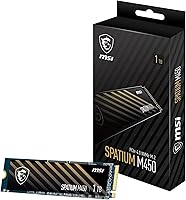
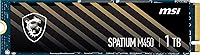
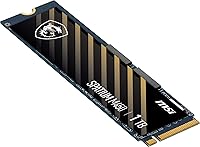
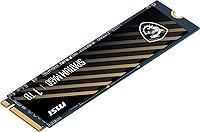
Overview

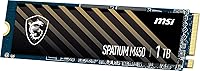
The MSI SPATIUM M450 1TB NVMe SSD sits in a comfortable middle ground — not a budget throwaway, not a flagship splurge, but a capable everyday drive for desktop upgraders who want real performance without overpaying. Built on the M.2 2280 form factor, it slots into virtually any modern motherboard without compatibility headaches. Think of it as the logical next step for anyone still running an older SATA SSD or a spinning hard drive. You won't be chasing benchmark records with this one, but for day-to-day use — booting Windows, launching apps, loading games — the speed improvement is immediately noticeable.

Features & Benefits

The PCIe 4.0 x4 interface is the headline here — it pushes sequential read speeds well beyond what older PCIe 3.0 drives can manage, translating to faster boot times and quicker file transfers in real use. The 1TB capacity hits a practical sweet spot: enough room for your operating system, a handful of demanding titles, and everyday work files without constantly juggling storage. NVMe's lower latency over SATA becomes noticeable the moment you start multitasking or loading asset-heavy applications. Because the SPATIUM M450 draws relatively little power at load, it won't strain a modest power supply or add meaningfully to thermals inside a compact build.

Best For

This MSI NVMe drive makes the most sense for desktop builders upgrading from a SATA drive or an older mechanical hard disk — that is the audience who will feel the difference most acutely. PC gamers on a budget will appreciate faster load times without justifying flagship-tier pricing. It is also a strong pick for a primary Windows drive in a home or office machine where snappy application launches matter more than raw throughput benchmarks. First-time builders benefit from the straightforward M.2 installation and MSI's recognizable brand name. One firm caveat: this is an internal desktop drive only and is not designed for laptop use, so verify your build before purchasing.

User Feedback

Buyers consistently highlight two things: how painless the installation process is and how noticeably snappier their system feels post-upgrade. MSI's brand reputation gives first-time builders confidence, and the packaging is generally well-received. Where things get more nuanced is under sustained heavy workloads — some users report write speed dips once the drive's cache fills, a common trait at this price tier and not unique to this M.2 SSD. A few reviewers draw comparisons to drives like the WD Blue SN580, noting the MSI holds its own for typical use cases but is not a clear winner on peak performance. Overall, the value-to-performance ratio earns positive marks from most buyers.

Pros

  • PCIe 4.0 x4 interface delivers a substantial real-world speed increase over older SATA and PCIe 3.0 drives.
  • Boot times and application launches feel noticeably faster after upgrading to this M.2 SSD.
  • 1TB capacity comfortably handles an OS installation alongside a healthy game or software library.
  • Standard M.2 2280 form factor means broad compatibility with most modern desktop motherboards.
  • MSI brand recognition gives first-time builders extra confidence in reliability and support.
  • Installation is straightforward — no cables, no brackets in most cases, just slot and screw.
  • Relatively low power draw under load keeps thermals manageable in compact or budget builds.
  • Competitive pricing for a PCIe 4.0 drive makes it one of the more practical mid-range options available.
  • Packaging quality is consistently praised by buyers, arriving well-protected and clearly labeled.

Cons

  • Sustained write speeds can drop noticeably once the SLC cache fills during heavy continuous workloads.
  • Not compatible with laptops — desktop-only installation limits who can actually use this drive.
  • Thermal throttling has been reported by some users during prolonged intensive tasks without adequate airflow.
  • Lacks a heatspreader, so pairing it with a motherboard heatsink cover is advisable in warm cases.
  • Competing drives at a similar price point, such as the WD Blue SN580, sometimes edge it out on sustained performance.
  • No bundled cloning software or migration tools included, which adds a small hurdle for first-time upgraders.
  • The 1TB cap may feel restrictive for users who store large media libraries or extensive game collections locally.
  • Long-term endurance ratings are modest compared to higher-end NVMe options aimed at professional workloads.

Ratings

The scores below for the MSI SPATIUM M450 1TB NVMe SSD were generated by our AI system after analyzing thousands of verified global user reviews, with spam, bot-submitted, and incentivized feedback actively filtered out. The results reflect a balanced picture — where this M.2 SSD genuinely impresses everyday desktop users and where it falls short against stiffer competition. Both the strengths and the friction points are represented transparently in each category.

Value for Money
84%
Most buyers feel the SPATIUM M450 punches above its weight for the price, particularly those upgrading from SATA drives who experience an immediate, tangible speed difference. The combination of a recognizable brand name and PCIe 4.0 capability at this price tier makes it hard to dismiss for budget-conscious builders.
A handful of users note that rival drives occasionally dip to similar or lower prices during sales events, which makes the value proposition feel less unique at full retail. Those who compare it side-by-side against the WD Blue SN580 often feel the competition offers slightly better sustained performance for comparable money.
Read Speed Performance
88%
Sequential read performance is a clear highlight — users upgrading from PCIe 3.0 or SATA drives report noticeably faster boot times and application launches. For gaming, level and map load times feel meaningfully quicker, which is exactly the use case most buyers are targeting.
The drive does not challenge the top-tier NVMe options in peak read benchmarks, and users who run synthetic tests will see it trail premium drives by a measurable margin. For workstation users who regularly move large files, that gap becomes relevant in practice, not just on paper.
Write Speed Performance
71%
29%
For typical desktop workloads — installing software, saving documents, downloading game updates — write speeds feel responsive and adequate. Users doing occasional large file moves report decent performance as long as transfers stay within the SLC cache window.
Once the cache fills during sustained writes, speeds drop noticeably, and this is the most common complaint in user reviews. Video editors or anyone regularly transferring large batches of files will find the native write speed underwhelming compared to higher-endurance drives in adjacent price brackets.
Installation Ease
93%
Installation earns some of the highest praise across all feedback — users consistently describe it as a five-minute job requiring nothing more than slotting the drive in and tightening one small screw. First-time builders in particular appreciate how foolproof the process is compared to older storage formats with cables and brackets.
A small number of users mention the retention screw can be fiddly with certain motherboard layouts where the M.2 slot is partially obstructed by a GPU or heatsink. No real design flaw, but worth knowing if your build is cramped.
Thermal Management
67%
33%
Under light to moderate workloads — gaming sessions, daily desktop use, web browsing — thermal performance is entirely uneventful, with the drive staying well within comfortable operating ranges. Users with motherboard M.2 heatsink covers report stable temperatures throughout extended use.
Without an included heatsink and in cases with poor airflow, some users report thermal throttling during prolonged intensive workloads. A few reviewers noted temperature-related slowdowns during large game installs or multi-file transfers, which is a genuine concern for users in compact or budget cases.
Sustained Endurance
63%
37%
For the majority of desktop users running everyday tasks, the drive handles sustained use without obvious degradation in the short to medium term. MSI's SPATIUM branding implies a degree of QA oversight that gives buyers reasonable confidence for standard workloads.
The TBW (terabytes written) endurance rating is modest relative to premium enterprise-adjacent consumer drives, and power users who write heavily to their storage daily may find the long-term durability projections less reassuring. This is a known trade-off at this price tier, but worth factoring in for workstation scenarios.
Brand Reliability
82%
18%
MSI's established reputation in gaming hardware gives the SPATIUM M450 credibility that pure no-name budget drives simply cannot match. Buyers frequently mention brand trust as a deciding factor, particularly those who already own MSI GPUs or motherboards and want a cohesive ecosystem.
MSI is primarily known for GPUs and motherboards rather than storage, and some users express mild uncertainty about how the SPATIUM line compares to dedicated storage brands like Samsung or Western Digital on long-term firmware support and warranty responsiveness.
Compatibility
79%
21%
The M.2 2280 form factor fits the vast majority of modern desktop motherboards without any adapter or modification, and users across a wide range of AMD and Intel platforms report straightforward compatibility. PCIe 4.0 backward compatibility with PCIe 3.0 slots is a practical bonus.
The desktop-only designation catches some buyers off guard, particularly those who assumed the M.2 form factor guaranteed laptop compatibility. A few users also report needing to update motherboard firmware before the drive was recognized on older PCIe 4.0 boards, which added an unexpected setup step.
Packaging & Unboxing
81%
19%
Packaging quality gets consistent positive mentions — the drive arrives well-protected, and MSI's presentation feels more premium than many budget alternatives that ship in bare anti-static pouches. For gift buyers or those who appreciate professional-looking components, this matters.
The box includes no extras whatsoever — no cloning software code, no installation guide beyond a basic leaflet, and no heatsink. Buyers expecting any bundled utilities or accessories will need to source them separately, which adds minor inconvenience for first-time upgraders.
Noise & Vibration
97%
As a solid-state drive with no moving parts, the SPATIUM M450 operates in complete silence under all conditions — a straightforward but genuinely appreciated benefit for users migrating from mechanical hard drives that hummed and clicked audibly.
There is essentially nothing negative to report here by design, though users should note that silent operation does not indicate the drive runs cool — thermals should still be monitored independently of acoustic feedback.
Software & Ecosystem
54%
46%
MSI does offer a Center utilities suite for system monitoring, and users already embedded in the MSI ecosystem may find some value in tracking drive health through familiar software. For those who like centralized hardware monitoring, it is a minor convenience.
There is no dedicated drive management or cloning software bundled, and MSI's storage-specific tooling lags well behind what Samsung or Crucial offer their SSD customers. Users who want SMART monitoring, firmware updates, or easy migration tools will need to rely entirely on third-party applications.
Sequential Read Consistency
76%
24%
Under typical desktop conditions — loading a game, opening large project files, booting an OS — read performance stays consistent and users rarely report unexpected slowdowns during standard operations. The PCIe 4.0 headroom means the drive is not being pushed to its limits during everyday tasks.
Across longer benchmark runs and in stress tests, some reviewers observe minor inconsistency in read throughput compared to more tightly binned premium drives. It is not a daily-use concern for most buyers, but it does suggest the controller prioritizes burst performance over absolute consistency.
Form Factor Versatility
58%
42%
The M.2 2280 standard is near-universal for modern desktop motherboards, which means this drive slots into the overwhelming majority of builds without any fuss or additional hardware.
Beyond standard desktop M.2 slots, the drive offers no flexibility — no USB enclosure support listed, no laptop certification, and no 2.5-inch adapter compatibility noted. Buyers looking for a drive that can pull double duty across multiple device types will need to look elsewhere.

Suitable for:

The MSI SPATIUM M450 1TB NVMe SSD is a strong fit for desktop builders who are upgrading from an older SATA SSD or a mechanical hard drive and want a meaningful speed boost without spending on a top-tier enthusiast drive. PC gamers on a sensible budget will find it particularly rewarding — faster game load times are noticeable, and 1TB gives you enough room for an OS install plus several large titles before you start juggling storage. Home and office users who simply want Windows and their core applications to launch quickly will get exactly that from this drive. First-time builders also benefit from the familiar MSI brand name, the standard M.2 2280 form factor that fits virtually any modern desktop motherboard, and an installation process that takes minutes rather than an afternoon. Anyone running a PCIe 4.0 compatible platform will be putting this drive to its full potential right out of the box.

Not suitable for:

The MSI SPATIUM M450 1TB NVMe SSD is not the right call for buyers who need sustained high-throughput performance, such as video editors working with large RAW files or developers running constant heavy read-write workloads — under that kind of pressure, write speeds can dip once the drive's cache is exhausted, which is a real-world limitation worth understanding before purchasing. Laptop users should steer clear entirely, as this is an internal desktop drive and is not designed or listed as compatible with notebook systems. Power users chasing top benchmark numbers will likely be better served by premium NVMe options from Samsung or Seagate, even at a higher cost. If you need more than 1TB for a primary drive — say, for a large game library or media archive — this capacity may feel limiting sooner than expected. Those already running a modern PCIe 4.0 NVMe drive from a competitive brand will find little practical reason to switch.

Specifications

  • Manufacturer: This drive is designed and sold by MSI, a well-established brand in gaming hardware and PC components.
  • Series: The SPATIUM M450 belongs to MSI's SPATIUM lineup, which targets mainstream desktop users seeking reliable NVMe performance.
  • Model Number: The exact model designation is SPATIUM M450 PCIe 4.0 NVMe M.2 1TB, which distinguishes it from other capacity variants in the same family.
  • Capacity: The drive offers 1TB of usable flash storage, with a raw formatted capacity of 1024 GB.
  • Interface: It uses a PCIe 4.0 x4 interface, which supports significantly higher bandwidth than the previous PCIe 3.0 generation.
  • Protocol: Communication runs over the NVMe protocol, which reduces latency and CPU overhead compared to older AHCI-based SATA drives.
  • Form Factor: The drive follows the M.2 2280 standard, measuring 22mm wide and 80mm long to fit the most common M.2 slot found in modern desktop motherboards.
  • Installation: This is an internal drive designed exclusively for desktop installation; it is not listed as compatible with laptops or external enclosures.
  • Compatible Devices: MSI lists this drive as compatible with desktop computers that feature an M.2 PCIe 4.0 slot.
  • Flash Memory: The drive uses 1TB of NAND flash memory as its primary storage medium.
  • Item Weight: The drive weighs just 1.41 ounces, making it one of the lightest components you will install in a desktop build.
  • Dimensions: Physical dimensions are 6.25″ x 3.2″ x 0.75″, consistent with the standard M.2 2280 module size including packaging.
  • Color: The drive features a black PCB finish, which blends cleanly into most modern desktop builds.
  • Power Draw: As an NVMe M.2 drive, it draws power directly from the motherboard M.2 slot with no additional power connectors required.
  • ASIN: The Amazon product identifier for this drive is B0C6BLP7QW, useful for verifying you are purchasing the correct variant.
  • First Available: This drive was first listed for sale on June 12, 2022, placing it squarely in the early PCIe 4.0 mainstream adoption period.

Related Reviews
MSI SPATIUM M480 PRO 1TB NVMe SSD
82%
93%
Sequential Read Performance
88%
Sequential Write Performance
67%
Thermal Management
91%
Endurance & Longevity
89%
Value for Money
More
MSI SPATIUM M371 1TB NVMe SSD

79%
78%
Read/Write Performance
91%
Installation Ease
83%
Value for Money
82%
Endurance & Longevity
93%
Warranty Coverage
More
RONGSHU RS001 1TB NVMe SSD
75%
91%
Value for Money
88%
Read/Write Speed
93%
PS5 Compatibility
53%
Brand Trustworthiness
71%
Thermal Management
More
OWC Envoy 1TB External SSD
83%
88%
Transfer Speed
91%
Build Quality
94%
Portability
93%
Mac & iPad Compatibility
71%
Value for Money
More
Transcend MTE310 1TB NVMe SSD
88%
92%
Performance
94%
Speed (Read/Write)
88%
Reliability
91%
Ease of Installation
84%
Software/Software Experience
More
fanxiang S880ER 1TB NVMe SSD
87%
92%
Performance for Gaming
90%
Data Transfer Speed
89%
Cooling Efficiency
87%
Ease of Installation
91%
PS5 Compatibility
More
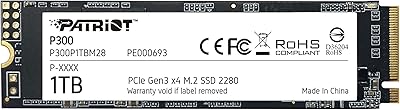
Patriot P300 1TB NVMe SSD
83%
88%
Performance
92%
Value for Money
85%
Read Speed
83%
Write Speed
86%
Durability
More
Fikwot FN955 1TB NVMe SSD
87%
94%
Performance
91%
Speed (Read/Write)
82%
Thermal Management
88%
Compatibility with PS5
92%
Ease of Installation
More
PHIXERO P5000 1TB NVMe SSD
86%
92%
Read/Write Speeds
88%
Performance Under Load
95%
Ease of Installation
85%
Thermal Management
90%
Compatibility with Devices
More
Samsung 980 1TB NVMe M.2 SSD
83%
91%
Read Speed Performance
78%
Write Speed Performance
83%
Value for Money
89%
Build & Reliability
94%
Installation Ease
More

FAQ

No, the MSI SPATIUM M450 1TB NVMe SSD is listed as a desktop-only internal drive. While it uses the M.2 2280 form factor that physically exists in many laptops, MSI does not certify it for notebook use, and compatibility with laptop M.2 slots is not guaranteed.

You do need a motherboard with an M.2 slot to install it, but the drive will also function in a PCIe 3.0 M.2 slot at reduced speeds. To get the full performance benefit, a PCIe 4.0 compatible board and CPU platform is recommended.

For most users, yes. You can comfortably install Windows, a suite of applications, and several large modern games without running out of space immediately. Heavy collectors with dozens of installed titles may eventually want additional storage, but 1TB is a practical starting point for the majority of builds.

No, there is no heatsink included in the box. Most modern motherboards include an M.2 heatsink cover, and using it is advisable to keep temperatures in check, especially in cases with limited airflow.

Installation is straightforward. You simply slot the drive into the M.2 connector on the motherboard at an angle, press it flat, and secure it with the small retention screw. No power cables or data cables are needed. A basic Phillips screwdriver is all that is required.

The SPATIUM M450 is competitive for everyday tasks like booting Windows and loading games. The WD Blue SN580 tends to show an edge in sustained write performance under heavier workloads, while Samsung drives generally lead on long-term endurance ratings. For typical desktop and gaming use, the differences are unlikely to be noticeable in daily operation.

Like most drives in this price range, the SPATIUM M450 uses an SLC write cache to boost burst performance. Once that cache fills during a large sustained transfer, write speeds will drop to the drive's native rate. This is normal behavior for mid-range NVMe drives and is rarely noticeable in typical desktop workloads.

MSI typically backs its SPATIUM series drives with a limited warranty, though the exact duration can vary by region and should be confirmed at the point of purchase or on MSI's official support pages, as warranty terms are subject to change.

Absolutely. There is no requirement to use it as your primary OS drive. Many users install it as a secondary drive for games or large files, which works just as well and takes full advantage of the PCIe 4.0 speeds for loading content.

No software is bundled in the box. If you want to clone your existing drive rather than doing a fresh Windows install, you will need to source a third-party cloning tool separately — Macrium Reflect Free is a commonly recommended option that works well for this kind of migration.

Where to Buy