Overview

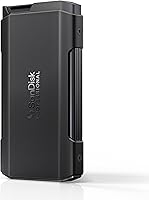
The SanDisk Professional PRO-Blade Transport 1TB Portable SSD is Western Digital's answer to a specific problem that working creatives know well: juggling multiple high-capacity drives in the field without hauling a bag full of cables and enclosures. The concept is modular — one aluminum chassis houses swappable NVMe blade mags, so you expand capacity by adding mags rather than buying entirely new drives. It ships with one blade pre-installed, putting you straight to work. Competing against the Samsung T9 and OWC Envoy Pro, this modular SSD carves out a distinct niche by prioritizing ecosystem flexibility over the simplicity of a traditional single-unit portable drive.
Features & Benefits

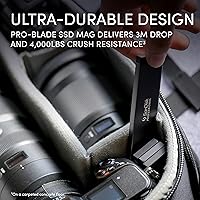
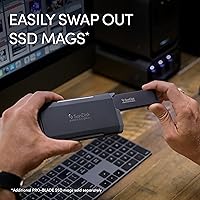
The headline spec is 2000MB/s read and write over USB 3.2 Gen 2x2, which in practice means large RAW video files move fast — genuinely fast, not just on paper. The aluminum chassis doubles as a heat sink, which matters during long transfer sessions where cheaper drives tend to throttle. The blade mags themselves are rated for three-meter drops and 4,000-lb crush resistance, so tossing this portable drive into a camera bag without a case is a reasonable call. It formats as APFS out of the box for Mac users, though Windows reformatting is straightforward. The hot-swap system requires no extra hardware — just slide, click, done.

Best For

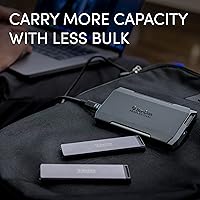
The PRO-Blade Transport makes the most sense for shooters and editors who are already pushing large file volumes daily. If you cut 4K or 8K RAW footage on location, the sustained speed means less waiting between shoots and edits. Photographers running high-volume card offloads will appreciate the reliability. Where this portable drive really pays off, though, is for anyone who wants one chassis, many mags — buy additional blades as your projects grow, and you carry more terabytes in less space. That said, if you only need one drive and want to keep things simple, a single-unit SSD at a lower price point will serve you just fine.

User Feedback

Owners are largely impressed with build quality — the chassis feels solid, and the mag seating mechanism clicks in with confidence. Real-world speeds tend to land close to advertised figures on compatible hosts, though some users note that sustained write performance dips during very long transfers, likely thermal management doing its job. A handful of Windows and non-Apple USB-C hub users have reported inconsistent recognition, so host compatibility is worth confirming before committing. The recurring critique is value: extra blade mags carry a significant cost, and ecosystem lock-in is real. For high-volume professionals, the investment makes sense; casual users may find it harder to justify.

Pros

  • Real-world transfer speeds on compatible Mac hosts stay impressively close to the advertised ceiling.
  • The modular mag system lets you carry multiple terabytes in a bag pocket — no extra cables or enclosures needed.
  • Aluminum chassis construction feels immediately premium and inspires confidence in daily heavy use.
  • Blade mags are rated for 3-meter drops and 4,000-lb crush resistance, which holds up in real field conditions.
  • Plug-and-play on Apple Silicon Macs — no drivers, no reformatting, no friction.
  • The integrated heat sink keeps temperatures manageable during typical burst-transfer workloads.
  • Swapping blade mags takes seconds and requires no tools or additional hardware.
  • The PRO-Blade Transport scales gracefully as your storage needs grow, without buying a new enclosure each time.
  • At 7.4 oz, this portable drive adds almost nothing to a camera bag while delivering serious performance.

Cons

  • Speed is heavily host-dependent — without a native Gen 2x2 port, you will not approach advertised numbers.
  • Additional blade mags carry a significant cost, making capacity expansion an expensive ongoing commitment.
  • Ecosystem lock-in is real — PRO-Blade mags are not compatible with any other enclosure or system.
  • Extended sustained writes can trigger thermal throttling, which some users notice during large library transfers.
  • Windows and USB-C hub compatibility is inconsistent, with some users requiring port-switching or driver updates to maintain stable connections.
  • No IP rating for dust or moisture resistance puts it behind rivals for truly outdoor shooting environments.
  • The bundled USB-C cable is short, limiting desk flexibility and prompting many buyers to purchase a longer one separately.
  • Value proposition is narrow — casual users or single-drive buyers will find it difficult to justify the premium over simpler alternatives.
  • Long-term connector wear has been flagged by a subset of heavy daily users, though it remains a minority report.

Ratings

The SanDisk Professional PRO-Blade Transport 1TB Portable SSD earns an overall positive reception among creative professionals, and the scores below reflect what our AI found after analyzing verified global buyer reviews — actively filtering out incentivized, spam, and bot submissions. Strengths in speed and build quality stand out clearly, while pain points around ecosystem cost and host compatibility are represented just as honestly.

Transfer Speed
88%
On compatible Mac hosts with a proper USB 3.2 Gen 2x2 port, real-world speeds land impressively close to the advertised ceiling. Videographers offloading multi-gigabyte RAW clips report noticeably shorter wait times compared to drives running on the older Gen 2 single-lane standard.
Speed gains are heavily host-dependent — users on Windows laptops or connected through USB hubs frequently see significantly lower throughput. If your machine lacks a native Gen 2x2 port, you will not get close to the headline numbers.
Sustained Performance
74%
26%
For short to medium transfer bursts — the kind most photographers and run-and-gun videographers actually encounter — the drive holds its speed well. The aluminum chassis does absorb heat effectively during typical field use sessions.
Extended sustained writes over several minutes can trigger noticeable throttling, as reported by users transferring very large video libraries in one go. It does not collapse entirely, but the drop is measurable and worth factoring in for high-volume studio workflows.
Build Quality
91%
The aluminum chassis feels immediately premium — dense, rigid, and free of any flex or rattle. Users consistently praise the mag seating mechanism for its satisfying, secure click, and the overall construction inspires genuine confidence when the drive is thrown into a packed camera bag.
A few long-term users have flagged early wear on the USB-C port area after repeated daily connections, though this appears to be a minority experience rather than a widespread defect.
Durability & Ruggedness
86%
The 3-meter drop rating and 4,000-lb crush resistance are not just marketing numbers — users who have accidentally dropped this portable drive on hard surfaces report it surviving without data loss or physical damage. That kind of field reliability matters when you are shooting in unpredictable environments.
There is no IP rating for dust or water resistance, which puts it behind some rivals in truly outdoor or wet-weather scenarios. Photographers working in rain or dusty desert conditions should note this gap.
Modular Ecosystem
79%
21%
The one-chassis, many-mags concept genuinely works well for professionals who need to scale capacity across multiple projects. Swapping a blade takes seconds, and carrying three or four mags in a shirt pocket is far more practical than hauling separate drives and cables.
The ecosystem lock-in is real and expensive — additional blade mags carry a substantial cost, and they only work within the PRO-Blade system. Buyers who later want to move away from the platform cannot repurpose the mags in any other enclosure.
Value for Money
61%
39%
For working professionals who shoot and edit daily, the modular flexibility does justify a premium over a standard single-unit SSD, especially when factoring in long-term scalability without buying new enclosures each time.
Casual users or those who only need one drive will find the pricing hard to rationalize against faster or equivalently fast single-unit alternatives at a lower cost. The value proposition is narrow and very audience-specific.
Mac Compatibility
93%
Out of the box on Apple Silicon Macs, the experience is genuinely plug-and-play. The APFS formatting is ready to go, speeds are consistent, and recognition is instant — no driver installs or reformatting needed for Mac-first users.
There is essentially nothing to complain about for Mac users on modern hardware. The only edge case is older Intel Macs without a native 20Gbps port, where speed advantages are reduced.
Windows & Cross-Platform Compatibility
63%
37%
Reformatting for Windows is a standard, one-time process that most tech-comfortable users handle without issue. Once formatted correctly, the drive functions reliably on Windows machines with the right port.
Multiple Windows users have reported inconsistent device recognition, particularly through USB-C hubs or docks. Some needed driver updates or port switching to get stable connections, which is frustrating for a drive at this price point.
Thermal Management
77%
23%
The integrated aluminum heat sink does a real job of keeping temperatures under control during typical use. Users who run shorter transfer sessions — even repeated ones — rarely encounter any throttling, and the chassis never gets uncomfortably hot to the touch.
The design cannot fully prevent throttling during prolonged, back-to-back large transfers in warm ambient conditions. Users editing directly from the drive for hours have noted occasional speed dips that suggest thermal limits being reached.
Portability & Form Factor
89%
At just 7.4 oz and roughly the size of a large phone, this portable drive disappears into any bag without adding meaningful weight. The slim profile means multiple mags can coexist in a single small pouch, which field shooters genuinely appreciate.
The chassis is slightly longer than some competing pocket SSDs, which makes it a tighter fit in trouser pockets. Not a deal-breaker, but worth knowing if pocketability is a priority.
Setup & Ease of Use
84%
Unboxing to first use takes under two minutes on a Mac. The mag slides in intuitively, the drive mounts automatically, and there are no companion apps required to get started. Non-technical users find the system approachable despite the modular concept.
Windows users occasionally need to navigate disk management to initialize and reformat the drive, which is a minor but unnecessary friction point for a product targeting busy professionals.
Connector & Cable Quality
72%
28%
The included USB-C cable is short but functional for desktop or laptop setups, and the connector on the drive itself seats firmly without wobble during transfers.
The bundled cable length is limiting for users who want to transfer while the drive sits on a desk away from the laptop. Several buyers purchased a longer cable separately, which feels like an oversight at this price tier.
Noise & Heat to Touch
88%
Completely silent operation — no fans, no vibration. The drive runs warm during heavy use but never crosses into uncomfortable territory for handling, which users appreciate during long editing sessions.
In very warm climates or enclosed spaces, the chassis can get noticeably hot after prolonged sustained use, though it has not caused reported shutdowns in normal conditions.

Suitable for:

The SanDisk Professional PRO-Blade Transport 1TB Portable SSD is built for creative professionals who treat portable storage as a working tool, not an afterthought. Videographers shooting 4K or 8K RAW content on location will feel the difference immediately — offloading footage between takes is noticeably faster, and the rugged mag design means the drive can take the incidental abuse of a busy shoot day. Photographers running high-volume card dumps, especially those juggling multiple camera bodies across long events, will appreciate both the speed and the reliability. The modular system is particularly compelling for anyone who wants to scale capacity over time without accumulating a drawer full of mismatched enclosures — buy one chassis, add blade mags as projects grow. Mac-first users get the smoothest experience, with plug-and-play recognition and consistent speeds that match real-world demands. If you are already inside the PRO-Blade ecosystem or planning to build into it, this portable drive makes more sense with every additional mag you own.
Not suitable for:

The SanDisk Professional PRO-Blade Transport 1TB Portable SSD is a poor fit for buyers who just need a single, straightforward external drive without paying a premium for modularity they will never use. Windows users should approach carefully — host compatibility is genuinely inconsistent across laptops and USB-C hubs, and troubleshooting connectivity issues is not what anyone wants to deal with mid-project. If your machine lacks a native USB 3.2 Gen 2x2 port, the headline speed advantage largely disappears, and you would be paying for performance you cannot access. Budget-conscious buyers will find the cost of additional blade mags hard to swallow, and the ecosystem lock-in means those mags have no resale flexibility outside the PRO-Blade system. Users who frequently work in wet or dusty outdoor environments should also look elsewhere — there is no IP rating here, unlike some competing drives. Anyone editing directly from the drive for extended multi-hour sessions should be aware of thermal throttling reports, particularly in warm environments.
Specifications

  • Capacity: The drive ships with a 1TB PRO-Blade NVMe SSD mag pre-installed in the transport chassis.
  • Interface: It uses USB 3.2 Gen 2x2, delivering up to 20Gbps of bandwidth over a USB-C connector.
  • Read Speed: Maximum sequential read speed is rated at up to 2000MB/s under optimal host conditions.
  • Write Speed: Maximum sequential write speed matches read at up to 2000MB/s, which is unusually symmetrical for a portable NVMe drive.
  • Drive Type: The storage element is an NVMe SSD housed in a removable, hot-swappable blade mag rather than a fixed internal module.
  • Connector: The chassis uses a single USB-C port; no proprietary connector or adapter is required for standard host devices.
  • Dimensions: The chassis measures 5.13 x 2.82 x 0.63 inches, keeping it slim enough to fit in a shirt pocket alongside a blade mag or two.
  • Weight: Total weight with one blade mag installed is 7.4 oz, which is on the heavier side for a pocket SSD but acceptable given the aluminum build.
  • Drop Resistance: The PRO-Blade SSD mag is rated to survive drops of up to 3 meters onto a carpeted concrete surface.
  • Crush Resistance: The blade mag is tested to withstand up to 4,000 lbs of compressive force, covering virtually any realistic bag-crushing scenario.
  • Cooling System: An integrated aluminum heat sink in the chassis passively draws heat away from the blade mag during sustained transfers.
  • Native Format: The drive ships formatted as APFS for immediate Mac compatibility and can be reformatted to exFAT or NTFS for Windows use.
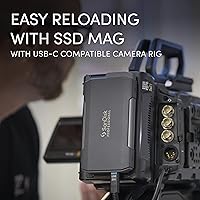
  • Compatible Devices: Works with desktops, laptops, tablets, and USB-C recording cameras that support USB 3.2 Gen 2x2 or fall back gracefully to lower USB speeds.
  • Color: The chassis is finished in dark grey anodized aluminum with no glossy surfaces, which resists fingerprints reasonably well.
  • Manufacturer: Designed and sold by SanDisk Professional, a brand operated by Western Digital Technologies, Inc.
  • Scalability: The chassis accepts any PRO-Blade SSD mag in available capacities up to 4TB, allowing storage expansion without purchasing a new enclosure.
  • Platform Support: Natively supported on macOS; Windows support requires one-time reformatting through Disk Management with no additional drivers needed on modern systems.
  • Power Source: The drive draws power entirely over the USB-C connection and requires no external power adapter or battery.

Related Reviews
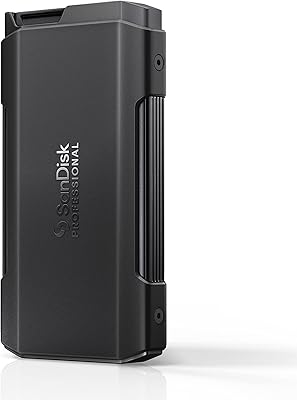
SanDisk Professional PRO-Blade Transport 4TB NVMe SSD
85%
92%
Performance
89%
Durability
90%
Modularity
88%
Portability
91%
Data Transfer Speed
More
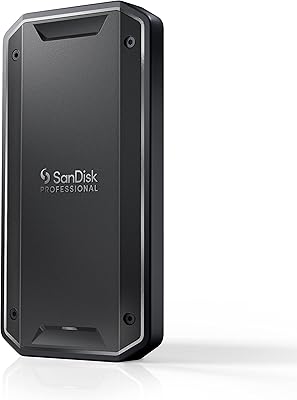
SanDisk Professional PRO-G40 1TB SSD
87%
91%
Performance
93%
Build Quality/Durability
75%
Compatibility
88%
Portability/Size
95%
Water and Dust Resistance
More
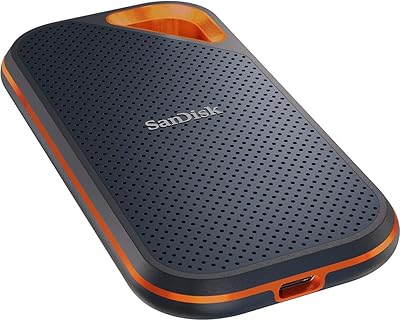
SanDisk Extreme Pro 1TB Portable SSD
84%
88%
Transfer Speed
93%
Build Quality
91%
Durability & Protection
94%
Portability & Form Factor
87%
Storage Capacity
More
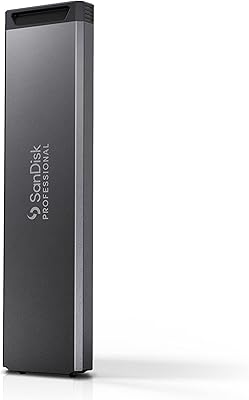
SanDisk Professional G-DRIVE Pro 1TB External SSD
73%
93%
Transfer Speed
88%
Build Quality
91%
Portability
89%
Mac Compatibility
41%
Windows Compatibility
More
SanDisk Professional 4TB PRO-Blade SSD Mag
85%
94%
Performance
90%
Durability
88%
Portability
92%
Transfer Speed
85%
Ease of Use
More
SanDisk Professional 2TB PRO-BLADE SSD Mag
77%
83%
Transfer Speed
91%
Build Quality
88%
Durability
58%
Value for Money
93%
Portability
More
SanDisk Portable SSD 1TB External Drive
77%
88%
Transfer Speed
93%
Portability & Form Factor
79%
Build Quality & Durability
41%
Cable & Accessories
86%
Value for Money
More
SanDisk 2TB Extreme PRO Portable SSD
87%
91%
Performance (Read Speeds)
94%
Build Quality & Durability
78%
Write Speeds
88%
Portability & Size
85%
Ease of Use & Setup
More
SanDisk Professional PRO-G40 2TB SSD
89%
94%
Performance (Read/Write Speeds)
92%
Build Quality & Durability
88%
Portability & Size
85%
Ease of Setup & Use
90%
Connectivity & Compatibility
More
SanDisk Extreme 500 Portable SSD 1TB
88%
92%
Performance
95%
Portability
88%
Durability
90%
Ease of Use
91%
Compatibility
More

FAQ

No, it works with any standard USB-C cable that supports USB 3.2 Gen 2x2. That said, to actually hit the top speeds, you need both a cable and a host port rated for 20Gbps — a standard USB 3.1 Gen 2 cable will bottleneck you at 10Gbps. The included cable is functional but short, so many users grab a longer certified USB-C cable separately.

It depends entirely on your laptop's port. You need a USB 3.2 Gen 2x2 port to unlock the full 2000MB/s potential — and that specification is still relatively rare on Windows laptops compared to Macs. If your port tops out at 10Gbps (Gen 2 single-lane), you will see roughly half the advertised speed. Check your laptop specs before buying if speed is the primary reason you are considering this drive.

You should always eject the drive through your operating system before physically removing a mag — hot-swapping without ejecting first risks data corruption, just like with any removable storage. The chassis itself is designed to accept mag swaps quickly, but safe ejection is still required.

As many as you like. The chassis is just the transport enclosure — you can own and rotate as many PRO-Blade SSD mags as your budget allows. Some professionals carry four or more mags in a small pouch and cycle through them on set, which is exactly the workflow this system was designed around.

Yes, iPads with USB-C ports can recognize and use the drive, provided the tablet supports the necessary USB standard. Keep in mind that most tablets, including iPad Pro models, max out at USB 3.2 Gen 2 single-lane (10Gbps), so you will not reach full speed — but the drive will mount, read, and write reliably at the supported rate.

It runs warm, especially during extended large file transfers, but the aluminum chassis does a reasonable job of spreading the heat passively. Most users find it stays within comfortable handling range for typical field use. Where thermal throttling becomes noticeable is during back-to-back multi-gigabyte transfers in warm ambient conditions — real but not severe.

You can absolutely edit directly from this portable drive — many videographers do exactly that with 4K and even 8K RAW timelines. At consistent real-world speeds, it handles direct editing without proxy conversion for most NLEs. Just be aware that very long editing sessions in warm environments may eventually cause minor speed dips due to thermal management.

Yes, the drive is backward compatible and will connect and function on older USB ports. The speeds will drop dramatically — to roughly 5Gbps on USB 3.0 and far lower on USB 2.0 — but for basic file access or backup purposes it will still work. Obviously at that point you are not getting any value from the premium speed hardware.

No, neither the chassis nor the blade mags carry any IP rating for water or dust resistance. They are rugged in terms of drop and crush protection, but you should keep this portable drive away from rain, splashes, and heavily dusty environments. If you regularly shoot outdoors in harsh conditions, a drive with an official IP rating would be a safer choice.

Yes, all PRO-Blade SSD mags are cross-compatible with any PRO-Blade transport chassis, regardless of which bundle they originally came from. That cross-compatibility is one of the core advantages of the ecosystem — your mags are not tied to a specific enclosure purchase.

Where to Buy