Overview

The Apple MacBook Pro 14-inch M1 Pro Laptop marked a turning point — not just for Apple, but for anyone who had quietly given up on compact pro notebooks. After years of thinness-over-function compromises, Apple rebuilt around professional needs, anchoring the design with the in-house M1 Pro chip that left Intel behind entirely. This isn't a casual machine. The Liquid Retina XDR display alone changes how you interact with visual work, offering color accuracy and sustained brightness that feel genuinely different in daily creative use. If you need a portable workhorse that doesn't ask you to sacrifice performance for portability, the M1 Pro MacBook finally delivers on that long-standing promise.

Features & Benefits

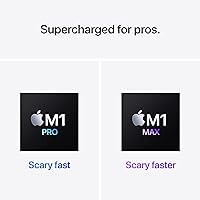
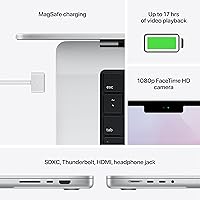
The M1 Pro chip — 10-core CPU, 16-core GPU — is what changes the practical experience here. A 4K ProRes export that might have taken 20 minutes on an Intel predecessor finishes in a fraction of that time. The unified memory design also matters: 16GB in this architecture behaves closer to 24GB or more on conventional laptops, because the CPU and GPU draw from the same fast pool rather than separate banks. Realistically, battery life sits around 10 to 13 hours under mixed use — short of the official claim, but still among the best in its class. The return of HDMI and MagSafe ports removes the adapter headache that frustrated professionals for years.

Best For

The M1 Pro MacBook makes the clearest case for people whose work actually pushes hardware. Video editors handling 4K or 8K ProRes footage in Final Cut Pro or Premiere will see the most dramatic gains — exports are fast, and the machine rarely breaks a sweat. Software developers appreciate the quick compile times and the ability to work unplugged for a full day. Music producers running dense, plugin-heavy Logic Pro sessions will find it handles the load without complaint. One caveat worth flagging: while most major creative apps are now ARM-native, some niche tools still route through Rosetta 2 — confirm your critical software is compatible before purchasing. Casual users would genuinely be overspending here.

User Feedback

Owners of Apple's compact pro laptop generally land in two camps. The praise is consistent: near-silent performance under real workloads, a display that earns genuine admiration from photographers and editors, and build quality that holds up after years of daily use. The criticisms are equally consistent. The price is a serious commitment, and the fact that RAM and storage are soldered means you must configure correctly at purchase — there is no upgrading later. The webcam quality disappoints at this price tier. Users transitioning from Windows or older Intel Macs typically note a short but real adjustment period, and the notch remains a point of contention. No Face ID despite the cutout still puzzles longtime Apple fans.

Pros

  • Sustained CPU performance is exceptional — long renders and compiles finish fast without the machine slowing down mid-task.
  • The M1 Pro MacBook runs whisper-quiet under loads that would send competing laptops into fan overdrive.
  • Unified memory means 16GB punches well above its weight compared to traditional laptop RAM configurations.
  • Real-world battery life of 10 to 13 hours under mixed use is among the best available in a pro laptop.
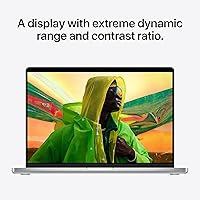
  • The Liquid Retina XDR display offers accurate, vivid color reproduction that photographers and video editors will appreciate daily.
  • MagSafe charging, a full-size HDMI port, and an SD card slot eliminate the dongle dependency that frustrated professionals for years.
  • Build quality is excellent — owners report the chassis holds up well after two or more years of heavy daily use.
  • ProMotion adaptive 120Hz makes scrolling and UI interactions feel noticeably smoother during long editing sessions.
  • The 1TB SSD is fast and spacious enough to hold active project files without constantly offloading to external drives.
  • Thermal management keeps performance consistent — no sudden slowdowns mid-export on demanding tasks.

Cons

  • RAM and storage are soldered at purchase — there is no upgrade path if your needs grow after buying.
  • The webcam quality is disappointing for a machine at this price point, especially for frequent video call users.
  • Some niche professional software still lacks native ARM support and runs only through Rosetta 2 emulation.
  • The notch design is a divisive choice, and the absence of Face ID despite the cutout continues to frustrate users.
  • Transitioning from Windows or older Intel Macs involves a real adjustment period for workflows and keyboard shortcuts.
  • The 17-hour battery claim is best-case only — expect 10 to 13 hours under realistic mixed workloads.
  • Compared to a Windows competitor at the same price, macOS restricts gaming options significantly.
  • The price represents a major financial commitment that is difficult to justify for users with light or moderate workloads.

Ratings

The scores below for the Apple MacBook Pro 14-inch M1 Pro Laptop were generated by our AI system after analyzing thousands of verified global user reviews, with spam, incentivized submissions, and bot activity actively filtered out. Every category reflects a balanced synthesis of what real owners praised and what genuinely frustrated them over months of daily use. Both the standout strengths and the recurring pain points are represented transparently so you can make a fully informed decision.

Raw Performance
96%
Owners consistently report that demanding tasks — 4K ProRes exports, large Xcode builds, dense plugin sessions in Logic Pro — complete faster than they expected from a portable machine. The M1 Pro chip sustains that speed across long sessions, not just in short bursts, which matters enormously for professionals billing by the hour.
A small segment of users working with extremely large datasets or running multiple GPU-intensive apps simultaneously found the 16GB unified memory ceiling a tangible constraint, particularly late in a long project session. For those edge cases, the chip is not the limiting factor — the base memory configuration is.
Battery Life
88%
Under real mixed-use conditions — coding or editing during the day, browsing and calls in between — most owners report comfortably getting through a full workday without reaching for the charger. That kind of unplugged freedom is genuinely rare at the pro performance tier and repeatedly called out as a standout quality.
The 17-hour figure from Apple reflects light, optimized usage that most professionals will never replicate. Heavy workloads like sustained video exports or running virtual machines cut battery life considerably, and a handful of users were surprised by how quickly the battery drained during intensive rendering tasks.
Display Quality
94%
Photographers and video editors are consistently effusive about the Liquid Retina XDR panel — the color accuracy, deep blacks, and brightness hold up even in challenging lighting environments. The ProMotion 120Hz refresh makes everyday interactions feel polished, and users coming from older MacBook Pros describe the difference as immediately striking.
The notch divides opinion noticeably in user feedback. While macOS accommodates it gracefully in most apps, a subset of users find it distracting during full-screen work, and the absence of Face ID despite the physical cutout is a recurring point of frustration that feels like a missed opportunity.
Thermal Management
91%
One of the most praised aspects across long-term ownership reviews is how quietly and efficiently the machine handles sustained workloads. Users who previously worked on Intel MacBook Pros describe the difference in fan noise as dramatic — rendering jobs that once produced jet-engine levels of noise now run at a low, barely audible hum.
Under the most extreme sustained loads — hour-long 8K exports or parallel heavy compute tasks — the fans do ramp up noticeably, and the underside of the chassis can become warm enough to feel uncomfortable on a lap. It is not a regression from the previous generation, but it is worth noting for users expecting entirely passive cooling.
Build Quality
93%
Long-term owners repeatedly mention that the machine looks and feels close to new after two or more years of heavy daily use. The aluminium unibody chassis resists flex, the hinge maintains its tension without loosening, and the keyboard holds up well against the kind of sustained typing that professionals put it through.
A small number of users noted minor scuffing around the port edges after extended daily use without a sleeve or case. The machine's premium materials also make any accidental damage more costly to repair, and out-of-warranty repair bills through Apple are a recurring concern in longer-term ownership threads.
Keyboard & Trackpad
89%
The return of physical function keys after the Touch Bar experiment is broadly celebrated — developers and editors who rely on muscle memory for shortcuts found the transition back immediately comfortable. The Force Touch trackpad is frequently cited as the best available on any laptop, with precision that makes external mice optional rather than necessary for most users.
Users with larger hands occasionally note that the key spacing feels slightly cramped during marathon typing sessions, though this is a minority view. Those migrating from Windows keyboards also face a short but real adjustment period with modifier key placement and macOS-specific shortcuts.
Port Selection
87%
The return of a dedicated HDMI port and SD card reader is one of the most celebrated changes in user feedback from professionals who spent years carrying dongles. Video editors especially appreciate pulling footage directly from a camera card without an adapter, and having MagSafe free up all three Thunderbolt ports simultaneously is a practical daily benefit.
Despite the improved port lineup, the HDMI port tops out at HDMI 2.0, which limits output to 4K at 60Hz rather than 4K at higher refresh rates or 8K — a gap that some professionals with newer monitors found limiting. Users needing more than one external display simultaneously also require a dock or hub.
Webcam Quality
58%
42%
The 1080p camera is a step up from the 720p found on older MacBook models, and under good lighting conditions it produces a clear, usable image for video calls. For occasional internal meetings it is adequate, and most users do not find it disqualifying for general use.
At this price tier, the webcam quality is the most consistently criticised specification in user feedback. In low-light conditions it struggles noticeably, dynamic range is narrow, and professionals who present on video calls or record content frequently end up investing in an external camera regardless — which feels like a significant omission for a machine positioned at the professional tier.
Software Compatibility
74%
26%
The vast majority of major creative and productivity applications — Final Cut Pro, Logic Pro, Adobe Creative Cloud, Xcode, and most development tools — run natively on ARM and perform extremely well. For users whose entire workflow sits within well-supported applications, compatibility is essentially a non-issue.
A meaningful minority of users — particularly those in audio production, scientific computing, or niche enterprise software — encountered tools that either ran only through Rosetta 2 emulation with performance penalties, or did not run at all. Checking software compatibility before purchasing is genuinely important, not just a precaution.
Value for Money
67%
33%
For professionals whose work directly benefits from the performance gains — video editors, developers, producers — the time saved per week across a year of ownership makes a strong financial case. Users who made the jump from aging Intel hardware consistently describe the productivity return as tangible and lasting.
For anyone outside that demanding professional cohort, the price is difficult to justify against more affordable alternatives that handle everyday tasks just as competently. The inability to upgrade RAM or storage post-purchase also means buyers are locked into their configuration, raising the stakes on the initial spending decision considerably.
Portability
82%
18%
At 3.52 pounds, the M1 Pro MacBook sits in a reasonable middle ground for a pro-class machine — light enough to carry daily in a backpack without complaint, yet substantial enough that the chassis does not feel flimsy. Commuters and frequent travellers mention the combination of low weight and all-day battery as a practical pairing.
Users comparing this against ultra-light consumer notebooks note the weight difference immediately, and the 0.61-inch thickness is not particularly slim by modern standards. For buyers prioritising minimal carry weight above all else, there are lighter options — though none match the performance at this footprint.
Audio Output
86%
The six-speaker system receives consistent praise as among the best built-in laptop audio available — wide stereo separation, clear highs, and enough low-end presence to make it usable for casual music listening and media consumption without external speakers. Music producers also appreciate the high-impedance headphone jack that drives studio headphones without a separate DAC.
At maximum volume in open environments, the speakers can sound slightly strained on bass-heavy content, and a handful of users noted that the speaker grilles are prone to collecting dust and debris over time. Still, for built-in laptop audio, complaints are relatively rare.
Long-Term Durability
88%
Owners writing reviews after 18 months to two-plus years of daily professional use largely report that the machine holds up well — no significant battery degradation, no structural issues, and performance that remains consistent without the thermal throttling that sometimes emerges in aging hardware. The long-term ownership satisfaction rate in user feedback is notably high.
The soldered components mean that any hardware failure beyond the warranty period can result in a costly full board replacement rather than a targeted component swap. A subset of long-term owners also reported gradual battery capacity reduction after two years of heavy daily charge cycles, which is expected but worth planning for.
Setup & Onboarding
79%
21%
Users already in the Apple ecosystem — existing iPhone or iPad owners — report a smooth initial setup experience, with iCloud, AirDrop, and Handoff working reliably out of the box. Migration from an older Mac using the Migration Assistant is consistently described as painless and fast for most users.
Users switching from Windows face a steeper learning curve than Apple's marketing implies — keyboard shortcuts, window management behaviour, and file system conventions all require adjustment. A subset of new macOS users described a frustrating first few weeks before the workflow felt natural, and this adjustment cost is real and worth acknowledging.

Suitable for:

The Apple MacBook Pro 14-inch M1 Pro Laptop was built for people who genuinely push their hardware for a living — and that group will feel the difference immediately. Video editors cutting 4K or 8K ProRes timelines in Final Cut Pro or Premiere will notice faster exports and far less waiting around. Software developers who compile large codebases or run local servers benefit from strong sustained CPU performance and a battery that realistically lasts through a full workday away from a plug. Music producers running dense Logic Pro sessions with dozens of active plugins will find this machine handles the load without the fan noise or thermal throttling that plagued older Intel-based equivalents. Creative professionals — photographers, motion designers, 3D artists — who want a portable machine that doesn't force compromises at the desk will also find a strong match here. If your work is genuinely demanding and you are already inside the Apple ecosystem, this machine justifies its price in hours saved per week.

Not suitable for:

The Apple MacBook Pro 14-inch M1 Pro Laptop is a hard sell for anyone whose workload doesn't actually stress modern hardware. Students, casual users, and people who primarily browse, stream, and write documents are paying a steep premium for performance they will rarely touch — and frankly, much more affordable machines handle those tasks just as well day-to-day. The non-upgradeable RAM and storage are a real concern: if you buy the base 16GB configuration and your workload grows, you cannot add more memory later, which makes the purchase decision higher-stakes than it should be at this price tier. Users heavily invested in Windows-specific software should also be careful — while Rosetta 2 handles a broad range of apps, some niche professional tools still lack native ARM support or don't run at all under macOS. Anyone hoping to use this as a casual gaming machine will find the library limiting compared to Windows counterparts. The webcam, while functional, is a genuine weak spot for professionals who spend hours on video calls and expect top-tier quality at a top-tier price.

Specifications

  • Processor: Powered by the Apple M1 Pro chip with a 10-core CPU, delivering strong sustained performance across demanding creative and development workloads.
  • GPU: Integrated 16-core GPU handles graphics-intensive tasks including 4K and 8K video playback, color grading, and motion graphics without a discrete card.
  • Neural Engine: A 16-core Neural Engine accelerates machine learning tasks, including real-time audio processing and image analysis within supported macOS applications.
  • RAM: 16GB of unified memory is shared dynamically between the CPU and GPU, offering effective throughput that outperforms conventional 16GB DDR configurations on competing architectures.
  • Storage: 1TB of integrated SSD storage provides fast read and write speeds suitable for opening large project files and running virtual machines from the drive.
  • Display: The 14.2″ Liquid Retina XDR panel outputs at 3024x1964 pixels with up to 1000 nits of sustained brightness and support for the P3 wide color gamut.
  • Refresh Rate: ProMotion adaptive technology adjusts the display refresh rate dynamically up to 120Hz, resulting in smoother scrolling and more responsive cursor tracking.
  • Battery Life: Apple rates battery life at up to 17 hours; real-world mixed use — combining browser tabs, creative apps, and video calls — typically yields between 10 and 13 hours.
  • Weight: The chassis weighs 3.52 pounds, making it portable enough for daily commuting while remaining heavier than ultra-light consumer notebooks.
  • Dimensions: The body measures 8.71 x 12.31 x 0.61 inches, fitting comfortably in most laptop bags and backpacks designed for 14″ or 15″ devices.
  • Ports: Connectivity includes three Thunderbolt 4 ports, one full-size HDMI 2.0 port, one SD card reader, one MagSafe 3 charging port, and a 3.5mm headphone jack.
  • Wireless: Wi-Fi 6 (802.11ax) provides faster throughput and lower latency on compatible routers, alongside Bluetooth for peripherals and audio devices.
  • Webcam: A 1080p FaceTime HD camera is housed within the display notch; image quality is functional but considered below expectations for the machine's overall price tier.
  • Operating System: Ships with macOS, Apple's desktop operating system, with full support for native ARM applications and backward compatibility via the Rosetta 2 translation layer.
  • Audio: A six-speaker sound system with force-cancelling woofers and a high-impedance headphone jack capable of driving studio-quality headphones is built into the chassis.
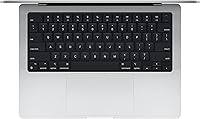
  • Keyboard: Features a full-size backlit Magic Keyboard with Touch ID fingerprint authentication and a dedicated row of physical function keys replacing the previous Touch Bar.
  • Color Option: The reviewed configuration is available in Silver, with Space Gray also offered at the same specifications.
  • Release Date: This model was made available to consumers in October 2021 as part of Apple's first wave of M1 Pro and M1 Max MacBook Pro hardware.

Related Reviews
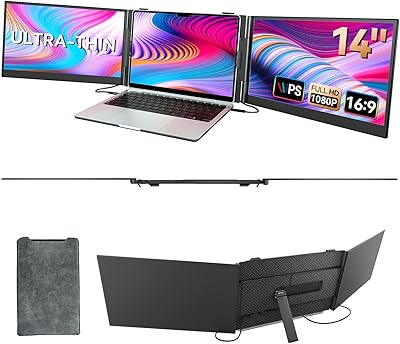
BOSII S8 PRO 14-inch Laptop Screen Extender Monitor
87%
94%
Ease of Setup
91%
Portability/Size
88%
Display Quality
85%
Connectivity
87%
Build Quality
More
HP 2025 14-inch Laptop - 16GB RAM, 128GB UFS, 256GB MSD, Windows 11 Pro
82%
89%
Value for Money
92%
Battery Life
85%
Performance
90%
Portability
81%
Build Quality
More
Apple MacBook Pro 15.4-inch 2015, Intel Core i7, 16GB RAM, 512GB SSD
82%
90%
Performance for Demanding Tasks
92%
Display Quality
75%
Battery Life
88%
Build Quality
79%
Portability
More
Apple MacBook Pro 13.3″ Laptop, 2.9GHz Intel Core i5, 16GB RAM, 256GB SSD

86%
91%
Performance
94%
Display Quality
88%
Build Quality
90%
Portability
80%
Battery Life
More
SAMSUNG Galaxy Book3 Pro 14-inch Laptop, Intel Core i7-1360P, 16GB RAM, 512GB SSD
85%
90%
Performance
94%
Display Quality
85%
Battery Life
92%
Portability
88%
Build Quality
More
HP 14-dq0020nr 14-inch Laptop 64GB
80%
72%
Performance
94%
Portability
88%
Battery Life
81%
Build Quality
75%
Display Quality
More
HP 14 Celeron 14-inch Touchscreen Laptop

68%
74%
Value for Money
52%
Performance
43%
Storage Adequacy
91%
Portability
61%
Display Quality
More
Dell Inspiron 14 5440 Laptop, 14-inch, Intel Core i5, 8GB RAM, 512GB SSD
86%
88%
Performance
91%
Build Quality
94%
Portability
81%
Battery Life
75%
Display Quality
More
Dell 14 Plus Laptop DB14250-14-inch 2.5K, Intel Core Ultra 7, 16GB RAM, 1TB SSD

85%
91%
Performance
94%
Display Quality
85%
Battery Life
88%
Build Quality
86%
Keyboard Usability
More
HP 14 Inch Laptop
HP 14 Inch Laptop
83%
92%
Value for Money
89%
Portability & Weight
90%
Battery Life
80%
Performance
84%
Build Quality
More

FAQ

For most editors working with 4K timelines in Final Cut Pro, 16GB of unified memory is genuinely sufficient because of how efficiently the M1 Pro architecture shares that memory between the CPU and GPU. If you regularly work with 8K RAW footage or run multiple heavy apps simultaneously, stepping up to 32GB at purchase is worth considering — since you cannot upgrade RAM later.

Under sustained workloads like long video exports or large code compilations, the fans do spin up, but most users describe the noise as a low hum rather than the aggressive whirring common on Intel-era MacBook Pros. For lighter tasks, the machine often runs completely silent.

Most major creative and productivity applications are now available as native ARM builds and run well. Apps that haven't been updated run through Rosetta 2 translation, which works transparently for most software. That said, a small number of niche professional tools — particularly older audio plugins or specialized engineering software — may have compatibility issues, so it's worth checking with your specific vendors before buying.

Expect somewhere between 10 and 13 hours under typical mixed use — a combination of browser tabs, document editing, and occasional video calls. The 17-hour figure Apple quotes is achievable under light, optimized conditions like video playback with the screen dimmed. Heavy creative work will drain the battery faster, but it still outlasts most competing professional laptops.

Yes — you can connect up to two external displays using the Thunderbolt 4 ports, or use the HDMI 2.0 port for a third display. If you need to connect older monitors or projectors, you may need a small adapter, but the native port selection covers most professional setups without a dock.

Unfortunately, no. Both the RAM and SSD are soldered directly to the logic board, which means your configuration at the time of purchase is permanent. This makes it especially important to buy the storage and memory tier you expect to need over the next few years rather than planning to upgrade later.

Most users adapt to it quickly and stop noticing it within a few days. macOS handles the notch by treating the menu bar area as the frame, so it does not cut into app content during normal use. That said, some users find it distracting, particularly when running apps in full-screen mode that haven't been optimized for the notch layout.

It's not the right tool if gaming is a priority. While the GPU is genuinely capable, the macOS game library is limited compared to Windows, and most AAA titles are either unavailable or run only via compatibility layers with inconsistent results. For occasional casual gaming it's fine, but dedicated gamers will find better value elsewhere.

It's genuinely useful in practice. The magnetic connector detaches safely if someone trips over the cable rather than pulling the laptop off the desk — a scenario that has damaged many older machines. It also means all three Thunderbolt ports remain free while charging, which matters if you're connecting a monitor, a drive, and an external hub at the same time.

The 14-inch version is noticeably easier to carry daily — it's lighter and fits more comfortably in a bag. The trade-off is screen real estate; if you do detailed color work or run several app windows side by side, the 16-inch display gives you more room. For developers and producers who primarily work at a desk with an external monitor, the compact pro laptop is often the better travel companion.