Overview

The Corsair MP700 PRO 1TB NVMe SSD arrives at a pivotal moment for storage enthusiasts — Gen5 drives are finally hitting mainstream availability, and this one positions itself squarely at the top tier. If you're running an Intel Z790 or AMD X670 platform, this Gen5 SSD can actually flex its muscles; on older boards, it simply won't. One thing buyers often overlook: cooling is mandatory. The drive ships without a heatsink, so budget for one before checkout. The premium over Gen4 is real, and for casual users it's hard to justify. For power users pushing heavy workloads daily, the performance gap is genuinely meaningful.

Features & Benefits

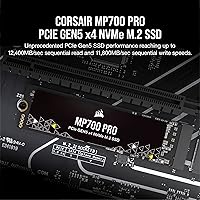
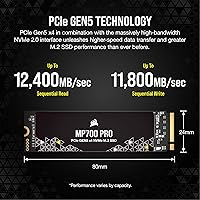
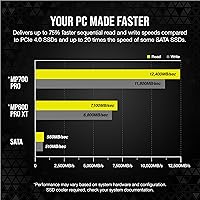
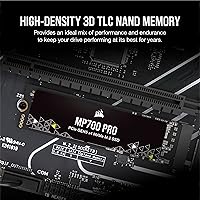
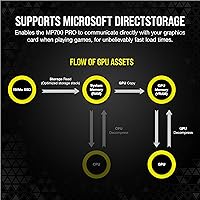
The MP700 PRO runs on PCIe Gen5 x4 with NVMe 2.0, pushing sequential reads to 11,700 MB/s — roughly double what a solid Gen4 drive delivers. To put that practically, a 100GB project folder that takes 30 seconds on Gen4 transfers in closer to 15. The high-density 3D TLC NAND is the right call; TLC holds up better under repeated write cycles than QLC, which matters if you're using this as a primary work drive. DirectStorage support is baked in, though compatible game titles remain sparse for now. Still, future-ready hardware is worth having locked in at the storage level.

Best For

This Corsair drive is built for a specific type of builder: someone on a Z790 or X670 board who has the thermal infrastructure to support it. Video editors regularly exporting 4K or higher footage will feel the difference immediately, and so will 3D artists shuttling large scene files between drives. Gamers anticipating DirectStorage-optimized titles will appreciate having the hardware ready when software catches up. That said, if your board is Gen4 or older, skip it entirely — you'll get Gen4 speeds at best while paying a meaningful premium. Platform compatibility is the single deciding factor before buying.

User Feedback

With a 4.7-star average across over 440 ratings, the MP700 PRO has built a solid reputation for delivering benchmark results that actually match Corsair's advertised figures — which isn't always a given in this category. Buyers consistently highlight easy installation and stable everyday performance. The most common criticism, predictably, is thermal behavior: without a bundled heatsink, the drive runs hot under sustained workloads, and some users report throttling when cooling is inadequate. A handful of critical reviews mention platform-specific quirks during initial setup. Since the drive launched in late 2023, long-term durability data is still limited, so that remains a reasonable open question.

Pros

  • Sequential read speeds are among the highest available in a consumer M.2 drive, with real-world transfers to match.
  • Benchmark results consistently align with Corsair's advertised figures, which buyers frequently call out as a pleasant surprise.
  • High-density 3D TLC NAND offers stronger long-term endurance than QLC alternatives at this performance tier.
  • DirectStorage support is ready out of the box for compatible games and DirectX 12 GPUs.
  • The M.2 2280 form factor fits virtually every modern desktop board, and backward compatibility means it works in PCIe 4.0 slots too.
  • Installation is straightforward — no drivers, no companion software required to get up and running.
  • The MP700 PRO carries a strong 4.7-star average across hundreds of verified buyers, reflecting consistent quality.
  • TLC NAND holds write performance steadier under repeated workloads compared to cheaper QLC-based Gen5 drives.

Cons

  • No heatsink is included, which is a meaningful omission given how hot Gen5 drives run under load.
  • Thermal throttling under sustained sequential writes is a documented risk if cooling is not properly addressed.
  • The price premium over fast Gen4 drives is hard to justify unless your platform and workload actually demand Gen5 throughput.
  • Compatible DirectStorage game titles remain limited, making that feature more of a future promise than a current selling point.
  • Some users have reported platform-specific quirks during initial setup, particularly around BIOS recognition.
  • Long-term reliability data is still thin given the drive only launched in late 2023.
  • At 1TB, storage capacity feels modest for the price point, especially for video editors who accumulate footage quickly.
  • The added cost of a quality heatsink raises the true out-of-pocket expense beyond the listed drive price.

Ratings

Our AI rating engine analyzed verified global buyer reviews for the Corsair MP700 PRO 1TB NVMe SSD, actively filtering out incentivized, duplicate, and bot-generated submissions to surface what real users actually experienced. Scores reflect both the genuine strengths enthusiast builders praise and the friction points that caused frustration — nothing is smoothed over. The result is a transparent, category-by-category picture of where this Gen5 drive delivers and where it asks more of you.

Raw Read Performance
94%
Buyers running sequential read benchmarks consistently report results that closely match Corsair's published figures, which is rare enough to be noteworthy. For users transferring large video project folders or game library backups, the throughput difference over their previous Gen4 drives was immediately tangible rather than just theoretical.
A small share of users on certain Z790 boards noted they had to enable specific BIOS settings before the drive reached its rated speeds. Without that step, out-of-the-box performance landed closer to mid-Gen4 territory, which caused initial confusion.
Write Performance
88%
Sustained write speeds impressed users pushing large continuous writes, such as dumping raw footage directly from a camera card to the drive. The TLC NAND handles these sessions better than the QLC-based alternatives many buyers had previously owned, with less noticeable speed drop-off mid-transfer.
Under very prolonged sequential write workloads — particularly without a heatsink — a portion of users reported measurable throttling. It does not happen in everyday use, but those doing bulk ingest work regularly found it worth monitoring.
Thermal Management
61%
39%
Users who installed a quality heatsink — either their motherboard's built-in cover or a third-party SSD cooler — reported stable temperatures even during extended workloads. With proper cooling in place, throttling was largely a non-issue and the drive performed consistently.
This is the single most common pain point in buyer feedback. Running the MP700 PRO bare, without any heatsink, leads to thermal throttling under sustained load far more readily than most Gen4 drives. The omission of even a basic heatsink in the box feels like a meaningful oversight at this price point.
Value for Money
69%
31%
For buyers on Gen5-capable platforms who genuinely push their storage throughput daily — video editors, 3D artists, data professionals — the performance per dollar compares favorably to other Gen5 options currently on the market. The drive at least delivers what it promises, which cannot be said of every premium SSD.
For anyone not on a Z790 or X670 board, the value proposition collapses quickly. A well-regarded Gen4 drive at roughly half the price delivers nearly identical real-world performance for gaming and general use, making the premium feel hard to justify for the majority of PC users.
Installation & Setup
91%
The physical installation is as simple as any M.2 drive — slot it in, secure the screw, and the OS picks it up without additional drivers. Buyers upgrading from older drives appreciated that there is no companion software required to get the drive recognized and operational.
A handful of users encountered BIOS-level recognition issues on specific board revisions, requiring a firmware update before the drive appeared correctly. It is not a widespread problem, but it added unexpected setup time for those who ran into it.
Platform Compatibility
78%
22%
The backward compatibility with PCIe 4.0 and 3.0 slots gives buyers some flexibility, particularly those planning a platform upgrade in the near future. On its native Gen5-capable boards, compatibility with both Intel and AMD ecosystems is well-executed with no reported cross-platform favoritism.
The drive's full value is gated behind a fairly narrow set of current motherboards. Users on last-generation platforms quickly discovered they were running an expensive drive at Gen4 speeds, and some felt the compatibility messaging on the product page could have been more explicit about this limitation.
Build & Reliability
83%
The physical build feels solid and the drive has shown no early-failure issues in buyer feedback, with most users reporting stable operation over their period of ownership. Corsair's use of TLC rather than QLC NAND gives buyers reasonable confidence in longer-term endurance under regular use.
Since the drive only launched in late 2023, multi-year reliability data simply does not exist yet. Buyers looking for a track record comparable to mature Gen4 drives will have to accept that the long-term picture is still being written.
DirectStorage Utility
57%
43%
For buyers building a rig with a long shelf life, having DirectStorage support baked in today means no hardware swap when the software ecosystem catches up. Users who do play the handful of currently supported titles noted improved load times on compatible titles when paired with a strong DirectX 12 GPU.
The honest reality is that DirectStorage-optimized titles remain scarce, and the feature contributes little to the day-to-day experience for most buyers right now. Several users felt it was marketed more prominently than its current practical impact warrants.
Heatsink Inclusion
42%
58%
A small number of buyers who already owned aftermarket M.2 heatsinks or whose motherboards shipped with high-quality thermal covers did not see this as a meaningful issue. For them, the omission was irrelevant to the overall ownership experience.
The absence of any heatsink is consistently the sharpest criticism across buyer reviews. At this price tier, including at least a basic aluminum spreader is standard practice among competitors, and buyers feel the omission is a cost-cutting decision that transfers a real risk of thermal throttling directly to the end user.
Benchmark Accuracy
92%
One of the most consistent positive findings across buyer feedback is that this Corsair drive actually achieves the speeds Corsair advertises, with proper platform setup. In a category where many products quietly fall short of their headline numbers, this level of honesty in spec-setting earned the drive genuine trust.
Results are highly platform-dependent — achieving rated speeds requires not just a Gen5 slot but also up-to-date BIOS, adequate cooling, and in some cases specific PCIe bandwidth allocation settings. For buyers unfamiliar with these variables, out-of-box numbers may disappoint before troubleshooting.
Capacity vs. Price Ratio
66%
34%
For users who specifically need 1TB of the fastest available consumer storage — a dedicated NVMe scratch disk for video editing workflows, for instance — the capacity is appropriate for the use case and not wasteful. The drive does what it is supposed to at this tier.
At the price point of a Gen5 drive, 1TB starts to feel limited for users who accumulate large media libraries. Several buyers noted they wished a 2TB option were comparably priced, and a few regretted not stretching their budget to a larger-capacity alternative.
Overall User Satisfaction
87%
The 4.7-star average across over 440 ratings reflects a buyer base that is largely satisfied with what they received. Users who went in with accurate expectations — Gen5 board, heatsink ready, demanding workloads — were almost universally happy with the purchase.
The minority of dissatisfied buyers cluster around one of two scenarios: either they did not have the compatible platform to realize the drive's potential, or they encountered thermal issues from running it uncooled. Both are ultimately setup or expectation mismatches rather than product defects, but they do drag on overall sentiment.

Suitable for:

The Corsair MP700 PRO 1TB NVMe SSD is the right call for enthusiast PC builders who have already invested in an Intel Z790 or AMD X670 platform and want storage that keeps pace with everything else in their build. Video editors working with 4K or 8K footage will notice the throughput advantage when scrubbing timelines or exporting large project files, and 3D artists constantly shuffling multi-gigabyte scene assets between drives will feel similarly rewarded. Gamers building a forward-looking rig should also consider this Gen5 SSD seriously — DirectStorage-enabled titles are still gaining traction, but having the hardware ready means you won't be swapping drives in a year. If your workflow regularly involves moving tens or hundreds of gigabytes at a time, the real-world time savings add up quickly and the premium starts to make practical sense.

Not suitable for:

The Corsair MP700 PRO 1TB NVMe SSD is genuinely not worth the asking price if your motherboard tops out at PCIe 4.0 or 3.0 — you will be paying a significant premium for Gen5 speeds you physically cannot access. Laptop users are out entirely, as this is a desktop-only M.2 drive with no mobile application. Buyers on a tight budget should also look elsewhere; a well-reviewed Gen4 drive at roughly half the cost will handle everyday computing, casual gaming, and even moderate creative work without any noticeable compromise. The missing heatsink is another practical concern — if you don't already own a compatible cooler or your case airflow is limited, sustained workloads can push the drive into thermal throttling, which undermines the performance you paid for. Anyone who just wants reliable, fast storage for general use will find this Corsair drive to be more hardware than their workload will ever demand.

Specifications

  • Brand: Manufactured by Corsair, a well-established name in high-performance PC components.
  • Model Number: The official model identifier is CSSD-F1000GBMP700PNH.
  • Capacity: Offers 1TB of usable flash storage for applications, games, and large media files.
  • Interface: Uses a PCIe Gen5 x4 interface, delivering significantly higher bandwidth than the previous Gen4 standard.
  • Protocol: Operates on the NVMe 2.0 protocol, which reduces latency and improves command efficiency over older NVMe 1.x drives.
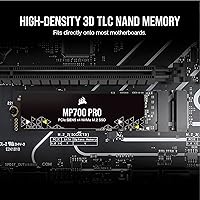
  • Form Factor: Standard M.2 2280 form factor, measuring 0.87 x 3.15 x 0.12 inches and fitting most modern desktop motherboards.
  • Sequential Read: Reaches sequential read speeds of up to 11,700 MB/s under optimal conditions.
  • NAND Type: Built with high-density 3D TLC NAND, chosen for its balance of write endurance and sustained performance.
  • Compatibility: Fully supported on Intel Z790 and AMD X670 platforms, with backward compatibility for PCIe 4.0 and 3.0 slots at reduced speeds.
  • DirectStorage: Supports Microsoft DirectStorage, enabling direct GPU asset streaming in compatible games with a DirectX 12 GPU and Shader Model 6.0.
  • Heatsink: No heatsink is included in the box; Corsair explicitly recommends adding active or passive SSD cooling before use.
  • Installation: Designed for internal desktop installation; not compatible with laptops or external enclosures using standard USB bridges.
  • Weight: The bare drive weighs just 0.289 ounces, making it negligible from a system weight standpoint.
  • Backward Compatible: Will function in PCIe 4.0 and 3.0 M.2 slots, though maximum throughput is capped by the host slot's generation.
  • Platform Type: Designed exclusively for desktop PC use with a compatible M.2 slot.
  • Release Date: First made available in November 2023, positioning it among the earlier consumer PCIe Gen5 drives on the market.

Related Reviews
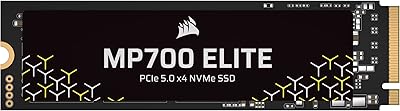
Corsair MP700 Elite 1TB PCIe 5.0 NVMe M.2 SSD
87%
94%
Performance for Gaming
92%
Speed and Data Transfer
88%
Reliability & Durability
91%
Ease of Installation
90%
Load Time Improvement
More
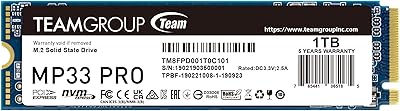
TEAMGROUP MP33 PRO 1TB NVMe SSD
88%
93%
Performance
91%
Read Speed
88%
Reliability
87%
Write Speed
85%
Installation Ease
More
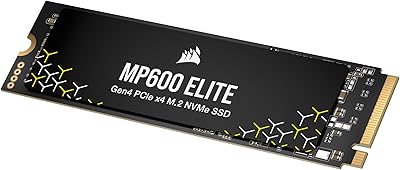
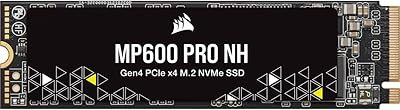
Corsair MP600 Elite 1TB NVMe SSD
87%
94%
Performance
92%
Speed (Sequential Read/Write)
88%
Durability and Endurance
72%
Thermal Management
90%
Installation Ease
More
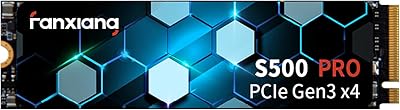
Fanxiang S500 Pro 1TB NVMe SSD
86%
88%
Performance
91%
Value for Money
85%
Reliability
92%
Read Speed
88%
Write Speed
More
Corsair MP600 PRO XT 2TB NVMe SSD
83%
94%
Sequential Read Speed
91%
Sustained Write Performance
93%
Thermal Management
88%
Build & Installation Quality
92%
Endurance & Longevity
More
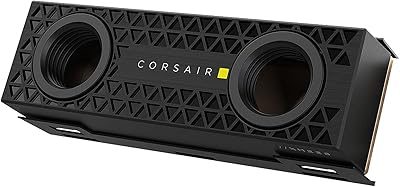
Corsair MP600 PRO NH 4TB NVMe SSD
88%
93%
Performance
91%
Speed
89%
Capacity for Heavy Workloads
85%
Build Quality
87%
Ease of Installation
More
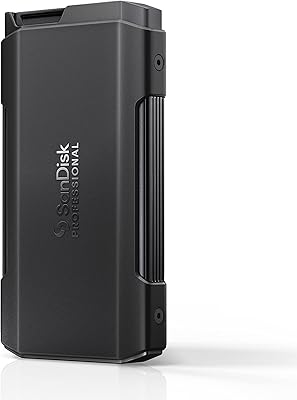
SanDisk Professional PRO-Blade Transport 1TB Portable SSD
80%
88%
Transfer Speed
74%
Sustained Performance
91%
Build Quality
86%
Durability & Ruggedness
79%
Modular Ecosystem
More
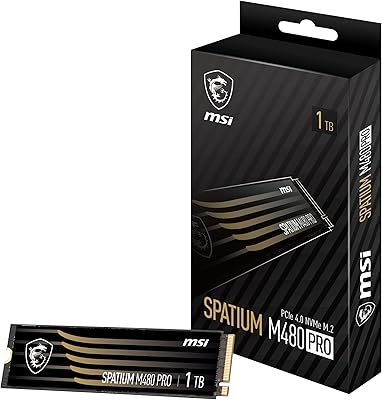
MSI SPATIUM M480 PRO 1TB NVMe M.2 SSD
89%
94%
Performance
96%
Read/Write Speeds
88%
Reliability
72%
Thermals
90%
Compatibility
More
Corsair MP600 GS 1TB PCIe Gen4 NVMe M.2 SSD
87%
94%
Performance
91%
Speed (Read/Write)
88%
Installation & Setup
89%
Compatibility
72%
Thermal Management
More
MMOMENT MP34 PRO 1TB PCIe Gen3 NVMe M.2 SSD
87%
89%
Performance
92%
Read Speed
85%
Write Speed
90%
Reliability
75%
Thermal Management
More

FAQ

Yes, you do. To get the full Gen5 throughput, your motherboard needs a PCIe 5.0-capable M.2 slot, which is currently found on Intel Z790 and AMD X670 boards and newer. If your board only has Gen4 slots, the drive will still work, but it will be capped at Gen4 speeds — which means you are paying a significant premium for performance you cannot actually use.

No, it does not. This is one of the most important things to know before buying. Gen5 drives run noticeably hotter than Gen4, and without adequate cooling the drive can throttle under sustained workloads. You will want to either use your motherboard's built-in M.2 heatsink or purchase a third-party SSD cooler before installing it.

It depends entirely on your workload and platform. If you regularly transfer very large files — think video project exports, large game installs, or bulk raw photo archives — and you're on a Gen5-capable board, the speed improvement is real and measurable. For general gaming, web browsing, or everyday computing, the difference compared to a good Gen4 drive is minimal and unlikely to justify the higher cost.

No. This is strictly a desktop internal drive. While it uses the standard M.2 2280 form factor, Gen5 NVMe support is not available in laptops at this time, and the thermal requirements alone make it impractical for slim form factor systems.

DirectStorage lets the game stream assets directly to your GPU without routing everything through the CPU first, which can significantly cut load times in supported titles. In practice though, the library of games actively using DirectStorage is still relatively small. It is a genuine forward-looking feature, but if that is your primary reason for buying, it is worth checking which specific games you play actually support it today.

TLC NAND handles repeated write cycles more gracefully than QLC, which is an important consideration for a drive you plan to use as a primary system or work drive. QLC can be faster in short bursts but tends to degrade more noticeably over time under heavy write loads. For this type of performance-focused drive, TLC is the more sensible long-term choice.

It will work — you will not damage anything. The drive is backward compatible and will simply operate at Gen4 speeds. The tradeoff is that you will be paying a premium price for a drive that delivers the same performance as a more affordable Gen4 SSD. If you plan to upgrade your platform later, it might still make sense as a long-term investment.

The drive carries a 4.7-star average across more than 440 ratings, which is a strong score for a high-end storage product. Most verified buyers highlight that benchmark results closely match Corsair's published figures, which is not always the case with storage drives. The most common criticism is around heat management, particularly for users who did not add a heatsink.

Absolutely. Whether you use it as a primary OS drive, a dedicated scratch disk for video editing, or a secondary game library drive is entirely up to you. In fact, using it as a fast scratch disk for large file operations is one of the strongest practical use cases for this level of throughput.

A small number of users have reported BIOS recognition quirks on certain boards, particularly during the initial setup. These are not widespread issues, but it is worth checking that your motherboard firmware is up to date before installing. Corsair also recommends ensuring SSD cooling is in place before the first boot to avoid any early thermal events during the initial format and write processes.

Where to Buy

B&H Photo-Video-Audio
In stock $329.99
Microless.com
In stock $229.91
Corsair.com
In stock $324.99
Grooves-Inc.com
In stock $356.89