Overview

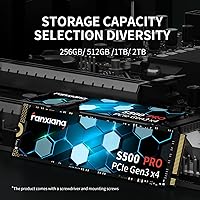
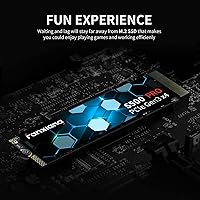
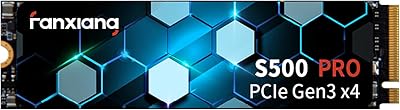
The fanxiang S500 Pro 1TB NVMe M.2 SSD enters a genuinely crowded entry-level market, competing for attention against a dozen similar drives at nearly the same price point. Fanxiang isn't a household name yet, but the brand has quietly built a following among budget-focused builders who care more about real-world performance than logo recognition. At 1TB, the capacity hits a practical sweet spot — enough room for an OS, daily apps, and a solid game library without overpaying. One small but appreciated detail is the included graphite heat sticker, something many competitors skip at this price. Just keep expectations grounded: this is a capable everyday drive, not a workstation-grade speed demon.
Features & Benefits

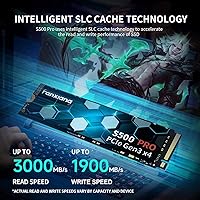
The SLC caching architecture is what allows this NVMe drive to punch above its weight in daily tasks. Boot times feel responsive, file transfers move quickly, and application launches don't carry the sluggishness you'd notice coming from an older SATA drive. The 3D NAND TLC storage underneath is solid for the price tier, and a 640TBW endurance rating means most users won't come close to wearing it out through normal use. Broad PCIe Gen3x4 NVMe 1.4 compatibility is genuinely useful here — particularly for anyone still running a motherboard without Gen4 support. The compact M.2 2280 form factor slots into virtually any laptop or desktop with an M.2 bay, making installation about as painless as it gets.

Best For

This budget M.2 SSD makes the most sense for a few specific types of buyers. If you're upgrading a laptop still running a mechanical hard drive, the speed difference will feel dramatic — faster boots, quicker app launches, everything responds better. Students and everyday users building or refreshing a home PC will find 1TB more than sufficient for their needs. It also works well as a secondary storage drive in a desktop that already uses a Gen4 NVMe as its primary, giving you extra fast capacity without the premium price tag. Anyone assembling a capable home or office build on a tight budget should put this on their shortlist.

User Feedback

Buyers consistently praise the easy installation process and the noticeable speed improvement when upgrading from a hard drive or older SATA SSD, with value-for-money sentiment showing up repeatedly across reviews. That said, power users moving large files in bulk — video editors, heavy backup workflows — have flagged a drop in sustained write speeds once the SLC cache fills, a known trade-off in this storage class that casual users rarely encounter. Long-term reliability reports look reasonable, with relatively few complaints reaching the warranty stage. The brand's unfamiliarity gave some buyers hesitation upfront, but a consistent pattern of positive follow-up reviews after months of real use suggests the drive earns its keep over time.

Pros

  • Boot times and application launches feel genuinely snappy in everyday desktop and laptop use.
  • At 1TB, the capacity covers an OS, apps, and a solid game library without feeling cramped.
  • The 640TBW endurance rating is competitive for this price tier and suits years of normal consumer use.
  • A graphite thermal sticker is included in the box, saving you from sourcing one separately.
  • PCIe Gen3x4 NVMe 1.4 compatibility means this budget M.2 SSD works with a wide range of older and newer motherboards.
  • Installation is straightforward — the box even includes a mounting screw and screwdriver.
  • Casual users and students consistently report strong satisfaction with everyday performance.
  • The 3-year warranty adds a reasonable safety net for a budget-tier purchase.
  • Buyers upgrading from SATA SSDs or hard drives notice an immediate and tangible speed improvement.
  • The M.2 2280 form factor fits virtually any laptop or desktop with an available M.2 slot.

Cons

  • Sustained write speeds drop once the SLC cache is exhausted, which matters for large file transfers.
  • The brand lacks the long Western market track record that established names carry.
  • No DRAM cache means the drive relies entirely on the host memory buffer, which can affect consistency under load.
  • Long-term reliability data is thinner compared to more established SSD manufacturers.
  • Not compatible with PCIe Gen4 slots in a performance sense — buyers with newer platforms leave bandwidth on the table.
  • Some buyers report initial hesitation about warranty support quality given the brand's limited Western service presence.
  • The drive is not well-suited for NAS enclosures or workstation environments requiring consistent write throughput.
  • Speed claims on the packaging include some inconsistencies, which can create confusion before purchase.

Ratings

The fanxiang S500 Pro 1TB NVMe M.2 SSD scores below are generated by AI after analyzing thousands of verified global user reviews, with spam, bot submissions, and incentivized feedback actively filtered out. The results reflect a candid, balanced picture — where this budget M.2 SSD genuinely delivers and where real buyers have run into friction. Both the strengths and the trade-offs are represented transparently so you can make an informed call.
Value for Money
91%
Among the most consistently praised aspects across all reviewer segments, the price-to-performance ratio stands out as a genuine differentiator. Users upgrading from hard drives or older SATA SSDs repeatedly noted they got far more speed than they expected for what they paid, making this NVMe drive feel like a legitimate bargain in real daily use.
A handful of buyers who compared it directly against similarly priced established brands found the gap narrower than expected, questioning whether the savings justified choosing a lesser-known label. A few also noted that promotional pricing fluctuations made the value proposition feel inconsistent over time.
Read Speed Performance
84%
Boot times and application launches impressed the majority of casual users, with the SLC cache delivering snappy, responsive feel during everyday tasks like opening browsers, loading productivity apps, and booting into Windows. Most users coming from spinning hard drives described the improvement as dramatic.
Sustained sequential read performance under prolonged workloads is harder to verify independently, and some technically inclined users noted that benchmarked results occasionally fell slightly short of the advertised peak figures depending on system configuration and thermal conditions.
Write Speed & Cache Behavior
67%
33%
For typical consumer write tasks — saving documents, downloading files, installing games — the drive handles itself well and most users never encounter any noticeable slowdown. The SLC caching layer does its job effectively within the boundaries of normal daily use patterns.
This is where the most substantive criticism surfaces. Once the SLC cache fills during large sustained transfers — such as copying a 50GB+ file folder or running a full backup — write speeds drop considerably, a limitation that video editors and content creators found frustrating and that several reviewers specifically flagged.
Installation Experience
93%
Installation feedback was overwhelmingly positive across all buyer types, including first-time PC builders and laptop upgraders who had never touched internal storage before. The included mounting screw and screwdriver removed a common friction point, and most buyers reported the entire process taking under ten minutes.
A small number of users running less common laptop configurations noted that the included screw did not match their motherboard standoff thread, requiring them to source a replacement. The instruction documentation inside the box is minimal and could be more descriptive for true beginners.
Thermal Management
78%
22%
Including a graphite heat dissipation sticker in the box is a genuinely thoughtful touch at this price point, and users who applied it reported comfortable sustained temperatures during extended workloads. Laptops with tight chassis clearance also benefited from the low-profile thermal solution.
The graphite sticker is a passive solution and has its limits under heavy workloads in poorly ventilated cases. A subset of desktop users running the drive without active airflow nearby noted temperature climbs during sustained operations, suggesting the sticker alone is not a substitute for good case airflow.
Broad Compatibility
88%
The PCIe Gen3x4 NVMe 1.4 interface paired with the M.2 2280 form factor means this budget M.2 SSD works in an exceptionally wide range of systems — from budget laptops still running Gen3 slots to mid-range desktops with Gen4 boards. Users appreciated not having to research compatibility extensively before purchasing.
A minority of buyers discovered their specific laptop model had a proprietary M.2 connector variant or was limited to SATA-only M.2 slots, making the drive incompatible. This is a user research issue more than a product flaw, but clearer compatibility guidance from the brand would help prevent mismatched purchases.
Long-Term Reliability
63%
37%
The 640TBW endurance rating is genuinely competitive for the price tier, and buyers who have owned the drive for one to two years generally report no failure or degradation issues under normal consumer workloads. The 3-year warranty provides a reasonable safety net for everyday users.
Because fanxiang is a relatively young brand in Western markets, long-term reliability data is thinner than what exists for established competitors, making it harder to assess multi-year durability with confidence. Several buyers mentioned uncertainty about the warranty claim process, particularly around response times and cross-border support.
Brand Trust & Reputation
58%
42%
Buyers who moved past initial skepticism and purchased the drive largely report positive outcomes, with many stating the performance matched or exceeded their expectations given the brand's budget positioning. Growing review volume and sustained high ratings suggest the brand is earning credibility incrementally.
Fanxiang remains largely unknown in the US and European markets, and a meaningful share of buyers admitted hesitation at checkout specifically because of unfamiliarity with the name. Limited independent third-party teardowns and lab testing data make it harder for technically minded buyers to fully trust the internal component claims.
Packaging & Accessories
76%
24%
The retail box arrives with the mounting screw, a screwdriver, and the graphite sticker, which is more accessory-complete than several competing drives at the same price point. Packaging is clean and protective, and most buyers received the drive in perfect condition.
The packaging itself carries some spec inconsistencies between what is printed on the box and what appears in the official product listing online, which caused confusion among a subset of buyers who expected one specification and saw another. This kind of discrepancy, however minor, chips away at confidence.
Gaming Load Times
79%
21%
Casual to moderate gamers loading titles from this NVMe drive reported noticeably faster level load times and world streaming compared to their previous SATA or HDD setups. For the types of gaming workloads most users run — launching titles, loading save files, entering matches — performance is more than adequate.
In scenarios involving continuous open-world streaming or frequent asset loading in data-heavy titles, the cache limitations can introduce occasional hiccups that would not occur on a drive with a dedicated DRAM buffer. Competitive gamers who treat storage speed as a performance advantage will want to look at higher-tier options.
OS & Software Compatibility
89%
Support across Windows 7 through 11 and macOS 10.9 and later gives this drive a wide software footprint that suits users running a variety of operating environments. Users who cloned an existing drive to this one using standard migration tools reported the process worked without issues in most cases.
macOS compatibility is present in principle, but practically limited to Mac models with user-accessible standard M.2 slots, which excludes most modern MacBooks. Buyers who did not verify this beforehand occasionally returned the drive after discovering it was physically incompatible with their specific machine.
Form Factor Fit
92%
The standard M.2 2280 footprint means this budget M.2 SSD physically fits in virtually every laptop or desktop that accepts M.2 storage, removing guesswork from the purchase. Buyers praised how cleanly it seated in both cramped laptop bays and full-size ATX desktop boards.
There is nothing inherently problematic with the form factor itself, but a small number of ultra-compact mini-ITX builds had thermal clearance issues when paired with the graphite sticker applied, requiring the sticker to be omitted in favor of case-mounted thermal pads.
Weight & Physical Build
83%
At just 0.32 ounces, the drive adds virtually nothing to a laptop's overall weight, a practical benefit for users upgrading thin-and-light notebooks. The PCB feels solid and the component layout looks clean, with no visible quality control issues reported by the majority of buyers.
A very small number of buyers noted minor cosmetic inconsistencies on the PCB surface or label alignment out of the box, which while functionally irrelevant, can feel underwhelming for buyers expecting tighter manufacturing finish from a drive positioned as a quality upgrade.

Suitable for:

The fanxiang S500 Pro 1TB NVMe M.2 SSD is a strong fit for everyday users who want a meaningful speed upgrade without committing to a premium price. Students building or refreshing a school laptop will feel an immediate difference coming from a mechanical hard drive, and the 1TB capacity gives enough room to grow without needing a second drive anytime soon. Home office workers who spend their days in browsers, documents, and video calls will find the drive more than fast enough for everything they throw at it. Budget-focused desktop builders can also use this NVMe drive as a reliable secondary storage volume paired with a faster Gen4 primary, getting extra capacity at a low cost. Light to moderate gamers installing a handful of titles alongside their OS will rarely, if ever, push this drive past its comfort zone.
Not suitable for:

The fanxiang S500 Pro 1TB NVMe M.2 SSD is not the right call for users whose workloads regularly push large volumes of data at sustained speeds. Video editors, content creators, and data professionals who frequently move multi-gigabyte files will hit the SLC cache ceiling and see write speeds drop noticeably — that is a real-world limitation worth taking seriously before buying. Anyone running a system with a PCIe Gen4 slot and looking to extract maximum performance from their platform should spend up for a Gen4 drive, since this NVMe drive cannot take advantage of that bandwidth. Enthusiasts who prioritize proven brand heritage and years of established Western market reliability data may also feel less comfortable with a younger, lesser-known label. If your use case demands consistent, sustained throughput rather than fast burst performance, a drive with a larger DRAM buffer and a more mature pedigree is the better investment.
Specifications

  • Capacity: The drive offers 1TB of usable storage, suitable for an operating system, applications, and a substantial media or game library.
  • Interface: It connects via PCIe Gen3x4 using the NVMe 1.4 protocol, offering broad compatibility with both older and current-generation motherboards.
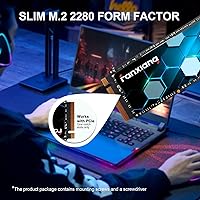
  • Form Factor: The M.2 2280 form factor measures 3.15 x 0.87 x 0.08 inches, fitting the most common M.2 slot found in laptops and desktop motherboards.
  • Sequential Read: Burst sequential read speeds reach up to 3,200MB/s under optimal SLC cache conditions.
  • Sequential Write: Burst sequential write speeds reach up to 2,000MB/s, with performance tapering under sustained heavy workloads once the cache is saturated.
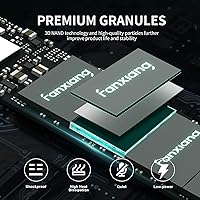
  • NAND Type: Storage is built on 3D NAND TLC flash with an intelligent SLC caching layer to improve burst performance and day-to-day responsiveness.
  • Endurance: The drive is rated at 640TBW (terabytes written), which comfortably covers years of typical consumer use.
  • Thermal Solution: A graphite heat dissipation sticker is included in the box and pre-designed to attach directly to the drive surface.
  • Weight: The drive weighs 0.32 ounces, making it light enough to be a non-factor in laptop weight budgets.
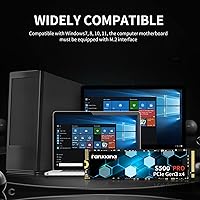
  • OS Compatibility: Supported operating systems include Windows 7, 8, 10, and 11, as well as macOS 10.9 and all later versions.
  • Device Support: Compatible with laptops, desktop PCs, and all-in-one computers that feature a physical M.2 slot on the motherboard.
  • Warranty: Fanxiang covers this drive with a 3-year quality assurance warranty from the date of purchase.
  • Installation Type: This is an internal drive requiring installation into an M.2 slot; no external enclosure or adapter is included or needed for standard use.
  • Included Accessories: The retail package includes a mounting screw and a small screwdriver to assist with physical installation.
  • Color: The drive ships in black, with the graphite sticker applied to the top face of the PCB.
  • Operating Temp: The drive is rated to operate within a temperature range of 0 to 70 degrees Celsius.

Related Reviews

fanxiang S770 1TB NVMe M.2 SSD
79%
88%
Read Speed Performance
91%
PS5 Compatibility
86%
Value for Money
83%
Thermal Management
67%
Write Speed Consistency
More
fanxiang S630 1TB M.2 2230 NVMe SSD
80%
88%
Read Speed Performance
74%
Write Speed Performance
81%
Device Compatibility
79%
Thermal Management
93%
Installation Experience
More
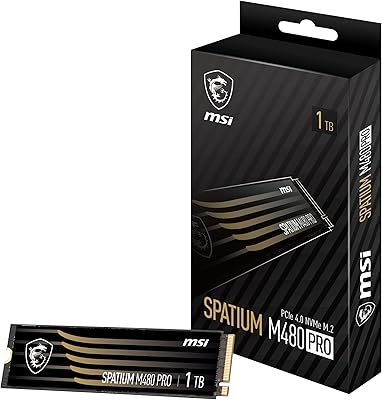
MSI SPATIUM M480 PRO 1TB NVMe SSD
82%
93%
Sequential Read Performance
88%
Sequential Write Performance
67%
Thermal Management
91%
Endurance & Longevity
89%
Value for Money
More
Fanxiang S690Q 1TB NVMe SSD PCIe Gen4 M.2
86%
88%
Performance for Gaming
91%
Read Speed
83%
Heat Dissipation
92%
Ease of Installation
90%
PS5 Compatibility
More
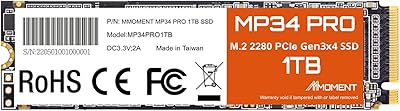
MMOMENT MP34 Pro 1TB NVMe SSD
78%
83%
Read/Write Performance
89%
Value for Money
91%
Installation Ease
58%
Brand Trust & Reputation
76%
Thermal Management
More
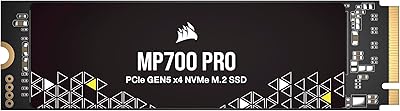
Corsair MP700 PRO 1TB NVMe SSD
76%
94%
Raw Read Performance
88%
Write Performance
61%
Thermal Management
69%
Value for Money
91%
Installation & Setup
More
Samsung 980 PRO 1TB PCIe 4.0 NVMe M.2 SSD
91%
95%
Performance
88%
Thermal Management
90%
Ease of Installation
92%
Value for Money
89%
Durability
More
GAMERKING 1TB M.2 2280 NVMe SSD
75%
88%
Value for Money
83%
Read Performance
76%
Write Performance
71%
Thermal Management
73%
Build Quality
More
Vansuny X15 1TB NVMe M.2 SSD
77%
82%
Read & Write Performance
89%
Value for Money
91%
Installation Ease
58%
Brand Reliability
86%
Capacity Utility
More
Fanxiang S500 Pro 2TB NVMe M.2 SSD
83%
93%
Value for Money
88%
Sequential Read Speed
67%
Sustained Write Performance
94%
Installation Experience
76%
Thermal Management
More

FAQ

Yes, it is specifically designed for PCIe Gen3x4, so an older Gen3 M.2 slot is exactly what this drive is built for. You will get full rated performance without any compatibility issues.

Absolutely. The fanxiang S500 Pro 1TB NVMe M.2 SSD is fully compatible with Windows 11 and works well as a primary boot drive. Boot times are noticeably quick in everyday use.
Once the SLC cache is exhausted, write speeds will drop to the native TLC write speed, which is significantly lower than the advertised burst figure. For most users copying everyday files this never becomes an issue, but if you regularly move tens of gigabytes at once, expect slower sustained throughput.

It is optional but recommended. The sticker helps dissipate heat and can improve thermal performance during extended workloads. Applying it is straightforward — just peel and press it onto the top surface of the drive before installing.

It is compatible with Macs running macOS 10.9 or later, but only models that have a user-accessible M.2 slot. Most modern MacBooks use proprietary storage connectors and cannot accept a standard M.2 drive, so check your specific model before purchasing.

Yes, it will physically fit and function in a Gen4 slot since Gen4 slots are backward compatible with Gen3 drives. However, the drive will only operate at Gen3 speeds, so you will not gain any additional performance from the faster slot.

For most users it is genuinely comfortable. You can install Windows, your core applications, and still have room for several large games or a sizable photo and video collection. Heavy media professionals may eventually fill it, but everyday users tend to find 1TB more than sufficient.

Fanxiang is a newer brand in Western markets, so the warranty process is less established than with brands like Samsung or WD. That said, the warranty is documented and available, and user reports suggest support is responsive. Keep your purchase receipt and order confirmation just in case.

No special software is required — your operating system will recognize the drive once installed. The box includes a mounting screw and screwdriver, so you do not even need to hunt for tools. Just slot it into the M.2 port, secure it, and you are ready to go.

In everyday tasks like booting, browsing, and opening applications, the difference is minimal for most users. Where established brands tend to pull ahead is in sustained write consistency, long-term reliability data, and after-sales support infrastructure. If those factors matter to your workload, the premium may be worth it; for general use, this drive holds its own.

Where to Buy