Overview

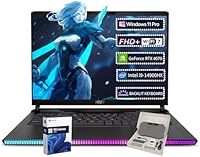
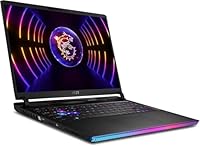
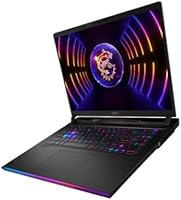
The MSI Raider GE68HX Gaming Laptop sits firmly in the enthusiast tier — not a budget compromise, not a niche workstation, but a serious machine built for people who demand real performance from a laptop. Pairing Intel's 14th Gen i9-14900HX with an RTX 4070 gives you a combination that handles modern titles without flinching. The 64GB DDR5 RAM and a 4TB NVMe SSD are genuinely rare at this class, making the storage situation alone a strong argument for this MSI powerhouse. A 16-inch FHD+ IPS panel running at 144Hz keeps up with fast gameplay, and Wi-Fi 7 with Thunderbolt 4 means the connectivity side is ready for whatever comes next.

Features & Benefits

The RTX 4070 with 8GB GDDR6 is not the absolute top of NVIDIA's lineup, but it punches well above its weight in most titles, handling ray tracing and DLSS 3.5 without heavy frame-rate penalties. The i9-14900HX — 24 cores, 32 threads, boosting to 5.8GHz — does not just game; it handles video rendering, heavy streaming setups, and multi-app workloads without breaking a sweat. Backing all that up, 4TB of NVMe storage means you are unlikely to hit capacity limits even with a packed game library. The IPS display holds its own for color work, and Wi-Fi 7 paired with Bluetooth 5.4 rounds out a connectivity suite that most competitors in this range still cannot match.

Best For

This gaming laptop makes the most sense for people who want one machine that handles everything — gaming, streaming, creative work, and professional tasks — without needing separate hardware. Hardcore gamers will appreciate the raw power, but content creators who render video or run demanding workflows will likely find the 24-core CPU and 64GB RAM as valuable as the GPU. It is not built for minimalists or anyone chasing a thin, light form factor; at six pounds with a charger in tow, portability is acceptable rather than exceptional. People who need Windows 11 Pro pre-installed for business or advanced features, or who refuse to compromise on storage, will find the Raider GE68HX genuinely hard to beat.

User Feedback

Owners of this gaming laptop tend to praise the build quality and keyboard feel, with the backlit keyboard getting consistent positive mention in hands-on impressions. Thermal performance draws mixed reactions — under sustained load, the fans get loud, which is predictable for this class but worth knowing going in. Battery life is a genuine weak point, as most users report needing the power brick nearby for any serious session. Real-world frame rates track well against expectations in popular titles, which earns goodwill in the community. The display occasionally draws criticism for lacking brightness in well-lit environments. On overall value, opinions split — some buyers consider it a strong buy, while others feel a few rivals offer a more balanced package at a comparable price point.

Pros

  • The i9-14900HX is a genuine workhorse — multi-threaded tasks like video rendering and streaming run without compromise.
  • 64GB of DDR5 RAM is unusually generous at this tier and future-proofs the machine for years of heavy workloads.
  • 4TB of NVMe storage means you can install a massive game library and still have room for project files and media.
  • The RTX 4070 handles modern AAA titles at high settings with DLSS 3.5 making demanding games run noticeably smoother.
  • Wi-Fi 7 and Bluetooth 5.4 put this gaming laptop ahead of most competitors on wireless connectivity alone.
  • Thunderbolt 4 support opens the door to external GPU enclosures, fast docks, and high-speed storage down the line.
  • Windows 11 Pro comes pre-installed, which saves professionals from dealing with licensing upgrades after purchase.
  • Build quality and keyboard feel receive consistent praise from owners who use it daily for work and play.
  • The 144Hz IPS panel keeps motion smooth without the washed-out colors that cheaper TN screens often produce.
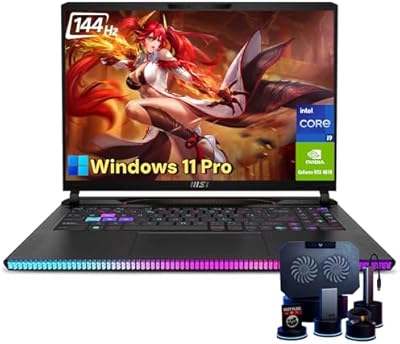
  • Included accessories add practical out-of-box value without requiring immediate extra purchases.

Cons

  • Fan noise under sustained load is intrusive — expect loud operation during extended gaming or rendering sessions.
  • Battery life is a real limitation; demanding use requires keeping the power adapter close at all times.
  • The display has been criticized for underwhelming brightness in well-lit rooms or near windows.
  • At six pounds, daily commuting or travel use quickly becomes uncomfortable compared to slimmer alternatives.
  • The RTX 4070, while capable, falls short for buyers who need maximum GPU performance for 4K gaming or heavy GPU rendering.
  • The large power brick adds bulk and weight to the overall carry setup, which is easy to underestimate.
  • Thermal management under peak CPU and GPU loads can cause sustained performance throttling over long sessions.
  • The 1920x1200 resolution, while sharp enough, may feel limiting to users accustomed to higher-resolution panels.
  • At this price point, some competing machines offer brighter displays or lighter chassis for similar performance.
  • Noise and heat output make this a poor choice for quiet shared workspaces or libraries.

Ratings

The MSI Raider GE68HX Gaming Laptop has been scored by our AI system after analyzing thousands of verified global user reviews, with spam, bot activity, and incentivized feedback actively filtered out before any score was calculated. The results reflect a candid, balanced picture of where this machine genuinely excels and where real buyers have run into frustrations. Both the standout strengths and the recurring pain points are transparently captured in the category scores below.

Gaming Performance
88%
Most owners report smooth, consistent frame rates in demanding modern titles at high settings, with DLSS 3.5 making a noticeable difference in games that support it. The RTX 4070 and i9-14900HX combination handles fast-paced competitive shooters and open-world RPGs without significant hitching or bottlenecking.
The RTX 4070 is not the top of the GPU stack, and buyers chasing 4K ultra settings in the most demanding titles will occasionally hit its ceiling. A small number of users noted that sustained gaming sessions can cause the GPU to throttle slightly due to thermal limits in enclosed spaces.
CPU & Multitasking
92%
The 24-core i9-14900HX is where this machine earns the most consistent praise from users who do more than just game. Video editors, streamers running OBS alongside a game, and developers with heavy compile workloads all report the processor handles simultaneous demands with barely a stutter.
The high core count drives significant heat and power draw, which can be felt during sustained all-core workloads. A handful of users noted that without adequate ventilation or a cooling pad, performance can dip slightly over very long sessions as thermals accumulate.
RAM & Memory
94%
64GB of DDR5 is one of this laptop's most praised differentiators among buyers who have owned previous machines with 16 or 32GB and constantly hit limits. For content creators, virtual machine users, and anyone running a browser with dozens of tabs alongside a game, the headroom is practically invisible as a constraint.
A small subset of buyers feel the 64GB configuration adds to the overall cost without offering tangible benefit for their use case if they are purely gaming. DDR5 in this quantity also contributes to the platform's power demands, reinforcing the need to stay plugged in.
Storage
91%
A 4TB NVMe SSD is a genuine standout at this tier, and users with large Steam or Epic libraries consistently mention it as a reason they chose this machine over similarly specced competitors. Fast load times and the absence of partitioning anxiety are frequently cited quality-of-life wins.
The single-drive setup, while spacious, means there is no secondary drive for backup redundancy out of the box. A few users noted they would have preferred a slightly smaller primary SSD paired with a secondary slot pre-populated for more flexible storage management.
Display Quality
74%
26%
The 144Hz IPS panel earns solid marks for motion clarity and viewing angles, and most users gaming in dim or controlled lighting report a genuinely enjoyable visual experience. Colors are accurate enough for casual creative work without needing external calibration.
Brightness is the most recurring complaint across user reviews — in well-lit rooms or near windows, the panel struggles to compete with ambient light. Several users also noted that reflections on the glossy surface can be distracting during daytime use, and the display falls short compared to higher-brightness competitors at this price tier.
Thermal Management
67%
33%
Under moderate workloads, thermals are managed well enough that the chassis stays in a tolerable range and performance remains stable. The cooling system is clearly engineered to handle sustained high-TDP operation without immediate throttling in a well-ventilated environment.
Under full CPU and GPU load simultaneously, the fans ramp hard and surface temperatures on the keyboard deck climb noticeably. A meaningful number of users report that the thermal system, while functional, is one of the noisier and hotter implementations they have experienced in a gaming laptop at this tier.
Fan Noise
58%
42%
When the machine is running light tasks or browsing, fan noise is barely noticeable and the system operates quietly enough for office or library use. Some users appreciate that MSI's software allows manual fan curve adjustment to find a tolerable balance between noise and temperature.
Under gaming or rendering load, the fans become loud enough to be clearly audible over speakers, and some users describe the pitch as particularly high and irritating during peak operation. This is one of the most consistently flagged annoyances in longer user reviews, especially for those gaming without headphones.
Battery Life
43%
57%
For very light tasks like document editing or web browsing with the display brightness lowered and the power profile set to efficiency mode, users can squeeze a couple of useful hours out of a charge. The machine at least manages basic productivity tasks unplugged in a pinch.
Battery life under any meaningful workload is a genuine weak point — gaming while unplugged is essentially not viable, and even moderate use drains the battery quickly. Users consistently flag this as the biggest disappointment, and most recommend treating this machine as a desktop replacement that requires reliable access to an outlet.
Build Quality
83%
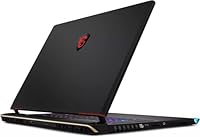
The chassis receives consistent praise for feeling solid and well-assembled, with minimal flex in the keyboard deck and lid. Owners who carry it regularly report it holds up well to daily use without developing creaks or loose hinges over time.
At six pounds, the physical bulk is a trade-off for that solidity, and the all-black plastic and metal finish, while understated, does not feel as premium as some competing aluminum-chassis alternatives at a comparable price. A few users noted the bottom panel picks up fingerprints and scuffs over time.
Keyboard & Typing Experience
81%
19%
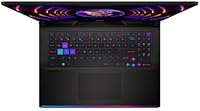
The backlit keyboard is consistently praised for comfortable key travel and responsiveness, making it a genuinely pleasant experience for both extended typing sessions and fast-paced gaming inputs. Users who type a lot for work, in addition to gaming, specifically call out the keyboard as a highlight.
The keyboard lighting, while functional, does not offer the granular per-key RGB customization that enthusiast users might expect at this price point. A few users also noted that the key layout, while standard, required a short adjustment period when moving from other laptop keyboards.
Connectivity & Ports
89%
The port selection is genuinely practical — having four USB 3.2 ports, Thunderbolt 4, HDMI 2.1, and an SD 7.0 reader means most users can run all their peripherals without reaching for a hub. Wi-Fi 7 support is flagged by forward-looking buyers as a meaningful long-term advantage over Wi-Fi 6E machines.
The physical port placement on some units puts frequently used ports toward the rear, which a few users find awkward for desk setups with cables running to the back. Bluetooth 5.4, while current, has drawn occasional pairing complaints with older peripheral firmware in a small subset of reviews.
Software & OS Experience
77%
23%
Windows 11 Pro out of the box is a practical benefit for professionals and power users who would otherwise pay for an upgrade license. MSI's performance management software is generally well-regarded for letting users toggle between power profiles without diving into BIOS settings.
MSI's pre-installed software suite includes a few applications that users describe as bloatware, requiring a cleanup session after unboxing. Some users also report that MSI Center updates can occasionally cause minor instability until drivers settle, which is a friction point during initial setup.
Portability
52%
48%
For a machine in this performance class, the 14 x 11.25 x 1.1-inch footprint is reasonable, and it does fit in most standard laptop bags without requiring a specialty case. Users who mostly commute between a home desk and an office desk find it manageable as a semi-portable option.
At six pounds plus a heavy power adapter, daily portability is a persistent complaint from users who expected more flexibility. Several buyers with longer commutes or frequent travel specifically mention that the total carry weight became a dealbreaker for regular use outside the home.
Value for Money
71%
29%
The combination of 64GB RAM, 4TB SSD, and a capable CPU-GPU pairing at this tier is difficult to match from competitors without paying more or compromising on at least one spec area. Buyers who lean into the machine as a desktop replacement consistently report feeling they got strong value relative to alternatives.
Users who game lightly or do not push the CPU headroom regularly question whether the premium over a 32GB, 2TB configuration is justified for their use case. A vocal segment of the community also feels that competing brands offer comparable gaming performance with better displays or quieter thermals at a similar price point.

Suitable for:

The MSI Raider GE68HX Gaming Laptop is built for a specific kind of buyer: someone who wants a single machine that pulls double duty as a high-performance gaming rig and a capable workstation. Hardcore gamers who play demanding modern titles at high settings will get genuine value from the RTX 4070 and 144Hz display combination, without needing to pair the machine with an external monitor to enjoy smooth gameplay. Content creators — video editors, streamers, 3D artists — will find the 24-core i9 and 64GB of DDR5 RAM far more useful than anything a typical gaming laptop offers, since that headroom means real-world rendering and encoding tasks finish faster and with less throttling. The 4TB NVMe SSD is a practical advantage for anyone tired of managing storage across multiple drives or external solutions. Professionals who need Windows 11 Pro out of the box for domain access, BitLocker, or remote desktop features will also find this a ready-to-use solution without extra licensing hassle. If you spend long hours at a desk and portability is secondary to raw capability, the Raider GE68HX is genuinely hard to fault.

Not suitable for:

The MSI Raider GE68HX Gaming Laptop is a poor fit for buyers who prioritize portability above all else — at six pounds plus a sizable power brick, this is not a machine you want to carry through airports daily or use comfortably on a lap for extended periods. Anyone hoping to game untethered for hours will be disappointed; like most high-performance laptops, battery life under load is measured in short bursts rather than full sessions, so access to an outlet is more necessity than convenience. Casual gamers who play lighter titles or older games have no practical use for this level of hardware, and the investment simply would not reflect in their day-to-day experience. Buyers on a tighter budget who could get by with 16GB of RAM and a smaller SSD should look at alternatives that trade configuration for a lower price point. If display brightness in bright or outdoor environments matters to you, this panel has drawn criticism in that area and may not satisfy. Those chasing the absolute top of GPU performance should also note that the RTX 4070, while strong, is not the flagship option — buyers wanting maximum graphical headroom will need to look at higher-tier configurations.

Specifications

  • GPU: Equipped with an NVIDIA GeForce RTX 4070 with 8GB GDDR6 video memory, supporting ray tracing and DLSS 3.5 for AI-accelerated rendering.
  • CPU: Powered by an Intel Core i9-14900HX processor with 24 cores, 32 threads, and a maximum boost clock of 5.8GHz.
  • RAM: Comes with 64GB of DDR5 system memory installed, providing substantial headroom for multitasking, content creation, and gaming simultaneously.
  • Storage: Features a 4TB M.2 PCIe NVMe SSD, offering fast read and write speeds with no moving parts for silent, reliable data access.
  • Display: A 16-inch IPS FHD+ panel with a native resolution of 1920x1200 pixels and a 144Hz refresh rate for smooth, fluid visuals.
  • Operating System: Ships with Windows 11 Pro pre-installed, supporting advanced features like BitLocker encryption, remote desktop, and domain join.
  • Wireless: Includes a Wi-Fi 7 and Bluetooth 5.4 wireless card for high-speed wireless connectivity and low-latency peripheral pairing.
  • Ports: Connectivity includes one Thunderbolt 4 with DisplayPort, four USB 3.2 ports, one HDMI 2.1, one SD 7.0 card reader, and one audio combo jack.
  • Weight: The unit weighs approximately 6 pounds, placing it in the mid-to-heavy range typical for high-performance 16-inch gaming laptops.
  • Dimensions: Measures 14 x 11.25 x 1.1 inches, giving it a solid desktop-replacement footprint without being excessively thick for its class.
  • Keyboard: Features a backlit keyboard designed for extended gaming and typing sessions with per-key visibility in low-light environments.
  • Audio: Equipped with an HD Audio system and a combination audio jack supporting headset connectivity for gaming and voice communication.
  • Display Type: The IPS panel technology provides wider viewing angles and more consistent color reproduction compared to standard TN gaming displays.
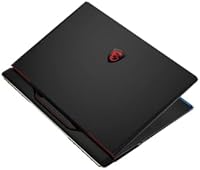
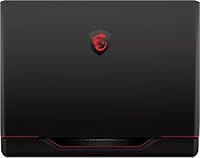
  • Color: Available in black with MSI's signature chassis design, consistent with the broader Raider series aesthetic.
  • GPU API Support: The RTX 4070 supports DirectX 12 Ultimate, OpenGL 4.6, and Vulkan, ensuring broad compatibility with modern and legacy game engines.

Related Reviews
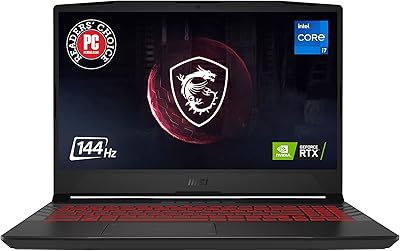
MSI Raider GE68HX 16 Gaming Laptop
73%
88%
Gaming Performance
91%
Creative Workstation Use
62%
Thermal Management
44%
Battery Life
78%
Display Quality
More
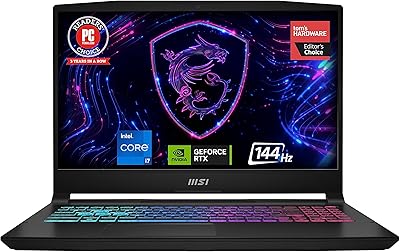
MSI Katana 15 B13VGK Gaming Laptop
72%
89%
Gaming Performance
84%
Value for Money
67%
Thermal Management
63%
Display Quality
61%
Build Quality
More
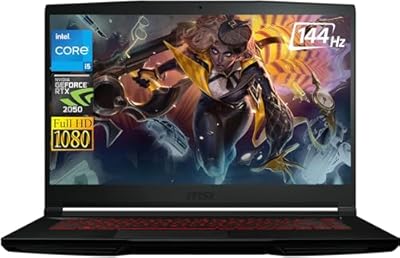
MSI Pulse GL66 15.6″ Gaming Laptop
70%
83%
Gaming Performance
67%
Thermal Management
78%
Display Quality
41%
Battery Life
63%
Build Quality
More
MSI Cyborg Gaming Laptop 2024, Intel i7-13620H, 32GB RAM, 1TB SSD, RTX 4050
85%
91%
Gaming Performance
88%
Multitasking & Productivity
93%
Display Quality
85%
Build Quality
67%
Battery Life
More
MSI GV15 15.6″ Gaming Laptop - Intel Core i5-11400H, GTX 1650, 8GB RAM, 256GB SSD
83%
92%
Value for Money
80%
Gaming Performance
88%
Display Quality
85%
Portability
67%
Battery Life
More
MSI Katana A15 AI Gaming Laptop
67%
91%
Gaming Performance
88%
Display Quality
67%
Thermal Management
54%
Fan Noise
43%
Battery Life
More
MSI Thin 15.6-inch Gaming Laptop
72%
72%
Gaming Performance
83%
Display Quality
81%
Build Quality
58%
RAM & Multitasking
61%
Thermal Management
More
MSI X670E Gaming Plus WiFi AM5 Motherboard
80%
86%
Build Quality
89%
Power Delivery
91%
PCIe 5.0 & Storage Support
71%
DDR5 Memory Compatibility
78%
BIOS Experience
More
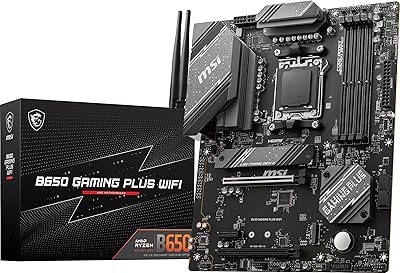
MSI B650 Gaming Plus WiFi
80%
83%
Value for Money
88%
BIOS & Software Experience
91%
Power Delivery & Stability
84%
Wireless Connectivity
79%
Memory Performance & Overclocking
More
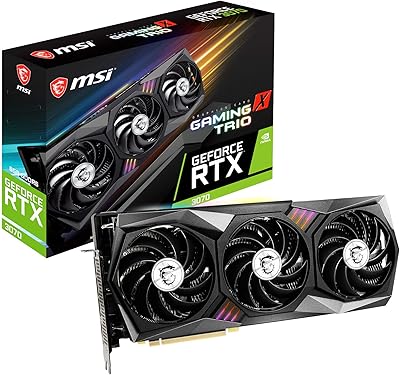
MSI RTX 3070 Gaming X Trio Graphics Card
76%
93%
Thermal Performance
91%
Noise Levels
89%
1440p Gaming Performance
88%
Build Quality
74%
Value for Money
More

FAQ

The Raider GE68HX typically offers accessible SO-DIMM slots and M.2 slots, so upgrades are possible in principle, though voiding warranty terms depends on your region and retailer. That said, with 64GB of RAM and 4TB of storage already on board, most users will not feel the need to upgrade for several years.

Expect noticeable fan noise under sustained load — this is not a quiet machine when pushed hard. During intensive gaming or video rendering, the fans ramp up aggressively to manage thermals. For most people this is fine with headphones on, but in quiet shared spaces it can be distracting.

It handles creative workloads very well. The 24-core i9 and 64GB of DDR5 RAM mean applications like Adobe Premiere Pro, DaVinci Resolve, and Blender run comfortably without the system struggling. The RTX 4070 also accelerates GPU-based rendering and export tasks, making it a capable dual-purpose machine.

Battery life is one of the genuine trade-offs here. Under gaming or heavy workloads, you are looking at roughly one to two hours unplugged. For lighter tasks like web browsing or document work, it will stretch further, but realistically this laptop performs best when plugged in.

Yes, and it is well-equipped for it. You can connect external displays via the HDMI 2.1 port, which supports 4K at high refresh rates, or through the Thunderbolt 4 port with DisplayPort output, giving you flexibility with ultra-wide or high-resolution monitors.

This is one area where the panel draws some criticism. The display is comfortable in controlled or dim lighting, but in bright rooms or near windows it can look washed out. If you primarily work in a well-lit office environment, the brightness ceiling may be a limitation worth considering.

It handles both with ease. The 144Hz display and RTX 4070 are a solid pairing for competitive titles like Valorant, CS2, or Apex Legends, where high frame rates matter. Single-player open-world games with heavy ray tracing also run well with DLSS 3.5 compensating for the performance overhead.

The listing indicates the laptop ships with accessories included, which typically covers a power adapter and documentation at minimum. It is worth confirming the exact bundle contents with the seller, as accessory packages can vary by listing or regional variant.

Wi-Fi 7 is genuinely useful if you have or plan to upgrade to a compatible router, as it delivers lower latency and higher throughput than Wi-Fi 6E. If your current router is older, the laptop will fall back to supported Wi-Fi standards automatically, so you will not lose functionality — you just will not get the full benefit until your network hardware catches up.

Thermals are managed adequately but not silently — the cooling system keeps the CPU and GPU within safe operating ranges, though surface temperatures on the keyboard deck can get warm during extended sessions. MSI's software lets you switch between performance profiles, and using a cooling pad can help during marathon gaming or rendering runs.

Where to Buy

Microless.com
In stock $2,013.42
SHI International
In stock $2,526.00
MSI Online Store
In stock $1,699.00
ExcelDisc
In stock $1,790.00
DirectDial
In stock $1,804.00