
Overview

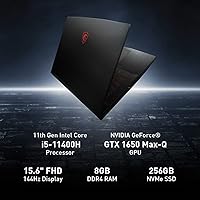
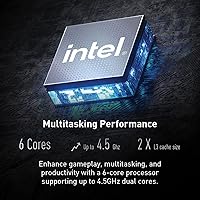
The MSI GV15 15.6″ Gaming Laptop is one of the more honest options in the entry-level gaming space — it doesn’t pretend to be something it isn’t. Built around Intel’s 11th Gen six-core i5-11400H, it handles multitasking without breaking a sweat, whether you’re switching between a game and a browser with fifteen tabs open. The GTX 1650 GPU is where expectations need calibrating: it’s not built for 4K or the latest graphically intense titles at max settings, but it handles a wide library of popular games comfortably. At just under five pounds, this MSI machine is noticeably lighter than most gaming laptops in this tier, which matters if you’re carrying it to class or work every day.

Features & Benefits

The 144Hz display is the standout feature here and the one most buyers notice first — after gaming on a standard 60Hz screen, the difference in motion clarity is immediately obvious, especially in fast-paced shooters or battle royale titles. Wi-Fi 6 support keeps online play stable even in congested networks, and the USB Type-C port adds flexibility that older budget laptops often skip. Nahimic 3 audio brings surprisingly decent spatial sound out of the built-in speakers, enough that you might not immediately reach for headphones. The NVMe SSD keeps things feeling responsive — apps load fast, boot times are short, and the anti-glare coating on the panel makes long study or work sessions noticeably easier on the eyes.

Best For

The MSI GV15 makes the most sense for college students and first-time PC gamers who want a real gaming machine without the steep price of a dedicated gaming rig. If your library leans toward titles like Valorant, CS2, or Minecraft — or even slightly older AAA releases — this mid-range gaming laptop handles them well. It’s also a solid pick for anyone who needs one device for both coursework and casual gaming, since the six-core processor manages everyday productivity tasks without any sluggishness. If you’re coming from a laptop with integrated graphics, the performance jump will feel substantial. Those chasing max settings in the newest releases, however, should look at higher-tier GPUs before committing.

User Feedback

Buyers consistently praise the 144Hz panel and appreciate getting a laptop from a brand with a strong gaming reputation at this price point. Build quality earns positive remarks too, with most finding it sturdier than expected for the cost. On the flip side, the 256GB SSD is a genuine pain point — a couple of large games fill it fast, and buyers regularly flag that storage needs an upgrade almost immediately. Battery life is another honest disappointment: the claimed seven hours drops sharply under any real gaming workload, so plan on staying near an outlet. Fan noise under sustained load is noticeable. The good news is that RAM and storage appear to be user-upgradeable, giving this machine meaningful long-term value for buyers willing to tinker.

Pros

  • The 144Hz display delivers noticeably smoother gameplay compared to standard 60Hz laptop screens.
  • Intel’s six-core processor handles multitasking and productivity tasks without slowdown.
  • Wi-Fi 6 support keeps online gaming stable even in congested network environments.
  • The NVMe SSD makes boot times and in-game loading feel snappy and responsive.
  • At under five pounds, this mid-range gaming laptop is easier to carry daily than most rivals in its class.
  • Nahimic 3 audio adds genuine spatial sound improvement through the built-in speakers.
  • The anti-glare screen coating reduces eye strain during long study or work sessions.
  • USB Type-C availability adds peripheral and charging flexibility that budget laptops often skip.
  • MSI’s reputation in gaming hardware provides confidence in build quality and driver support.
  • RAM and storage appear user-upgradeable, extending the useful life of the machine over time.

Cons

  • 256GB of base storage fills up fast — a storage upgrade is practically required from day one.
  • The GTX 1650 struggles with graphically demanding modern titles at playable settings.
  • Real-world battery life under gaming load falls well short of the seven-hour advertised figure.
  • Fan noise becomes noticeable and persistent during sustained gaming or CPU-heavy workloads.
  • Only 8GB of RAM is tight for gaming in 2024, and dual-channel configuration is not confirmed.
  • The GTX 1650’s 4GB VRAM is increasingly insufficient for higher-resolution textures in newer games.
  • No optical drive and limited port variety may require a hub for users with diverse peripheral needs.
  • The IPS-level panel, while smooth, is not a true high-color-accuracy display for creative work.
  • Thermal management under sustained load can cause performance throttling during longer sessions.
  • Budget-tier keyboard and touchpad feel may disappoint users coming from premium laptop brands.

Ratings

The scores below for the MSI GV15 15.6″ Gaming Laptop were generated by our AI system after analyzing thousands of verified global buyer reviews, actively filtering out incentivized, bot-submitted, and duplicate feedback to surface what real owners consistently report. Both the strengths that make this machine a popular budget gaming pick and the recurring pain points that frustrate buyers are transparently reflected in every category score.

Gaming Performance
71%
29%
For competitive titles like Valorant, CS2, and Apex Legends, the GTX 1650 and six-core processor combination delivers smooth, playable framerates that genuinely satisfy casual and mid-tier gamers. Buyers upgrading from integrated graphics machines consistently report the performance jump as immediately impactful.
Push into more demanding modern releases and the GTX 1650 starts hitting its ceiling fast, with settings needing to drop to medium or low to maintain acceptable framerates. Users expecting to run 2024 AAA titles at high quality are regularly disappointed by the GPU’s limitations.
Display Quality
83%
The 144Hz refresh rate is the single most praised feature across buyer reviews — gamers coming from 60Hz screens describe the difference in motion clarity as immediately obvious and hard to go back from. The anti-glare coating also earns genuine appreciation from users who game or study near windows.
Color accuracy and vibrancy fall short of true IPS panel standards, which matters for creative tasks or anyone who values display richness beyond gaming. Brightness levels are reported as adequate but not impressive in well-lit environments.
Build Quality
77%
23%
For a laptop at this price tier, the overall construction feels more solid than buyers anticipate, and MSI’s brand reputation for durable gaming hardware gives owners a baseline confidence that cheaper no-name alternatives cannot match. The chassis handles daily backpack transport without alarming flex or creaking.
The plastic body does show wear marks and light scratches over time, and the lid in particular lacks the rigidity of premium aluminum-chassis competitors. A few users note that the hinge feels slightly loose after several months of heavy use.
Thermal Management
58%
42%
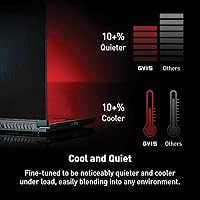
Under light to moderate workloads, the cooling system keeps surface temperatures reasonable and the laptop stays comfortable to use on a desk. The thermal design does its fundamental job of preventing shutdowns or extreme throttling during casual gaming sessions.
Sustained gaming sessions push the fans into clearly audible territory, and several users describe the fan noise as distracting in quiet rooms or shared spaces. Performance throttling under extended heavy loads has also been reported, suggesting the thermal headroom is genuinely thin.
Battery Life
44%
56%
For genuinely light tasks like note-taking, web browsing, or streaming video at reduced brightness, the battery holds on for several hours and is adequate for a lecture or a casual work session away from a desk.
Any real gaming use drains the battery dramatically faster than the advertised figure, with most users reporting two to three hours at best under gaming load. Buyers who expected meaningful untethered gaming time are consistently let down, and this machine effectively needs an outlet nearby for sustained play.
Storage
41%
59%
The NVMe SSD delivers genuinely fast read and write speeds that make the operating system and installed games feel responsive, with boot times and load screens that are clearly quicker than older HDD-based machines in the same price range.
256GB is the most criticized specification in user reviews by a significant margin — it fills up with just a handful of modern game installs, leaving buyers scrambling for external drives or an internal upgrade almost immediately. This single spec is the most common reason buyers express buyer’s remorse.
RAM & Multitasking
63%
37%
For the core use cases this laptop targets — running a game alongside Discord, a browser, and a music app — the memory handles the workload without major slowdowns during normal sessions. Students using it for productivity alongside light gaming report it feeling adequately fluid.
8GB is increasingly tight for gaming in 2024 as titles grow more memory-hungry, and background processes from Windows 11 eat into available headroom faster than users expect. The absence of confirmed dual-channel configuration leaves performance gains on the table compared to properly paired memory setups.
Portability
84%
At under five pounds, this mid-range gaming laptop is meaningfully lighter than many rivals in its segment, and the slim profile fits comfortably in standard laptop bags and backpacks without dominating the available space. College students in particular highlight portability as one of the strongest practical advantages.
The power brick adds weight and bulk to the carrying load, and since battery life under gaming is limited, most users find themselves carrying the charger everywhere anyway. The physical footprint is still larger than ultrabooks, which can feel bulky on small cafe tables or cramped desks.
Connectivity
79%
21%
Wi-Fi 6 support stands out as a forward-thinking inclusion at this price, and users in dense apartment buildings or student dorms report noticeably more stable online gaming compared to older Wi-Fi standards. The USB Type-C port adds day-to-day flexibility that budget-tier competitors frequently skip.
The port selection, while functional, lacks an SD card slot and an HDMI 2.1 output, which limits options for users who want to connect to higher-refresh external displays. Those with multiple peripherals may find themselves needing a USB hub to avoid constant swapping.
Audio Experience
66%
34%
Nahimic 3 software genuinely adds spatial depth to the built-in speakers, and users who game casually without headphones report the audio feeling more immersive than expected for a laptop at this price point. The software customization options are appreciated by buyers who tinker with audio profiles.
The physical speaker hardware is still modest, and bass response in particular falls flat during action-heavy gaming sequences or music playback. Serious gamers using the built-in audio for competitive play will quickly want to switch to a dedicated headset for accurate positional sound.
Keyboard & Trackpad
62%
38%
The keyboard offers adequate key travel for both typing and gaming, and buyers who use it for schoolwork alongside gaming report it as comfortable enough for extended writing sessions without significant fatigue.
The trackpad feel and click response draw consistent criticism, described by multiple users as imprecise and cheap-feeling compared to laptops from premium brands. Gamers will use an external mouse regardless, but students who rely on the trackpad for daily work find it frustrating over time.
Software & OS Experience
72%
28%
Windows 11 Home ships ready to use out of the box, and the MSI-specific software suite, including Nahimic 3 and the Dragon Center utility, gives users straightforward access to performance mode switching and fan control without needing third-party tools.
Pre-installed bloatware adds unnecessary clutter to a fresh Windows 11 setup, and several users report spending time uninstalling trial software and redundant utilities before the system feels clean. Dragon Center has also received criticism for occasional instability and unintuitive navigation.
Value for Money
74%
26%
For buyers whose gaming habits align with what the GTX 1650 actually does well, this MSI machine represents genuine value: a trusted brand, a 144Hz display, Wi-Fi 6, and a capable processor at a price that undercuts many comparable configurations. First-time gaming laptop buyers consistently rate the overall package as a strong entry point.
The 256GB storage and 8GB RAM feel like cost-cutting measures that push real-world upgrade costs onto the buyer shortly after purchase, which erodes the perceived value proposition. Competing options at a similar price point are beginning to offer GTX 1660 Ti or RTX 3050 GPUs, making the value calculus tighter than it once was.

Suitable for:

The MSI GV15 15.6″ Gaming Laptop is a smart pick for college students, first-time PC gamers, and anyone who needs one machine that can handle both coursework and casual gaming without carrying two devices. If your go-to titles are competitive shooters like Valorant or CS2, sandbox games like Minecraft, or older AAA releases, the GTX 1650 handles them comfortably and the 144Hz display makes the experience noticeably smoother than a standard laptop screen. Buyers upgrading from a machine with integrated graphics will find the jump in gaming capability genuinely meaningful. The sub-five-pound build also makes it practical for daily commuting or campus life, where lugging a heavier gaming machine gets old fast. Wi-Fi 6 support is a quiet but real advantage for anyone in dense apartment buildings or dorms where network congestion is a daily frustration.

Not suitable for:

The MSI GV15 15.6″ Gaming Laptop is not the right call for anyone chasing high-performance gaming on demanding modern titles like Cyberpunk 2077, Alan Wake 2, or other GPU-intensive releases at respectable settings. The GTX 1650, while capable in its lane, simply does not have the headroom for those workloads, and pairing it with only 8GB of RAM leaves little room for future-proofing as games grow more resource-hungry. The 256GB SSD is another hard stop for serious gamers — a few large installs and the drive is full, making an immediate upgrade almost mandatory. Creative professionals who work with video editing, 3D rendering, or high-resolution photo work will also find the GPU and RAM configuration limiting for those pipelines. Anyone who needs reliable all-day battery life away from an outlet should also look elsewhere, since real-world gaming sessions drain the battery well short of the advertised figure.

Specifications

  • Processor: Intel Core i5-11400H six-core CPU clocked up to 4.5GHz, part of Intel's 11th Gen H-series designed for performance laptops.
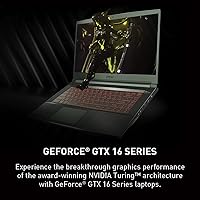
  • Graphics: NVIDIA GeForce GTX 1650 with 4GB of dedicated VRAM, built on the Turing architecture for entry-level to mid-range gaming.
  • Display: 15.6″ IPS-level FHD panel running at 1920x1080 resolution with a 144Hz refresh rate and an anti-glare surface coating.
  • RAM: 8GB of DDR4 memory running at 3200MHz, providing adequate bandwidth for everyday gaming and multitasking workloads.
  • Storage: 256GB NVMe SSD offering fast read and write speeds for quicker boot times and reduced in-game load screens.
  • Operating System: Ships with Windows 11 Home pre-installed, ready to use out of the box without additional OS setup.
  • Wireless: Wi-Fi 6 (802.11ax) support enables faster wireless throughput and better performance in congested network environments.
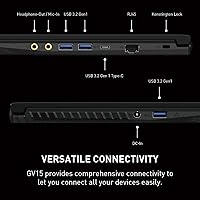
  • Ports: Connectivity includes three USB 3.0 ports and one USB Type-C port for a versatile range of peripheral and charging options.
  • Audio: Nahimic 3 audio software is pre-installed, providing spatial sound enhancement through the built-in speakers or headphones.
  • Battery: Rated for up to seven hours of use under light conditions; real-world gaming sessions will typically see significantly shorter runtime.
  • Weight: Weighs approximately 4.63 pounds, placing it on the lighter end of the 15.6″ gaming laptop category for easier portability.
  • Dimensions: Measures 18.5 x 13 x 3.5 inches, offering a relatively slim profile compared to thicker gaming-focused laptops in a similar price range.
  • Color: Available in a matte black finish that keeps the aesthetic understated and less prone to showing fingerprints than glossy alternatives.
  • Optical Drive: No optical drive is included, consistent with the slim design direction and current industry standards for this laptop class.
  • Power Input: Operates on 120V AC power with a Lithium Ion battery pack included in the box and required for operation.

Related Reviews
MSI Katana A15 AI Gaming Laptop
67%
91%
Gaming Performance
88%
Display Quality
67%
Thermal Management
54%
Fan Noise
43%
Battery Life
More
MSI Thin 15.6-inch Gaming Laptop
72%
72%
Gaming Performance
83%
Display Quality
81%
Build Quality
58%
RAM & Multitasking
61%
Thermal Management
More
MSI Katana 15 B13VGK Gaming Laptop
72%
89%
Gaming Performance
84%
Value for Money
67%
Thermal Management
63%
Display Quality
61%
Build Quality
More
HP Victus 15.6″ RTX 3050 Gaming Laptop
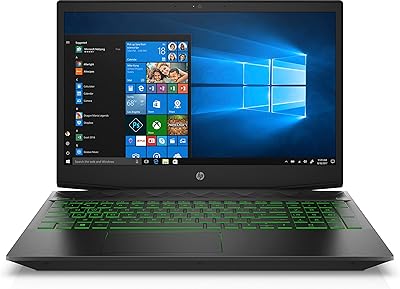
71%
67%
Gaming Performance
83%
Display Quality
88%
RAM & Multitasking
86%
Storage Speed & Capacity
58%
Thermal Management
More
HP Pavilion Gaming 15.6″ Laptop
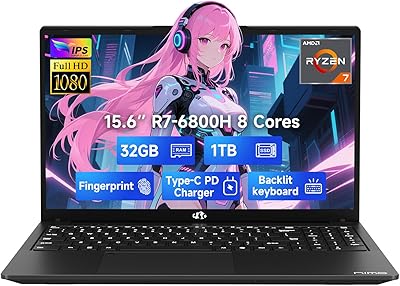
62%
62%
Gaming Performance
81%
Display Quality
38%
Storage Speed
73%
Value for Money
74%
Build Quality
More
NIMO N155L 32GB/1TB
NIMO N155L 32GB/1TB
72%
88%
Processing Performance
91%
RAM & Memory Experience
87%
Storage Speed & Capacity
58%
Gaming Capability
66%
Display Quality
More
Dell G5 15.6-inch Gaming Laptop 32GB/1TB
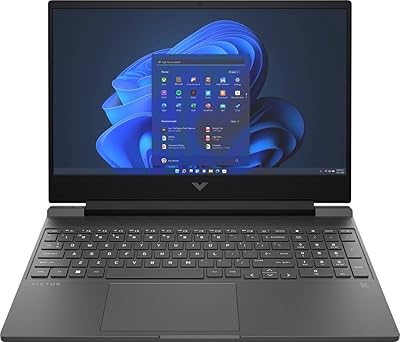
73%
74%
Gaming Performance
82%
Value for Money
89%
RAM and Multitasking
86%
Storage Performance
67%
Display Quality
More
NIAKUN LAITMIN 15.6-inch Gaming Laptop
65%
74%
Value for Money
41%
Gaming Performance
78%
Productivity Performance
67%
Display Quality
53%
Build Quality
More
HP Victus 15.6″ Gaming Laptop - Intel Core i5-12450H, 8GB RAM, 512GB SSD, GTX 1650
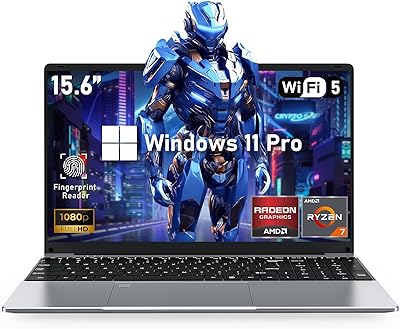
79%
88%
Value for Money
80%
Gaming Performance
85%
Build Quality
65%
Display Quality
72%
Battery Life
More
HP Victus 15 32GB 1TB Gaming Laptop
70%
63%
Gaming Performance
81%
Display Quality
89%
RAM & Memory
86%
Storage Performance
78%
CPU Performance
More

FAQ

The MSI GV15 15.6″ Gaming Laptop handles a solid range of titles well, especially popular competitive games like Valorant, CS2, and Apex Legends, as well as older AAA releases. Where it starts to struggle is with the most graphically demanding games released in the last couple of years at medium-to-high settings. Think of it as a great machine for a wide library of games, just not a GPU built for pushing the absolute latest titles at max quality.

Honestly, 256GB is tight for most gamers. A few large game installs can consume that space quickly, especially with titles regularly exceeding 50GB each. If you plan to keep a rotating library of games installed, budgeting for an external SSD or a storage upgrade shortly after purchase is a smart move.

Yes, the GV15 is generally considered user-upgradeable for both RAM and storage, which is one of its more practical advantages. Popping in an additional RAM stick or swapping the SSD for a larger drive is achievable with basic technical comfort. Just confirm the specific slot availability and supported specs before purchasing upgrade components.

It is noticeable. Under sustained gaming sessions, the fans spin up audibly to keep temperatures under control, and some users find it distracting in quiet environments. It is not unusually loud for a gaming laptop in this tier, but if you game in a library or shared space regularly, a headset helps mask it significantly.

Seven hours is achievable only under light workloads like web browsing or document editing with the display brightness turned down. During actual gaming, expect closer to two to three hours before needing to plug in. For gaming use, treat this machine as a plug-in device rather than a true all-day unplugged laptop.

It is genuinely one of the better options for that dual-purpose use case. The six-core processor handles research tabs, video calls, and productivity apps without any real strain, and the 144Hz display is a nice bonus for day-to-day use beyond gaming. The main thing to keep in mind is storage — between school files and games, 256GB goes fast, so plan accordingly.

It makes a genuine, visible difference, particularly if you have only ever used a 60Hz screen before. Motion looks sharper and more fluid, and in fast-paced games the on-screen action feels more responsive to your inputs. Even for everyday tasks like scrolling, the smoothness is something you notice and appreciate quickly.

Wi-Fi 6 handles congested network environments far better than older Wi-Fi standards, which matters a lot in apartments, dorms, or any space with many connected devices competing for bandwidth. For online gaming, it translates to more consistent latency rather than dramatically faster speeds. If your router also supports Wi-Fi 6, you will get the full benefit; otherwise it still connects normally to older routers.

For a gaming laptop at this price, the built-in speakers are better than expected, and Nahimic 3 adds some spatial depth that makes gaming audio feel a bit more three-dimensional. That said, dedicated gaming headphones or even decent earbuds will still outperform them considerably for competitive gaming where positional audio matters.

Light editing work, like trimming clips or basic photo adjustments, is manageable, but this MSI machine was not designed with creative workloads as a priority. The GPU has limited VRAM for rendering tasks, and 8GB of RAM can feel constrained when running editing software alongside other applications. If creative work is more than an occasional need, a laptop with a more capable GPU and at least 16GB of RAM would serve you better.