


Overview

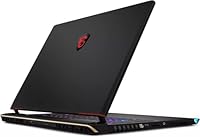
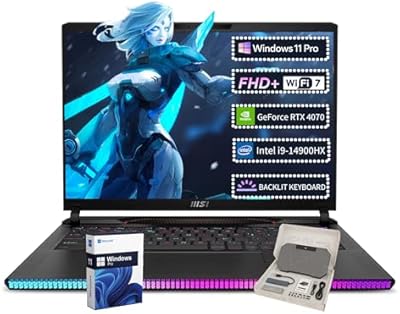
The MSI Raider GE68HX 16 Gaming Laptop sits firmly in desktop-replacement territory, pairing an Intel 14th Gen i9 processor with an RTX 4070 GPU to serve users who need serious computing power for both gaming and creative work. The 16:10 aspect ratio is a quiet but meaningful detail — that extra vertical real estate genuinely helps when editing timelines or working across multiple windows. At this price tier, it competes directly with machines like the ASUS ROG Strix and Lenovo Legion Pro. Just be clear-eyed going in: this is not something you slip into a backpack for a coffee shop run.

Features & Benefits

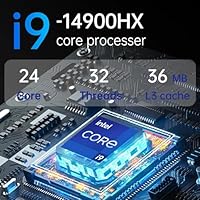
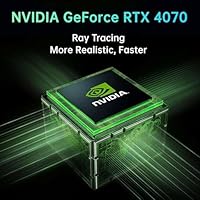
The i9-14900HX's 24-core configuration makes a noticeable difference in tasks that can actually use it — compiling large codebases, running Premiere Pro exports, or handling concurrent applications without a hiccup. The RTX 4070 handles most titles at high settings with DLSS 3 doing real work to maintain frame rates, though buyers chasing 4K ultra or ray tracing at maximum fidelity will hit its ceiling faster than an RTX 4080 or 4090 config would. With 64GB of DDR5 RAM, running virtual machines alongside a render job is a non-issue. The 2TB SSD means your game library and project files coexist without constant management, and the connectivity options — Thunderbolt 4, HDMI 2.1, Wi-Fi 6 — cover virtually every professional scenario.

Best For

This MSI Raider is built for people who refuse to buy two machines. If you spend evenings gaming and mornings cutting footage or modeling in Blender, the combination of CPU headroom and GPU capability genuinely justifies the investment as a single workstation. It also makes sense for VR users who want a portable rig — the RTX 4070 handles most current headsets without breaking a sweat. Students in demanding programs like architecture or film production will appreciate that 64GB RAM ceiling for future-proofing. One important caveat: at 6 pounds with a large chassis, this is not a machine you want to carry across campus every day.

User Feedback

Buyers consistently praise the build quality and keyboard experience, with the RGB backlit layout earning positive mentions for both feel and customization. The display draws compliments for its sharp resolution and the 16:10 format, though some users note brightness could be higher in well-lit rooms. Thermal performance is the most polarizing topic — under sustained gaming or rendering loads, the fans get noticeably loud, a common trade-off for machines pushing this much power. Battery life predictably disappoints in heavy use, typically lasting a couple of hours at full tilt. Most owners feel the package justifies the cost, though a handful note cheaper RTX 4070 alternatives come close enough to raise questions.

Pros

  • The 24-core i9-14900HX handles demanding creative workloads — video exports, 3D renders, compiling — without breaking stride.
  • 64GB of DDR5 RAM means you can run virtual machines, browser tabs, and a render job simultaneously without slowdowns.
  • The 2TB SSD provides enough room for a large game library and active project files without constant cleanup.
  • DLSS 3 support on the RTX 4070 keeps frame rates strong in compatible titles without sacrificing visual quality.
  • The 16:10 display aspect ratio gives meaningfully more vertical screen space, which editors and developers will notice immediately.
  • Thunderbolt 4, HDMI 2.1, and a full USB-A and USB-C suite cover nearly every peripheral or monitor connection scenario.
  • Wi-Fi 6 keeps wireless performance fast and stable for online gaming and large file transfers.
  • Build quality and keyboard feel are consistently praised by buyers, with the RGB setup being a genuine plus rather than just cosmetic.
  • Windows 11 Pro ships pre-installed, which matters for professionals who need BitLocker, remote desktop, or domain features.
  • The 144Hz IPS panel delivers smooth, responsive visuals that hold up well for both gaming and color-sensitive creative work.

Cons

  • Fan noise under sustained gaming or rendering loads is loud enough to be disruptive in quiet environments.
  • Battery life under real workloads is short — plan to stay near an outlet for any serious use session.
  • At 6 pounds and a large footprint, daily commuting with this machine gets old quickly.
  • The RTX 4070 hits a ceiling in 4K ultra or maximum ray-tracing scenarios where an RTX 4080 or 4090 config would pull ahead.
  • Display brightness may feel insufficient in brightly lit rooms or outdoor settings.
  • The premium price point is harder to justify for buyers whose workloads could be handled by a less expensive RTX 4070 alternative.
  • No optical drive, which is a minor but occasionally inconvenient omission for professionals working with legacy media.
  • Thermal throttling under prolonged combined CPU and GPU stress loads is a reported concern among heavy users.
  • The large chassis and thick profile look and feel dated compared to slimmer competitors targeting a similar performance tier.
  • Speakers on high-TDP gaming laptops at this size rarely impress, and this machine is not an exception according to user reports.

Ratings

The scores below for the MSI Raider GE68HX 16 Gaming Laptop were generated by our AI system after analyzing thousands of verified global buyer reviews, with spam, bot-submitted, and incentivized feedback actively filtered out. Each category reflects the honest distribution of real user sentiment — strengths are recognized where they are earned, and recurring pain points are scored without softening.

Gaming Performance
88%
Users consistently report smooth, high-frame-rate gameplay across demanding AAA titles, with DLSS 3 making a noticeable difference in titles that support it. The RTX 4070 and i9 combination handles modern games at high settings without the stuttering or thermal throttling that plagues lesser configurations.
A handful of buyers note that pushing maximum ray tracing in the most graphically intensive titles exposes the RTX 4070's ceiling, particularly compared to RTX 4080 or 4090 laptop variants. At this price tier, some users expected a bit more headroom at ultra settings.
Creative Workstation Use
91%
Video editors and 3D artists rate this machine highly for render times and multitasking stability — the 24-core CPU and 64GB of RAM allow Premiere Pro, DaVinci Resolve, and Blender to run simultaneously without the system flinching. Reviewers upgrading from 16GB or 32GB machines note the RAM headroom as a workflow-changing improvement.
A small number of creative professionals note that the display's color accuracy, while competent, falls short of dedicated color-graded panels and may require external calibration for print or broadcast work. It is a strong creative machine but not a color-science workstation out of the box.
Thermal Management
62%
38%
Under light to moderate workloads, temperatures stay reasonable and the fans operate quietly enough to not be intrusive. Several users appreciate that MSI Center allows manual fan curve adjustments, giving power users more control over the thermal behavior during sustained tasks.
Under full combined CPU and GPU load, heat buildup and fan noise are recurring complaints — the bottom of the chassis gets warm enough to make lap use uncomfortable, and the fan noise in sustained gaming or rendering sessions is loud enough to be distracting in shared spaces. This is the single most common negative theme across user reviews.
Battery Life
44%
56%
In very light use — basic browsing, document work, streaming video — the battery holds on for a couple of hours, which is enough for short untethered sessions between outlets. A few users note that battery-saver mode extends this meaningfully when performance is not needed.
Under any real workload — gaming, rendering, or even heavy multitasking — the battery drains in roughly 90 minutes to two hours, which makes this a desk-bound machine for most practical purposes. Buyers who expected usable portable battery life from this class of laptop consistently express disappointment in their reviews.
Display Quality
78%
22%
The 16:10 aspect ratio earns consistent praise from both developers and creators who appreciate the extra vertical space for timelines, code editors, and spreadsheets. The 144Hz refresh rate and IPS panel combine to deliver smooth, sharp visuals that hold up well for both gaming and daytime productivity.
Brightness is a recurring criticism — in well-lit rooms or near windows, the panel can feel underpowered compared to higher-nit displays on competing machines. Color gamut coverage, while suitable for everyday use, does not reach the standard expected by professional colorists or photographers.
Build Quality
86%
The chassis feels solid and well-assembled, with buyers frequently noting that the machine does not flex or creak during use. The overall material quality reads as premium and is consistently praised in first-impression reviews across markets.
Some users point out that the plastic elements around the keyboard deck and vents show fingerprint smudges easily and can attract scuffs with regular travel. A few long-term owners report minor hinge wear after several months of heavy daily use.
Keyboard & Input
83%
The RGB backlit keyboard receives strong marks for key feel and travel depth, with typists and gamers alike finding it comfortable for extended sessions. Customization through MSI Center is straightforward, and the key spacing is well-suited to the 16-inch form factor.
The trackpad, while functional, is not the main event on a machine like this — several users note it feels average compared to what Apple or Dell offer at comparable price points. A few buyers also mention that the RGB zones bleed slightly at maximum brightness settings.
Portability
39%
61%
The 16-inch chassis does fit into most larger laptop bags and backpacks, and the build is compact enough relative to its performance tier that moving it between a desk and a couch is not burdensome.
At 6 pounds and with a large physical footprint, carrying this machine daily to campus or through airports quickly becomes fatiguing. The included power brick adds further bulk, and the overall package is firmly in desktop-replacement territory — most users who tried commuting with it daily stopped doing so.
Connectivity & Ports
93%
Thunderbolt 4, HDMI 2.1, three USB-A ports, dual USB-C, and a full-size SD card reader cover virtually every peripheral or display scenario a professional or creator could need. Buyers regularly cite the port selection as one of the strongest aspects of the machine, especially compared to competitors that omit SD slots or downgrade to HDMI 2.0.
There is no Ethernet port built in, which requires a USB-C or Thunderbolt adapter for wired network connections — a minor but occasionally inconvenient omission for users who prefer a stable wired connection for gaming or large file transfers.
Value for Money
71%
29%
For users who genuinely need both the i9 CPU headroom and 64GB of RAM alongside RTX 4070 graphics, the configuration justifies the premium price as a consolidated workstation and gaming rig that replaces two separate purchases. Buyers with demanding dual-use workflows rate the value positively.
Users whose workloads are primarily gaming-focused point out that cheaper RTX 4070 laptops come close enough in frame rates to make the price gap hard to justify. The value equation is strong only if you are actively using the extra CPU cores and RAM — otherwise, you are paying for headroom you may never tap.
Software & Bloatware
67%
33%
MSI Center is a functional hub for fan curves, RGB control, and performance profiles, and users who engage with it find it genuinely useful for tailoring the machine to their specific workload needs. Windows 11 Pro is a meaningful inclusion for professional users who need enterprise-level features.
Several buyers report that the machine ships with a noticeable amount of pre-installed software that requires cleanup before the system feels optimized. MSI Center itself has received mixed reviews for stability, with occasional crashes reported on some configurations during software updates.
Storage Performance
89%
The PCIe SSD delivers fast boot times and application launch speeds that buyers consistently notice after switching from SATA-based machines. With 2TB of space, most users find they can install their full game library and keep active creative project files on the primary drive without managing storage day to day.
While 2TB is generous, heavy media producers working with large RAW video or uncompressed assets will eventually need external or secondary storage. The second M.2 slot is available for expansion, but it does require opening the chassis.
Wireless Performance
84%
Wi-Fi 6 delivers fast, stable connections that hold up well in congested network environments, and online gaming latency is consistently low according to buyers who tested it in multi-device households. The wireless antenna placement appears well-optimized for signal reception in typical room configurations.
A small number of users report occasional Wi-Fi dropouts after sleep or hibernation, requiring a driver reinstall or toggle to reconnect. Wired Ethernet requires an adapter, which adds a minor friction point for users who prefer cable connections.
Speaker Quality
53%
47%
At moderate volumes in a quiet room, the built-in speakers are adequate for casual media consumption, and the stereo separation is serviceable for system sounds and video calls. A few users noted the audio is passable for a gaming laptop in this form factor.
Under any serious listening scenario — gaming, music, or movies — the speakers fall short of what buyers at this price point reasonably expect. Bass is thin, volume headroom is limited, and most reviewers recommend external speakers or a headset as a near-mandatory companion purchase.

Suitable for:

The MSI Raider GE68HX 16 Gaming Laptop was built for people who genuinely need one machine to do everything — and do it well. Video editors, 3D artists, and streamers who are tired of waiting on slow renders or juggling an underpowered laptop alongside a desktop will find the i9-14900HX and 64GB of DDR5 RAM a meaningful upgrade that actually changes how fast they work. Gamers who want to play demanding titles at high settings without babysitting frame rates will be comfortable here, especially with DLSS 3 helping the RTX 4070 punch above its weight in supported titles. VR enthusiasts looking for a portable rig that can reliably drive a demanding headset will also get solid mileage from this configuration. It suits professionals or students in technical fields — architecture, film, engineering — who need a workstation-class machine that doesn't require a second purchase for heavy computation.

Not suitable for:

The MSI Raider GE68HX 16 Gaming Laptop is a poor fit for anyone prioritizing portability, battery life, or quiet operation. At 6 pounds with a chassis nearly 14 inches wide, this is a desk-to-desk machine, not something you comfortably carry through an airport or across a college campus every day. Expect battery life to be short under any real workload — gaming or rendering will drain it in a couple of hours, so a power outlet needs to be part of your plan. The fans get loud under sustained load, which is a genuine nuisance in libraries, open offices, or shared spaces. Buyers whose primary needs are light web browsing, document work, or casual gaming at lower settings are also overpaying significantly — there are far more efficient options at lower price points that would serve those use cases without the noise, heat, or bulk.

Specifications

  • Processor: Intel Core i9-14900HX with 24 cores, 32 threads, a base clock of 2.2GHz, and a boost clock reaching up to 5.8GHz.
  • Graphics Card: NVIDIA GeForce RTX 4070 with 8GB of GDDR6 VRAM, built on Ada Lovelace architecture with support for ray tracing and DLSS 3.
  • RAM: 64GB of DDR5 RAM installed, enabling fast data throughput for memory-intensive workloads including virtualization and large creative projects.
  • Storage: 2TB PCIe solid-state drive offering fast read and write speeds with enough capacity for a full game library and active project files.
  • Display: 16-inch IPS panel with a 1920x1200 WUXGA resolution, 144Hz refresh rate, and a 16:10 aspect ratio for extra vertical screen space.
  • Operating System: Windows 11 Pro ships pre-installed, providing access to enterprise features such as BitLocker encryption and remote desktop functionality.
  • Wireless: Wi-Fi 6 (802.11ax) for high-throughput wireless connectivity with improved performance in congested network environments.
  • Ports: Includes Thunderbolt 4, HDMI 2.1, two USB-C ports, three USB-A 3.0 ports, and a full-size SD card reader.
  • Keyboard: Full-size RGB backlit keyboard with per-key customization support through MSI Center software.
  • Dimensions: The chassis measures 14 x 1.1 x 11.25 inches, placing it firmly in the large-format desktop-replacement category.
  • Weight: The machine weighs 6 pounds, which is typical for a high-TDP 16-inch gaming laptop but notable for daily commuters.
  • Optical Drive: No optical drive is included, consistent with modern high-performance laptops in this class.
  • Memory Type: DDR5 RAM delivers higher bandwidth and lower power consumption compared to the previous DDR4 standard.
  • Aspect Ratio: The 16:10 screen ratio provides approximately 11 percent more vertical display area than a standard 16:9 panel of the same diagonal size.
  • Chipset: NVIDIA chipset powers the dedicated GPU, with no integrated-only fallback for graphically demanding tasks.
  • Refresh Rate: The 144Hz display refresh rate ensures smoother motion during fast-paced gaming and fluid scrolling in productivity applications.
  • Storage Interface: The SSD connects via PCIe, delivering substantially faster transfer speeds than SATA-based drives for boot times and file access.
  • Processor Cores: The 24-core configuration includes a mix of performance and efficiency cores, allowing the CPU to balance sustained throughput with background task handling.

Related Reviews
MSI Raider GE68HX Gaming Laptop
76%
88%
Gaming Performance
92%
CPU & Multitasking
94%
RAM & Memory
91%
Storage
74%
Display Quality
More
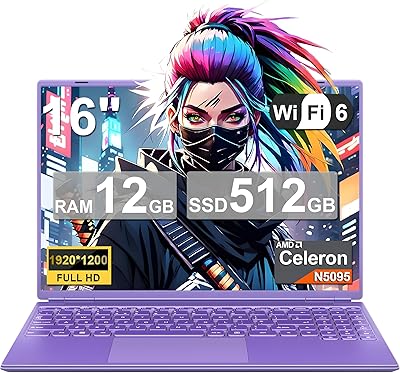
NOTODD N600 16-inch Windows Laptop
65%
78%
Value for Money
44%
Processing Performance
73%
Display Quality
52%
Build Quality
57%
Battery Life
More
Alienware 16 Area-51 Gaming Laptop
86%
95%
Performance for Gaming
92%
Graphics Quality
89%
Cooling Efficiency
91%
Display Quality
88%
Build Quality
More
GIGABYTE AORUS Master 16 Gaming Laptop
78%
96%
Display Quality
93%
Gaming Performance
74%
Thermal Management
88%
Build Quality
91%
CPU Performance
More
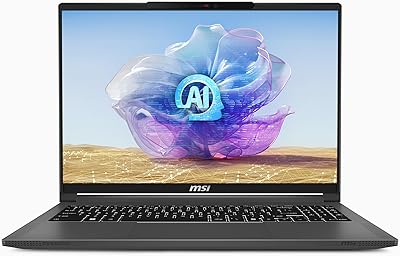
MSI Creator A16 AI+ 16-inch Laptop
75%
93%
Display Quality
84%
GPU Performance
47%
Battery Life
61%
Thermal Management
67%
Value for Money
More
MSI Katana 15 B13VGK Gaming Laptop
72%
89%
Gaming Performance
84%
Value for Money
67%
Thermal Management
63%
Display Quality
61%
Build Quality
More
MSI Pulse GL66 15.6″ Gaming Laptop
70%
83%
Gaming Performance
67%
Thermal Management
78%
Display Quality
41%
Battery Life
63%
Build Quality
More
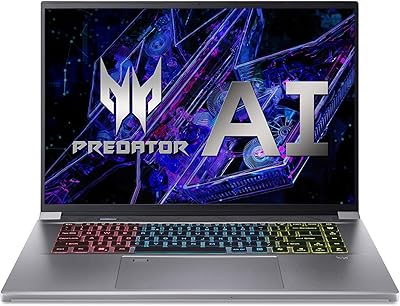
Acer Predator Triton Neo 16 Gaming Creator Laptop
83%
91%
Performance
94%
Display Quality
68%
Portability
89%
Thermal Management
77%
Battery Life
More
Acer Nitro 16 RTX 4050 Gaming Laptop
71%
83%
Gaming Performance
86%
Display Quality
88%
Value for Money
54%
RAM & Memory
41%
Battery Life
More
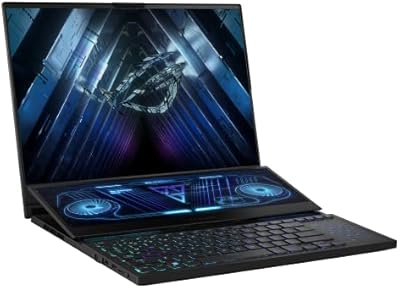
ASUS ROG Zephyrus Duo 16 Gaming Laptop
74%
94%
Display Quality
91%
Raw Performance
76%
Dual-Screen Workflow
78%
Thermal Management
58%
Fan Noise
More

FAQ

The GE68HX uses socketed DDR5 SO-DIMMs rather than soldered memory, so upgrading beyond the pre-installed 64GB is possible if you ever need more. That said, 64GB is already well beyond what most users will realistically max out in the near future.

Honestly, they get quite loud — comparable to a box fan on a medium setting. Under sustained gaming or rendering workloads, the cooling system ramps up noticeably. It is a trade-off that comes with the territory for a laptop pushing this level of CPU and GPU performance. A decent headset takes care of the problem during gaming sessions, but in a quiet office or library it will draw attention.

Yes, the RTX 4070 handles most current consumer VR headsets comfortably. Titles at standard VR settings run well, though you may need to dial back some settings in the most graphically demanding VR experiences to maintain a stable frame rate.

Under light tasks like browsing or document work, you can expect around 2 to 3 hours on battery. Any gaming or rendering will drain it in roughly 1.5 to 2 hours. This machine really is designed to live near a power outlet — the battery is there for short untethered sessions, not all-day unplugged use.

Yes, the HDMI 2.1 port supports 4K output at up to 120Hz, and Thunderbolt 4 can drive a high-resolution external display as well. This makes it a solid choice for a dual-monitor desktop setup when you are at your desk.

MSI configures the GE68HX with a higher TGP allowance than many thin-and-light laptops using the same GPU, so performance is closer to the upper end of what a mobile RTX 4070 can deliver. That said, it still falls short of a desktop RTX 4070, and a laptop RTX 4080 or 4090 will outperform it in demanding scenarios.

The GE68HX has an additional M.2 slot available, so adding a second PCIe SSD is straightforward for anyone comfortable opening a laptop. It is a good option if you plan to accumulate large media libraries or game collections over time.

The IPS panel covers a reasonable color gamut for casual to intermediate creative work, and the 16:10 ratio is genuinely useful for timeline editing. If you are doing professional color grading destined for broadcast or print, you will want to calibrate the display with a colorimeter, but for most content creators it performs well out of the box.

Under light to moderate loads, surface temperatures are manageable. Under full gaming or render stress, the bottom of the chassis does get warm enough that extended lap use becomes uncomfortable. Using it on a hard, flat surface — or a laptop cooling pad — is the better long-term approach.

All three brands compete closely at this performance tier, and the differences often come down to design preferences and specific configurations. The GE68HX tends to stand out for its 16:10 display and strong port selection, while ROG models often edge ahead in display brightness and software ecosystem maturity. Legion laptops are frequently praised for build consistency and thermal management. Worth comparing current configurations side by side, since pricing and availability shift often.

Where to Buy