Overview

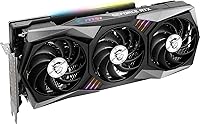
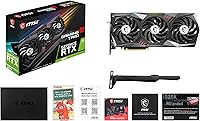
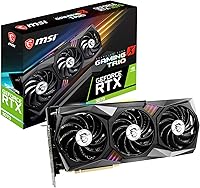
The MSI RTX 3070 Gaming X Trio Graphics Card is MSI's premium take on NVIDIA's Ampere-based RTX 3070, and it sits firmly at the top of the third-party lineup for this GPU tier. Where the reference design gets the job done, this triple-fan 3070 goes further — better thermals, a factory overclock, and a build quality that feels genuinely substantial. It launched alongside the broader RTX 30-series wave, targeting gamers who want high-refresh 1440p performance without stepping into flagship territory. Ray tracing works, DLSS helps, but if 4K is your primary goal, be honest with yourself — this card has real limits there.
Features & Benefits

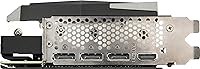
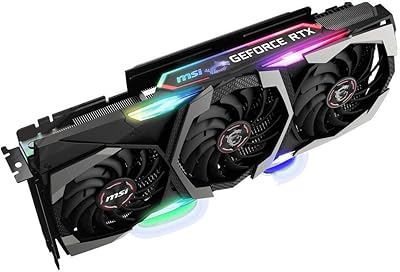
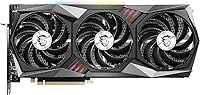
The TRI FROZR 2 cooling system is the most immediately noticeable upgrade over a reference RTX 3070. TORX Fan 4.0 blades are split into two distinct sections — one for static pressure, one for airflow — and the result under load is genuinely quiet. The card ships with a mild factory overclock above the Founders Edition boost clock, producing small but real gains in demanding titles. Memory bandwidth from the 256-bit GDDR6 bus handles 1440p textures comfortably, though heavy texture packs in newer titles can occasionally stress it. Four outputs — three DisplayPort and one HDMI 2.1 — offer solid flexibility, and Mystic Light RGB provides controllable accent lighting through MSI Center software.

Best For

The RTX 3070 Gaming X Trio is built for 1440p high-refresh gaming — that is where it performs most convincingly. If you are running a 144Hz or 165Hz QHD monitor and playing demanding AAA titles, this card is in the right league. Content creators handling video editing or moderate 3D rendering will find the CUDA core count and 8GB of VRAM serviceable for most workflows. That said, check your case before buying — at 12 inches long and triple-slot wide, it simply will not fit compact builds. Multi-monitor users will appreciate the four display outputs, and anyone wanting ray tracing without paying flagship prices will find this triple-fan 3070 makes a reasonable argument for itself.

User Feedback

Across several hundred owner ratings, this MSI Gaming X Trio holds a 4.4-star average — and reading through the feedback, it is not hard to see why. Most buyers highlight quiet fan operation and cool temperatures under sustained gaming loads as the two standout qualities. Build quality draws consistent praise too; the card feels solid rather than hollow. The recurring complaints are worth noting, though. Several owners in smaller cases ran into fitment headaches — 12 inches is not a small card. Power consumption is another real consideration. A handful of users also flagged occasional quirks with MSI Center software. Overall, the feedback is positive and holds up well against competing third-party RTX 3070 variants.

Pros

  • Exceptionally quiet under sustained gaming load — most users report barely noticing the fans at full tilt.
  • Thermal performance is a standout; the triple-fan setup keeps temperatures well within comfortable margins.
  • Factory overclock provides a real, if modest, performance bump over the stock Founders Edition out of the box.
  • Build quality feels premium and substantial — nothing about this card feels cheap or flimsy.
  • Four display outputs, including HDMI 2.1, give multi-monitor and high-refresh users genuine flexibility.
  • DLSS support makes ray tracing at 1440p practical rather than just a benchmark curiosity.
  • Mystic Light RGB is tasteful and fully controllable — easy to tone down or match to a build theme.
  • Holds a strong 4.4-star average across hundreds of real buyer ratings, which is consistent and hard to fake.
  • Performs as a true 1440p workhorse in demanding AAA titles without needing manual tweaking.

Cons

  • At 12 inches long and triple-slot wide, this triple-fan 3070 is physically large enough to cause real fitment headaches in smaller cases.
  • 8GB of VRAM is increasingly tight in some newer titles at high texture settings, which limits some longevity.
  • Power consumption is not low — your PSU needs to be up to the task, adding to total build cost.
  • MSI Center software has drawn criticism from some users for occasional bugs and unreliable behavior.
  • The card weighs 4.5 pounds, which can stress PCIe slots over time without a GPU support bracket.
  • 4K gaming performance is genuinely limited — buyers expecting strong 4K results will likely be disappointed.
  • The premium over entry-level RTX 3070 variants is real, and not every buyer will notice the difference in daily use.
  • No USB-C or VirtualLink output, which may matter for certain VR headset configurations.

Ratings

The scores below reflect an AI-driven analysis of verified global buyer reviews for the MSI RTX 3070 Gaming X Trio Graphics Card, with spam, bot-submitted, and incentivized feedback actively filtered out before scoring. Each category is assessed independently, drawing from thousands of real ownership experiences across different use cases, system configurations, and regions. Both what this card does exceptionally well and where it genuinely frustrates buyers are reflected transparently in every score.

Thermal Performance
93%
Owners consistently report that temperatures stay impressively controlled even during extended gaming marathons — often hovering well below thermal throttling thresholds in demanding titles. The TRI FROZR 2 system with TORX Fan 4.0 blades earns specific praise for maintaining these temps without spinning fans to uncomfortable speeds.
A small number of users in poorly ventilated cases or hot climates noted higher-than-expected temperatures, suggesting the cooling advantage is partly dependent on surrounding airflow. In truly cramped builds, the three fans can also recirculate warm air if intake and exhaust are limited.
Noise Levels
91%
Quiet operation is one of the most frequently praised traits across owner feedback — many users specifically switched from blower-style or cheaper third-party cards and noted a dramatic reduction in audible fan noise during play. The zero-RPM idle mode means the card is completely silent during desktop use or light browsing.
Under very heavy sustained workloads like prolonged rendering jobs or extended gaming at maximum settings, the fans do spin up noticeably, though most reviewers still considered the noise acceptable. A handful of users reported coil whine under high GPU load, which is not universal but does appear across multiple verified reports.
1440p Gaming Performance
89%
At 1440p resolution, the RTX 3070 Gaming X Trio delivers smooth, high-framerate performance in virtually every major AAA title, making it a compelling match for 144Hz and 165Hz QHD monitors. Buyers running games like Cyberpunk 2077, Horizon Forbidden West, and Control at high settings report consistently playable and often excellent framerates.
In the most demanding titles at ultra settings with ray tracing fully enabled, framerates can dip without DLSS assistance, meaning the raw rasterization ceiling is real. The factory overclock helps at the margins but does not dramatically reposition the card against competing third-party variants in GPU-limited scenarios.
Build Quality
88%
The physical construction of this triple-fan 3070 draws consistent praise — the shroud feels dense and premium, the backplate adds rigidity without adding unnecessary weight, and nothing flexes or rattles during installation or transport. Buyers coming from budget-tier cards often comment on how substantial it feels in hand.
At 4.5 pounds, the card is heavy enough that some users noticed GPU sag over time when using only the PCIe slot for support, particularly in horizontal motherboard orientations. A support bracket is essentially necessary for long-term use, and MSI does not include one in the box.
Value for Money
74%
26%
For buyers who specifically need the quietest, coolest-running RTX 3070 variant and are building into a full-tower system, the premium over entry-level 3070 cards feels justified by the thermal and acoustic advantages. The factory overclock also removes the need to manually tune the card, which saves time and reduces risk for less experienced builders.
The price gap between this card and more affordable RTX 3070 variants is noticeable, and in purely gaming performance terms the difference is modest. Buyers who game in noisier environments or with headphones on may not personally benefit from the quieter operation enough to justify the cost difference.
VRAM Adequacy
66%
34%
For the majority of current gaming scenarios at 1080p and 1440p with standard or high texture settings, the 8GB allocation handles workloads comfortably without hitching or stutter. Owners playing esports titles, older AAA games, or moderately demanding newer releases report no memory-related issues in day-to-day use.
Several newer titles — particularly open-world games with high-resolution texture options — push against or past the 8GB ceiling at ultra quality settings, causing noticeable performance drops or forced texture quality reductions. This is a growing concern as game engines become more memory-hungry, and it limits the card's longevity at the highest quality presets.
4K Gaming Capability
54%
46%
With DLSS enabled in supported titles, the card can produce a playable 4K experience in less demanding games, and casual 4K media consumption or desktop use at that resolution works without issue. A subset of buyers use it as a secondary display driver for a 4K TV without any complaints.
Native 4K gaming at high or ultra settings is consistently below expectations — framerates in demanding titles drop to levels most enthusiast gamers would find frustrating, and the 8GB VRAM constraint compounds the issue. Buyers who purchased this card specifically for 4K gaming represent a notable source of disappointment in the review pool.
Physical Fitment
61%
39%
In full-tower and generously sized mid-tower cases, installation is straightforward and the triple-slot design causes no practical problems. Buyers building into popular spacious chassis report a clean fit with room to spare for cable management around the power connectors.
The 12-inch length and triple-slot width create genuine installation failures in compact mid-towers, micro-ATX cases, and any small form-factor build — this is among the most frequently cited sources of returns and negative reviews. Buyers who did not measure their case clearance beforehand account for a meaningful share of one and two-star ratings.
MSI Center Software
63%
37%
When it functions as intended, MSI Center provides useful control over RGB lighting, fan curves, and basic performance monitoring in a single interface, which many users find convenient enough for casual adjustments. Buyers who only use it for lighting control report fewer issues than those relying on it for performance tuning.
A consistent thread of user complaints involves MSI Center crashes, failed updates, and occasional conflicts with other system software that require full reinstallation to resolve. Several reviewers noted that MSI Afterburner — a separate, older MSI utility — is more reliable for overclocking and monitoring, effectively rendering MSI Center optional for many use cases.
Ray Tracing Performance
72%
28%
With DLSS running alongside ray tracing in titles like Control, Metro Exodus Enhanced, and Dying Light 2, the card produces visually impressive results at 1440p that most buyers find genuinely satisfying. The second-generation RT Cores handle mid-complexity ray tracing scenes without catastrophic framerate collapses.
Without DLSS as a crutch, enabling full ray tracing in the most demanding implementations — path tracing in Cyberpunk 2077, for example — pushes framerates to uncomfortable lows. Buyers expecting native ray tracing without AI upscaling at playable framerates will be disappointed at 1440p in the heaviest RT workloads.
Display Output Versatility
87%
Having three DisplayPort 1.4a outputs alongside HDMI 2.1 gives this card genuine flexibility for multi-monitor setups, high-refresh primary displays, and connecting to modern televisions simultaneously. Buyers running mixed setups — a gaming monitor plus a 4K TV for media — find the output combination particularly well-suited.
The absence of a USB-C or VirtualLink port may matter to users with certain VR headsets or newer monitors that rely on USB-C for video input. While not a concern for most buyers, it is a real limitation for a narrow segment of the market.
Power Efficiency
67%
33%
Under moderate gaming loads and in titles that are not fully GPU-bound, the card manages power draw reasonably well relative to its performance output. Buyers upgrading from older Pascal or Turing cards on capable 750W+ power supplies report stable operation without power-related artifacts.
Under maximum sustained load, the card draws significantly more power than more efficient competitors in its class, and buyers with 650W or lower PSUs have reported system instability or shutdowns. Electricity-conscious users in regions with high energy costs also flag the running cost as a real consideration over a multi-year ownership period.
Installation Experience
82%
18%
For builders in appropriate cases, physical installation is uncomplicated — the standard dual 8-pin power connector layout is familiar, and the card slots into PCIe without fuss on both PCIe 3.0 and 4.0 platforms. Driver installation via NVIDIA's standard process works reliably, with most users up and running within minutes.
The card's weight means that careful PCIe slot alignment is important during installation to avoid stressing the slot, which adds a minor step for less experienced builders. Users who did not check case GPU length clearance beforehand faced the frustration of having to return the card, which skews some of the installation sentiment negatively.
RGB Aesthetics
78%
22%
Mystic Light RGB on the shroud is tasteful rather than garish — the lighting coverage is visible through a windowed side panel without being the dominant visual element of a build. Buyers who use MSI's ecosystem report that syncing it with other Mystic Light components works smoothly when the software cooperates.
The RGB zone coverage is limited compared to some competing cards that wrap lighting around the full shroud and backplate, which may disappoint buyers expecting a more elaborate light show. And given the software reliability concerns with MSI Center, a portion of users find themselves unable to customize the lighting reliably without troubleshooting.

Suitable for:

The MSI RTX 3070 Gaming X Trio Graphics Card is purpose-built for gamers running a 1440p monitor at high refresh rates — if that describes your setup, this card will feel right at home. AAA titles at QHD resolution are where it consistently delivers, keeping framerates smooth without the compromises you would accept from a mid-range option. Builders who prioritize quiet, cool operation will also appreciate what the tri-fan cooling system brings to a sustained gaming session. Light content creators — video editors working in 1080p or 1440p timelines, or hobbyist 3D artists — will find the CUDA core count and onboard memory genuinely useful for day-to-day creative workloads. Anyone building into a mid-tower or full-tower case who wants flexible display output — say, a primary gaming monitor plus a secondary productivity screen — will find the four available outputs more than adequate.
Not suitable for:

If 4K gaming at high settings is your primary objective, the RTX 3070 Gaming X Trio Graphics Card is simply not the right tool — the 8GB of VRAM starts to feel constrained in demanding titles at that resolution, and framerates will disappoint at ultra settings. The same VRAM ceiling is worth considering for professional creative workloads involving large 3D scenes, high-resolution video grading, or machine learning tasks, where memory capacity matters more than raw core performance. Compact PC builders should approach this card with real caution — at 12 inches long and occupying three expansion slots, it will not physically fit in many small form-factor or micro-ATX cases without careful measurement first. Budget-conscious shoppers who only game at 1080p will likely find the performance beyond what they actually need, and the power draw — which is not trivial — may push some users toward a smaller, more efficient option. If MSI Center software reliability is critical to your workflow, some users have reported occasional inconsistencies worth factoring into the decision.

Specifications

  • GPU Chip: Powered by the NVIDIA GeForce RTX 3070 based on the Ampere architecture, built on Samsung's 8nm process node.
  • VRAM: Equipped with 8GB of GDDR6 memory running at 1.73 GHz effective speed for fast texture and asset throughput.
  • Memory Bus: Uses a 256-bit memory interface, delivering substantial bandwidth suited to high-resolution gaming at 1440p.
  • Display Outputs: Offers three DisplayPort 1.4a ports and one HDMI 2.1 port, supporting up to four simultaneous displays.
  • Max Resolution: Capable of driving displays up to 7680x4320 (8K) when connected via a compatible DisplayPort or HDMI output.
  • Cooling System: Features MSI's TRI FROZR 2 thermal solution with three TORX Fan 4.0 fans using dual-section blade design for directed airflow.
  • RGB Lighting: Includes Mystic Light RGB accent lighting along the card shroud, fully controllable through MSI Center software.
  • Form Factor: Triple-slot design requiring three expansion bays in the host system chassis for proper installation.
  • Dimensions: Measures 12 x 2.1 x 4.8 inches (approximately 305 x 53 x 122 mm), making it a full-length, large-format card.
  • Weight: Weighs approximately 4.5 pounds (around 2.04 kg), which is substantial and may benefit from a GPU support bracket.
  • Power Connectors: Requires two 8-pin PCIe power connectors; MSI recommends a minimum 750W power supply for stable operation.
  • PCIe Interface: Connects via a PCIe 4.0 x16 slot and is backward-compatible with PCIe 3.0 motherboards with minimal performance impact.
  • API Support: Supports DirectX 12 Ultimate, OpenGL 4.6, and Vulkan, covering all major modern gaming and compute APIs.
  • Ray Tracing: Includes dedicated second-generation RT Cores for hardware-accelerated ray tracing in supported game titles.
  • AI Acceleration: Equipped with third-generation Tensor Cores enabling NVIDIA DLSS for AI-upscaled rendering at higher framerates.
  • Model Number: Officially designated G3070GXT, which is the identifier used for warranty and support purposes with MSI.
  • Manufacturer: Designed, assembled, and sold by MSI (Micro-Star International), a Taiwan-based hardware manufacturer.
  • Launch Date: First made available on October 29, 2020, coinciding with the broader RTX 30-series retail launch window.

Related Reviews
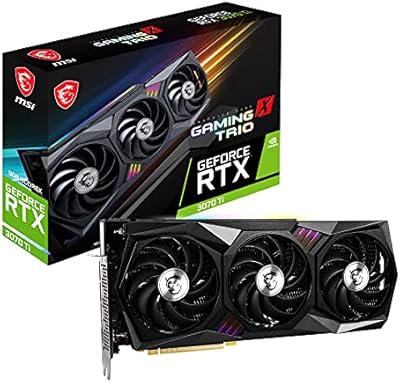
MSI GeForce RTX 3070 Ti Gaming X Trio 8GB
85%
92%
Gaming Performance
89%
Cooling Efficiency
88%
4K Gaming Experience
85%
RGB Customization
70%
Size & Compatibility
More
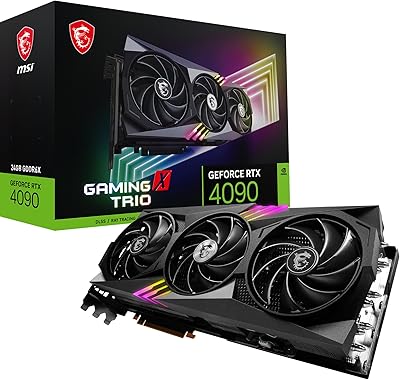
MSI RTX 4090 Gaming X Trio GPU
84%
93%
Thermal Performance
89%
Noise Levels
96%
Raw Gaming Performance
91%
VRAM & Memory
88%
Build Quality
More
MSI GeForce RTX 2080 Ti Gaming X Trio
87%
94%
Gaming Performance
91%
Ray Tracing Quality
88%
Thermals and Cooling
90%
Build Quality
65%
Noise Level Under Load
More
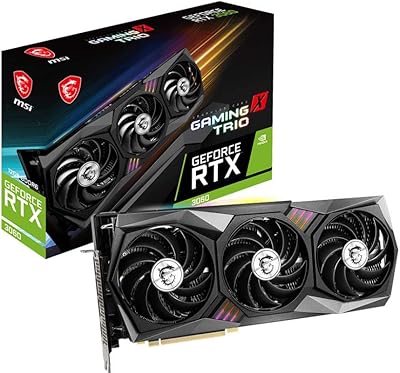
MSI GeForce RTX 3060 Gaming X Trio 12G
84%
91%
Gaming Performance
94%
Cooling Efficiency
87%
Build Quality
89%
Value for Money
70%
Compatibility with Cases
More
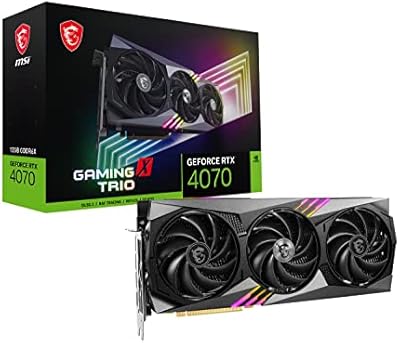
MSI RTX 4070 Gaming X Trio GPU
82%
92%
1440p Gaming Performance
93%
Thermal Performance
91%
Noise Levels
89%
Build Quality
71%
Value for Money
More
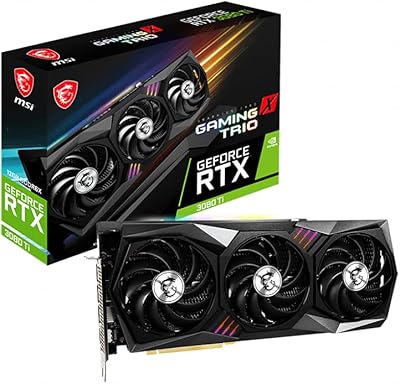
MSI GeForce RTX 3080 Ti Gaming X Trio 12G
86%
94%
Cooling Performance
92%
4K Gaming Performance
88%
Build Quality
91%
Noise Levels Under Load
85%
Installation and Setup
More
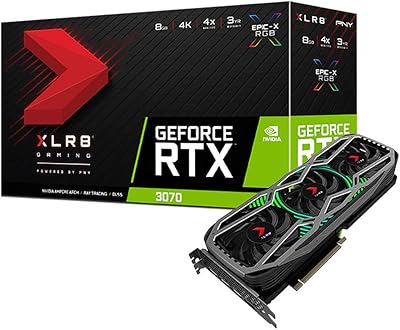
PNY GeForce RTX 3070 8GB Graphics Card
79%
91%
1440p Gaming Performance
88%
Thermal Management
86%
Noise Levels
63%
VRAM Adequacy
78%
Ray Tracing Performance
More
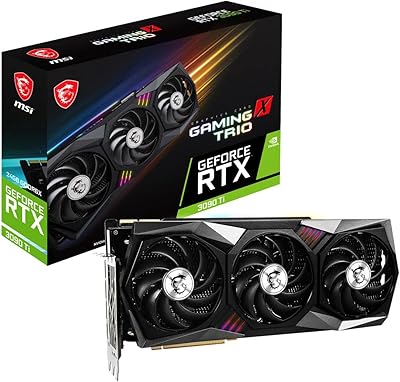
MSI GeForce RTX 3090 Ti Gaming X Trio 24GB
84%
94%
Gaming Performance
70%
Power Consumption
88%
Cooling Efficiency
65%
Size and Compatibility
92%
Overclocking Performance
More
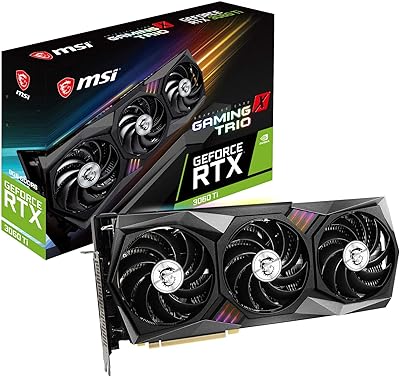
MSI RTX 3060 Ti X Trio GPU
77%
93%
Thermal Performance
91%
Noise Levels
88%
1440p Gaming Performance
89%
Build Quality
67%
Value for Money
More
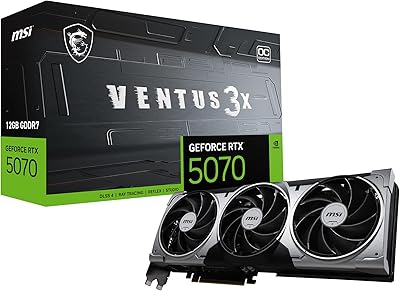
MSI RTX 5070 Ventus 3X OC 12GB
82%
88%
Gaming Performance
86%
Thermal Management
83%
Noise Levels
84%
Build Quality
79%
Value for Money
More

FAQ

It depends on your specific case, but you need to check two things: available GPU length clearance (at least 12 inches or 305mm) and three free expansion slots. Many popular mid-towers like the NZXT H510 or Fractal Design Meshify C are a tight fit or incompatible. Always verify your case specifications before ordering — this is one of the most common return reasons for this card.

MSI recommends a minimum of 750W, and that is a reasonable floor. If your existing PSU is 650W and you have a power-hungry CPU like an AMD Ryzen 9 or Intel Core i9, you may run into stability issues under full load. A quality 750W or 850W unit with 80+ Gold certification gives you comfortable headroom.

Notably quiet for a high-performance card. The TORX Fan 4.0 blades are designed to move air efficiently at lower RPMs, so under typical 1440p gaming loads the fans are audible but not intrusive. At idle or in light desktop use, the fans stop entirely thanks to the zero-RPM mode, which is a nice touch.

Honestly, it is an increasingly fair concern. At 1440p with standard quality settings, 8GB handles the vast majority of current titles without issue. However, some newer releases with very high-resolution texture packs — like certain open-world games — can push toward or past that limit at ultra settings. If you are playing at 1080p or 1440p with reasonable settings, you will be fine for a few more years. At 4K ultra, it becomes a genuine bottleneck.

Yes, within reason. Software like Adobe Premiere Pro and DaVinci Resolve both leverage NVIDIA CUDA cores effectively, so export times benefit noticeably compared to CPU-only rendering. For hobbyist 3D work in Blender or similar tools, the VRAM and CUDA core count are solid. For professional-grade tasks involving very large scene files or 8K footage, a workstation GPU with more VRAM would serve you better.

Yes, it fully supports DLSS (Deep Learning Super Sampling), which is one of the more practical reasons to pick an RTX card at this tier. In supported titles, DLSS can deliver near-native visual quality at significantly higher framerates, which is especially useful if you want to push ray tracing at 1440p without sacrificing smoothness.

The Gaming X Trio ships with a modest boost clock advantage over NVIDIA's reference Founders Edition. In practice, this translates to small but consistent performance gains — typically a few frames per second in GPU-bound scenarios. It is not a dramatic difference, but it means you get that headroom without touching any overclocking software yourself.

Absolutely. The card has three DisplayPort 1.4a outputs and one HDMI 2.1 port, supporting up to four displays simultaneously. Whether you want a primary gaming monitor plus a secondary productivity screen, or a full three-monitor surround setup, the output options cover it. The HDMI 2.1 port is particularly useful for connecting a 4K TV at high refresh rates.

MSI Center is optional for basic use — the card will run fine without it. You only need it if you want to control the RGB lighting, monitor temperatures, or adjust fan curves. That said, some users have reported occasional bugs or software conflicts with MSI Center, so if software stability matters to you, it is worth noting. Alternatives like MSI Afterburner work independently and tend to be more stable for overclocking and monitoring purposes.

It works fine with PCIe 3.0 motherboards. The card is natively PCIe 4.0, but the real-world gaming performance difference between running it on PCIe 3.0 versus 4.0 is minimal — typically within the margin of error in benchmarks. If you have an older platform, you do not need to upgrade your motherboard just to use this card.