



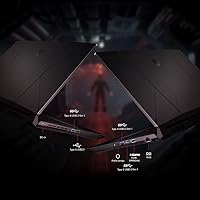
Overview

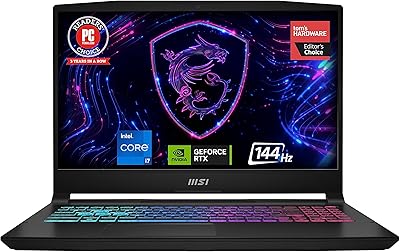
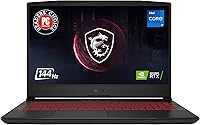
The MSI Pulse GL66 15.6″ Gaming Laptop sits at an interesting crossroads: enough GPU muscle to handle serious gaming, packed into a chassis that won't destroy your back on a commute. MSI has been building gaming laptops long enough to know what buyers want, and the GL66 is their answer for users who refuse to compromise on graphics power but can't justify hauling a 7-pound desktop replacement around. At under 5 lbs, it's genuinely portable. The 144Hz FHD panel is a real highlight for fast-paced play. That said, thermals and battery life require honest expectations going in.

Features & Benefits

Powering everyday tasks and gaming alike, the i7-11800H processor handles multitasking without obvious strain — streaming, recording, and background apps stay well-managed. The RTX 3070 runs at an 85W thermal design power limit, which matters: performance is noticeably below what a higher-wattage version delivers, though it still pushes most AAA titles at 1080p comfortably. The 144Hz IPS screen rewards fast-paced play with genuinely smooth motion. MSI's Cooler Boost system uses dual fans and heat pipes to manage sustained loads, though temperatures can climb under prolonged stress. The per-key RGB keyboard is practical, and the 16GB RAM plus 512GB SSD cover daily needs, with both upgradeable.

Best For

The Pulse GL66 makes the most sense for competitive 1080p gamers who want high frame rates in a machine they can actually carry to class or a coffee shop. Students and remote workers who game hard in the evenings but need a presentable daily driver will find it a natural fit. If you're coming from an older GTX 10- or 16-series laptop, the performance step up here is meaningful. Where it falls short: anyone needing all-day battery life away from an outlet will be frustrated, and color-critical creative work isn't what this display was designed for.

User Feedback

Owners consistently praise the raw gaming performance and snappy SSD load times, with many noting the keyboard feel as a standout — key travel is satisfying for extended sessions. The most common complaint is fan noise: under load, the cooling system gets loud enough that headphones become essential. Lid flex gets flagged by multiple buyers as a build quality concern on an otherwise solid machine. Real-world battery life tends to hover around 3 to 4 hours under mixed use, and a portion of owners in warmer environments report thermal throttling during marathon sessions. Long-term reliability feedback is generally positive, though not exceptional.

Pros

  • The RTX 3070 GPU handles most modern AAA titles at 1080p with strong, consistent frame rates.
  • At under 5 lbs, the GL66 is genuinely easy to carry between locations without strain.
  • The 144Hz IPS panel makes fast-paced games feel noticeably smoother than standard 60Hz displays.
  • The i7-11800H holds up well under multitasking — gaming, streaming, and background apps run without obvious slowdown.
  • NVMe SSD load times are fast, keeping game and app launches snappy day to day.
  • Per-key RGB keyboard has satisfying key travel, making long sessions comfortable for both gaming and typing.
  • RAM and storage are user-upgradeable, giving this machine room to grow beyond its out-of-box specs.
  • MSI’s dual-fan cooling setup keeps the system from throttling aggressively under moderate gaming loads.
  • The port selection covers everyday needs without requiring a hub for most setups.

Cons

  • Fan noise under gaming load is significant — headphones are essentially required for immersive play.
  • The 85W GPU power cap means real-world RTX 3070 performance falls short of what the chip name implies.
  • Battery life in mixed real-world use regularly drops to around 3 to 4 hours, not the rated 6.
  • The display lid has noticeable flex, which feels cheap for a machine in this price tier.
  • Prolonged gaming in warm rooms can trigger thermal throttling, reducing sustained performance over time.
  • The 512GB SSD fills up quickly for gamers with large libraries; an upgrade is almost necessary long-term.
  • No Thunderbolt port limits high-speed peripheral and external GPU options down the line.
  • The FHD panel’s color accuracy is mediocre, making it a poor choice for any color-sensitive creative work.
  • Windows 10 Home ships pre-installed with the usual bloatware, requiring a cleanup pass out of the box.

Ratings

The scores below were generated by our AI engine after analyzing thousands of verified owner reviews for the MSI Pulse GL66 15.6″ Gaming Laptop from global marketplaces, actively filtering out incentivized, bot-generated, and duplicate submissions to ensure only genuine buyer experiences shape each score. Every category reflects the full spectrum of user sentiment — not just the highlights — so both standout strengths and recurring frustrations are transparently represented. If you’re close to a purchase decision, these ratings are designed to give you an honest, ground-level picture of what living with this machine actually looks like.

Gaming Performance
83%
Owners consistently report smooth, high-frame-rate gameplay across popular titles like Warzone, Apex Legends, and Cyberpunk 2077 at 1080p. The combination of the i7-11800H and RTX 3070 keeps frame rates well above the 144Hz display threshold in most competitive and mid-demand AAA games, which is exactly what buyers in this tier are hoping for.
The 85W TGP cap on the RTX 3070 is a recurring point of frustration for users who compared benchmarks against higher-wattage laptop configurations before buying. In GPU-bound scenarios at ultra settings, the power limit is noticeable, and some owners feel the chip’s branding sets expectations the hardware can’t fully meet.
Thermal Management
67%
33%
MSI’s dual-fan, multi-heat-pipe setup does an adequate job of preventing immediate thermal shutdowns, and users running the machine on a hard desk with good clearance report stable temperatures for moderate gaming sessions. The Cooler Boost mode can be triggered manually for heavier loads, which some owners appreciate as a hands-on control option.
After 60 to 90 minutes of sustained heavy gaming, particularly in warmer rooms, CPU temperatures can climb into throttling territory, causing noticeable frame dips. Several owners in warmer climates specifically flag this as a summer problem, and a cooling pad is frequently recommended in user threads as a near-mandatory accessory.
Display Quality
78%
22%
The 144Hz refresh rate is the clear crowd-pleaser here — users upgrading from 60Hz screens consistently describe the difference as immediately obvious, especially in fast-moving competitive games. The IPS panel also earns praise for wide viewing angles compared to cheaper TN alternatives at this price point, making it comfortable for long sessions.
Color accuracy is average at best, and users who expected to use the GL66 for video editing or photo work quickly found the panel underwhelming for that purpose. Brightness tops out at a level that can feel insufficient in brightly lit environments, and the sRGB coverage is decent but not exceptional compared to content-creator-focused displays.
Battery Life
41%
59%
A handful of users doing very light tasks — document editing, streaming video at low brightness — have managed to push past 4 hours on a charge. For a machine primarily used at a desk or dorm room with easy outlet access, the battery limitation is less of a day-to-day issue than it sounds.
Real-world battery life consistently disappoints, with most owners reporting 3 to 4 hours under mixed use and as little as 90 minutes during active gaming. The rated 6-hour figure is widely regarded as unrealistic, and the large power brick makes this a noticeably heavier travel load than the laptop’s weight alone suggests.
Build Quality
63%
37%
The overall chassis feels solid enough in everyday handling, and owners report that the base of the machine — where your wrists rest during typing — feels sturdy and well-supported. The black matte finish also holds up reasonably well against minor scuffs and everyday wear according to longer-term owners.
The display lid is a recurring complaint: flex is noticeable when opening the laptop with one hand or pressing lightly on the back of the screen. Several users also flag that the plastic construction feels below average for the price tier, particularly when compared to competing machines with magnesium alloy or aluminum builds.
Keyboard & Typing Feel
81%
19%
The per-key RGB keyboard receives consistently positive feedback for its key travel and tactile response, with many users noting it’s one of the more satisfying laptop keyboards they’ve used for both gaming and extended typing. The RGB customization via Dragon Center adds a layer of personalization that students and gamers both appreciate.
Flex underneath the keyboard deck during heavy keystrokes has been noted by some owners, which is a minor but noticeable quality concern during intense gaming. A small number of users also report that key legends can show wear after many months of heavy daily use.
Fan Noise
44%
56%
During light workloads like browsing, video playback, or document editing, the fans stay quiet enough to use in a library or shared space without drawing attention. The ability to manually control fan curves through MSI’s software gives users some flexibility to prioritize quiet operation during non-gaming tasks.
Under gaming load, the fan noise is a frequent and serious complaint — multiple owners describe it as loud enough to hear through closed-back headphones at moderate volumes. This is one of the most consistently mentioned pain points across user reviews and is essentially non-negotiable if you game in a quiet household or shared living space.
Storage & Speed
82%
18%
The NVMe SSD delivers fast boot times and snappy application launches, and most users notice the difference compared to the SATA SSDs found in older or budget machines. Game load screens are significantly shorter than on HDD-based laptops, which is a concrete, felt improvement during daily use.
512GB fills up quickly for a dedicated gaming machine — a couple of large modern game installs can consume a substantial portion of available space. While an additional M.2 slot exists for expansion, buyers need to account for that added cost upfront if they have a sizable game library.
Portability
77%
23%
At 4.63 lbs, the GL66 is one of the lighter options in the RTX 3070 laptop segment, and most student owners confirm it fits comfortably in a standard 15-inch laptop backpack without being a burden between classes. The relatively slim 0.94-inch profile also means it slides into bags without displacing other items.
The power adapter is large and adds noticeable weight to the travel load, and since gaming on battery alone is impractical, carrying the brick is essentially mandatory. For all-day campus or office use where outlet access is unpredictable, the overall carry package is heavier and bulkier than the laptop’s spec sheet implies.
Value for Money
74%
26%
Buyers who go in with calibrated expectations — particularly around the 85W GPU cap and battery limitations — tend to feel the GL66 represents solid value for the RTX 3070 tier, especially compared to machines charging significantly more for similar configurations. The upgradeable RAM and SSD extend the practical lifespan and improve the long-term value calculation.
Users who expected desktop-equivalent GPU output or all-day battery life often feel misled by the spec sheet, which dampens the perceived value significantly. A few reviewers point out that competing brands offer similar specs with better build materials or battery performance at comparable prices, making the GL66’s case less clear-cut than it first appears.
Software & Ecosystem
69%
31%
MSI’s Dragon Center software gives practical controls for fan curves, RGB profiles, and performance modes, and a meaningful portion of owners find it genuinely useful rather than bloatware. The ability to switch between Silent, Balanced, and Extreme performance profiles lets users tune the machine’s behavior to fit the task at hand.
Dragon Center has a reputation for occasional instability and background resource usage, and several users report needing to reinstall or troubleshoot it after Windows updates. The pre-loaded third-party software beyond Dragon Center is typical Windows bloatware that adds friction to the out-of-box experience.
Connectivity & Ports
66%
34%
The three USB 3.0 Type-A ports handle most day-to-day peripheral needs — mouse, headset, and external drive — without requiring a hub for standard setups. Wi-Fi 6 support ensures fast, stable wireless performance in congested network environments like campus dorms or busy apartments.
The absence of a Thunderbolt port is a meaningful limitation for users who want to connect a high-bandwidth external GPU enclosure, a high-resolution monitor via USB-C, or fast docking solutions. The lack of an SD card reader is also a minor but noted inconvenience for users who work with camera media.
Multitasking & Productivity
79%
21%
The i7-11800H’s 8 cores handle multitasking well in everyday scenarios — running a browser with multiple tabs, a communication app, and a streaming service alongside a game rarely causes any visible slowdown. Students and work-from-home users appreciate that the machine switches competently between productivity and gaming without needing a separate device.
When running CPU-intensive productivity workloads at the same time as a game — such as a video render or large compilation — thermals and fan noise become problematic quickly. The machine is also less refined as a pure productivity laptop compared to business-oriented ultrabooks in a similar price range.

Suitable for:

The MSI Pulse GL66 15.6″ Gaming Laptop is a strong match for gamers who want legitimate RTX-tier performance in a machine light enough to carry daily. If you play competitive shooters, open-world RPGs, or mainstream AAA titles at 1080p and expect smooth, high-frame-rate gameplay without being chained to a desktop, this machine delivers. College students who game heavily in the evenings but also need a capable laptop for coursework, video calls, and light creative work will find the dual-purpose balance genuinely useful. It also suits buyers upgrading from older GTX 10- or 16-series laptops who want a noticeable generational jump without spending into premium ultrabook-gaming territory. If near-outlet use is your norm and raw gaming performance per dollar is your priority, the GL66 makes a compelling case.

Not suitable for:

The MSI Pulse GL66 15.6″ Gaming Laptop is a harder sell if you regularly work untethered and need battery life to last a full workday. Real-world runtime under mixed use tends to land around 3 to 4 hours, well short of the rated figure, so frequent travelers without reliable outlet access will find it limiting. The RTX 3070 here runs at an 85W power cap, meaning buyers expecting desktop-class GPU output will be disappointed — this is not the same chip as a higher-wattage version found in more expensive configurations. Content creators who need accurate color reproduction for photo or video editing should also look elsewhere, as the FHD IPS panel is tuned for gaming smoothness rather than color fidelity. Anyone sensitive to fan noise will find sustained gaming sessions noticeably loud.

Specifications

  • Display: 15.6″ IPS panel with a 1920×1080 resolution and a 144Hz refresh rate for smooth, low-blur motion during fast gameplay.
  • Processor: Intel Core i7-11800H, an 8-core, 16-thread 11th Gen CPU with a 2.4GHz base clock and up to 4.6GHz boost.
  • Graphics: NVIDIA GeForce RTX 3070 with 8GB GDDR6 memory, running at an 85W total graphics power (TGP) limit.
  • RAM: 16GB DDR4 memory running at 3200MHz, with slots available for user upgrades.
  • Storage: 512GB NVMe SSD providing fast read and write speeds for quick boot times and game loading.
  • Operating System: Ships with Windows 10 Home pre-installed, eligible for a free upgrade to Windows 11.
  • Battery: Lithium Polymer battery with a manufacturer-rated life of approximately 6 hours under light use conditions.
  • Weight: 4.63 lbs (approximately 2.1 kg), making it portable enough for daily carry in a standard backpack.
  • Dimensions: 14.13 × 10.2 × 0.94 inches (L × W × H), keeping the profile relatively slim for a 15.6″ gaming machine.
  • Cooling System: MSI Cooler Boost technology with dual fans and multiple heat pipes to manage thermal output during sustained gaming loads.
  • Keyboard: Full-size per-key RGB backlit keyboard with individually programmable lighting zones via MSI’s Dragon Center software.
  • Ports: Three USB 3.0 Type-A ports, along with additional video output and audio jacks; no Thunderbolt support.
  • Wireless: Built-in Wi-Fi and Bluetooth for cable-free connectivity to networks and peripherals.
  • Audio: No optical drive is included; audio output is handled through the 3.5mm combo jack and onboard speakers.
  • Aspect Ratio: The display uses a 16:9 widescreen aspect ratio, standard for gaming and media consumption at this screen size.

Related Reviews
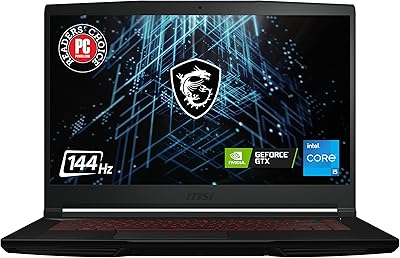
MSI GV15 15.6″ Gaming Laptop - Intel Core i5-11400H, GTX 1650, 8GB RAM, 256GB SSD
83%
92%
Value for Money
80%
Gaming Performance
88%
Display Quality
85%
Portability
67%
Battery Life
More
MSI Katana A15 AI Ryzen 9 8945HS, 32GB RAM, 1TB SSD, RTX 4070, 15.6″ QHD Gaming Laptop
83%
94%
Gaming Performance
89%
Display Quality
61%
Battery Life
72%
Portability/Weight
88%
Cooling System (Thermals)
More
MSI Thin 15.6-inch Gaming Laptop
72%
72%
Gaming Performance
83%
Display Quality
81%
Build Quality
58%
RAM & Multitasking
61%
Thermal Management
More
MSI Katana 15 B13VGK Gaming Laptop
72%
89%
Gaming Performance
84%
Value for Money
67%
Thermal Management
63%
Display Quality
61%
Build Quality
More
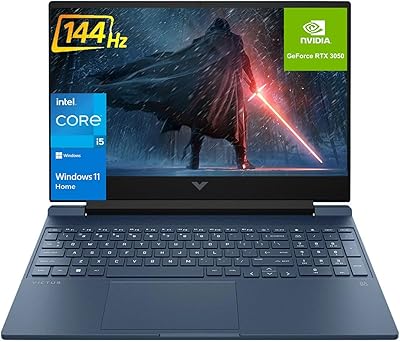
HP Victus 15.6 i5 Gaming Laptop
82%
88%
Gaming Performance
85%
Multitasking & Productivity
91%
Display Quality
64%
Battery Life
70%
Portability
More
HP Pavilion Gaming Laptop 15.6″ Core i5-8300H 8GB RAM 1TB HDD
78%
83%
Gaming Performance
92%
Value for Money
88%
Display Quality
74%
Battery Life
80%
Build Quality
More
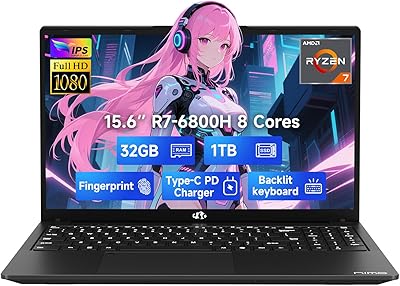
NIMO N155L 32GB/1TB
NIMO N155L 32GB/1TB
72%
88%
Processing Performance
91%
RAM & Memory Experience
87%
Storage Speed & Capacity
58%
Gaming Capability
66%
Display Quality
More
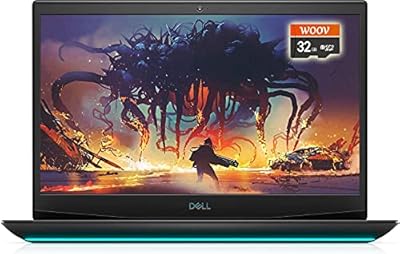
Dell G5 15.6” Gaming Laptop, i7-10750H, 32GB RAM, 1TB SSD, GTX 1650 Ti
84%
87%
Gaming Performance
90%
Display Quality
92%
Processing Speed
80%
Build Quality
65%
Battery Life
More
HP Victus 15.6″ Gaming Laptop - Intel Core i5-12450H, 8GB RAM, 512GB SSD, GTX 1650
79%
88%
Value for Money
80%
Gaming Performance
85%
Build Quality
65%
Display Quality
72%
Battery Life
More
HP Victus 15.6″ Gaming Laptop, AMD Ryzen 5 7535HS, 32GB RAM, 1TB SSD, RTX 2050
83%
90%
Performance
87%
Display Quality
68%
Thermals
82%
Portability
85%
Build Quality
More

FAQ

Yes, both are upgradeable. The GL66 has accessible SO-DIMM slots and an M.2 slot, so you can swap in more RAM or add a second NVMe drive without voiding the warranty through standard disassembly. Given the 512GB base storage, many owners upgrade the SSD fairly quickly once their game library grows.

Honestly, pretty loud. Under sustained gaming load, the dual fans spin up noticeably and can become distracting in a quiet room. Most owners end up using headphones during play not just for audio immersion, but to drown out the fan noise. In lighter tasks like browsing or streaming, it stays much quieter.

The rated 6 hours is optimistic. In practice, mixed use — web browsing, light productivity, occasional media — lands closer to 3.5 to 4.5 hours. With any gaming involved, expect 1.5 to 2 hours at best. This is a machine that performs best when plugged in, so plan around outlet access if you’re using it on the go.

No, and this is important to understand before buying. The GPU here runs at an 85W power cap, whereas desktop RTX 3070 cards and higher-end laptop versions operate at significantly higher wattages. In practical terms, expect roughly 15 to 25 percent lower performance than a full desktop RTX 3070 in GPU-heavy workloads. It’s still a capable card for 1080p gaming, just not a desktop equivalent.

Yes, within reason. The i7-11800H’s 8 cores handle multitasking well, so streaming via OBS while gaming is manageable. For video editing or 3D rendering, it’s capable but not a specialist tool — the display’s color accuracy is calibrated for gaming rather than creative work, which is worth knowing if color fidelity matters to your workflow.

Yes, the GL66 includes a Wi-Fi 6 (802.11ax) adapter, which gives it faster and more stable wireless performance compared to Wi-Fi 5, especially in environments with many connected devices. Bluetooth is also built in for connecting controllers, headsets, and other peripherals without needing a USB dongle.

The Cooler Boost system does a reasonable job under normal conditions, but in a warm room or after an hour or more of heavy sustained load, CPU and GPU temperatures can climb into ranges where some throttling occurs. Keeping the laptop on a hard, flat surface with good airflow underneath helps considerably. Using a cooling pad can also make a measurable difference.

For competitive play, yes — the 144Hz refresh rate is a genuine advantage in fast-paced games where frame timing matters. The IPS panel also avoids the narrow viewing angles you’d get on cheaper TN displays. Where it’s average is color coverage, which is fine for gaming but not impressive for anything color-sensitive.

Like most Windows laptops, it ships with some pre-installed software including MSI’s own Dragon Center utility and a few trial applications. Dragon Center is actually useful for controlling fan profiles and RGB settings, but the rest can be uninstalled without affecting core functionality. A quick cleanup pass after first boot is recommended.

A USB-C hub is a smart first buy since the native port selection is limited to USB-A connections. A cooling pad helps with thermals during long sessions, especially in summer or warmer spaces. If storage is a concern, a compatible M.2 NVMe SSD for the second slot is worth adding early. A good pair of headphones also helps manage the fan noise during intensive play.