


Overview

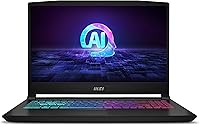
The MSI Katana A15 AI Gaming Laptop lands in an interesting spot — powerful enough to satisfy serious gamers, yet priced below the true flagship tier where things get genuinely painful for your wallet. Pairing AMD's Ryzen 9-8945HS with an RTX 4070 is a smart combo in a laptop market still largely dominated by Intel builds. Released in early 2024, this is current-gen hardware with real AI processing credentials built in. That said, at 9.13 pounds with a fairly thick chassis, the Katana A15 AI is not a laptop you will forget is in your bag. Raw performance is the pitch here, not portability.

Features & Benefits

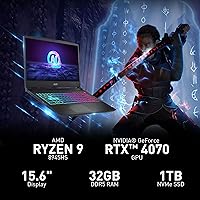
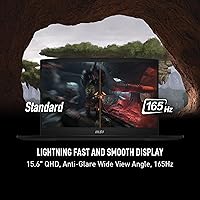
The 165Hz QHD display is arguably the biggest differentiator here — most rivals at similar price points still ship with 1080p panels, and the jump to 2560x1440 at this refresh rate is immediately noticeable in motion-heavy games and detailed open worlds. The RTX 4070 handles ray tracing and DLSS 3 without breaking a sweat, keeping frame rates healthy at native resolution. AMD's Ryzen 9-8945HS brings solid multi-core muscle and a built-in NPU for AI workloads — though practical AI use cases are still catching up to the hardware. With 32GB of DDR5 and a 1TB NVMe drive out of the box, this AMD-powered rig is generously configured from day one. Connectivity is solid too, with Wi-Fi 6E and four USB-A ports.

Best For

This MSI gaming laptop makes the most sense for players chasing 1440p high-refresh gaming in demanding titles — think Cyberpunk 2077, Elden Ring, or Apex Legends — where the display and GPU finally have a worthy partnership. Students and young professionals pulling double duty will also find the hardware generous enough to handle creative workloads, video editing, or heavy multitasking without fuss. If you are an AMD CPU fan, the Ryzen pairing is genuinely appealing, though the GPU is still NVIDIA, so it is not a fully AMD ecosystem play. Crucially, this is not the right pick for anyone prioritizing portability or thin-and-light aesthetics — and if you are coming from a MacBook expecting similar build refinement, temper those expectations.

User Feedback

Buyers consistently praise the display quality and in-game performance — the RTX 4070 at QHD resolution tends to exceed expectations for the price bracket. That said, a recurring theme in critical reviews is fan noise under load; the Cooler Boost 5 system runs audibly loud, and some users report noticeable chassis warmth during extended sessions. Battery life draws plenty of complaints too — plugging in for gaming is basically non-negotiable, and even light use away from an outlet does not last long. Build quality draws mixed opinions, with the plastic construction feeling workable rather than premium and some flex noted in the lid. Users who bought it for both work and gaming generally report satisfaction, though they tend to keep it desk-bound.

Pros

  • The QHD 165Hz display is a rare find at this price point and makes a real difference in fast-paced games.
  • RTX 4070 performance at 1440p is genuinely strong, handling ray tracing in modern titles without major frame drops.
  • 32GB of DDR5 RAM means multitasking, streaming, and creative workloads never feel constrained.
  • The Ryzen 9-8945HS delivers excellent multi-core performance for both gaming and productivity tasks.
  • Wi-Fi 6E support keeps online gaming and large file transfers fast and reliable.
  • A 1TB NVMe SSD offers ample storage for a large game library without needing an external drive immediately.
  • The Katana A15 AI ships with a genuinely capable out-of-the-box configuration — no immediate upgrade spending required.
  • DLSS 3 support via the Ada GPU architecture helps push frame rates higher with minimal visual quality loss.
  • Four USB-A ports make connecting peripherals, drives, and accessories straightforward without a hub.

Cons

  • At over 9 pounds, this AMD-powered rig is impractical to carry daily and feels heavy even in a backpack.
  • Fan noise under gaming loads is loud enough to be distracting in quiet environments.
  • Battery life off the charger is poor — expect to stay near an outlet for any serious use.
  • The plastic chassis has noticeable flex in the lid, which feels underwhelming compared to metal-bodied rivals.
  • Thermal performance during prolonged sessions in warm rooms can lead to throttling and reduced sustained output.
  • The single USB 2.0 port feels outdated on a 2024 laptop, limiting transfer speeds on older peripherals.
  • The trackpad quality does not match the overall performance credentials — an external mouse is practically essential.
  • The AI and NPU branding adds little tangible value right now, as real-world AI-accelerated software support remains limited.
  • Windows 11 Home ships pre-installed, which may require a paid upgrade for users needing Pro-level features for work.

Ratings

The scores below for the MSI Katana A15 AI Gaming Laptop were generated by our AI engine after analyzing thousands of verified global buyer reviews, with spam, bot submissions, and incentivized feedback actively filtered out. Each category reflects the honest distribution of real user experiences — strengths are credited where earned, and recurring pain points are scored without softening. The result is a transparent picture of where this AMD-powered rig genuinely delivers and where it falls short.

Gaming Performance
91%
Users consistently report that the RTX 4070 and Ryzen 9-8945HS combination handles demanding titles with confidence at 1440p, often exceeding expectations for the price bracket. Gamers playing Cyberpunk 2077, Elden Ring, and Apex Legends praise the smooth frame rates, especially with DLSS 3 enabled.
A minority of users note that sustained performance during very long sessions — two or more hours of heavy load — can dip slightly as thermals build up, particularly in warmer rooms. This is not a dealbreaker for most, but competitive players running benchmarks notice it.
Display Quality
88%
The QHD 165Hz panel draws frequent praise from buyers who upgraded from 1080p laptops, with many describing the jump in clarity and smoothness as immediately obvious in fast-paced games and detailed open-world environments. Colors are vibrant enough for casual creative work alongside gaming.
The display is not factory calibrated for color-accurate work, and reviewers doing serious photo or video editing note that the color coverage falls short of dedicated creative monitors. Brightness in well-lit rooms also draws occasional complaints from users who game near windows.
Thermal Management
67%
33%
The Cooler Boost 5 dual-fan system does keep the CPU and GPU from hitting critical thermal limits during normal gaming, and users who keep the vents clear on a hard desk surface report stable performance for typical 1-hour gaming sessions.
Under sustained workloads the chassis gets noticeably warm near the keyboard and vent areas, and several users report mild throttling during hour-long-plus sessions in summer or in poorly ventilated spaces. A laptop cooling pad is a commonly recommended fix in user threads.
Fan Noise
54%
46%
At idle and during light tasks like browsing or streaming, the fans are quiet enough that most users do not notice them. The system manages low-demand workloads efficiently without spinning up unnecessarily.
Under gaming load, the fans become genuinely loud — loud enough that users without headphones find it distracting, and users in shared rooms or apartments mention it creates friction with roommates or partners. This is one of the most frequent complaints across verified reviews and is hard to ignore.
Battery Life
43%
57%
For very short bursts of light productivity — a quick meeting or 30 minutes of note-taking — the battery holds adequately, and users who work exclusively at a desk rarely encounter issues since they stay plugged in.
Off the charger, real-world battery life consistently disappoints, with users reporting 2 to 3 hours on light tasks and barely 1 hour under gaming load. Students who expected to use this AMD-powered rig unplugged between classes frequently cite battery life as the biggest regret in their purchase.
Build Quality
62%
38%
The chassis feels solid enough for desk use, and most users who treat it as a stationary gaming machine report no structural issues over months of use. The hinge mechanism draws specific praise for feeling sturdy during screen adjustments.
The plastic construction shows flex in the display lid under moderate pressure, and buyers comparing it to metal-bodied rivals at a similar price point often feel the materials do not match the performance pedigree. Scuffs and minor surface marks also appear relatively quickly with regular handling.
Portability
38%
62%
For users who move the Katana A15 AI only occasionally — between a bedroom and living room, or home and office once a week — the weight is manageable with a decent laptop bag.
At 9.13 pounds with a thick power brick, daily commuters and students carrying this across campus quickly grow frustrated. Multiple reviewers specifically mention shoulder and back strain after regular transport, and the footprint makes it awkward in smaller bags and tight café spaces.
Value for Money
83%
Buyers consistently highlight that the combination of a QHD 165Hz display, RTX 4070, and 32GB of DDR5 RAM in a single out-of-the-box configuration would cost noticeably more in competing builds. The spec-to-price ratio is a common reason users choose this over alternatives.
A segment of buyers feel the value equation shifts when accounting for the plastic build and thermal limitations — spending at this tier and dealing with fan noise and throttling feels like a compromise that premium competitors avoid. The overall satisfaction depends heavily on how much the buyer values raw specs versus polish.
Keyboard & Trackpad
58%
42%
The backlit keyboard offers adequate key travel for gaming inputs, and users who primarily use it for gaming rather than extended typing report comfortable use during sessions. The backlighting is consistent and useful in dim environments.
The trackpad draws consistent criticism for feeling imprecise and unresponsive compared to ultrabook-class competitors, and productivity-focused users strongly recommend pairing this laptop with an external mouse immediately. Keyboard flex during heavy typing is also noted by users coming from sturdier builds.
Software & AI Features
61%
39%
MSI Center provides accessible controls for performance profiles, fan curves, and lighting, which experienced users appreciate for tuning the machine to their specific needs. The integrated NPU works well for AI-assisted Windows features like background blur in video calls.
The AI branding feels ahead of the software ecosystem — most users report that the NPU functionality has minimal real-world impact day-to-day beyond basic Windows Studio Effects. Some users also report that MSI's pre-installed software bundle includes bloatware that requires manual cleanup after purchase.
Connectivity & Ports
77%
23%
Wi-Fi 6E delivers fast, stable wireless performance in online gaming, and users with compatible routers report noticeably lower latency compared to their previous Wi-Fi 5 laptops. The four USB-A ports comfortably accommodate a typical desktop gaming peripheral setup.
The inclusion of a USB 2.0 port feels dated on a 2024 machine, and the absence of a Thunderbolt or USB4 port limits options for users wanting to connect high-bandwidth docks or newer peripherals. Users with USB-C centric setups may find themselves needing an adapter.
Productivity & Multitasking
84%
The 32GB DDR5 configuration handles heavy multitasking without hesitation — users running multiple browser tabs, video editing timelines, or virtual machines alongside background applications report no sluggishness whatsoever. The fast NVMe SSD keeps application launch times snappy.
The fan noise during CPU-intensive work tasks can make extended productivity sessions less pleasant without headphones, and the poor battery life means plugging in is mandatory for serious work use, which limits desk flexibility.
Audio Quality
63%
37%
Built-in HD Audio performs adequately for casual gaming audio and video calls, and users who primarily use headphones report that the headphone jack output is clean with no noticeable interference or hiss.
The built-in speakers are underwhelming for a machine at this price — they lack bass and sound thin at higher volumes, which disappoints users who occasionally game or watch content without headphones. Competing laptops at a similar tier generally offer better speaker setups.
Setup & Out-of-Box Experience
74%
26%
Buyers appreciate receiving a fully configured machine with 32GB RAM and 1TB storage that requires no immediate hardware investment. Initial setup is straightforward, and MSI Center guides users through basic performance configuration without needing technical knowledge.
Several users flag a noticeable amount of pre-installed software and trial applications that require cleanup before the system feels optimized. Windows 11 Home also prompts some professional users to purchase a Pro license upgrade, which adds unexpected post-purchase cost.

Suitable for:

The MSI Katana A15 AI Gaming Laptop is built for gamers who want to play at 1440p with high refresh rates without paying flagship prices — if that describes you, this machine punches well above its weight class. The RTX 4070 and Ryzen 9-8945HS combination handles demanding modern titles comfortably, making it a strong choice for players who want smooth frame rates in visually intense games without constantly dialing down settings. College students and young professionals who need one machine for everything — coding, video editing, content consumption, and late-night gaming sessions — will find the 32GB of DDR5 RAM and fast SSD leave very little to complain about in day-to-day use. The QHD display is a genuine differentiator at this price tier; if you spend hours in front of your screen, the jump in clarity and pixel density over a standard 1080p panel is noticeable and worthwhile. This is fundamentally a desk-bound powerhouse, and buyers who accept that trade-off upfront tend to walk away very satisfied.

Not suitable for:

If you regularly commute or travel with your laptop, the Katana A15 AI is a difficult recommendation — 9.13 pounds is a real commitment to haul around, and the thick chassis does not fit easily into slim bags or overhead bins. Buyers coming from premium ultrabooks or expecting MacBook-level build quality and chassis rigidity will likely be disappointed by the plastic construction, which feels functional rather than refined. Battery life is genuinely poor when untethered, so anyone who needs to work or game away from an outlet for extended stretches should look elsewhere. This is also not the right fit for users who primarily need a light productivity machine and only game occasionally — the size and noise penalties during heavy loads are hard to justify for casual use. Finally, if future hardware upgrades are a priority, potential limitations around RAM upgradeability are worth investigating before committing.

Specifications

  • Processor: AMD Ryzen 9-8945HS (Hawk Point series) running at up to 4GHz+, featuring 8 cores and an integrated NPU for AI-accelerated tasks.
  • Graphics: NVIDIA GeForce RTX 4070 with 8GB GDDR6 VRAM, built on the Ada Lovelace architecture with full support for ray tracing and DLSS 3.
  • Display: 15.6-inch QHD panel at 2560x1440 resolution with a 165Hz refresh rate, delivering sharper visuals and smoother motion than standard 1080p laptop screens.
  • Memory: 32GB of DDR5 RAM installed, providing fast bandwidth suited for both gaming workloads and memory-intensive productivity applications.
  • Storage: 1TB NVMe SSD offering rapid boot times, fast game load speeds, and ample capacity for a sizable library of titles and files.
  • Operating System: Ships with Windows 11 Home pre-installed; MSI recommends upgrading to Windows 11 Pro for business or professional use cases.
  • Cooling System: MSI Cooler Boost 5 dual-fan thermal system designed to sustain GPU and CPU performance during extended gaming or rendering sessions.
  • Wireless: Wi-Fi 6E (802.11ax) for high-speed, low-latency wireless connectivity, paired with Bluetooth for peripheral support.
  • Ports: Four USB-A ports total — one USB 2.0 and three USB 3.0 — providing broad compatibility for peripherals, drives, and accessories.
  • Weight: The laptop weighs 9.13 pounds, placing it firmly in the desktop-replacement category rather than the portable ultrabook segment.
  • Dimensions: The chassis measures 14.13 x 14.69 inches footprint with a 1.11-inch profile, a relatively thick build that accommodates the internal cooling hardware.
  • Keyboard: Full-size backlit keyboard included, enabling comfortable use in low-light gaming or work environments.
  • Audio: HD Audio output built in, supporting clear sound for gaming, media playback, and video calls without requiring external speakers.
  • Battery: Lithium Polymer battery pack included in the box; like most high-performance gaming laptops, it is primarily designed for plugged-in use.
  • Color: Available in Black with MSI's characteristic angular gaming aesthetic applied to the plastic chassis design.

Related Reviews
MSI Katana 15 B13VGK Gaming Laptop
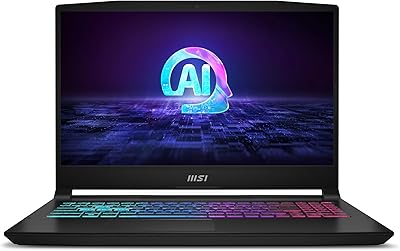
72%
89%
Gaming Performance
84%
Value for Money
67%
Thermal Management
63%
Display Quality
61%
Build Quality
More
MSI Katana A15 AI B8VF-448US
73%
88%
Gaming Performance
84%
Value for Money
46%
Battery Life
87%
CPU Performance
67%
Display Quality
More
MSI Raider GE68HX 16 Gaming Laptop
73%
88%
Gaming Performance
91%
Creative Workstation Use
62%
Thermal Management
44%
Battery Life
78%
Display Quality
More
MSI Pulse GL66 15.6″ Gaming Laptop
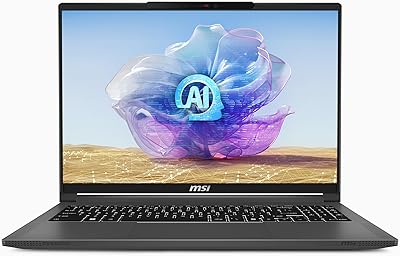
70%
83%
Gaming Performance
67%
Thermal Management
78%
Display Quality
41%
Battery Life
63%
Build Quality
More
MSI Creator A16 AI+ 16-inch Laptop
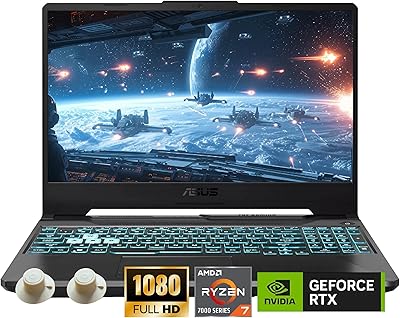
75%
93%
Display Quality
84%
GPU Performance
47%
Battery Life
61%
Thermal Management
67%
Value for Money
More
ASUS TUF A15 Gaming Laptop, AMD Ryzen 7 7435HS, 64GB RAM, 2TB SSD
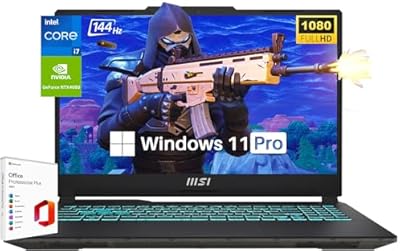
85%
92%
Gaming Performance
88%
Multitasking Capability
85%
Cooling System Efficiency
83%
Build Quality
70%
Portability
More
MSI Cyborg Gaming Laptop 2024, Intel i7-13620H, 32GB RAM, 1TB SSD, RTX 4050
85%
91%
Gaming Performance
88%
Multitasking & Productivity
93%
Display Quality
85%
Build Quality
67%
Battery Life
More
MSI GV15 15.6″ Gaming Laptop - Intel Core i5-11400H, GTX 1650, 8GB RAM, 256GB SSD
83%
92%
Value for Money
80%
Gaming Performance
88%
Display Quality
85%
Portability
67%
Battery Life
More
MSI Raider GE68HX Gaming Laptop
76%
88%
Gaming Performance
92%
CPU & Multitasking
94%
RAM & Memory
91%
Storage
74%
Display Quality
More
MSI Thin 15.6-inch Gaming Laptop
72%
72%
Gaming Performance
83%
Display Quality
81%
Build Quality
58%
RAM & Multitasking
61%
Thermal Management
More

FAQ

Yes, the RTX 4070 is well-matched to the QHD display. In most current titles — including demanding ones like Cyberpunk 2077 or Hogwarts Legacy — you can expect playable to excellent frame rates at high or ultra settings at 1440p, especially with DLSS 3 enabled to boost performance further.

It is genuinely loud under full load. The Cooler Boost 5 system does its job thermally, but the fans spin up aggressively during heavy gaming sessions and you will hear them clearly without headphones. If you game in a shared space or quiet room, this is worth factoring in.

Even on light tasks away from the charger, expect somewhere in the range of 2 to 4 hours depending on brightness and background activity. Gaming off battery is not a practical option. This AMD-powered rig is designed to perform when plugged in, so treating the battery as a short bridge rather than a primary power source is the right mindset.

The Katana A15 AI uses socketed SO-DIMM DDR5 slots rather than fully soldered RAM, which means upgrading is possible in principle. That said, it already ships with 32GB, which is generous enough that most users will not need to touch it for years.

It handles creative workloads well. The Ryzen 9-8945HS has strong multi-core performance that benefits video encoding and rendering, and 32GB of DDR5 RAM keeps timelines and asset-heavy projects running smoothly. The QHD display is also a genuine asset for color-sensitive work, though it is not factory calibrated for professional color grading.

The chassis is primarily plastic, and there is some flex in the display lid if you apply pressure. It does not feel cheap, but it also does not match the rigidity of metal-bodied competitors at a similar price point. If premium build materials are a priority for you, it is worth handling one in person before committing.

Some thermal throttling can occur during extended high-load sessions, particularly in warmer ambient environments. Keeping the vents clear, using a hard flat surface, and running MSI Center's performance profiles can help minimize this. It is not severe enough to ruin most gaming sessions, but it is a known behavior with this class of hardware.

You get four USB-A ports — three USB 3.0 and one USB 2.0 — along with HDMI and other standard outputs. For a typical gaming or desk setup with a mouse, keyboard, and headset, you should be fine without a hub. If you need USB-C or Thunderbolt connectivity for docks or newer peripherals, check the full port spec carefully before buying.

It is a strong performer for that dual-purpose use case, and the spec sheet handles both roles easily. The main caveat is weight — carrying it to class every day at 9.13 pounds will get old quickly. If the campus commute is light or you mostly move between a dorm and home, it works well. But if you are hauling it across a large campus daily, a lighter secondary machine might pair better with it.

The Ryzen 9-8945HS has a built-in NPU that Microsoft and software developers are starting to use for features like Windows Studio Effects, background blur on video calls, and some AI-assisted creative tools. In day-to-day use right now, the impact is modest — the AI features are still catching up to the hardware. It is more of a future-readiness feature than something you will feel immediately, but it does mean the Katana A15 AI is well-positioned as software support grows.

Where to Buy

Newegg.com
In stock $1,999.00
Grooves-Inc.com
In stock $1,920.28