

Overview

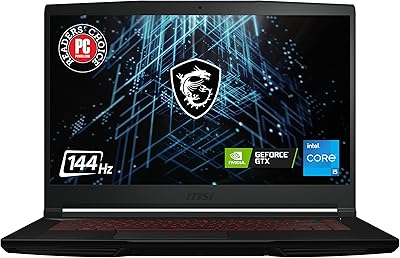
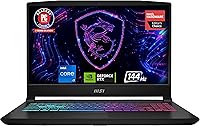
The MSI Katana 15 B13VGK Gaming Laptop arrived in early 2023 as one of the stronger options for buyers who wanted serious GPU muscle without crossing into luxury territory. This mid-range gaming machine keeps its design straightforward — matte black chassis, no RGB theatrics, just a no-frills build aimed at getting things done. What you're really paying for sits under the hood: a current-gen GPU paired with a capable processor that holds its own in both gaming and light creative work. That said, it's worth going in with clear expectations around thermals and display quality, because not everything at this price point is without compromise.

Features & Benefits

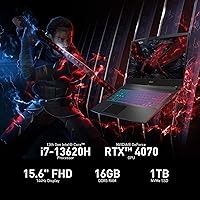
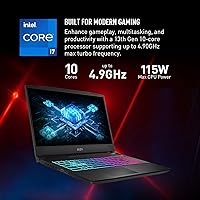
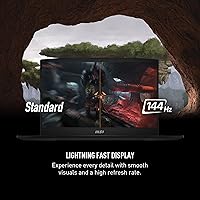
At the heart of the Katana 15 is an RTX 4070 GPU built on NVIDIA's Ada Lovelace architecture, delivering real ray tracing, DLSS 3 upscaling, and frame rates that keep AAA titles running smoothly at high settings. The 10-core 13th Gen Intel Core i7 handles multitasking between a game, an OBS stream, and a browser without much protest. A 1TB NVMe SSD loads titles fast, and 16GB of DDR5-4000 RAM keeps the system responsive. One caveat: the RAM may ship in single-channel mode, which can slightly limit GPU throughput in bandwidth-hungry games. The 144Hz FHD panel suits fast-paced play, though buyers expecting 1440p at this price tier may feel the 1080p ceiling is a real trade-off.

Best For

This MSI gaming laptop hits a sweet spot for a specific kind of buyer. If you're upgrading from an older GTX 1060 or 1660 Ti, the generational performance jump is genuinely significant — ray tracing works, DLSS makes it practical, and the CPU no longer bottlenecks the experience. College students who need one machine for late-night gaming and morning productivity will find the spec balance reasonable. It also suits entry-level streamers and video editors, since the i7 manages encoding without maxing out. What it isn't is a premium portable — the build feels functional rather than refined, and battery life is a real limitation for anyone planning to game away from an outlet.

User Feedback

Owners consistently point to the GPU-to-price ratio as the standout strength — landing RTX 4070 performance in this segment felt like a genuine value win for many buyers. The responsive keyboard and quick SSD speeds also earn regular praise. The criticisms, though, are worth taking seriously. Fan noise under load is a frequent complaint; the cooling system spins loud enough that headphones become less optional than you'd like. Gaming battery life sits around two to three hours, which limits untethered use significantly. Several buyers also noted the plastic chassis feels a step below rivals like the ASUS TUF A15 at comparable prices, and a handful of reviews flagged occasional quality control inconsistencies on arrival.

Pros

  • The RTX 4070 GPU delivers high-settings performance in AAA titles that feels genuinely current-gen, not a cut-down compromise.
  • DLSS 3 support makes ray tracing practical at 1080p, pushing frame rates well beyond what older GPU generations could manage.
  • The 13th Gen i7 handles game streaming and background tasks simultaneously without the CPU becoming a bottleneck.
  • A 1TB NVMe SSD means fast load times and enough room for a large game library without juggling external drives.
  • 16GB of DDR5-4000 RAM keeps the system snappy for both gaming and productivity multitasking.
  • The 144Hz panel makes a real difference in fast-paced shooters and action games compared to standard 60Hz displays.
  • Thunderbolt 4 and Wi-Fi 6E provide connectivity headroom that most rivals at this price do not include.
  • The anti-glare coating on the display reduces reflections enough to use comfortably in brighter environments.
  • Buyers upgrading from GTX 10-series hardware will find the performance leap significant and immediately noticeable.

Cons

  • Battery life during gaming sessions typically lands between two and three hours, making a power outlet essentially mandatory.
  • The cooling fans get loud under load — loud enough that gaming without headphones in a quiet room becomes distracting.
  • The chassis is primarily plastic, and the build feels a step behind competitors offering metal lids or reinforced hinges at similar prices.
  • RAM may ship in single-channel configuration, which measurably reduces GPU memory bandwidth in demanding scenarios.
  • The 1080p display cap feels limiting for an RTX 4070 machine, where a 1440p panel would better match the GPU"s capabilities.
  • Display color gamut coverage is average at best, making this a poor choice for any serious photo or video color work.
  • At 7.59 lbs, the Katana 15 is on the heavier side and is not comfortable to carry daily in a bag without noticing the weight.
  • Some buyers have reported quality control inconsistencies, including cosmetic or minor hardware issues on arrival.
  • Thermal throttling can occur during very long gaming sessions, which may subtly reduce sustained frame rate consistency over time.

Ratings

The MSI Katana 15 B13VGK Gaming Laptop scores here reflect AI-driven analysis of verified global buyer reviews, with spam, bot-generated, and incentivized feedback actively filtered out before scoring. Ratings cover the full ownership picture — not just what the marketing highlights, but the friction points real users run into after months of daily use. Both the standout strengths and the genuine limitations are represented transparently in every category below.

Gaming Performance
89%
The RTX 4070 handles demanding titles at high settings with frame rates that genuinely impress at this price point. With DLSS 3 enabled, users report hitting well above 100fps in supported games, and ray tracing is finally practical rather than a slideshow. Buyers upgrading from older hardware describe the jump as dramatic and immediately rewarding.
During very long uninterrupted sessions, some users report subtle frame rate dips consistent with thermal throttling, particularly in poorly ventilated setups. The performance gap compared to desktop RTX 4070 cards is real, as the laptop GPU runs at lower wattage than its desktop counterpart.
Value for Money
84%
Landing an RTX 4070 at this price tier is the core reason most buyers pull the trigger, and the general sentiment is that the GPU-to-price ratio is genuinely competitive. Users frequently note that comparable GPU performance from premium brands costs noticeably more, which makes this mid-range gaming machine feel like a smart allocation of budget.
Some buyers feel the asking price is harder to justify when factoring in the plastic chassis, average display, and short battery life — components they associate with budget machines. A handful of reviews mention that rival options occasionally offer better all-round packages at similar or lower prices during sales periods.
Thermal Management
67%
33%
The Cooler Boost 5 dual-fan system does its job well enough during typical gaming sessions of one to two hours, keeping the GPU and CPU within acceptable thermal ranges. Users running lighter workloads like streaming or productivity tasks report the fans stay relatively quiet and temperatures stay controlled.
Extended gaming sessions of three or more hours are where the thermal system starts to show its limits, with surface temperatures climbing noticeably on the keyboard deck and underside. Several reviewers flagged thermal throttling during marathon sessions, which introduces a ceiling on sustained peak performance that is not obvious from the spec sheet alone.
Display Quality
63%
37%
The 144Hz refresh rate is a real differentiator for fast-paced games, making motion feel noticeably smoother compared to 60Hz panels at comparable prices. The anti-glare coating reduces reflections enough to make the screen usable in moderately lit rooms without constant repositioning.
At this GPU tier, the 1080p cap is a recurring frustration — many buyers expected at least a 1440p option and feel the display undersells the RTX 4070. Color gamut coverage is average, which matters for anyone doing creative work, and brightness levels are not high enough for comfortable outdoor or bright-room use.
Build Quality
61%
39%
The chassis is sturdy enough for everyday desk use and the hinge feels firm with no excessive wobble during typing. The keyboard deck has minimal flex, and the overall rigidity holds up adequately for students or young professionals carrying it between locations occasionally.
The all-plastic construction is the most consistently cited disappointment in buyer reviews, especially given the price point — it simply does not feel premium when handled next to metal-lid competitors. Some users reported minor cosmetic imperfections or loose port tolerances on arrival, pointing to inconsistent quality control during manufacturing.
Processor Performance
82%
18%
The 10-core 13th Gen i7 handles multitasking with ease, letting users run a game, OBS stream, Discord, and a browser simultaneously without the CPU becoming a bottleneck. Content creators doing light video editing and rendering find it responsive for 1080p project timelines.
For heavily threaded workloads like 4K rendering or large compilation tasks, the CPU can sustain high temperatures that push the thermal system to its limits. The base clock speed feels conservative, and real-world performance in some workloads varies depending on how aggressively the power limits are configured by MSI.
RAM & Memory
71%
29%
16GB of DDR5-4000 RAM keeps the system fast and responsive for both gaming and productivity multitasking, and users switching from DDR4 systems notice the improvement in system snappiness. The memory standard itself is future-facing and leaves room for a meaningful upgrade path.
The single-channel shipping configuration is a well-documented issue that measurably reduces GPU memory bandwidth, and not all buyers know to check or correct it after unboxing. Upgrading to a proper dual-channel setup requires reseating sticks, which is a frustrating extra step for a machine at this price.
Storage
86%
The 1TB NVMe SSD delivers fast boot times and quick game load times that make a tangible difference during everyday use. Users switching from HDD-based systems describe the speed difference as one of the most immediately noticeable quality-of-life improvements.
A single 1TB drive fills up faster than expected once a few modern AAA titles are installed alongside the operating system and applications. There is no secondary drive included, and while expansion is possible, it requires an additional purchase that adds to the total cost of ownership.
Keyboard & Trackpad
76%
24%
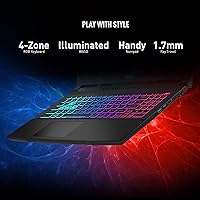
The keyboard receives consistent praise for its responsive feel and comfortable key travel, making it suitable for both extended gaming and typing-heavy productivity work. Buyers who use the laptop for school or work alongside gaming appreciate not needing an external keyboard for daily tasks.
The trackpad is functional but not exceptional — some users find it slightly small for a 15.6-inch machine and note that palm rejection could be more reliable during typing. It is adequate for basic navigation but most serious users will reach for a mouse fairly quickly.
Battery Life
38%
62%
For light productivity tasks like document work or video streaming at reduced brightness, the battery manages four to five hours, which covers a typical class period or short work session. The battery degradation reported over the first year of ownership is within normal range for a high-performance gaming laptop.
Gaming battery life of two to three hours is genuinely limiting and pushes this firmly into plug-in-only territory for any real gaming use. Users who hoped to use it untethered for travel or commuting report that the combination of short battery life and heavy weight makes it a poor road companion without a power outlet nearby.
Connectivity & Ports
88%
Thunderbolt 4 and Wi-Fi 6E are features that most competitors at this price do not include, giving the Katana 15 a meaningful connectivity edge for users with modern peripherals or fast home networks. The three USB 3.0 ports cover the needs of most users who want to run a mouse, headset, and external drive simultaneously.
The single USB 2.0 port feels like a legacy inclusion that takes up space better served by an additional USB 3.0 slot. There is no built-in SD card reader, which content creators who work with camera footage will notice and likely need an adapter to work around.
Software & Bloatware
66%
34%
MSI Center provides useful controls for fan speed, performance modes, and battery care settings that give users genuine tuning flexibility without needing third-party tools. Windows 11 Home runs cleanly enough and the out-of-box driver setup is relatively straightforward for a gaming machine.
Several users flagged a noticeable amount of pre-installed software and MSI-branded utilities that add startup overhead and take time to clean up. Some third-party bloatware included at launch felt unnecessary and is a minor but recurring complaint in first-week ownership reviews.
Audio Quality
59%
41%
The built-in speakers are loud enough to fill a small room at moderate volume without sounding completely flat, which is adequate for casual media consumption when headphones are not available. Dialogue in games and films comes through clearly at reasonable volume levels.
Bass response is thin and the overall soundstage is narrow, which is typical for slim gaming laptops but still disappointing for a machine at this price. Most buyers default to headphones quickly after unboxing, treating the built-in speakers as a fallback rather than a genuine audio solution.
Setup & Out-of-Box Experience
73%
27%
Initial setup is straightforward and the machine is ready to game within a short time of first boot, with drivers and Windows largely pre-configured. Users who are comfortable with basic PC setup find the process clean and uncomplicated compared to some rival brands.
The single-channel RAM configuration requires manual correction to unlock full GPU performance, which is not communicated clearly in the box. Some buyers received units with minor cosmetic imperfections or incorrect driver versions pre-installed, pointing to occasional inconsistency in the pre-shipping preparation process.

Suitable for:

The MSI Katana 15 B13VGK Gaming Laptop is a strong fit for buyers who want current-gen GPU performance without stretching into the premium ultrabook tier. Gamers upgrading from older GTX 10- or 16-series machines will notice a dramatic difference in how demanding titles run, especially with DLSS 3 and ray tracing now practically usable rather than theoretical. College students or young professionals who need one machine that handles both late-night gaming sessions and daytime productivity work will find the 13th Gen i7 and fast NVMe storage keep up with both workloads. Entry-level streamers and content creators will also benefit, since the CPU handles encoding tasks without completely stealing resources from whatever else is running. If raw in-game performance is your priority and you are willing to accept some compromises elsewhere, this mid-range gaming machine delivers a compelling argument for its price point.

Not suitable for:

The MSI Katana 15 B13VGK Gaming Laptop is harder to recommend for buyers who care as much about the overall ownership experience as the spec sheet. If you plan to work or game away from a power outlet regularly, the two-to-three hour real-world battery life will frustrate you quickly — this machine needs to stay plugged in to perform and even to last. Buyers sensitive to fan noise should also think carefully, as the cooling system becomes audibly aggressive under sustained load, which makes headphone-free gaming or video calls in shared spaces awkward. Those expecting a 1440p display at this price tier will be disappointed by the 1080p ceiling, and users coming from premium aluminum-chassis laptops may find the plastic build feels noticeably less refined. If build quality, portability, or display fidelity rank above raw gaming performance in your priorities, a closer look at alternatives like the ASUS TUF A15 or a similarly priced Lenovo option may be worthwhile.

Specifications

  • Processor: Intel Core i7 13th Gen, 10-core architecture with a 2.4GHz base clock, designed for handling gaming, streaming, and multitasking workloads simultaneously.
  • Graphics Card: NVIDIA GeForce RTX 4070 based on the Ada Lovelace architecture, supporting hardware ray tracing, DLSS 3, and NVIDIA Reflex for competitive play.
  • RAM: 16GB DDR5 SDRAM running at 4000MHz, offering fast system responsiveness for gaming and general productivity use.
  • Storage: 1TB NVMe SSD providing fast read and write speeds suitable for large game libraries and quick system boot times.
  • Display Size: 15.6″ widescreen panel with a standard 16:9 aspect ratio and an anti-glare coating to reduce reflections in ambient light.
  • Resolution: Full HD 1920x1080 pixel resolution with a 144Hz refresh rate, optimized for smooth fast-paced gaming at 1080p.
  • Operating System: Windows 11 Home comes pre-installed; MSI officially recommends Windows 11 Pro for business or professional deployment.
  • Wireless: Wi-Fi 6E (802.11ax) is supported, offering faster wireless speeds and better performance in congested network environments compared to Wi-Fi 5.
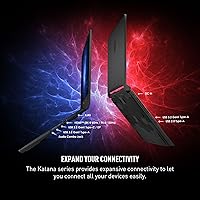
  • Ports: Connectivity includes one Thunderbolt 4 port, three USB 3.0 ports, and one USB 2.0 port for peripherals and accessories.
  • Dimensions: The chassis measures 14.13 x 10.2 x 0.98 inches, keeping the profile reasonably thin for a 15.6″ gaming machine.
  • Weight: At 7.59 lbs (approximately 3.44 kg), the laptop is on the heavier side and is best suited for desk use or short commutes.
  • Cooling System: MSI Cooler Boost 5 with dual fans and multiple heat pipes is designed to manage sustained thermal load during extended gaming sessions.
  • Battery: An integrated Lithium Polymer battery powers the system; real-world gaming battery life typically falls in the two-to-three hour range.
  • Color: Available in Matte Black with a straightforward aesthetic that avoids the aggressive styling found on many competing gaming laptops.
  • Memory Type: DDR5 SDRAM is used, which is a newer memory standard compared to DDR4, offering higher bandwidth potential when configured in dual-channel mode.

Related Reviews
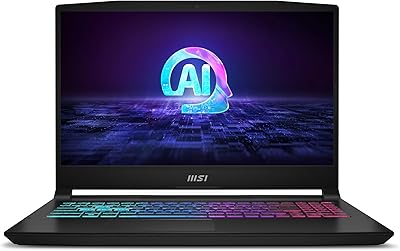
MSI Katana A15 AI Ryzen 9 8945HS, 32GB RAM, 1TB SSD, RTX 4070, 15.6″ QHD Gaming Laptop
83%
94%
Gaming Performance
89%
Display Quality
61%
Battery Life
72%
Portability/Weight
88%
Cooling System (Thermals)
More
MSI GV15 15.6″ Gaming Laptop - Intel Core i5-11400H, GTX 1650, 8GB RAM, 256GB SSD
83%
92%
Value for Money
80%
Gaming Performance
88%
Display Quality
85%
Portability
67%
Battery Life
More
MSI Thin 15.6-inch Gaming Laptop
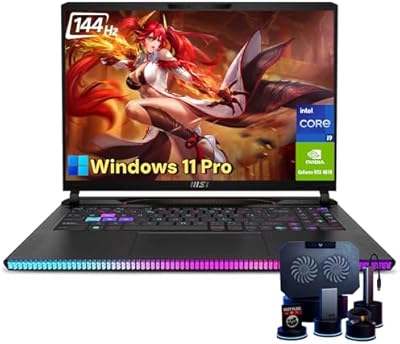
72%
72%
Gaming Performance
83%
Display Quality
81%
Build Quality
58%
RAM & Multitasking
61%
Thermal Management
More
MSI Raider GE68HX 16 Gaming Laptop
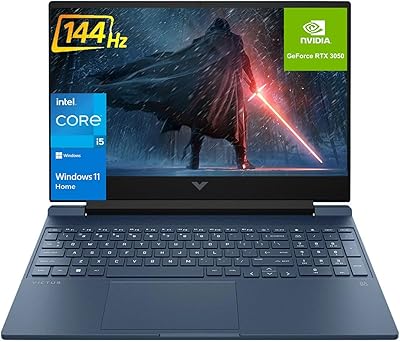
85%
94%
Gaming Performance
92%
Graphics Quality
93%
Processor Power
88%
Display Quality
72%
Portability/Weight
More
MSI Pulse GL66 11UGK-001 Gaming Laptop
84%
92%
Performance
94%
Gaming Experience
89%
Display Quality
87%
Thermal Management
61%
Battery Life
More
HP Victus 15.6 i5 Gaming Laptop
82%
88%
Gaming Performance
85%
Multitasking & Productivity
91%
Display Quality
64%
Battery Life
70%
Portability
More
HP Victus 15 Gaming Laptop 64GB 2TB Ryzen 5 7535HS RTX 2050
86%
95%
Performance
92%
Gaming Experience
90%
Display Quality
94%
Memory & Storage
87%
Build Quality
More
HP Pavilion Gaming Laptop 15.6″ Core i5-8300H 8GB RAM 1TB HDD
78%
83%
Gaming Performance
92%
Value for Money
88%
Display Quality
74%
Battery Life
80%
Build Quality
More
HP Victus 15 (RTX 2050, Ryzen 5 7535HS)
71%
63%
Gaming Performance
84%
Display Quality
79%
CPU Performance
82%
RAM & Multitasking
77%
Storage Speed
More
MSI Cyborg Gaming Laptop 2024, Intel i7-13620H, 32GB RAM, 1TB SSD, RTX 4050
85%
91%
Gaming Performance
88%
Multitasking & Productivity
93%
Display Quality
85%
Build Quality
67%
Battery Life
More

FAQ

This is a genuinely important question to check before you buy. Many units ship with both RAM sticks in a single-channel configuration, which limits the memory bandwidth available to the RTX 4070. If you want to get the most out of the GPU, it is worth reseating the RAM into the correct dual-channel slots after unboxing, which MSI's own documentation explains clearly.

Yes, the Katana 15 does allow for upgrades. There are accessible RAM slots and an M.2 slot for storage expansion, so you can add a second SSD or replace the existing RAM down the line. Just make sure any RAM upgrade uses DDR5 modules to stay compatible with the platform.

Honestly, it gets noticeable. Under sustained gaming load, the Cooler Boost 5 system spins up aggressively and produces a fairly loud hum. Most owners use headphones while gaming, which largely solves the issue, but if you are sensitive to fan noise or game in shared spaces, it is something to be aware of.

It handles light to mid-level content creation reasonably well. The i7 manages timeline playback and encoding in software like DaVinci Resolve or Premiere for 1080p projects without too much trouble. For heavy 4K editing workflows, the 16GB RAM can start to feel a little tight, but for streaming, recording, and casual editing it does the job.

At 1080p with high settings, you can generally expect well above 60fps in most AAA titles, and many competitive or less demanding games will push past 100fps comfortably. With DLSS 3 enabled, frame rates in supported titles improve significantly. Ray tracing is also usable at 1080p in a way that was not really practical on previous GPU generations.

For lighter tasks like browsing, document work, or video streaming, battery life improves considerably compared to gaming — you can reasonably expect around four to five hours. That said, this machine is fundamentally designed to be plugged in, and performance drops noticeably on battery power alone.

Not really. The panel covers a decent range for gaming and general use, but the color gamut coverage is average, not wide. If accurate color reproduction is important for your work, you would be better served by a laptop with a panel certified for high sRGB or DCI-P3 coverage.

For most gamers it is workable, but modern AAA titles are large and a single install of two or three of them can start to fill things up. The good news is that adding a second M.2 NVMe drive is straightforward if you need more space, and external USB 3.0 storage is always an option for less frequently played games.

The chassis is primarily plastic, and that does come through when you handle it. It feels solid enough for everyday use, but it does not have the premium feel of a metal-lid laptop. The hinges are reasonably firm and the keyboard deck does not flex much during typing, but do not expect the tactile refinement of higher-end machines.

It depends on what you prioritize. The Katana 15 typically offers a stronger GPU at a comparable price, which is its biggest argument. The ASUS TUF A15 has a reputation for slightly better build quality and battery life, while the Lenovo LOQ tends to be more budget-friendly but with less raw performance. If gaming frame rates are your main metric, this mid-range gaming machine generally holds its own well against both.

Where to Buy