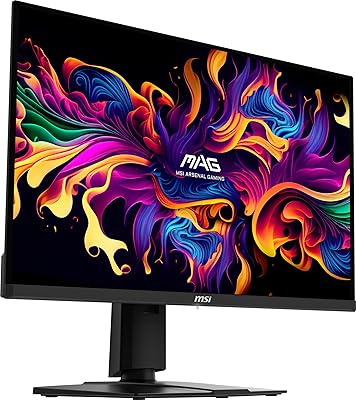
MSI PRO MP275Q 27-inch WQHD Monitor

Overview
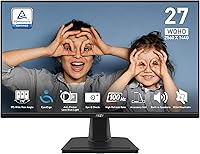
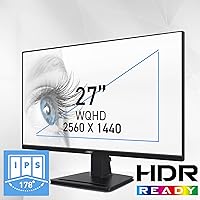
The MSI PRO MP275Q 27-inch WQHD Monitor sits in a practical sweet spot for anyone who wants a noticeably sharper screen without spending serious money. This is MSI's PRO line — built around productivity, not frame rates — and that focus shows in every design decision. The 27-inch IPS panel at 2560x1440 resolution brings a real clarity upgrade over standard 1080p displays, making text crisper and spreadsheets less cramped. Remote workers, students, and office users are clearly the target audience here. A 3-year manufacturer warranty adds a layer of confidence that budget monitor buyers don't always get.
Features & Benefits
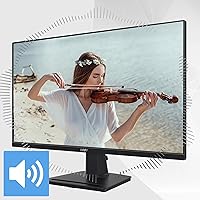
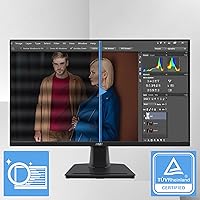
At 2560x1440 on a 27-inch screen, the difference versus 1080p is immediately obvious — sharper fonts, more breathing room between open windows, and a desktop that feels less cluttered. The 100Hz refresh rate won't turn heads in a gaming context, but for everyday office use it makes scrolling and window transitions noticeably smoother than the 60Hz panels most people are upgrading from. Eye comfort is a genuine strength: Anti-Flicker technology and certified blue light reduction ease fatigue during long sessions. The 100% sRGB coverage keeps colors accurate enough for casual photo work, and the built-in speakers handle video call audio without needing extra hardware.
Best For
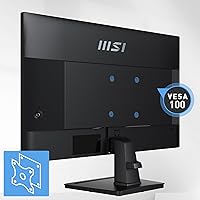
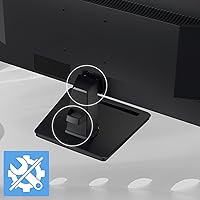
This MSI office monitor makes the most sense for people who sit at a desk for the bulk of the day and want a meaningful resolution upgrade without committing to a premium price. Work-from-home professionals, students juggling multiple documents, and anyone tired of a cramped 1080p workspace will appreciate the extra screen real estate. The dual-port connectivity — HDMI 2.0b and DisplayPort 1.2a — makes switching between devices or running a two-monitor setup straightforward. VESA mount support is a practical win for anyone who prefers a monitor arm, though the included stand only tilts, with no height adjustment.
User Feedback
Buyers consistently praise the PRO MP275Q for its out-of-box color accuracy and how satisfying the jump from 1080p feels. Eye strain reduction is a recurring theme in longer-term reviews, with users noting they can push through extended work sessions more comfortably. The complaints are just as consistent, though. The stand's tilt-only design frustrates taller users or anyone particular about screen height, and at 300 nits, brightness in sunlit rooms falls short. The built-in speakers are fine for a video call, but don't expect more than that. Against competing monitors in this price range, most buyers consider it a dependable, well-rounded choice.
Pros
- Sharp 1440p image is a clear, immediate improvement over any 1080p display at this screen size.
- TÜV Rheinland-certified eye comfort features hold up during long work sessions for most users.
- Out-of-box color accuracy is reliable enough that most buyers will not need to touch calibration settings.
- 100Hz refresh rate makes everyday scrolling and window transitions smoother than standard 60Hz office panels.
- VESA 100mm support lets you ditch the stand entirely for a cleaner, fully adjustable monitor arm setup.
- Built-in speakers handle video call audio without requiring a separate device on your desk.
- Dual inputs — HDMI 2.0b and DisplayPort 1.2a — make switching between two source devices simple.
- A 3-year manufacturer warranty is a genuine advantage at this price point and adds long-term confidence.
- The anti-glare coating reduces reflections meaningfully in moderately lit office environments.
- Cable management clip on the stand base is a small but practical detail for keeping desks tidy.
Cons
- 300-nit brightness is not enough for bright rooms or setups near windows — it is a real daily limitation.
- The stand only tilts, with no height or swivel adjustment, which is a genuine ergonomic compromise for many users.
- No USB-C input means modern laptop users will likely need a separate adapter or dock.
- There are no USB-A hub ports, so the monitor cannot serve as a desk connectivity center.
- Built-in speakers distort at higher volumes and fall flat for any audio beyond basic voice calls.
- OSD menu navigation is not intuitive, and first-time users will need patience to find the right settings.
- The MSI Display Kit app offers a reduced feature set on Mac, limiting software color control for Apple users.
- Only one HDMI and one DisplayPort means users with three or more devices need an external switch.
- The plastic stand can feel lightweight and shows minor flex under repeated tilt adjustments over time.
- No meaningful HDR support makes movie and content watching flatter than competing displays with HDR400 or above.
Ratings
The MSI PRO MP275Q 27-inch WQHD Monitor has been scored by our AI system after processing thousands of verified global user reviews, with spam, bot-generated, and incentivized feedback actively filtered out. Ratings reflect the real-world patterns that genuine buyers report — both what consistently impresses and what regularly disappoints. Strengths and shortcomings are weighted equally so you can make a fully informed decision.
Image Clarity & Resolution
Color Accuracy & Gamut
Eye Comfort & Fatigue Reduction
Brightness & HDR Performance
Refresh Rate & Responsiveness
Ergonomics & Stand Adjustability
Build Quality & Aesthetics
Connectivity & Port Selection
Built-in Speakers
OSD & Software Controls
Setup & Out-of-Box Experience
Value for Money
Compatibility & Multi-Device Use
Warranty & After-Sales Support
Suitable for:
The MSI PRO MP275Q 27-inch WQHD Monitor is a strong fit for anyone who spends the majority of their day working in front of a screen and wants a display that is both sharper and easier on the eyes than a typical 1080p office monitor. Remote workers juggling multiple documents, browser tabs, and video calls will appreciate the extra screen real estate that 1440p provides at this size — it is the kind of upgrade that changes how a workday feels without demanding a premium-tier budget. Students and writers who multitask heavily will find the larger, clearer canvas reduces the constant need to resize windows or zoom in on text. Users who are already considering a monitor arm or wall mount will get extra mileage here, since VESA compatibility makes the stand's limitations a non-issue. Anyone who has been squinting at a 1080p screen for years and wants a meaningful, visible improvement without a complicated decision will find this 27-inch WQHD display easy to justify.
Not suitable for:
The MSI PRO MP275Q 27-inch WQHD Monitor has real limitations that make it the wrong choice for certain buyers, and it is worth being direct about them. If your desk sits near a sunny window or in a room with strong overhead lighting, 300 nits of brightness will frustrate you daily — the image washes out and no software setting fully compensates. Taller users, or anyone with a pre-existing neck or posture concern, should know upfront that the stand only tilts; without a monitor arm, you are stuck at a fixed height that may force awkward positioning over time. Competitive or enthusiast gamers will find 100Hz and 1ms MPRT underwhelming compared to the 144Hz-and-above displays available at similar or slightly higher prices. Creative professionals who need wide color gamut coverage beyond sRGB — for print work, video color grading, or photography intended for display calibration — should look elsewhere. And if you rely heavily on USB-C for your laptop or need a monitor that doubles as a USB hub, the connectivity options here will leave you reaching for adapters.
Specifications
- Panel Type: The display uses an IPS (In-Plane Switching) panel, which delivers consistent color accuracy and wide viewing angles compared to TN alternatives.
- Screen Size: The viewable screen area measures 27 inches diagonally, providing ample workspace for multitasking and side-by-side document viewing.
- Resolution: Native resolution is 2560x1440 (WQHD), offering significantly more pixel density than a standard 1080p display at the same screen size.
- Refresh Rate: The panel supports a maximum refresh rate of 100Hz, providing smoother motion than conventional 60Hz office monitors.
- Response Time: Response time is rated at 1ms MPRT, which is suitable for everyday productivity tasks and casual media consumption.
- Brightness: Peak brightness is rated at 300 nits, which performs adequately in controlled indoor lighting but may feel limited in sun-facing or brightly lit environments.
- Contrast Ratio: The static contrast ratio is 1300:1, allowing for reasonably deep blacks and good separation between dark and light areas on screen.
- Color Gamut: The monitor covers 100% of the sRGB color space with 10-bit color depth, supporting approximately 1.07 billion colors for accurate everyday color rendering.
- Eye Comfort: TÜV Rheinland Eye Comfort certification covers both Less Blue Light and Anti-Flicker technologies, designed to reduce eye fatigue during extended use.
- Connectivity: Input options include one HDMI 2.0b port and one DisplayPort 1.2a port, along with a 3.5mm headphone output jack.
- Built-in Audio: Two integrated 2W speakers provide basic audio output suitable for voice calls and system sounds, accessible without external hardware.
- Stand Adjustment: The included stand supports tilt adjustment only; height, swivel, and pivot adjustments are not available without a third-party monitor arm.
- VESA Mounting: The monitor is compatible with 100x100mm VESA mounting patterns, allowing attachment to standard monitor arms or wall mounts.
- Adaptive Sync: Adaptive-Sync is supported, reducing screen tearing when the monitor is connected to a compatible graphics card or source device.
- Dimensions: With the stand attached, the monitor measures approximately 24.17 inches wide, 17.98 inches tall, and 8.16 inches deep.
- Weight: The full unit including stand weighs 11.94 pounds, which is typical for a 27-inch monitor in this category.
- Surface Treatment: The screen features an anti-glare matte surface treatment to reduce reflections in indoor office environments.
- Warranty: MSI includes a 3-year manufacturer warranty, covering defects in materials and workmanship for the duration of the coverage period.
Related Reviews
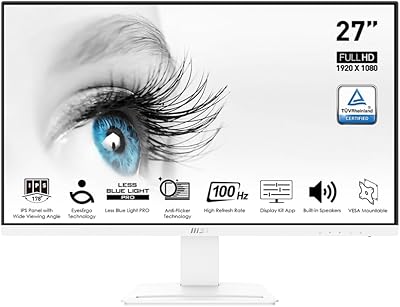
MSI Pro MP273AW 27-inch Monitor
MSI PRO MP271A E2 27-inch Monitor
MSI PRO MP275W E2 27-inch Monitor
KTC H27E6 27-inch Gaming Monitor
Acer EI272UR Pbmiiipx 27-inch Curved WQHD Monitor
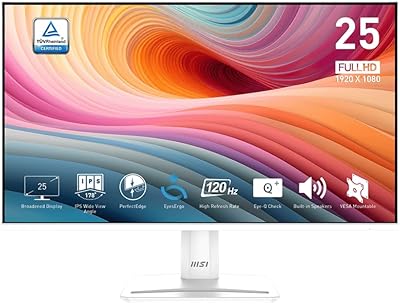
MSI PRO MP251W E2 24.5-inch Monitor
MSI MAG 275QF 27-inch Gaming Monitor
Acer ED273UR 27-inch Curved Gaming Monitor
MSI MAG 275F 27″ Gaming Monitor