
Overview
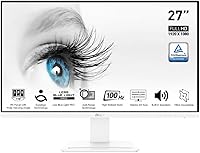
The MSI Pro MP273AW 27-inch Monitor arrived in mid-2023 as part of MSI's productivity-focused Pro lineup, and it stands out immediately for one reason most people overlook: it comes in white. In a sea of black and dark-gray panels, that's a genuine differentiator for anyone building a clean, minimal desk setup. This is not a color-grading tool or a hardcore gaming display — it's a no-nonsense productivity panel designed for daily work, studying, and general use. With a 4.6-star rating across over 700 buyers, it has earned its reputation quietly and without much fanfare, which is usually a good sign.
Features & Benefits
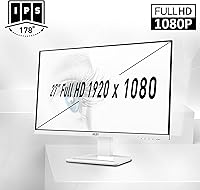
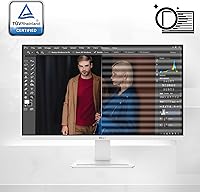
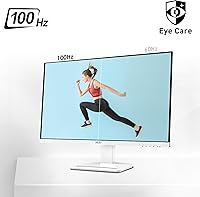
The 27-inch IPS panel runs at 1920x1080, and yes, pixel density is worth discussing honestly. At this screen size, 1080p works fine for documents, browsing, and video — but if you sit close or have sharp eyes, text edges can look slightly softer than on a 1440p alternative. The 100Hz refresh rate isn't here to compete with gaming monitors; it just makes everyday scrolling and window-dragging noticeably smoother than a standard 60Hz panel. The TUV Rheinland eye certification is meaningful for long work sessions — flicker reduction and low blue light actually matter when you're staring at a screen for eight hours straight. Connectivity covers DisplayPort and HDMI, though there's no USB-C, which could matter depending on your laptop setup.
Best For
This 27-inch IPS panel hits a sweet spot for home office workers who want a large, comfortable display without spending heavily on specs they won't use. Students furnishing a first desk will appreciate the white finish — it's one of the few budget monitors that actually looks intentional rather than just functional. Light gamers will find the 100Hz refresh genuinely enjoyable, even if it's not built for high-frame-rate competitive play. If you're coming from a 60Hz TN panel, the step up in color and smoothness will feel significant. And for buyers who need a reliable brand-name screen at an accessible price, the MP273AW delivers without asking you to compromise on screen size.
User Feedback
Among buyers who left reviews, the most common compliments center on image brightness, the clean aesthetic of the white chassis, and how straightforward setup is out of the box. The criticism that comes up most is the stand — tilt adjustment only, no height or swivel, which is a real limitation if you're spending eight-plus hours at a desk. A handful of users mention that 1080p at 27 inches looks slightly soft up close, though plenty of others find it perfectly fine for everyday tasks. A few note the OSD menu navigation feels a bit clunky. Still, with 741 ratings averaging 4.6 stars, the overall picture is that buyers who matched the monitor to the right use case left satisfied.
Pros
- Large 27-inch IPS panel delivers wide viewing angles and solid image quality for everyday productivity tasks.
- The white colorway is genuinely rare at this price point and gives any desk a cleaner, more intentional look.
- TUV Rheinland eye protection reduces flicker and blue light output, making long work sessions more comfortable.
- The 100Hz refresh rate makes scrolling, multitasking, and window management feel noticeably smoother than a 60Hz panel.
- Both DisplayPort and HDMI inputs are included, covering the most common desktop and laptop connection scenarios.
- Setup is quick and hassle-free — most buyers report being fully up and running within minutes out of the box.
- A 4.6-star average across over 700 ratings reflects consistent buyer satisfaction for the intended everyday use case.
- The MP273AW carries MSI's established Pro lineup branding, offering a level of brand reliability uncommon at this price tier.
- Lightweight at 8.6 pounds, it is easy to reposition on a desk or move between workspaces without assistance.
Cons
- Tilt-only stand adjustment is a meaningful ergonomic limitation — no height, swivel, or pivot is available out of the box.
- At 27 inches, 1080p resolution can appear noticeably soft up close, especially for dense text or detailed graphical work.
- No USB-C input means users with modern single-cable laptops will need a separate adapter or cable workaround.
- The glossy screen surface reflects ambient light and window glare, which can be distracting in brightly lit rooms.
- The OSD menu is widely reported as clunky and unintuitive, making initial picture calibration more tedious than it should be.
- Competitive or fast-paced gamers will find the 4ms response time and 100Hz ceiling underwhelming against purpose-built gaming monitors.
- Color gamut coverage is not specified, making this panel unsuitable for any workflow requiring accurate or wide-gamut color reproduction.
Ratings
The MSI Pro MP273AW 27-inch Monitor scores were generated by our AI rating engine after analyzing hundreds of verified buyer reviews from global markets, with automated filtering applied to remove spam, bot-submitted feedback, and incentivized reviews. The resulting scores reflect a balanced picture of real-world performance — capturing both what this 27-inch IPS panel does well for its intended audience and where it falls genuinely short. Strengths and pain points are weighted equally, so the numbers here tell an honest story rather than a promotional one.
Image Quality
Value for Money
Build Quality
Eye Comfort
Refresh Rate & Smoothness
Ergonomics & Adjustability
Connectivity
Display Sharpness
Color Accuracy
Setup & Ease of Use
Design & Aesthetics
Response Time & Gaming
OSD & Controls
Glare & Screen Surface
Suitable for:
The MSI Pro MP273AW 27-inch Monitor is a strong fit for home office workers, remote employees, and students who spend long hours in front of a screen and want a spacious, comfortable display without paying a premium. If your daily work revolves around documents, spreadsheets, web browsing, or video calls, the 27-inch IPS panel gives you plenty of room to manage multiple windows without feeling cramped. The TUV Rheinland eye protection is a genuine perk for anyone logging eight-hour-plus sessions — flicker reduction and reduced blue light output make a real, noticeable difference by late afternoon. Students furnishing a first workspace will find the white colorway a rare option at this price point, lending a cleaner aesthetic than the standard matte-black alternatives. Anyone upgrading from an older 60Hz TN panel will feel the improvement in color rendering and scroll smoothness immediately in day-to-day use.
Not suitable for:
The MSI Pro MP273AW 27-inch Monitor is not the right call for buyers who need precise color reproduction — graphic designers, photo editors, and video colorists require a panel with wide color gamut coverage and factory calibration, which this display does not offer. Dedicated gamers chasing high frame rates in fast-paced competitive titles should also look elsewhere, as 4ms response time and a 100Hz ceiling fall short of what purpose-built gaming monitors deliver. The tilt-only stand is a genuine ergonomic problem for taller users or anyone who needs to fine-tune monitor height — without height adjustment or swivel, you will likely need a separate monitor arm to get a proper setup. Buyers whose laptops output video exclusively over USB-C will need an adapter or an entirely different panel, since that input is absent here. And if pixel sharpness is a priority — for dense code editing or fine typography work — the 1080p resolution stretched across 27 inches will likely disappoint compared to a 1440p alternative at the same size.
Specifications
- Panel Type: This monitor uses an IPS (In-Plane Switching) panel, which provides wider viewing angles and more consistent color rendering than TN alternatives.
- Screen Size: The display measures 27 inches diagonally, offering substantial screen real estate for productivity, multitasking, and everyday media use.
- Resolution: Native resolution is 1920x1080 (Full HD), suited for general documents, web browsing, and standard video playback at this screen size.
- Refresh Rate: The panel supports a maximum refresh rate of 100Hz, delivering noticeably smoother motion and scrolling compared to standard 60Hz displays.
- Response Time: Rated at 4ms response time, the panel handles everyday productivity tasks and casual gaming without significant ghosting or motion blur.
- Aspect Ratio: The screen uses a standard 16:9 widescreen aspect ratio, fully compatible with modern applications, streaming content, and video conferencing platforms.
- Screen Surface: The panel features a glossy screen surface, which can enhance perceived color saturation but is prone to reflecting ambient light in brightly lit rooms.
- Color Finish: The monitor chassis ships exclusively in white, a rare aesthetic choice among monitors at this price tier that suits minimal and clean desk setups.
- Video Inputs: Connectivity includes one DisplayPort and one HDMI port; no USB-C video input is provided on this model.
- Ergonomics: The integrated stand supports tilt adjustment only, with no height, swivel, or pivot functionality included in the base configuration.
- Eye Certification: The display holds TUV Rheinland Eyesight Protection certification, verified for reduced screen flicker and lower blue light emission during extended use.
- Weight: The monitor weighs 8.6 pounds with the stand attached, making it manageable to reposition or relocate without assistance.
- Dimensions: Assembled with stand, the unit measures 24.12 inches wide, 17.98 inches tall, and 8.65 inches deep.
- Product Series: The MP273AW belongs to MSI's Pro lineup, a range oriented toward business users and everyday productivity rather than gaming or creative work.
- Launch Date: The monitor first became available in August 2023, making it a relatively recent offering in the budget IPS display segment.
Related Reviews
MSI PRO MP271A E2 27-inch Monitor
MSI PRO MP275Q 27-inch WQHD Monitor
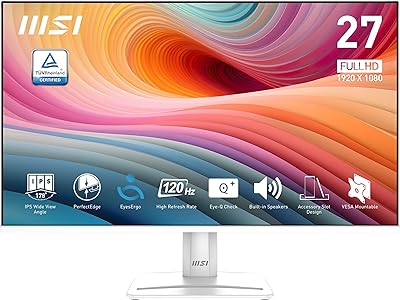
MSI PRO MP275W E2 27-inch Monitor
MSI MAG 275F 27″ Gaming Monitor
MSI MAG 275QF 27-inch Gaming Monitor
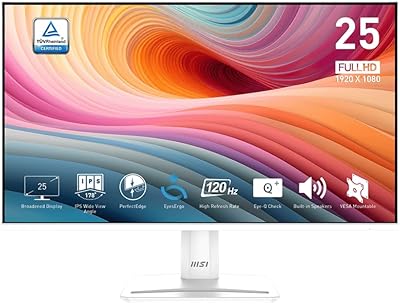
MSI PRO MP251W E2 24.5-inch Monitor
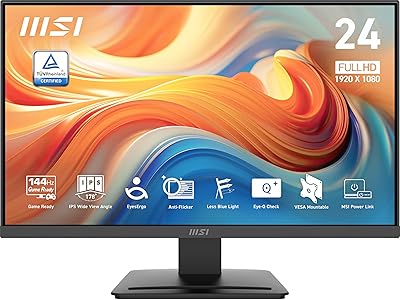
MSI PRO MP243L E14 24-inch Monitor
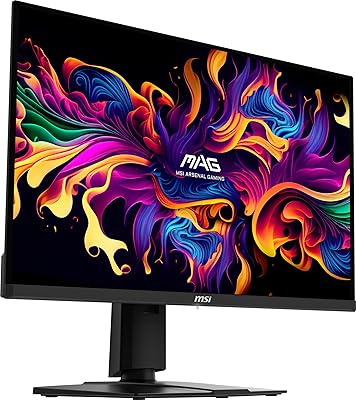
MSI MAG 271QPX 27-inch QD-OLED Gaming Monitor
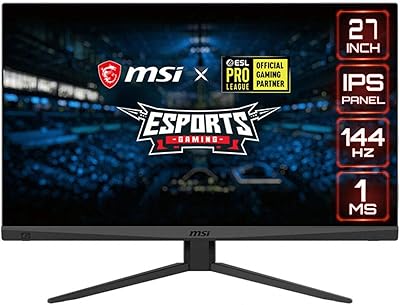
MSI Optix MAG274R 27-inch Full HD 144Hz Gaming Monitor
