Overview

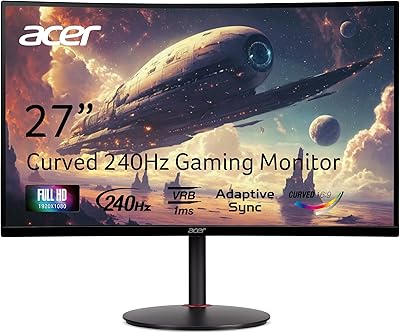
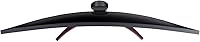
The Acer ED273UR 27-inch Curved Gaming Monitor sits in an interesting spot — mid-range by price but punching above its weight in resolution and panel size. Built around a curved VA panel, it wraps your field of view in a way flat screens simply don't, making single-player games and cinematic content feel noticeably more immersive. The jump to WQHD 1440p is meaningful at this size: pixel density is comfortable, text looks crisp, and you're not demanding the GPU horsepower that 4K requires. That said, VA technology comes with real trade-offs against IPS panels on color accuracy and viewing angles, so going in with clear expectations matters.
Features & Benefits

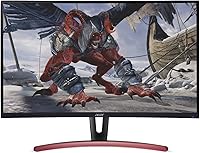
At 2560×1440 on a 27-inch screen, the pixel density hits a sweet spot — sharp enough for detailed textures and clean UI text without being overkill for mid-range GPUs. The 144Hz refresh rate is the gaming headline, though you need a DisplayPort connection to reach it; HDMI caps out lower. AMD Radeon FreeSync helps Radeon GPU owners eliminate screen tearing across a variable refresh range, though Nvidia users won't benefit without workarounds. The VA panel delivers deep, punchy blacks that genuinely improve dark-scene immersion, but color accuracy and off-axis viewing fall short of IPS alternatives. The 1800R curve works well on a single-monitor desk; it's less ideal side-by-side. A DisplayPort cable is included, but don't expect a USB hub or built-in speakers.

Best For

This curved gaming monitor makes the most sense for mid-range gamers ready to leave 1080p behind but not quite prepared to chase 4K performance requirements. Running an AMD Radeon card? FreeSync works natively and is a genuine perk. RPG and single-player fans will appreciate the curve-and-contrast combination — the kind of setup where atmosphere matters as much as raw frame rates. It also pulls reasonable double duty as a work-and-play display, since 1440p sharpness genuinely helps with productivity. One practical caveat: the stand offers tilt only, with no height or pivot adjustment. If you plan to use a monitor arm, that's a non-issue. If not, verify your desk depth before committing.

User Feedback

With around 75 ratings and a 4.0-star average, the ED273UR has a solid but modest review record — not enough data to draw sweeping conclusions, but the patterns are consistent. Buyers frequently praise the image sharpness at 1440p and the immersive quality of the curve. On the other side, several users flag backlight bleed along panel edges — a known VA panel risk, not unique to this display. The stand draws repeated complaints for limited range of motion, with many buyers eventually pairing it with an aftermarket arm. A handful noted that color calibration out of box left something to be desired, and occasional motion blur on fast-paced content was mentioned by a few reviewers.

Pros

  • 1440p resolution at 27 inches hits a genuine pixel density sweet spot — noticeably sharper than 1080p without taxing mid-range GPUs.
  • The 1800R curve adds real immersion for single-player games and cinematic content, not just a cosmetic feature.
  • Deep blacks and strong contrast from the VA panel make dark scenes look more dramatic than typical IPS monitors at this price.
  • 144Hz gaming is smooth and responsive for most game genres, keeping the experience fluid without demanding a high-end GPU.
  • AMD Radeon FreeSync works natively, eliminating tearing for Radeon users at no extra cost.
  • A DisplayPort cable is included in the box, so you can hit peak refresh rate straight out of the packaging.
  • At this screen size and resolution combination, the display pulls solid double duty for both productivity and gaming.
  • The build quality feels appropriately solid for a mid-range display, with a clean, no-frills aesthetic that fits most desk setups.

Cons

  • Backlight bleed along panel edges is a recurring complaint and a known risk with VA technology at this price tier.
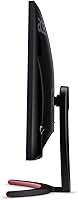
  • The stand offers tilt only — no height adjustment, swivel, or pivot, which limits ergonomic flexibility out of the box.
  • Colors may look flat or slightly off straight out of the box and often require manual calibration to look their best.
  • VA panel ghosting can appear on very fast-moving content, which may bother competitive multiplayer gamers.
  • The 144Hz refresh rate is only available over DisplayPort — HDMI users are limited to a lower cap.
  • FreeSync is AMD-only; Nvidia GPU owners will not benefit from adaptive sync without additional workarounds.
  • No built-in speakers or USB hub means more cables and peripherals to manage on your desk.
  • With a relatively small number of user ratings, long-term reliability data is limited compared to more established models.
  • The glossy screen surface can create noticeable reflections in brighter rooms or near windows.

Ratings

The scores below were generated by our AI rating engine after analyzing verified buyer reviews for the Acer ED273UR 27-inch Curved Gaming Monitor from global sources, with spam, bot-submitted, and incentivized feedback actively filtered out. The sample skews toward enthusiast gamers and dual-purpose home office users, giving the results a grounded, real-world perspective. Both the genuine strengths and the recurring frustrations are reflected transparently — nothing is smoothed over.
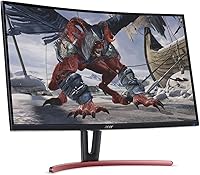
Image Sharpness
88%
Moving from 1080p to 1440p on a 27-inch screen is one of those upgrades that buyers immediately notice — game textures look tighter, UI elements read more cleanly, and even long work sessions with dense text feel less straining. Most reviewers single out sharpness as the ED273UR's most satisfying quality.
A handful of users note that the glossy surface can create a slightly artificial sheen in bright rooms, which can soften the perception of detail under certain lighting conditions. It is not a deal-breaker, but it is worth controlling your ambient light if sharpness matters to you.
Contrast & Black Levels
84%
The VA panel's high static contrast ratio is genuinely noticeable in dark-heavy games and cinematic content — shadow detail in RPG environments and horror titles looks richer and more atmospheric than what a comparable IPS panel typically delivers at this price. Buyers who game in darker rooms in particular tend to rate this aspect highly.
The strong contrast comes with a caveat: bright scenes can occasionally look slightly washed out when transitioning rapidly from dark content, a characteristic known as VA glow or black crush. It rarely breaks the experience but is perceptible to more sensitive viewers.
Refresh Rate Performance
81%
19%
At 144Hz over DisplayPort, the smoothness improvement over 60Hz or 75Hz panels is immediately tangible — open-world exploration and third-person action games feel noticeably more fluid. Buyers consistently describe the step up as one of the most impactful changes in their gaming experience.
The 144Hz ceiling is only reachable via DisplayPort; HDMI users are capped at a lower refresh rate, which catches some buyers off guard. Those pushing the monitor with a mid-range GPU may also find they can only sustain high frame rates in less demanding titles.
Motion Handling
63%
37%
For single-player games, story-driven titles, and RPGs, motion clarity is more than adequate — character movement and camera pans look smooth and controlled. The 4ms response time keeps things reasonable for the majority of casual-to-mid-tier gaming use cases.
VA pixel transitions show their limits in fast-paced competitive titles, where subtle ghosting or trailing behind high-velocity objects can appear. It is not severe, but buyers coming from a fast TN or IPS panel will notice the difference in reflex-heavy shooters or racing games.
Color Accuracy
66%
34%
Out of the box, colors are punchy and reasonably vibrant for gaming — skin tones in cutscenes, foliage rendering in open-world games, and UI color palettes generally look pleasing without any adjustment for most buyers.
Users who calibrate monitors for creative work report that factory color accuracy on this 27-inch WQHD display leaves a fair amount on the table compared to IPS alternatives. Manual calibration improves the result notably, but it adds a step that buyers should be prepared to take.
Viewing Angles
58%
42%
For a single viewer sitting directly in front of the display, the viewing angle is perfectly adequate — the curve also helps keep edge content at a more consistent angle to the eye, partially compensating for the VA panel's inherent limitations.
Off-axis viewing reveals the classic VA weakness: colors shift and contrast drops noticeably when viewing from the side, which matters in co-op or couch setups where a second person is watching alongside you. It is not an IPS panel and should not be expected to behave like one.
Immersion & Curvature
82%
18%
The 1800R curve earns consistent praise from single-player gamers who use the ED273UR as their primary display. Open-world environments and cinematic cutscenes feel slightly more enveloping than on a flat panel of the same size, without the curve being so aggressive it distorts straight-line content.
In a dual-monitor configuration, the curve becomes a visual liability — placed next to a flat panel, the mismatch is obvious and aesthetically distracting. Buyers planning multi-monitor setups should either go all-in on curved or choose a flat alternative instead.
Adaptive Sync (FreeSync)
74%
26%
For Radeon GPU owners, FreeSync delivers tangible tear-free gaming without the premium of a G-Sync certified panel. At mid-range GPU performance levels, where frame rates fluctuate in demanding titles, the adaptive sync keeps the visual experience noticeably cleaner.
Nvidia users gain little here without workarounds, and the FreeSync range limitations mean the benefit can drop off at very low frame rates. The feature is genuinely useful but not a universal selling point — its value depends entirely on which GPU is sitting in your system.
Stand & Ergonomics
41%
59%
The stand is stable enough to avoid wobble during normal use, and the tilt range covers the basics for buyers whose desk height naturally aligns with the fixed display position. Assembly is straightforward.
The absence of height adjustment, swivel, or pivot is the single most recurring complaint across reviews, and rightly so — most buyers will need to improvise with a laptop riser or a stack of books to get a comfortable eye-level position. Budgeting for a VESA arm is a practical necessity for many users.
Backlight Uniformity
55%
45%
In typical mixed-content use — gaming, browsing, productivity — backlight uniformity is not something most buyers will actively notice. The panel performs well enough in normal lighting conditions to avoid drawing attention to itself.
In dark rooms with dark screen content, backlight bleed along panel edges appears for a meaningful portion of buyers, and at this price tier, VA panels carry this risk more consistently than IPS. It varies by unit, making it somewhat of a lottery on individual samples.
Connectivity
73%
27%
The combination of DisplayPort, HDMI, and DVI covers most connection scenarios buyers will encounter, and the included DisplayPort cable is a genuinely useful addition that saves an immediate accessory purchase. Switching between sources is handled cleanly through the OSD.
The lack of a USB hub and built-in audio output means buyers with multiple peripherals or external speakers need to manage additional cable runs independently. For a monitor at this price tier, at least a basic USB passthrough would have been a welcome inclusion.
Build Quality
71%
29%
The overall construction feels appropriately solid for a mid-range display — the plastic chassis does not flex excessively, and the matte black finish resists smudging reasonably well. Most buyers report no issues with structural integrity after months of daily use.
The build does not feel premium when handled up close — some reviewers describe the plastics as thin and slightly hollow-sounding. It holds up functionally, but buyers coming from higher-end monitor brands may notice the step down in material feel.
Value for Money
77%
23%
Considering the combination of 27-inch screen size, 1440p resolution, 144Hz refresh rate, and FreeSync support, the ED273UR represents a competitive package at its price point. Buyers comparing features-per-dollar consistently rate it as a reasonable bet in the mid-range curved monitor space.
The stand limitations and backlight bleed risk mean some buyers feel they are paying a hidden cost in accessories or accepting a compromise they did not anticipate. Compared to newer models that have since arrived in the same price bracket, the value proposition has softened somewhat.
Setup & Out-of-Box Experience
76%
24%
Physical assembly is quick and tool-free, and the included DisplayPort cable means buyers can be gaming within minutes of unboxing. The OSD menu is functional and navigable, covering brightness, contrast, and FreeSync toggle without excessive complexity.
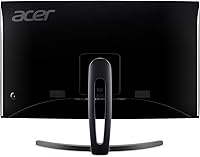
Color settings out of the box tend toward oversaturation or coolness depending on the preset, and several users recommend spending time in the OSD before judging the display's true output. The OSD buttons on the rear panel are not the most intuitive to locate by feel alone.

Suitable for:

The Acer ED273UR 27-inch Curved Gaming Monitor is a strong fit for mid-range gamers who have outgrown 1080p but aren't ready to build a system around 4K demands. If you're running an AMD Radeon GPU, FreeSync works natively here and genuinely reduces tearing without any subscription or premium required. Single-player and RPG gamers in particular will appreciate the 1800R curve paired with the VA panel's deep contrast — dark dungeons and atmospheric open worlds look noticeably more immersive than on a flat display at this price. It also holds up well as a dual-purpose setup for people who split time between work and gaming, since the 1440p resolution keeps text sharp and spreadsheets comfortable. Buyers planning to mount it on a monitor arm can sidestep the stand limitations entirely and get a lot of display for the money.
Not suitable for:

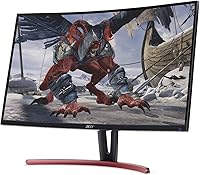
Buyers who prioritize color accuracy for photo editing, graphic design, or content creation should look elsewhere — the VA panel on the ED273UR trails IPS alternatives on color fidelity and off-axis viewing, and it will likely need calibration out of the box before it looks its best. Competitive multiplayer gamers chasing the lowest possible response times may also find that VA panels introduce subtle ghosting on very fast-moving content, which can be distracting in high-stakes titles. Nvidia GPU owners won't get native FreeSync support without workarounds, which removes one of the display's stronger selling points. Anyone who needs a fully ergonomic workstation setup — height adjustment, pivot, or swivel — should know that the included stand offers tilt only, and an aftermarket arm would be an added cost to factor in. Finally, buyers considering a dual-monitor configuration may find the 1800R curvature a visual mismatch when placed alongside a flat panel.

Specifications

  • Panel Type: Uses a VA (Vertical Alignment) panel, which delivers stronger contrast ratios and deeper blacks than IPS, but with narrower viewing angles and slightly lower color accuracy.
  • Screen Size: 27-inch diagonal display, offering a wide viewing area well-suited to 1440p content without requiring the viewer to sit unusually far back.
  • Resolution: Native resolution of 2560×1440 (WQHD), providing noticeably sharper detail and text clarity compared to 1080p at this screen size.
  • Refresh Rate: Supports up to 144Hz when connected via DisplayPort, delivering smoother motion in fast-paced games compared to standard 60Hz or 75Hz panels.
  • Response Time: Rated at 4ms response time, which is adequate for most gaming scenarios, though fast-moving content may exhibit slight trailing on this VA panel.
  • Curvature: Features a 1800R curve radius, which wraps the screen gently around the viewer's field of vision to improve immersion in single-monitor setups.
  • Aspect Ratio: Standard 16:9 widescreen aspect ratio, compatible with virtually all modern gaming and productivity software without letterboxing.
  • Adaptive Sync: Supports AMD Radeon FreeSync, which synchronizes the monitor's refresh rate with a compatible Radeon GPU's output to reduce screen tearing.
  • Connectivity: Equipped with one DisplayPort, one HDMI, and one DVI port, covering most PC and legacy device connections without requiring an adapter for common setups.
  • Included Cable: Ships with one DisplayPort cable in the box, allowing buyers to reach the full 144Hz refresh rate immediately without purchasing additional accessories.
  • Screen Surface: Glossy panel surface, which can enhance perceived color vibrancy but may produce noticeable reflections in brightly lit rooms or near windows.
  • Dimensions: Measures 24.1 × 6.61 × 18.83 inches (L×W×H) with the stand attached, requiring moderate desk depth to accommodate the stand's footprint.
  • Weight: Weighs 10.14 pounds with the stand, which is typical for a 27-inch monitor and manageable for most standard desk setups or VESA arm installations.
  • Stand Adjustment: The included stand supports tilt adjustment only, with no height, swivel, or pivot range, limiting ergonomic flexibility for users who need fine-tuned positioning.
  • VESA Compatibility: Compatible with standard VESA mounting patterns, allowing buyers to replace the included stand with a third-party monitor arm for improved ergonomic control.
  • Built-in Audio: Does not include built-in speakers or a headphone jack on the display itself, so external audio hardware is required for sound output.
  • USB Hub: No integrated USB hub is present on this monitor, meaning peripheral devices must connect directly to the PC or a separate hub.
  • Color: Available in a matte black finish that blends cleanly into most gaming or home office desk environments without drawing attention to the bezel.
  • Brand & Series: Manufactured by Acer under the ED series, a lineup focused on curved VA gaming displays targeted at value-conscious enthusiast buyers.
  • Release Date: First made available in May 2019, making it a well-established mid-range model with a sufficient review history to assess real-world reliability trends.

Related Reviews

Acer Nitro XZ270 Xbmiipx 27-inch Curved Gaming Monitor
84%
92%
Gaming Performance
89%
Display Quality
86%
Ergonomics
93%
Response Time
85%
Value for Money
More
Skytech Gaming Moonshadow 27-inch Curved Gaming Monitor
83%
88%
Image Quality
91%
Refresh Rate Performance
86%
Adaptive-Sync
83%
VA Panel Contrast
84%
Stand & Ergonomics
More
Sealan 27-inch Curved Gaming Monitor
82%
85%
Display Quality
90%
Ease of Setup
91%
Value for Money
87%
Performance in Gaming
83%
Color Accuracy
More
Samsung S39C 27-Inch Curved Gaming Monitor
75%
83%
Picture Quality & Color Accuracy
88%
Curvature & Immersion
61%
Refresh Rate & Gaming Performance
86%
Eye Comfort & Long-Session Usability
79%
Build Quality & Aesthetics
More
Great Voell 27-Inch Curved Gaming Monitor
86%
91%
Value for Money
89%
Display Quality
87%
Gaming Performance
84%
Eye Comfort
80%
Build Quality
More
GAMEPOWER F20 27-inch Curved Gaming Monitor
61%
83%
Value for Money
74%
Image Quality
69%
Gaming Performance
78%
Curve & Immersion
58%
Build Quality
More
Acer Nitro KG273 27-inch Gaming Monitor
85%
88%
Display Quality
91%
Performance in Fast-Paced Games
85%
Ergonomics and Adjustability
83%
Build Quality
92%
Value for Money
More
Acer Nitro ED270R 27″ Curved Gaming Monitor
73%
91%
Value for Money
88%
Immersion & Curvature
79%
Picture Quality
89%
Refresh Rate & Smoothness
84%
Adaptive Sync (FreeSync)
More
DJiEX Q27P28 27-inch Curved Gaming Monitor
84%
91%
Display Quality
88%
Gaming Performance
89%
Color Accuracy
72%
Setup & Calibration
85%
Eye Care Features
More
GreBear 27-Inch 180Hz Curved Gaming Monitor
86%
91%
Performance in Fast-Paced Games
95%
Refresh Rate and Smoothness
86%
Build Quality and Durability
67%
Color Accuracy
89%
Ease of Setup
More

FAQ

You do need to use the DisplayPort connection to hit 144Hz — that is a real condition worth knowing upfront. If you connect via HDMI, you will be limited to a lower refresh rate, so make sure your GPU has a free DisplayPort output before buying. The included DisplayPort cable means you can set this up immediately without hunting for accessories.

FreeSync is natively designed for AMD Radeon GPUs, so Nvidia users won't get certified adaptive sync support out of the box. Some Nvidia cards do support FreeSync displays through their own variable refresh rate implementation, but compatibility is not guaranteed on this specific model and may require manual configuration. If you are on Team Green, it is worth checking Nvidia's list of validated FreeSync monitors before assuming it will work.

On a 27-inch screen, the 1800R curve is subtle rather than dramatic. You notice it most when gaming or watching video, where peripheral content wraps slightly toward you rather than feeling flat at the edges. For everyday productivity like documents and spreadsheets, most people stop noticing the curve after a day or two. It works best as a single monitor; pairing it with a flat panel in a dual setup tends to look mismatched.

The stand is the weakest part of this display's overall package. It supports tilt, but offers no height adjustment, swivel, or pivot — which means you are working with whatever height the stand sets for you. If your desk and chair height happen to align well with that fixed position, you may be fine. If not, a VESA-compatible monitor arm is a worthwhile addition and gives you full freedom to position the screen exactly where you need it.

Backlight bleed is a common characteristic of VA panels at this price point, and the Acer ED273UR 27-inch Curved Gaming Monitor is no exception based on user reports. How much it bothers you depends on what you use the monitor for — in a bright room, you likely won't notice it. In a dark room watching black-bar letterbox content or playing dark atmospheric games, faint glow at the panel edges can become visible. It varies unit to unit, so some buyers report minimal bleed while others notice it immediately.
This is a real consideration. VA panels at this price tier can show faint trailing or smearing on fast-moving objects, particularly in competitive shooters or racing games. The rated 4ms response time is reasonable, but VA pixel transitions are inherently slower than IPS at the same spec. For single-player games, RPGs, or slower-paced titles, it is unlikely to be an issue. If you play fast-paced competitive multiplayer games, an IPS or TN panel may suit you better.

The difference is genuinely noticeable, especially in games with fine texture detail or in any productivity use case involving text. At 27 inches, 1080p starts to show its pixel limits — individual pixels become distinguishable up close. At 1440p, the image looks clean and sharp without requiring you to sit unusually far back. Most users who upgrade to this 27-inch WQHD display from 1080p find the resolution jump one of the most immediately appreciated changes.

It can handle casual creative work, but it is not the right tool for serious color-critical tasks. The VA panel's color accuracy is decent for general use, but it does not cover the wide color gamuts that photographers or designers typically need, and viewing angle shifts can affect perceived color. If color fidelity matters for your workflow, an IPS panel with verified sRGB or Adobe RGB coverage would be a more dependable choice.

The ED273UR includes one DisplayPort, one HDMI, and one DVI port. A DisplayPort cable is included in the box, which is a thoughtful touch since DP is what you need for the full 144Hz experience. HDMI and DVI cables are not included, so if you plan to use those connections you will need to supply your own. There is no USB hub, no audio jack on the monitor, and no built-in speakers.

It holds up well for mixed use. The 1440p resolution keeps text sharp in documents and spreadsheets, and the 27-inch size gives you comfortable screen real estate for multi-window workflows. The main practical downside for office use is the fixed-height stand — without height or tilt range beyond a basic angle, getting an ergonomic viewing position may take some trial and error with monitor placement. Pairing it with an adjustable arm solves that neatly, and the display itself is genuinely capable for both work and play.