Overview
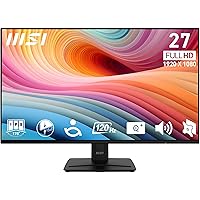
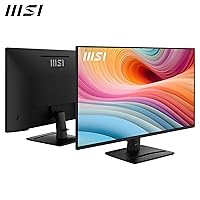
The MSI PRO MP271A E2 27-inch Monitor arrived in late 2024 as a straightforward answer to a familiar question: how much display can you get for under a hundred dollars? Built around an IPS panel, it delivers the kind of wide, consistent color that VA screens at this price often struggle to match — no color shift when you glance from an angle. The slim four-side bezel keeps the look clean and desk-friendly. There are even built-in speakers tucked in, which is a welcome practical touch. This is a productivity-first display through and through, so don't expect flagship-level specs — but for everyday work, it punches well above its price.
Features & Benefits
The 120Hz refresh rate is probably the first thing you notice after years on a 60Hz screen — scrolling feels crisper, and light gaming sessions run without the choppiness you might expect at this price. The IPS panel's 178-degree viewing angle means color stays accurate whether you're sitting directly in front or off to the side. A 1ms MPRT response time keeps motion blur low for fast-moving content. AMD FreeSync handles screen tearing cleanly if your GPU supports it. The port selection — HDMI, DisplayPort, and VGA — is broader than most competitors here, covering older and newer machines alike. MSI's Less Blue Light PRO technology and TÜV Rheinland certification add real credibility to its eye-comfort claims.
Best For
This MSI office monitor makes the most sense for people who spend the bulk of their day in front of a screen — remote workers, students, and anyone in programming or web design who needs accurate, fatigue-free color across a wide canvas. The 27-inch size hits a sweet spot for productivity without demanding a huge desk footprint. Casual gamers on a budget will appreciate the 120Hz and FreeSync combo without paying extra for features they'll rarely push. The slim bezel makes it a natural fit for multi-monitor setups. If you're upgrading from an older TN or 60Hz panel, the difference in daily comfort will be clear. Pixel-conscious users should know that 1080p on 27 inches can look softer than a QHD panel at the same size.
User Feedback
The PRO MP271A E2 holds a 4.6-star rating across more than 700 reviews, which is a strong signal for a monitor that hasn't been on the market long. Buyers consistently praise out-of-box color accuracy and how straightforward the stand is to assemble — two things that matter when you just want to get up and running. The matte screen earns credit for cutting glare in bright rooms. The most common criticism is predictable: the stand only tilts, with no height adjustment or swivel, which can frustrate users who care about ergonomics. The built-in speakers get a mixed reception — functional in a pinch, but most buyers connect external audio fairly quickly. Packaging feedback is generally positive, with very few reports of shipping damage.
Pros
- IPS panel delivers consistent, accurate color from almost any viewing angle — no washed-out shifts when colleagues glance at your screen.
- 120Hz refresh rate makes everyday scrolling and light gaming noticeably smoother than the 60Hz monitors most people are replacing.
- TÜV Rheinland-certified eye care gives long-hours users genuine protection, not just a marketing badge.
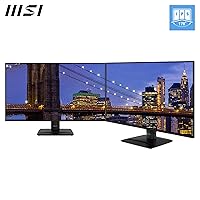
- The four-side slim bezel keeps multi-monitor builds looking clean without noticeable gaps between screens.
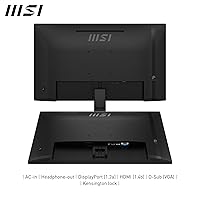
- HDMI, DisplayPort, and VGA ports cover a wider range of devices than most competitors at this price point.
- AMD FreeSync eliminates screen tearing during gaming without requiring any premium over the base price.
- Matte anti-glare coating handles bright room lighting well and reduces the eye strain that glossy panels can cause.
- At under a hundred dollars, the PRO MP271A E2 offers a panel type and feature set that would have cost considerably more just a few years ago.
- Easy, tool-friendly assembly gets you up and running in minutes — consistently praised by buyers across hundreds of reviews.
- VESA compatibility means upgrading to a proper ergonomic arm is a straightforward, affordable fix if the stand bothers you.
Cons
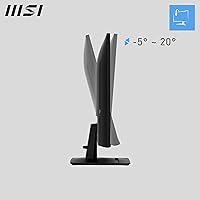
- The stand only tilts, with no height, swivel, or pivot adjustment — a notable gap for ergonomic setups.
- 1080p resolution across 27 inches can look softer than a QHD display, especially for dense code or fine typography.
- Built-in speakers are thin and quiet; most users will plug in external audio within the first week.
- No USB hub or USB-C port limits connectivity convenience for modern laptops and peripherals.
- The contrast ratio of 1500:1, while decent for IPS, cannot match the deep blacks a VA panel produces in dim or dark-room use.
- No height-adjustable stand means taller users or those with specific desk ergonomics may need to budget for a VESA arm separately.
- Color gamut coverage is not specified for professional standards like DCI-P3, making it a poor choice for photo or video work.
- The 120Hz ceiling means this display will feel limiting sooner than expected as mid-range GPUs push beyond that threshold.
- No HDR support, which is increasingly standard even on budget displays from competing brands.
Ratings
The MSI PRO MP271A E2 27-inch Monitor earns a 4.6-star consensus across more than 700 verified global ratings — a score our AI has reached after systematically filtering out incentivized, bot-generated, and unverified feedback to surface what real buyers actually experience. The ratings below reflect both the genuine strengths that keep repeat customers satisfied and the friction points that show up consistently enough to matter. Nothing is glossed over.
Value for Money
Image Quality
Eye Comfort
Build Quality
Stand & Ergonomics
Gaming Performance
Color Accuracy
Connectivity
Matte Screen Coating
Built-in Speakers
Setup & Assembly
Bezel Design
Packaging & Delivery
OSD & Software Controls
Suitable for:
The MSI PRO MP271A E2 27-inch Monitor is a strong fit for anyone who spends the majority of their workday in front of a screen and needs reliable, comfortable viewing without a large outlay. Remote workers and students will appreciate the TÜV-certified eye care features during marathon sessions, while programmers and web designers benefit from the IPS panel's color consistency across a generously sized 27-inch canvas. Casual gamers on a tight budget get a real upgrade with 120Hz and FreeSync without paying the premium a dedicated gaming display demands. The slim four-side bezel makes it a natural choice for anyone building a dual-monitor setup, where clean visual continuity between screens matters. If you are currently on an older 60Hz TN panel and want a noticeable day-one improvement in both image quality and smoothness, this 27-inch IPS display delivers exactly that at a price that is hard to argue with.
Not suitable for:
The MSI PRO MP271A E2 27-inch Monitor has clear limits that certain buyers should think carefully about before purchasing. The stand only tilts — there is no height adjustment, swivel, or pivot — which is a real ergonomic shortcoming for anyone who needs a precisely dialed-in desk setup or works in portrait mode. Competitive or serious gamers will find 1080p and 120Hz adequate but underwhelming compared to higher-refresh QHD alternatives available for a modest step up in price. Users who are sensitive to pixel density should be aware that 1080p spread across 27 inches produces a noticeably softer image than a QHD panel at the same size, which can matter for fine text rendering and detailed design work. Those expecting standalone audio from the built-in speakers will likely be disappointed — they are serviceable in a quiet room but fall short for anyone who cares about sound quality. Finally, content creators who require factory-calibrated color accuracy or HDR support should look elsewhere, as this display is tuned for everyday productivity, not professional color work.
Specifications
- Panel Type: Uses an IPS (In-Plane Switching) panel, which provides consistent color accuracy and wide viewing angles compared to TN or VA alternatives.
- Screen Size: The active display area measures 27 inches diagonally, offering a spacious workspace suitable for productivity and multitasking.
- Resolution: Native resolution is 1920 x 1080 (Full HD), delivering a standard widescreen image across the 16:9 aspect ratio panel.
- Refresh Rate: Runs at a maximum of 120Hz, providing noticeably smoother motion during scrolling, video playback, and casual gaming.
- Response Time: Rated at 1ms MPRT (Moving Picture Response Time), which reduces visible motion blur in fast-moving on-screen content.
- Viewing Angle: Supports 178 degrees of horizontal and vertical viewing, meaning color and contrast remain stable from almost any seated position.
- Contrast Ratio: Specified contrast ratio is 1500:1, delivering adequate depth between light and dark areas for an IPS panel at this tier.
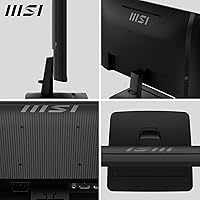
- Connectivity: Includes one HDMI port, one DisplayPort, and one VGA port, covering a broad range of modern and legacy source devices.
- Adaptive Sync: Supports AMD FreeSync, which synchronizes the display refresh rate with compatible AMD GPU output to reduce screen tearing.
- Eye Care: Equipped with MSI Less Blue Light PRO technology and carries TÜV Rheinland certification for reduced eye strain during extended use.
- Surface Finish: Features a matte anti-glare screen coating that minimizes reflections in bright ambient lighting conditions.
- Bezel Design: Built with a four-side slim bezel that reduces the visual border around the screen, making it well-suited to multi-monitor arrangements.
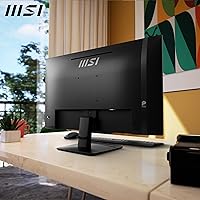
- Stand Adjustment: The included stand supports tilt adjustment only; height, swivel, and pivot adjustments are not available with the stock stand.
- VESA Support: The display is VESA mount compatible, allowing users to replace the stock stand with a third-party monitor arm or wall mount.
- Built-in Audio: Includes integrated speakers, providing basic audio output without the need for external speakers in low-demand listening situations.
- Dimensions: The assembled monitor measures approximately 24.09 x 17.01 x 8.15 inches (width x height x depth) with the stand attached.
- Weight: Complete unit with stand weighs 13.42 pounds, which is a typical weight for a 27-inch monitor in this category.
- Release Date: The product was first made available in September 2024, making it a relatively recent addition to MSI's PRO display lineup.
Related Reviews
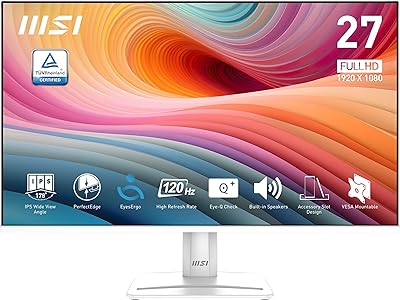
MSI PRO MP275W E2 27-inch Monitor
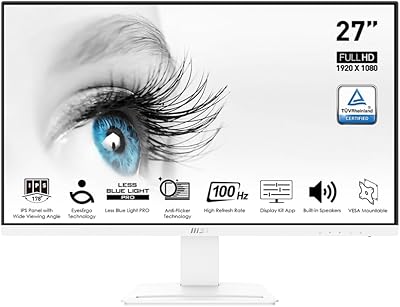
MSI Pro MP273AW 27-inch Monitor
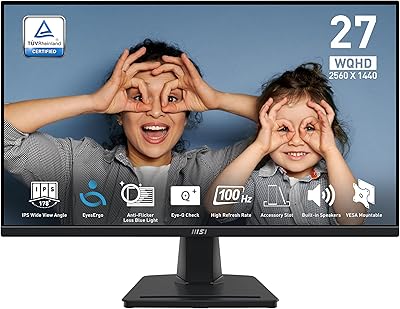
MSI PRO MP275Q 27-inch WQHD Monitor
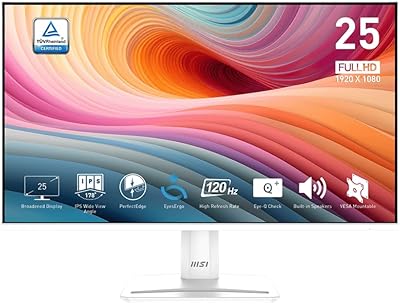
MSI PRO MP251W E2 24.5-inch Monitor
MSI MAG 275QF 27-inch Gaming Monitor
MSI MAG 275F 27″ Gaming Monitor
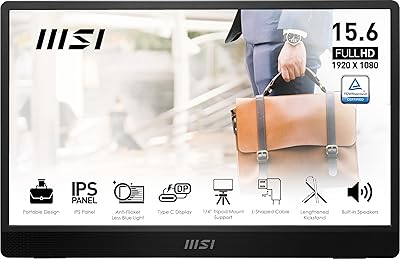
MSI Pro MP161 E2 15.6″ Portable Monitor
MSI MAG 271QPX 27-inch QD-OLED Gaming Monitor
MSI PRO MP243L E14 24-inch Monitor