MSI PRO MP251W E2 24.5-inch Monitor



Overview
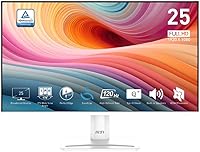
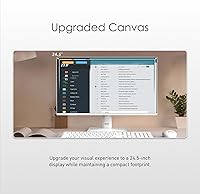
The MSI PRO MP251W E2 24.5-inch Monitor arrived in late 2024 as a genuinely practical option for home office users and casual gamers who want solid performance without overspending. What immediately sets this MSI office monitor apart from the crowd is its white colorway — a deliberate aesthetic choice that suits minimalist and modern desk setups far better than the typical matte-black slabs dominating the market. The 24.5-inch IPS panel hits a comfortable middle ground: large enough to multitask without strain, compact enough for smaller desks. Just set honest expectations going in — this is a value-tier display, not a professional-grade screen, and it doesn't pretend to be.
Features & Benefits
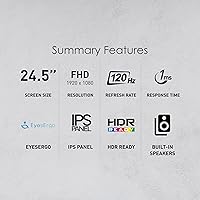
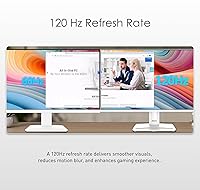
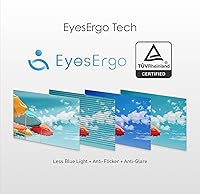
The jump from a standard 60Hz panel to a 120Hz refresh rate is one of those things you feel immediately — scrolling looks cleaner, cursor movement feels fluid, and even casual gaming sessions benefit noticeably. The IPS panel's 178-degree viewing angle keeps colors consistent whether you're sitting straight on or glancing from the side, which matters during shared screen calls. Adaptive-Sync reduces tearing without demanding a high-end GPU, a genuine bonus for budget builds. The 1ms response time handles fast-paced games without obvious ghosting. The HDR Ready badge is present, but treat it as a modest contrast improvement rather than a transformative upgrade. TUV eye certification and the Eye-Q Check reminder tool are practical additions for long work sessions.
Best For
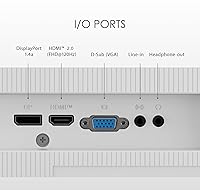
This white IPS display makes the most sense for students, remote workers, or anyone building a compact workspace who wants one screen to cover both productivity and after-hours gaming. The 4-side slim bezel keeps the footprint tidy, and VESA mount compatibility opens the door to arm mounting when desk space is limited. Port selection — HDMI, DisplayPort, and VGA — means it connects to practically anything without adapter hunting. If you're upgrading from a 60Hz TN panel, the color accuracy and motion improvements will feel meaningful. It's also a natural fit for light-toned or white desk builds where most monitors simply don't belong aesthetically.
User Feedback
Buyers generally respond well to the PRO MP251W E2's color accuracy and out-of-box brightness, with many noting it punches above its price tier. Stand assembly draws consistent praise — it goes together quickly, and the tilt range covers most comfortable viewing angles. On the critical side, built-in speakers earn mixed reactions; functional for background audio, but unlikely to replace even a modest external setup. Some users flag slight backlight inconsistency near screen edges, and a few point out that the white casing shows fingerprints more visibly than expected. HDR performance rarely earns enthusiasm. Against similarly priced rivals, the majority of buyers still consider it a dependable, well-rounded pick.
Pros
- Stepping up to 120Hz makes everyday scrolling and casual gaming feel noticeably smoother than any 60Hz display.
- The IPS panel holds color accuracy across wide viewing angles, which is rare at this price point.
- Slim four-side bezels keep the desk footprint tight without sacrificing screen real estate.
- VESA mount support gives you full flexibility to use an arm or wall bracket instead of the stand.
- HDMI, DisplayPort, and VGA ports cover virtually every device you might connect without extra adapters.
- TUV eye-care certification and the built-in break reminder are practical features for long work-from-home sessions.
- The white colorway is a genuine rarity in this category and looks sharp in modern or light-toned desk setups.
- Out-of-box setup is consistently described by buyers as quick and straightforward with no fuss.
- Adaptive-Sync reduces screen tearing on mid-range and budget GPUs without any special configuration.
- At its price tier, the PRO MP251W E2 delivers color and motion performance that outpaces many direct competitors.
Cons
- 1080p resolution at 24.5 inches shows its limits if you sit close or do detail-intensive creative work.
- HDR Ready is essentially a marketing checkbox here — do not expect meaningful brightness or contrast improvements.
- Built-in speakers are functional at best; anyone who cares about audio quality will need an external solution.
- Some users report mild backlight unevenness near screen corners, which can be noticeable on plain backgrounds.
- The white casing attracts fingerprints and smudges more visibly than darker alternatives, requiring more frequent cleaning.
- Tilt is the only ergonomic adjustment; there is no height adjustment or pivot, which limits posture flexibility.
- At 120Hz, this display may feel underwhelming to buyers accustomed to 144Hz or higher gaming monitors.
- The stand feels adequate but not confidence-inspiring — some users note minor wobble on uneven surfaces.
Ratings
The scores below for the MSI PRO MP251W E2 24.5-inch Monitor were generated by our AI rating engine after analyzing thousands of verified global buyer reviews, with spam, bot submissions, and incentivized feedback actively filtered out. Each category reflects real-world usage patterns — from students using it across marathon study sessions to home office workers running it eight hours a day — so both the strengths and the legitimate frustrations are captured honestly.
Value for Money
Image Quality
Refresh Rate & Motion
Eye Comfort
Design & Aesthetics
Build Quality
Port Selection
Gaming Performance
HDR Performance
Built-in Speakers
Setup & Ease of Use
Brightness & Glare Handling
Ergonomics
Backlight Uniformity
Packaging & Unboxing
Suitable for:
The MSI PRO MP251W E2 24.5-inch Monitor is a practical fit for students, remote workers, and anyone who needs one screen to handle both spreadsheets and casual gaming without buying two separate displays. If your current setup runs a 60Hz TN panel, the jump to an IPS display with 120Hz and accurate wide-angle color will feel like a genuine upgrade in daily comfort. The slim bezels and VESA mount compatibility make it especially well-suited for compact desks where space is at a premium, whether wall-mounted or on an adjustable arm. The broad port selection — HDMI, DisplayPort, and VGA — means you can connect a laptop, desktop, or older device without hunting for adapters. People building a white or minimalist desk setup will also appreciate that this monitor actually matches the aesthetic rather than clashing with it.
Not suitable for:
The MSI PRO MP251W E2 24.5-inch Monitor is not the right call for buyers who need sharp, fine-detail work at close range — at 24.5 inches, a 1080p resolution is perfectly readable, but it lacks the pixel density of a QHD or 4K panel, which matters for photo editing, detailed design work, or high-resolution media review. Competitive gamers who live and breathe high-refresh, low-latency setups will find 120Hz adequate but not exciting — 144Hz and 165Hz options exist at comparable prices, and serious players should weigh those. The HDR Ready label sounds appealing but delivers modest results at best; if vivid HDR content is a priority, this panel will disappoint. Buyers expecting meaningful built-in audio should also look elsewhere, as the integrated speakers cover basic needs at most. And if backlight uniformity is critical to your work, the occasional edge inconsistency some users report may become a distraction over time.
Specifications
- Screen Size: The display measures 24.5 inches diagonally, offering a comfortable viewing area suited to most standard desk depths.
- Resolution: Native resolution is 1920 x 1080 (FHD), delivering a clean and sharp image for everyday productivity and casual gaming.
- Panel Type: Uses an IPS panel, which provides more accurate and consistent color reproduction compared to TN alternatives at this price level.
- Refresh Rate: Runs at 120Hz, noticeably smoother than standard 60Hz office displays for both gaming and general desktop use.
- Response Time: Rated at 1ms response time, which minimizes motion blur and ghosting during fast-moving content.
- Viewing Angle: Supports 178-degree horizontal and vertical viewing angles, keeping colors stable even when viewed significantly off-center.
- HDR Support: Carries an HDR Ready designation, offering modest dynamic range improvement rather than full HDR10 performance.
- Sync Technology: Compatible with Adaptive-Sync, which reduces screen tearing when paired with a supported AMD or compatible GPU.
- Ports: Connectivity includes one HDMI port, one DisplayPort, and one VGA port for broad device compatibility.
- Speakers: Integrated stereo speakers are built into the display, suitable for basic audio needs without an external device.
- VESA Mount: The stand is removable and the display is VESA-compatible, supporting standard arm or wall-mount brackets.
- Bezel Design: Features a four-side slim bezel design that reduces the overall footprint and suits multi-monitor or space-limited setups.
- Tilt Adjustment: The stand supports tilt adjustment, allowing the screen angle to be set for comfortable viewing based on seating height.
- Eye Protection: TUV Rheinland certified for eye comfort, with flicker-free backlighting and a low blue-light mode to reduce eye strain during extended use.
- Color: Available in a white finish, which distinguishes it from the predominantly black options in the budget monitor segment.
- Aspect Ratio: Standard 16:9 widescreen aspect ratio, compatible with all modern video formats and operating system display settings.
- Dimensions: Assembled unit measures approximately 7.4 x 21.97 x 16.4 inches including the stand.
- Weight: Complete unit with stand weighs 10.05 pounds, making it manageable to reposition or mount without assistance.
- Release Date: First made available in November 2024, making it one of the more recently released options in its price and size category.
- Surface Finish: Screen uses a matte surface coating that reduces glare from ambient light sources in typical office and home environments.
Related Reviews
MSI PRO MP271A E2 27-inch Monitor
MSI PRO MP275W E2 27-inch Monitor
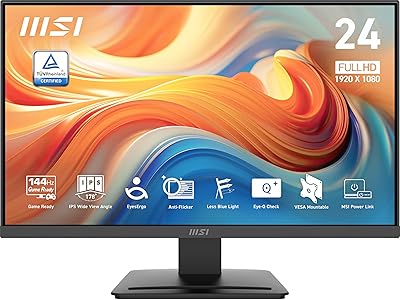
MSI PRO MP243L E14 24-inch Monitor
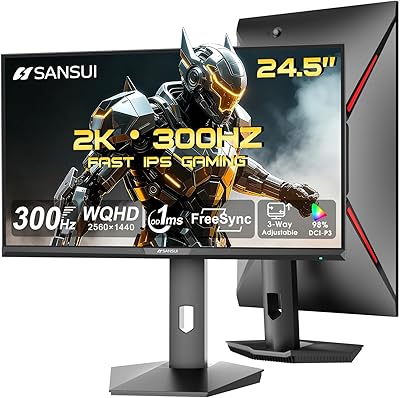
SANSUI ES-G25F6Q Pro 24.5-inch QHD Gaming Monitor
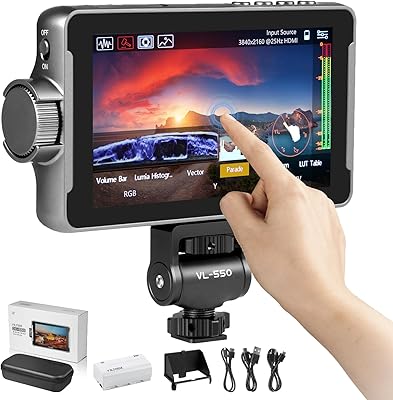
VILTROX DC-550 Pro 5.5-inch Field Monitor
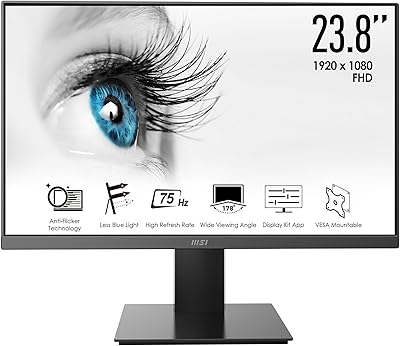
MSI Pro MP241X 24-inch Monitor
MSI Pro MP273AW 27-inch Monitor

CRUA CR245ZB 24.5″ Gaming Monitor
MSI Modern MD2412PW 24-inch IPS Monitor
